
Personalized Outbound Strategy
Get The Right Outbound Strategy In Minutes
Enter your email to get a custom plan & stack recommendation for your business
It's being carefully crafted by AI
Please check your mailbox in 5 minutes

Mission Inbox gives teams dedicated infrastructure for cold email, including isolated servers, dedicated IPs, SMTP mailboxes, and API sending. The problem is that not every outbound team wants to build around dedicated SMTP infrastructure.
As outbound programs grow, those infrastructure choices start to matter. Some teams need real Google Workspace or Microsoft 365 mailboxes. Others need private dedicated infrastructure, cheaper mailbox setup, or an easier way to manage domains, inboxes, DNS records, and sending volume.
In this guide, I'll compare the best Mission Inbox alternatives for cold email infrastructure. Let’s begin!
My Pick: Primeforge is the strongest Mission Inbox alternative if you want real Google Workspace and Microsoft 365 mailboxes with automated DNS setup, API support, and infrastructure built for cold email.
I looked at how each platform performs in outbound workflows, from setting up mailbox infrastructure to managing deliverability as your sending volume grows. To keep the comparison consistent, I evaluated every platform using the following criteria:
These criteria helped me identify the platforms that deliver the best value for different cold email infrastructure needs.
G2 Rating: 4.6/5
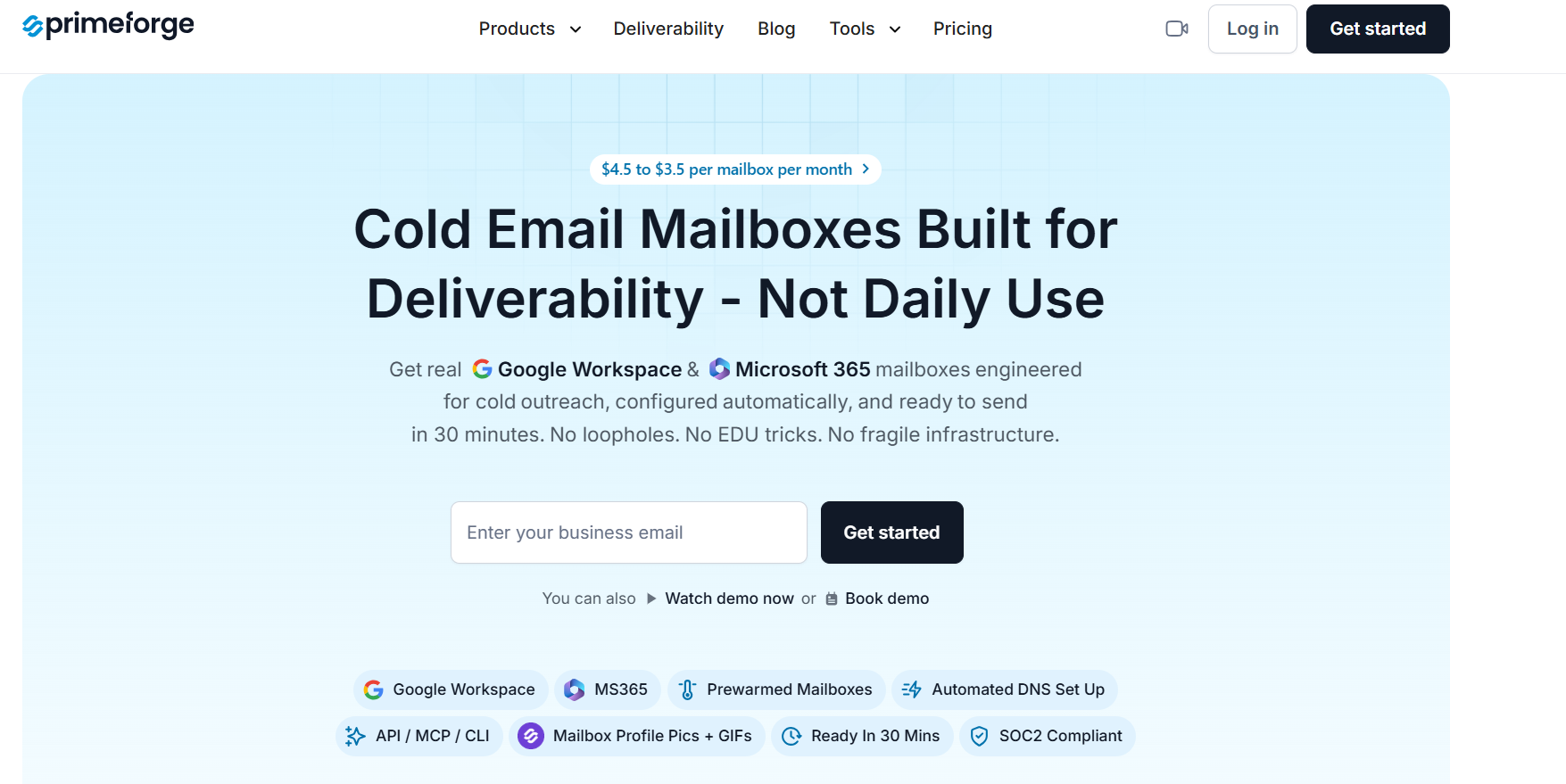
If your prospects mainly use Google Workspace or Microsoft 365, Primeforge is the Mission Inbox alternative I would recommend first. Instead of building your outbound setup on SMTP infrastructure, Primeforge provides real Google Workspace and Microsoft 365 mailboxes that are built specifically for cold outreach.
What stood out to me is how much of the setup is automated. You can buy domains, create mailboxes, configure SPF, DKIM, and DMARC, and start using your mailboxes without doing the technical work yourself.
It also supports bulk DNS updates, multiple workspaces, API access, and makes it easy to manage mailbox infrastructure as your outbound campaigns grow.
Compared to Mission Inbox, Primeforge takes a different approach. Mission Inbox focuses on dedicated SMTP infrastructure with isolated servers and dedicated IPs. Primeforge focuses on providing real Google Workspace and Microsoft 365 mailboxes with automated setup and infrastructure management.
If your prospects mostly use Google or Microsoft, I think Primeforge is the better choice.
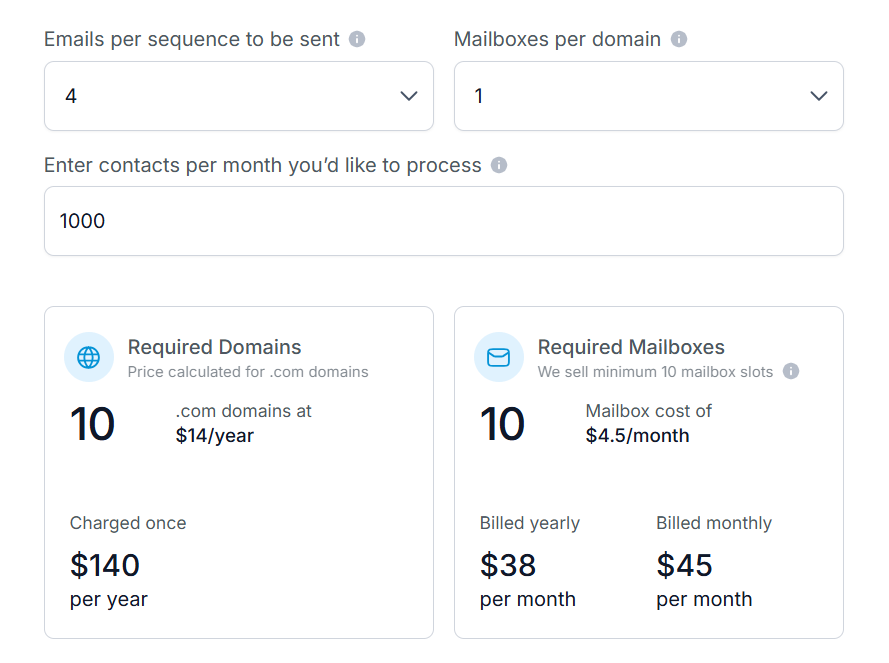
Primeforge starts at $4.50 per mailbox per month, with pricing dropping to $3.50 per mailbox per month on higher-volume plans. Domains can also be purchased directly from the platform, and automated DNS setup is included.
Best For: Sales teams, agencies, and growing outbound teams that want real Google Workspace and Microsoft 365 mailboxes with automated setup.
Avoid If: You specifically want private SMTP infrastructure with dedicated servers and dedicated IPs instead of Google Workspace or Microsoft 365 mailboxes.
Enter your email to get a custom plan & stack recommendation for your business
Please check your mailbox in 5 minutes

G2 Rating: 4.8/5
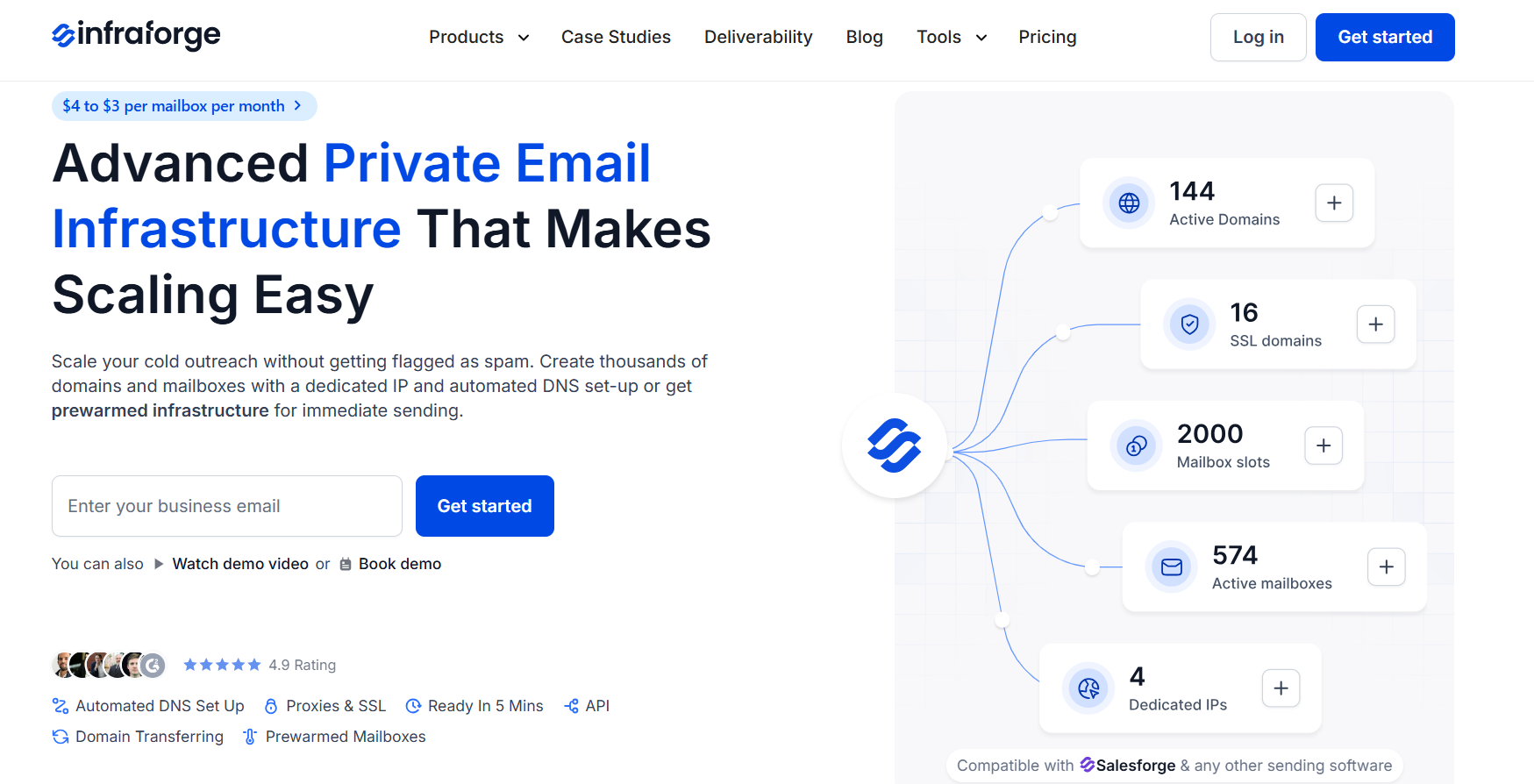
Infraforge is one of the closest Mission Inbox alternatives if you want private email infrastructure for cold outreach. It uses dedicated servers and dedicated IPs, giving you more control over sender reputation than shared mailbox setups.
What makes Infraforge useful is how much of the technical setup is handled for you. You can create domains and mailboxes, set up SPF, DKIM, and DMARC automatically, manage bulk DNS updates, add more IPs, and connect the infrastructure to Salesforge or other sending tools.
Compared to Mission Inbox, Infraforge is built more for teams that want full infrastructure control at scale. Mission Inbox also offers dedicated infrastructure, but Infraforge gives you more flexibility around mailbox slots, multi-IP provisioning, domain management, SSL and domain masking, and API-based workflows.
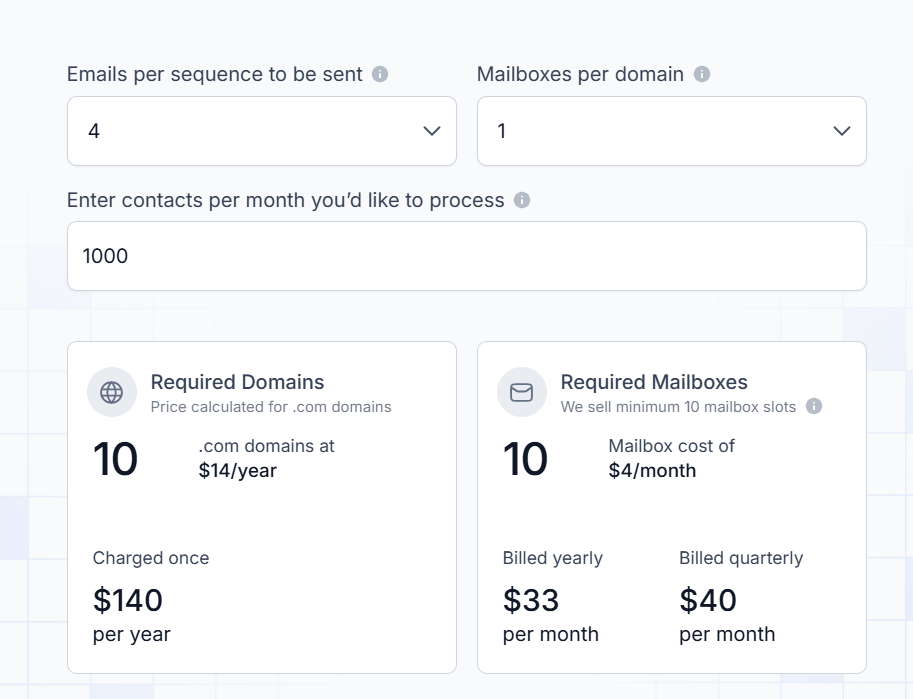
Infraforge mailbox pricing starts at $4 per mailbox per month on yearly billing and can go down to $3 per mailbox per month at higher volumes. The pricing calculator example shows 25 mailbox slots at $83/month when billed yearly or $100/month when billed quarterly.
Domains are priced at around $14 per year for .com domains. Infraforge also has a minimum purchase of 10 mailbox slots.
Add-ons include:
Best For: Agencies, outbound teams, and high-volume senders that want private cold email infrastructure with dedicated IPs, automated DNS setup, multi-IP provisioning, and more control over deliverability.
Avoid If: You want real Google Workspace or Microsoft 365 mailboxes. In that case, Primeforge is the better option.
G2 Rating: 4.7/5
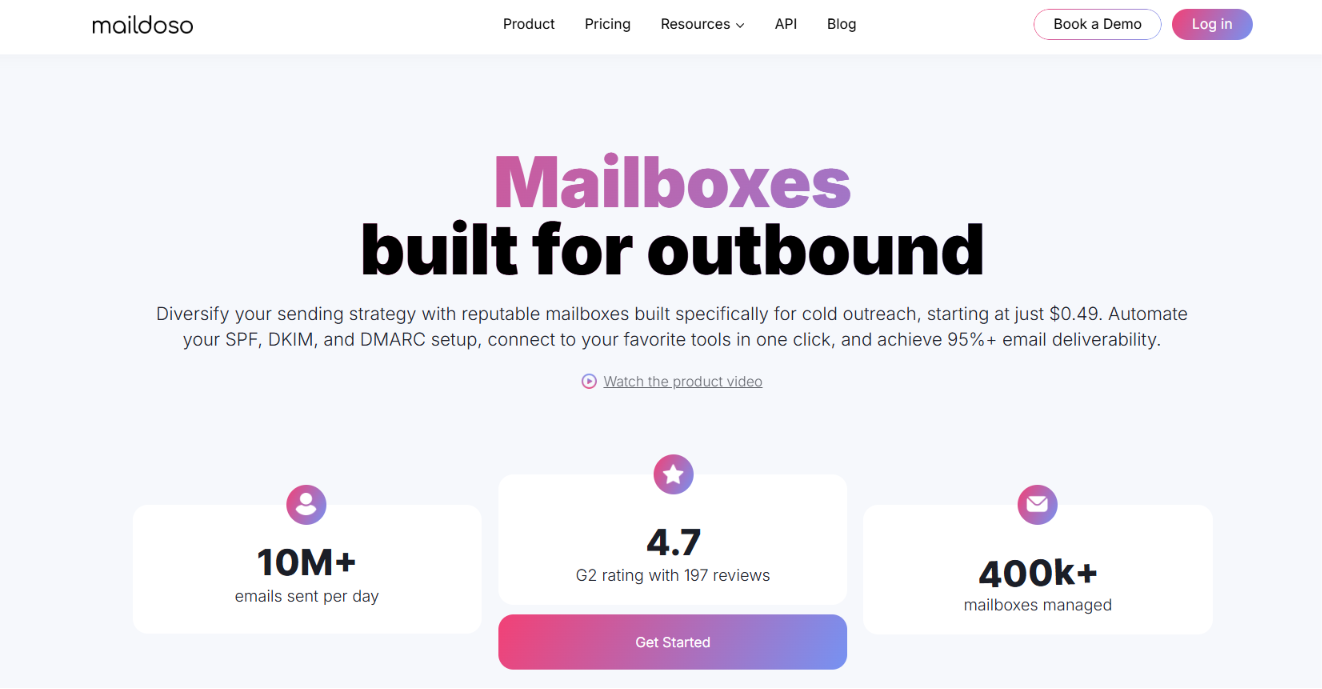
Maildoso is a good Mission Inbox alternative if you want affordable outbound mailboxes with both SMTP and Google Workspace options. Unlike Mission Inbox, which focuses on dedicated email infrastructure, Maildoso lets you choose between SMTP mailboxes, Google Workspace mailboxes, or a combination of both depending on your outreach strategy.
One of Maildoso's biggest strengths is automation. It automatically configures SPF, DKIM, and DMARC, supports one-click integrations with popular outreach tools like Instantly, Smartlead, Saleshandy, and others, provides API and MCP access, and lets you create domains and mailboxes in minutes.
For SMTP mailboxes, it also includes IP rotation, self-healing mailboxes, inbox placement tests every three days, and mailbox health monitoring.
Mission Inbox offers dedicated infrastructure with isolated servers, dedicated IPs, and AI-powered pre-send protection, while Maildoso gives users the flexibility to combine SMTP and Google Workspace mailboxes with automated setup and lower entry pricing.
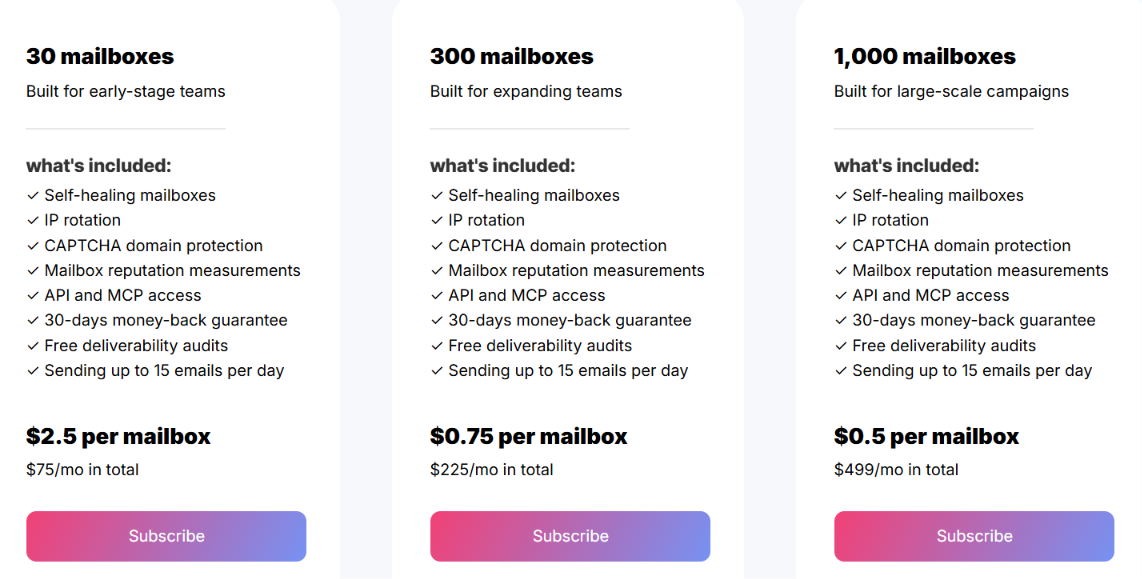
Maildoso offers separate pricing for SMTP and Google Workspace mailboxes. Google Workspace mailboxes start at $4 per mailbox/month for smaller plans. SMTP mailboxes start at $2.50 per mailbox/month on standard plans and can go as low as $1.20 per mailbox/month for large deployments.
Maildoso also advertises pricing starting from $0.49 per mailbox for high-volume infrastructure. The platform also includes a 30-day money-back guarantee for new customers.
Best For: Agencies, sales teams, and businesses that want affordable SMTP or Google Workspace mailboxes with automated setup, API access, and simple outbound infrastructure.
Avoid If: You need dedicated email infrastructure with isolated servers, dedicated IPs, and AI-powered pre-send protection. Mission Inbox is a better fit for those requirements.
G2 Rating: N/A
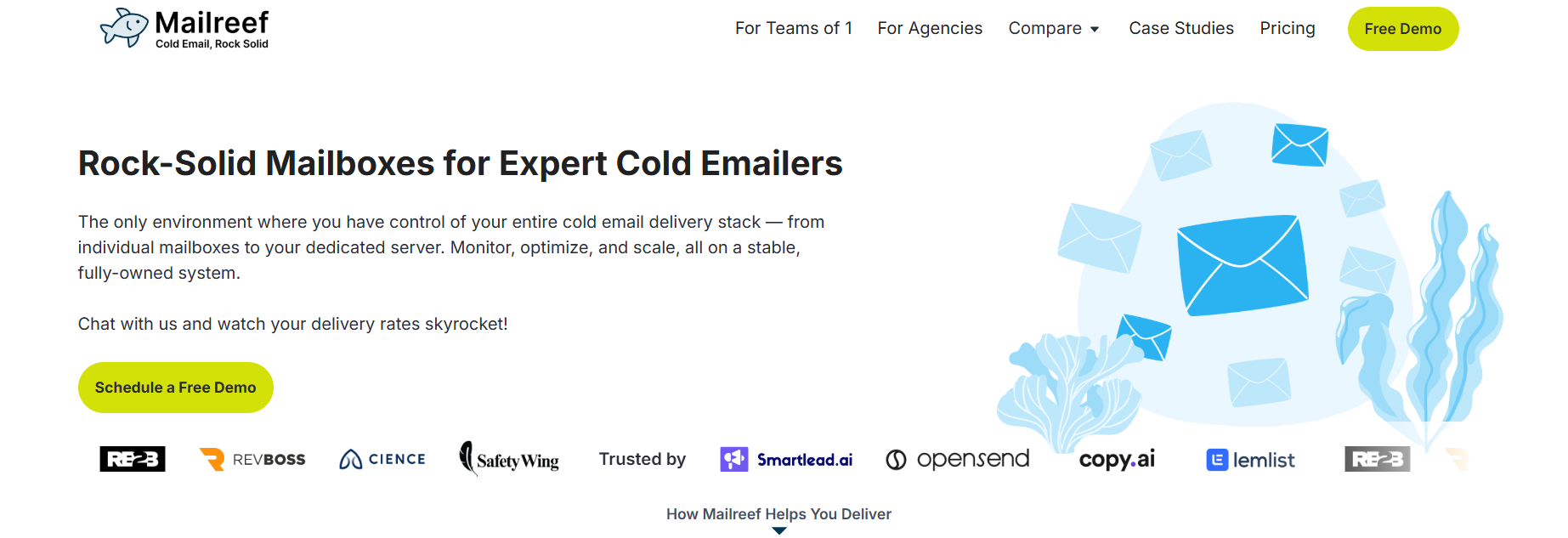
Mailreef is built for businesses that send cold emails at scale and want complete control over their email infrastructure. Every plan includes a dedicated mail server and dedicated IP address, giving you a stable environment designed specifically for cold outreach.
The platform also removes much of the manual work involved in managing cold email infrastructure. You can create domains and mailboxes in one click, automatically configure SPF, DKIM, and DMARC, monitor your servers and mailboxes, and connect with Smartlead, Instantly, or your own applications through the API.
If you're deciding between Mission Inbox and Mailreef, the biggest difference is their approach. Mission Inbox combines dedicated infrastructure with features like AI-powered pre-send protection, while Mailreef focuses on stable infrastructure, fast mailbox provisioning, and live deliverability support.
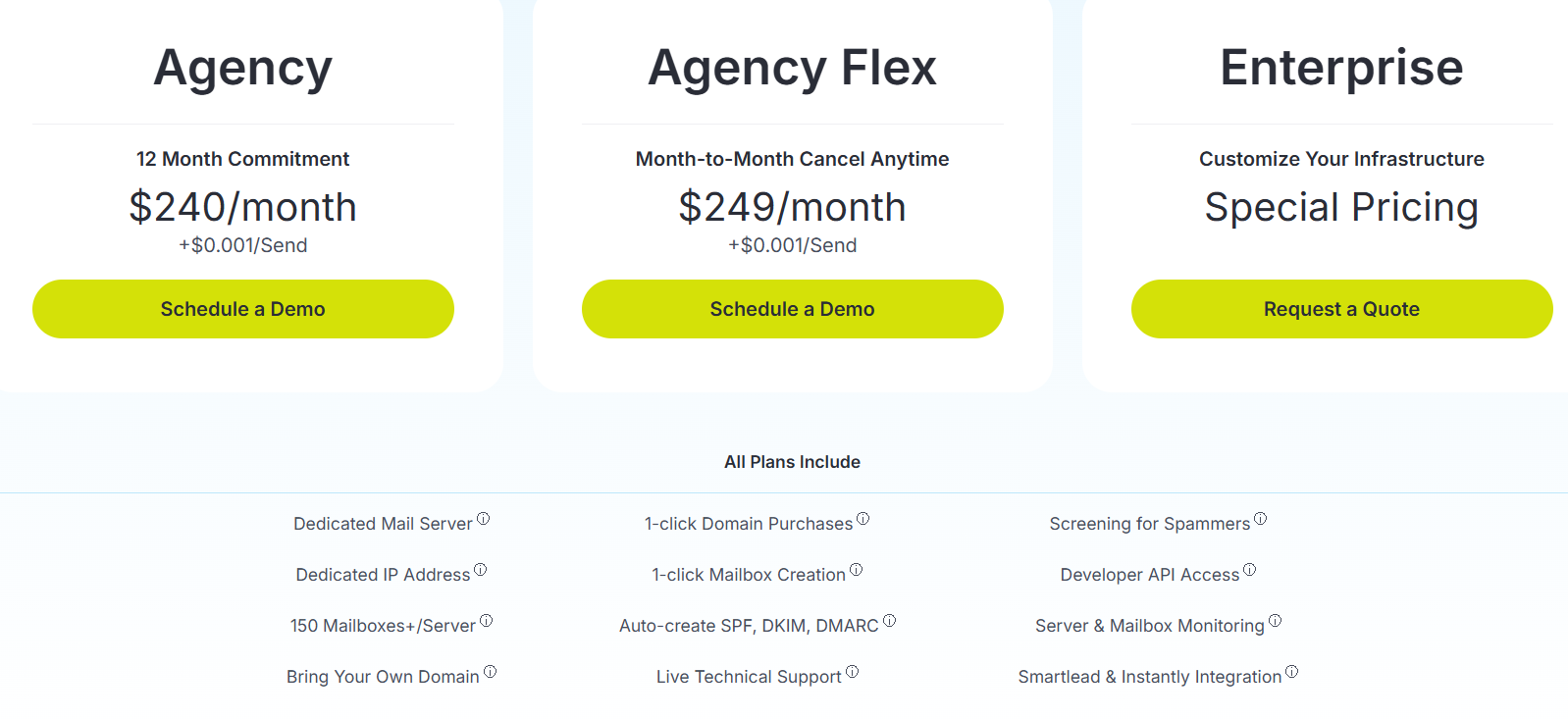
Mailreef’s Agency plan starts at $240/month with a 12-month commitment, plus $0.001 per send. The Agency Flex plan is $249/month on a month-to-month basis, plus $0.001 per send. Enterprise pricing is custom.
All plans include a dedicated mail server, dedicated IP address, 150+ mailboxes per server, bring-your-own-domain support, 1-click domain purchases, 1-click mailbox creation, auto-created SPF, DKIM, and DMARC, live technical support, developer API access, server and mailbox monitoring, and Smartlead and Instantly integrations.
Best For: Cold email agencies, expert outbound teams, and high-volume senders that want a dedicated server, dedicated IP address, mailbox stability, and hands-on delivery support.
Avoid If: You want Google Workspace or Microsoft 365 mailboxes, or if you need AI-powered pre-send protection built into your infrastructure.
G2 Rating: N/A
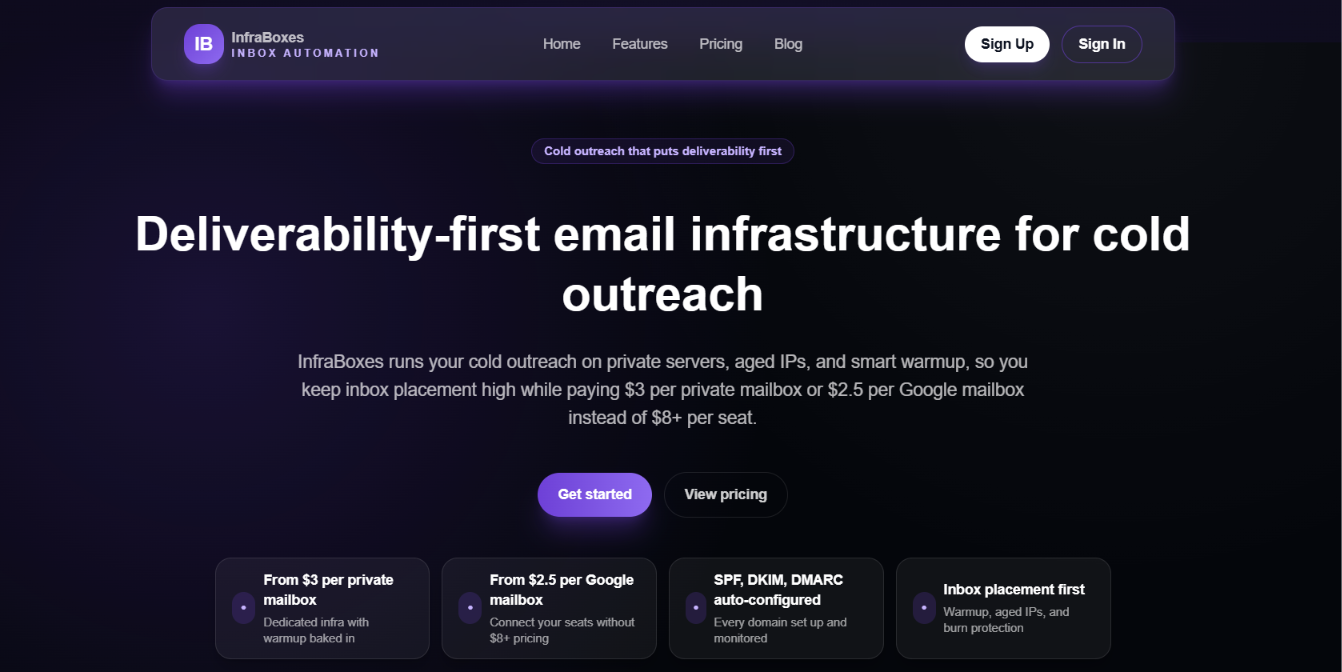
InfraBoxes is a budget-friendly Mission Inbox alternative for teams that want private cold email infrastructure at a lower mailbox cost. It runs outreach on private servers, aged IPs, smart warmup, and automated DNS setup.
The platform is mainly built for agencies and outbound teams managing many domains and mailboxes. You can use private mailboxes or Google Workspace mailboxes, depending on your setup. InfraBoxes also includes burn alerts, bounce filtering, adaptive send volumes, inbox placement checks, and mailbox-level controls.
Mission Inbox is stronger if you want dedicated infrastructure with AI pre-send protection. InfraBoxes is better if your main goal is to keep mailbox costs low while still getting private infrastructure, warmup, monitoring, and clear deliverability controls.
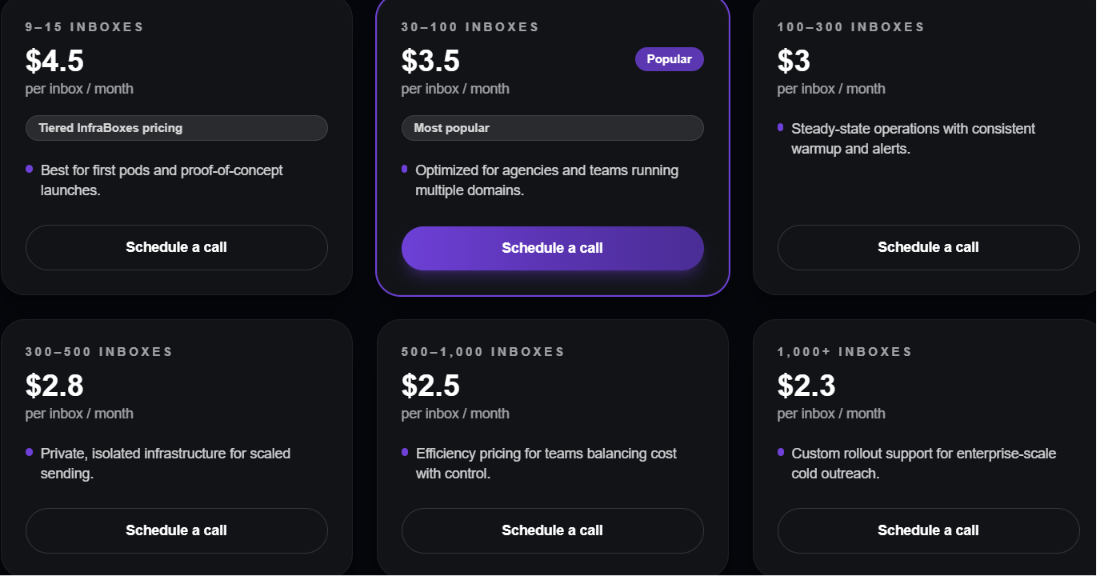
InfraBoxes pricing starts at $4.50 per inbox/month for 9–15 inboxes. It drops to $3.50 per inbox/month for 30–100 inboxes, $3 per inbox/month for 100–300 inboxes, and goes as low as $2.30 per inbox/month for 1,000+ inboxes. The platform also mentions $3 per private mailbox and $2.50 per Google mailbox in its main positioning.
Every mailbox includes warmup, monitoring, and deliverability controls.
Best For: Agencies and outbound teams that want lower-cost private infrastructure, Google mailbox options, automated DNS setup, warmup, and burn alerts.
Avoid If: You need AI-powered pre-send protection or a more established dedicated infrastructure platform like Mission Inbox.
The best Mission Inbox alternative depends on the type of email infrastructure you want to use. Here's a simple breakdown to help you choose the right platform.
Enter your email to get a custom plan & stack recommendation for your business
Please check your mailbox in 5 minutes
The best Mission Inbox alternative depends on the type of infrastructure you want to use. If you need dedicated private infrastructure, tools like Infraforge, Mailreef, and InfraBoxes are strong options. If you're looking for lower-cost SMTP infrastructure, Maildoso is worth considering.
However, if your goal is to get reliable Google Workspace or Microsoft 365 mailboxes that are easy to set up and manage, Primeforge stands out. It automates DNS setup, provides pre-warmed mailboxes, supports APIs, and makes it easy to scale your outbound campaigns without dealing with the technical setup yourself.
Are you ready to scale your cold email infrastructure? Try Primeforge and get your Google Workspace or Microsoft 365 mailboxes up and running in minutes.