If you’re searching for Mailreef alternatives, you’re probably trying to scale cold email without hurting deliverability.
Mailreef is great if you want full control with your own mail server and IP.
But for many teams, it feels heavy.
Table of contents
It costs more, needs technical setup, and is harder to manage at scale.
Some people just want to spin up inboxes fast.
Others want Google or Microsoft mailboxes instead of running their own server.
And many teams want something easier to manage.
That’s why people look for Mailreef alternatives.
In this guide, I’ll walk you through the 10 best Mailreef alternatives and competitors for scalable mailboxes.
You’ll see what each tool does, who it’s best for, and how to choose the right one for your cold email setup.
TL;DR – 10 Best Mailreef Alternatives for Scalable Mailboxes
Primeforge – Best overall for scalable Google Workspace & Microsoft 365 inboxes
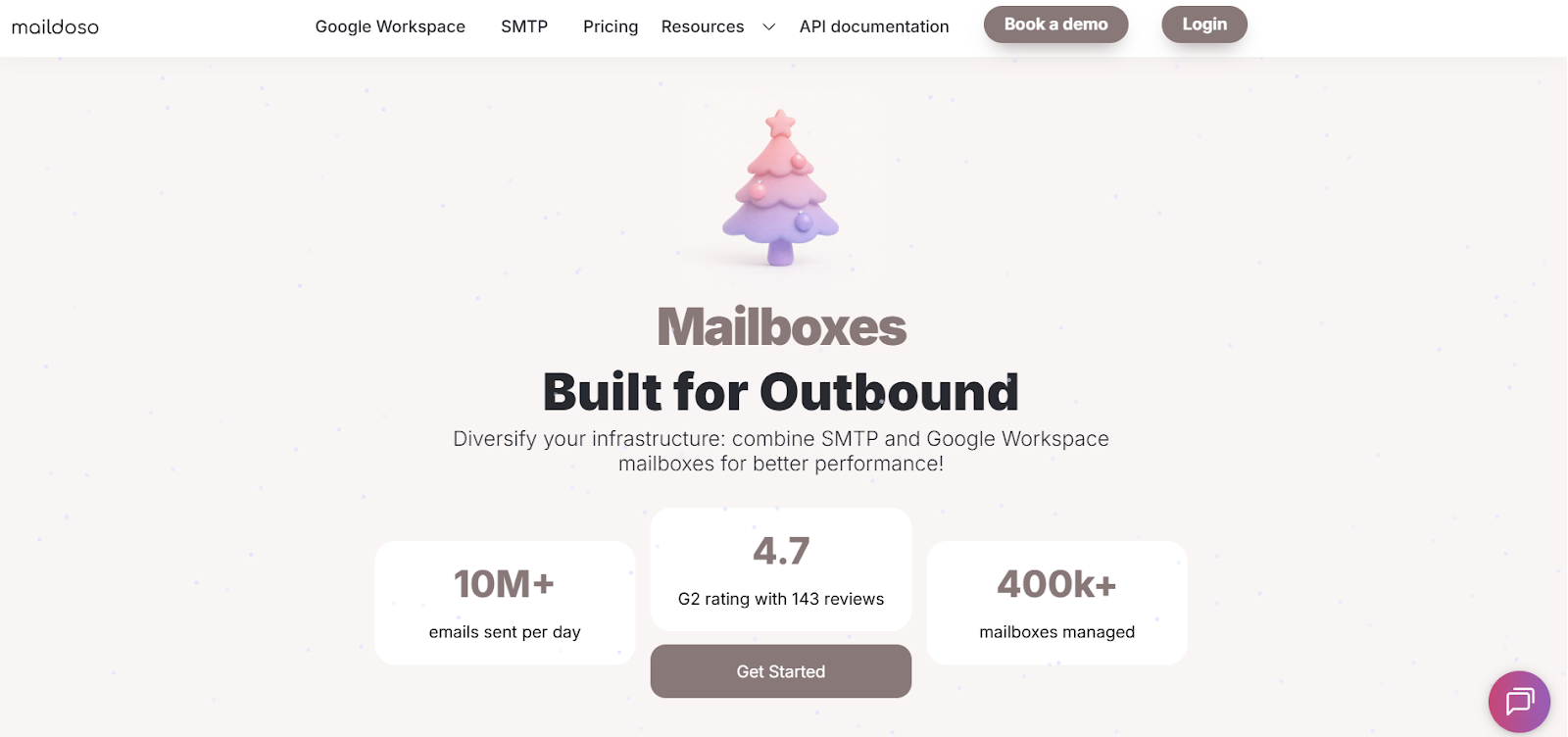
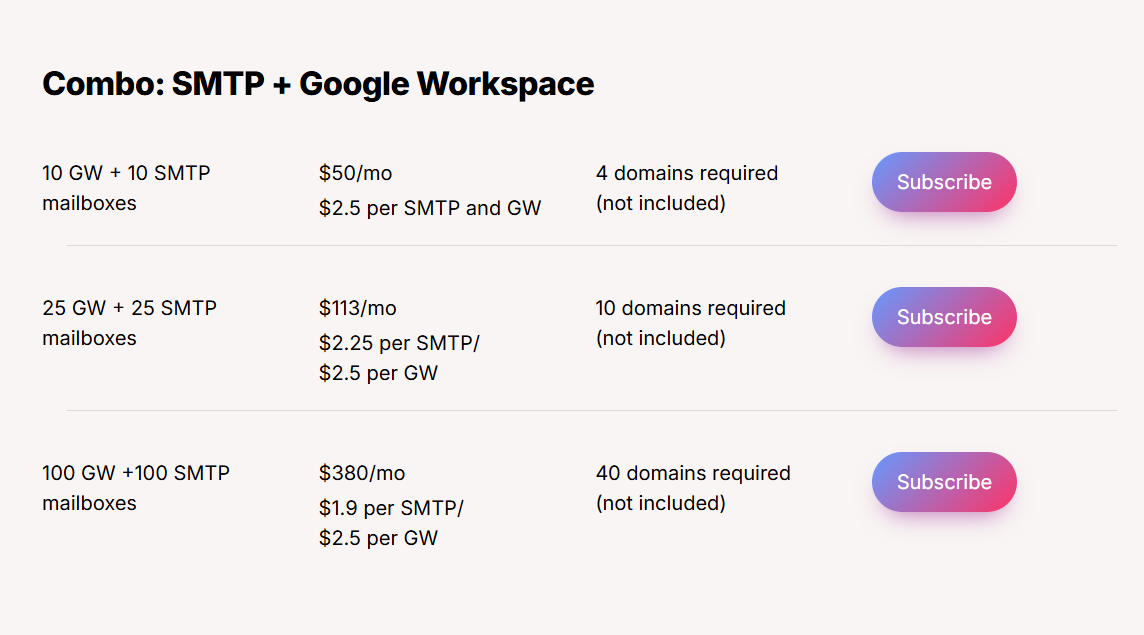
Maildoso – Ideal low-cost option for bulk mailbox creation
Mailscale – Good for shared cold email infrastructure
Mailforge – Best for managed mailboxes with deliverability focus
Inframail – Best for dedicated SMTP + IP control (Mailreef-style infra)
Zapmail – Best for fast, ready-to-send Google & Microsoft inboxes
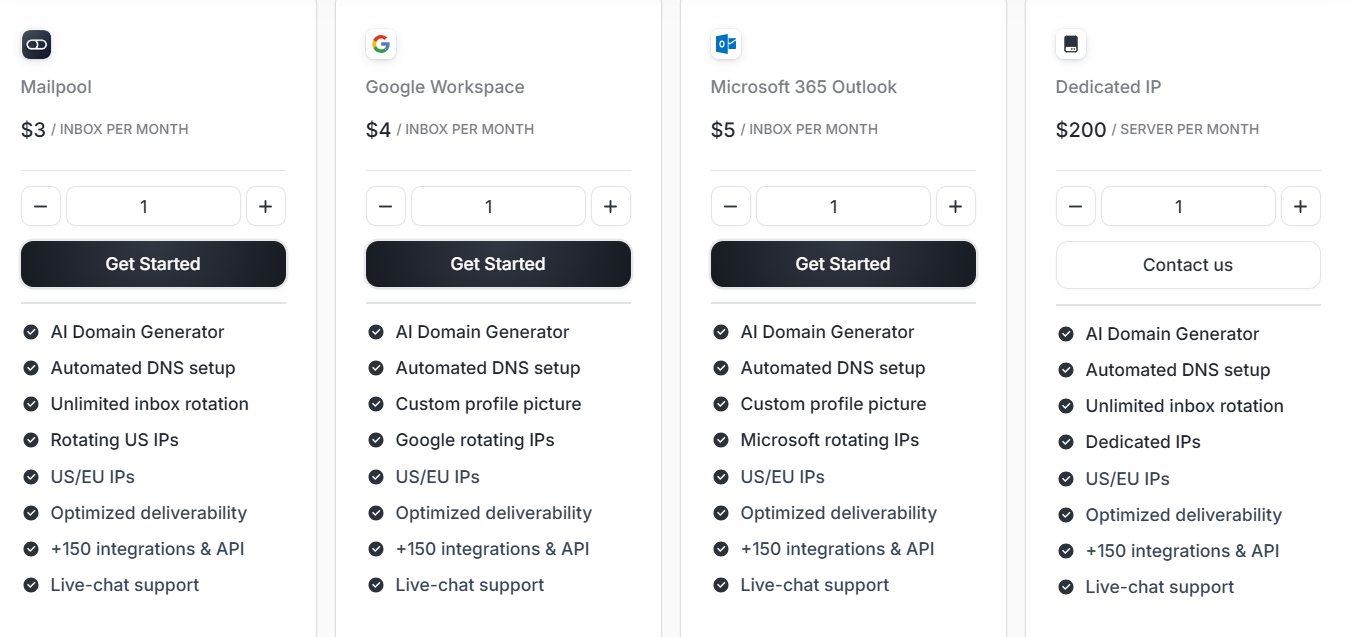
Mailpool – Good for managed inbox pools for cold outreach
PremiumInboxes – Best for fast delivery of official Google Workspace inboxes
Infraforge – Ideal for deliverability-first private email infrastructure
Superwave – Best for Microsoft 365 inbox resale for cold email
How We Evaluated These Mailreef Alternatives
To find the best and most reliable Mailreef alternatives, we focused on factors that directly affect mailbox quality, deliverability, and inbox management efficiency.
Mailbox quality & reliability, including how stable the inboxes are and how long they stay active.
Deliverability performance, including inbox placement and spam risk.
Google & Microsoft support, including proper setup for Google Workspace and Microsoft 365.
Scalability, including how well each tool handles many mailboxes.
Automation & bulk setup, including API access and bulk mailbox creation.
Pricing & scalability, evaluating how well each tool supports small teams and large-scale users.
Each alternative was reviewed based on how well it improves inbox reliability, deliverability, and scaling compared to Mailreef.
10 Mailreef Alternatives & Competitors for Scalable Mailboxes: Detailed Review
Here are the detailed review of the best Mailreef alternatives:
1. Primeforge – Scalable Google & Microsoft Mailboxes for Cold Email
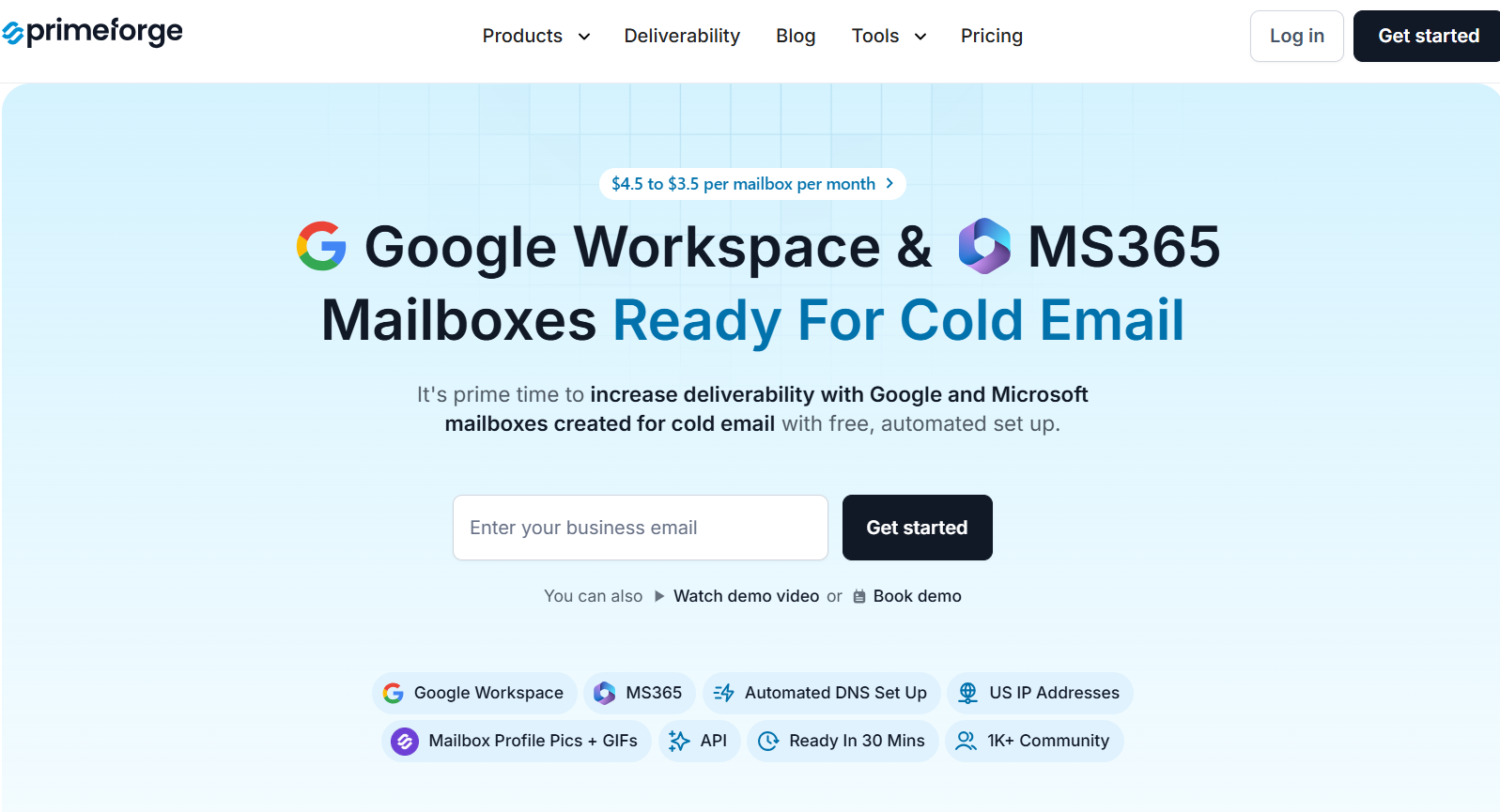
This image shows the Primeforge homepage
Primeforge is a cold email infrastructure tool that helps you create and manage Google Workspace and Microsoft 365 mailboxes made for cold outreach.
Instead of buying inboxes directly from Google or Microsoft and setting everything up by hand, Primeforge handles the setup for you.
It automatically sets up SPF, DKIM, and DMARC, adds US IP addresses, and gets your mailboxes ready in about 30 minutes.
Key Features of Primeforge
Primeforge provides Google Workspace and Microsoft 365 mailboxes that are built for cold email outreach.
It automatically sets up SPF, DKIM, and DMARC for every domain and mailbox you create.
Primeforge gets your domains and mailboxes ready in about 30 minutes, so you can start outreach quickly.
It supports US IP addresses for better deliverability.
Primeforge lets you manage many domains and mailboxes from one dashboard.
It allows you to use profile pictures and GIFs on mailboxes to improve reply rates.
Primeforge vs Mailreef: Quick Comparison
Feature
Primeforge
Mailreef
Mailbox type
Google Workspace & Microsoft 365
Custom mail server mailboxes
Setup time
~30 minutes
Seconds to minutes
DNS setup (SPF, DKIM, DMARC)
Fully automated
Fully automated
IP model
US IP addresses (provider-based)
Dedicated IP per customer
Infrastructure model
Uses Google & Microsoft inboxes
Own dedicated servers
Mailbox limits
Based on mailbox slots
150+ mailboxes per server
Pros & Cons of Primeforge
Pros
Cons
Provides real Google Workspace and Microsoft 365 inboxes
Automated DNS setup for SPF, DKIM, and DMARC
Fast setup in about 30 minutes
Easy bulk domain and mailbox management
Supports profile pictures and GIFs to improve replies
Does not offer dedicated private servers
Not ideal for users who want full IP-level control
Requires buying mailbox slots upfront
No free trial for mailboxes
Primeforge Pricing
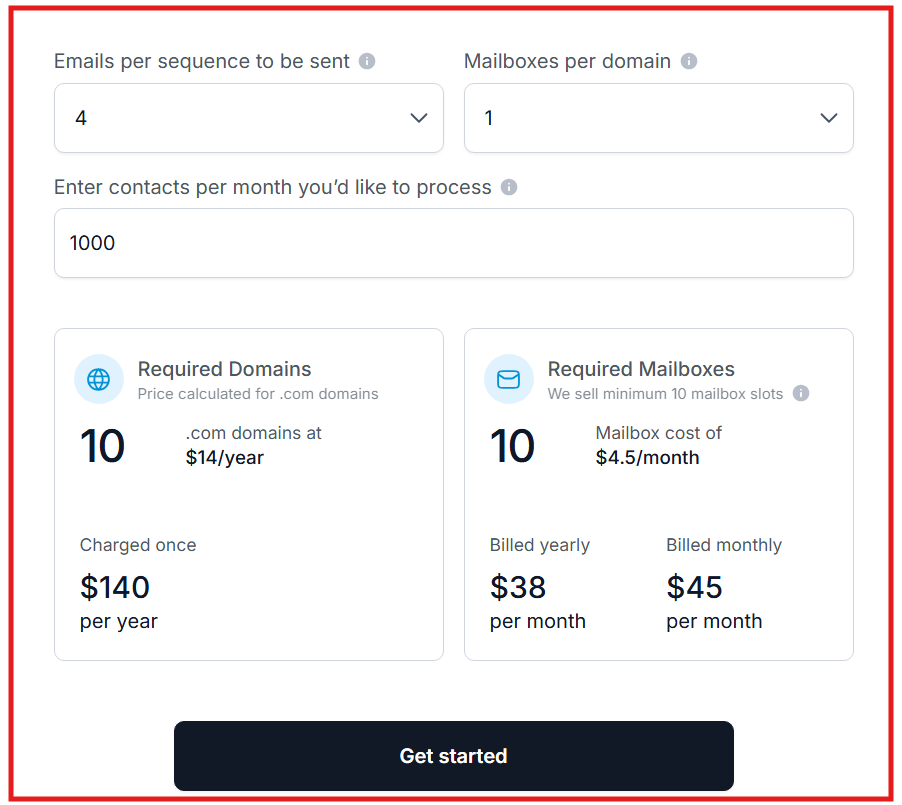
This image shows the Primeforge pricing
Primeforge uses per-mailbox pricing that scales as you grow.
Pricing ranges from $3.5 to $4.5 per mailbox per month, depending on billing cycle.
Annual billing gives you 2 months free on mailbox pricing.
Domains are priced separately (for example, .com domains around $14 per year, charged once).
Primeforge sells mailbox slots, which means you pay for capacity even if you do not use all slots.
Your subscription includes automated DNS setup, inbox hosting, maintenance, API access, and support.
3. Mailscale – Fast, Low-Cost Inbox Creation for Cold Email
This image shows the Mailscale homepage
Mailscale is a cold email inbox provider built for teams that want to create many inboxes very fast and at a low cost.
It helps agencies and B2B teams set up inboxes for cold outreach without manual DNS work.
With Mailscale, you can generate 50 to 1,000 inboxes in minutes and connect them to tools like Instantly, Smartlead, Lemlist, or Mailshake using IMAP and SMTP.
Key Features of Mailscale
Mailscale lets you create 50 to 1,000 inboxes in under 60 seconds.
It automatically sets up SPF, DKIM, and DMARC for all domains.
Mailscale gives you a CSV file with IMAP and SMTP details for easy import into sending tools.
It lets you buy domains inside the platform or bring your own domains.
Mailscale supports domain forwarding to your main website.
Mailscale uses shared IP pools instead of dedicated IPs.
Mailscale vs Mailreef: Quick Comparison
Feature
Mailscale
Mailreef
Mailbox type
Self-hosted inboxes
Dedicated server mailboxes
Server model
Shared infrastructure
Fully dedicated server
IP addresses
Shared IP pools
Dedicated IP per customer
Setup speed
5–20 minutes
Seconds
Best for
Fast scaling at low cost
Full control at high volume
Pros & Cons of Mailscale
Pros
Cons
Very fast inbox creation
Low cost compared to Google & Outlook
Works with most cold email tools
Uses shared IPs
No dedicated IPs
Not built for deep infrastructure tuning
Mailscale Pricing
This image shows the Mailscale pricing
Mailscale offers monthly plans.
I. Business plan: $119 per month, includes up to 50 email inboxes
Domains can be purchased inside Mailscale for $10–$15 per year per domain
Setup takes about 5 minutes
Comes with a 7-day free trial
Yearly billing includes a discount
Mailscale positions itself as 4–5x cheaper than Google Workspace and Outlook for creating many inboxes for cold email.
4. Mailforge – Affordable Shared Email Infrastructure for Cold Outreach
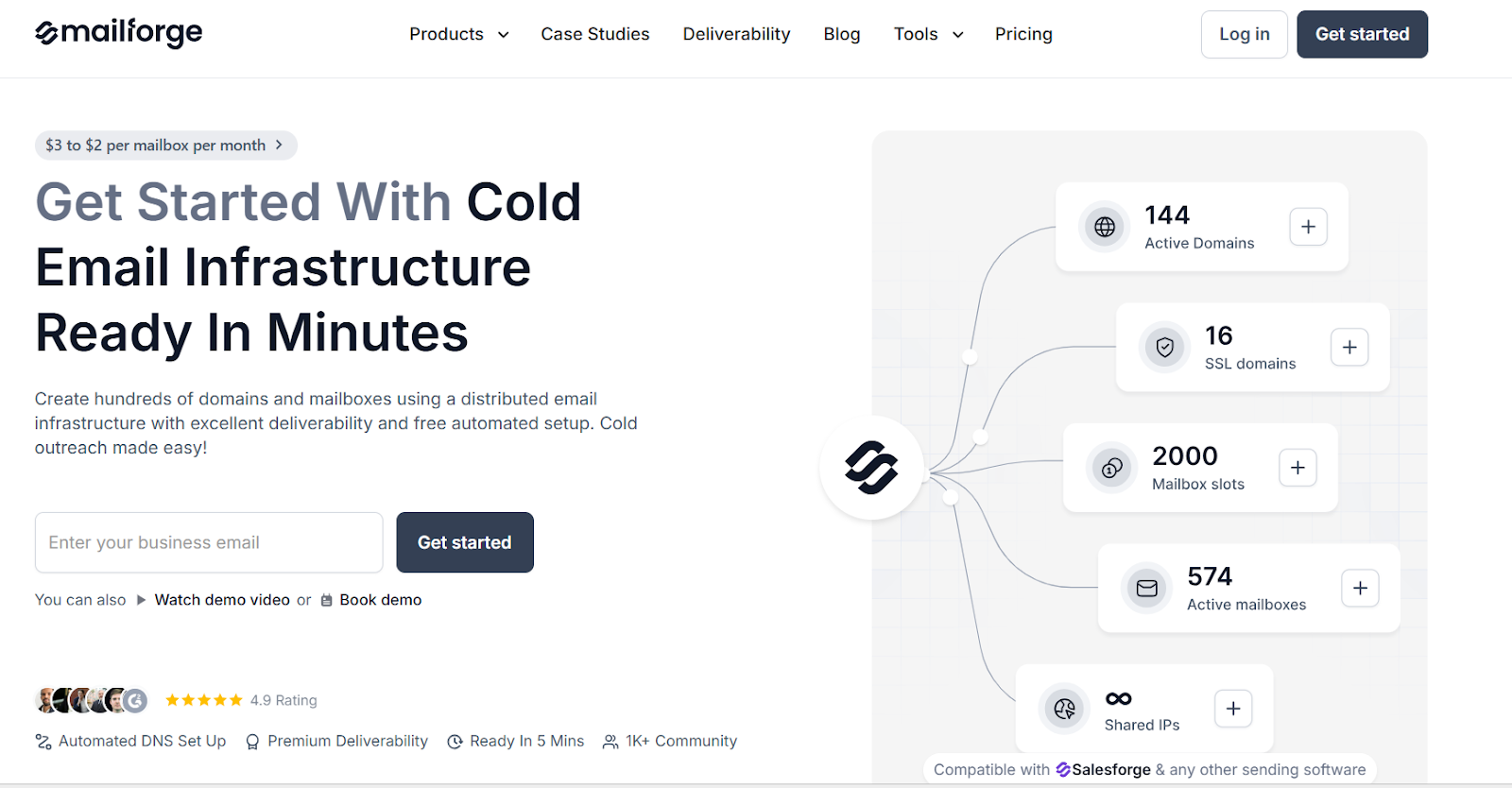
This image shows the Mailforge homepage
Mailforge is a cold email infrastructure tool made for teams that want to send cold emails at scale without using Google Workspace or Microsoft 365.
It uses a shared IP setup and is built only for cold outreach.
Mailforge lets you create hundreds of domains and mailboxes in minutes with free automated setup.
It works with Salesforge and any other email sending tool that supports IMAP/SMTP.
Key Features of Mailforge
Mailforge lets you create domains and mailboxes in under 5–10 minutes.
It automatically sets up SPF, DKIM, and DMARC for all domains.
Mailforge uses a shared IP pool that is optimized for cold email.
It supports bulk DNS updates to manage many domains easily.
Mailforge lets you transfer domains into the platform.
Mailforge vs Mailreef: Quick Comparison
Feature
Mailforge
Mailreef
Infrastructure type
Shared IP infrastructure
Dedicated server infrastructure
Setup speed
5–10 minutes
Seconds
Mailbox creation
Bulk, unlimited mailboxes
1-click creation
IP type
Shared IP pool
Dedicated IP
Best for
SMBs and teams starting scale
Heavy senders who want full control
Pros & Cons of Mailforge
Pros
Cons
Very fast setup
Low cost per mailbox
Built only for cold email
Easy bulk management
Uses shared IPs
Less control than private servers
Not ideal for very high-risk sending
No free trial for mailboxes
Mailforge Pricing
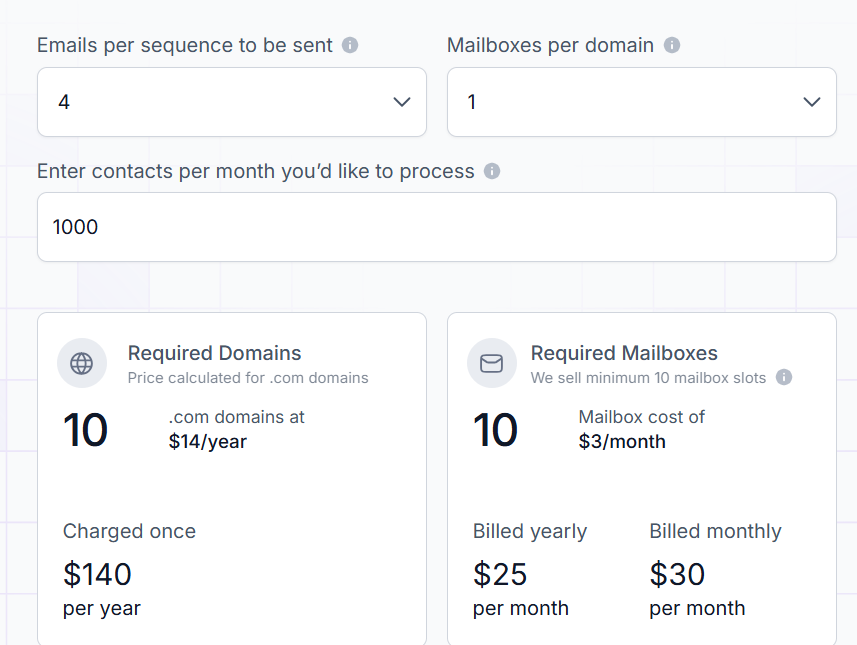
This image shows the Mailforge pricing
Mailforge pricing is based on mailbox slots and domains.
$3 to $2 per mailbox per month (lower price on yearly plans)
Domains cost about $14 per year per .com domain
Minimum 10 mailbox slots
Annual plans give 2 months free
Includes automated DNS setup, inbox hosting, and maintenance
I. Optional add-on:
SSL & Domain Masking: $2 per domain per month (monthly billing), $6 per domain per year (yearly billing)
5. Inframail – Dedicated Cold Email Infrastructure for High-Volume Outreach
This image shInframail homepage
Inframail is a cold email infrastructure platform that lets you create unlimited Microsoft inboxes with dedicated IPs and automated setup for outbound teams.
It helps you create multiple inboxes in minutes, set up domains automatically, and scale cold email without manual DNS work.
Key Features of Inframail
Inframail lets you create multiple email inboxes in seconds instead of hours.
It uses dedicated IP addresses so your sending is not affected by other users.
Inframail supports unlimited inboxes on one plan with no extra cost per inbox.
It lets you buy domains directly or bring your own domains.
Inframail supports API access for automation.
Inframail vs Mailreef: Quick Comparison
Feature
Inframail
Mailreef
Infrastructure type
Dedicated servers
Dedicated servers
IP setup
Dedicated IPs
Dedicated IPs
Mailbox provider
Microsoft-backed infrastructure
Private mail server infrastructure
Unlimited inboxes
Yes (on plans)
No
Best for
High-volume cold email teams
Teams that want private cold email servers
Pros & Cons of Inframail
Pros
Cons
Uses dedicated IPs for safer sending
Very fast inbox setup
Unlimited inboxes on flat pricing
Built for cold email
Works with major cold email tools
Domains are not included in plans
Warm-up is still required
You still need a sending tool like Instantly
Not meant for transactional email
Domain transfers have a small fee
Inframail Pricing
This image shows the Inframail pricing
Unlimited Plan: $99/month + tax
Agency Pack: $249/month + tax (includes 3 dedicated US IPs)
Domains are not included and must be purchased separately.
Inbox creation is included in the plan with no extra cost per inbox.
You can cancel anytime.
6. Zapmail – Pre-Warmed Google & Microsoft Mailboxes for Cold Email
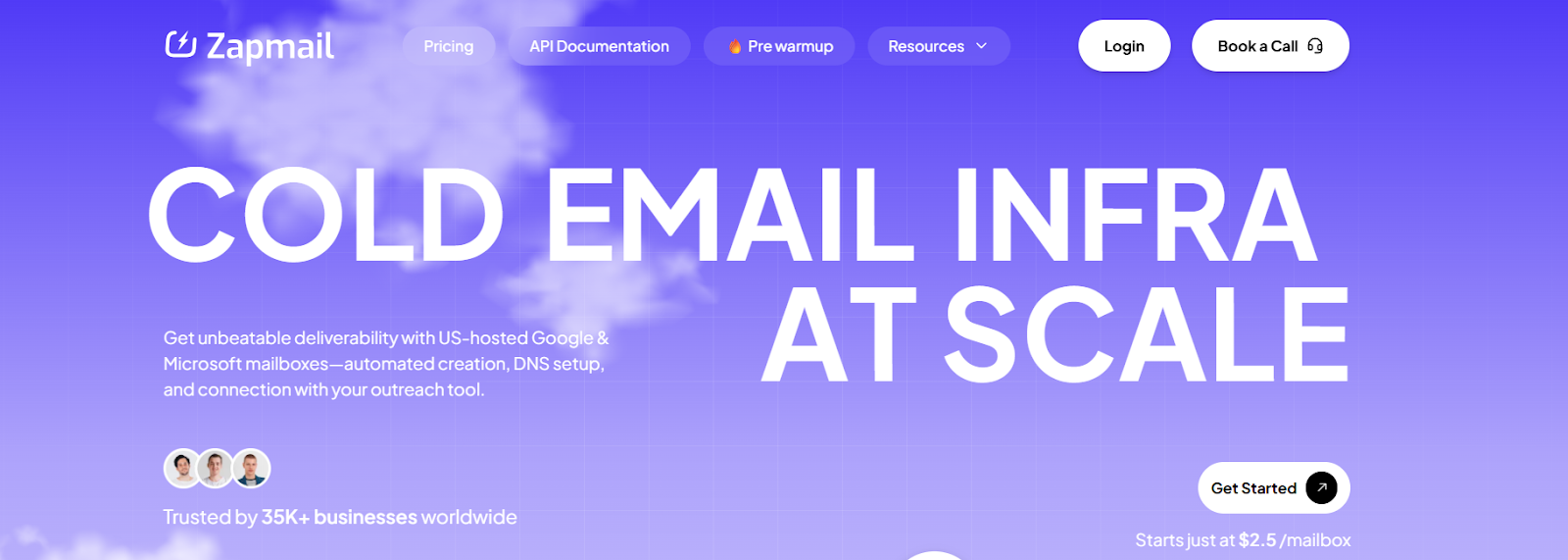
This image shows the Zapmail homepage
Zapmail is a cold email infrastructure platform that provides ready-to-use Google Workspace and Microsoft 365 mailboxes built for outbound email.
Unlike tools that rely on SMTP relays or resellers, Zapmail gives you official business mailboxes with admin access, hosted on US (and EU) IPs for better deliverability.
With Zapmail, you can buy or connect domains, auto-create mailboxes, and connect to your outreach tool in minutes using full automation.
Zapmail also offers pre-warmed mailboxes with 12+ weeks of warm-up history, so you can start sending from day one if needed.
Key Features of Zapmail
Zapmail provides Google Workspace and Microsoft 365 business mailboxes made for cold outreach, not personal email use.
It uses official Google and Microsoft accounts with admin access, not legacy or EDU inboxes.
Zapmail supports pre-warmed mailboxes so you can skip the warm-up period and start campaigns faster.
It lets you create mailboxes and connect them to tools like Instantly, Smartlead, Lemlist, Reply, ReachInbox, and more with OAuth.
Zapmail offers workspace-level isolation (one domain per workspace) to protect deliverability.
Zapmail vs Mailreef: Quick Comparison
Feature
Zapmail
Mailreef
Mailbox type
Google Workspace & Microsoft 365 business
Dedicated server mailboxes
IP addresses
US/EU IPs (workspace-level isolation)
Dedicated IP per customer
Domain setup
Buy or bring your own domains
Buy domains in platform or bring your own
Warm-up
Pre-warmed mailboxes available
Manual warm-up required
Pros & Cons of Zapmail
Pros
Cons
Official Google & Microsoft business mailboxes
Pre-warmed inboxes available
Fast setup with automated DNS
Workspace-level isolation for deliverability
No refunds (as per Zapmail policy)
Extra cost for additional mailboxes
Domains are paid separately
Pre-warmed mailboxes cost more
Zapmail Pricing
This image shows the Zapmail pricing
Zapmail pricing is based on plans + number of mailboxes, with extra mailboxes billed per inbox.
I. Standard Mailboxes (Google Workspace)
Starter – $39/month → 10 Google mailboxes included, Extra mailboxes: $3.50 per mailbox
Growth – $99/month → 30 Google mailboxes included, Extra mailboxes: $3.25 per mailbox
Pro – $299/month → 100 Google mailboxes included, Extra mailboxes: $3.00 per mailbox
II. Microsoft 365 Plans: Same pricing structure as Google plans with Microsoft 365 mailboxes.
8. PremiumInboxes – Official Google & Microsoft Mailboxes for Cold Email
This image shows the PremiumInboxes homepage
PremiumInboxes is a cold email infrastructure provider that resells official Google Workspace and Microsoft 365 business mailboxes built for cold outreach.
Instead of setting up Google Workspace or Microsoft 365 yourself, PremiumInboxes handles the full setup for you, including domains, DNS, and warm-up.
Each inbox is created on 100% US-based IPs, and the team uses human-verified DNS setup to avoid configuration mistakes.
PremiumInboxes delivers inboxes directly to your sequencer like Smartlead or Instantly, so you can start outreach without technical work.
Key Features of PremiumInboxes
PremiumInboxes provides official Google Workspace and Microsoft 365 business inboxes for cold email.
All inboxes are created on 100% US-based IP addresses.
DNS setup (SPF, DKIM, DMARC) is manually verified by engineers, not just automated scripts.
Inboxes are uploaded directly into your sequencer (Smartlead, Instantly).
The setup is done-for-you, including profiles, forwarding, and warm-up.
PremiumInboxes vs Mailreef: Quick Comparison
Feature
PremiumInboxes
Mailreef
Mailbox type
Google Workspace & Microsoft 365
Custom mail server mailboxes
Setup time
6–12 hours (done-for-you)
Seconds to minutes
DNS setup
Human-verified SPF, DKIM, DMARC
Fully automated
IP model
100% US-based IPs (provider-based)
Dedicated IP per customer
Pros & Cons of PremiumInboxes
Pros
Cons
Official Google Workspace & Microsoft 365 inboxes
100% US-based IP addresses
Fully done-for-you setup
Human-verified DNS setup (SPF, DKIM, DMARC)
Higher cost than SMTP-based tools
Not instant setup (6–12 hour delivery)
No self-serve dashboard for setup
Less control over server-level settings
PremiumInboxes Pricing
This image shows the PremiumInboxes pricing
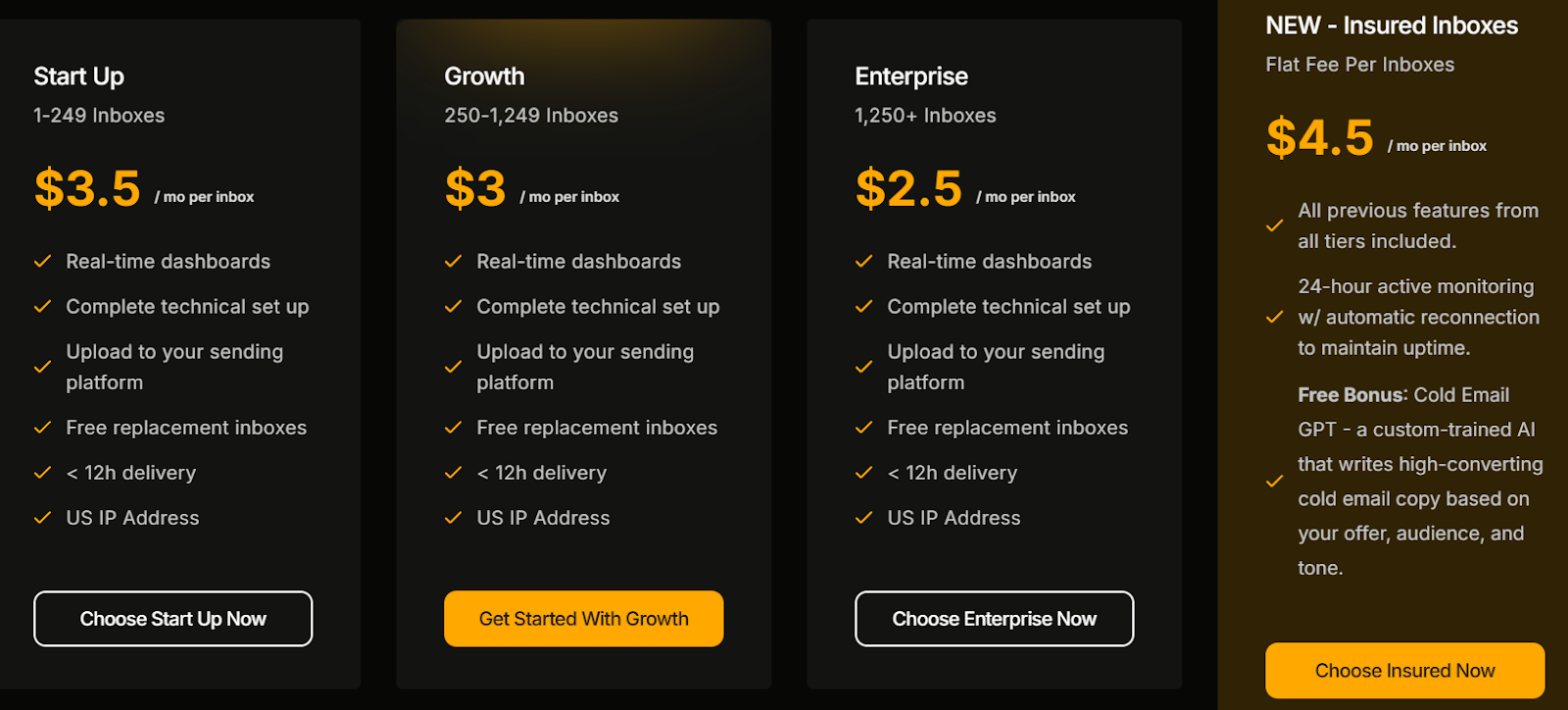
PremiumInboxes uses per-inbox pricing that becomes cheaper at scale.
I. Monthly pricing (no monthly commitment):
1–249 inboxes – $3.50 per inbox
250–1,249 inboxes – $3.00 per inbox
1,250+ inboxes – $2.80 per inbox
II. Insured Infrastructure plan:
$4.50 per inbox
Includes priority build queue, 24-hour monitoring, advanced analytics, dedicated Slack support
III. Important pricing notes:
Inboxes are official Google Workspace or Microsoft 365 business accounts.
All inboxes use US-based IPs.
Inboxes are delivered directly into your sending tool.
Setup time is 6 hours (upgrade) or 12 hours (standard).
No monthly commitment on standard plans.
9. Infraforge – Private Dedicated IP Email Infrastructure for Cold Email
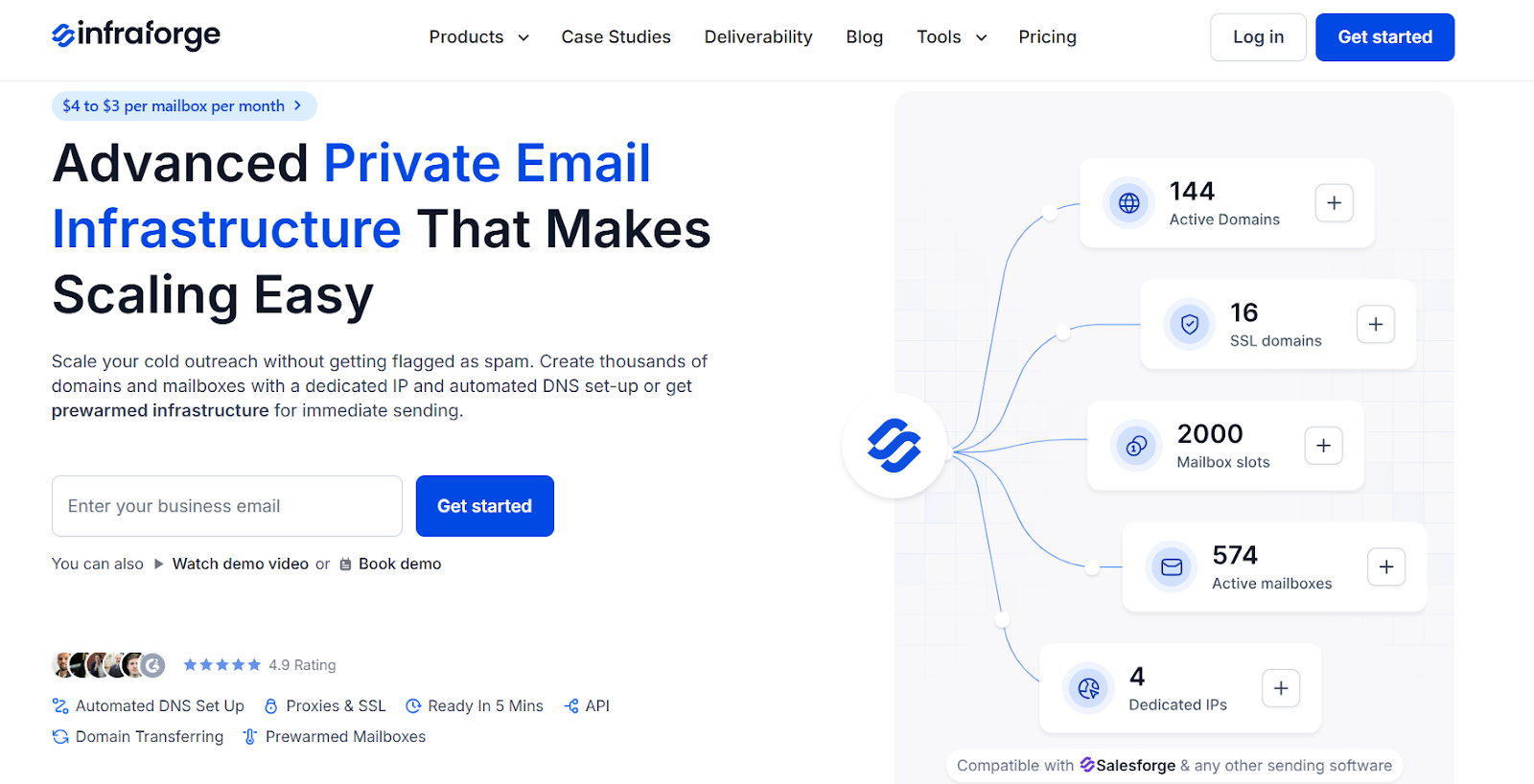
This image shows the Infraforge homepage
Infraforge is a cold email infrastructure tool that helps you create and manage domains and mailboxes on dedicated private servers built for cold outreach.
Unlike Google Workspace or Microsoft 365, Infraforge runs on your own dedicated servers and IP addresses, so you get full control over deliverability and sending reputation.
With Infraforge, you can create thousands of domains and mailboxes with automated DNS setup and even use pre-warmed mailboxes for faster sending.
It automatically sets up SPF, DKIM, and DMARC, supports domain transfers, and gets your first mailboxes ready in about 5 minutes.
Key Features of Infraforge
Infraforge provides private email infrastructure with dedicated IPs built for cold email outreach.
It automatically sets up SPF, DKIM, DMARC, and custom tracking domains for every domain.
Infraforge supports pre-warmed domains and mailboxes for faster campaign launch.
It lets you create and manage unlimited domains and mailboxes from one dashboard.
Infraforge includes bulk DNS updates, domain transferring, SSL & domain masking.
It provides Infraforge API for automation and large-scale setup.
Infraforge vs Mailreef: Quick Comparison
Feature
Infraforge
Mailreef
Mailbox type
Private server mailboxes
Custom mail server mailboxes
IP model
Dedicated IP per customer
Dedicated IP per customer
DNS setup (SPF, DKIM, DMARC)
Fully automated
Fully automated
Setup speed
~5 minutes
Seconds to minutes
Pros & Cons of Infraforge
Pros
Cons
Full control with dedicated IPs
Built for large-scale cold outreach
Automated DNS (SPF, DKIM, DMARC)
Pre-warmed mailboxes available
Higher cost than shared IP tools
More setup responsibility than Gmail-style tools
Not suited for very small senders
No free trial for mailboxes
Infraforge Pricing
This image shows the Infraforge pricing
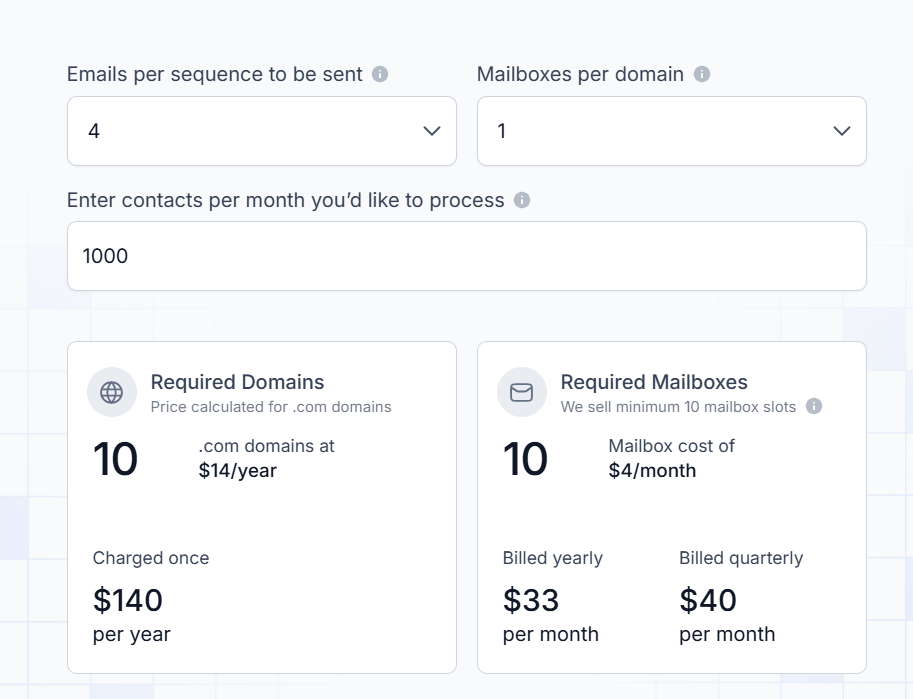
Infraforge uses per-mailbox pricing that scales with volume.
Pricing ranges from $4 to $3 per mailbox per month, depending on billing cycle.
Annual billing gives 2 months free on mailbox pricing.
Domains are priced separately (for example, .com domains around $14 per year, charged once).
Infraforge sells mailbox slots, so you pay for capacity even if all slots are not active.
Your subscription includes automated DNS setup, inbox hosting, maintenance, API access, and support.
Add-ons include:
Dedicated IPs – $99 per IP per month
SSL & Domain Masking – $2 per domain per month (quarterly)
– $7 per workspace per month (annual billing)
10. Superwave – Managed Cold Email Infrastructure for High-Volume Outreach
This image shows the Superwave homepage
Superwave is a cold email infrastructure platform and managed service built for teams that want to send high volumes of cold emails without handling technical setup themselves.
Unlike tools where you create and manage mailboxes on your own, Superwave works as a done-for-you outbound service.
Superwave focuses on speed and scale, letting teams ramp up sending fast while their team manages deliverability, bounces, and inbox health.
Key Features of Superwave
Superwave provides managed cold email infrastructure instead of a self-serve mailbox dashboard.
It supports high-volume sending (benchmarks shared: up to ~5,000 emails per day per domain).
Superwave uses IP rotation to reduce blacklist risk and protect sender reputation.
It includes deliverability monitoring for bounces, spam flags, and inbox placement.
Superwave offers inbox health tracking to prevent mailbox burn.
Superwave vs Mailreef: Quick Comparison
Feature
Superwave
Mailreef
Service type
Managed service (done-for-you)
Self-serve infrastructure platform
Mailbox type
Microsoft 365 reseller inboxes
Custom mail server mailboxes
IP model
IP rotation
Dedicated IP per customer
Setup model
White-glove setup by Superwave team
1-click setup inside dashboard
Ownership model
Reseller-managed infrastructure
Own infrastructure (Mailreef servers)
Pros & Cons of Superwave
Pros
Cons
Fast scaling for high-volume teams
White-glove setup and onboarding
Deliverability managed by experts
Slack-based support
Custom pricing is not transparent
Not a self-serve tool
Less control over infrastructure
Learning curve for managed workflows
Superwave Pricing
Superwave uses custom pricing based on usage and scale.
Pricing depends on email volume, number of domains, and service scope.
There is no public per-mailbox pricing listed.
Plans are tailored for agencies, outbound teams, and high-volume senders.
Personalized Outbound Strategy
Get The Right Outbound Strategy In Minutes
Enter your email to get a custom plan & stack recommendation for your
business
It's being carefully crafted by AI
Please check your mailbox in 5 minutes
Which Mailreef Alternative Should You Choose for Scalable Inboxes?
Choosing the right Mailreef alternative depends on what matters most to you: speed, control, scale, cost, or long-term deliverability.
Here’s a quick guide to help you choose the best Mailreef alternative:
If you want the most balanced option for Google Workspace and Microsoft 365 mailboxes, with fast setup and room to scale → Go with Primeforge
If you want the cheapest way to create hundreds of inboxes fast and don’t need full IP or server control → Try Maildoso
If you want pre-configured Google & Microsoft inboxes you can start using quickly → Choose Zapmail
If you want official Google Workspace and Microsoft 365 inboxes with a fully managed, white-glove setup → Use PremiumInboxes
If you send very high volumes and want full control over servers, IPs, and deliverability → Go with Infraforge
If you’re looking for a clean, scalable, and future-proof Mailreef alternative for Google and Microsoft inboxes, Primeforge is the best long-term choice.