

Personalized Outbound Strategy
Get The Right Outbound Strategy In Minutes
Enter your email to get a custom plan & stack recommendation for your business
It's being carefully crafted by AI
Please check your mailbox in 5 minutes
Setting up mailboxes for cold outbound usually looks fine in the beginning. The problems start when you scale. Reply rates drop, inbox placement becomes inconsistent, and you’re not sure if it’s your copy or your infrastructure.
I ran into this while reviewing a setup where 30+ inboxes were added in a week. Everything looked correct, but emails started drifting to spam after a few days.
This comes up in many Smartlead Mailboxes Review discussions. Users consistently like the fast setup and deliverability, while feedback on performance at scale and mailbox quality can vary depending on how the setup is managed.
If you’re searching for a Smartlead Mailboxes Review, you’re likely trying to figure out one thing if this setup holds up beyond the initial phase? In this guide, you’ll learn:
Let’s get into it.
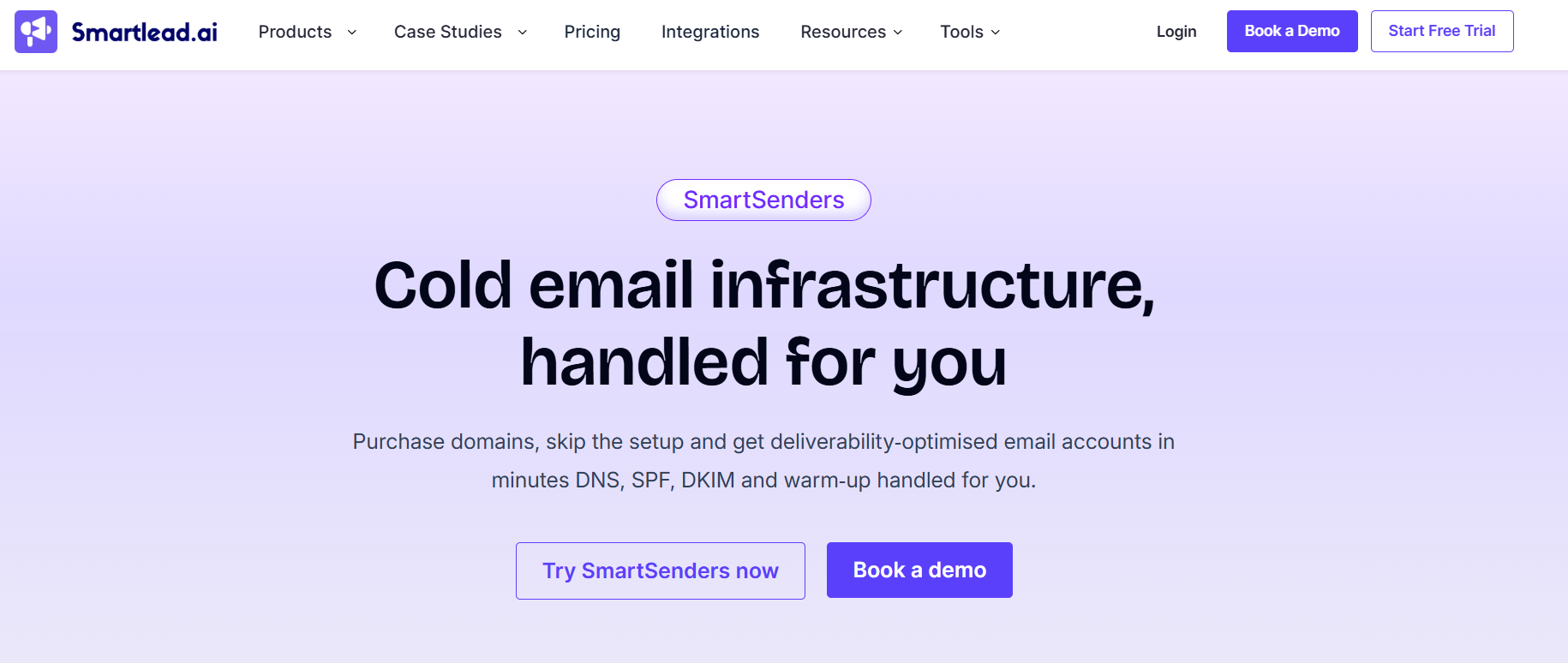
Smartlead mailboxes are part of Smartlead’s built-in system called SmartSenders. Instead of setting up domains and inboxes manually, you can buy domains, create mailboxes, and manage everything in one place.
The platform handles most of the technical setup, including DNS records like SPF, DKIM, and DMARC, along with mailbox creation and basic configuration needed to get started. This reduces the need to use multiple tools or deal with complex setup steps.
You can choose between fresh mailboxes, which are new and need warmup, and pre-warmed mailboxes, which are ready to start sending faster. Smartlead mailboxes also support providers like Google, Outlook, and SMTP, giving you flexibility in how you set up your outbound system.
In simple terms, Smartlead mailboxes act as a done-for-you infrastructure layer that helps you start and scale cold email without handling most of the technical setup yourself.
Smartlead mailboxes work through SmartSenders, Smartlead’s built-in mailbox setup system. The goal is to help you set up domains, mailboxes, and DNS without doing everything manually.
This matters because most cold email problems start before you even send the first email. If DNS is wrong, if the domain is weak, or if you push volume too fast, your emails can land in spam.
Here’s how the setup works:
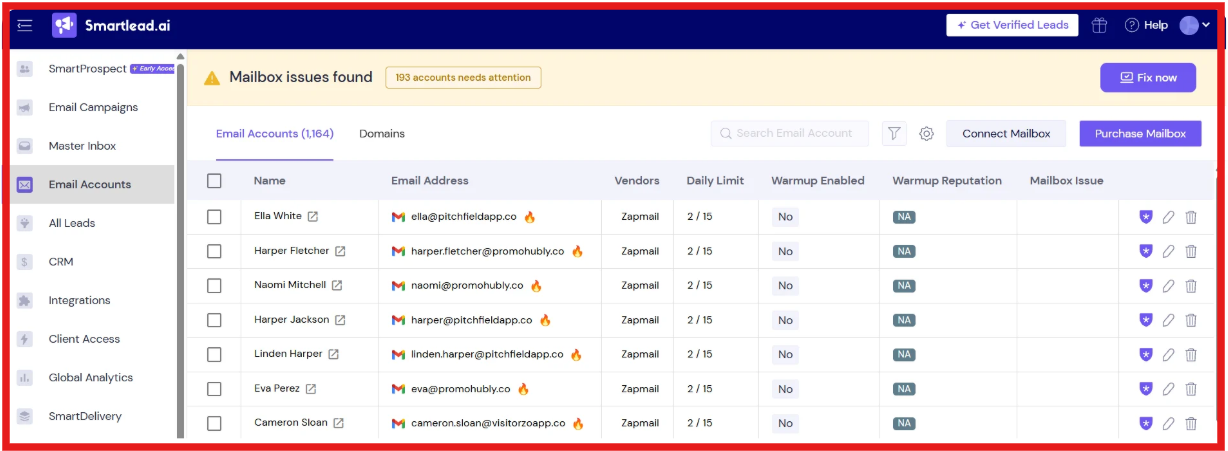
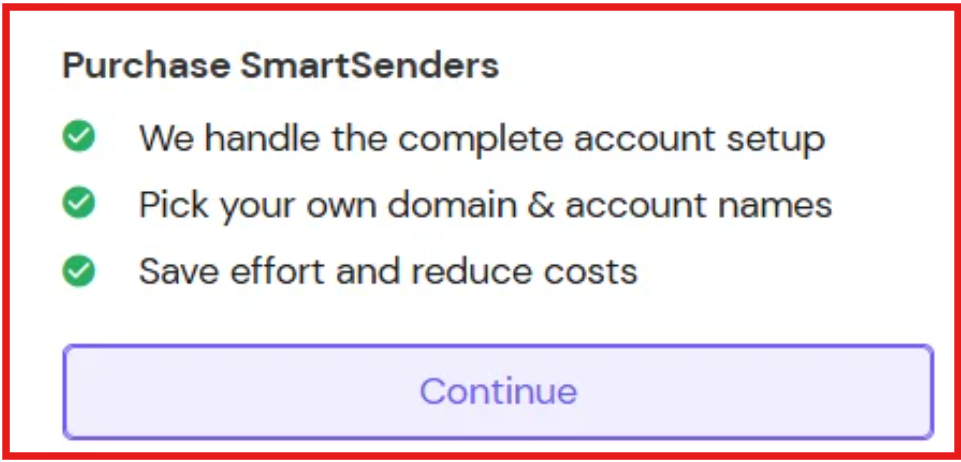
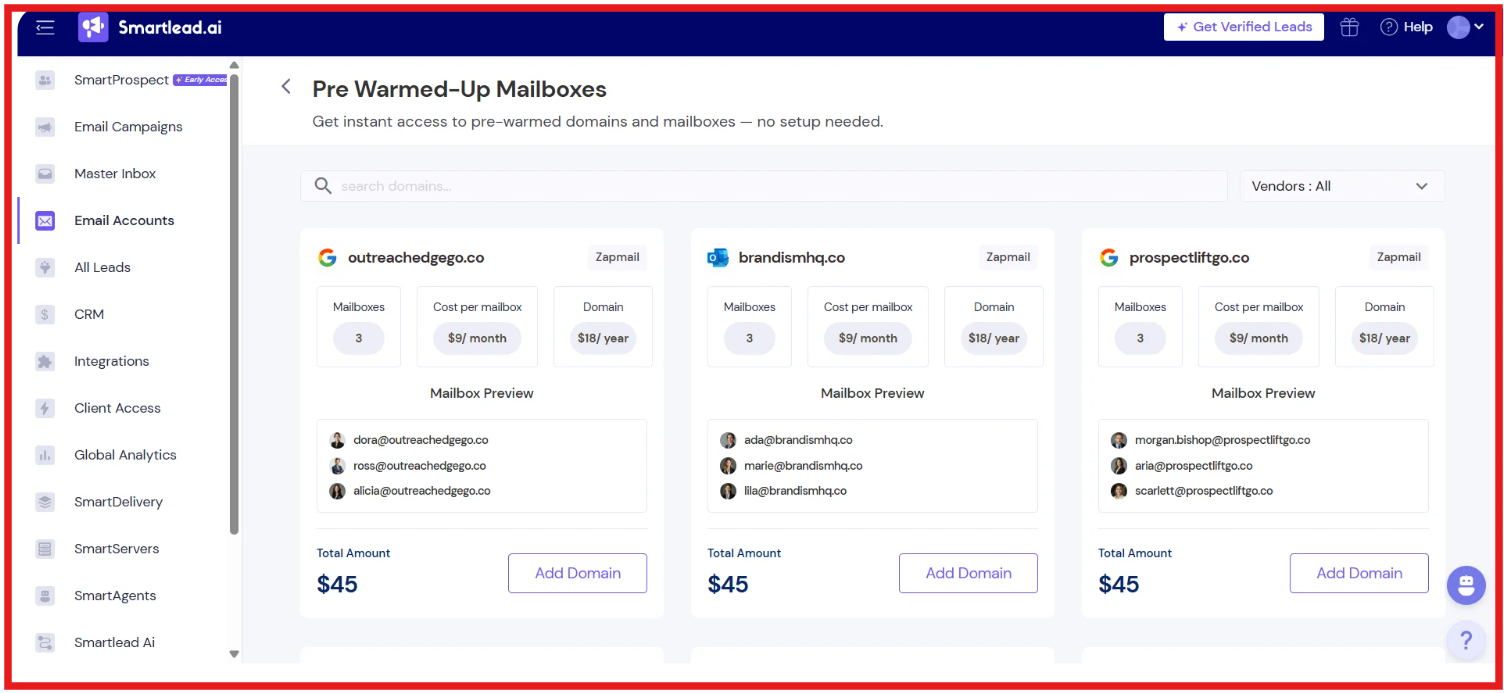
Smartlead also uses pre-vetted domains and infrastructure to reduce the risk of starting with a poor sender reputation. The main benefit is speed. You do not have to switch between domain providers, DNS panels, mailbox vendors, and outreach tools just to get your setup ready.
But this is not a “set and forget” system. Your results still depend on how you manage warmup, sending volume, and list quality.
When you actually use Smartlead mailboxes, a few features stand out because they directly affect how fast you can launch and how well you can scale. Here are the main ones that matter:
These features are mainly built to reduce setup time and make scaling easier, but how well they work still depends on how you manage sending and volume.
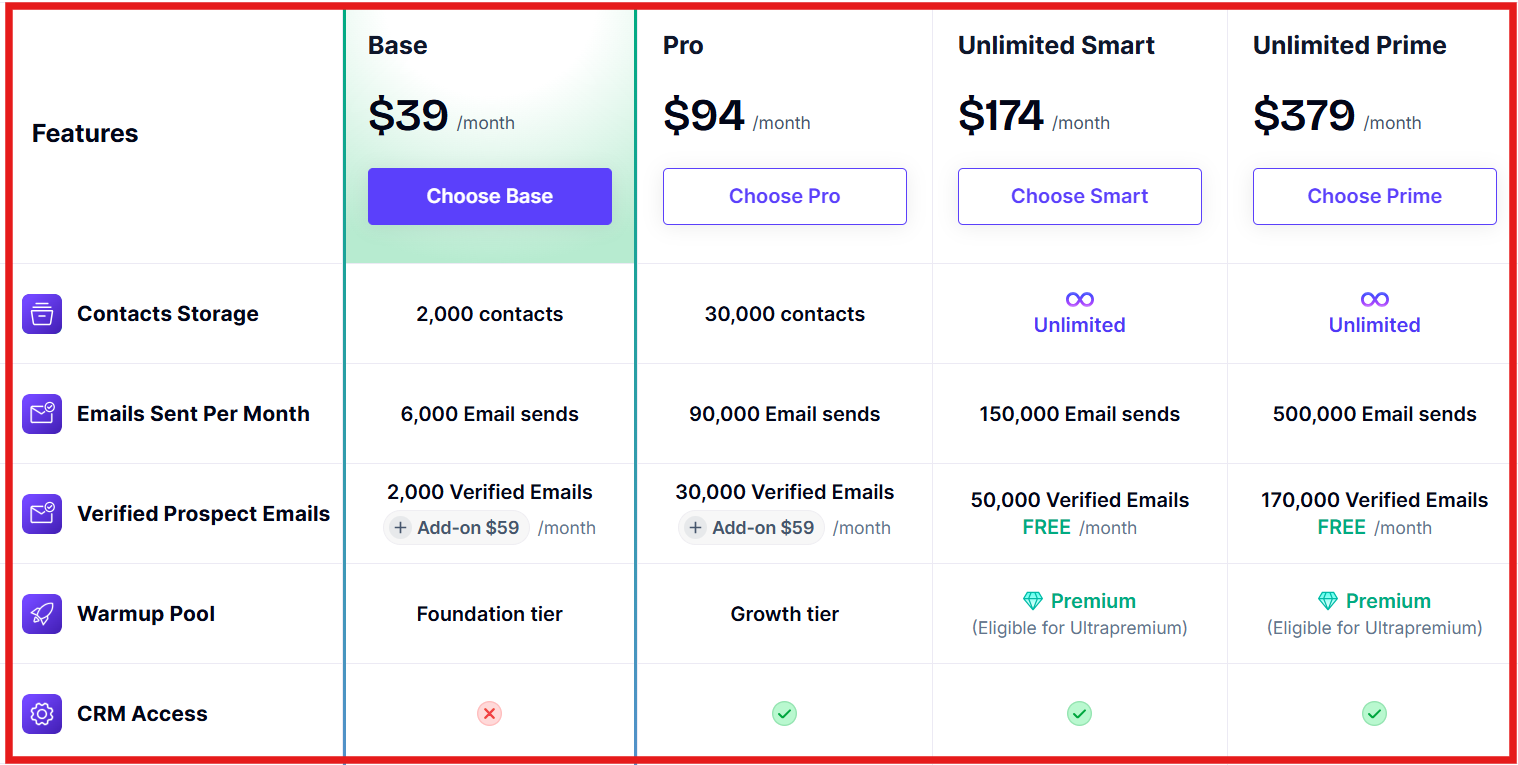
Pricing in Smartlead has two parts, your plan cost and your mailbox setup cost. Your total spend depends on how many inboxes you use.
I. Platform Plans:
These plans include core features like CRM access, warmup, and campaign management.
II. Mailbox & Domain Costs:
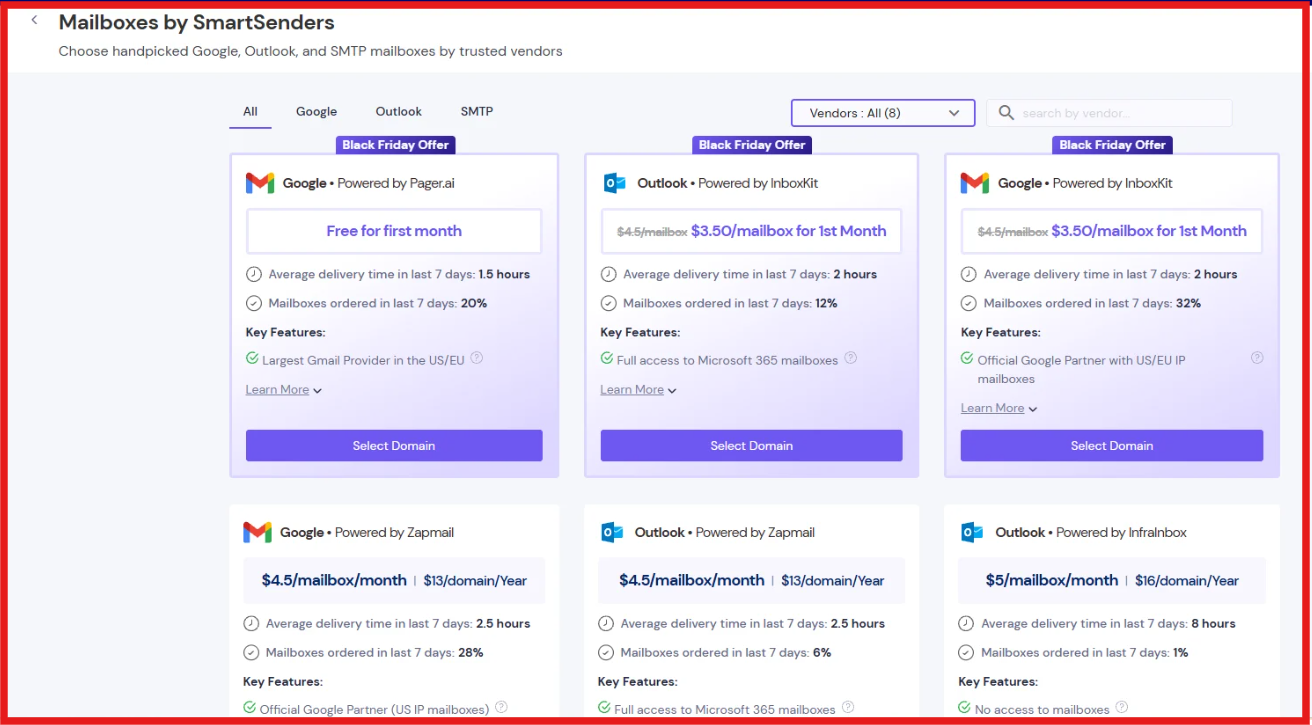
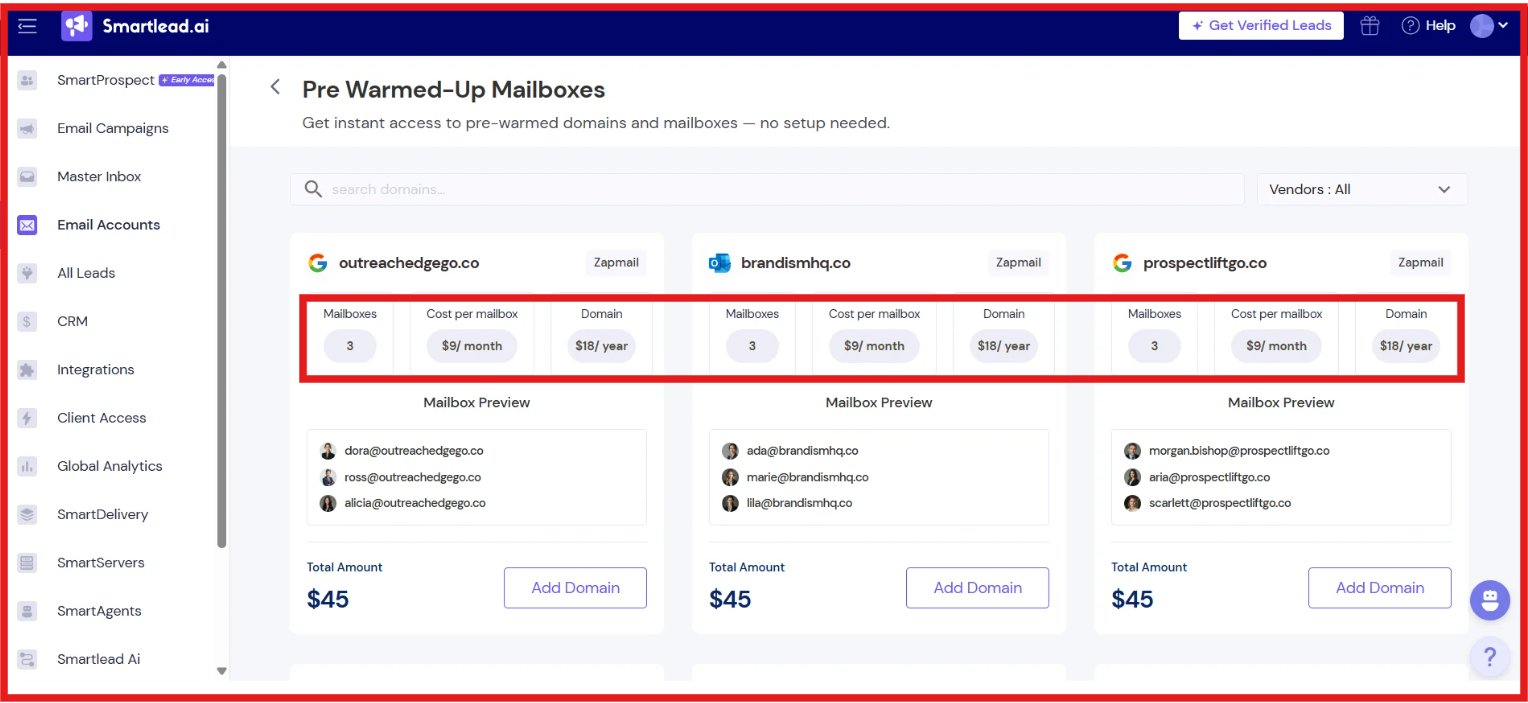
You pay a fixed plan fee, then add mailbox costs as you scale. Smartlead handles setup, DNS, and infrastructure for you
Smartlead is not fully all-in-one pricing. It stays simple, but your cost grows based on how many mailboxes you run.
Here are the top 5 pros and cons of Smartlead mailboxes”
User feedback on Smartlead mailboxes is mixed, but there are clear patterns. Many users say it works well when you want to scale.

They like that it is easy to manage multiple inboxes, setup is simple, and emails can reach inboxes when things are set up properly. It is also seen as a good fit for agencies and teams sending a high volume of emails.
At the same time, some users report problems. They mention bugs, campaigns not running properly, and delays in seeing replies or data. Customer support is a common issue, as many users say responses are slow or not helpful.
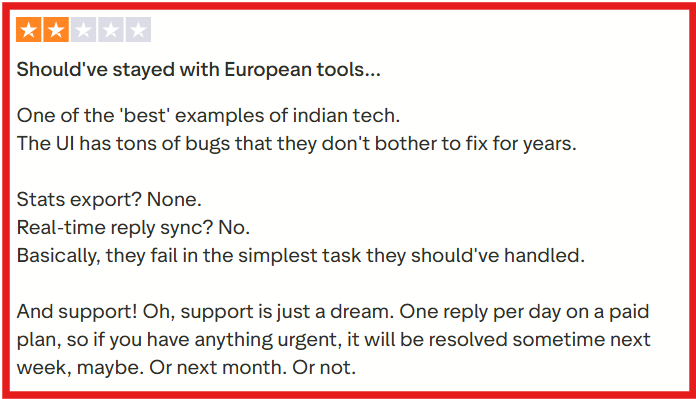
There are also complaints about billing and cancellation being difficult in some cases.
Overall, users agree that Smartlead mailboxes are strong for scaling outbound, but the experience can depend on how well the system works and how quickly problems are fixed.
Choosing Smartlead mailboxes depends on how you run your outbound. If you want speed and simplicity, it fits well. If you want more control, you may need other options. Here’s when it makes sense to use it:
Here’s when it may not be the best fit:
Smartlead mailboxes are useful if you want to start fast and scale inside one system. But results still depend on how well you manage setup, warmup, and sending volume.
If you’ve used Smartlead mailboxes, you’ll notice they work best when you stay inside the Smartlead system. That is useful if your full outbound workflow already runs there. But if you want more flexibility in how you set up, manage, and use your mailboxes across different sending tools, Primeforge is worth looking at.
Primeforge is built for Google Workspace and Microsoft 365 mailboxes used in cold outreach. It helps you create domains and mailboxes, set up SPF, DKIM, and DMARC automatically, and connect those mailboxes to Salesforge or any other sending software.
Mailboxes can be ready in around 30 minutes, which is faster than the usual 24-48 hour setup window shown for Smartlead mailboxes.
Here’s a quick comparison:
The main difference is flexibility. Smartlead mailboxes are convenient if you want everything inside one platform. Primeforge is a better fit if you want cold email mailboxes that can work across different tools and setups.
Enter your email to get a custom plan & stack recommendation for your business
Please check your mailbox in 5 minutes

Smartlead mailboxes can be a good choice if you already use Smartlead and want a simple way to buy domains, set up inboxes, and manage outbound from one place. It saves time on technical setup and works well for teams that want to move fast. But it is not the best fit for everyone.
If you want more control, faster mailbox setup, and the freedom to use your inboxes across different sending tools, you may want a more flexible infrastructure setup. That’s where Primeforge can help. Primeforge gives you Google Workspace and Microsoft 365 mailboxes built for cold outreach, with automated DNS setup and support for any sending tool.
So if your goal is to build a cleaner, more flexible cold email setup, try Primeforge and set up your outreach mailboxes the right way.