
Personalized Outbound Strategy
Get The Right Outbound Strategy In Minutes
Enter your email to get a custom plan & stack recommendation for your business
It's being carefully crafted by AI
Please check your mailbox in 5 minutes

Smartlead makes it easy to buy domains and mailboxes alongside your outreach campaigns. The problem is that not every mailbox provider offers the same infrastructure, mailbox quality, admin access, or level of control.
As outbound programs grow, those differences start to matter. The provider behind your Google Workspace or Microsoft 365 accounts can affect how easily you provision mailboxes, manage domains, and scale your sending operation.
In this guide, I'll compare the best Smartlead alternatives for real Google Workspace and Microsoft 365 mailboxes, including Primeforge, Maildoso, InboxKit, Mailreef, and Zapmail.
My Pick: Primeforge stands out for teams that want real Google Workspace and Microsoft 365 mailboxes with full ownership and control over their infrastructure.
When comparing Smartlead alternatives, I focused on the factors that matter most when buying and managing Google Workspace and Microsoft 365 mailboxes for cold email.
Using these criteria, I narrowed the list down to five Smartlead alternatives that stand out for Google Workspace and Microsoft 365 mailbox infrastructure.
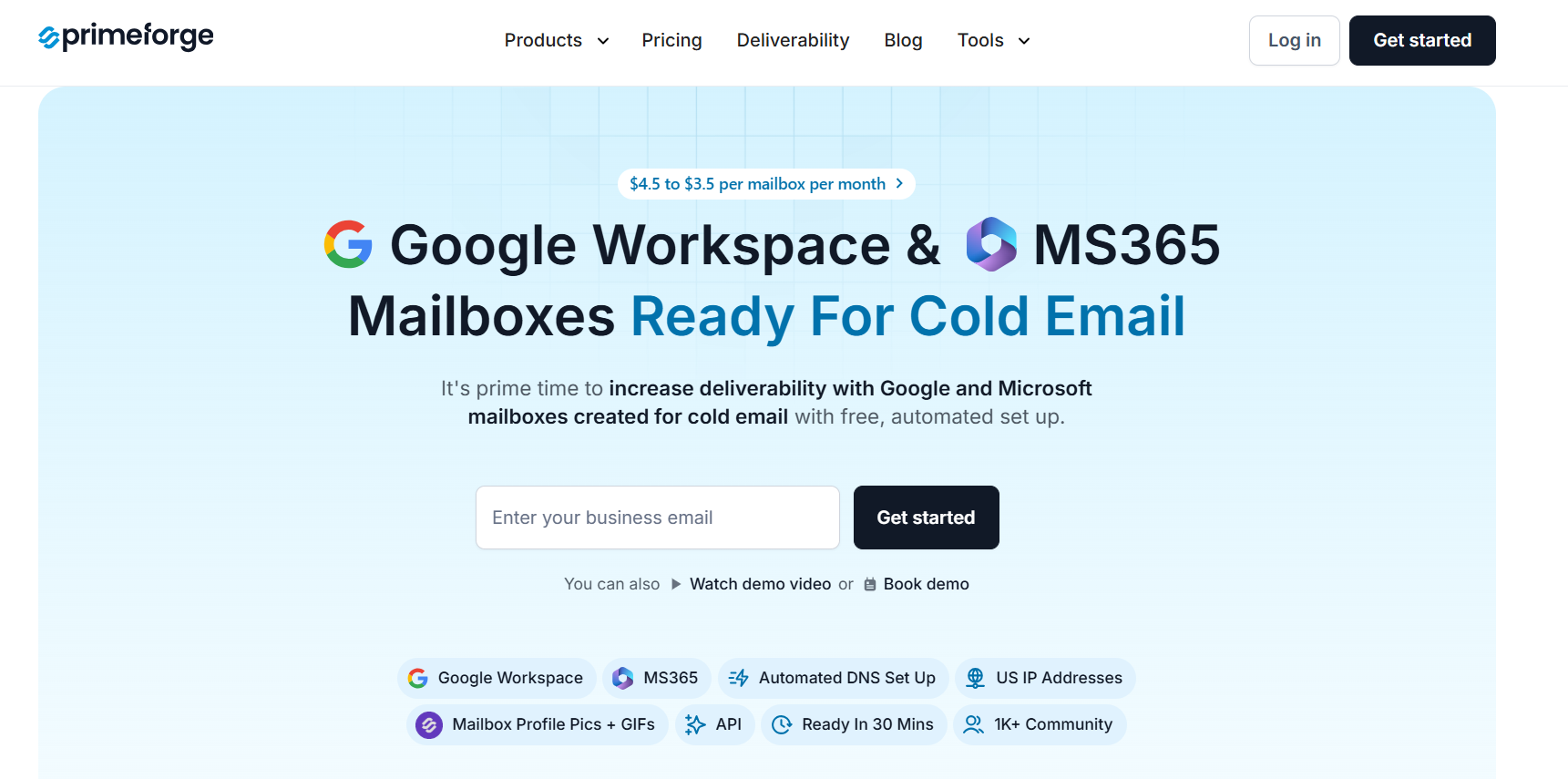
Primeforge is a cold email infrastructure platform that provides Google Workspace and Microsoft 365 mailboxes, domain purchasing, automated DNS setup, and mailbox management from a single platform. It is designed specifically for outbound teams that want real Google and Microsoft mailboxes without handling the technical setup themselves.
What stood out to me is how much of the setup process is automated. You can search for available domains, purchase them, configure forwarding, add registration details, create mailboxes, and deploy everything from a single workflow.
Primeforge automatically configures SPF, DKIM, and DMARC records, helping teams get started faster without manually updating DNS records.
Unlike Smartlead SmartSenders, which allows users to purchase Google, Outlook, and SMTP mailboxes from multiple providers inside Smartlead, Primeforge focuses specifically on Google Workspace and Microsoft 365 mailbox infrastructure.
It also includes features like bulk DNS updates, mailbox profile pictures and GIFs, multiple workspaces, API access, and US IP-based mailboxes built for cold outreach.
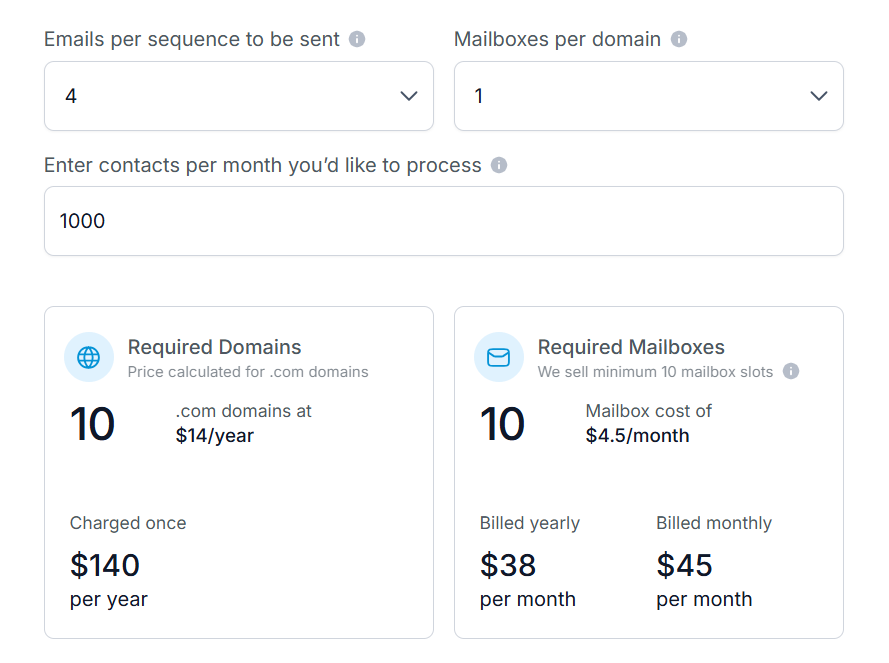
Primeforge domains are priced at approximately $14 per year in the pricing calculator. Mailbox slots start at $4.50 per mailbox per month on monthly billing or around $3.50 per mailbox per month on annual billing.
A minimum purchase of 10 mailbox slots is required. Automated DNS setup, mailbox hosting, maintenance, API access, and support are included.
Best For: Outbound teams that want dedicated Google Workspace and Microsoft 365 mailbox infrastructure with automated setup, full ownership, and the flexibility to connect mailboxes to any cold email platform.
Avoid If: Your main priority is prospecting, contact data, or running outreach campaigns from a single platform. Primeforge focuses on mailbox infrastructure, so you'll still need a separate outreach tool for sending campaigns.
Enter your email to get a custom plan & stack recommendation for your business
Please check your mailbox in 5 minutes

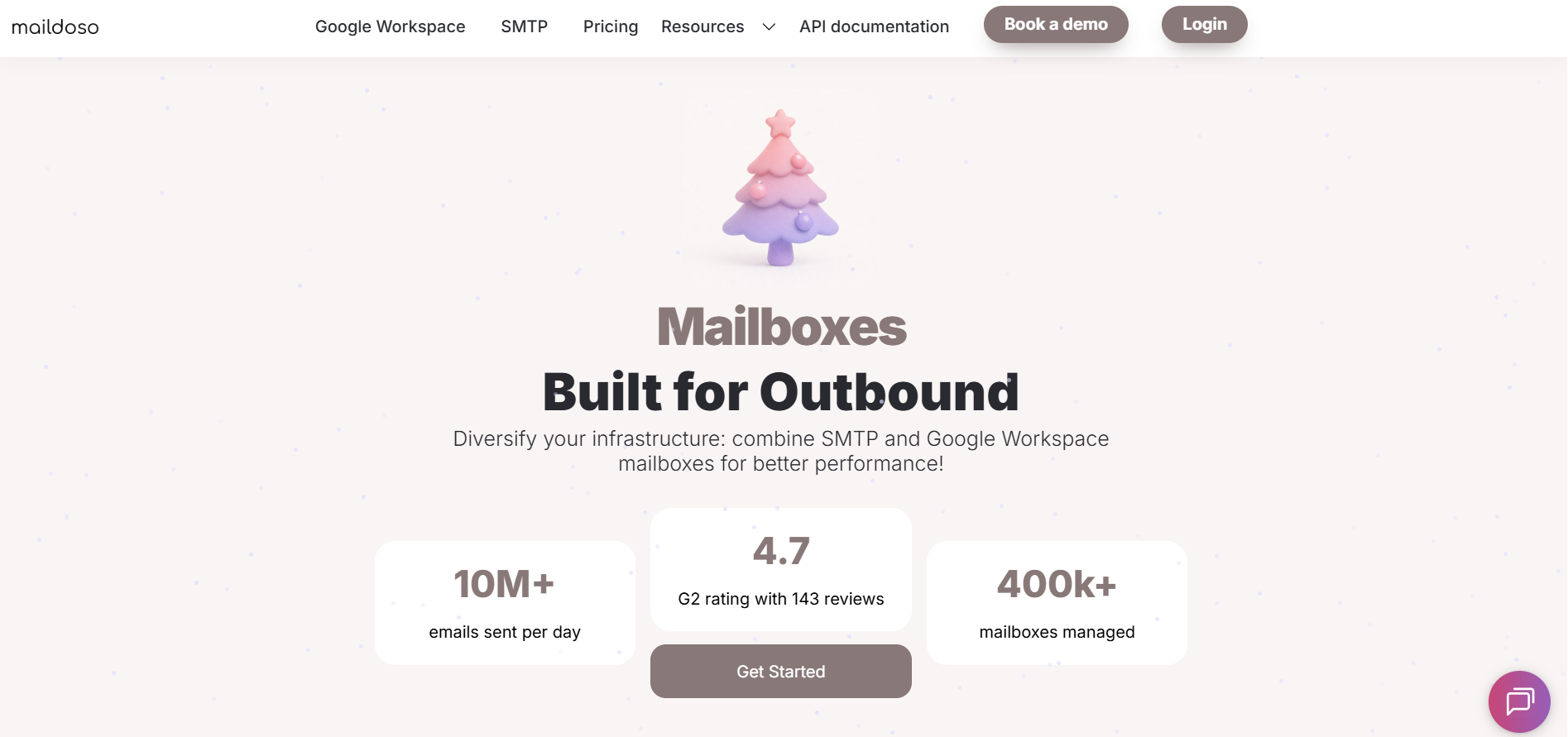
Maildoso takes a different approach from Smartlead. Instead of focusing on outreach, it focuses on the infrastructure behind cold email. The platform provides both Google Workspace and SMTP mailboxes, along with domain management, mailbox provisioning, and deliverability tools designed for outbound teams.
What I like about Maildoso is the flexibility. You can use official Google Workspace accounts, SMTP mailboxes, or combine both. That gives teams more options when testing different mailbox setups instead of relying on a single provider. Maildoso also hosts each Google Workspace domain in a separate workspace, helping isolate risk as mailbox fleets grow.
Another thing that stood out is the deliverability tooling. Features like IP rotation, self-healing SMTP mailboxes, inbox placement testing, health scores, and automatic sequencer connections help reduce the amount of manual work needed to manage large outbound operations.
Maildoso offers both SMTP and Google Workspace mailbox plans.


Domains start at $8 for the first year and renew at $12 per year. Maildoso also offers quarterly SMTP plans that include free domains. I like that Maildoso gives users the choice between SMTP infrastructure and Google Workspace mailboxes. That flexibility is useful for teams that want to test different mailbox types and optimize deliverability over time.
Best For: Outbound teams that want a mix of Google Workspace and SMTP infrastructure, along with deliverability-focused features such as IP rotation, inbox placement testing, and mailbox health monitoring.
Avoid If: You specifically need Microsoft 365 mailboxes or want outreach, prospecting, and mailbox infrastructure bundled into a single platform.

InboxKit is a cold email infrastructure platform that helps teams buy, configure, warm up, and monitor Google Workspace, Microsoft 365, and Azure mailboxes from a single dashboard. The platform combines mailbox provisioning, DNS automation, deliverability monitoring, inbox placement testing, and infrastructure management in one place.
What stood out to me is how much of the setup process is automated. InboxKit handles SPF, DKIM, DMARC, and MX configuration automatically, while also providing tools for mailbox management, domain monitoring, and deliverability tracking. For teams managing large numbers of mailboxes, this can reduce a lot of manual work.
Another feature worth mentioning is InfraGuard. It monitors blacklists, DNS records, bounce rates, and inbox placement tests to help teams keep track of deliverability across their infrastructure. InboxKit also provides full admin control, API access, and integrations with 24+ sending platforms.

InboxKit uses a subscription model that includes mailbox slots.
Additional mailboxes start at $3.50 per mailbox on the Professional plan and decrease as volume increases. Email warmup is available as an add-on for $3 per mailbox per month.
Best For: Teams that want Google Workspace, Microsoft 365, and Azure mailboxes with built-in monitoring, inbox placement testing, automation, and centralized infrastructure management.
Avoid If: Your main priority is prospecting, sales engagement, or running outreach campaigns from a single platform rather than managing email infrastructure.

Mailpool is one of the most flexible mailbox platforms on this list. Instead of locking users into a single provider, it lets teams create mailboxes on Google Workspace, Microsoft 365, Mailpool's own infrastructure, or dedicated servers from one dashboard.
What stood out to me is how much setup Mailpool automates. You can buy domains, create mailboxes, configure SPF, DKIM, and DMARC records, and connect inboxes to your sending tools without handling the technical work yourself. For teams managing multiple domains and mailbox providers, that can save a lot of time.
Another thing I like is the provider flexibility. Teams can choose Google Workspace, Microsoft 365, shared infrastructure, or dedicated servers depending on their needs. Mailpool also includes blacklist monitoring, deliverability audits, inbox rotation, API access, and integrations with more than 150 tools.
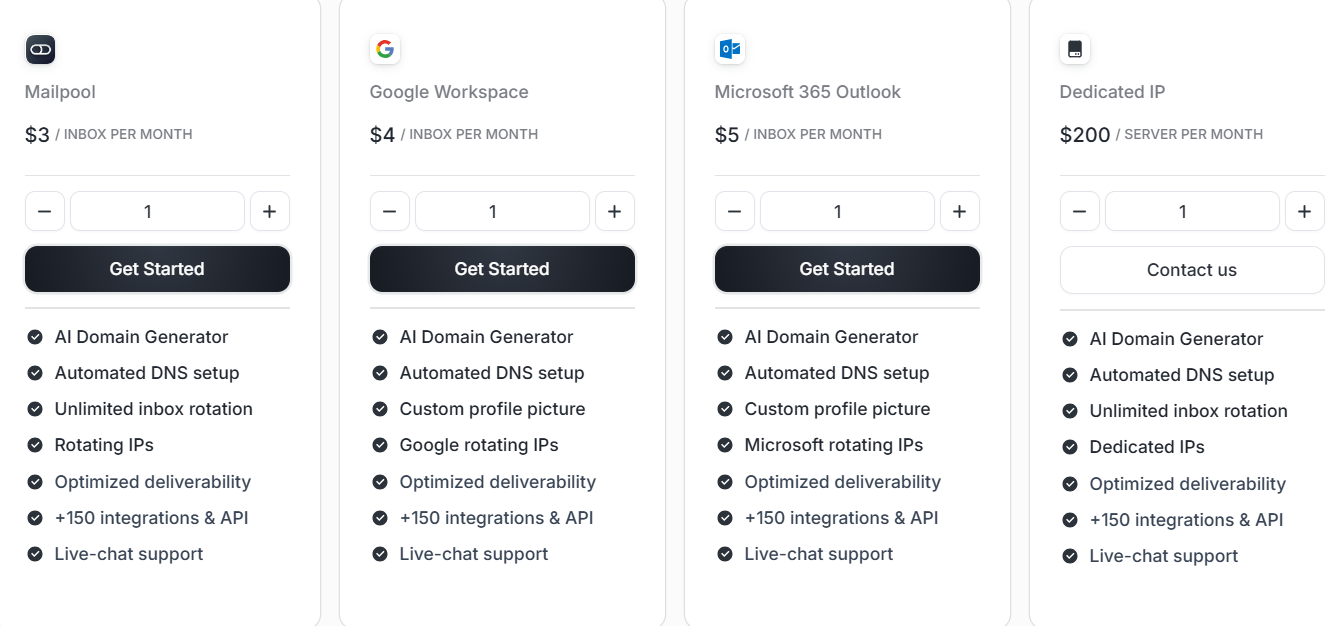
Mailpool offers separate pricing depending on the mailbox provider:
Annual billing reduces mailbox costs further:
Best For: Teams that want the flexibility to manage Google Workspace, Microsoft 365, shared infrastructure, and dedicated servers from a single platform.
Avoid If: You only need a few mailboxes and prefer a simple mailbox provider without additional infrastructure and management features.

Zapmail focuses on helping outbound teams create Google Workspace and Microsoft 365 mailbox infrastructure quickly. Instead of manually setting up domains, DNS records, and inboxes, the platform automates most of the process and gives users full control through dedicated workspaces.
The platform includes workspace management and domain segregation, making it easier to organize mailbox infrastructure across multiple domains. The platform also supports bulk mailbox creation, automated DNS configuration, domain management, and integrations with more than 50 outreach tools.
Zapmail also offers pre-warmed Google and Microsoft mailboxes for teams that want to start sending faster.

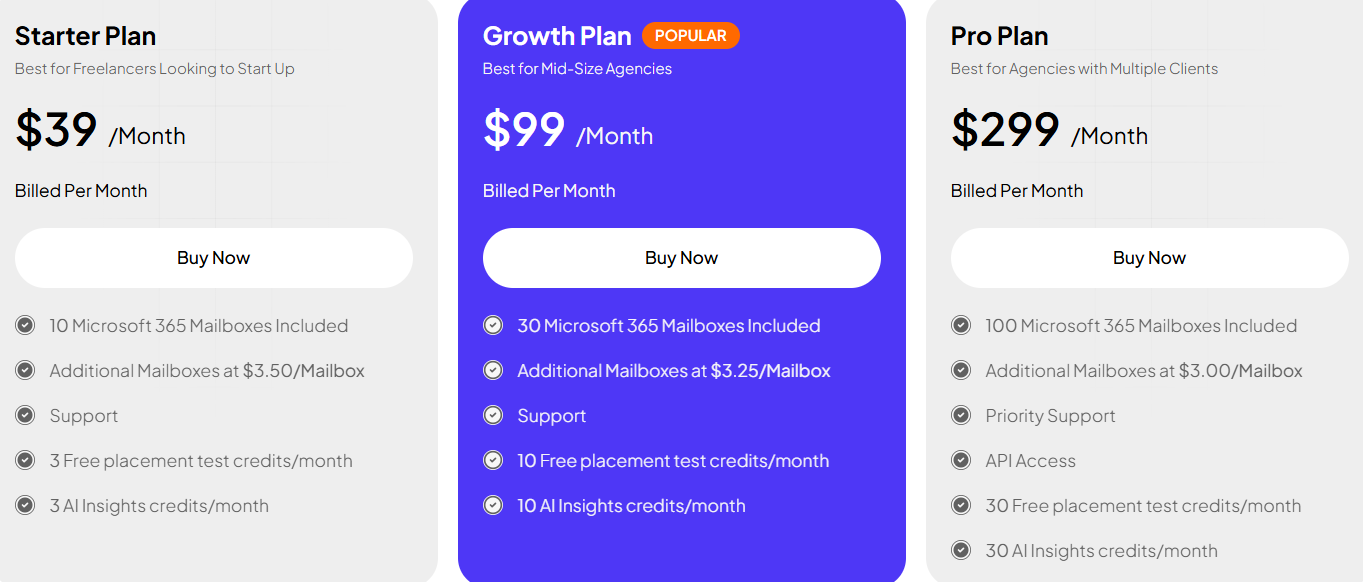
Additional mailboxes start at $3.50 per mailbox and become cheaper at higher volumes.
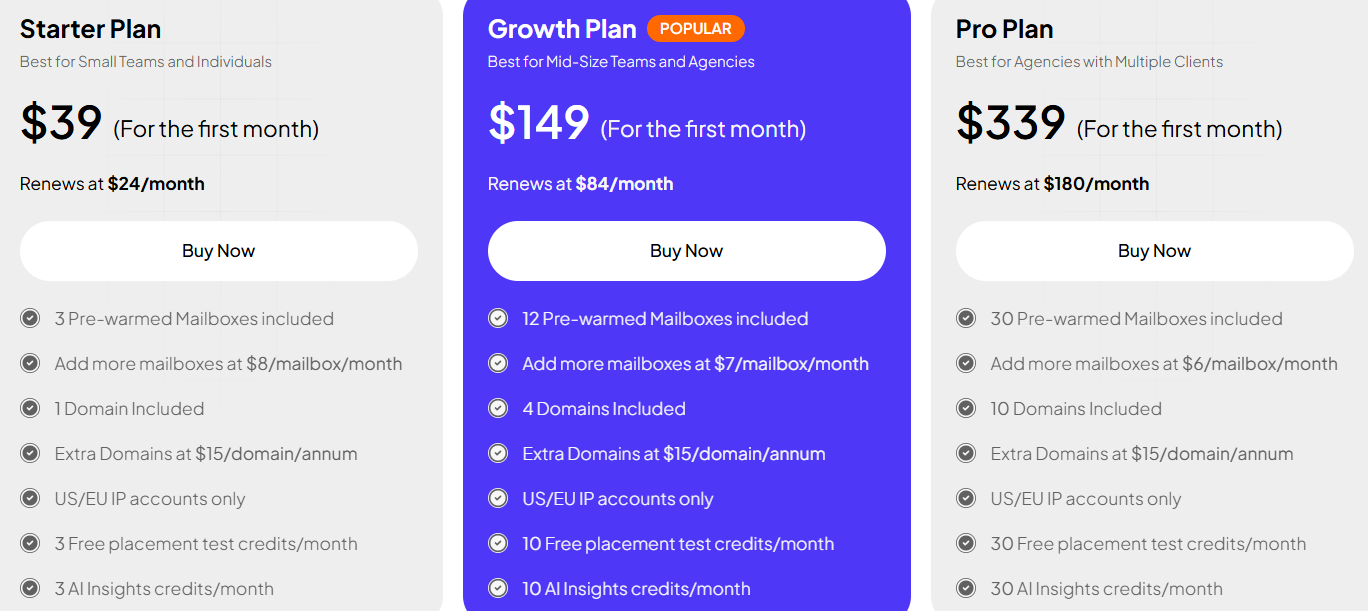
Best For: Teams that want Google Workspace or Microsoft 365 mailboxes with full admin access, automated setup, and the option to launch campaigns using pre-warmed inboxes.
Avoid If: You want lead data, prospecting tools, or outreach sequences included in the same platform.
All of the tools in this list help you buy and manage mailbox infrastructure, but they are built for slightly different use cases. The best choice depends on the type of mailboxes you need and how you plan to scale your outbound operation.
If your goal is to run cold email campaigns on real Google Workspace or Microsoft 365 accounts, focus on the provider that best matches your infrastructure requirements rather than simply choosing the cheapest option.
For most outbound teams, Primeforge is the strongest option because it focuses on real Google Workspace and Microsoft 365 mailboxes while providing the control and infrastructure needed to scale sending operations.
Enter your email to get a custom plan & stack recommendation for your business
Please check your mailbox in 5 minutes
Smartlead makes it easy to buy mailboxes inside its platform, but it is not the only option available. If you want more control over your mailbox infrastructure, dedicated Google Workspace and Microsoft 365 accounts, or additional deliverability and management features, there are several strong alternatives to consider.
Among the tools reviewed, Primeforge stands out as the strongest choice for teams running outbound on real Google Workspace and Microsoft 365 mailboxes. It gives you dedicated infrastructure, full admin access, and the flexibility to scale without relying on shared mailbox environments.
If mailbox quality and long-term control matter to your outbound program, Primeforge is worth a closer look.
Try Primeforge and launch mailbox infrastructure built for scale.