If you’re setting up Google Workspace or Microsoft 365 mailboxes for outreach, Mailpool is one of the trusted options.
Teams using Mailpool often want to compare how other providers handle Google and Microsoft mailboxes.
Maybe you’re scaling new inboxes faster, managing multiple domains, or testing deliverability setups side by side.
In this guide, we’ll walk you through the 5 best Mailpool alternatives that also support verified Google Workspace and Microsoft 365 mailboxes, made for teams that want speed, stability, and control when scaling outreach.
TL;DR – 5 Best Mailpool Alternatives for Google & Microsoft Mailboxes
Primeforge – Trusted Google/Microsoft inboxes, full DNS setup, great deliverability.
How We Evaluated the 5 Best Mailpool Alternatives for Google & Microsoft Mailboxes
We looked for tools that make it easy to create and manage Google and Microsoft inboxes for cold outreach, with good deliverability and simple setup.
Here’s what we checked:
Ease and speed of inbox creation across Google Workspace and Microsoft 365, including automation, setup time, and provider coverage.
Deliverability optimization features like automated SPF, DKIM, DMARC setup, and blacklist monitoring.
Flexibility in pricing models for scaling inbox volume, including bulk discounts and dedicated IP/server options.
Quality and reliability of integrations with outreach platforms, CRMs, and email warm-up tools.
Inbox and domain management tools, including API access, signature management, and centralized dashboards.
Support for domain setup and rotation, especially bulk buying, AI domain generators, and automated DNS config.
We included alternatives that deliver fast setup, strong deliverability, and reliable support for high-volume cold outreach.
1. Primeforge
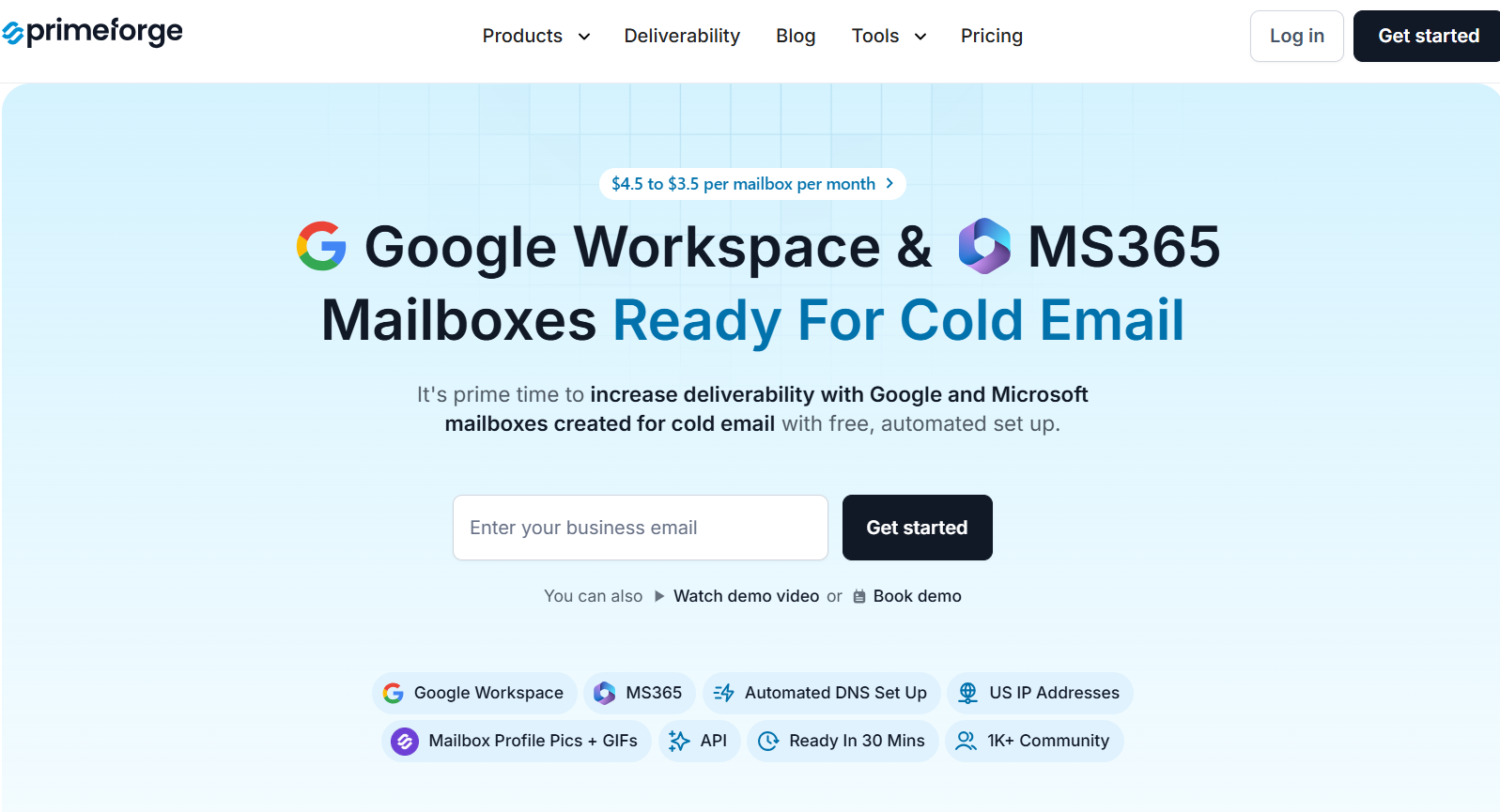
This image shows the Primeforge homepage
Primeforge is a cold email infrastructure platform designed for teams that need verified Google Workspace and Microsoft 365 inboxes, premium deliverability, and automated domain setup.
It offers full DNS configuration and integrates with Warmforge for inbox warm-up, making it a strong choice for those who want reliable sending infrastructure with minimal manual work.
Key Features of Primeforge
Primeforge allows users to create fully verified Google Workspace and Microsoft 365 inboxes, giving teams flexibility across both major providers for cold outreach.
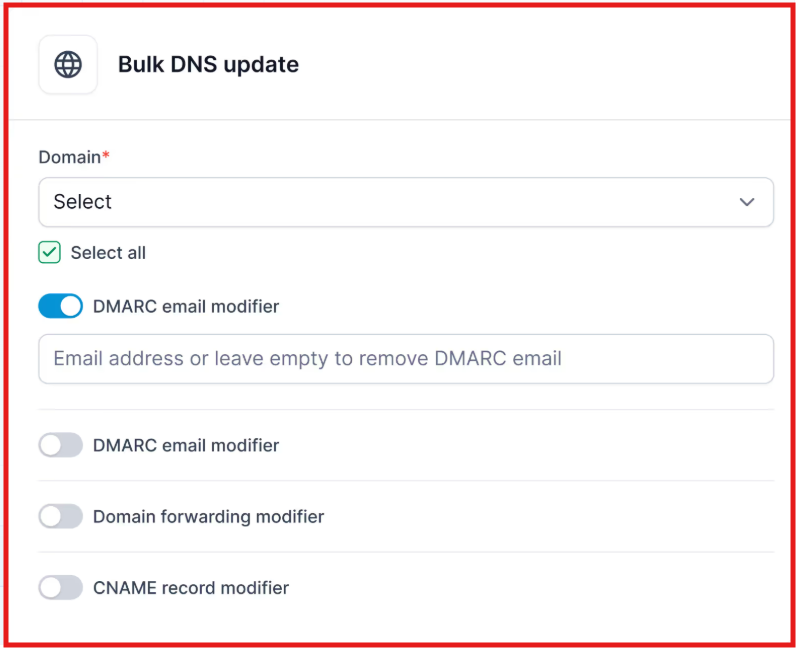
It automates the entire domain setup process, including DNS configuration and tracking domains, which reduces the need for manual setup and speeds up deployment.
This image shows the Bulk DNS update with Primeforge
It is built on premium-grade infrastructure, which is ideal for teams that prioritize high deliverability and stable email performance.
Primeforge vs Mailpool: Quick Comparison
Primeforge vs Mailpool – Inbox Infrastructure Comparison
Primeforge vs Mailpool — Infrastructure Comparison
Feature
Primeforge
Mailpool
Inbox Types Supported
Google Workspace, Microsoft 365
Google Workspace, Microsoft 365, Mailpool inboxes
Warm-up Integration
Warmforge (external)
Native warm-up platform integrations
Domain & DNS Automation
Fully automated
Fully automated
Deliverability Setup (SPF, DKIM, DMARC)
Included
Included
Price per Inbox
$3.50–$4.50
$2.60–$4.30
Target Audience
Teams needing verified Google/MS inboxes
Teams seeking flexible, volume-based cold email setup
Pros of Primeforge
It supports both Google and Microsoft inboxes, allowing users to diversify sending domains and avoid being locked into one provider.
The platform includes full DNS and domain tracking automation, which eliminates the need for manual domain management and reduces technical errors during setup.
Primeforge integrates with Warmforge to provide inbox warm-up, giving users control over sender reputation and helping maintain high deliverability rates.
Cons of Primeforge
Primeforge does not have built-in warm-up tools and relies on a separate integration with Warmforge, which may require additional configuration.
Primeforge Pricing
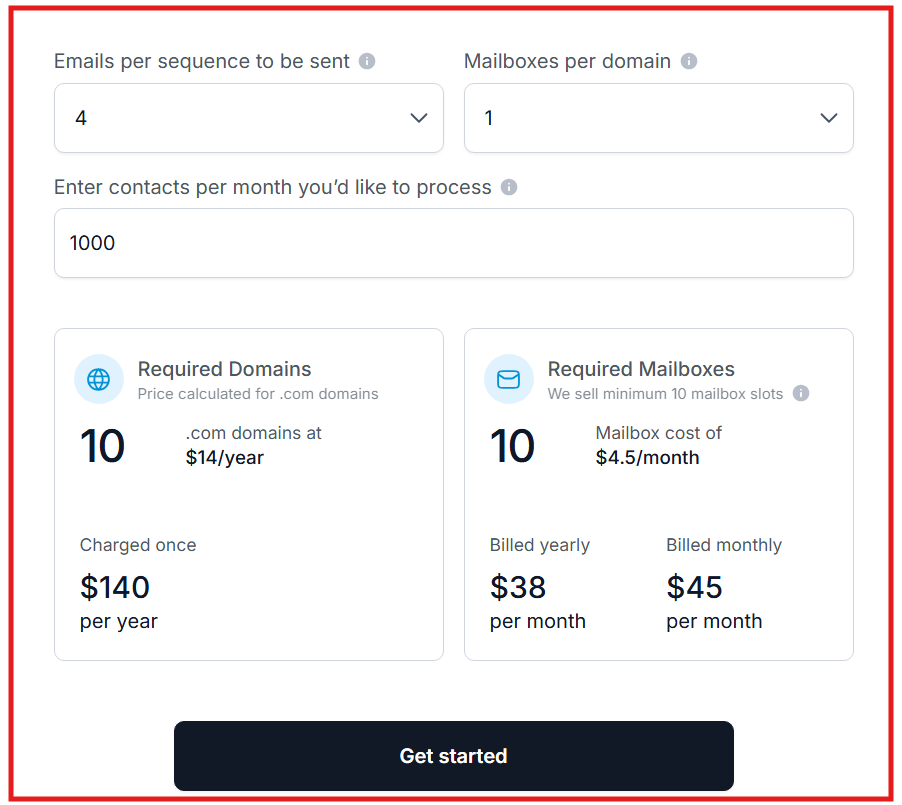
This image shows the Primeforge pricing
Primeforge pricing starts at approximately $3.50 to $4.50 per inbox, depending on volume and setup.
2. Zapmail
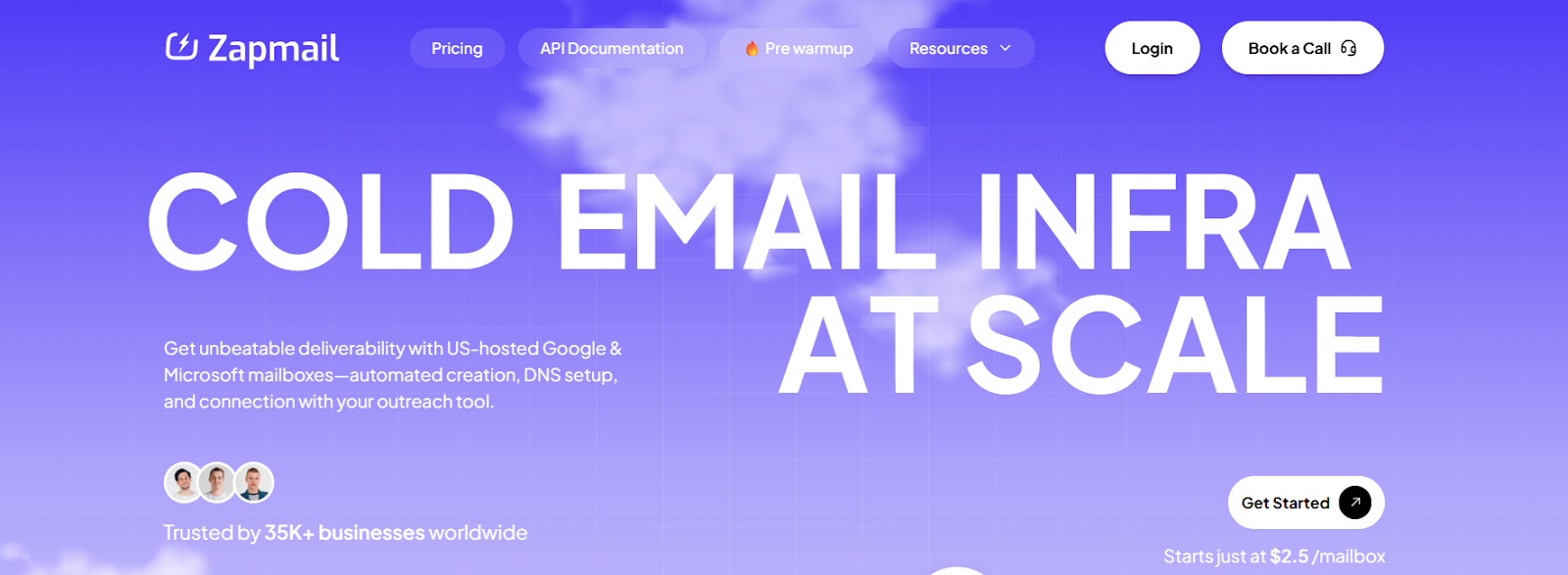
This image hsows the Zapmail homepage
Zapmail is a cold email infrastructure platform tailored for agencies and teams that want fast setup, high deliverability, and full automation.
It supports both Google Workspace and Microsoft 365, offering pre-warmed mailboxes, automated DNS configuration, and seamless integration with 50+ outreach platforms.
Zapmail is especially useful for those who need to launch campaigns quickly without waiting for manual setup or warm-up periods.
Key Features of Zapmail
Zapmail allows users to provision Google or Microsoft 365 inboxes instantly. Each inbox is pre-configured with SPF, DKIM, DMARC, and custom tracking domains—no manual DNS setup required.
Users can purchase mailboxes that are already warmed up (12+ weeks), allowing campaigns to start sending immediately with improved inbox placement.
This image shows the Buy pre-warmed mailboxes from Zapmail
Each domain is placed in its own workspace with admin access, reducing shared reputational risk and improving deliverability.
Zapmail automates DNS configuration, domain masking, and email forwarding. You can either connect your own domains or buy new ones directly within the platform.
Features like Smart Mailbox Namer, Instant Domain Genie, and Persona Snapshots help auto-generate professional mailbox handles, brand-aligned domains, and profile images, ideal for scaling outreach quickly.
Zapmail vs Mailpool: Quick Comparison
Zapmail vs Mailpool – Comparison Table
Zapmail vs Mailpool — Feature Comparison
Feature
Zapmail
Mailpool
Inbox Types Supported
Google Workspace, Microsoft 365
Google Workspace, Microsoft 365, Mailpool inboxes
Warm-up
Pre-warmed inboxes available (paid separately)
Native warm-up tools included
DNS & Domain Automation
Fully automated
Fully automated
Deliverability Tools
Workspace isolation, clean domains
Inbox rotation, spam monitoring
Outreach Integrations
50+ platforms (Instantly, Lemlist, etc.)
Native platform integrations
AI Tools
Smart Mailbox Namer, Domain Genie, Persona Snapshots
Not mentioned
Price per Inbox
Starts at $3.90
$2.60–$4.30
Pros of Zapmail
Zapmail delivers ready-to-send Google and Microsoft mailboxes, pre-warmed and configured with authentication protocols,ideal for fast campaign launches.
With over 50 native integrations, Zapmail lets users connect inboxes to major outreach tools without extra setup.
Cons of Zapmail
Zapmail operates on shared IPs. While optimized for inboxing, it doesn’t offer dedicated IPs, which limits control for teams with strict sending needs.
The pre-warmed mailboxes are not included in standard plans. They must be purchased separately, adding to the cost.
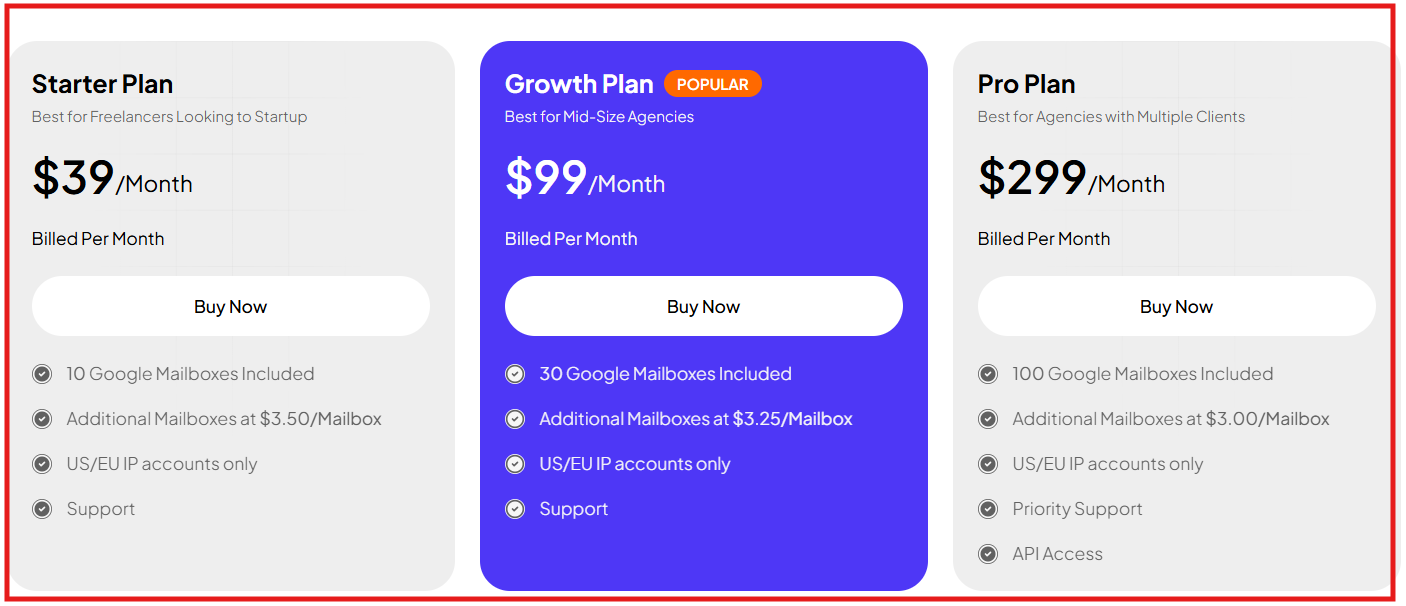
Zapmail Pricing
This image shows the Zapmail pricing
Starter Plan: $39/month, 10 Google or Microsoft 365 mailboxes
Growth Plan: $99/month, 30 mailboxes
Pro Plan: $299/month, 100 mailboxes
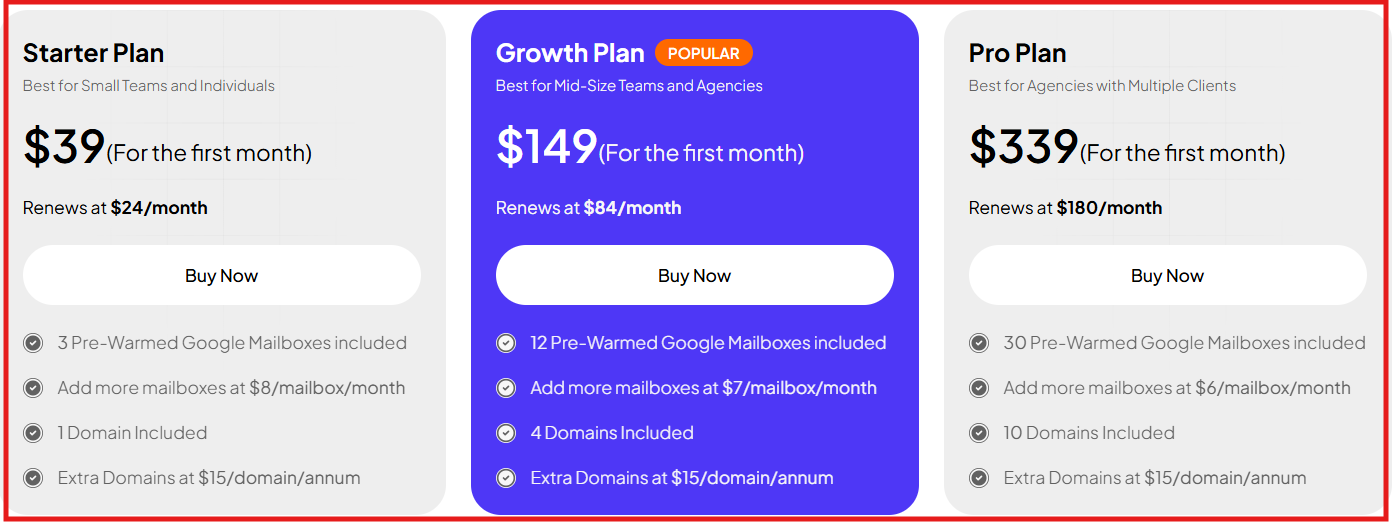
Zapmail also offers Pre-Warmed Mailbox Plans:
This image shows the Zapmail pre warmed mailboxes
Starter: $39 for first month, renews at $24/month, includes 3 pre-warmed Google mailboxes
Growth: $149 for first month, renews at $84/month, 12 mailboxes
Pro: $339 for first month, renews at $180/month, 30 mailboxes
Domain and support options vary by tier.
3. Inboxology
This image shows the Inboxology homepage
Inboxology is a cold email infrastructure platform focused on simplicity, warm-up automation, and fast inbox provisioning.
It’s built for teams who want to spin up ready-to-send Google Workspace and Microsoft 365 inboxes with built-in warm-up and automated DNS setup.
It emphasizes user-friendliness, offering done-for-you warm-up options, full authentication setup (SPF, DKIM, DMARC), and multi-inbox management without technical complexity.
Key Features of Inboxology
Inboxology enables users to provision fully verified Google Workspace and Microsoft 365 inboxes instantly, eliminating manual setup delays.
The platform includes fully automated DNS configuration, including SPF, DKIM, and DMARC records, which ensures proper email authentication from the start.
Inboxology provides a centralized dashboard to manage multiple inboxes and domains, making it easy to scale outreach operations.
It supports high-volume onboarding and allows users to set up bulk inboxes efficiently through white-glove services or self-service options.
Inboxology vs Mailpool: Quick Comparison
Inboxology vs Mailpool – Comparison Table
Inboxology vs Mailpool — Feature Comparison
Feature
Inboxology
Mailpool
Inbox Types Supported
Google Workspace, Microsoft 365
Google Workspace, Microsoft 365, Mailpool inboxes
Warm-up Integration
Activate warm-up
Native warm-up platform integrations
Domain & DNS Automation
Fully automated
Fully automated
Deliverability Setup (SPF, DKIM, DMARC)
Included
Included
Price per Inbox
~$4.00–$6.00
$2.60–$4.30
Target Audience
Teams seeking pre-warmed inboxes & simple setup
Teams needing flexible, high-volume cold outreach
Pros of Inboxology
Inboxology includes an “Activate Warmup” option with every plan. Once your inboxes are created, you can enable warm-up directly inside the dashboard to help new mailboxes build sender reputation before live sending.
All inboxes are created using official Google Workspace or Microsoft 365 licenses, no VPNs or temporary educational methods, ensuring stability and compliance.
Its dashboard allows users to monitor and manage inboxes, domains, and deliverability in one place.
Cons of Inboxology
All accounts run on shared IPs. There’s no option to assign private IPs or choose a sending region.
The automatic “Done-for-You” order type limits configuration options. To change recovery addresses, domain routing, or setup details, you must use Manual or Bulk modes
Inboxology Pricing
This image shows the Inboxology pricing
Legendary Plan – 1999+ email accounts → $2.60/account
Veteran Plan – 500 to 1999 email accounts → $2.80/account
Expert Plan – 100 to 499 email accounts → $3.00/account
Skilled Plan – 50 to 99 email accounts → $3.25/account
Beginner Plan – 0 to 49 email accounts → $3.50/account
Pricing is per account per month
Costs decrease with higher volume of inbox purchases
4. LiteMail
This image shows the LiteMail homepage
LiteMail is a cold email infrastructure platform designed for teams using Google Workspace or Microsoft 365 mailboxes.
It focuses on automation, affordability, and deliverability, helping users launch verified inboxes fast without manual DNS setup or warm-up tools.
Key Features of LiteMail
LiteMail uses OAuth-based setup that connects Google and Microsoft accounts instantly without manual steps, making setup quick and error-free.
It automatically configures SPF, DKIM, and DMARC records for every domain to ensure proper authentication and higher inbox trust.
It uses IP rotation to distribute emails across multiple IPs, reducing the risk of any single IP being flagged or blacklisted.
LiteMail vs Mailpool: Quick Comparison
LiteMail vs Mailpool – Comparison Table
LiteMail vs Mailpool — Feature Comparison
Feature
LiteMail
Mailpool
Inbox Types Supported
Google Workspace, Microsoft 365
Google Workspace, Microsoft 365
Warm-up
Optional add-on
Native warm-up tools
DNS & Domain Automation
Fully automated
Fully automated
Deliverability Tools
IP rotation, domain isolation
Inbox rotation, spam monitoring
Outreach Integrations
50+ (Instantly, Lemlist, Smartlead, Reply)
Native integrations
Admin Access
Included for every workspace
Included
Price per Inbox
$3.00–$3.50
$2.60–$4.30
Pros of LiteMail
LiteMail provisions real Google and Microsoft inboxes with full ownership and control.
SPF, DKIM, and DMARC are automatically configured for every domain, improving deliverability.
IP rotation spreads traffic across different IPs to reduce blacklist risk.
Pricing is lower than most competitors while offering genuine ESP-based inboxes.
Cons of LiteMail
Warm-up is optional, not fully built-in across all plans.
LiteMail supports only Google and Microsoft 365 accounts, no custom SMTP or other providers.
Deliverability customization options (like manual warm-up speeds or dedicated IP control) are limited.
It’s a newer platform, so long-term deliverability results and case studies are still limited.
LiteMail Pricing
This image shows the LiteMail pricing
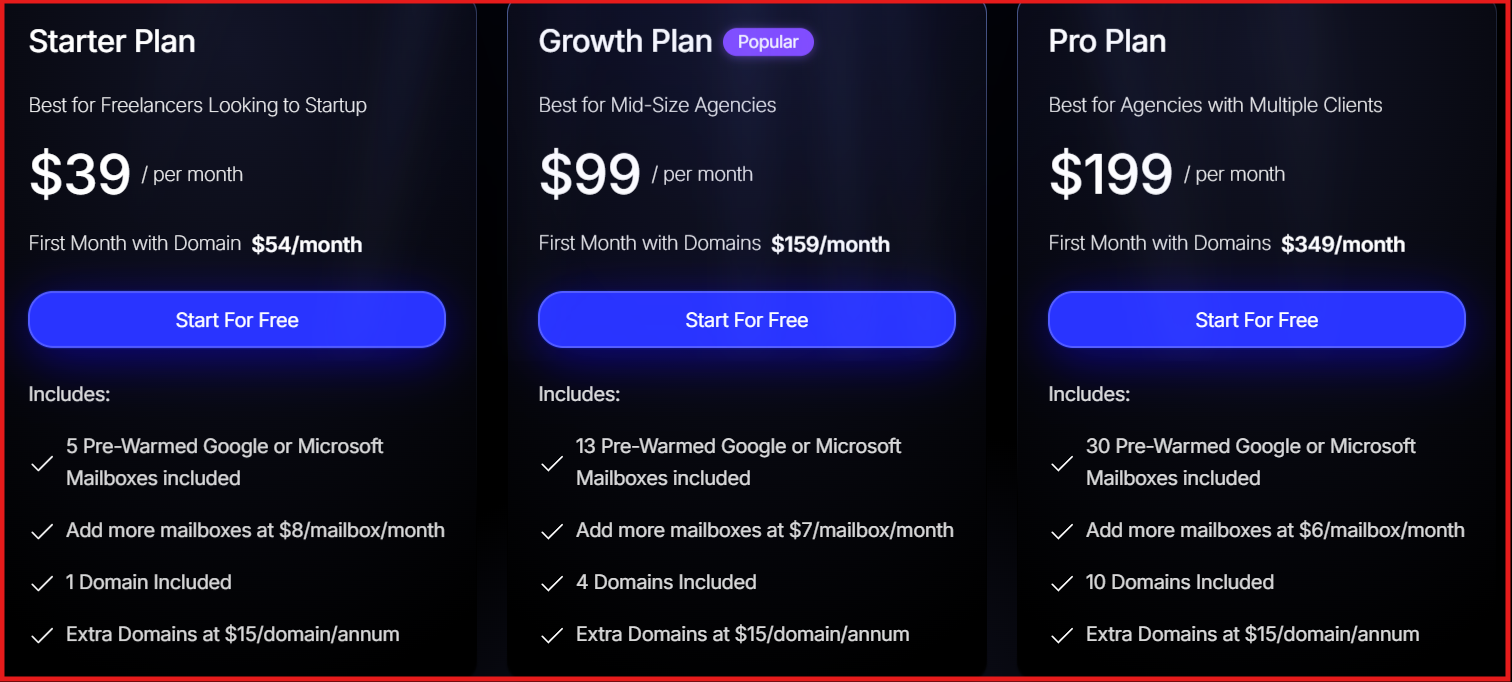
Starter Plan: $3.50 per inbox/month, includes 1 domain ($15/year).
Growth Plan: $3.25 per inbox/month, includes 4 domains, ideal for teams managing multiple campaigns.
Pro Plan: $3.00 per inbox/month, includes 10 domains and admin access for scaling agencies.
Domain Add-ons: Purchase extra domains for $13/year.
This image shows the LiteMail optional add on plan
Pre-warmed Inboxes: Optional add-on for teams that want to skip warm-up time.
5. Hypertide
This image shows the Hypertide homepage
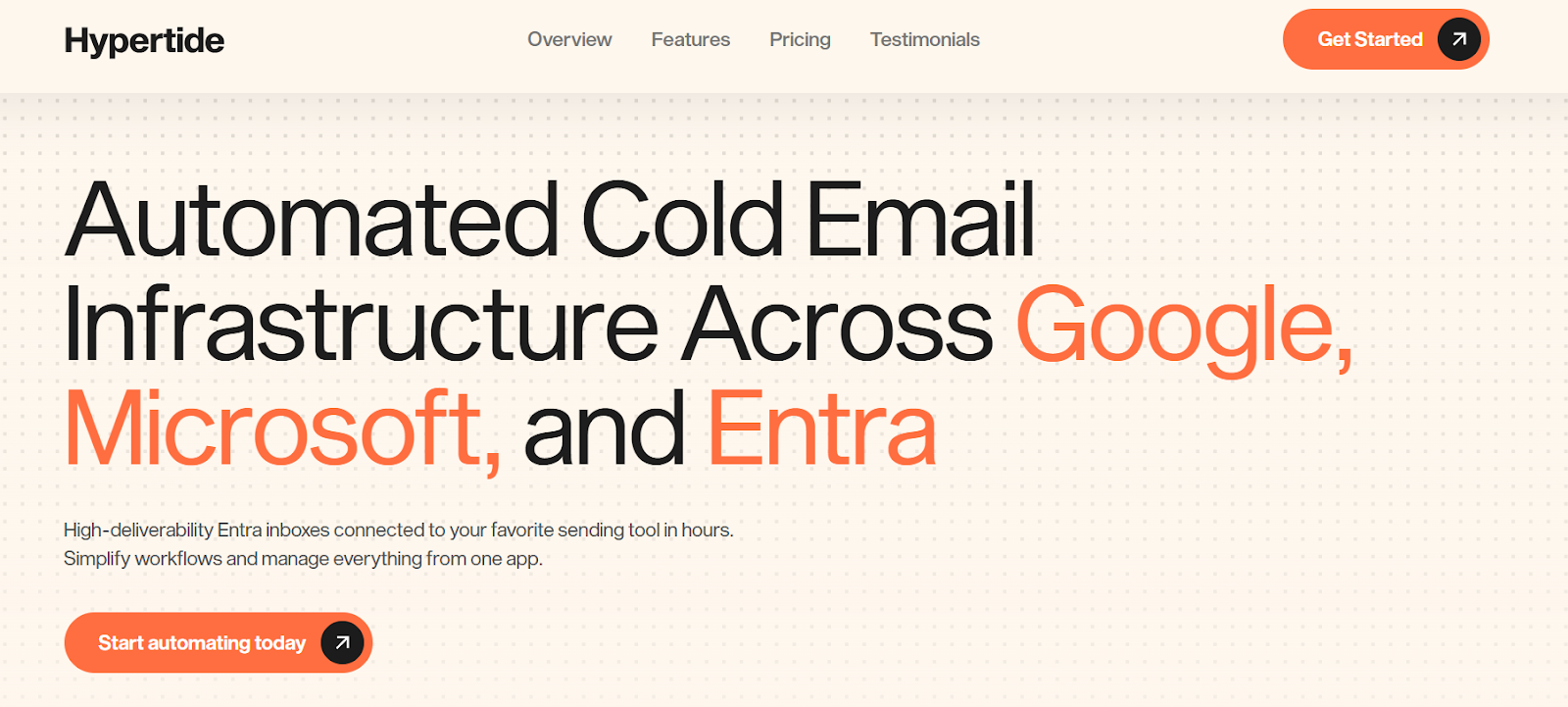
Hypertide is an automated cold email infrastructure platform designed for agencies and teams that want to deploy Google, Microsoft, and Entra (Azure) inboxes fast, without manual DNS work or VA setups.
It offers fully automated provisioning, pre-configured authentication (SPF, DKIM, DMARC), and tenant-level isolation to improve deliverability and security.
Each setup is completed within 4–6 hours and includes optimized warm-up tools built exclusively for Hypertide users.
Key Features of Hypertide
Hypertide supports Google Workspace, Microsoft 365, and Entra inboxes, letting users diversify sending infrastructure across multiple providers.
Each order runs on a separate tenant with unique IPs and domains, so sender reputation remains fully isolated and protected from other users.
The platform includes access to warm-up automation tools exclusive to Hypertide clients, helping inboxes build reputation faster and maintain consistency in sending.
Hypertide leverages Microsoft Entra’s Azure servers to provide a native Outlook UI experience, offering higher stability and 8% better deliverability performance compared to typical resellers.
Hypertide vs Mailpool: Quick Comparison
Hypertide vs Mailpool – Comparison Table
Hypertide vs Mailpool — Feature Comparison
Feature
Hypertide
Mailpool
Inbox Types Supported
Google Workspace, Microsoft 365, Entra (Azure)
Google Workspace, Microsoft 365, Mailpool inboxes
Setup Time
4–6 hours (automated)
Few minutes (automated)
Warm-up
Built-in for Hypertide users
Native warm-up platform
Domain & DNS Automation
Fully automated
Fully automated
Deliverability Setup (SPF, DKIM, DMARC)
Included (per tenant)
Included
Deliverability Architecture
Tenant isolation with dedicated IPs
Shared infrastructure
Outreach Integrations
Instantly, Smartlead, Bison
50+ native integrations
Price per Inbox
$50/order (100 inboxes total)
$2.60–$4.30
Pros of Hypertide
It automates the entire infrastructure setup across Google, Microsoft, and Entra platforms, cutting setup time from days to hours.
Tenant-level isolation ensures every user gets dedicated IPs and domains, improving deliverability and avoiding cross-account reputation issues.
Each plan includes 100 pre-configured inboxes, making it extremely cost-effective for agencies that need volume at scale.
Cons of Hypertide
The pricing structure is order-based ($50/order) rather than per inbox, which may not suit smaller teams sending low volumes.
Warm-up automation is exclusive to Hypertide clients and cannot be accessed externally through other warm-up tools.
The platform is relatively new, so long-term deliverability benchmarks are still limited compared to more established providers.
Hypertide Pricing
This image shows the Hypertide pricing
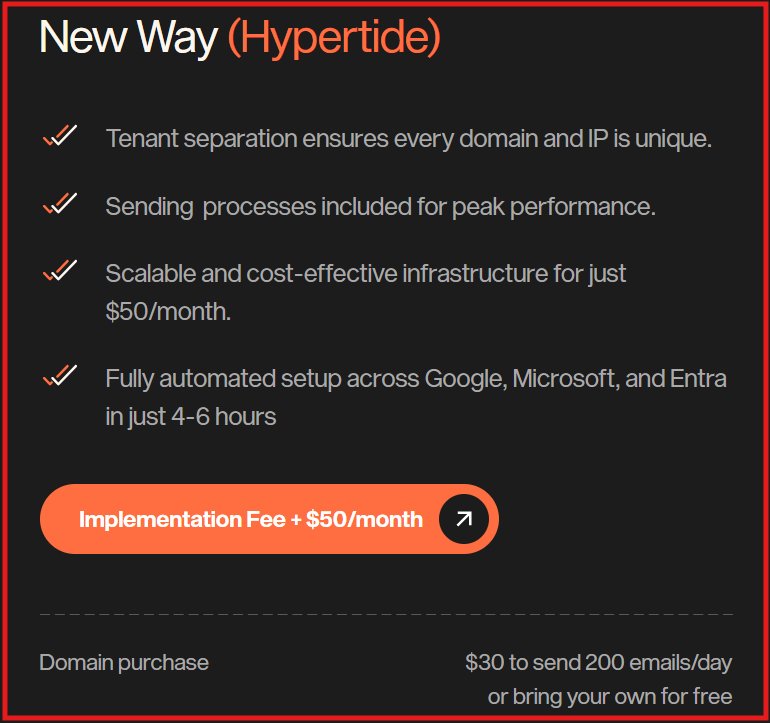
Implementation Fee: One-time setup for Azure configurators
Monthly Cost: $50/month per order
Includes: 100 Azure inboxes (50 per domain), SPF, DKIM, DMARC pre-configured, 5,000 monthly send volume, access to warm-up tools, compatibility with Instantly, Smartlead, and Bison
Which Mailpool Alternative Should You Choose?
Here’s a quick way to decide which Mailpool alternative should you choose:
Primeforge – Best if you want fully automated setup with DNS, authentication, and direct Warmforge integration to optimize deliverability from day one.
Zapmail – Ideal for teams that need pre-warmed inboxes and fast campaign launches.
Inboxology – Great for users who prefer built-in warm-up and centralized inbox management.
LiteMail – A solid pick for smaller teams seeking affordable inbox automation with IP rotation.
Hypertide – Perfect for agencies managing high-volume infrastructure across Google, Microsoft, and Entra tenants.
If your focus is on long-term deliverability and a ready-to-scale setup, Primeforge is the best Mailpool alternative.
Scale outreach with real Google and Microsoft inboxes
Set up Google Workspace and Microsoft 365 inboxes faster.