
Personalized Outbound Strategy
Get The Right Outbound Strategy In Minutes
Enter your email to get a custom plan & stack recommendation for your business
It's being carefully crafted by AI
Please check your mailbox in 5 minutes

I looked into Slicey when managing multiple domains and inboxes started taking too much time.
Instead of setting everything up manually, I wanted a ready setup that could scale.
Slicey promises Microsoft inbox infrastructure, higher sending capacity, and less setup work.
It also claims to help you send more emails without dealing with technical issues.
But from what I saw, having more inboxes is not the same as running better campaigns.
So before paying for Slicey, it is important to understand what it actually does.
In this review, I break down how it works, what you get, and where it falls short.
Slicey is a cold email infrastructure service that gives you Outlook inboxes for outreach.
I looked at it as a way to avoid setting up domains, DNS, and inboxes manually.
With Slicey, everything is handled for you:
Each domain comes with 49–99 Outlook inboxes, built for sending at scale.
Once everything is ready, you connect these inboxes to your sending tool and start your campaigns.
Slicey does not send emails on its own.
It only provides the infrastructure layer behind your outreach.
That means you still need tools like Instantly or Smartlead to run campaigns.
Instead of managing inboxes yourself, you use a system that is already set up.
Slicey works as a cold email infrastructure layer focused on inbox setup and deliverability.
From my experience, it starts with setup.
I order domains, and Slicey creates everything for me.
Domains, DNS, and Outlook inboxes are already configured.
Next comes inbox distribution.
Each domain comes with 49–99 inboxes, instead of the usual few.
This spreads sending across multiple inboxes.
After that, I connect it to my sending tool.
Slicey does not send emails.
I use tools like Instantly or Smartlead to run campaigns.
Another layer is isolation.
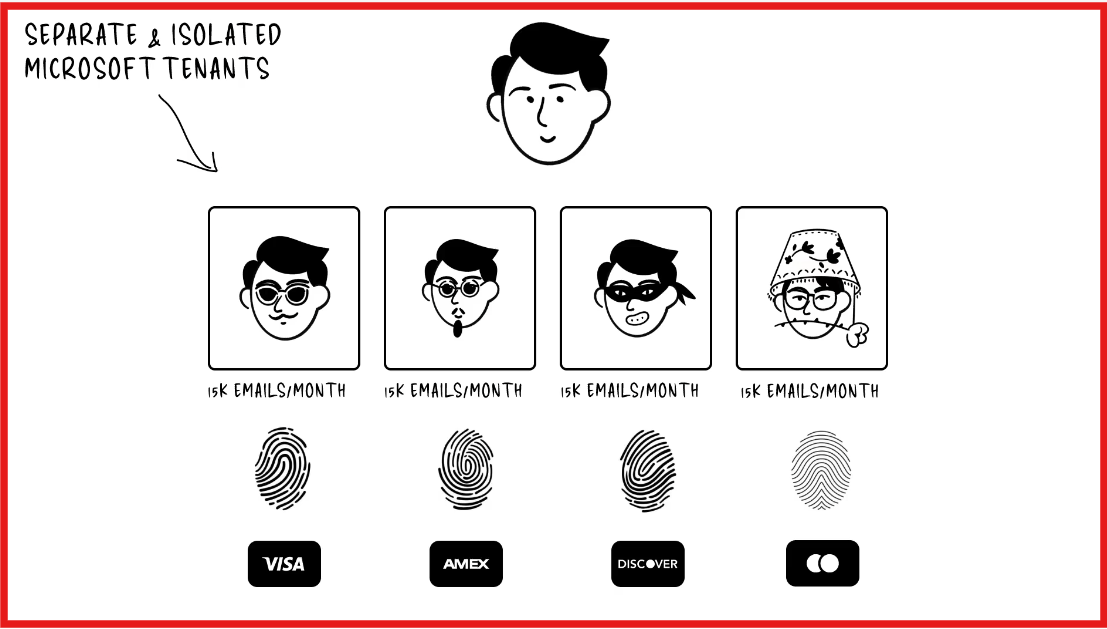
Each domain runs separately, so one setup does not affect others.
Then comes deliverability tracking.
Slicey monitors inbox health.
If performance drops, it swaps domains or inboxes.
From my experience, the flow is clear:
Setup → connect → send → monitor → swap
It handles infrastructure well, but sending and outreach still happen outside the platform.
| Feature | What It Means |
|---|---|
| Outlook inbox infrastructure | Provides Microsoft-based inboxes built for cold email sending |
| Multiple inboxes per domain | Each domain comes with ~49–99 inboxes to distribute sending |
| Pre-configured setup | Domains, DNS, and inboxes are already set up (no manual work) |
| Inbox isolation | Each domain runs separately to reduce risk across setups |
| Auto domain / inbox swapping | Replaces low-performing domains or inboxes automatically |
| High sending capacity | Up to ~15,000 emails per month per domain |
| White-glove setup | Fully managed setup without technical involvement |
| Works with sending tools | Connects with tools like Instantly and Smartlead for campaigns |
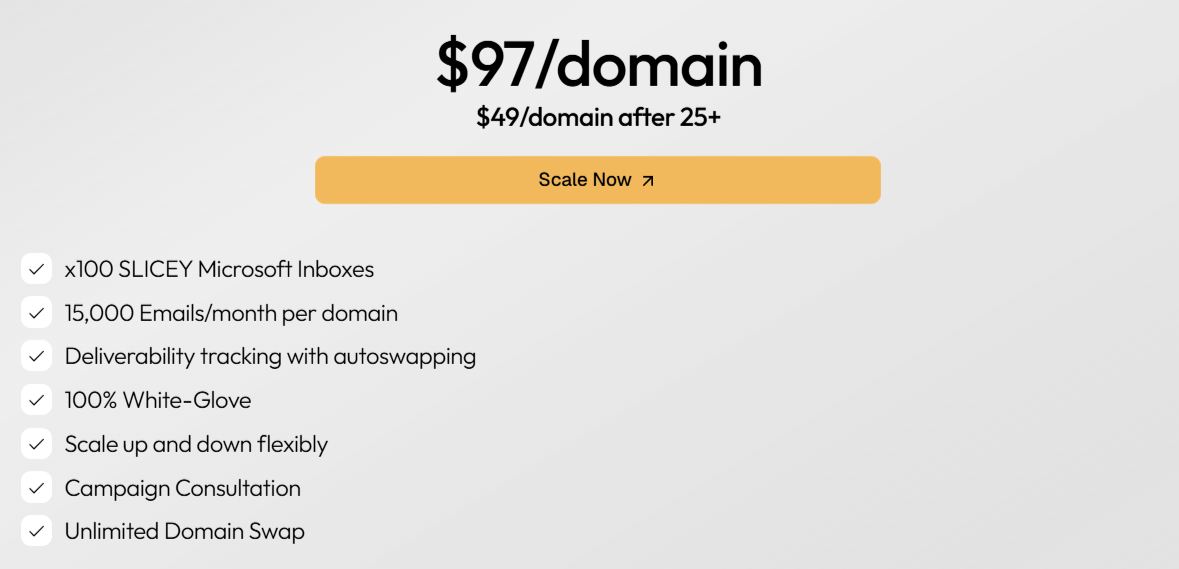
Slicey uses a per-domain pricing model. Each domain comes with inboxes and sending capacity.
You pay per domain, not per inbox.
It works well when you scale across many domains.
For small setups, it can feel expensive.
This is the main reason I looked at Slicey.
From what I saw, it is designed to support deliverability at scale.
From my experience, these setups usually help keep sending stable.
But Slicey does not control everything.
Deliverability still depends on:
Slicey handles the infrastructure side.
It can support deliverability, but results depend on how you run campaigns.
| Pros | Cons |
|---|---|
|
|
Slicey is designed for teams that want to scale without handling setup.
I. Slicey is a good fit if:
II. Slicey may not be the best fit if:
Slicey fits when your focus is infrastructure and scale.
If you need a tool for sending or strategy, you will still need other tools.
When I looked at Slicey, it felt focused on scaling inbox volume using Microsoft infrastructure.
But when I tested Primeforge, the difference was in how the mailboxes are built.
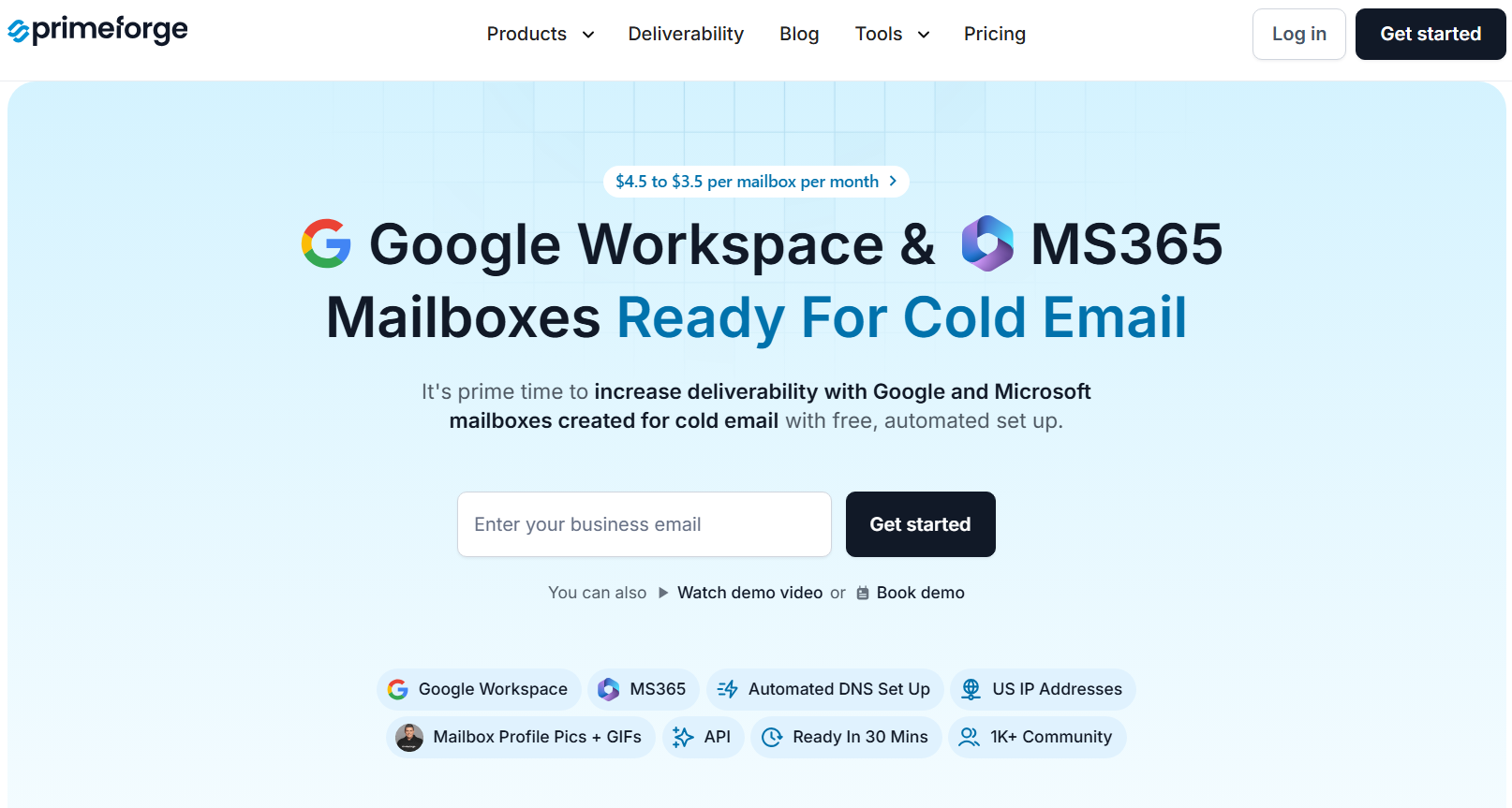
Primeforge gives real Google Workspace and Microsoft 365 mailboxes, not just inbox setups.
From my experience, setup was the biggest difference.
With Primeforge:
Everything was done before I even started sending.
Another thing I noticed was how the emails looked.
Primeforge supports:

Small detail, but it makes emails look more like normal inbox traffic.
| Feature | Slicey | Primeforge |
|---|---|---|
| Mailbox type | Microsoft-based setup | Google Workspace + Microsoft 365 |
| Setup | White-glove | Automated |
| Setup time | Not clearly defined | ~30 minutes |
| DNS setup | Managed | Automated (SPF, DKIM, DMARC) |
| Inbox type | Microsoft infra | Real provider mailboxes |
| Sending tool | External required | Works with any tool |
From what I saw, Slicey helps you scale sending faster.
Primeforge makes sure you start with clean, ready-to-send mailboxes.
Enter your email to get a custom plan & stack recommendation for your business
Please check your mailbox in 5 minutes

Slicey is useful for setting up inbox infrastructure for cold email.
It works well if you want to create multiple inboxes and start sending without handling setup.
From what I saw, it removes a lot of technical work and helps you move faster.
Like any infrastructure tool, you still need a sending tool and strategy.
If your goal is to scale sending using ready inboxes, it can be worth it.
But if you care about how mailboxes are set up and managed, Primeforge is easier to work with.
Primeforge gives you real Google and Microsoft mailboxes with automated setup.
They are ready in about 30 minutes and can be connected to any sending tool.
Primeforge also handles DNS setup and mailbox configuration from the start.
This makes it easier to launch campaigns without setup issues.
Try Primeforge and see how quickly you can set up mailboxes and start outreach.