The 8 Best Cold Email Software Tools [Discussed in Detail]
1. Salesforge
Best for: GTM teams and agencies that want to scale multichannel outreach without paying per mailbox or per seat.
I rank Salesforge as the best cold email software for its multichannel capabilities and cost predictability.
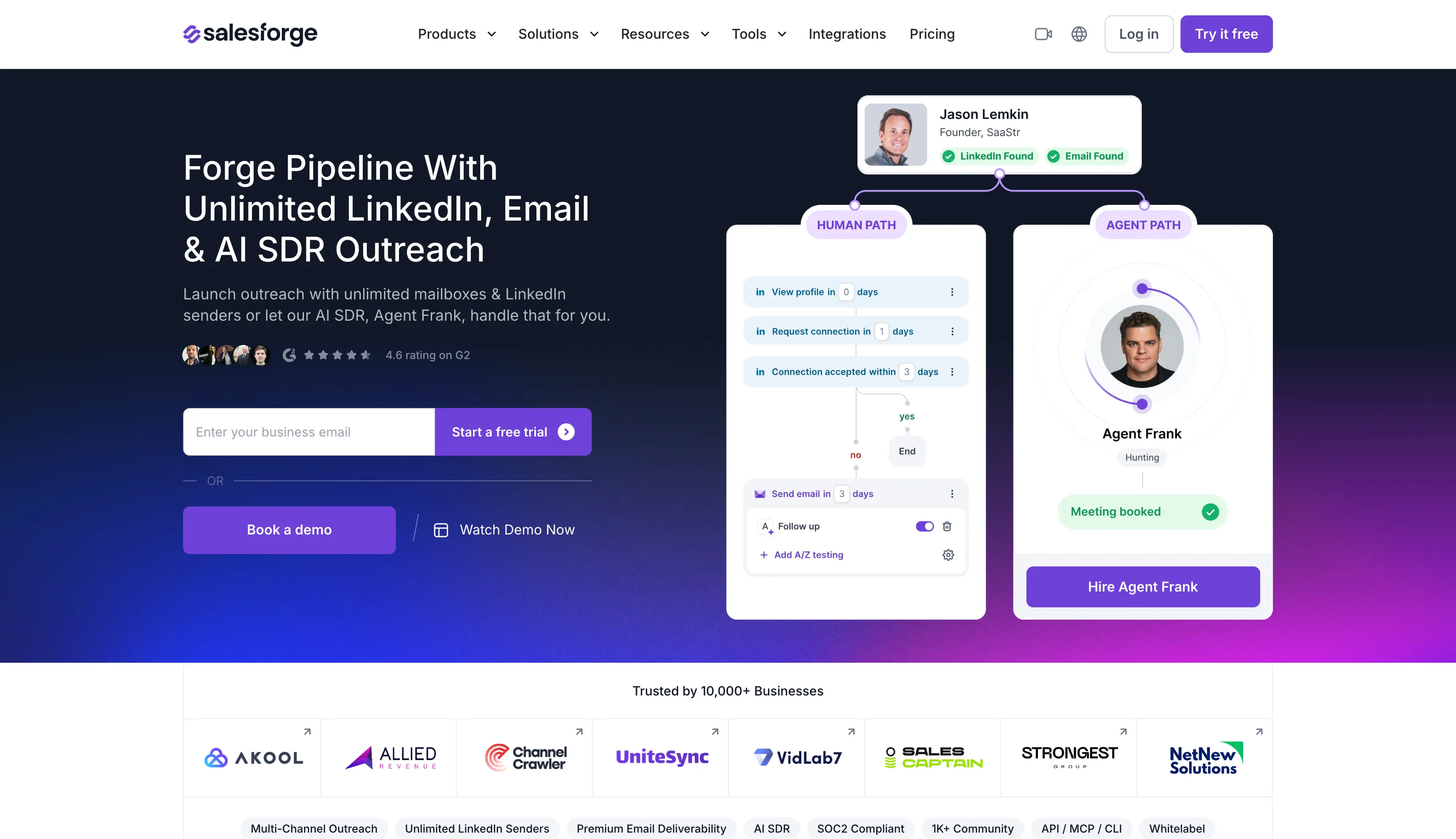
It is a platform that runs cold email and LinkedIn as two channels of one sequence.
Most cold email tools charge more as you add mailboxes or team members.
With Salesforge, you get unlimited mailboxes, unlimited users, and unlimited workspaces on every paid plan.
I connected multiple mailboxes across several domains during my testing and paid nothing extra.
Setup was quick, and every mailbox I connected started warming automatically through Warmforge, a premium warmup product included free with every plan.
The conditional sequences are what impressed me most.
I set up one sequence where a connection request went out first.
When a prospect accepted, the sequence sent a LinkedIn message.
When they did not, it fell back to a cold email.
I never had to run two campaigns side by side or move prospects between them by hand.
Primebox™ made the reply side just as simple.
Every reply from both channels landed in one inbox, so I stopped switching between LinkedIn tabs and email clients.
And through all of this, my inbox placement stayed consistently strong.
Everything else, from the deliverability features to Agent Frank, is in the list below.
Overall, I would rank Salesforge as the most complete cold email platform on this list.
Key Features of Salesforge
Unlimited mailboxes, users, and workspaces: Connect unlimited email accounts and invite unlimited team members without paying more as you scale
Multichannel with conditional sequences: Run email and LinkedIn steps in one flow with if/then logic based on prospect behavior
AI personalization across 21+ languages: Personalize every message at scale using prospect-specific details like company news and LinkedIn activity
Unlimited premium warmup via Warmforge: Warm every connected mailbox for free with unlimited slots, using a premium warmup pool of aged Google Workspace, Microsoft 365, and SMTP mailboxes
ESP matching: Send from the same provider your prospect uses to land in the primary inbox more often
Sender rotation and Bounce Shield: Spread volume across mailboxes automatically and block sends to addresses likely to bounce
Built-in email validation: Verify every contact before send to keep bounce rates low
Primebox™ with Autopilot and Co-pilot modes: Manage every email and LinkedIn reply from one inbox, with AI handling or drafting responses
LinkedIn email & phone finder Chrome Extension: Pull verified emails from LinkedIn profiles, with 100 free credits on signup
A/B testing and analytics: Test subject lines and variants, then track open, reply, and meeting rates (Growth plan)
Agent Frank support: Hire an autonomous AI SDR to prospect, sequence, reply, and book meetings 24/7
API and integrations: Connect HubSpot, Pipedrive, the open API, or the MCP CLI for agent-native workflows
Limitations of Salesforge
There is only 14-days of free trial
Unlimited LinkedIn senders are available only in the growth plan.
Salesforge Pricing
Salesforge offers a 14-day free trial with no credit card required, plus 2 paid plans and Agent Frank:
Everything in Pro, plus 10,000 active contacts, 50,000 emails/month, unlimited users and LinkedIn senders, A/B testing, ESP matching, API
Agent Frank
From $499/month
An autonomous AI SDR with Auto-Pilot and Co-Pilot modes, handling up to 1,000 active contacts
You can check their official pricing page for the full feature list and credit calculator.
Salesforge Ratings and Reviews
G2: 4.6 out of 5 (130+ reviews)
2. Reply.io
Best for: SDR teams that want email, LinkedIn, cold calling, and SMS in one cadence.
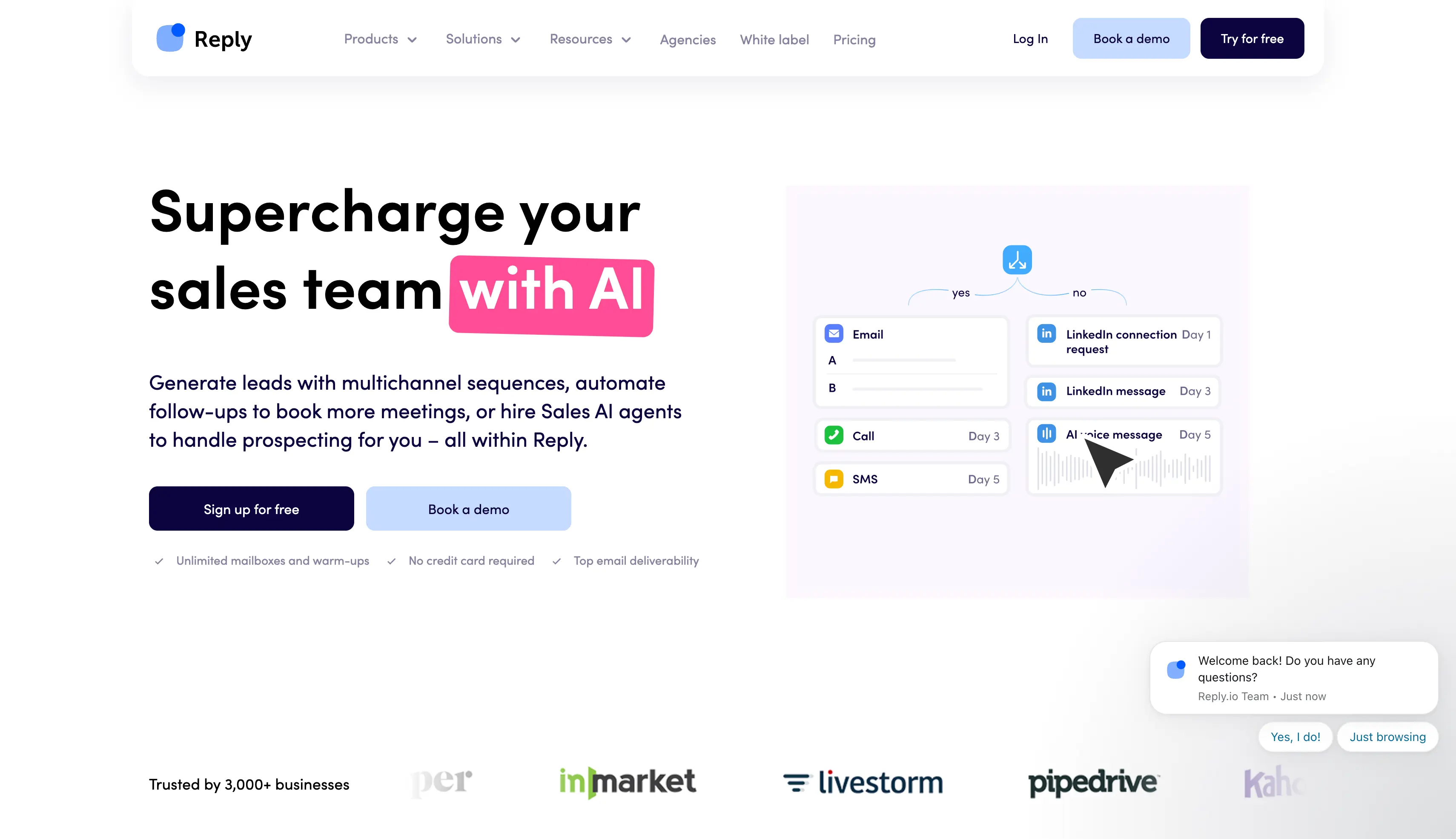
Reply.io is a sales engagement platform that covers nearly every channel an SDR team uses.
It adds phone calls, SMS, and WhatsApp to email and LinkedIn sequences.
I tested Reply.io on a multichannel cadence spanning email, LinkedIn, and calls.
The sequence builder handled channel switching cleanly, and support answered my onboarding questions in minutes.
The built-in B2B database is one of the largest available, with over 1 billion contacts.
This means you can prospect, validate emails, and sequence without leaving the platform.
Email warm up and health checks are included, which is more deliverability coverage than most per-seat tools offer.
Reply.io also sells Jason AI, a separate AI SDR agent that handles prospecting and replies on its own.
The main drawback is the pricing model.
Every user is a paid seat, and channel add-ons stack on top of the base price.
Key Features of Reply.io
Multichannel sequences: Reach prospects across email, LinkedIn, phone calls, SMS, and WhatsApp in one cadence
B2B lead database: Prospect from 1B+ contacts without leaving the platform
Built-in validation and warm up: Clean your lists and warm your mailboxes without a separate subscription
AI variables and AI-generated sequences: Draft personalized cold emails and full cadences with AI
Native CRM integrations: Sync two ways with Salesforce, HubSpot, Pipedrive, and Close
Jason AI SDR agent: Hand the outbound workflow to an AI agent, sold as a separate product
Limitations of Reply.io
Per-user pricing scales fast: 10 users on Multichannel is $890/month before add-ons
The interface is dense, and new users report a learning curve
Reply.io Pricing
Reply.io offers a free plan (200 emails/month) and a 14-day free trial on paid plans:
Email Volume: from $49/user/month, billed annually
Multichannel: $89/user/month, billed annually
Agency: from $166/month
Jason AI SDR: from $500/month, priced separately
You can check their official pricing page for current add-on costs.
Reply.io Ratings and Reviews
G2: 4.6 out of 5 (1,500+ reviews)
3. Klenty
Best for: Structured sales teams that run outreach campaigns from Pipedrive, HubSpot, Salesforce, or Zoho.
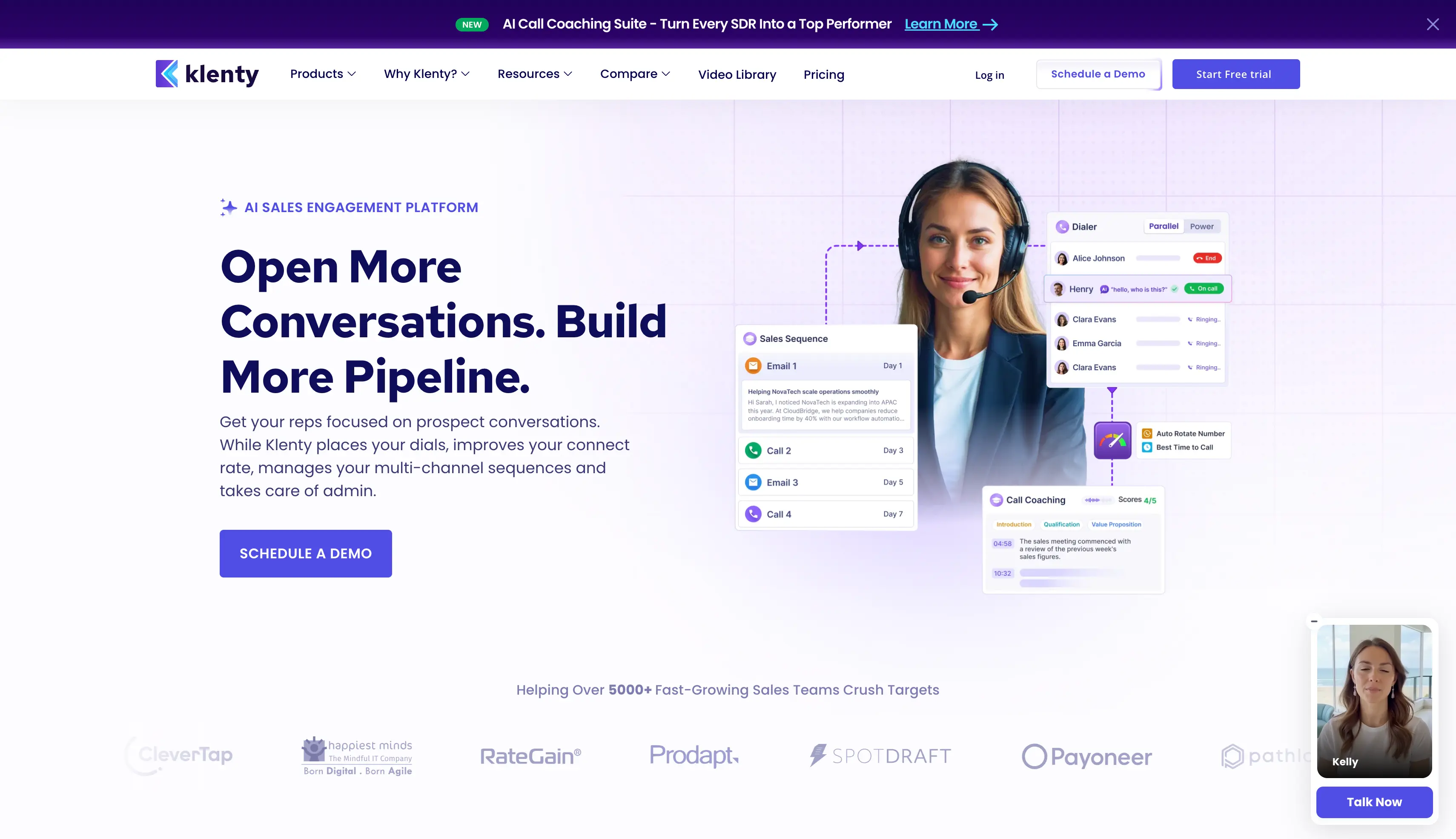
Klenty is a sales engagement platform built around cadences that sync tightly with your CRM.
It covers email, phone, LinkedIn, SMS, and WhatsApp steps.
In my testing, the CRM sync stood out as Klenty's biggest strength.
Tasks, follow ups, and outcomes flowed into my CRM without manual updates.
The cadence playbooks are smart, too.
They adjust the next step based on how a prospect engages, instead of running everyone through the same fixed sequence.
The dialer is the strongest I tested on this list, with power and parallel dialing for phone-first teams.
For email deliverability, Klenty gives you validation, sending controls, and Primary tab insights.
Key Features of Klenty
Multichannel outreach: Reach prospects across phone, email, LinkedIn, SMS, and WhatsApp with one-click automation, all managed in one place
Multi mode dialer: Call up to 5 prospects at once, with local dialing, country code integration, session reporting, and pause and resume to cut down dial time
Advanced personalization: Use Merge Fields to add custom phrases or paragraphs by prospect type, and Liquid Templates to adjust email content based on when the prospect opens it
Kai, the AI Cadence Writer: Scan a prospect's website and LinkedIn profile to pick out personalization points, then insert tailored openers, problem sentences, and CTAs
Behavior-triggered playbooks: Detect prospect intent, set the right next step for each prospect, and prioritize the hottest ones automatically
Deliverability insights: Validate email addresses, control daily sending limits with irregular staggering, and see what percentage of emails land in the Primary tab per provider
Goals and reports: Set conversion, prospect, and activity targets for the team, with leaderboard reports to track progress
CRM integrations: Connect Salesforce, MS Dynamics, HubSpot, Pipedrive, and Zoho with auto import and export, field mapping, triggers, and deal stage automation
Limitations of Klenty
No built in warm up, so cold email work needs a third party tool
No lead database, and the parallel dialer is a $45/user/month add-on
The user interface may take some time to master
The advanced capabilities come at a price, which might be less accessible for smaller businesses
Klenty Pricing
Klenty offers a 14-day free trial and 3 paid plans, billed annually:
Starter: $50/user/month (email-only)
Growth: $70/user/month (multichannel plus CRM playbooks)
Plus: $99/user/month (advanced AI features)
You can check their official pricing page for add-on and dialer costs.
Klenty Ratings and Reviews
G2: 4.6 out of 5 (388 reviews)
4. Smartlead
Best for: Agencies managing multiple client accounts that need white-label features on a budget.
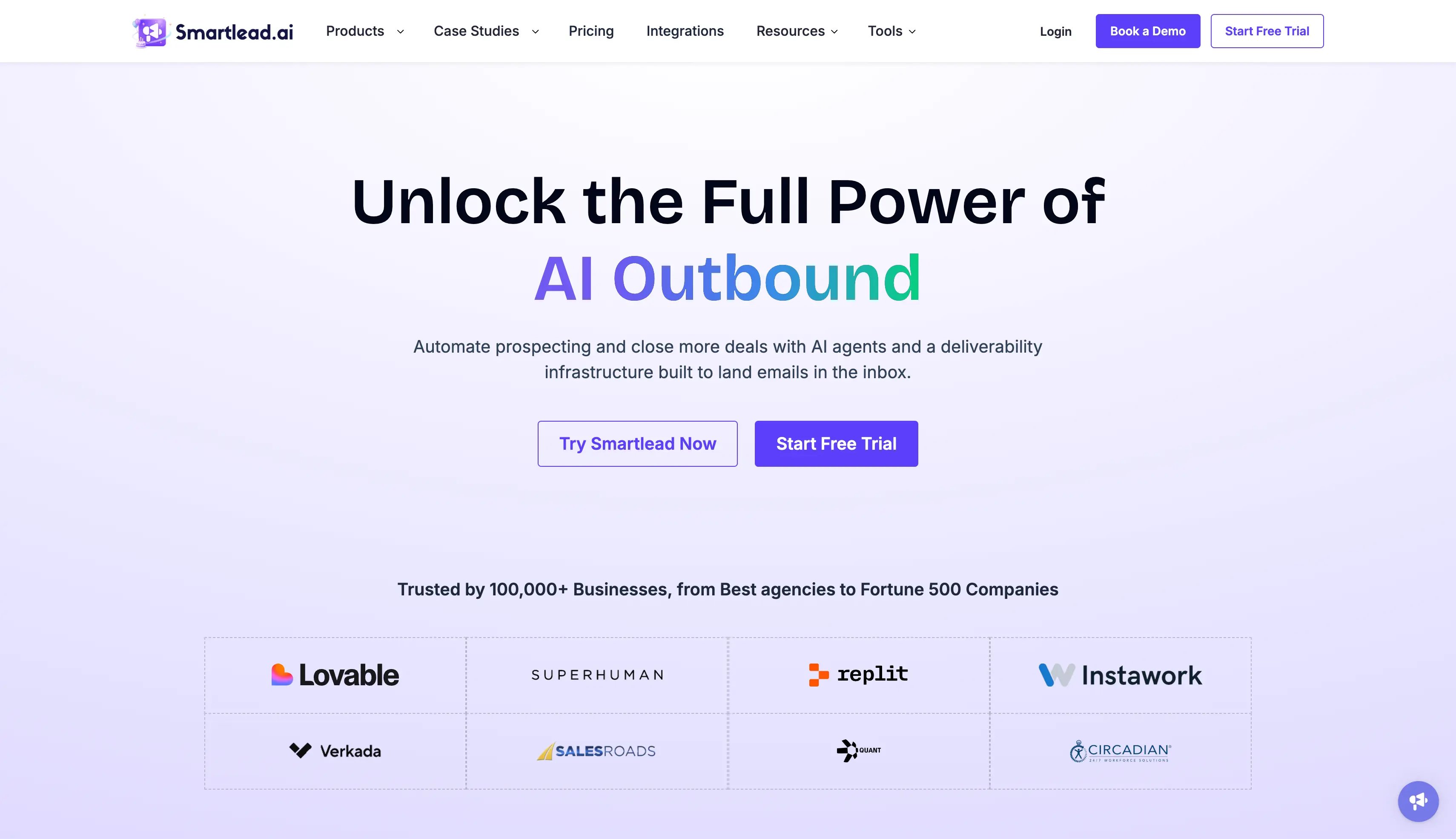
Smartlead is a cold email automation tool built for sending campaigns at high volume.
It is used by over 100,000 businesses, from solo founders to lead generation agencies.
The core appeal is simple: you can connect unlimited email accounts and warm all of them up, on every plan, at no extra cost.
That flat-fee model is the reason so many agencies run their client campaigns on it.
I tested Smartlead on an agency-style setup with separate client workspaces.
Client separation worked cleanly, and inbox rotation spread my sending volume across mailboxes without any manual effort.
The master inbox collects replies across all mailboxes and clients in one view.
This means you can manage every client conversation without switching between accounts.
The AI warm up runs human-like email conversations in the background to build sender reputation before and during campaigns.
And the white-label option lets agencies run the entire platform under their own brand, with each client in a separate workspace.
The trade-off is that Smartlead is email-only.
There are no native LinkedIn steps, and support has a mixed reputation in public reviews.
My own support experience was slower than I would have liked.
Key Features of Smartlead
Unlimited mailboxes: Connect an unlimited number of sender accounts across multiple domains to scale sending volume without restrictions
Automated email warm-ups: Native auto-warmups build sender reputation, helping emails land in primary folders rather than spam
Dynamic IP and mailbox rotation: Emails rotate automatically across accounts and dynamic IP addresses, protecting domains from spam filters
Unified master inbox: Manage replies from hundreds of connected mailboxes in one central workspace, where teams can collaborate, tag, and assign leads without missing conversations
AI-powered personalization: Generate tailored, multi-step sequences with AI hooks and dynamic content designed to lift engagement per prospect
Built-in lead verification: Integrated email verification cleans lead lists before campaigns launch, reducing bounce rates
Advanced sequencing and A/B testing: Build complex, multi-step email campaigns and test subject lines or body copies to see what converts best
White-label client workspaces: Run the platform under your own brand (Unlimited Smart plan and up)
API and webhooks: Automate campaign operations from the Pro plan onward
Limitations of Smartlead
Email-only, with no native LinkedIn steps
The premium warm up pool is a $59/month add-on on Base and Pro plans
Support response times are the top complaint in public reviews
Lead finder and CRM cost extra, from about $37.90/month each.
You can check their official pricing page for module bundles.
Instantly Ratings and Reviews
G2: 4.8 out of 5 (4,000+ reviews)
7. Apollo
Best for: Outbound sales teams that want prospect data and cold email sequences in one subscription.
Apollo is a sales intelligence platform that combines a B2B lead database with built-in email outreach.
It is one of the most widely used tools in B2B sales, with a database covering more than 200 million contacts and millions of companies.
The filters are the deepest on this list.
You can build lists by industry, headcount, revenue, technology stack, job postings, and even buying intent signals.
I use Apollo's database for list building, and I also tested its email sequences.
Building a targeted list was quick, and the intent data helped me focus on accounts already researching my category.
The sequences are competent rather than exceptional.
You get multi-step email campaigns, A/B testing, and a dialer on higher plans, but the deliverability features are lighter than dedicated cold email tools.
For a team that mostly needs data with sending attached, that trade works fine.
One habit I would recommend: run every Apollo list through email verification before sending.
Data accuracy varies by segment, and unverified contacts are the fastest way to spike bounces.
Key Features of Apollo
B2B contact database: Build targeted lists from 200M+ contacts using filters for industry, headcount, revenue, technology stack, and job postings
Buying intent data: Find accounts actively researching your category and prioritize them in your outreach
Email sequences: Run multi-step cold email campaigns with A/B testing on paid plans
AI email writing: Draft personalized cold emails with AI assistance on the Professional plan and up
Dialer: Call prospects from the platform, with call recordings and AI insights on higher tiers
Chrome extension: Pull verified prospect data while browsing LinkedIn or company websites
Built in CRM features: Track deals inside Apollo or sync with Salesforce, HubSpot, and other CRMs
Genuine free plan: Test the database and run 2 active sequences at no cost
Limitations of Apollo
The credit system is confusing, and unused credits expire each billing cycle
Data accuracy varies, so verify emails before sending
Sending features are shallower than dedicated cold email software
Apollo Pricing
Apollo offers a forever-free plan and 3 paid plans, billed annually:
Free: $0 (limited credits, 2 active sequences)
Basic: $49/user/month
Professional: $79/user/month
Organization: $119/user/month (minimum 3 users)
Monthly billing runs $59, $99, and $149 respectively.
You can check their official pricing page for credit limits per plan.
Apollo Ratings and Reviews
G2: 4.7 out of 5 (9,600+ reviews)
8. Woodpecker
Best for: Solopreneurs, freelancers, and small cold outreach teams that value reliable cold email over raw volume.
Woodpecker is a cold email platform built for B2B sales teams, agencies, and recruiters that value deliverability over raw sending volume.
While most tools on this list compete on how much you can send, Woodpecker competes on how safely you can send it.
It prices on contacted prospects rather than mailboxes or seats, which rewards tight, well-researched lists.
You still get unlimited email accounts and unlimited team members on every plan.
I ran a focused campaign on a small, well-researched list to test the condition-based follow ups.
They are the standout feature.
Follow ups branch on opens, clicks, and replies, so each prospect gets a relevant next step instead of a generic message.
Deliverability protection comes standard, not as an upsell.
Adaptive sending adjusts your volume automatically, bounce protection pauses risky sends, and a spam words checker reviews your copy before it goes out.
Woodpecker also reads replies with AI to detect interest levels, so you can see which prospects deserve a manual follow up first.
In my testing, inbox placement stayed clean through the entire campaign.
Key Features of Woodpecker
Condition-based sequences: Branch follow ups on opens, clicks, and replies so each prospect gets a tailored path
Free built in warm up: Warm unlimited email accounts without a separate tool
Unlimited email accounts and team members: Connect every mailbox you own and invite your whole team on any plan
Inbox rotation and randomization: Send at human-like intervals across mailboxes so your activity looks natural to email providers
AI interest level detection: Read replies automatically and flag the prospects most worth a manual follow up
Spam words checker: Catch risky copy before every send
Deliverability monitoring: Get instant alerts when your inbox placement or reputation drops
Agency panel: Add unlimited clients in separate workspaces and manage them from one dashboard
Limitations of Woodpecker
The contacted-prospect pricing model gets expensive on large lists
API access costs an extra $20/month
Woodpecker Pricing
Woodpecker offers a 7-day free trial, with pricing based on contacted prospects:
Higher tiers scale with prospect volume [VERIFY current tiers]
You can check their official pricing page for the full prospect-tier breakdown.
Woodpecker Ratings and Reviews
G2: 4.3 out of 5 [VERIFY review count]
What to Look for When Choosing Cold Email Software
Before you pick a platform, here are the factors that matter most for cold email outreach:
Pricing model: Check whether the tool charges per user, per mailbox, or a flat fee. Per-seat pricing multiplies your cost as the team grows.
Affordable scalability: Look for unlimited email accounts and unlimited warm up, so scaling your volume does not mean scaling your bill.
Deliverability features: Built in warm up, inbox rotation, email validation, and sending controls decide whether your emails reach the primary inbox or the spam folder.
Multichannel capabilities: If your prospects live on LinkedIn or the phone, pick a tool that runs those channels in the same sequence as email.
Personalization and AI features: AI variables, dynamic content, and multi-language support let you personalize cold emails at scale without writing each one by hand.
Integrations, API, and MCP CLI: Native CRM integrations, an open API, and MCP CLI support keep the tool connected to the rest of your stack and ready for AI-driven workflows.
Reply management: A unified inbox saves hours when replies come in from multiple mailboxes and channels.
Lead data: Decide whether you need a built in lead database or you will bring your own lists from another source.
Which Cold Email Software Should You Pick?
That is my list of the 8 best cold email software tools in 2026.
I have ranked every tool based on pricing, affordable scalability, integrations, MCP CLI support, multichannel capabilities, and personalization.
Based on your requirements, you can choose the right platform from this list for your cold email outreach.
If you want my recommendation, I would ask you to get started with Salesforge.
I am using it because it is cost-effective, supports unlimited mailboxes and team members, and makes multichannel outreach simple.
The setup was quick, and the results have been consistent across all my test accounts.
You can even hire Agent Frank later and let him run the whole workflow for you.
One last tip that applies to every tool on this list: send from dedicated mailboxes, never your main domain.
Pre-warmed Google Workspace and Microsoft 365 mailboxes from Primeforge start at $4.50 per mailbox per month and go live in about 30 minutes.
FAQs About Cold Email Software
1. What is the best cold email software in 2026?
Salesforge is the best cold email software for most teams in 2026 because it combines unlimited mailboxes, free unlimited warm up, LinkedIn steps, and reply management in one $48/month subscription. Instantly is the best budget pick for email-only volume, and Apollo is best if you need a lead database included.
2. What is the affordable cold email software?
Woodpecker at $29/month and Instantly at $37.60/month on annual billing are the cheapest serious options. Factor in mailbox costs too: a couple of dedicated sending mailboxes at $4.50/month each keeps your total under $60/month while protecting your main domain.
3. Is there good free cold email software?
Apollo's free plan is the most usable free option, with database access and 2 active sequences. Reply.io offers a free plan with 200 emails/month. Free plans work for testing copy on small samples, but the caps on contacts, sending, and warm up make them impractical for ongoing cold outreach.
4. Is open source cold email software worth it?
Usually not, unless you have technical resources to spare. Open source senders save the subscription fee but shift DNS setup, warm up, rotation, and monitoring onto you. One wrong setting can ruin a domain's reputation, which costs more than a year of most paid plans.
5. Can I send cold email from Gmail or Google Workspace directly?
You can, but not from your main account or domain. Google's bulk sender rules and spam complaint thresholds make raw Gmail sending risky. Use dedicated Google Workspace mailboxes on lookalike domains, warmed up properly, through a cold email tool that manages rotation and sending limits.
6. How many mailboxes do I need for cold email?
Plan on one mailbox per 20 to 30 cold emails per day. For 5,000 emails/month, that's roughly 8 to 12 mailboxes spread across 3 to 4 domains. Sender rotation across those mailboxes keeps any single email account from taking reputation damage.
7. Do I need a separate warmup tool with my cold email software?
It depends on the tool. Salesforge, Instantly, Smartlead, Lemlist, and Woodpecker include warm up. Klenty and Apollo users need a dedicated warm up product like Warmforge, a premium warmup tool that costs $9 per mailbox slot per month standalone, or comes free with unlimited slots on any Salesforge plan.