
Personalized Outbound Strategy
Get The Right Outbound Strategy In Minutes
Enter your email to get a custom plan & stack recommendation for your business
It's being carefully crafted by AI
Please check your mailbox in 5 minutes

Buying pre-warmed mailboxes means paying for something you can't verify until it arrives. With LiteMail, that payment is final because it doesn't offer refunds. So before choosing a plan, you need to know one thing. Are the domains really warmed?
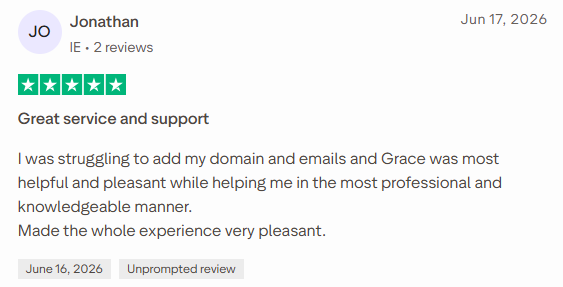
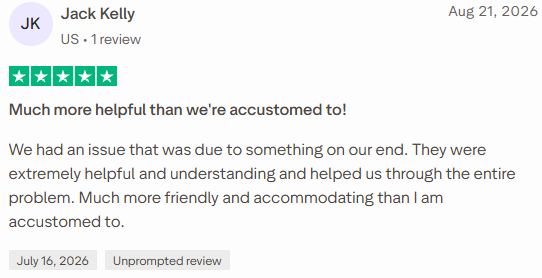
LiteMail's Trustpilot page doesn't give a clear answer. Reviews from May to August give 5 stars and praise the fast, friendly support. The three from September and October give 1 star, describing "pre-warmed" domains registered days earlier and mailboxes that burned within a week.
I reviewed every LiteMail plan, FAQ, and review to find anything that could cost you money, a domain, or a launch date. I calculated the real cost of each plan per mailbox and listed the checks to run when your mailboxes arrive.
If LiteMail feels too risky for client work, I'll also show how Primeforge compares, including where it costs more.
LiteMail sells cold email mailboxes in two forms. You can buy fresh Google Workspace and Microsoft 365 accounts to warm yourself up, or pre-warmed Google mailboxes on domains with an existing sending history.
Either way, LiteMail handles the DNS setup and exports the mailboxes to Instantly, Smartlead, Lemlist, or another sending tool.
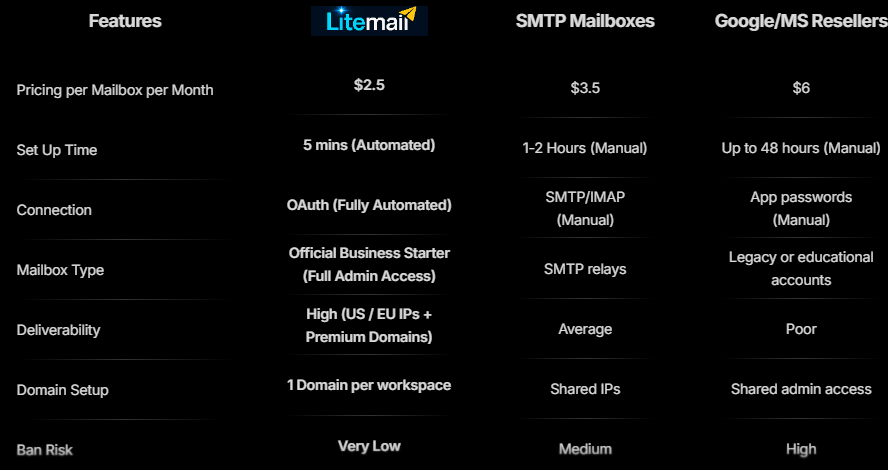
Pre-warmed plans are why most people choose LiteMail. If a client signs today and wants a campaign running this week, a fresh domain means waiting a month.
A pre-warmed plan gives you 5 Google mailboxes on 1 domain for $39 a month, including the domain. If it gets blacklisted, LiteMail replaces it for free.
You also control the accounts. Every domain has its own Google or Microsoft workspace and admin console, letting you reset passwords and manage users yourself.
You can also set each mailbox's photo, sender name, and signature before exporting it to your sending tool.
You don't get the price advertised on the homepage. LiteMail promotes mailboxes for $2.50, but no plan charges that rate. The lowest real price is about $2.83, and you only reach it by paying $849 a month for 300 mailboxes. With 10 mailboxes, you pay $3.70 each.
You also don't get a clear answer on how long the pre-warmed domains have been warming. Different pages claim 4 to 6 weeks, more than 4 weeks, and 12 weeks. That matters because recent reviews say some "pre-warmed" domains were registered only a day before delivery.
LiteMail gives you a way to verify this yourself. Add the domain to Google Postmaster Tools and check its reputation within 48 hours.
I'd do that as soon as the mailboxes arrive. LiteMail offers no refunds, so if the reputation looks wrong, contact support immediately.
A few other gaps are worth knowing before you buy:
The "dedicated US/EU IPs" claim also needs clarification. Google Workspace and Microsoft 365 emails normally use Google and Microsoft's servers. Before buying, I'd ask LiteMail what its IPs actually do.
Primeforge sells the same two mailbox types, making it a close comparison.
LiteMail costs less and helps you start sending sooner. What you lose is a reliable way to know what you're buying, both when the mailboxes arrive and after they start sending.
LiteMail's recent Trustpilot reviews are all from 2026, and they split clearly by date. The six from May to August give 5 stars. The three from September and October give 1 star.
Most reviewers on both sides have posted only once on Trustpilot, so I wouldn't treat any single review as proof. What matters is what each side discusses. Positive reviews mainly praise the support team. Negative ones focus on the pre-warmed domains.
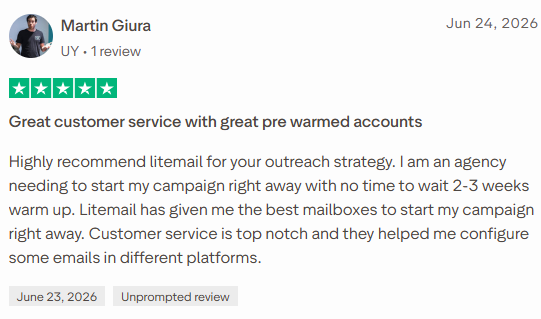
Martin Giura runs an agency in Uruguay (Trustpilot, Jun 24, 2026, 5/5). He needed campaigns running immediately and couldn't wait two to three weeks for new mailboxes to warm.
The pre-warmed mailboxes let him start straight away. LiteMail's support also helped connect some mailboxes to other sending platforms.
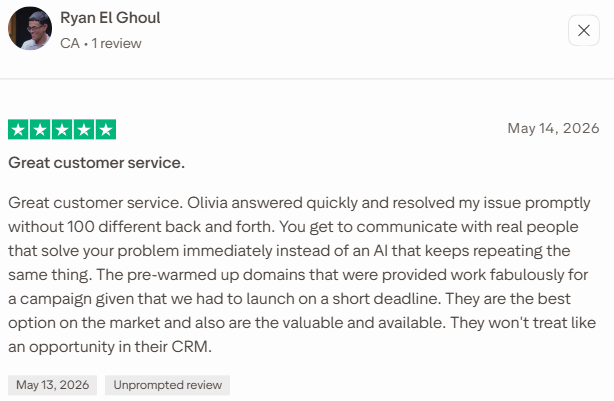
Ryan El Ghoul (Trustpilot, May 14, 2026, 5/5) had the same kind of deadline. He says his pre-warmed domains worked well for a campaign that had to launch quickly.
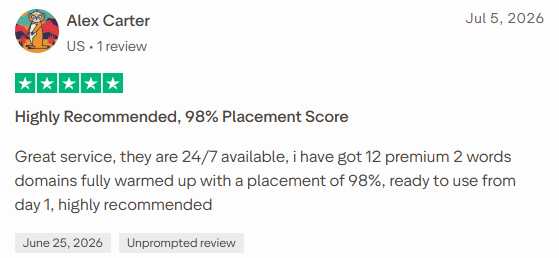
Alex Carter (Trustpilot, Jul 5, 2026, 5/5) says he received 12 two-word domains, fully warmed, with a 98% placement score and ready to use from day one.
This is where the praise is most consistent:
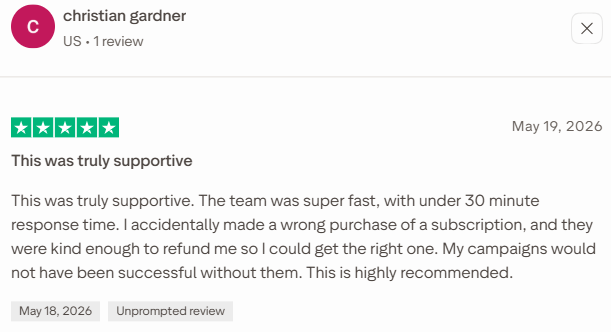
Christian Gardner also bought the wrong subscription by mistake, and LiteMail refunded him so he could buy the right one.
That's worth knowing, because the FAQ says LiteMail doesn't offer refunds. In practice, support seems to make exceptions, though you can't count on one.

Robert Madorian (Trustpilot, Sep 17, 2026, 1/5) gives the most detailed review on the page. He's also the only reviewer here with several reviews on Trustpilot.
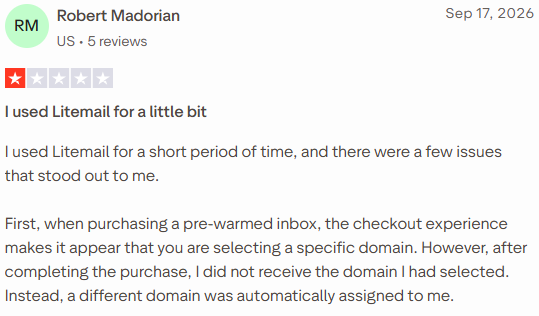
He picked a specific domain at checkout and received a different one. Some of his pre-warmed mailboxes held what looked like Russian-language spam.
Others showed only emails passing back and forth between LiteMail's own mailboxes, which didn't look like real sending history.
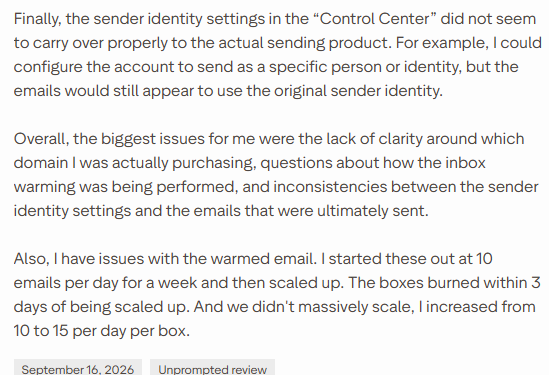
His mailboxes also burned fast. He started at 10 emails a day per mailbox for a week, moved up to 15, and the mailboxes burned within 3 days. That's well under LiteMail's own cap of 25 a day.
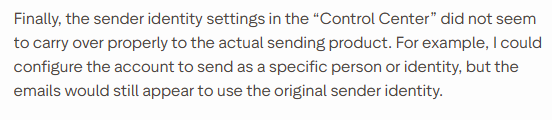
Robert also says the sender identity he set in LiteMail's "Control Center" didn't show up in the emails he actually sent.
They still went out under the original identity. If you plan to rename mailboxes for clients, check this on your first few sends.
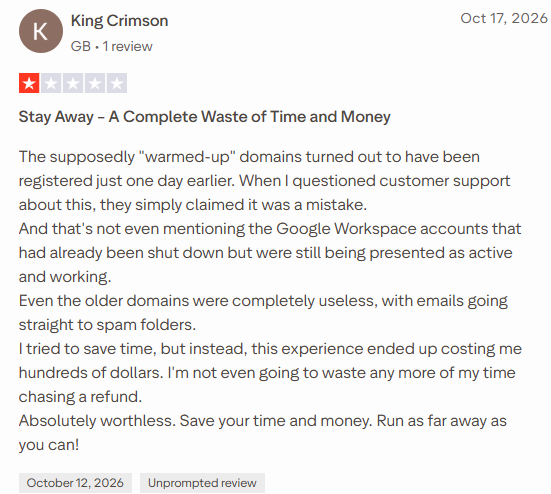
King Crimson, from the UK (Trustpilot, Oct 17, 2026, 1/5), says his "warmed-up" domains turned out to have been registered just one day earlier. Support told him it was a mistake.
He adds that some Google Workspace accounts were shown as active after they'd already been shut down, and that his older domains sent everything straight to spam.
He says he lost hundreds of dollars and isn't bothering to chase a refund.
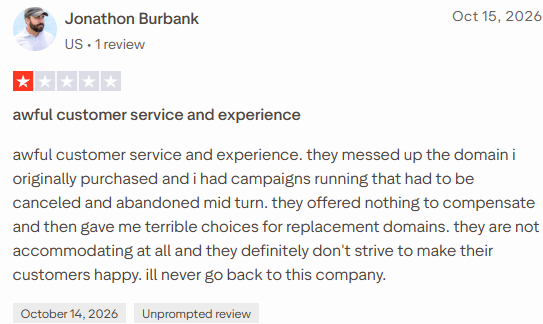
Jonathon Burbank (Trustpilot, Oct 15, 2026, 1/5) says LiteMail messed up the domain he bought, and he had to cancel campaigns that were already running.
He got no compensation, and the replacement domains he was offered were poor.
I didn't buy LiteMail mailboxes for this review. Instead, I checked every plan, page, and FAQ as I would before paying, since there's no trial or refund. I looked for anything that could cost money, a launch date, or a domain, and found seven issues.
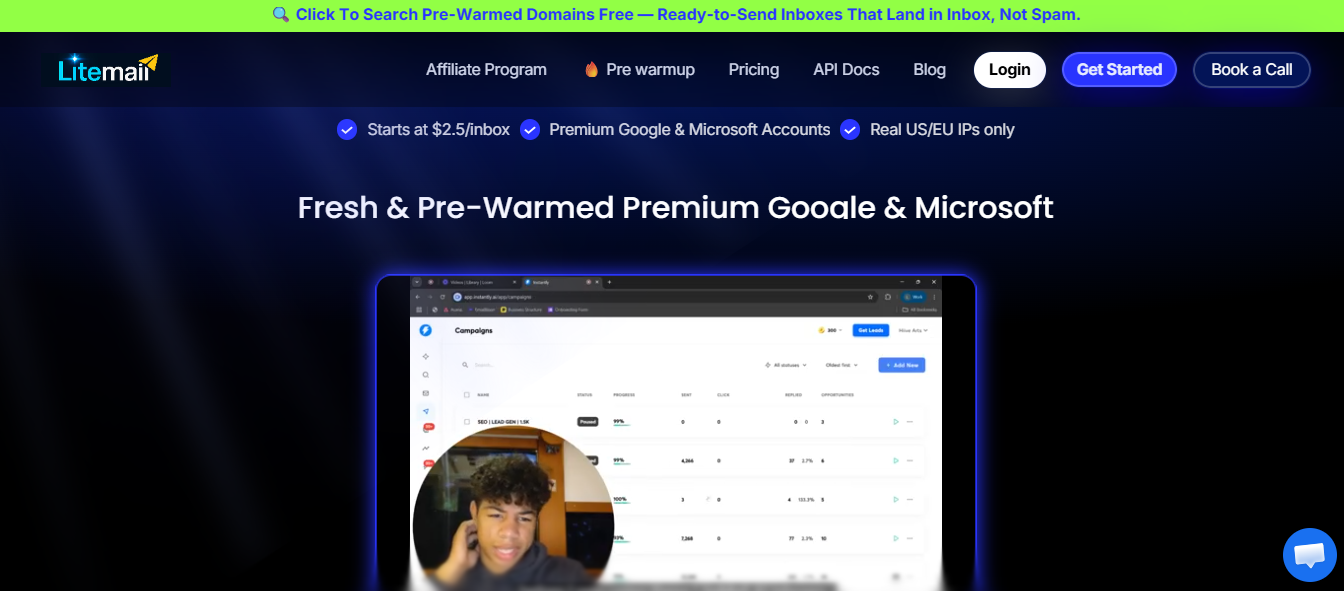
No available plan charges $2.50. If I need 20 mailboxes, Starter costs $37 for 10, plus $35 for 10 extras. That's $72, or $3.60 per mailbox. Each domain also costs $15 a year.
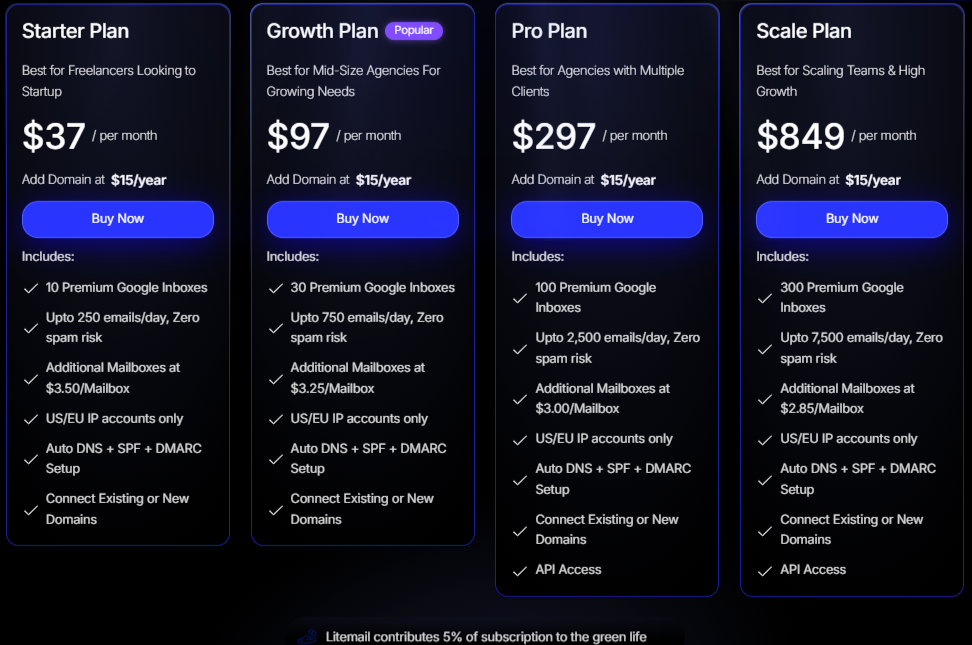
The price only drops below $3 when I commit to Pro at $297 for 100 mailboxes. I'd calculate the cost at my actual mailbox count before comparing LiteMail with other providers.
Different pages list the warmup period as 4 to 6 weeks, 4+ weeks, and 12 weeks. Two recent buyers say their domains were only days old.
Since I can't get a refund, I'd check every domain in Google Postmaster Tools within two days. If one shows no reputation data, I'd contact support before using it for any campaign.
The pre-warmed plans available for purchase only list Google mailboxes. One FAQ says Microsoft mailboxes always arrive fresh, while another says to contact the team.
If a third of my prospects use Outlook, I'd get a written answer from support before buying.
Standard accounts arrive within 12 hours, while priority delivery takes up to 6. If I promise a same-day client launch, I could miss it. I'd allow a full day.
Every plan limits each mailbox to 25 daily emails. Sending 1,000 cold emails a day requires 40 mailboxes, pushing me beyond Growth and into extras or a Pro upgrade.
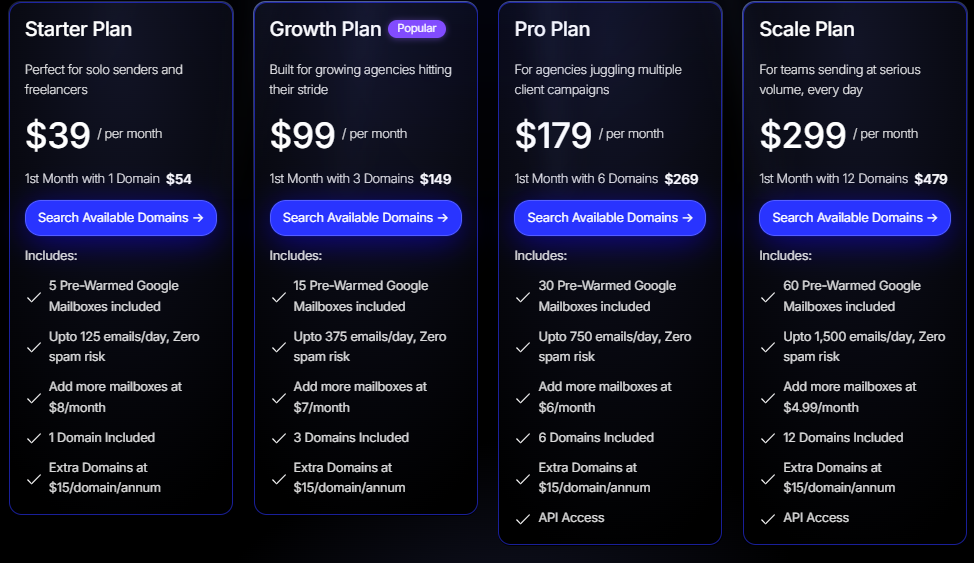
On pre-warmed plans, Scale's 60 mailboxes can send up to 1,500 emails a day. I'd calculate my daily target first and choose a plan from that, not the headline price.
Fresh mailboxes come without warmup and need 4 to 6 weeks before reaching full volume. LiteMail estimates that a separate warmup tool costs $25 to $50 a month.
So 10 fresh mailboxes cost $37 plus warmup and a month of waiting. I'd include both before choosing fresh over pre-warmed.
There are no refunds, and I couldn't find what happens to the mailboxes or admin access after cancellation. Free domain replacement only applies to pre-warmed plans, and the product doesn't warn you when a domain gets blacklisted.
I'd begin with the $39 pre-warmed Starter plan, carefully check all five mailboxes, and only then use LiteMail for a client's full campaign.
LiteMail sells fixed mailbox plans, then charges for anything added beyond the limit. The right plan depends on your mailbox count. At many sizes, choosing a smaller plan with extras costs less than upgrading.
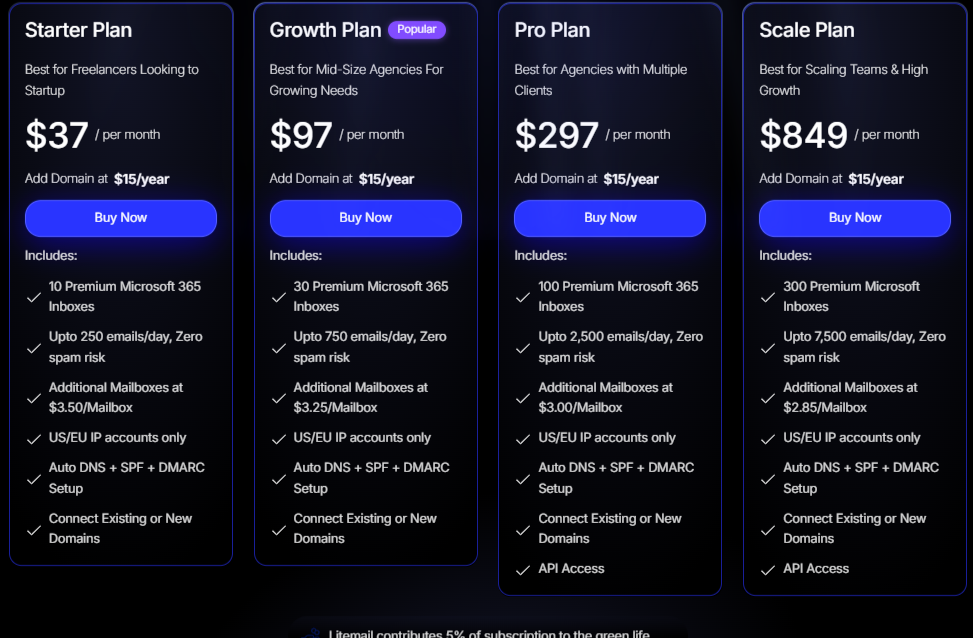
Fresh mailboxes cost the same for Google Workspace and Microsoft 365.
Domains cost $15 a year each, and you'll need a warmup tool before sending at full volume.
Pre-warmed mailboxes are listed for Google only.
On fresh plans, I'd keep adding extras until these points, then move up:
On pre-warmed plans, upgrading pays off sooner, because extras cost more:
I couldn't find whether extra pre-warmed mailboxes use your existing domains or require new ones at $15 each. Ask before adding more than a few.
Take 60 mailboxes as an example.
Pre-warmed costs roughly $50 to $80 more each month in exchange for skipping a month of waiting. That only works if the warmup is genuine, making the earlier day-one checks important.
I'd consider LiteMail if launching this week matters more than getting the lowest price and you're prepared to check every mailbox when it arrives.
I'd skip LiteMail if one bad batch of domains could hurt my business because it offers little protection.
The problems LiteMail buyers describe come down to not knowing what they bought. They can't confirm how old their domains are, whether a mailbox is burning, or what happens after cancellation.
Primeforge sells fresh and pre-warmed Google Workspace and Microsoft 365 mailboxes. The difference is how much it shows before payment and after sending begins.
I'll be upfront: Primeforge costs more. Here's what 30 mailboxes cost on each.
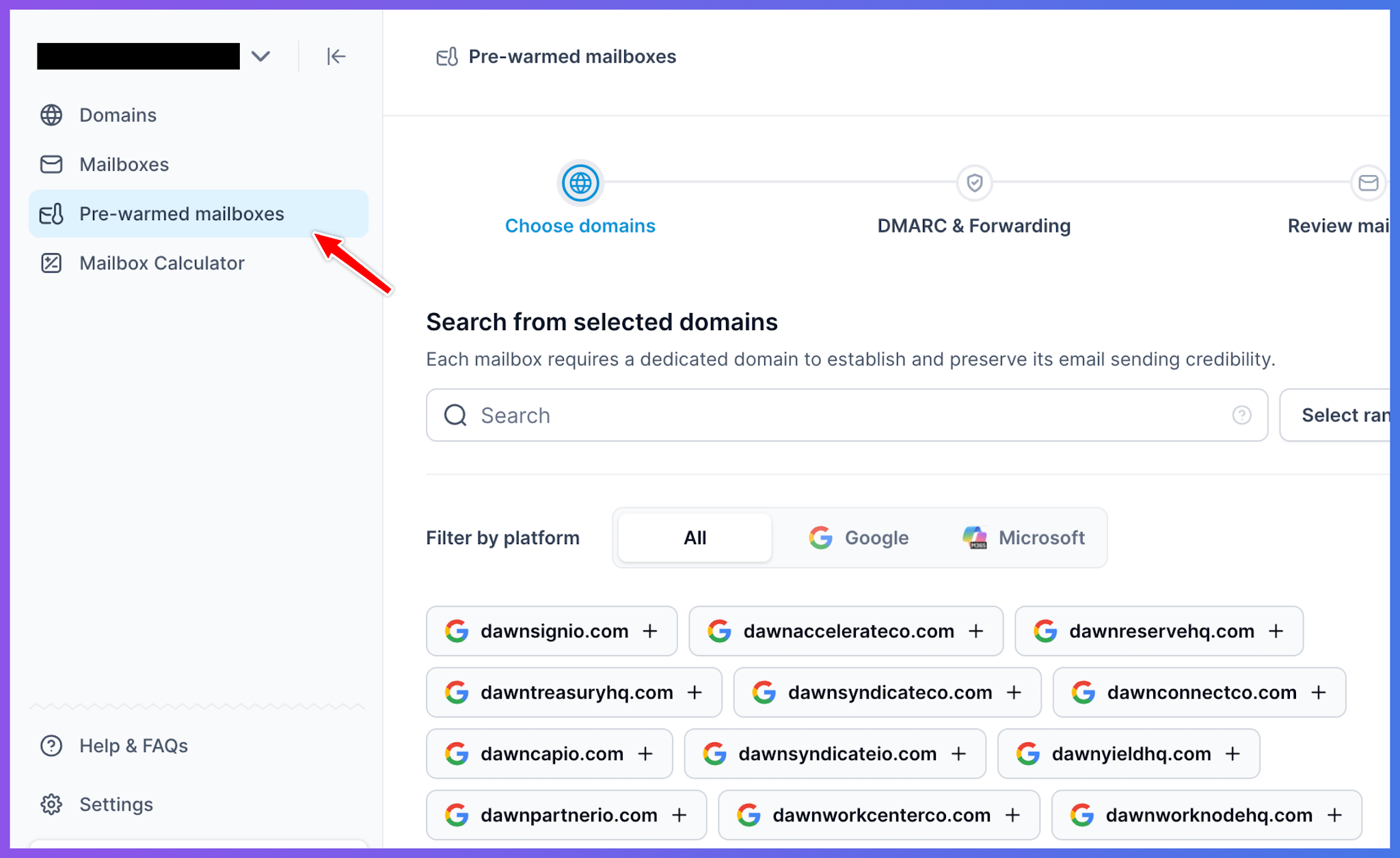
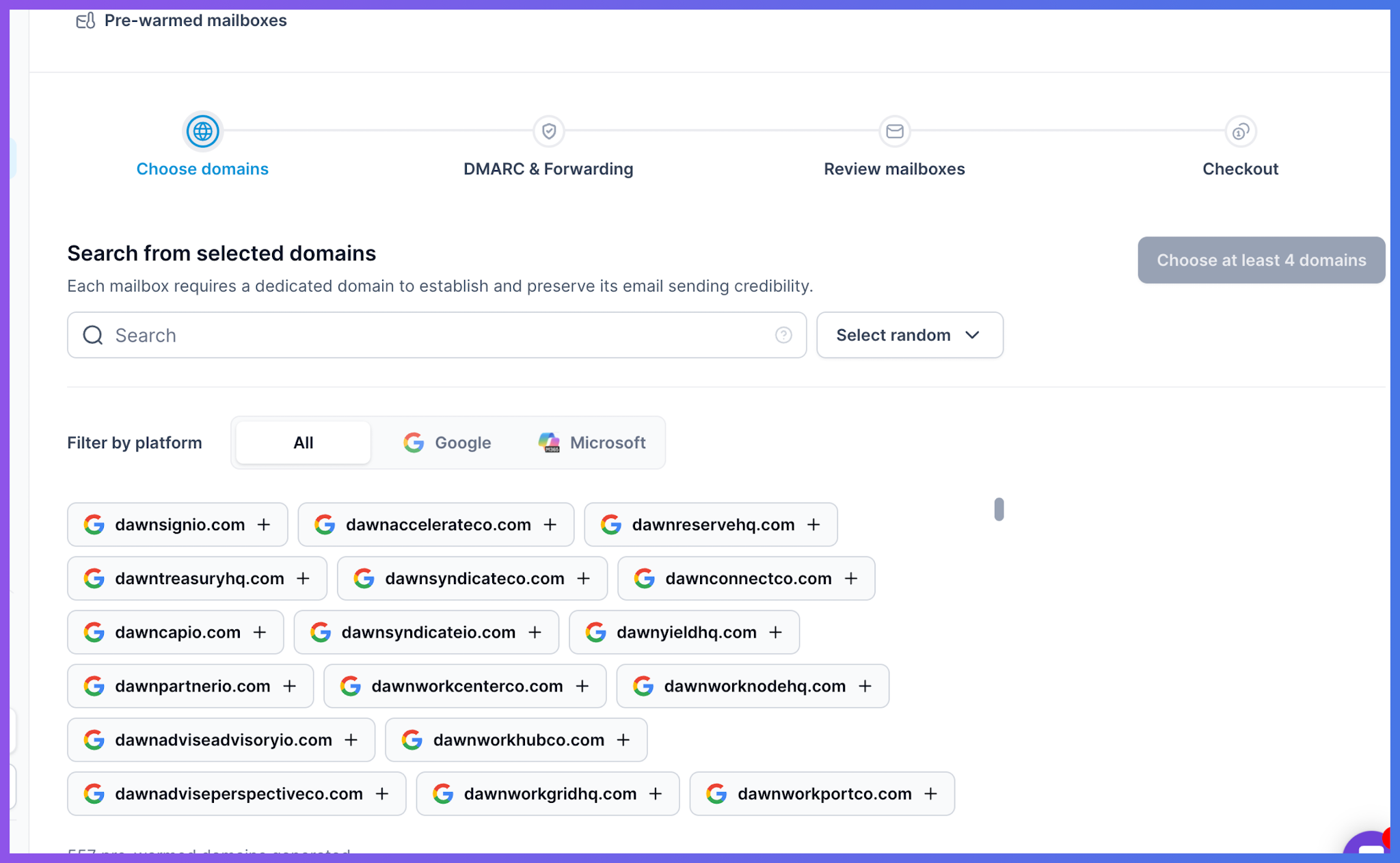
Primeforge lets me browse pre-warmed domains and filter them by Google or Microsoft. The domain I choose is the one I buy.
Primeforge also doesn't promise a fixed warmup period. It says timing varies by stock and lets me ask support how long a specific domain has warmed. That's less exciting than "12 weeks," but I can verify it.
The buyer whose LiteMail mailboxes burned within three days received no product warning. Primeforge gives every mailbox a chart showing sends, replies, warmup activity, bounces, and reply rates. If bounces rise after increasing volume, I can see it that week and reduce sending.
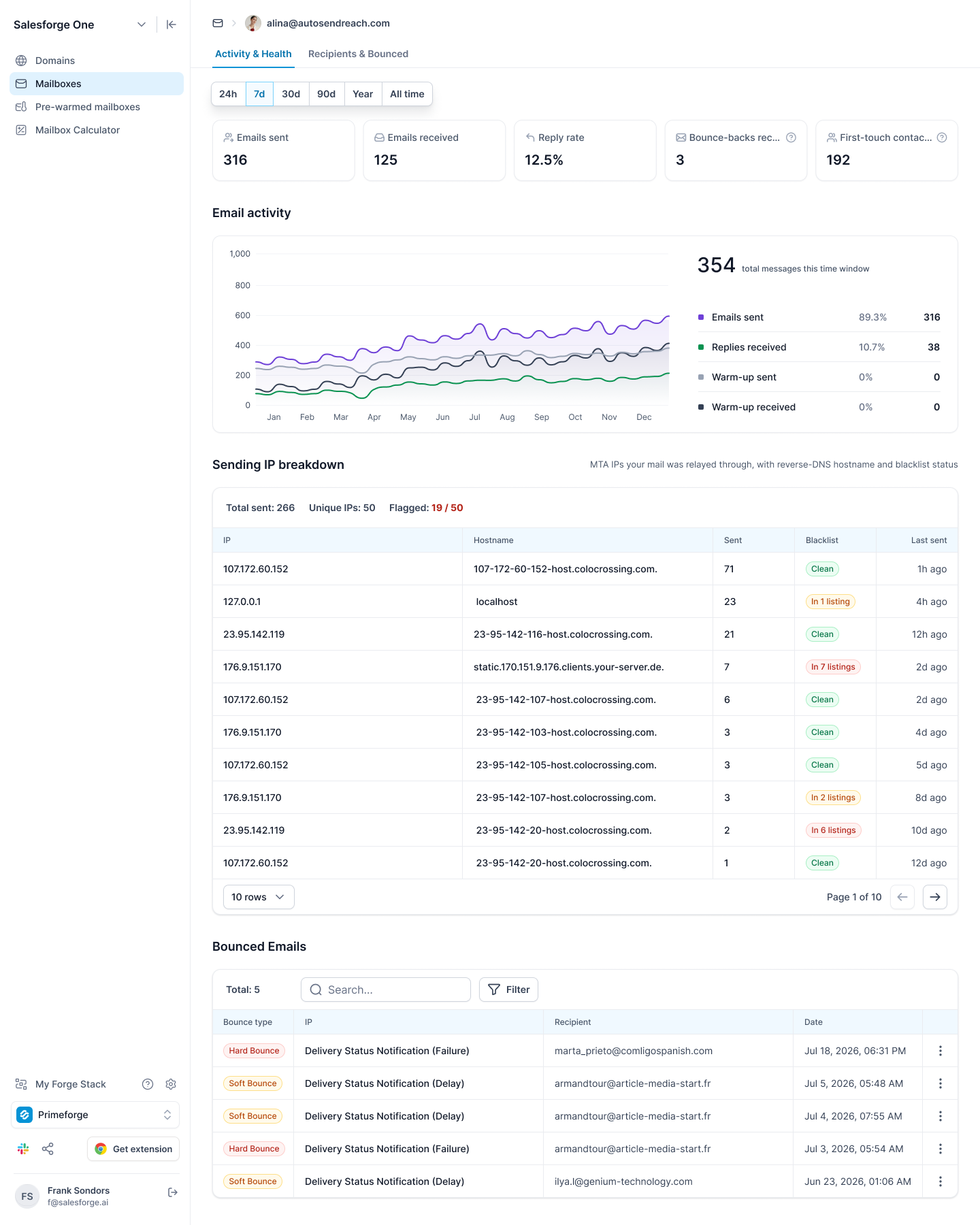
The recipients view also shows how many emails each prospect receives and how much sending goes to a few domains. If one mailbox targets the same company too heavily, I'd notice before its mail server did.
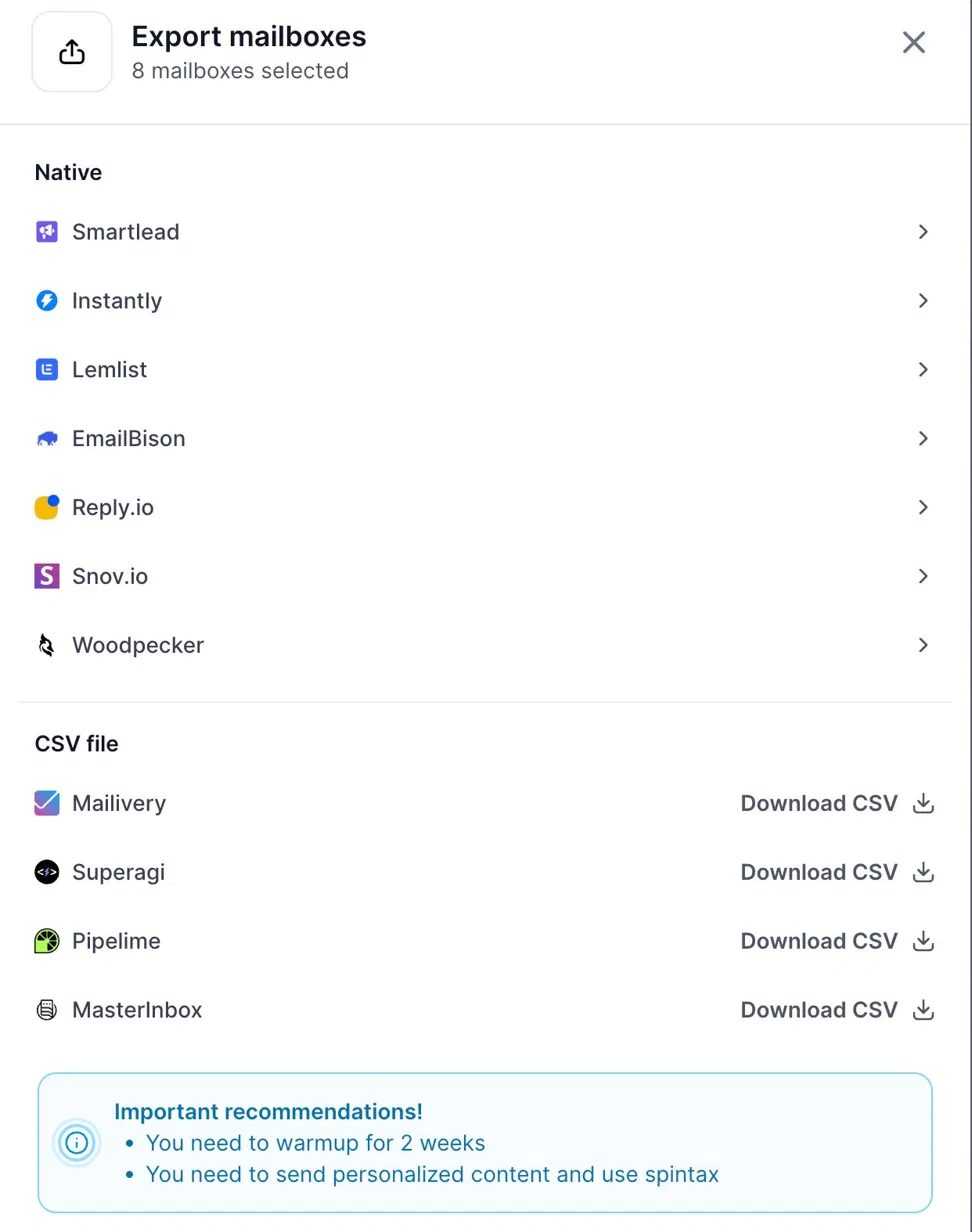
With LiteMail's fresh mailboxes, I'd need to find a warmup tool. Primeforge lets me export directly to Warmforge from the mailbox page, where they appear within about 15 minutes.
Warmforge lets me control each mailbox's daily warmup volume, ramp-up speed, and reply rate. I can also test placement against real Google Workspace and Microsoft 365 inboxes. Warmup is free when sending through Salesforge.
Primeforge doesn't impose its own daily cap. It recommends about 30 emails per mailbox, with Gmail’s sending limits as the actual ceiling. A campaign sending 1,000 daily emails needs about 34 mailboxes instead of 40.
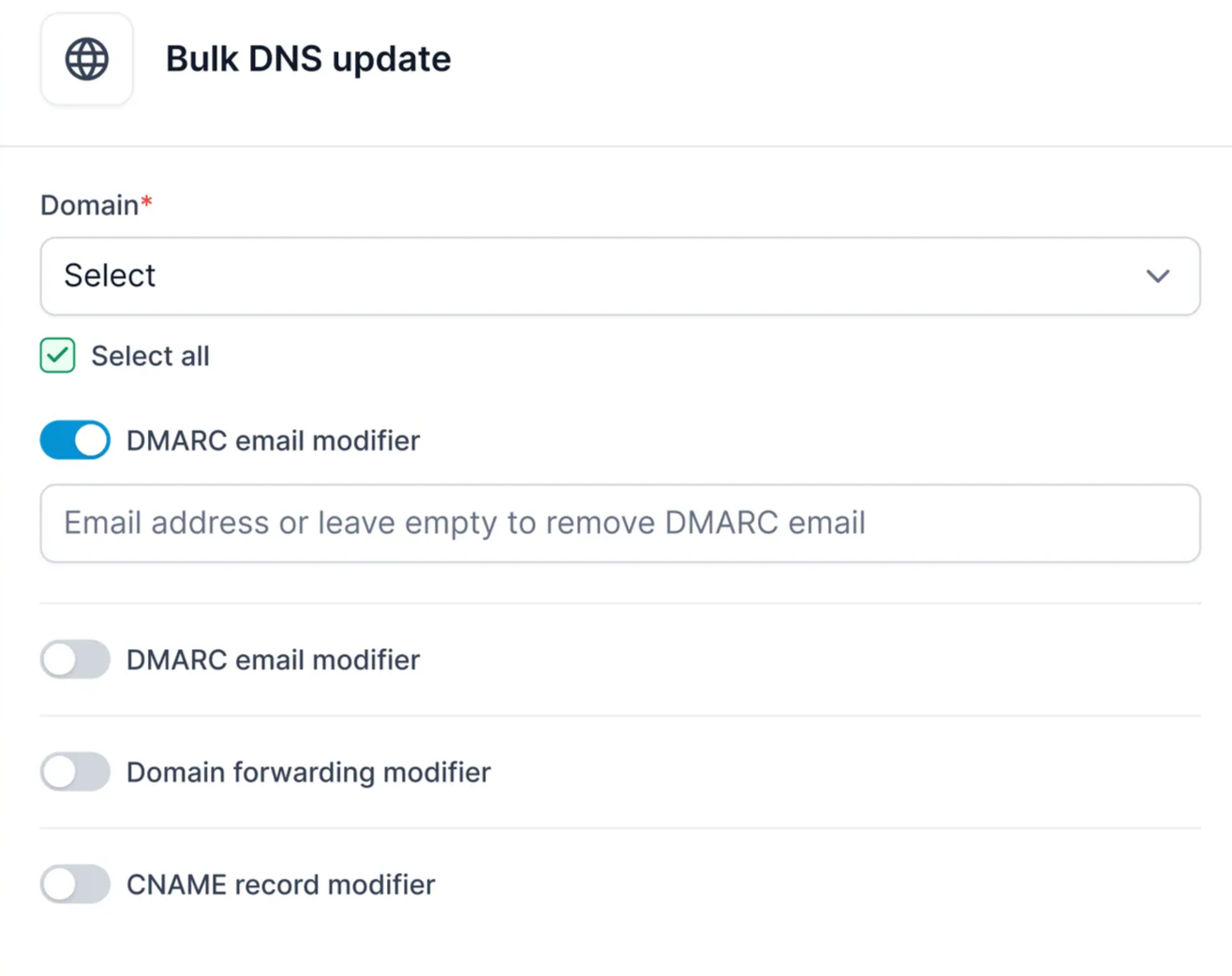
If I change where DMARC reports go or point my domains to a new site, I can make one bulk DNS update instead of opening every domain. For an agency managing dozens of domains per client, that saves hours whenever something changes.
My domains remain mine after cancellation, while the mailboxes stop working. They can't move to my own Google billing, so I'd need to recreate them.
It may not suit everyone, but it's clearly documented, unlike LiteMail's terms.
Enter your email to get a custom plan & stack recommendation for your business
Please check your mailbox in 5 minutes

For 30 pre-warmed mailboxes, LiteMail saves about $90 a month over Primeforge. Whether that's worthwhile depends on what a bad domain batch would cost you.
For your own outreach, where a burned domain only causes a slow week, the savings may be worthwhile. Start with the $39 plan, check every domain in Google Postmaster Tools immediately, and grow only after they hold up.
For client work, the calculation changes. One canceled campaign, like the one a buyer described in October, costs more than months of savings, and LiteMail won't refund you.
That's when I'd choose Primeforge. Pick pre-warmed domains from a visible list, monitor each mailbox's bounces while increasing volume, and export fresh mailboxes to Warmforge for free warmup when sending through Salesforge.