
Open rates fall off a cliff, replies stop, and a bounce message mentions a list you have never heard of.
The first question is always the same: is my domain blacklisted?
Checking takes about five minutes. Reading the result correctly is where most people go wrong. A blacklist tool will happily test 80 lists, flag one obscure IP listing, and send you chasing a problem that is not yours.
In this guide, I show how I check a sending domain, which lists actually matter, why IP results mislead anyone sending from Google Workspace or Microsoft 365, and what I do when a domain really is listed.
Before checking anything, know which of your assets a list is actually judging.
A blacklist (also called a blocklist or DNSBL) is a database that mail servers query to decide whether to reject, junk, or accept a message.
There are two kinds, and they judge different things:
Here is why that matters for cold email. If you send from Google Workspace or Microsoft 365 mailboxes, your messages leave from Google's or Microsoft's mail servers. You do not own or control those IPs, and the providers manage their reputation at a scale no single sender affects. The asset that is truly yours is the domain: the one in your From address, your DKIM signature, and your links.
So for Google Workspace and Microsoft 365 senders, domain lists are the ones to watch. IP results are mostly noise unless you also send from your own servers or an SMTP service.
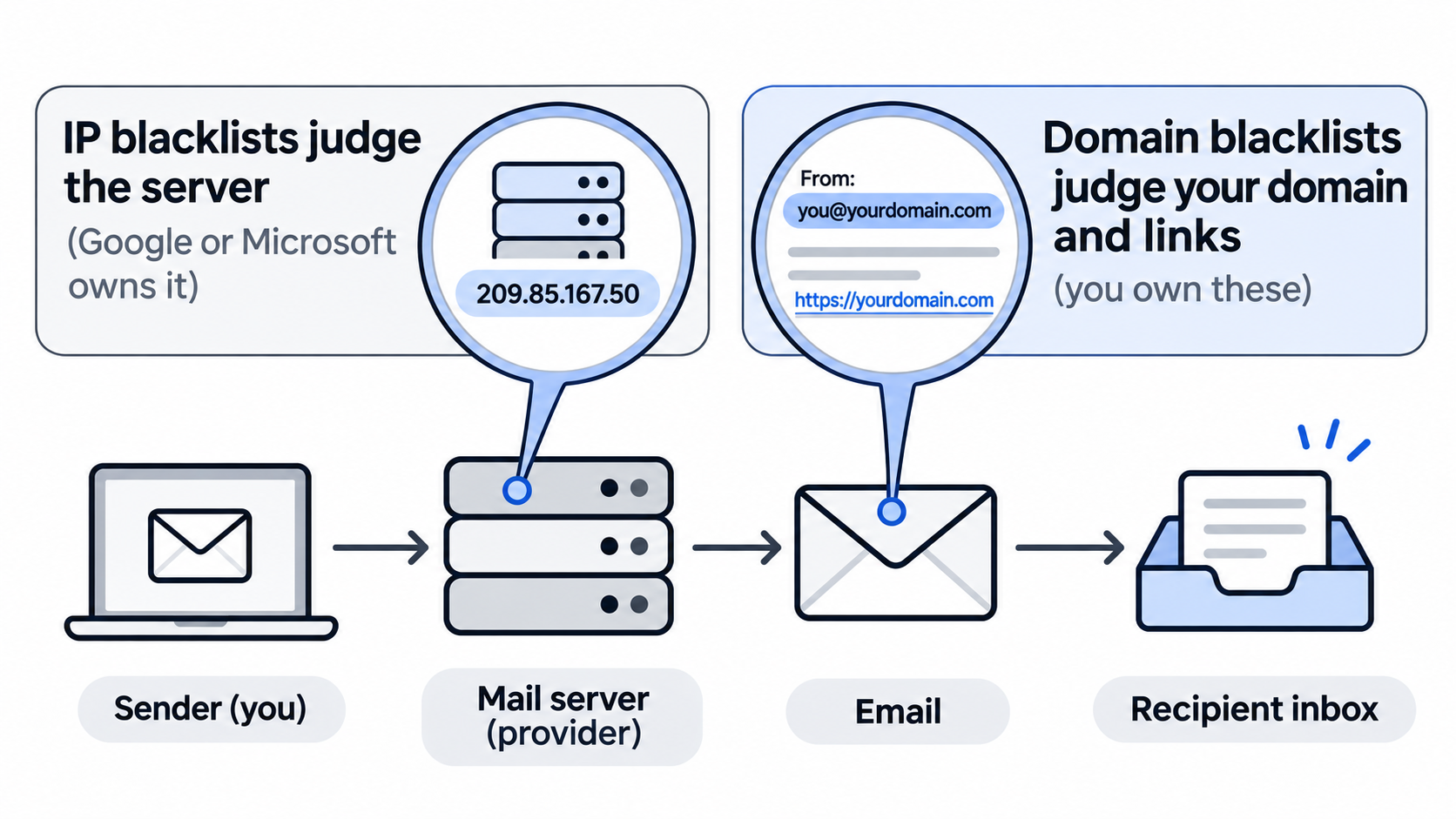
There are hundreds of lists. A handful decide whether mail is blocked.
Multi-list checkers test dozens of lists at once, and many of them are small, outdated, or used by very few mail servers. Practitioners say this bluntly. In community threads on blacklists, Spamhaus comes up again and again as the one that actually gets mail blocked across large providers and corporate servers, while some other lists get described as close to extortion for charging to delist.
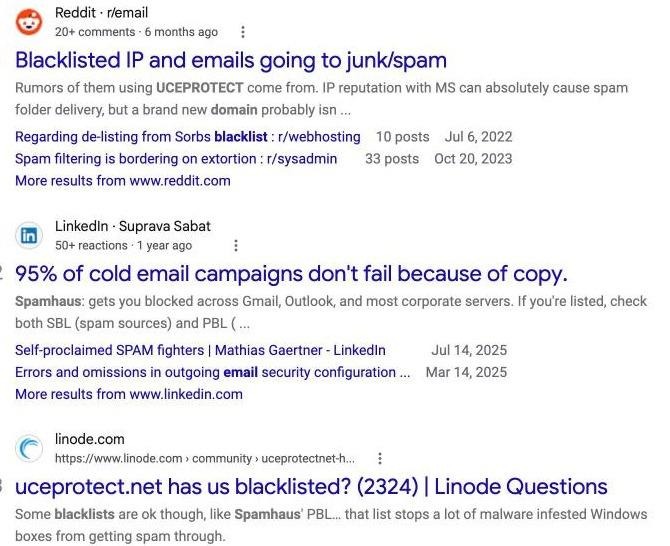
Community threads on which blacklists matter, from r/email, LinkedIn, and Linode, as they appear in Google
Here is how I prioritize when a check comes back with a listing:
UCEPROTECT's own removal policy says that a Level 2 or Level 3 listing is a good sign you are an innocent user, because it covers your provider's network rather than your address. It also states that Level 1 listings expire for free seven days after the last abuse. Paying for express removal is optional, and rarely worth it.
This is the order I run checks in, from most important to least.
Go to the Spamhaus IP and Domain Reputation Checker and enter your sending domain (yourdomain.com, not an email address). Spamhaus states that this checker is the only place DBL removals are handled, so if anything is listed, you will start the fix from the same page.
Check every sending domain separately. If you run five secondary domains for outreach, that is five lookups.
Next I run the domain through a multi-list tool such as MXToolbox, which tests the domain against dozens of lists in one pass. Here is a clean result for primeforge.ai:
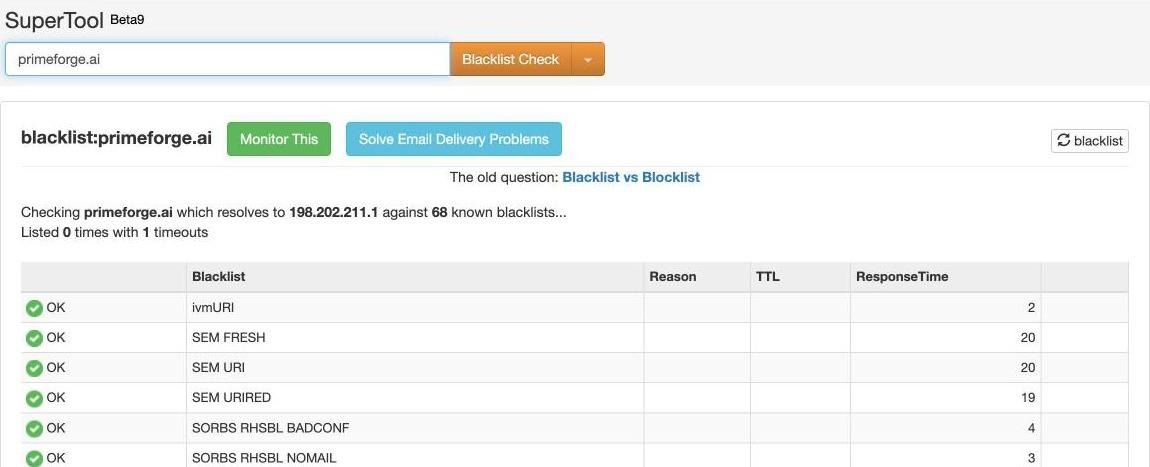
An MXToolbox blacklist check of primeforge.ai: 68 lists checked, listed 0 times
Notice the line "which resolves to" followed by an IP address. A domain check like this also tests the IP your website points to, not the IP your email is sent from. If the website host shares an IP with a spammy neighbor, you may see an IP listing that has nothing to do with your email. Read which list flagged you before you panic: a domain list (DBL, SURBL, URIBL) is serious; an IP list here usually means your web host.
URI blacklists scan the links in an email, not just the sender.
I check:
A clean sending domain with a listed tracking domain still lands in spam.
If you want to check an IP, check the one that actually sent the message. Open a sent email in the recipient's view, show the original message or headers, and find the first "Received: from" line added by the receiving server. On Google Workspace or Microsoft 365 it will be a Google or Microsoft server.
If that provider IP shows up on a minor list, there is nothing for you to delist, and the providers handle their own IP reputation. If you also send through your own SMTP server or a dedicated IP, that IP is yours to check and fix.
Blacklist tools tell you about lists. Bounce messages tell you what actually happened. A hard bounce that names Spamhaus, URIBL, or a "policy" block is the most direct evidence you have. I explain how to read them in my guide to hard bounces vs soft bounces.
Google Postmaster Tools is still worth connecting for spam rate and compliance status, but note that Google's v2 interface dropped the domain and IP reputation dashboards. A missing reputation chart there is expected, not a sign of a listing.
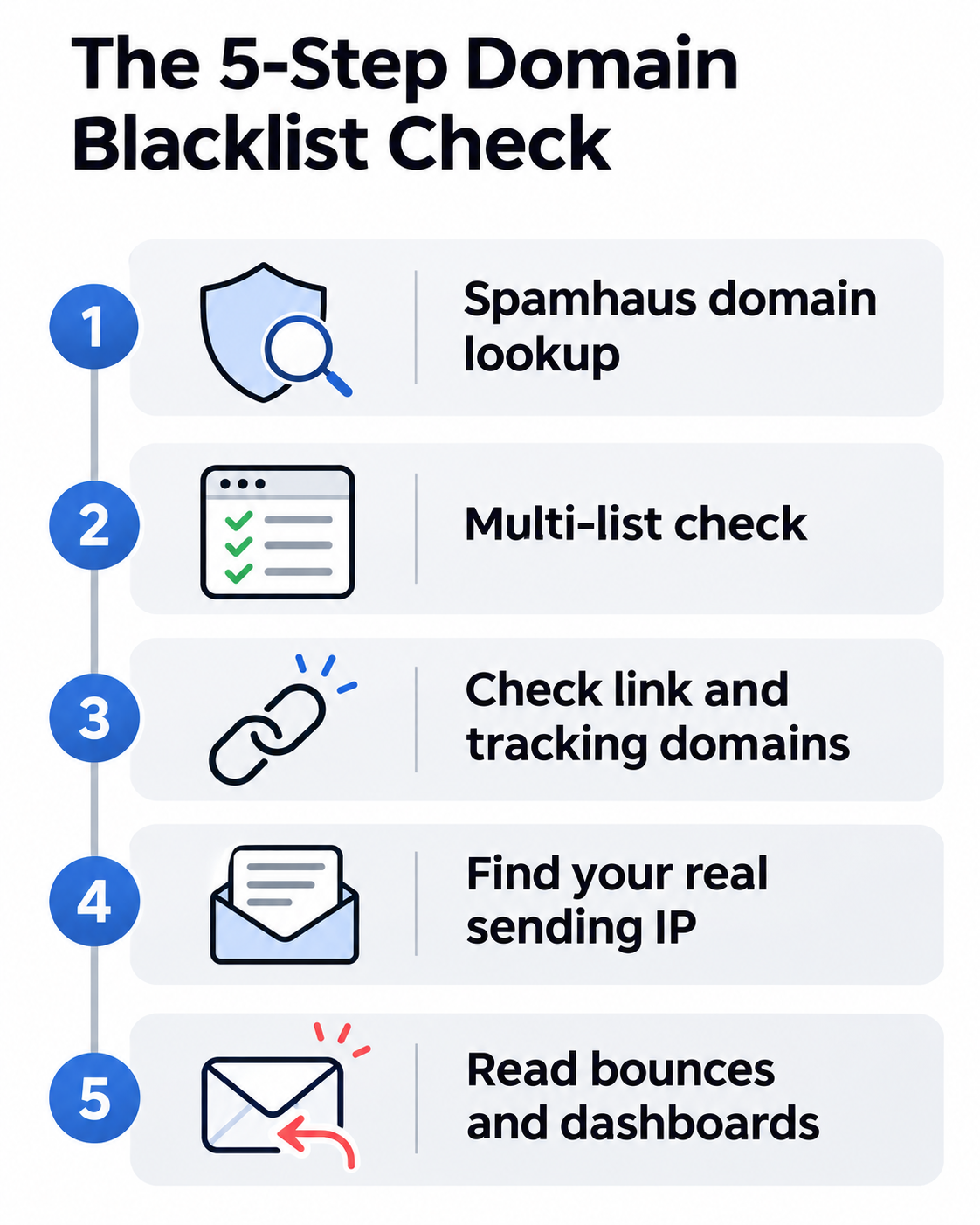
You usually notice the symptoms before you run a check.
Not every inbox problem is a blacklist. Authentication gaps, high complaint rates, and sending too fast cause similar symptoms. If the checks come back clean, work through my guide on how to stop cold emails going to spam.
And if you ask practitioners where to look first, the answers vary. The top reply in one r/sysadmin thread on a likely blacklisted domain suggests VirusTotal, which aggregates many security vendors' verdicts on a domain, as a quick way to see who has flagged it.
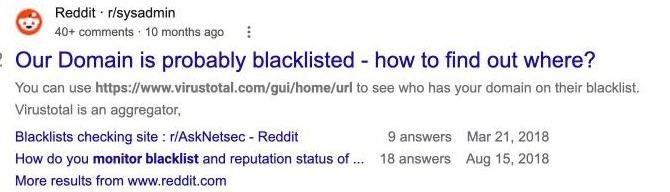
An r/sysadmin thread on finding out where a domain is blacklisted, as it appears in Google
Fix the cause first. A removal request without a fix just gets you listed again.
For list-by-list delisting steps, Warmforge has a detailed guide to removing yourself from email blacklists.
Listings almost always follow the same few habits.
The best blacklist check is the one that runs without you remembering to do it.
Checking five domains by hand every week gets skipped the moment a campaign gets busy. Warmforge runs Health Checks on every connected mailbox, monitoring DNS records, MX records, and blacklist status, and alerts you to potential spam risks.
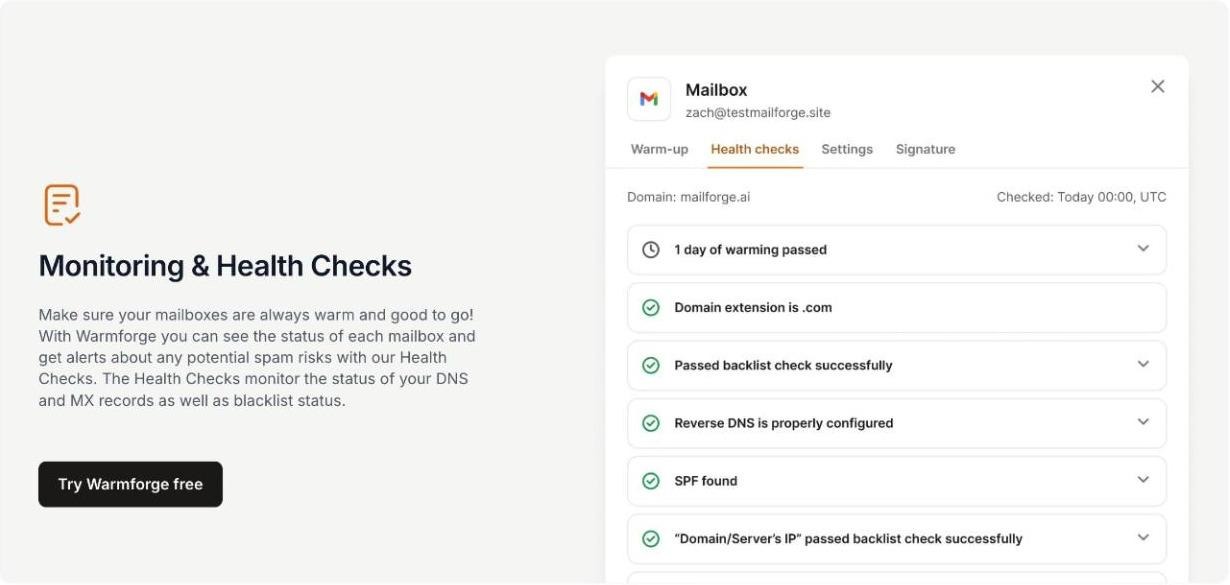
Warmforge Health Checks: blacklist status, reverse DNS, SPF, and domain checks for each mailbox
Alongside Health Checks, Warmforge gives every mailbox a Heat Score™ that tracks reputation strength over time, runs inbox placement tests across Google, Outlook, and other providers, and keeps AI warmup running continuously from a premium pool of Google Workspace, Microsoft 365, and SMTP mailboxes in multiple languages.
Warmforge is included free, with unlimited warmup slots, on every Salesforge plan. Standalone, it costs $9 per mailbox slot per month, billed annually, and each slot includes warmup, DNS, MX, and blacklist checks plus one placement test a month. For more ways to watch where mail lands, see my roundup of inbox placement tools.
When the providers own the sending IPs, your risk narrows to the one thing you control: the domain.
Primeforge sets up real Google Workspace and Microsoft 365 mailboxes built for cold outreach. Because mail leaves through Google's and Microsoft's own infrastructure, you are not exposed to the IP blacklist problems that come with cheap shared SMTP servers. Your job shrinks to keeping your domains clean.
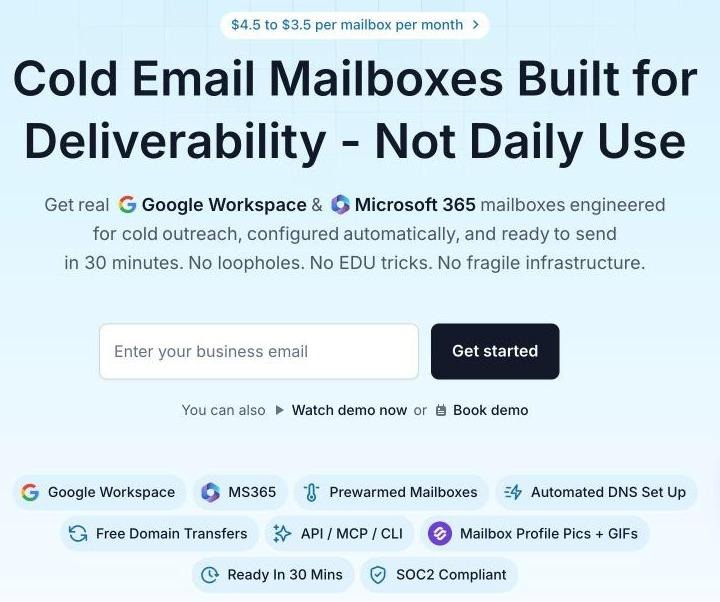
Primeforge: real Google Workspace and Microsoft 365 mailboxes for cold outreach, from $4.50 to $3.50 per mailbox per month
These are legitimate, properly configured accounts on the two providers most of your prospects use. No repurposed accounts, EDU workarounds, or loopholes that break the next time a provider updates its policies.
Send Google to Google and Microsoft to Microsoft. Matching the recipient's provider improves primary inbox placement and keeps you out of the promotions tab, which also means fewer of the complaints that lead to domain listings.
If you need to replace a burned domain quickly, pre-warmed mailboxes (sold separately) are ready to send from day one, with no manual warmup wait. Without them, plan for a standard warmup period.
SPF, DKIM, and DMARC are configured automatically on every domain, so authentication gaps never become the reason for a listing. Profile pictures, GIFs, and profile setup are handled out of the box to make each sender look legitimate. Mailboxes run on US-based IPs.
Domain forwarding sends each secondary domain to your main website or a landing page, handled inside the platform with no external registrar. Workspaces keep mailboxes organized by project or client, which makes it easy to isolate a domain that needs attention.
Primeforge works with any sending tool, with native Salesforge integration (shared login, no export step). The Primeforge API automates mailbox provisioning, and the Forge MCP CLI lets AI agents in Claude or Cursor manage infrastructure with scripted commands.
You can compare plans on the Primeforge pricing page, and Primeforge publishes its deliverability results for reference.
Spreading sending across providers also spreads blacklist risk.
The Forge Stack is the only ecosystem I know that runs all three infrastructure models under one login:
The teams I see with the fewest deliverability fires run two or more of these, so a problem on one domain or provider never takes down the whole operation. All three connect to Salesforge, with Warmforge monitoring every mailbox. The stack can be run by your own team, by Agent Frank as an autonomous AI SDR, or by a Forge Expert agency.
If you are building from scratch, start with my cold email infrastructure setup guide.
Check the domain, read which list flagged it, and fix the cause before asking for removal.
To check if your domain is blacklisted, start with Spamhaus, run a multi-list check, and include your link and tracking domains. Then read the results carefully. On Google Workspace and Microsoft 365, domain listings are the ones that matter; most IP listings belong to someone else.
If you are listed, pause, fix, request removal through the list's own form, and ramp back up slowly. Then stop relying on manual checks: Warmforge Health Checks watch every mailbox for you, and Primeforge mailboxes keep the IP side of the problem with Google and Microsoft.
Look up the domain on the Spamhaus IP and Domain Reputation Checker, then run it through a multi-list tool such as MXToolbox. Also check your tracking domain and any domains you link to, since URI blacklists scan links inside emails.
An IP blacklist lists the server addresses that send mail. A domain blacklist, such as the Spamhaus DBL, lists domain names used as senders or inside links. The Spamhaus DBL lists only domains, never IP addresses.
Stop sending from the domain, fix the cause, then use the list's own removal form. For Spamhaus, removal requests are handled only through its IP and Domain Reputation Checker, not by email.
It depends on the list. Approved Spamhaus DBL removals usually take effect within minutes, with some systems lagging up to a day. UCEPROTECT Level 1 listings expire for free seven days after the last detected abuse.
Rarely in a way you can act on. Those mailboxes send through Google's and Microsoft's servers, which the providers manage. Your domain, links, and tracking domain are the parts you control and should check.
Usually not. Reputable lists like Spamhaus do not charge for removal, and UCEPROTECT Level 1 listings expire free after seven days. Fix the cause and wait out or request removal instead.