If you're tired of setting up Google Workspace inboxes, configuring SPF and DKIM, and then waiting weeks for them to warm up, this list is for you.
Because honestly, doing all that before you can even start sending cold emails is a lot. And even after waiting, there's no guarantee your emails won't end up in spam.
That's where pre-warmed Google Workspace or Gmail inboxes come in. You get inboxes that already have sending history, so you can skip the long setup and warm-up process.
I looked at the options available and narrowed them down to the 5 best pre-warmed mailbox providers worth considering.
5 Best Pre-Warmed Google Workspace/G Suite Mailboxes: Quick Look
Primeforge – Pre-warmed Google and Microsoft Workspace mailboxes with fast setup, clean domains, and full DNS configuration.
Instantly – Ready-to-use pre-warmed Gmail accounts built for bulk sending and quick scaling.
Zapmail – Pre-warmed Gmail/Workspace inboxes with long warm-up history and smooth CRM/tool integrations.
Email Astra – Affordable pre-warmed Google Workspace mailboxes on fresh .com domains, ideal for small teams.
LiteMail – Pre-warmed Google inboxes with full admin access on your own domains.
What Are Pre-Warmed Google Workspace/G Suite Mailboxes?
Pre-warmed Google Workspace or G Suite mailboxes are email accounts that already have a sending history before you use them.
Instead of starting from a brand-new inbox with zero reputation, you get an inbox that has already been sending and receiving emails in a natural, safe way.
This warm-up activity tells Google that the mailbox is real, trusted, and not a spam source.
It also means the DNS settings, SPF, DKIM, and DMARC, are already configured correctly, so you don’t need to handle the technical setup.
In simple words, a pre-warmed Google Workspace inbox is ready to send cold emails on day one without going to spam.
How We Chose the Best Pre-Warmed Google Workspace Providers
Not every seller who claims to offer "pre-warmed inboxes" is worth trusting.
Some use low-quality domains, skip proper setup, or warm inboxes too fast, which leads to spam issues later.
To help you avoid all that, we picked these 5 providers based on what really matters for cold email success:
Real warm-up history: Each inbox should have been sending and receiving emails for days or weeks, not just created yesterday.
Correct DNS setup: SPF, DKIM, and DMARC must be properly configured, or your emails will still land in spam.
Google Workspace or Gmail support: We focused only on providers offering Google-based inboxes, not Outlook-only sellers.
Fast setup: The inbox should be ready within minutes or hours, not take days to activate.
Clean domains and IPs: There should be no recycled or flagged domains. We looked for inboxes built on fresh, clean infrastructure.
Tool compatibility: The inboxes should work smoothly with tools like Instantly, Smartlead, or Lemlist.
Good pricing for scale: Whether you need 5 inboxes or 50, pricing should be worth it, especially for agencies or founders running volume campaigns.
5 Best Prewarmed Google Workspace/Gsuite Mailboxes (Quick Comparison)
1. Primeforge – Best for Pre-Warmed Google Workspace & Microsoft 365 Mailboxes
Primeforge is a cold email mailbox platform built for teams that want real Google Workspace and Microsoft 365 mailboxes prepared specifically for outreach.
It gives you pre-warmed mailboxes that are configured for cold email, ready in about 30 minutes, and built to work with custom domains and any outreach software.
Primeforge handles mailbox setup, DNS configuration, mailbox profile setup, and warm-up preparation automatically.
The platform is built for deliverability, scale, and ownership, so teams can run cold email safely without relying on fragile reseller setups or non-compliant workarounds.
Because Primeforge uses real Google Workspace and Microsoft 365 mailboxes, plus US-based IPs and automated DNS setup, it gives you a stronger deliverability base than regular business email setups not designed for outbound.
Key Features of Primeforge:
Primeforge provides real Google Workspace and Microsoft 365 mailboxes optimized for cold outreach, which helps you send from trusted ESPs your prospects already use and improves inbox placement.
It includes pre-warmed mailboxes, so you do not have to start from zero or spend weeks preparing new inboxes before sending campaigns.
Primeforge automatically sets up SPF, DKIM, and DMARC for every mailbox and domain, which removes technical setup work and helps your emails pass authentication checks.
It supports bulk DNS updates and bulk mailbox setup, which makes it much easier for agencies and large outbound teams to manage many domains and inboxes at once.
Primeforge also supports multiple workspaces, which helps teams organize mailboxes better when handling multiple brands, clients, or sending environments.
You can connect Primeforge mailboxes with Salesforge or any other outreach tool, so you are not locked into one sending platform.
It also includes mailbox profile pictures and GIF support, which helps make mailboxes look more legitimate and complete for outreach use cases.
Pros & Cons of Primeforge:
Pros
Cons
Real Google Workspace and Microsoft 365 mailboxes
No free trial for active mailboxes
Pre-warmed mailboxes ready in about 30 minutes
Better suited for cold outreach than regular business email
Automated SPF, DKIM, DMARC, and DNS setup
Mailbox slot pricing may become expensive at very large scale
Works with Salesforge and other outreach tools
Bulk mailbox management and multiple workspace support
US-based IPs and cold-email-focused setup
Primeforge Pricing
This image shows the Infraforge pricing
- Google Workspace mailboxes: from $4.5 to $3.5 per mailbox/month
- Microsoft 365 mailboxes: pricing also available through the platform
- Setup includes automated DNS configuration, mailbox setup, and cold-email-ready preparation
- Mailboxes are designed for compliance, stability, and deliverability rather than normal daily business use
Best For:
Agencies managing many mailboxes across clients
Sales teams that want real Google Workspace or Microsoft 365 mailboxes for cold outreach
Users who want automated DNS and mailbox setup without technical work
Teams that need pre-warmed mailboxes ready fast
Anyone looking for a safer and more stable alternative to cheap reseller mailbox setups
2. Instantly – Best for Bulk Pre-Warmed Google Workspace Accounts
This image shows the Instantly homepage
Instantly is a cold email and lead-generation platform that also provides pre-warmed Google Workspace/Gmail sending accounts.
The service sets up Google accounts for you, configures SPF, DKIM, DMARC, uses US IPs, and delivers inboxes that are ready to send within 24–72 hours.
Instantly includes powerful outreach features like unlimited warmup, unlimited sending accounts, AI-assisted writing, a built-in B2B lead database, and a unified inbox.
Key Features of Instantly:
Instantly sets up all DNS records for you, so your new Google mailbox is authenticated and ready to land in inboxes.
These accounts come from trusted US IP ranges, which improves inbox placement and reduces spam filtering.
Your emails get opened and replied to by real accounts in Instantly’s warmup network, which steadily builds domain reputation.
All responses from all your mailboxes show up inside one inbox, making follow-ups fast and preventing missed leads.
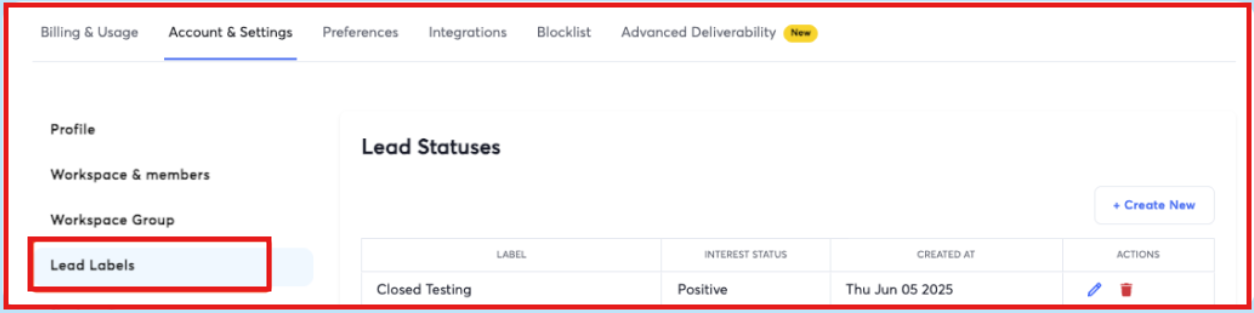
Instantly automatically tags replies as Interested, Not Interested, Follow-Up, etc., so you don’t waste time sorting emails.
This image shows the Update lead status on Instantly
Pros and Cons of Instantly
Pros & Cons – Primeforge Styled Table
Pros
Cons
Pre-warmed Google accounts delivered in 24–72 hours
Pre-warmed accounts cost extra (not included in base plan)
DNS setup (MX, SPF, DKIM, DMARC) done for you
Requires multiple accounts to fully benefit from scaling
Unlimited warmup + unlimited sending accounts
Must buy Instantly Credits for enrichment
Very large warmup pool improves inbox placement
Some advanced deliverability tools require higher plans
Built-in lead finder with verified emails
Pricing increases with higher sending limits
Instantly Pricing
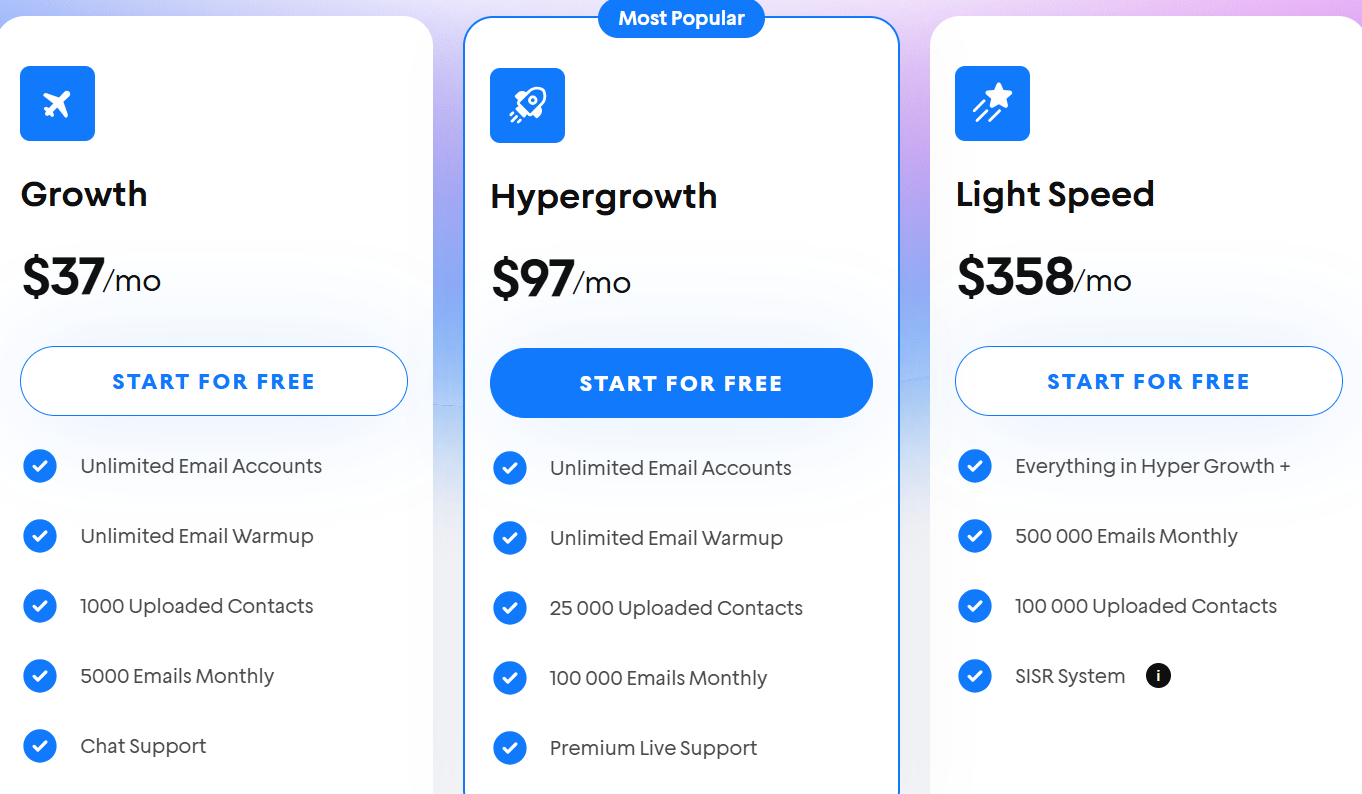
This image shows the Instantly pricing
I. Growth – $37/month
Unlimited email accounts
Unlimited warmup
1,000 uploaded contacts
5,000 emails/month
II. Hypergrowth – $97/month
Unlimited email accounts
Unlimited warmup
25,000 contacts
100,000 emails/month
Priority support
III. Light Speed – $358/month
500,000 emails/month
100,000 contacts
Includes IP rotation & SISR (Server + IP Sharding System)
IV. Pre-warmed domains and Google accounts are purchased separately. Delivered in 24–72 hours with:
DNS setup done for you
High-quality US IPs
Warmup ready
Bulk purchase options
Best For:
Agencies scaling large cold email operations
Teams that want both pre-warmed Google mailboxes and outreach system
Users who want one tool for warmup, sending, analytics, inbox management
3. Zapmail – Best for Pre-Warmed Google Workspace Mailboxes
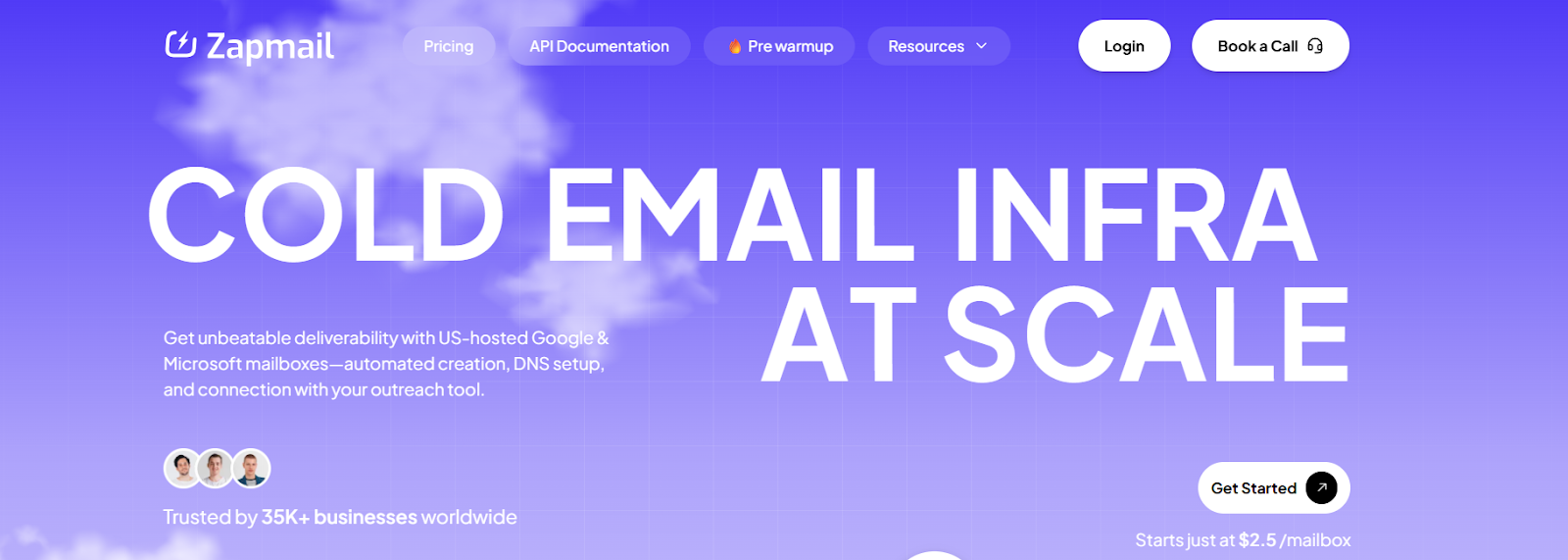
This image shows the Zapmail homepage
Zapmail is a cold email infrastructure platform that provides pre-warmed Google Workspace and Microsoft 365 mailboxes that come with more than 12 weeks of warm-up history, clean domains, realistic sender profiles, and complete DNS authentication.
All mailboxes are hosted on US IPs, created automatically, and delivered with OAuth logi, meaning you can connect them to outreach tools in seconds without any manual setup.
Key Features of Zapmail:
Pre-warmed Google Workspace mailboxes with 12+ weeks history. Each inbox comes with natural warm-up activity already done, helping your emails land in the inbox from day one without waiting.
Mailboxes use US-based IP addresses, which improves domain reputation and increases inbox placement rates.
Each domain gets its own private workspace with admin access, reducing ban risk and preventing cross-account reputation issues.
You can purchase new domains inside Zapmail or connect your own domain, making it easy to scale while keeping control.
Tools like Instant Domain Genie and Smart Mailbox Namer help you create brand-ready domains and clean mailbox handles instantly.
Pros and Cons of Zapmail
Pros & Cons – Styled Table
Pros
Cons
12+ weeks of pre-warm history included
No refunds on any plan
US-hosted Google Workspace inboxes
Pre-warmed Google inbox pricing is separate from regular plans
Automated DNS + OAuth connection
Domain costs ($15/year for extras) can add up
Domain buying + mailbox creation in one place
Pre-warmed packs can be expensive for very large scaling
Zapmail Pricing
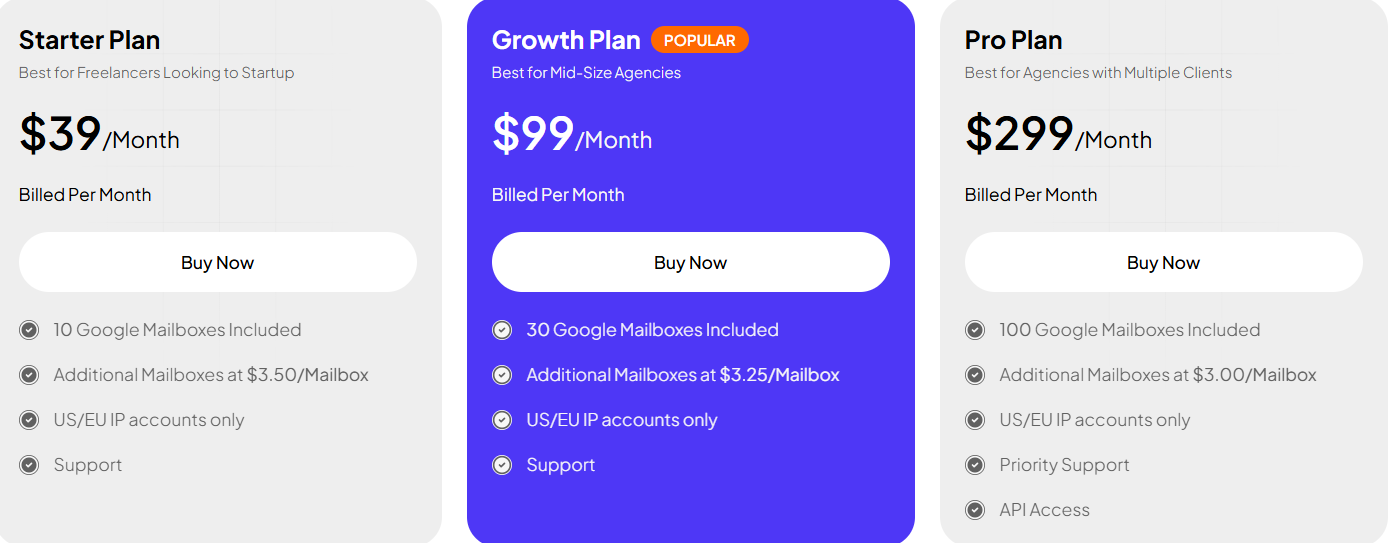
This image shows the Zapmail pricing
I. Google Workspace Plans
Starter – $39/mo → 10 mailboxes, extra $3.50 each
Growth – $99/mo → 30 mailboxes, extra $3.25 each
Pro – $299/mo → 100 mailboxes, extra $3.00 each
II. Pre-Warmed Mailboxes
Starter – $24/mo renew → 3 pre-warmed mailboxes, extra $8 each
Growth – $84/mo renew → 12 pre-warmed mailboxes, extra $7 each
Pro – $180/mo renew → 30 pre-warmed mailboxes, extra $6 each
III. Domains: $15/year. All accounts hosted on US/EU IPs
Best For:
Teams wanting pre-warmed Google Workspace inboxes with 12+ weeks history
Agencies managing many domains and clients
Users who want fast OAuth integration with outreach tools
4. Email Astra – Best Budget-Friendly Pre-Warmed Google Workspace Mailboxes
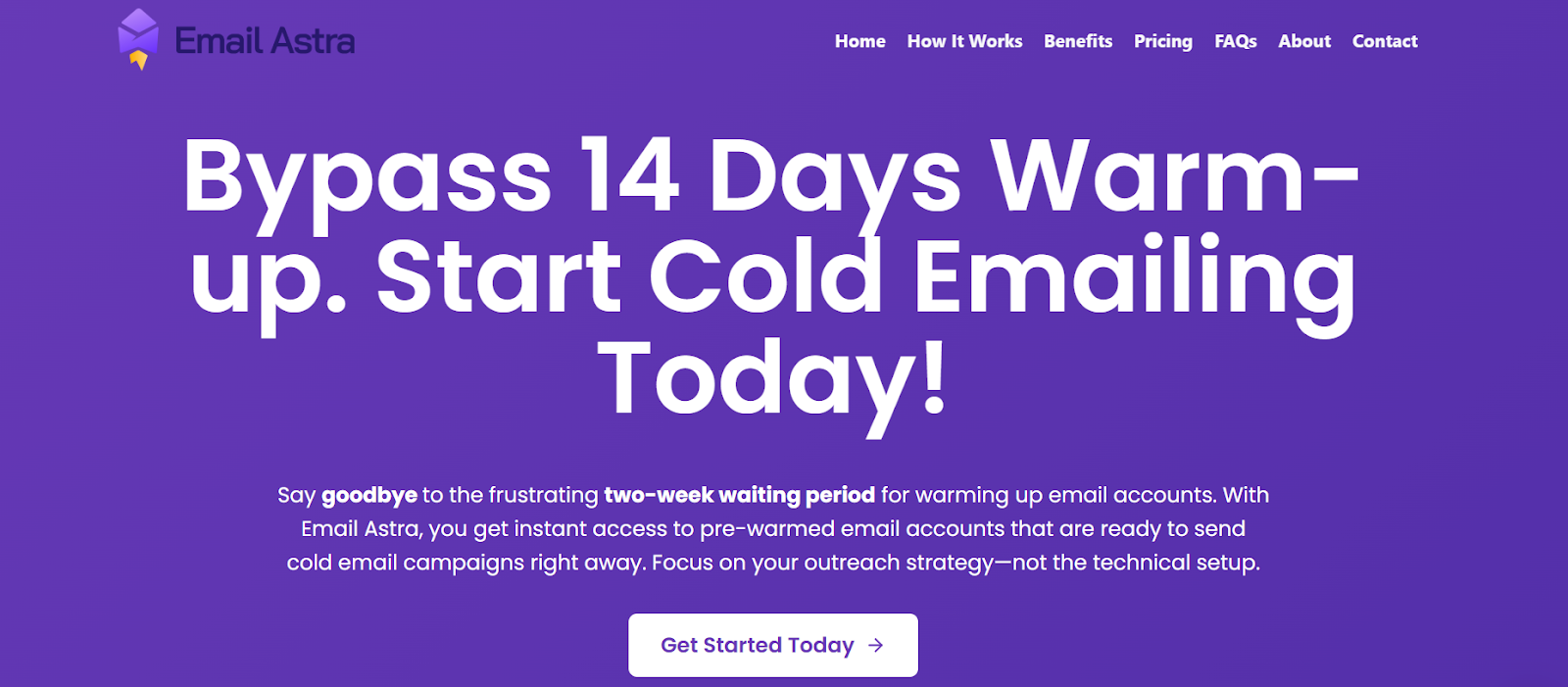
This image shows the Email Astra homepage
Email Astra is a simple and affordable service that gives you pre-warmed Google Workspace mailboxes so you can start cold emailing immediately, without waiting 14+ days for warm-up.
The accounts come with a fresh .com domain, full Google admin ownership, and all DNS records already set up.
Email Astra is mainly used by solo cold emailers, small agencies, and startups who want a fast, low-cost way to get sending-ready Google Workspace inboxes.
Key Features of Email Astra:
Instant activation of pre-warmed Google Workspace accounts. You receive your inboxes within minutes, letting you start cold emailing right away instead of waiting for warm-up cycles.
Every purchase includes a new .com domain, giving you clean sender reputation and better inbox placement.
MX, SPF, DKIM, and DMARC are already set up. All authentication records are configured for you, so your emails pass trust signals and avoid spam filters.
You can plug Email Astra inboxes into any outreach platform without extra setup.
Pros and Cons of Email Astra
Pros & Cons – Styled Table
Pros
Cons
Very affordable compared to other pre-warmed mailbox providers
Minimum 6 mailboxes required
Instant setup, inboxes delivered in minutes
Only .com domains provided (no other TLDs)
Fresh domains (not recycled or previously used)
No deliverability dashboard or advanced monitoring
Full Google Admin ownership
Pricing varies by duration (month, 3-month, 4-month plans)
Email Astra Pricing
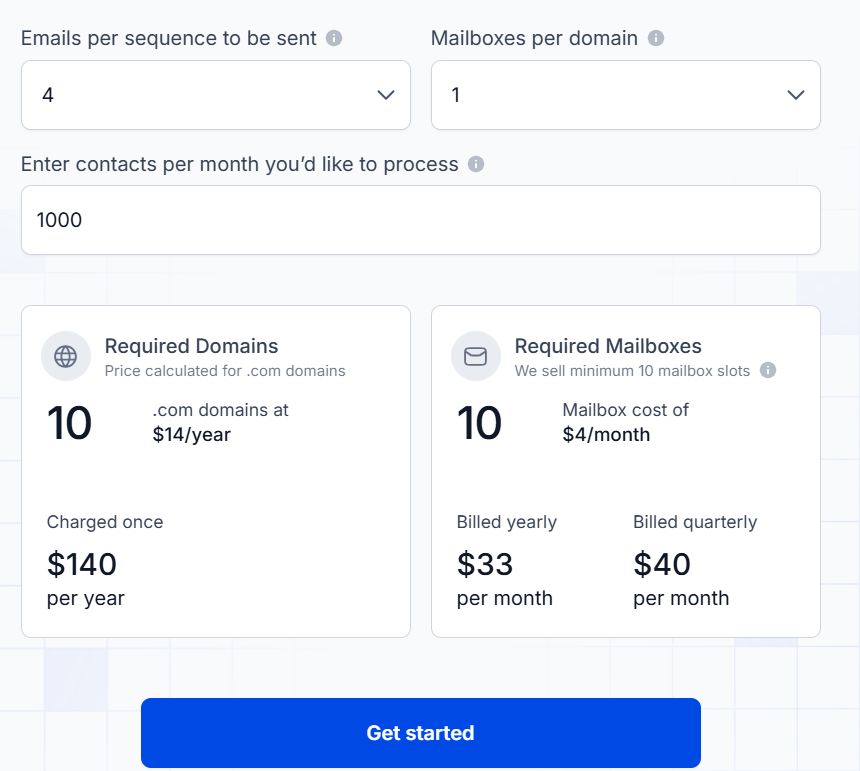
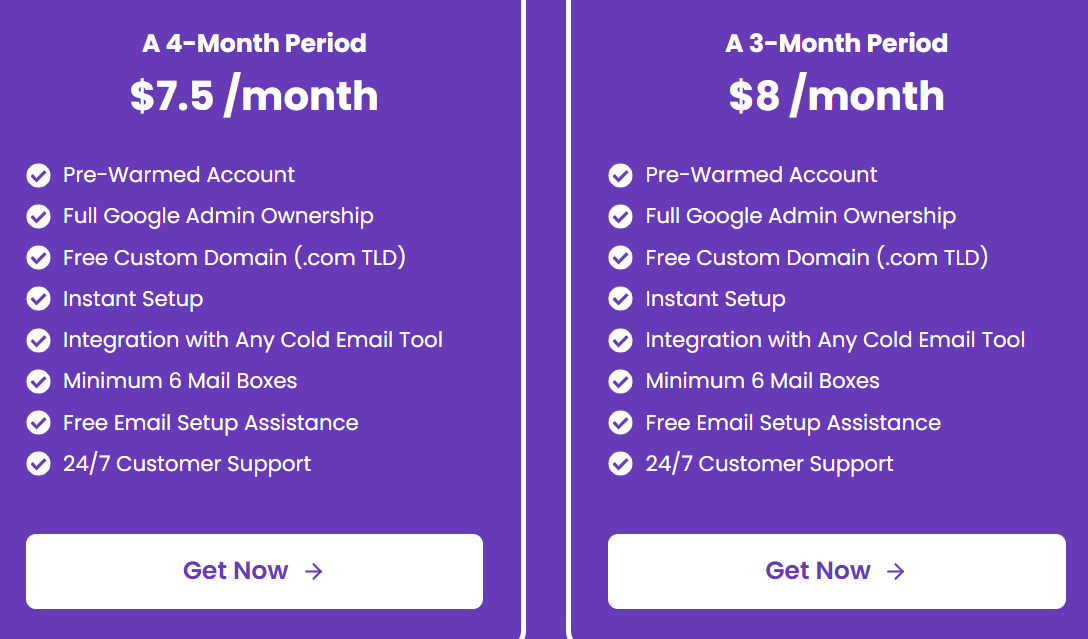
This image shows the Email Astra pricing
I. Google Workspace Pre-Warmed Mailboxes
Minimum 6 mailboxes required.
Monthly Plan: $10/month per mailbox
3-Month Plan: $8/month per mailbox
4-Month Plan: $7.5/month per mailbox
Included in Every Plan
Pre-warmed Google Workspace mailbox
Fresh .com domain
Full Google Admin access
Instant setup
Works with any cold email tool
Free setup assistance
II. Microsoft/Outlook Option
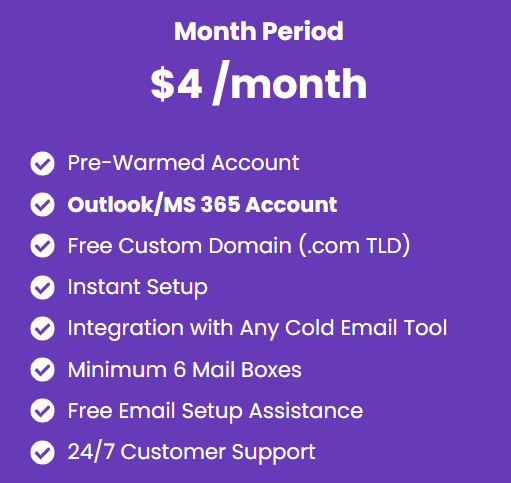
This image shows the Email Astra pricing
$4/month per mailbox: Also includes free .com domain + instant setup
Best For:
Cold email beginners who want an affordable starting point
Startups launching outreach quickly
Small agencies needing multiple sending domains
Users who prefer fresh Google Workspace domains over rented inboxes
5. LiteMail – Best for Pre-Warmed Inboxes With Full Admin Access
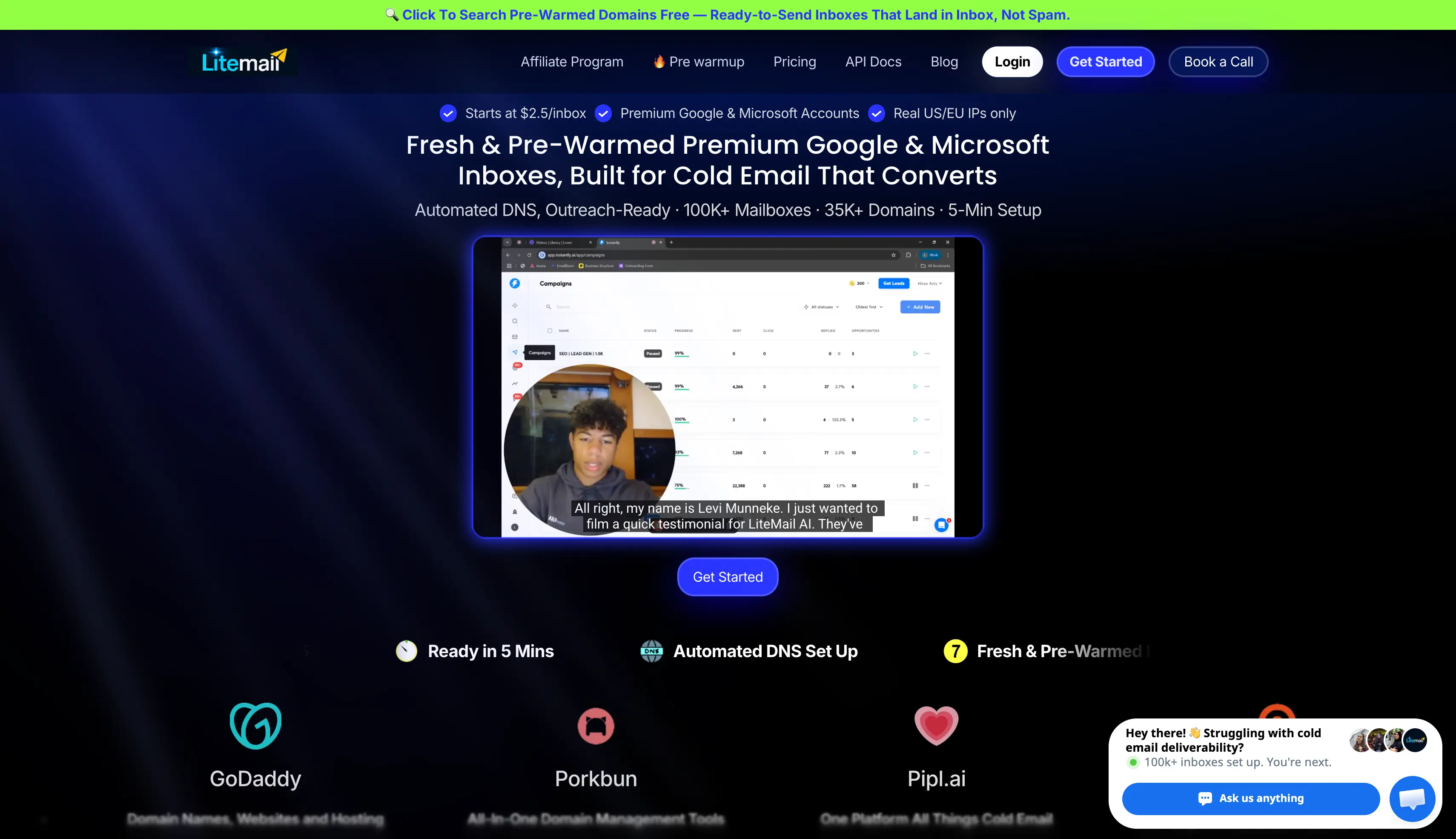
LiteMail is a mailbox provider selling pre-warmed Google Workspace inboxes for cold email. You use it when you want warmed Google inboxes on your own domains without buying a sending tool.
The company states that every pre-warmed inbox arrives with 4 to 12 weeks of warm-up history. It describes these as real Google Workspace Business Starter accounts, not SMTP relays.
Every workspace comes with full Google Admin Console access. The inboxes run on dedicated US and EU IPs rather than shared pools.
LiteMail connects inboxes through bulk OAuth instead of SMTP. You export straight into Instantly, Smartlead, Lemlist, or Pipl.ai in a few minutes.
Key Features of LiteMail:
Every pre-warmed inbox is a Google Workspace account, and LiteMail states each one carries 4 to 12 weeks of sending history before you get it.
You get full Google Admin Console access on every domain, so you own the workspace and can change settings yourself.
The inboxes run on dedicated US and EU IPs, which LiteMail states are not shared pools.
LiteMail configures SPF, DKIM, DMARC, and MX on every domain, so your inboxes arrive authenticated.
You connect inboxes to Instantly, Smartlead, Lemlist, and Pipl.ai through bulk OAuth, so there are no SMTP credentials to set up.
You can run separate workspaces per client, which keeps each Google Workspace account isolated.
LiteMail replaces burned domains for free on paid plans.
Pros and Cons of LiteMail
Pros & Cons – Styled Table
Pros
Cons
Real Google Workspace accounts, not SMTP relays
No sequencer, lead database, or unified reply inbox
Full Google Admin Console access on your own domains
Pre-warmed inboxes cost roughly double the fresh rate
Dedicated US and EU IPs instead of shared pools
Bulk OAuth connection to every major sending tool
Free domain replacement on paid plans
LiteMail Pricing
Fresh Google Workspace inboxes: from $2.50 per inbox per month
Pre-warmed Google Workspace inboxes: from $4.99 per inbox per month [LiteMail lists $4/inbox on one page, so confirm before quoting]
Plans start at $39/month
Pro plan: 30 pre-warmed Google Workspace mailboxes across 6 domains
Scale plan: 60 pre-warmed mailboxes across 12 domains
Extra mailboxes from $4.99 each
LiteMail lists pre-warmed inboxes from $4.99 each. Primeforge runs $4.50 down to $3.50 per mailbox on annual billing. Thirty pre-warmed mailboxes cost about $149.70 a month on LiteMail against $135 at Primeforge's top-of-range rate.
Source: litemail.ai (September 2026).
Best For:
Teams that want pre-warmed Google inboxes and already have a sending tool
Agencies that need admin access on every client workspace
Senders who want warmed inboxes without a two to four week wait
Anyone who prefers OAuth connections over SMTP credentials
LiteMail also sells pre-warmed Microsoft 365 inboxes at similar rates. That is worth knowing if you later want to run two providers and match the mailbox to your prospect's inbox.
Which Pre-Warmed Google Workspace/Gsuite Mailboxes Should You Choose?
Choosing the right pre-warmed mailbox provider depends on what stage you’re at and how you plan to run your cold outreach.
Want a reliable infrastructure built for scale with custom domains and clean inboxes? → Go with Infraforge.
Need bulk Google mailboxes with fast delivery + outreach tools in one place? → Try Instantly.
Looking for Gmail inboxes with deep warm-up history + strong domain/IP hygiene? → Consider Zapmail.
Starting with a small team or need budget-friendly Gmail inboxes with quick setup? → Pick Email Astra.
Want the mailboxes on your own domains with admin access you control? → Use LiteMail.
If you want the most reliable option for real Google Workspace and Microsoft 365 mailboxes that are configured for deliverability and ready for outreach, start with Primeforge.
It’s a strong choice for teams that want automated DNS setup, pre-warmed mailboxes, bulk mailbox management, and a safer setup for scaling outbound.
1. Are pre-warmed Google Workspace mailboxes safe, or do they break Google's terms?
Real Google Workspace mailboxes bought as licensed accounts on your own domain are fine. The risk sits with sellers using EDU workarounds, recycled domains, or accounts created outside Google's licensing rules, because those break the moment Google updates a policy. Ask any provider whether the mailbox is a licensed Workspace account and whether you hold admin access on the domain.
2. Do I actually own the mailboxes and domains I buy?
Not always, and most buyers skip this question. Some providers keep domain ownership and admin access on mailboxes bought through their platform, which means you cannot move that infrastructure if you leave. Instantly's help centre, for example, states the provider retains domain ownership and administrator access for purchases made through its done-for-you service. Check the terms before you buy 50 of anything.
3. How many mailboxes do I need to send 10,000 emails a month?
Around 10 to 15 mailboxes, based on a safe ceiling of 30 to 50 emails per mailbox per day. Spread them across at least three or four domains rather than stacking them on one. If a domain gets flagged, you lose a quarter of your capacity instead of all of it.
4. Do I still need a warmup tool if my mailboxes are already pre-warmed?
Yes, because warmup is not a one-off event. A pre-warmed mailbox gives you sending history on day one, but reputation decays if the mailbox goes quiet or you scale volume too fast. Warmforge runs continuously alongside your campaigns at $9 per mailbox slot per month on annual billing, and comes free with unlimited slots on every Salesforge plan.
5. What is the cheapest way to get pre-warmed Google Workspace mailboxes?
Primeforge runs $4.50 down to $3.50 per mailbox per month on annual billing, with the first mailbox live in about 30 minutes. Most competitors charge a premium for the warmed version rather than the same rate, and Zapmail prices pre-warmed mailboxes at roughly $8 each against about $2.50 for standard. At 30 mailboxes that gap is worth checking against each vendor's live pricing page.
6. How long does a pre-warmed mailbox stay warm if I stop sending?
Reputation starts fading within a few weeks of going quiet. Inbox providers score recent behaviour, so a mailbox that sat idle for a month behaves closer to a fresh one than a warmed one. Keep warmup running in the background between campaigns rather than switching it off.