Setting up Microsoft 365 inboxes for cold outreach is hard. You have to buy domains, configure SPF and DKIM, wait weeks to warm up the inboxes, and still, your emails might go to spam.
That’s why many people now use pre-warmed Microsoft 365 inboxes. These are Outlook accounts that already have sending history, proper DNS setup, and are ready to send emails right away.
In this blog, we’ll show you the 5 best providers of pre-warmed MS365 mailboxes. These services help you skip setup delays and launch cold email campaigns in hours.
Whether you're a solo founder, agency, or B2B team, these mailbox providers make cold outreach faster, safer, and more reliable.
What Are Prewarmed Microsoft 365 Mailboxes?
Prewarmed Microsoft 365 mailboxes are Outlook email accounts that have already been used to send and receive emails before you get them.
They are not brand new. These inboxes have a sending history that makes them look trustworthy to Microsoft.
The DNS settings like SPF, DKIM, and DMARC are already set up. This helps your emails avoid spam folders and reach the inbox.
Because the warm-up is already done, you don’t have to wait weeks before using them. You can start sending cold emails right away.
In short, a prewarmed Microsoft 365 mailbox is ready to use on day one, with no technical setup or warm-up delay.
How We Chose the 5 Best Prewarmed Microsoft 365 Mailboxes
We didn’t just list random providers. We tested and reviewed each one based on what really matters for cold outreach.
Here’s what we looked for when choosing the best prewarmed Microsoft 365 mailboxes:
The inbox must already have real email activity, not just a fresh account created yesterday. It should have sent and received emails to build trust with Microsoft.
SPF, DKIM, and DMARC must be properly set up, so your emails pass authentication checks and don’t land in spam.
It must be a real Microsoft 365 account, not just a random inbox or SMTP account with no admin control.
Setup should be fast and smooth, ideally within minutes or hours, not days.
The domain and IP must be clean and unused, so you’re not stuck with a flagged or recycled domain.
The pricing must be fair for scaling, especially if you're an agency or sending from multiple inboxes.
We applied all of these checks to make sure you only see the most reliable pre-warmed Microsoft 365 mailboxes in this list.
5 Best Pre-Warmed Microsoft 365 Mailboxes: Quick Look
Primeforge – Pre-warmed Microsoft 365 inboxes with dedicated IPs, clean domains, and automatic DNS setup. Built for serious cold outreach teams.
Zapmail – Pre-warmed Microsoft 365 mailboxes with over 12 weeks of warm-up history and instant OAuth access for smooth tool integration.
Smartlead (SmartSenders) – Fully prewarmed Microsoft 365 mailboxes delivered in 30–40 mins, integrated directly into a cold outreach platform.
LiteMail – Simple, affordable pre-warmed Outlook mailboxes with basic DNS setup and quick delivery.
InboxKit – Microsoft 365 mailboxes with full admin access, MFA enabled, Cloudflare Enterprise DNS, and SmartSenders integration.
1. Primeforge
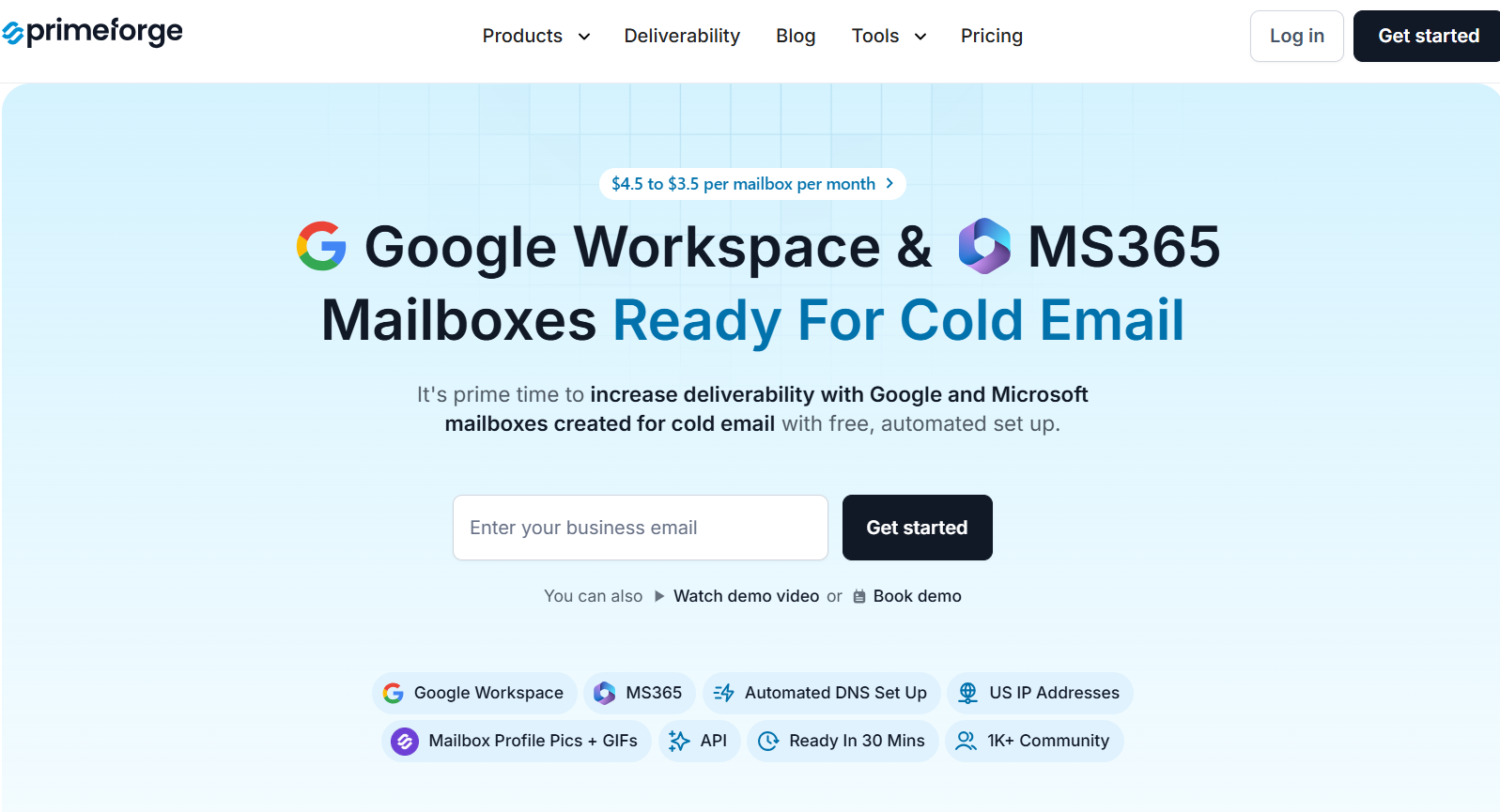
This image shows the Primeforge homepage
Primeforge is a cold email infrastructure platform made specifically for cold email. It gives you prewarmed Microsoft 365 and Google Workspace mailboxes that are ready to use within 30 minutes.
It helps people send cold emails without worrying about technical setup, DNS records, or spam issues. You don’t need to deal with Microsoft directly, Primeforge takes care of everything for you.
It gives you full access to clean, warmed mailboxes with fully configured DNS (SPF, DKIM, DMARC) and smart deliverability features like profile GIFs.
Key Features of Primeforge:
The setup is fully automated, including domain verification, SPF, DKIM, and DMARC, so you don’t need technical knowledge to get started.
It offers real Microsoft 365 mailboxes with complete domain and mailbox ownership, not just shared logins or SMTP ports.
The mailboxes are ready in 30 minutes, much faster than waiting 24+ hours when setting up Microsoft or Google accounts manually.
The tool works with any cold email platform, like Smartlead, Instantly, Lemlist, or Salesforge, without extra configuration.
The system is built to match the email provider of your prospects, improving inbox placement through a technique called ESP matching.
Pros and Cons of Primeforge:
Pros
Cons
Full prewarmed Microsoft 365 and Google Workspace mailboxes
30-minute setup with automated DNS and mailbox creation
Real tenant setup for each domain
Reliable infrastructure built for scale and cold outreach
No free trial available
Requires minimum 10 mailbox slot purchase
No email content or sequence tools. Infrastructure only
Slots are billed whether you use the mailboxes or not
Primeforge Pricing:
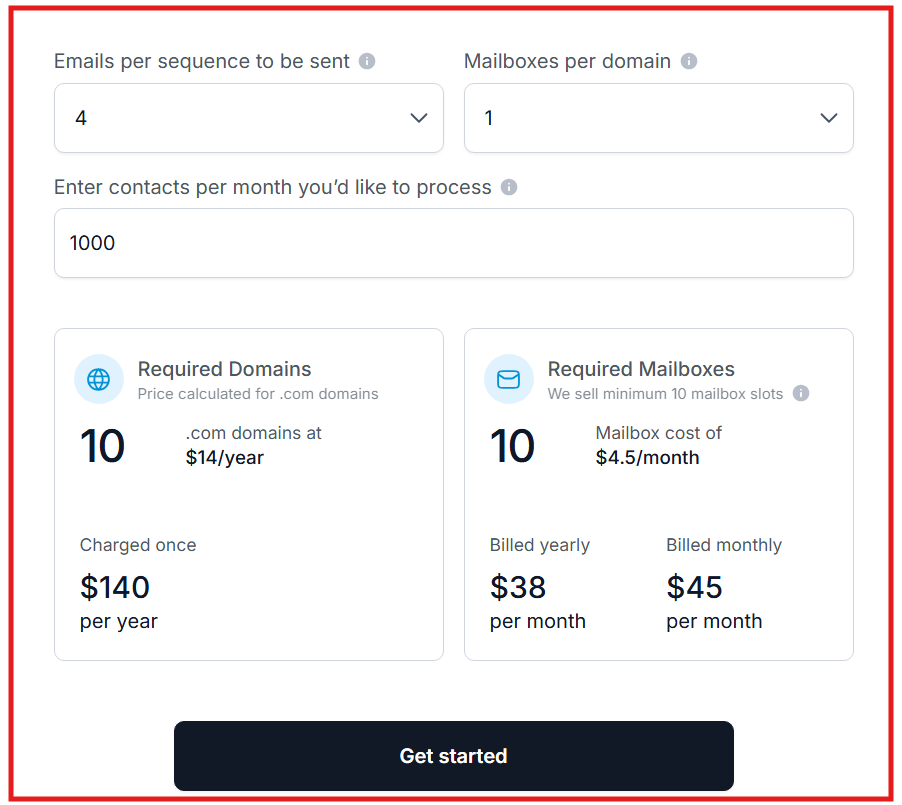
This image shows the Primeforge pricing
Primeforge pricing is flexible, but the cost depends on how many mailbox “slots” you purchase and whether you choose monthly or yearly billing:
Monthly: $4.5 per mailbox/month (for 10 mailboxes minimum)
Yearly (billed annually): $3.5 per mailbox/month (includes 2 months free)
For example, If you need 10 mailboxes, you’ll pay $45/month on the monthly plan or $35/month on the yearly plan.
Every subscription includes:
Full Microsoft 365 or Google Workspace mailbox
Automated DNS setup (SPF, DKIM, DMARC)
Ongoing maintenance and hosting
Support and access to Primeforge API
Mailbox management features
2. Smartlead
This image shows the Smartlead homepage
Smartlead is a cold outreach platform that now offers fully prewarmed Microsoft 365 and Gmail mailboxes through its feature called SmartSenders.
These mailboxes are verified, tested, and inbox-ready, so you can start sending cold emails the same day without going through the typical warm-up phase.
Everything is handled within the Smartlead dashboard: from domain selection and mailbox creation to inbox customization.
The prewarmed mailboxes are typically delivered within 30–40 minutes, with full SPF, DKIM, and DMARC authentication already in place.
Key Features of Smartlead:
Smartlead delivers fully prewarmed Microsoft 365 or Gmail mailboxes within 30–40 minutes, so you can start sending cold emails right away.
It sets up SPF, DKIM, and DMARC automatically, removing the need for any manual DNS or technical setup.
The tool allows you to choose from pre-verified generic domains, each of which can host up to 3 warm mailboxes.
It works with both Microsoft Outlook and Gmail, giving flexibility for teams targeting different platforms.
It supports inbox testing across major providers like Outlook, Gmail, and Yahoo to ensure high deliverability.
Pros and Cons of Smartlead:
Pros
Cons
Fully prewarmed Microsoft 365 mailboxes delivered fast
30–40 minute setup with verified domains and DNS
Includes built-in outreach tools and inbox testing
No free trial available
You can’t add new mailboxes to an existing domain
Domains are generic, not custom-branded
Smartlead Pricing:
This image shows Smartlead pricing
Smartlead offers flat pricing for mailboxes and domains:
Mailbox: $9/month
Domain: $18/year
Each domain supports 3 mailboxes. For example, if you need 6 mailboxes, you’ll pay $54 total: 6 mailboxes × $9 + 2 domains × $18 (annualized monthly).
Every plan includes:
Prewarmed mailbox with full inbox readiness
Domain with full SPF, DKIM, and DMARC setup
Full access to Smartlead outreach platform
Campaign management, tracking, and inbox rotation
3. Zapmail
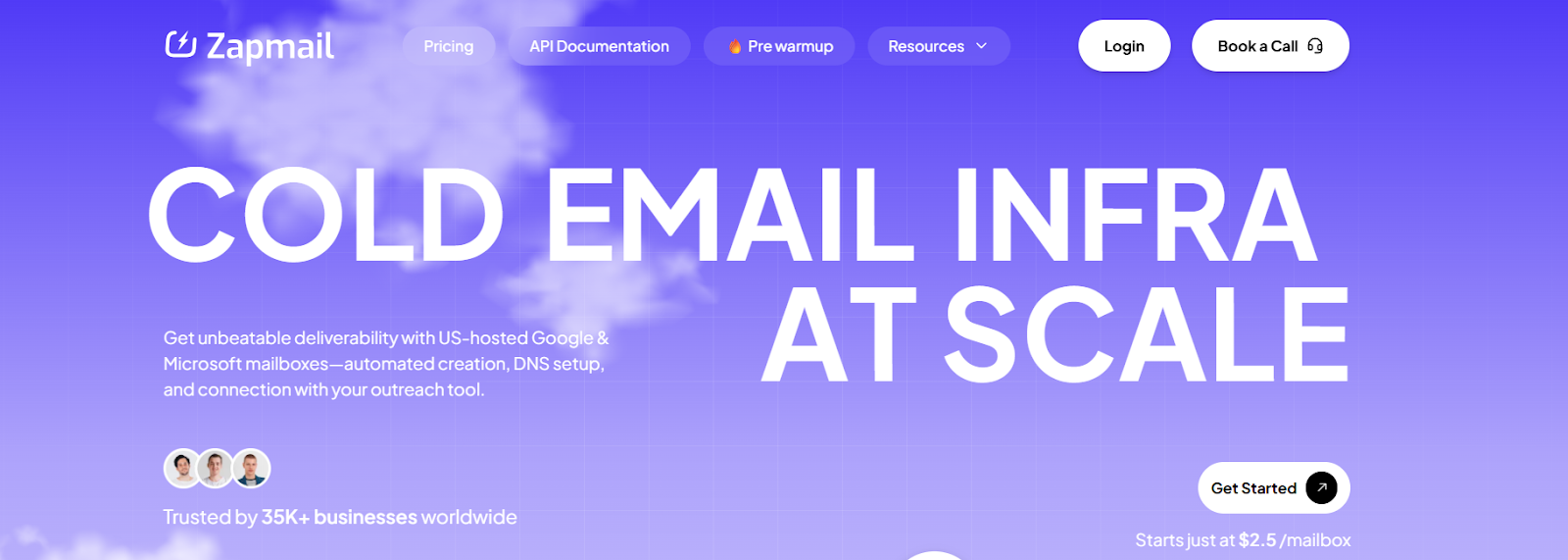
This image shows the Zapmail homepage
Zapmail is a cold email infrastructure tool that provides prewarmed Google Workspace and Microsoft 365 mailboxes, optimized for deliverability from day one.
It automates everything from domain setup to DNS configuration (SPF, DKIM, DMARC) and offers fast deployment through OAuth connections, eliminating the need for SMTP or app passwords.
Key Features of Zapmail:
The mailboxes are ready instantly, with 12+ weeks of warm-up history, so you can start sending from day one without using any warm-up tools.
The setup is fully automated, including domain provisioning, DNS configuration (SPF, DKIM, DMARC), and OAuth-based connections to outreach tools.
The platform offers workspace-level isolation, where each domain gets its own workspace and admin access for reduced ban risk.
It provides AI tools like Instant Domain Genie and Smart Mailbox Namer, allowing you to generate branded domains and clean mailbox handles in seconds.
Pros and Cons of Zapmail:
Pros
Cons
Prewarmed mailboxes with 12+ weeks of history
Setup in under 10 minutes with no technical effort
AI tools for domain selection and persona creation
Generic domains unless you bring your own
No refunds once subscribed
Limited manual control over internal warm-up if needed
No mailbox content or email tools. Infrastructure only
Zapmail Pricing:
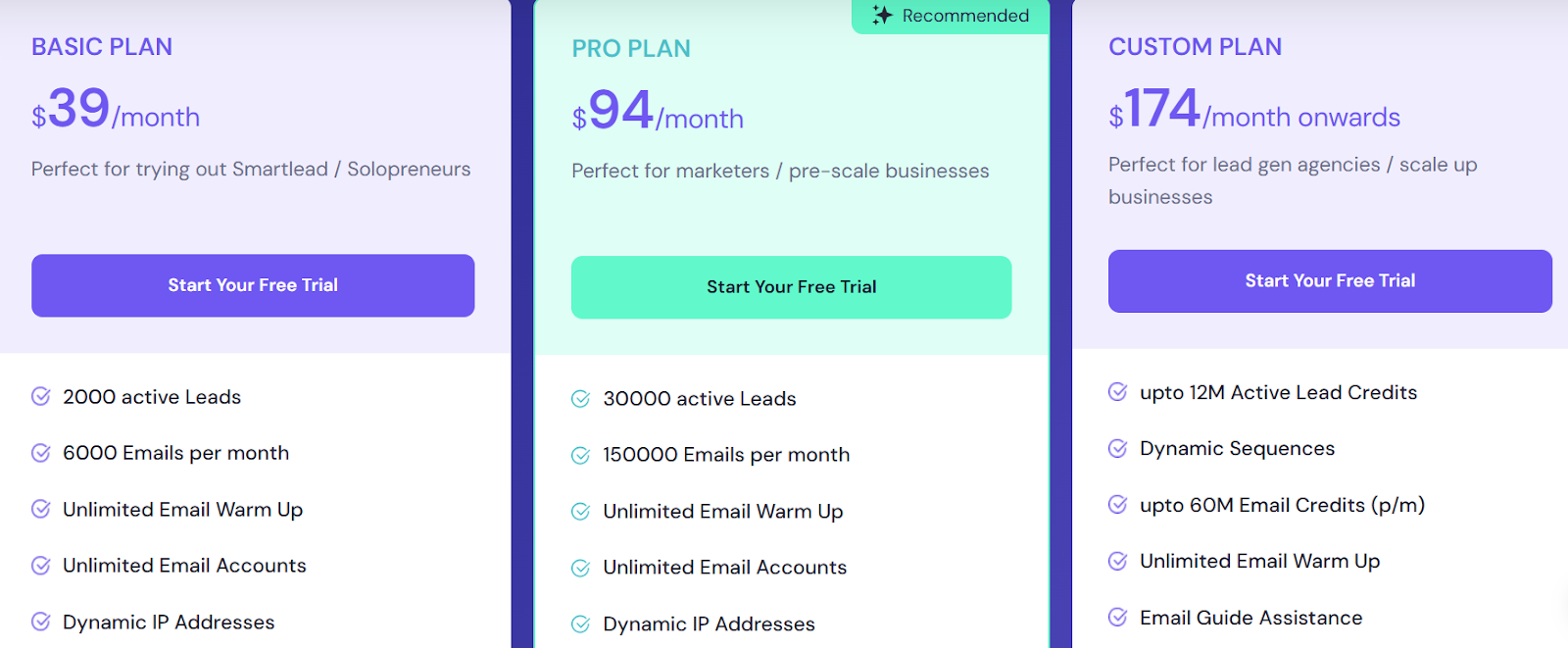
This image shows the Zapmail pricing
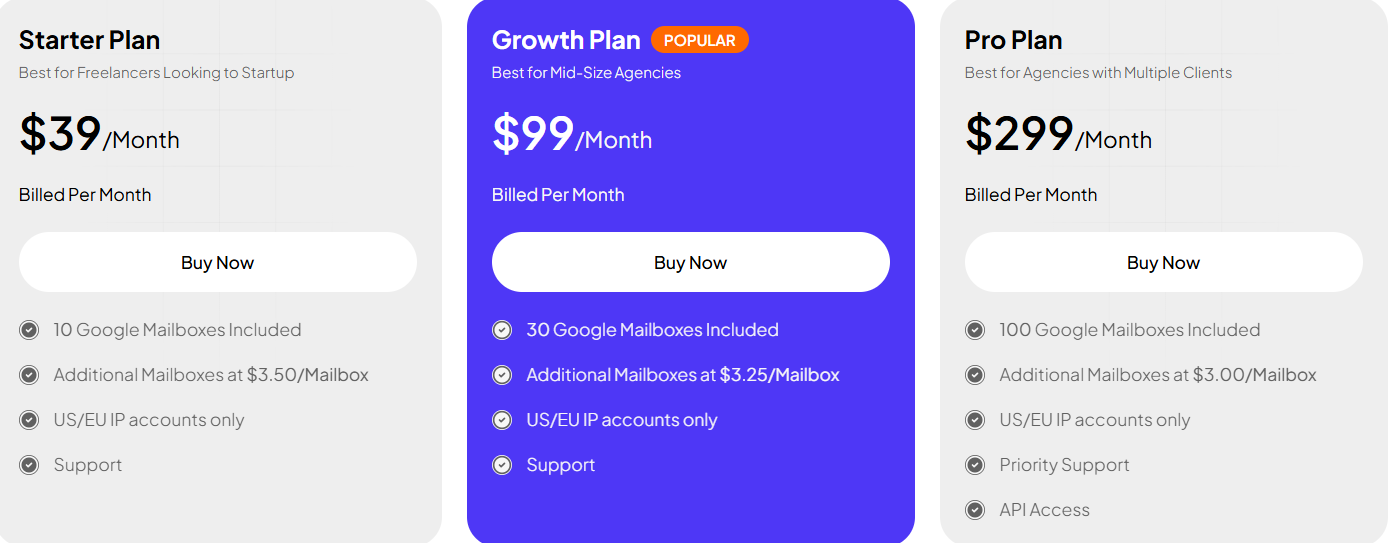
I. Standard Microsoft 365 / Google Mailboxes
Starter Plan: $39/month, 10 mailboxes included
Growth Plan (Popular): $99/month, 30 mailboxes included
LiteMail is a budget-friendly cold email infrastructure platform that offers prewarmed Google Workspace and Microsoft 365 mailboxes.
It automates the entire setup, including mailbox creation, domain provisioning, and DNS configuration (SPF, DKIM, DMARC), and is ready to use in under 30 minutes.
You get official Google or Microsoft mailboxes, not just SMTP relays, with full admin access.
The system enforces workspace-level isolation and supports OAuth-based integration with over 50 cold outreach tools like Smartlead, Instantly, and Lemlist.
Key Features of LiteMail:
The platform provisions real Google Workspace and Microsoft 365 mailboxes through official APIs with no manual steps or SMTP setups.
The setup is fully automated, including domain creation, SPF, DKIM, DMARC, and profile personalization (name, image, etc.).
The mailboxes are ready in 30 minutes, and come with 4–12 weeks of warm-up history for instant cold outreach.
Each domain gets its own dedicated workspace and admin panel, reducing the risk of cross-domain bans.
LiteMail supports auto-reply detection, inbox tracking, follow-up reminders, and smart alerts for replies, clicks, or opens.
Pros and Cons of LiteMail:
Pros
Cons
Offers Google Workspace and Microsoft 365 mailboxes for cold outreach
Automated setup with OAuth provisioning, DNS (SPF, DKIM, DMARC), profile pictures, and mailbox creation
Mailboxes are ready in about 30 minutes with automated infrastructure
Pre-warmed mailboxes may use generic domains unless you bring your own
Domains cost extra, around $13 per year for .com or $15 per domain per year on plans
Bringing your own domain may include a $5 fee in some cases
Warm-up and deliverability performance can vary based on sending practices
LiteMail Pricing:
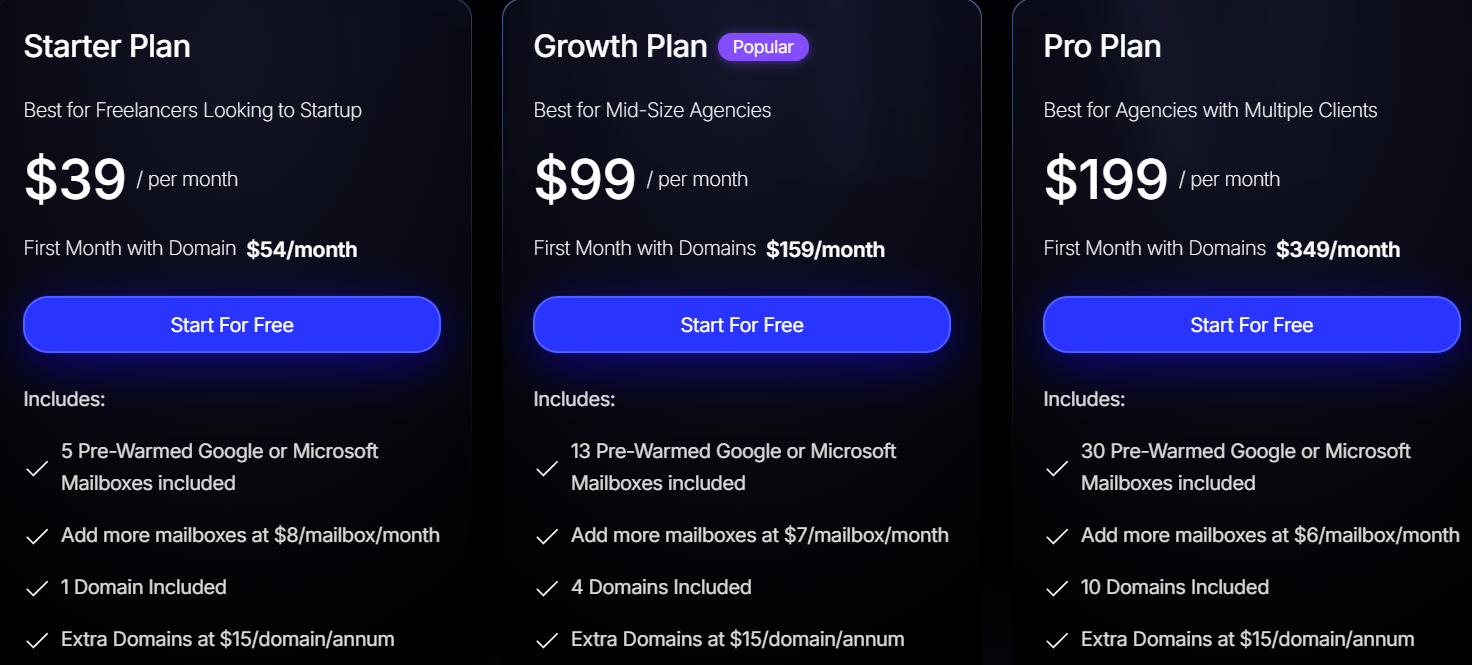
I. Pre-Warmed Mailbox Plans:
This image shows the Litemail pre-warmed mailbox plans
Starter Plan: $39/month (first month $54), includes 5 prewarmed Google or Microsoft mailboxes + 1 domain → Extra mailboxes: $8/month
Growth Plan: $99/month (first month $159), includes 13 prewarmed mailboxes + 4 domains → Extra mailboxes: $7/month
Pro Plan: $199/month (first month $349), includes 30 prewarmed mailboxes + 10 domains → Extra mailboxes: $6/month
Extra Domains: $15/year
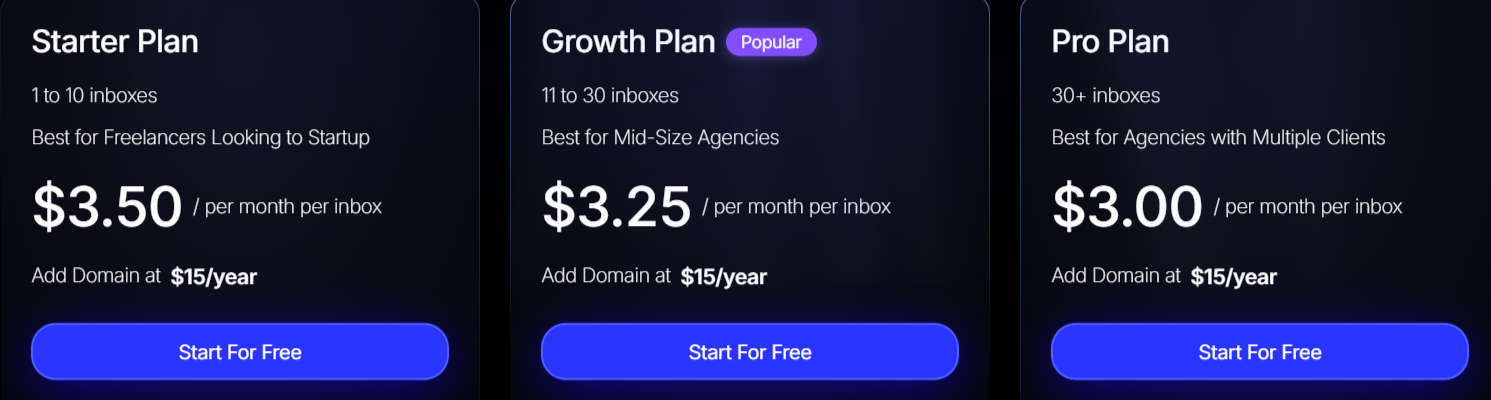
II. Microsoft 365 Mailbox-Only Pricing:
This image shows the Litemail Microsoft 365 mailbox-only pricing
Starter (1–10 inboxes): $3.50/inbox/month
Growth (11–30 inboxes): $3.25/inbox/month
Pro (30+ inboxes): $3.00/inbox/month
Domains: $15/year
All Microsoft 365 mailbox plans include <12h delivery, DNS config, and support.
5. InboxKit
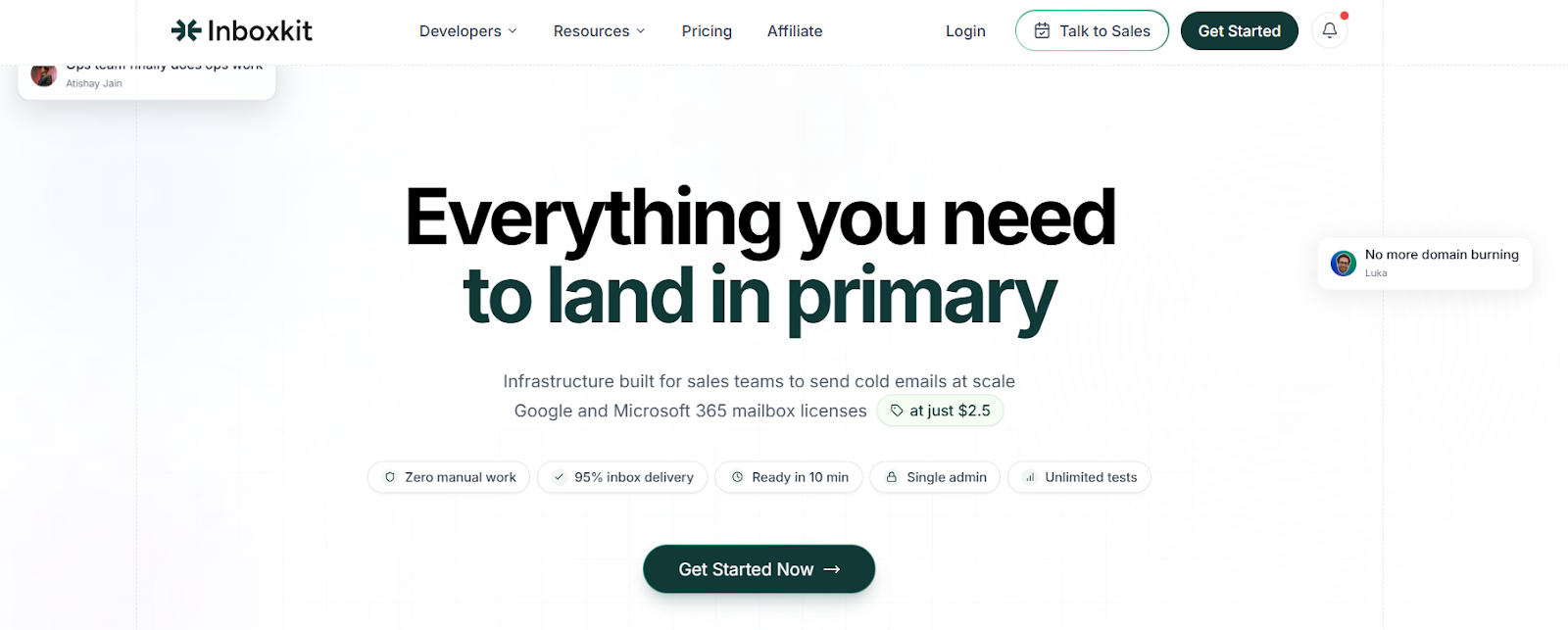
This image shows the InboxKit homepage
InboxKit is a trusted cold email infrastructure provider offered through Smartlead, giving you prewarmed Google Workspace and Microsoft 365 (Outlook) mailboxes with full admin access.
With pre-configured SPF, DKIM, and DMARC, the setup is production-ready within ~48 hours.
InboxKit is tightly integrated with SmartSenders, so Smartlead users get plug-and-play deliverability infrastructure without needing to touch DNS records manually.
Key Features of InboxKit:
It provides prewarmed Google Workspace and Microsoft 365 mailboxes, ready for cold outreach, with full control via the respective admin dashboards.
LiteMail automates the entire setup, including mailbox creation, domain provisioning, and DNS authentication (SPF, DKIM, DMARC), eliminating technical complexity.
It uses Enterprise-grade Cloudflare DNS and enables MFA by default, ensuring high security and strong anti-spam compliance.
The platform provisions each domain in a unique Google Workspace or Microsoft 365 tenant, isolating sender reputation and reducing the risk of bans or shared blacklists.
It allows 1–5 mailboxes per domain, giving flexibility while keeping domain reputation protected.
Pros and Cons of InboxKit:
Pros
Cons
Prewarmed Google Workspace and Microsoft 365 mailboxes
Full admin access to each domain’s Google or Microsoft 365 dashboard
Pre-configured DNS with SPF, DKIM, and DMARC, plus MFA enabled
Cloudflare Enterprise DNS ensures reliable performance and security
Mailboxes and domains are non-transferable and only usable within Smartlead
Setup time is around 48 hours, not instant
Requires proper warm-up and ramp-up practices for best results
You cannot move or reuse mailboxes across platforms once purchased
InboxKit Pricing:
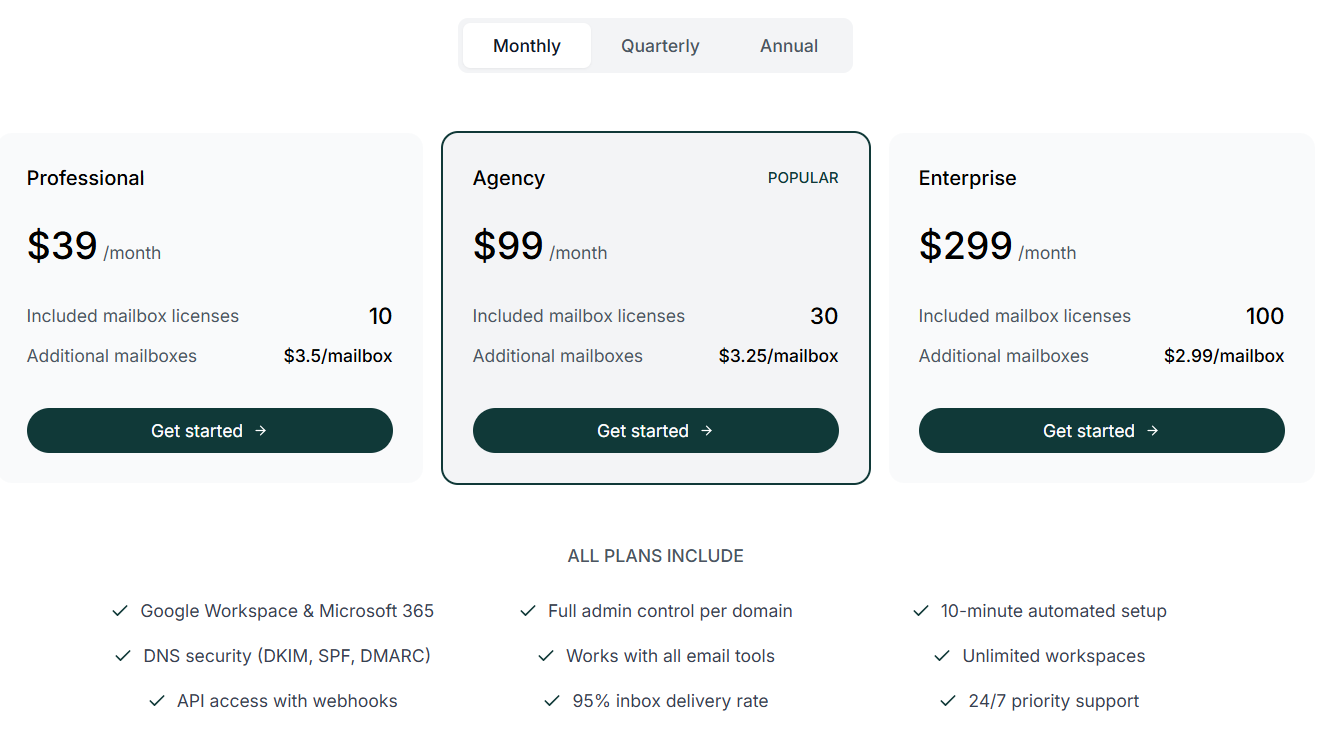
This image shows InboxKit pricing
Mailboxes: $3.5/month per Google or Outlook mailbox
Domains: $13/year per domain
Included in Pricing:
Pre-configured SPF, DKIM, DMARC
Full admin access
Cloudflare DNS & MFA
SmartSenders compatibility
Workspace or tenant isolation
Setup time: ~48 hours after payment
Warm-up compatible and secure by default
Which Prewarmed MS365 Mailboxes For Cold Outreach Should You Choose?
If you’re sending cold emails, using prewarmed Microsoft 365 mailboxes can save you a ton of time and boost your deliverability. But not all tools are the same.
If you're just getting started or on a budget, LiteMail and InboxKit offer affordable and simple setups.
For users already on Smartlead, SmartSenders, or InboxKit are great plug-and-play options.
If you need fast deployment, clean infrastructure, and support for high-volume outreach, Zapmail offers powerful automation.
But if you want full control, premium IPs, and a rock-solid foundation for cold outreach, Primeforge is the top choice.
It gives you prewarmed Microsoft 365 mailboxes with your own domain and setup in just 30 minutes.