
Personalized Outbound Strategy
Get The Right Outbound Strategy In Minutes
Enter your email to get a custom plan & stack recommendation for your business
It's being carefully crafted by AI
Please check your mailbox in 5 minutes

If you’re searching for an Inframail review, you want to know how it actually performs in real use
From what I found across user reviews:
I’ve evaluated similar infra tools before, speed is easy to promise.
But consistency is what matters when you’re sending daily.
So I went through 50+ Inframail reviews and community threads to see what actually holds up.
In this review, you’ll see:
Let’s break it down.
Yes, but mainly if you want to scale inboxes fast and reduce setup work.
From what I saw, Inframail works best when you already understand outbound.
It removes setup friction, but it won’t fix performance issues.
It’s okay for:
It’s not ideal for:
My take: I’d use Inframail for speed and scaling.

Inframail is a tool that helps you set up cold email inboxes fast without doing technical work.
It automatically handles domain setup, SPF, DKIM, and DMARC, so you don’t have to configure anything manually.
You can create unlimited inboxes in minutes, use dedicated IPs, and connect them to tools like Instantly or Smartlead for sending.
It’s important to know that Inframail only handles infrastructure.
It does not send emails, give leads, or replace your outreach tools.
In simple words, it handles setup so you can focus on sending emails.
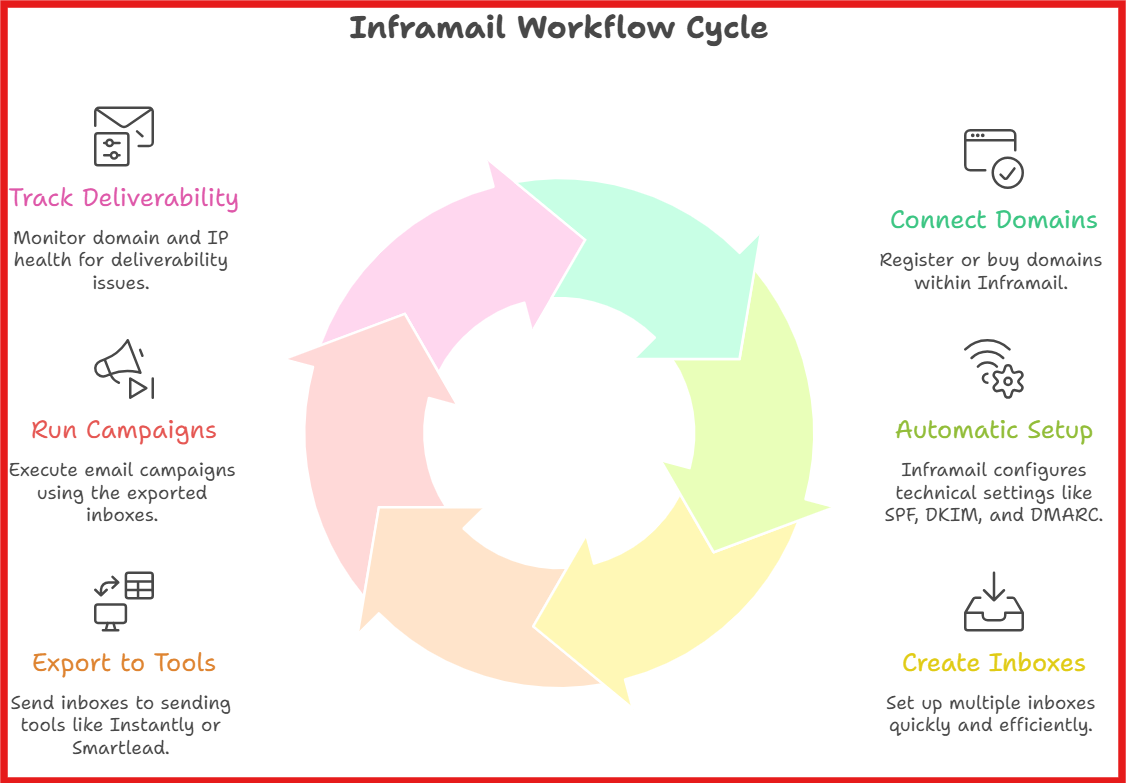
From what I’ve seen, the workflow of Inframail is actually simple once you understand it.
First, I connect or buy domains inside Inframail.
It lets me manage everything in one place instead of jumping between tools.
Then, Inframail automatically sets up all the technical parts like SPF, DKIM, and DMARC.
I don’t have to touch DNS at all.
After that, I can create multiple inboxes in a few minutes.
This is where it saves most of the time compared to manual setup.
Once inboxes are ready, I export them to sending tools like Instantly or Smartlead.
That’s where campaigns actually run.
It also gives basic deliverability tracking like domain and IP health, so I can see if something is going wrong.
One important thing I noticed, I still need to warm up inboxes for a couple of weeks before scaling.
So the way it works is simple, it handles setup and infrastructure, and I use other tools to actually send emails.
Inframail is built to help you set up and manage cold email infrastructure fast.
It focuses on inbox creation, deliverability, and scaling outreach without manual work.
Here are the top features of Inframail:
From my analysis, there are no G2 reviews available for Inframail right now.
So I looked at Trustpilot and Reddit to understand real user feedback.
On Trustpilot, Inframail has around a 4.6/5 rating from ~30+ reviews, and most of them are positive.

What I kept seeing again and again is speed and ease of setup.

One user said the platform did in 10 minutes what would take days or weeks manually.
Another big theme is cost savings.
Users mention saving hundreds per month because they don’t have to pay per inbox like Google Workspace.
Support also stands out a lot.
Multiple users said replies come within minutes, and not generic replies but actual help.
Now from Reddit, the feedback is more balanced.
People say the tool works fine for setup, but it doesn’t magically fix deliverability.
Some users clearly mentioned: Deliverability depends more on list quality and domain health, not just the infrastructure.
So if emails perform badly, it’s usually because of bad data, not Inframail itself.
There is also one negative review on Trustpilot about a security concern.
A user didn’t like being asked for external tool login access.

Overall, users like Inframail for fast setup, lower cost, and easy scaling.
But it still depends on your list quality and setup to get good results.
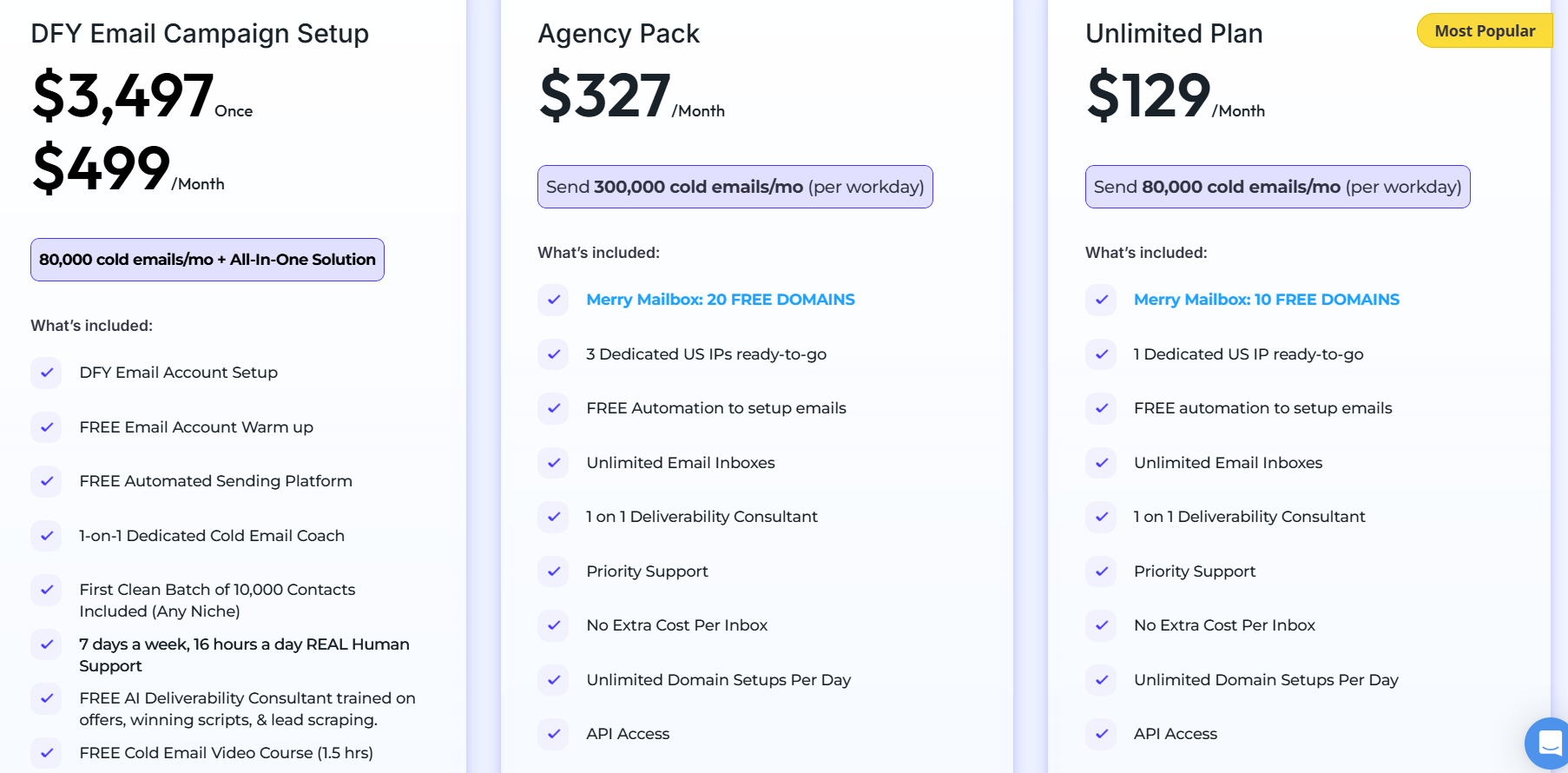
From my analysis, Inframail pricing is simple on the surface.
But your real cost depends on how much you want to scale.
This is the entry plan.
You get 1 dedicated IP and around 10 free domains.
It works if you’re just starting or running smaller campaigns.
You can send roughly up to 80,000 emails per month.
Good for: small teams or early-stage outreach
This is built for scaling.
You get 3 dedicated IPs and around 20 free domains.
You can send up to ~300,000 emails per month.
It also includes priority support and better scaling flexibility.
Good for: agencies or high-volume senders
This is not just infrastructure.
It’s a full service.
You get inbox setup, warmup, sending platform, and support.
It also includes contacts and campaign help.
Good for: teams that don’t want to handle setup
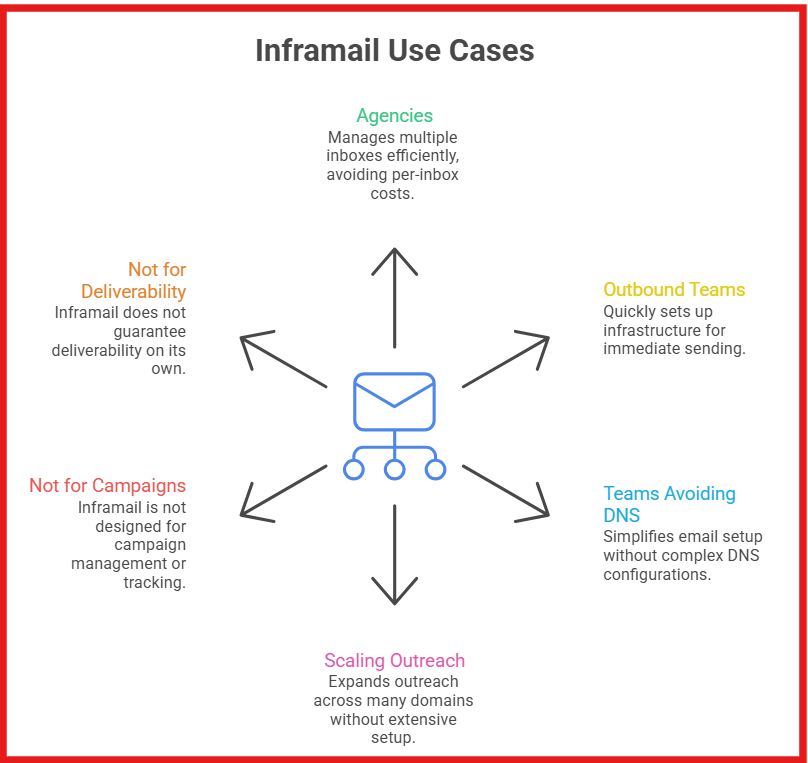
Inframail is useful when your main problem is setting up and scaling email infrastructure, not running campaigns.
Agencies managing multiple inboxes will benefit the most, especially when trying to avoid per-inbox costs.
Outbound teams and SDRs can use it to set up infrastructure quickly and start sending without delays.
Teams that don’t want to deal with DNS setup like SPF, DKIM, and DMARC will find it much easier.
It also works well for scaling outreach across many domains without spending hours on setup.
But it is not meant for managing campaigns, tracking replies, or running outreach end-to-end.
It also won’t fix deliverability on its own. Good data and proper setup still matter.
If your main goal is just fast setup, Inframail works fine.
But if you care about where your emails land (primary vs spam), Primeforge is built more for that.
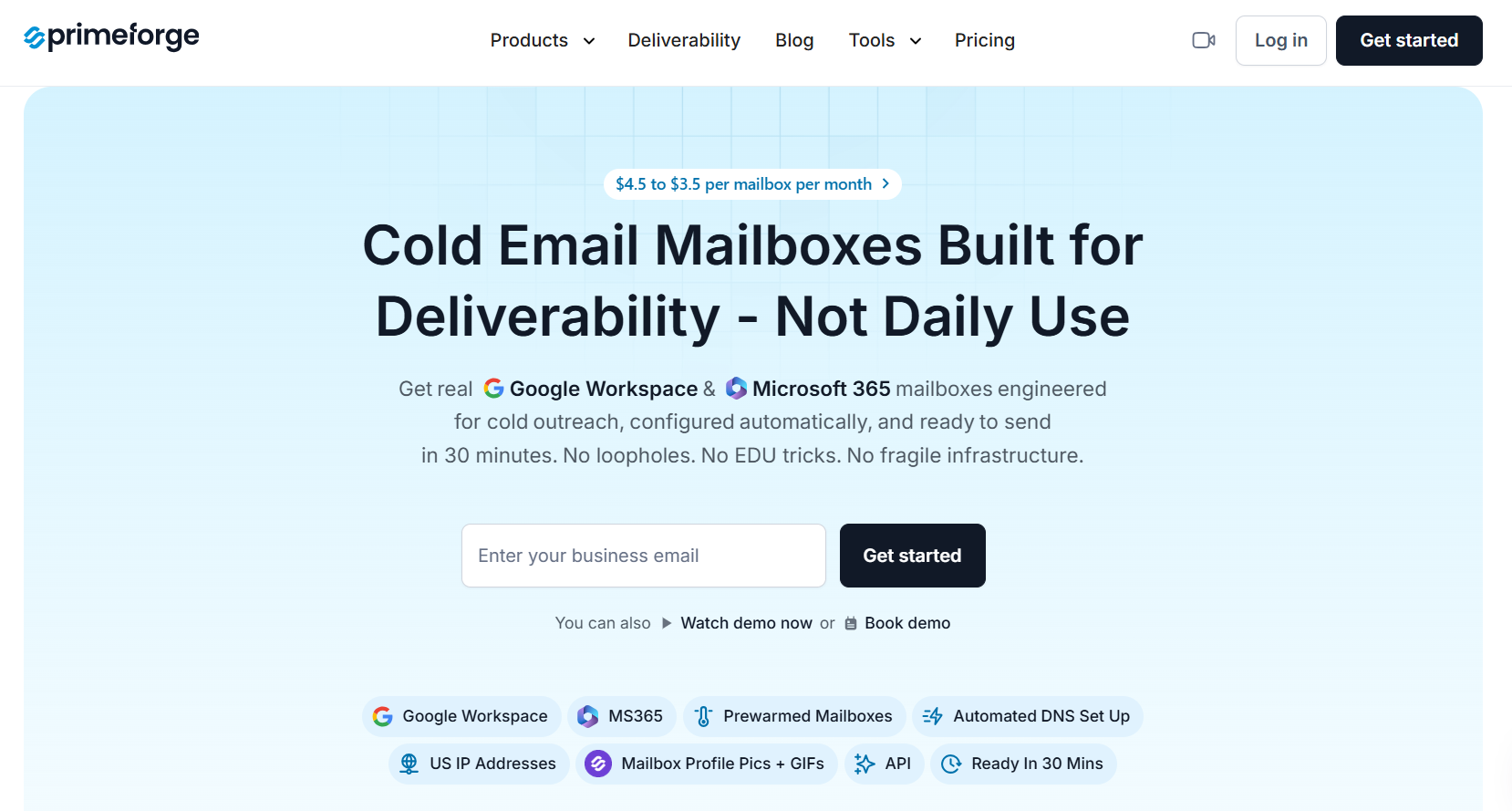
Primeforge is a mailbox provider designed for cold outreach.
It gives you real Google Workspace and Microsoft 365 mailboxes that are already set up for sending.
Instead of just creating infrastructure, it focuses on helping your emails look legit and land in the inbox, not spam.
When I compare it with Inframail, the difference is clear.
Inframail focuses on setup speed.
Primeforge focuses on inbox placement.
If you care about inbox placement and replies, this difference matters a lot.
If your problem is setup speed, Inframail is enough.
But if your emails land in spam or replies are low, Primeforge is the better option.
Enter your email to get a custom plan & stack recommendation for your business
Please check your mailbox in 5 minutes

If I had to sum it up, I see Inframail as a good option when my goal is to set up infrastructure fast and start sending quickly.
It simplifies the setup process and makes scaling easier.
But from what I’ve seen, infrastructure alone does not improve results.
If emails land in spam or replies are low, the issue is usually beyond just setup.
That’s where the difference becomes clear for me.
If my focus is on inbox placement and getting replies, I would look at a setup built around real mailboxes and trust.
In that case, Primeforge is worth considering.
If that’s what you’re also trying to improve, you can sign up for Primeforge and test it with your current campaigns.