
Personalized Outbound Strategy
Get The Right Outbound Strategy In Minutes
Enter your email to get a custom plan & stack recommendation for your business
It's being carefully crafted by AI
Please check your mailbox in 5 minutes

You can do everything right with cold email and still land in spam. On a shared IP, your reputation depends partly on every stranger sending from the same address.
Infraforge solves that problem by giving you your own IP address. The downside is that every mistake also becomes yours, and one bad week can burn a private IP faster than a shared one.
Before paying $99 a month for that control, you need clear answers. Do you send enough to keep a private IP healthy? Why might your real bill exceed the savings chart? And why did one buyer give Infraforge zero stars?
I found the answers in Infraforge’s screens, pricing calculator, and nine G2 reviews. One answer changed how I would run my first campaign.
If you do not need a dedicated IP yet, I will also explain where Mailforge fits.
Every Infraforge purchase comes down to one question: should your cold email reputation belong only to you?
If a campaign has fallen into spam and you cannot tell whether your list or another sender in the same pool caused it, Infraforge removes that uncertainty. Your sending IP carries only your history.
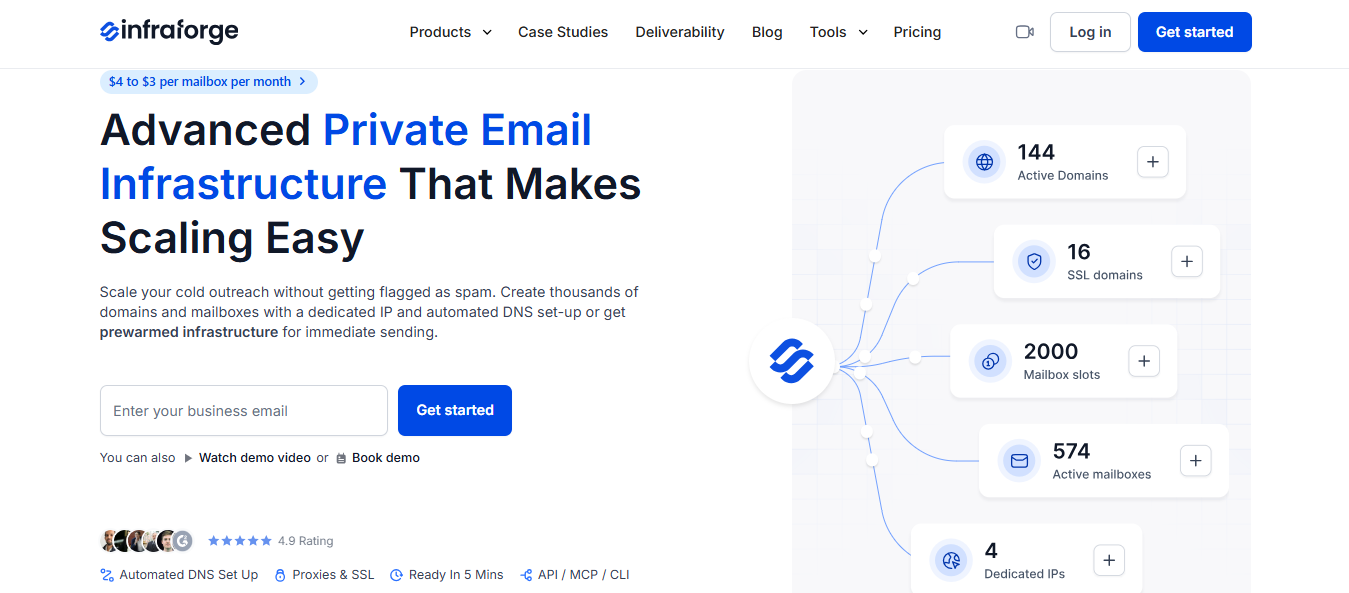
You get control without having to manage the server yourself. Configuring SMTP, IMAP, and authentication records across 50 domains by hand would take hours. With Infraforge, you add a domain and can have it ready within minutes.
You can also separate clients cleanly. Each workspace can run on its own IP, so one client’s rushed campaign does not affect another.
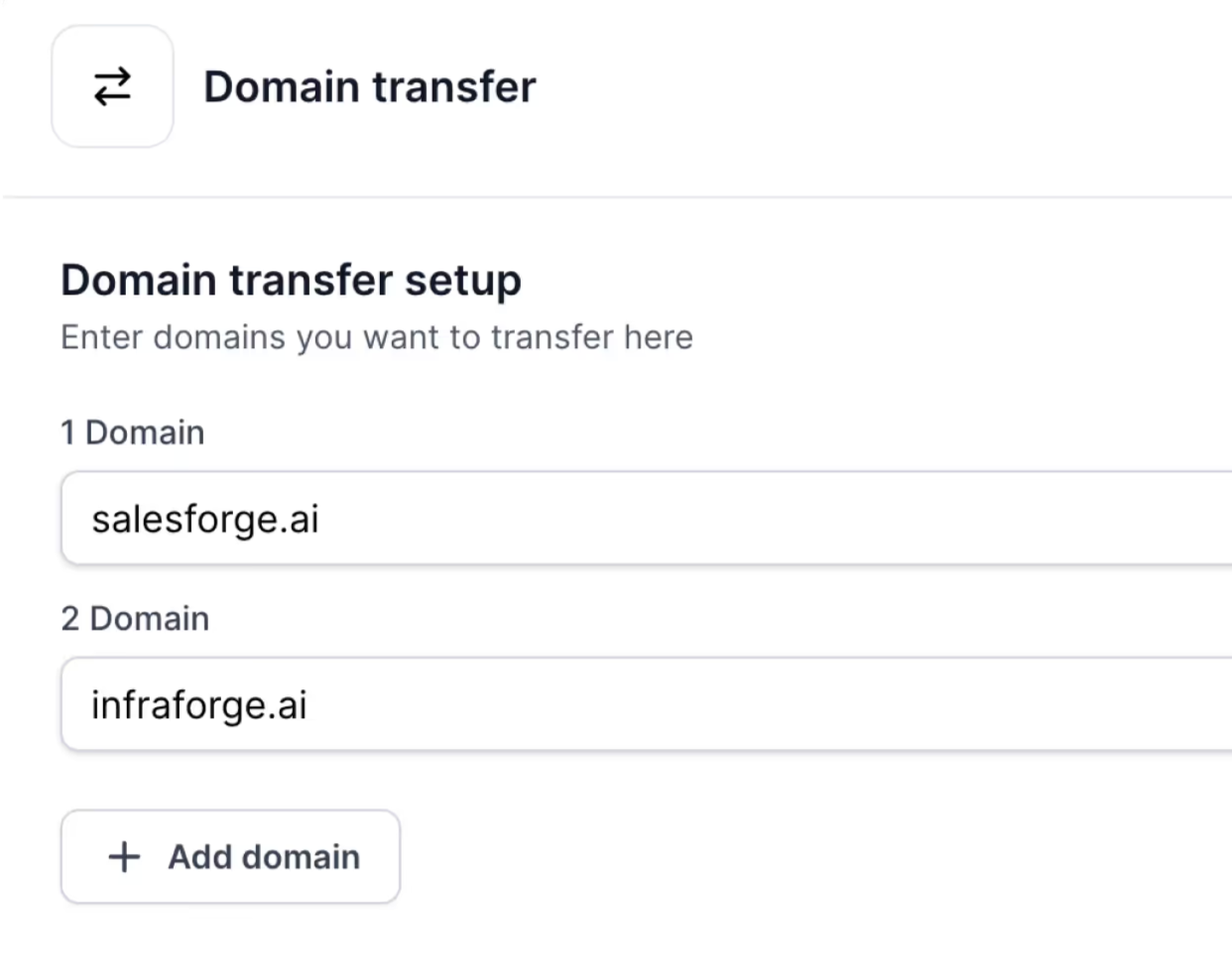
You are not locked in either. Mailboxes can be exported to other sending tools, and domains can be transferred out whenever you want.
What you do not get is guaranteed inbox placement. A private IP removes other senders from the equation, but it also removes the cushion. Send to an unvalidated list, and every complaint lands on your IP. The damage may appear faster than it would on a shared pool.
Warmup is not included. Unless you buy pre-warmed mailboxes, new ones need about two weeks of warming. That requires a separate Warmforge subscription, including after your campaigns begin.
You also do not get Google Workspace or Microsoft 365 mailboxes. If your strategy depends on either provider, Infraforge will not work for that use case.
Finally, there is no single all-inclusive price. Mailboxes, domains, extra IPs, masking, and Masterbox are billed separately. This is the most common complaint in user reviews.
Here’s what users have to say about Infraforge private email infrastructure.
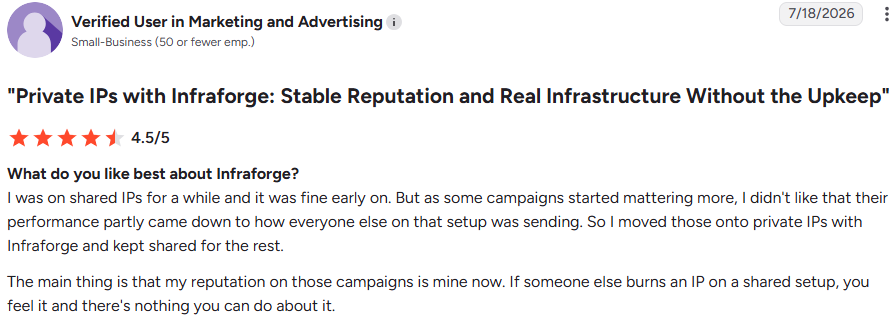
A User moved important campaigns from shared IPs to Infraforge while keeping the rest on shared infrastructure. Their summary: “my reputation on those campaigns is mine now.”
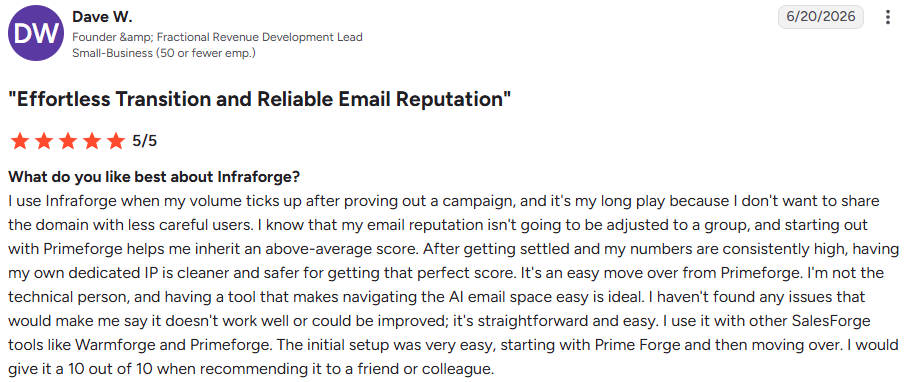
Dave W. follows a similar approach. He tests campaigns on Primeforge, then moves them to Infraforge once volume grows because he does not want to share a domain “with less careful users.”
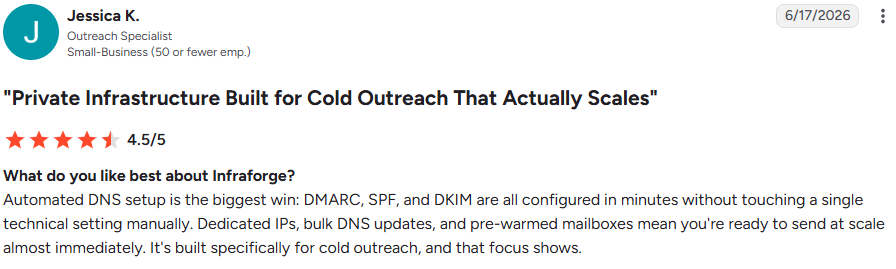
Jessica K., an outreach specialist, calls automated DNS “the biggest win.”
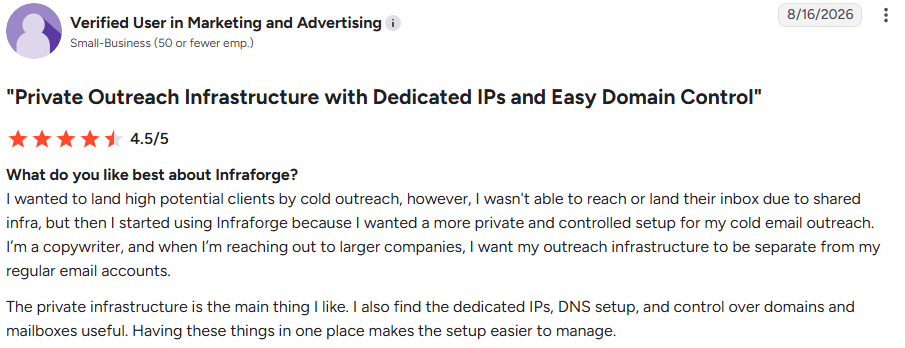
Another user says shared infrastructure kept them out of larger prospects’ inboxes. They moved to Infraforge to separate outreach from their regular accounts.
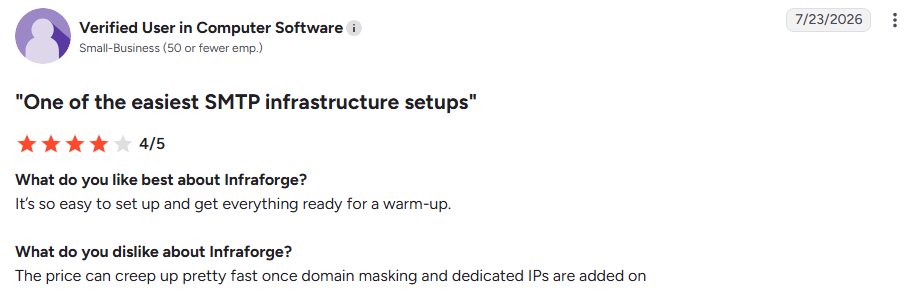
A reviewer puts it plainly: “The price can creep up pretty fast once domain masking and dedicated IPs are added on.” The Aug 16 copywriter agrees that scaling “can be expensive a bit.”
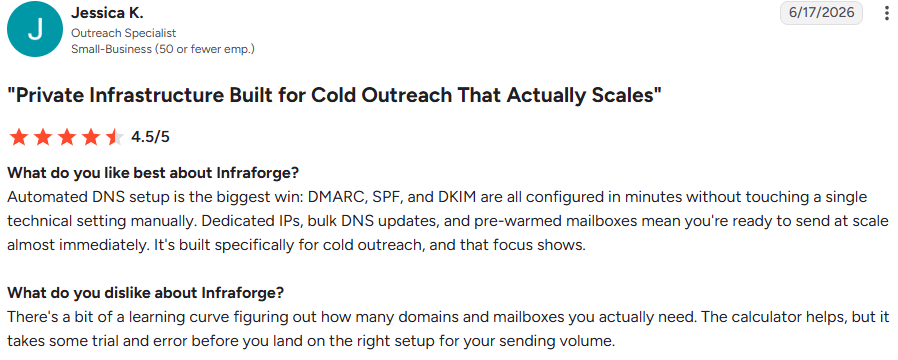
Jessica K. says deciding how many domains and mailboxes to buy involves “a bit of a learning curve,” even with the calculator.
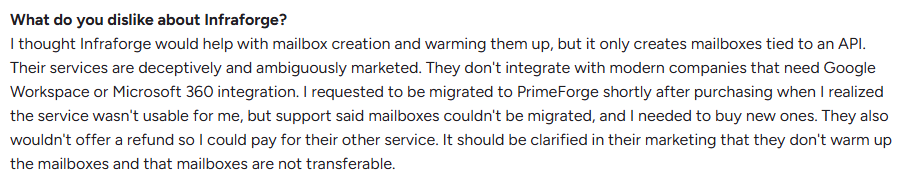
A user expected help warming mailboxes and discovered Infraforge did not provide it.
They also could not use Google Workspace or Microsoft 365, asked to move their mailboxes to Primeforge, were told to buy new ones, and did not receive a refund.
Here is what each Infraforge screen changes once you have paid, along with the catches to watch out for.
You enter three figures: emails per sequence, mailboxes per domain, and monthly contacts. For 8,000 contacts, two emails each, and three mailboxes per domain, it recommends 8 domains at $83 monthly with annual billing or $100 with quarterly billing.
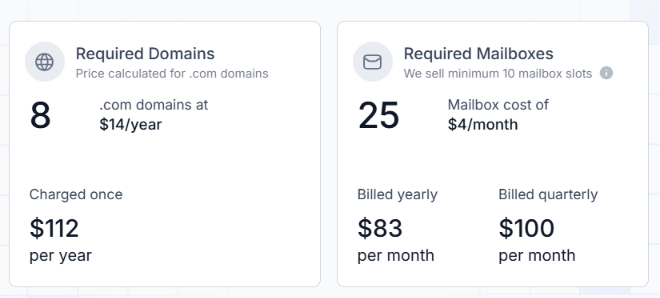
Take this seriously because you pay for slots, not active mailboxes. Buy too many, and you pay for empty seats. Buy too few, and your mailboxes must send more than is safe.
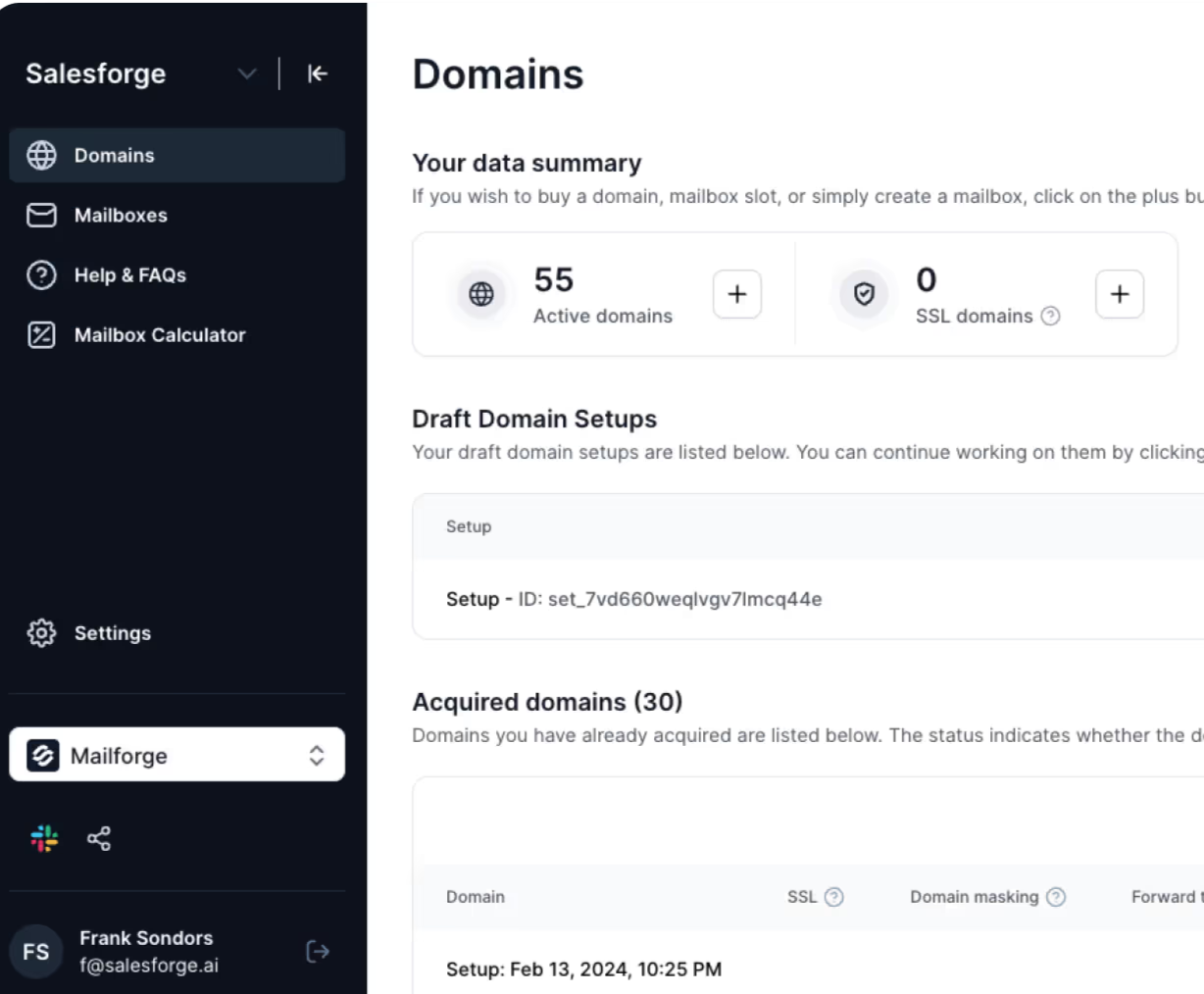
The Domains screen counts active domains, SSL domains, and IP addresses. The example shows 144 domains across 4 IPs.
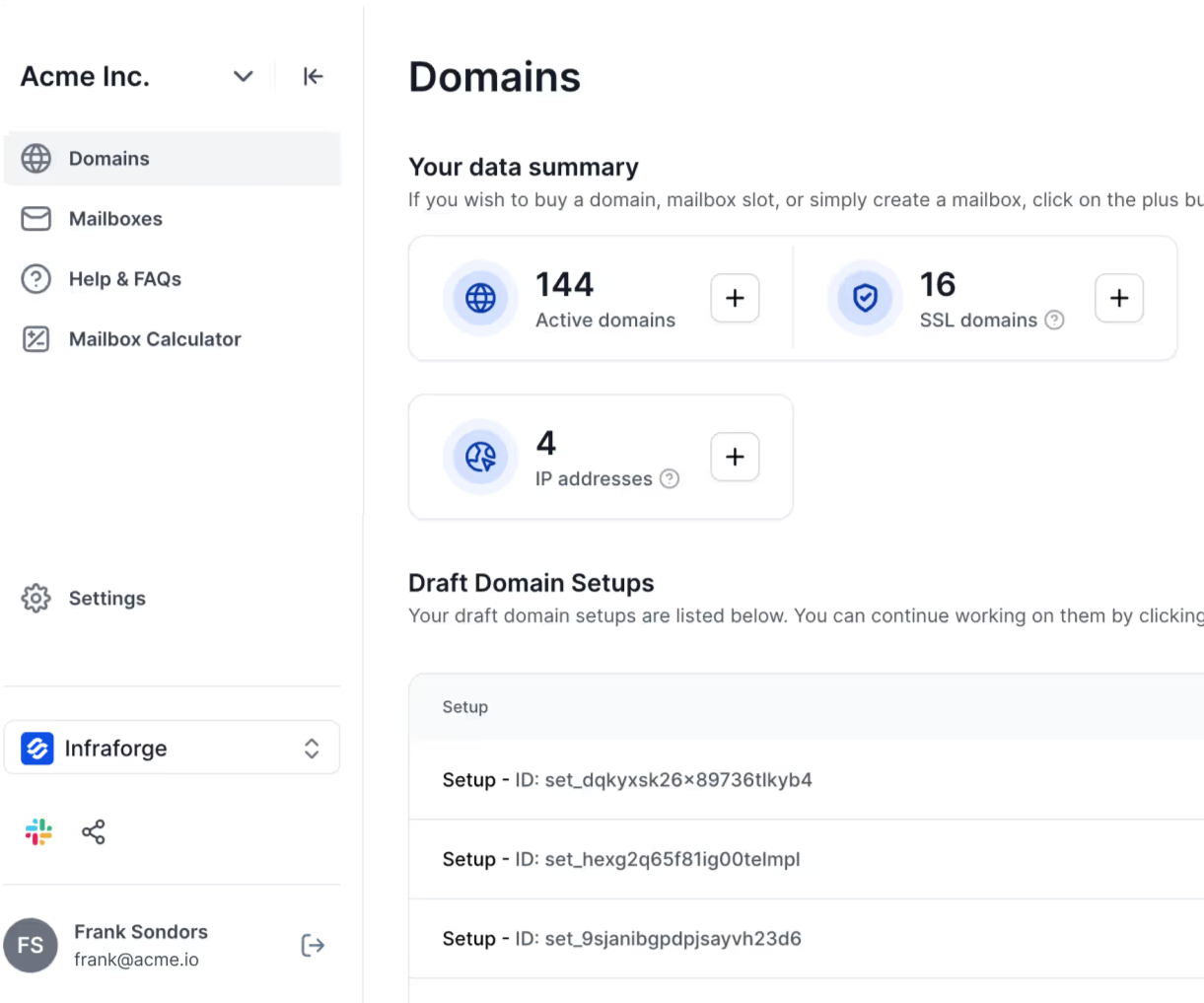
The number to watch is mailboxes per IP. Keep it below 40, with each mailbox sending fewer than 30 cold and 20 warmup emails daily. Go beyond those limits, and you risk the IP reputation you are paying to protect.
Incomplete setups remain under Draft Domain Setups, so you can stop and return later.
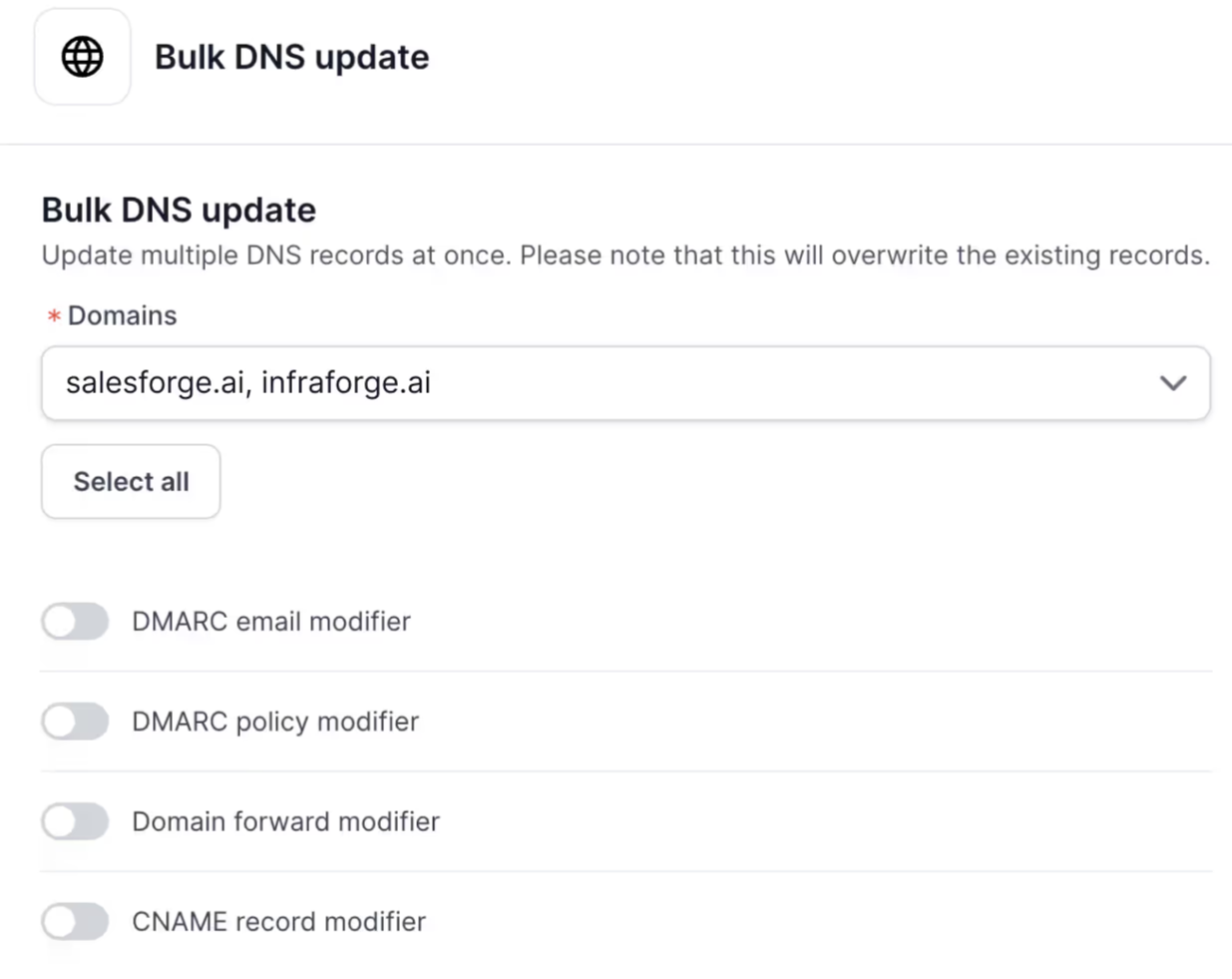
Select your domains, enable the change, and apply it to all of them. You can update the DMARC reporting email, DMARC policy, domain forwarding, or CNAME records together.
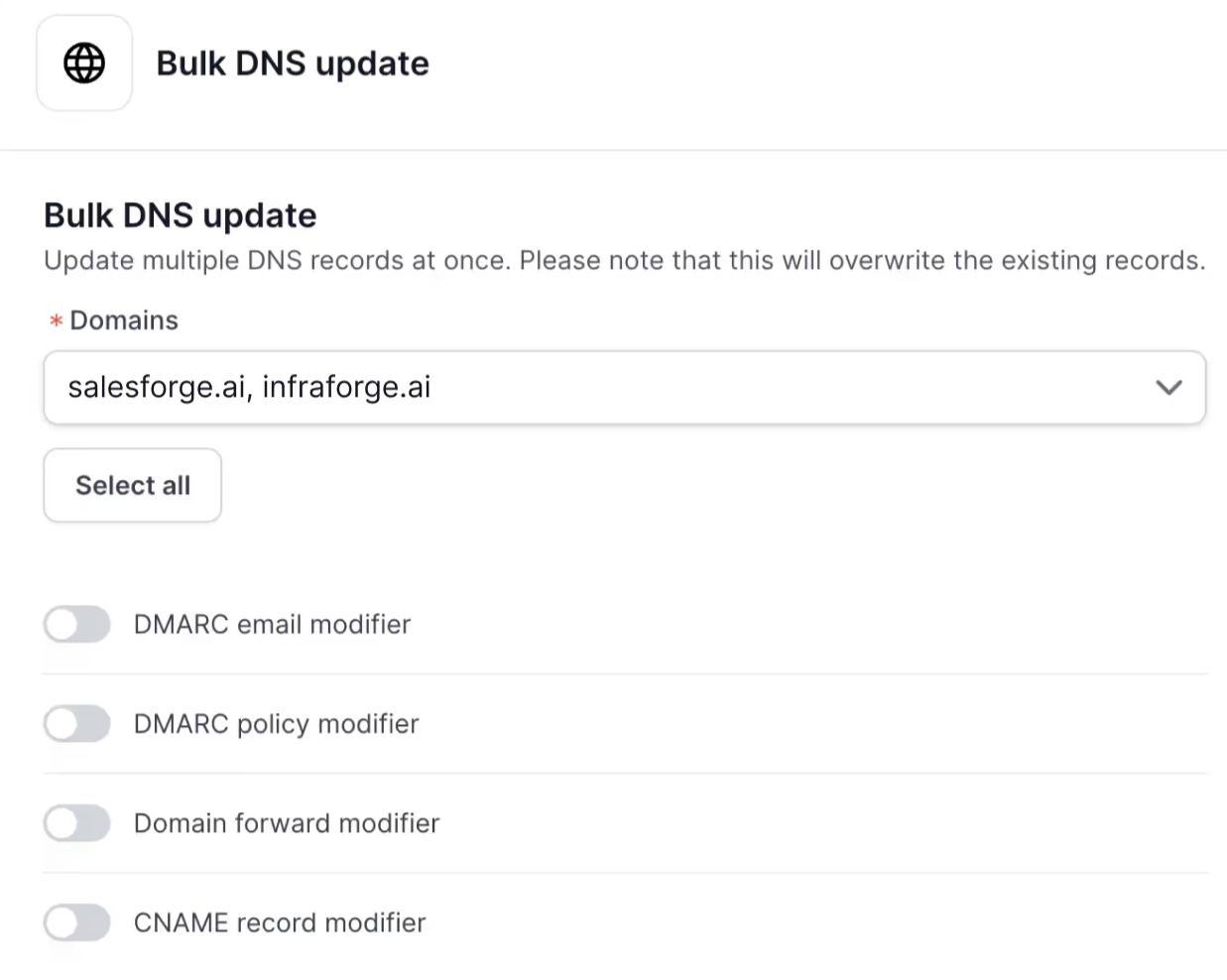
In practice, this lets you move 50 domains from DMARC monitoring to quarantine or point every sending domain to a new website after rebranding. The screen warns that existing records will be overwritten, so check your selection before saving.
The pre-warmed setup has four steps: select domains, configure DMARC and forwarding, review mailboxes, and pay. Four domains with eight mailboxes cost $88.
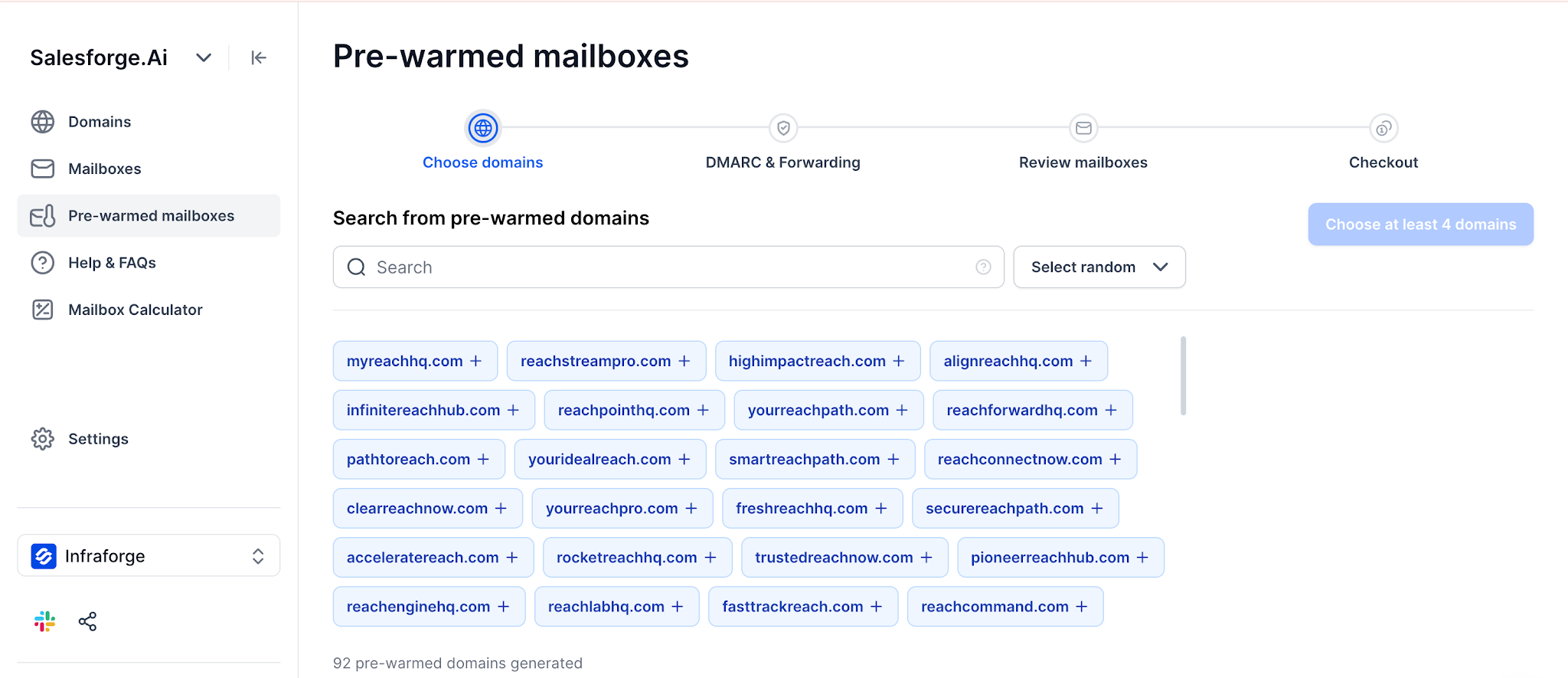
Look closely at the available choices. Domains include names such as techsavvy.io and celestialbloom.org. Mailboxes may arrive as Kennedy Green or Elijah Spencer, and you cannot rename them.
That means prospects receive emails from an unfamiliar person on a domain unrelated to your company. I would use these mailboxes to test an offer quickly, then move proven campaigns to warmed domains matching my brand.
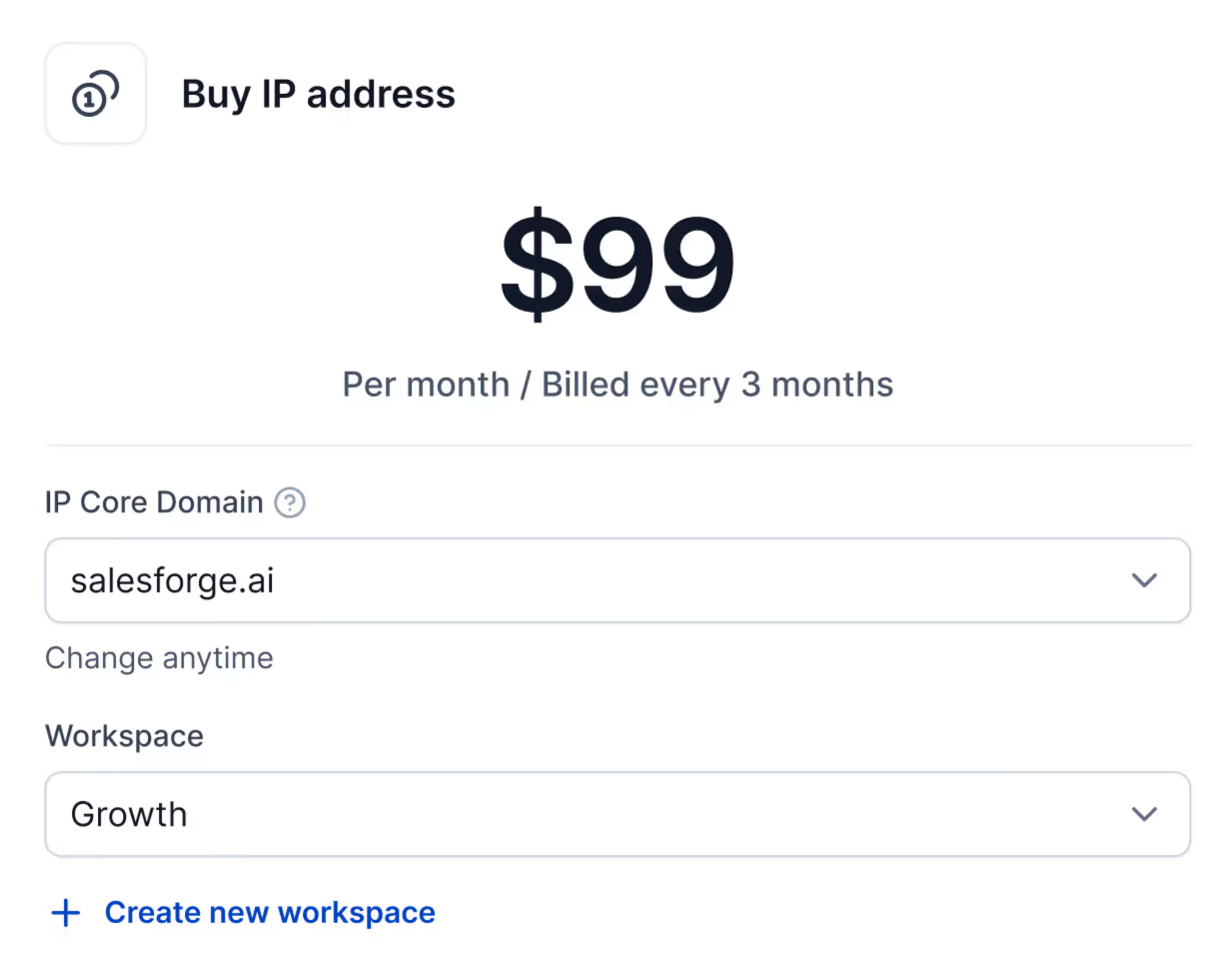
The workspace selector lets you create a workspace and buy an IP for $99 monthly, billed every three months. That is $297 upfront for each IP.
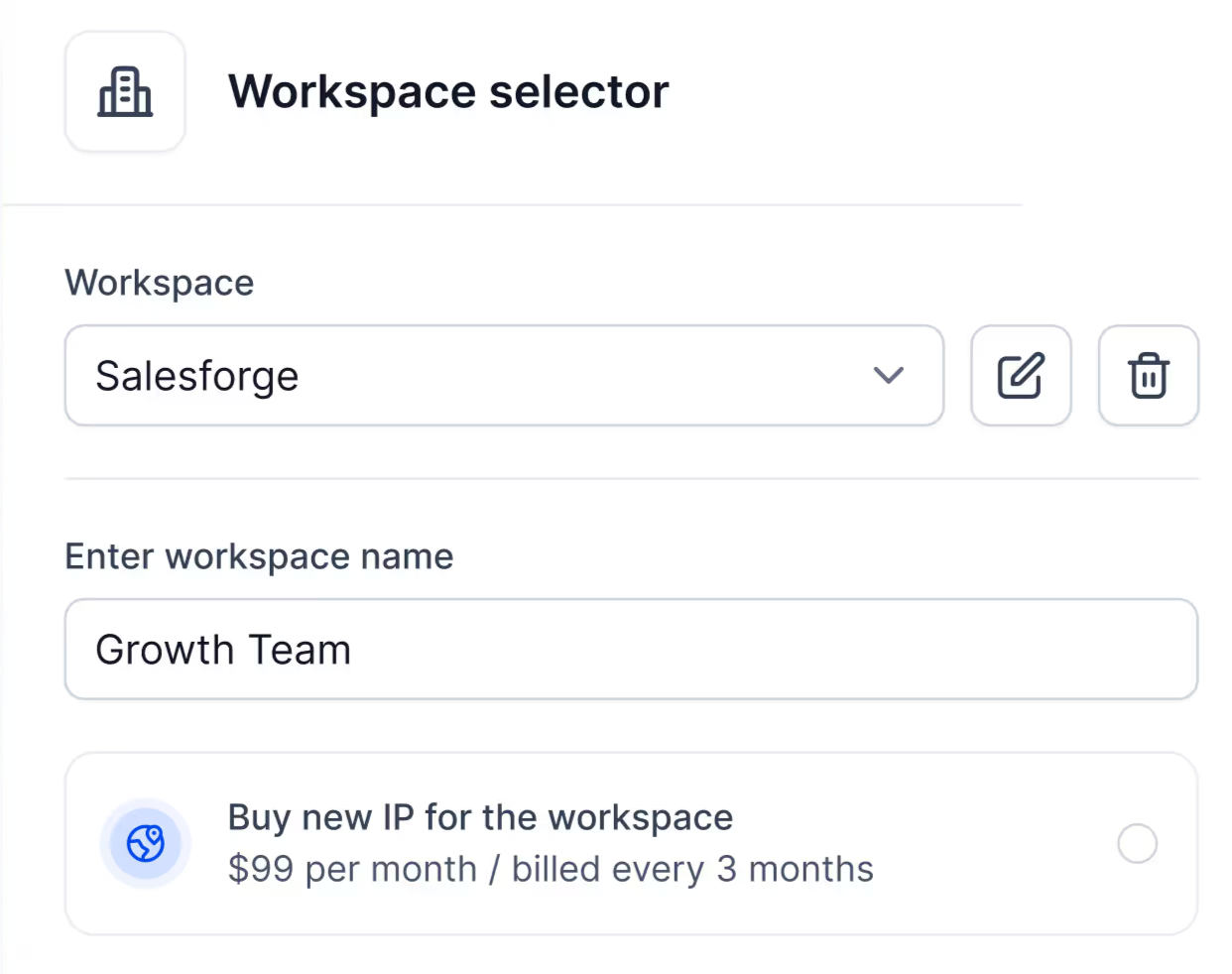
For agencies, this prevents one client’s poor list from hurting another client’s inbox placement. If a client leaves, you can move their domains and mailboxes to another workspace instead of rebuilding them.
Enable SSL, and your sending domains use HTTPS rather than a basic HTTP page. Enable the masking proxy, and visitors will see your website while the address bar still shows the sending domain.
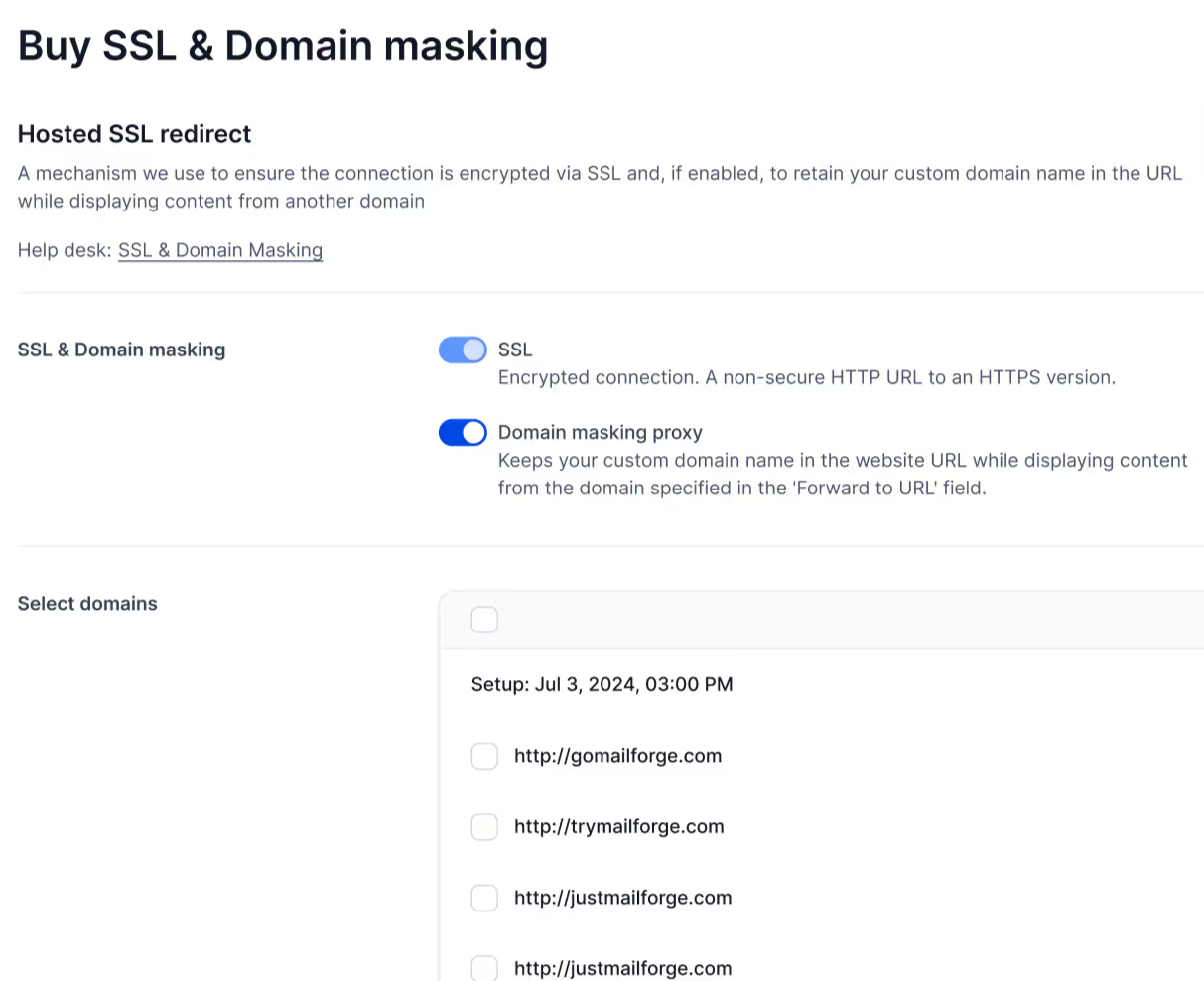
Without masking, visitors are redirected to your main website, linking the two domains. Pay $6 per domain annually instead of $2 per domain monthly, since the yearly price is one-quarter of the monthly cost.
For $7 per workspace, replies from every mailbox appear in one view. Activation may take up to an hour when you have many mailboxes.
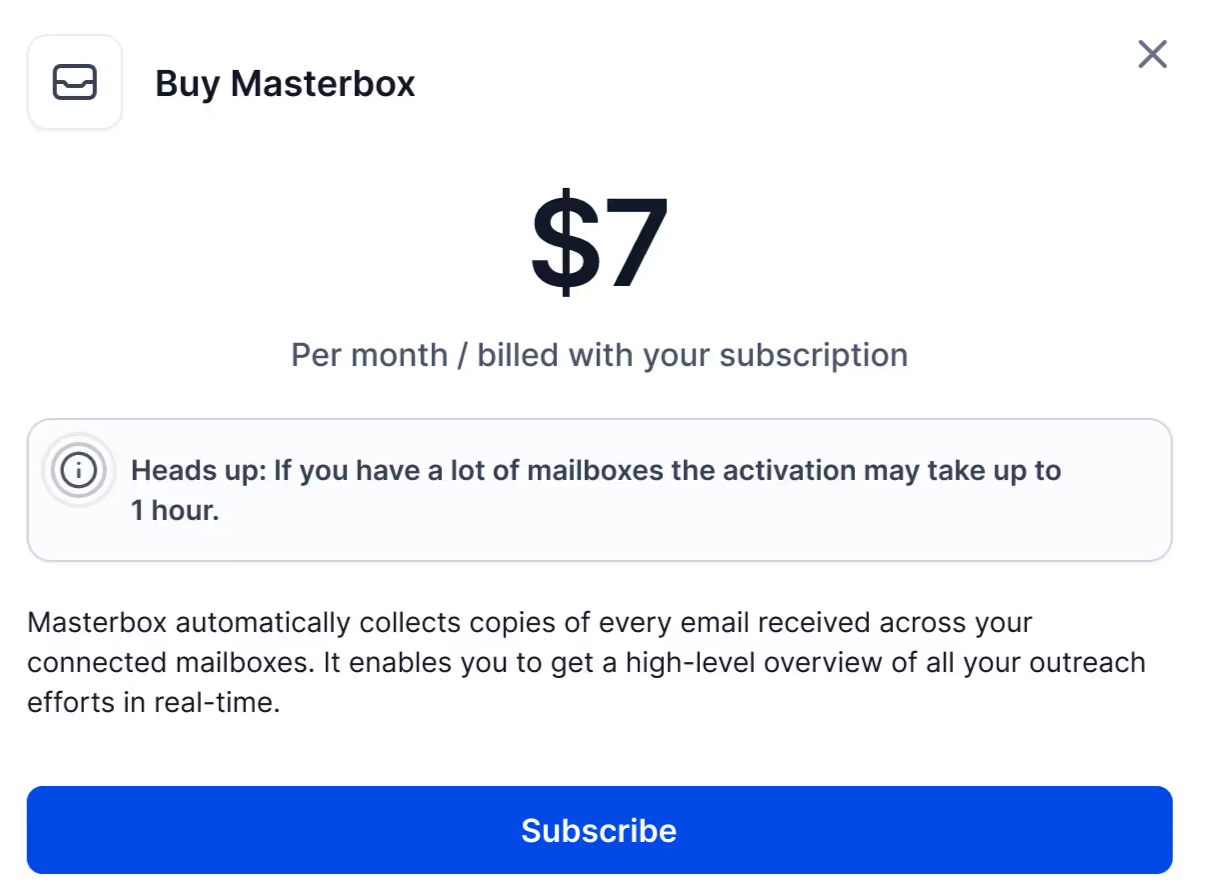
If your sending tool already combines replies, you can skip this add-on.
The export screen creates a CSV for Smartlead, Instantly, ReachInbox, or FirstQuadrant. You can also transfer your domains out completely.
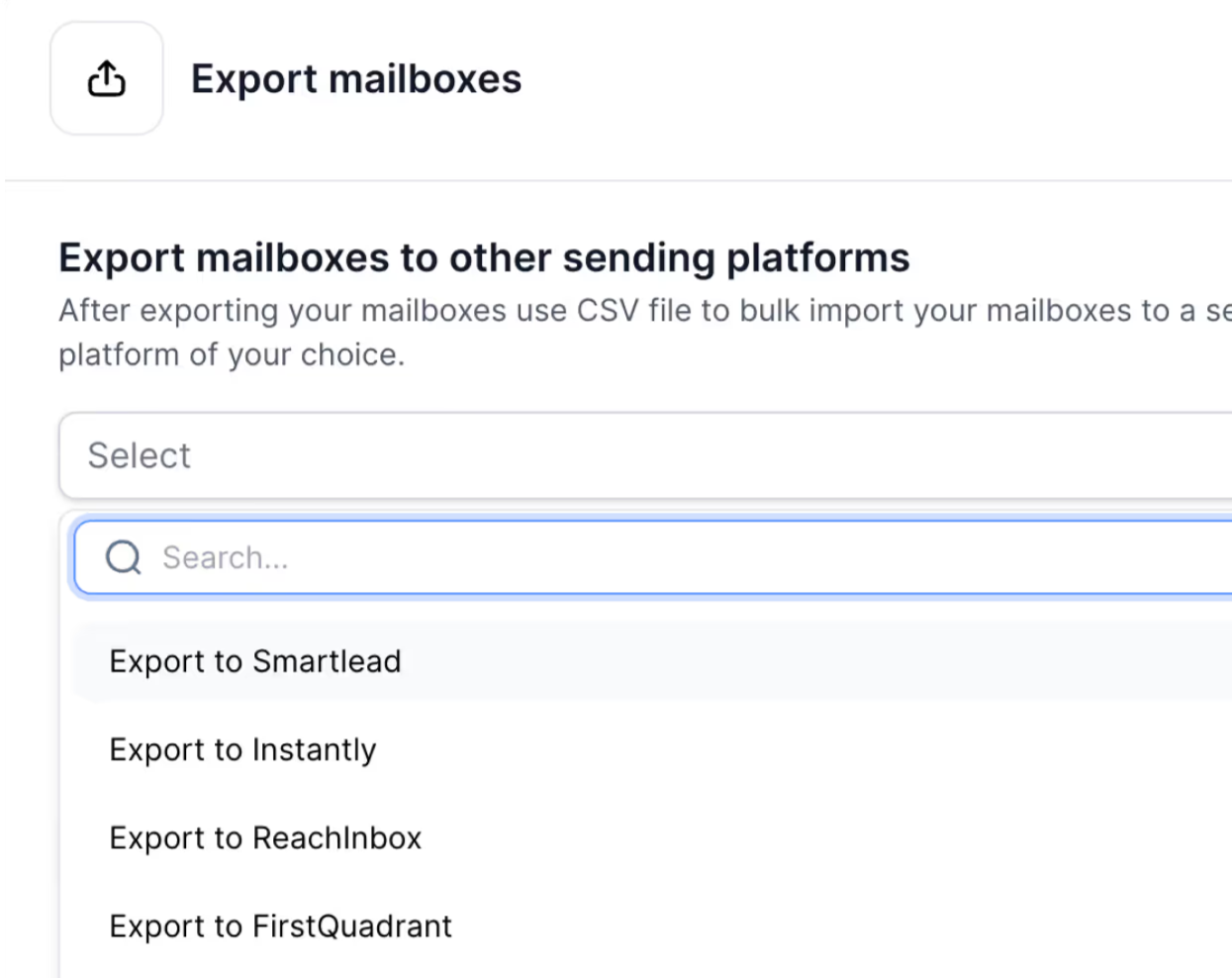
API keys appear under Settings, each with its own switch. When a contractor leaves, you can disable their key without affecting anyone else.
Open a domain’s DNS management tab, and its A record shows the IP it uses.
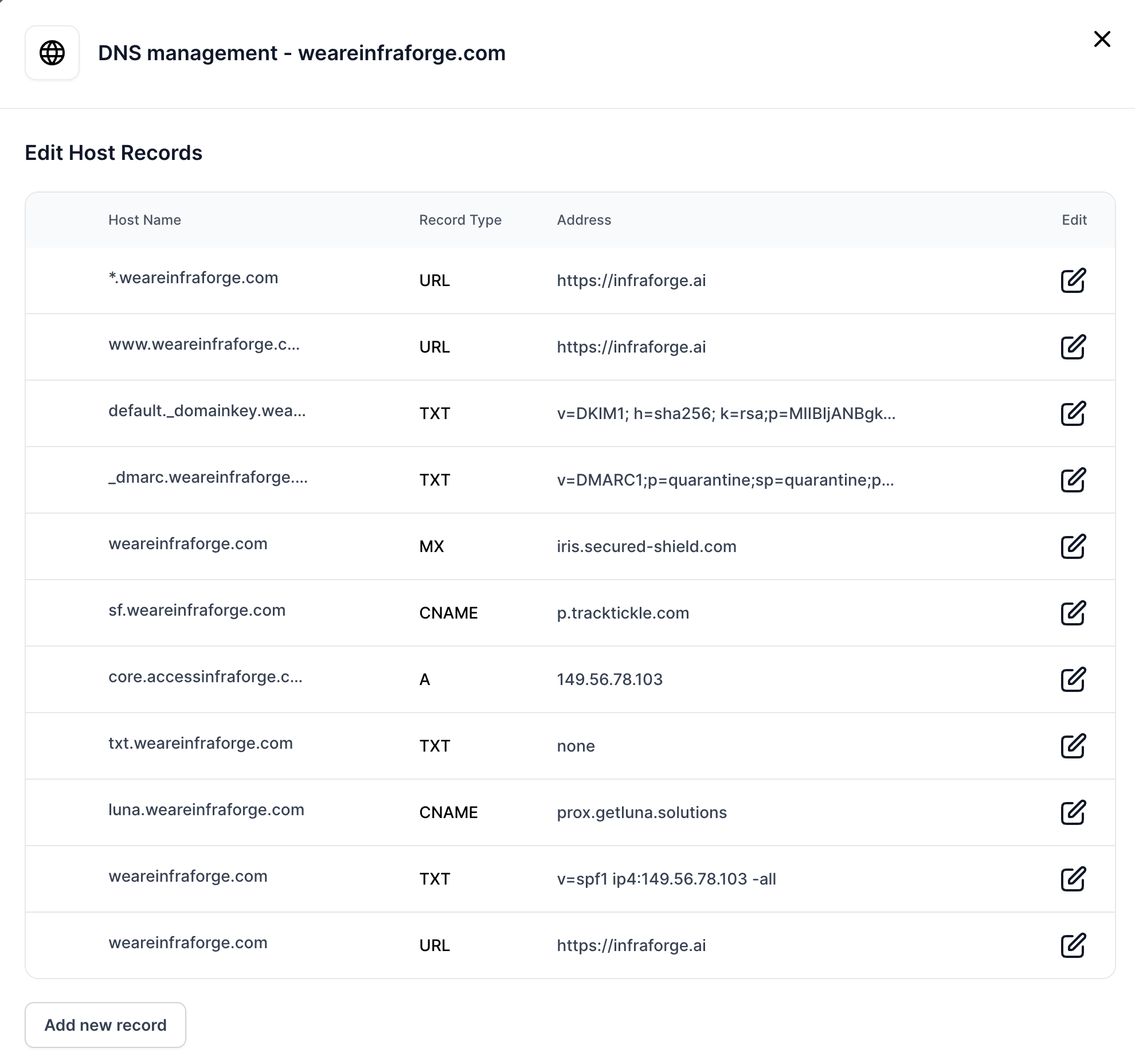
If a blacklist check flags an IP, you can identify its domains and pause only those mailboxes instead of stopping your entire setup.
Infraforge’s comparison chart prices 200 mailboxes at $651 monthly, versus $1,680 on Google Workspace and $1,200 on Microsoft 365.
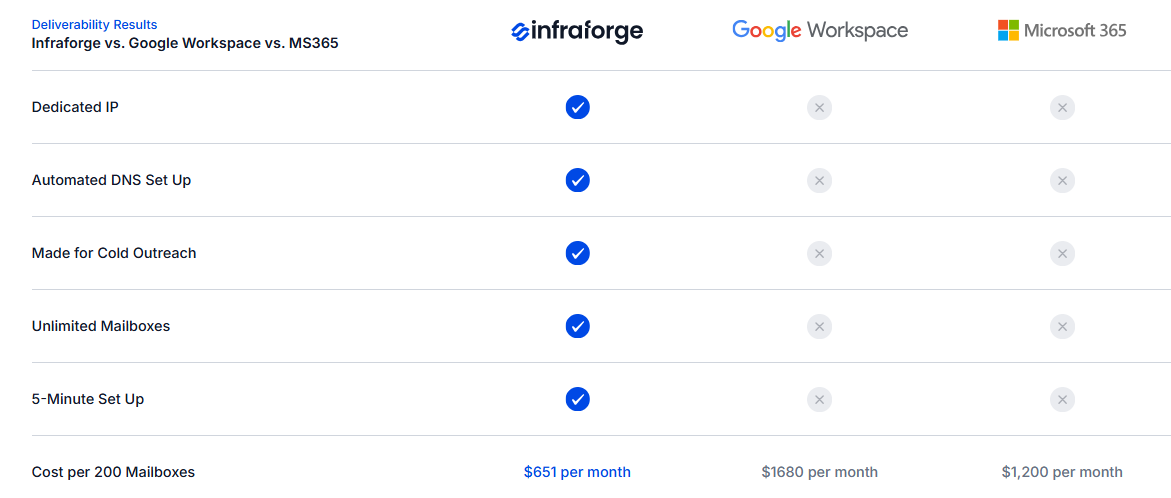
Infraforge remains cheaper, but 200 mailboxes need 5 IPs, with a maximum of 40 mailboxes per IP.
Add $99 for every IP, and the difference narrows significantly. Calculate the complete cost for your volume before comparing providers.
Infraforge bills separately for mailboxes, domains, and add-ons, with quarterly or annual payments.
The 10-mailbox minimum costs $40 monthly, plus roughly $70 annually for five .com domains.
Paying annually gives you two free months, reducing the effective $4 price to about $3.33. Domains receive no discount.
If you buy 20 slots and create 12 mailboxes, you still pay for 20. The benefit is that you can delete and replace mailboxes without having to pay again.
Infraforge does not warm mailboxes or send campaigns. Budget for Warmforge and a sequencer because every Forge product is billed separately.
Forty mailboxes at $4 cost $160 monthly. Add around 16 domains at $14 annually (about $19 monthly), and one IP supports roughly 1,200 cold emails per day for about $180. A second IP adds $99.
You can explore the app before buying, but testing requires purchasing domains and mailboxes. You can cancel at any time.
Infraforge suits teams already sending cold email at scale, following safe limits, and ready to own their reputation.
If you are still testing offers or sending low volumes, a dedicated IP may cost more while offering less protection than expected.
Mailforge works much like Infraforge, with one major difference. You get the same automated setup and domain control, but your mailboxes use a shared IP pool instead of a private one.
That trade-off shapes everything else. You lose an exclusive reputation, but you also avoid carrying all the risk. The same 25 mailboxes cost $60 monthly instead of $83.
This difference determines which product fits you. Infraforge gives you full ownership of your reputation, rewarding disciplined sending but punishing mistakes. Mailforge’s pool absorbs some of those bumps while costing less.
A private IP needs consistent volume to remain healthy. If you run 10 to 30 mailboxes, you may pay for isolation without seeing much benefit. One reviewer made the same point about smaller setups.
I entered the same figures into both calculators: 8,000 monthly contacts, two emails each, and three mailboxes per domain. Both recommend 25 mailboxes.
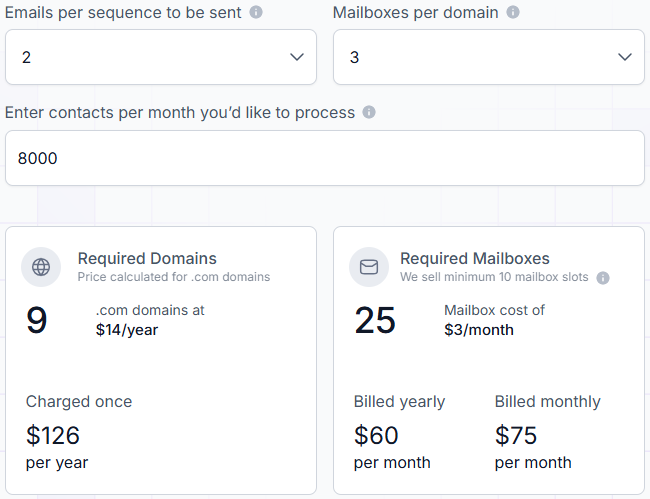
Mailforge costs $60 monthly with annual billing. Infraforge costs $83 before any extra IPs. Over a year, the difference can pay for your domains several times.
Infraforge requires at least quarterly billing, so your first payment covers three months. Mailforge supports monthly payments, which helps when you are still deciding whether cold email works for you.
Domain masking follows the same structure: $2 per domain monthly or $6 annually.
If you are testing an unfamiliar list or offer and expect complaints, shared infrastructure may be safer. On a dedicated IP, every complaint directly and quickly affects your reputation.
The practical split is simple: use shared infrastructure while list quality and offers remain unproven, then move to private infrastructure once sending becomes clean and consistent.
Enter your main domain, choose how many sending domains you need, and Mailforge generates them in bulk. Set your main domain as the redirect so visitors reach your real website, then complete the purchase.
Next, select your domains, create up to three mailboxes for each, choose names, add a signature, and generate everything together. The example creates 60 mailboxes at once.
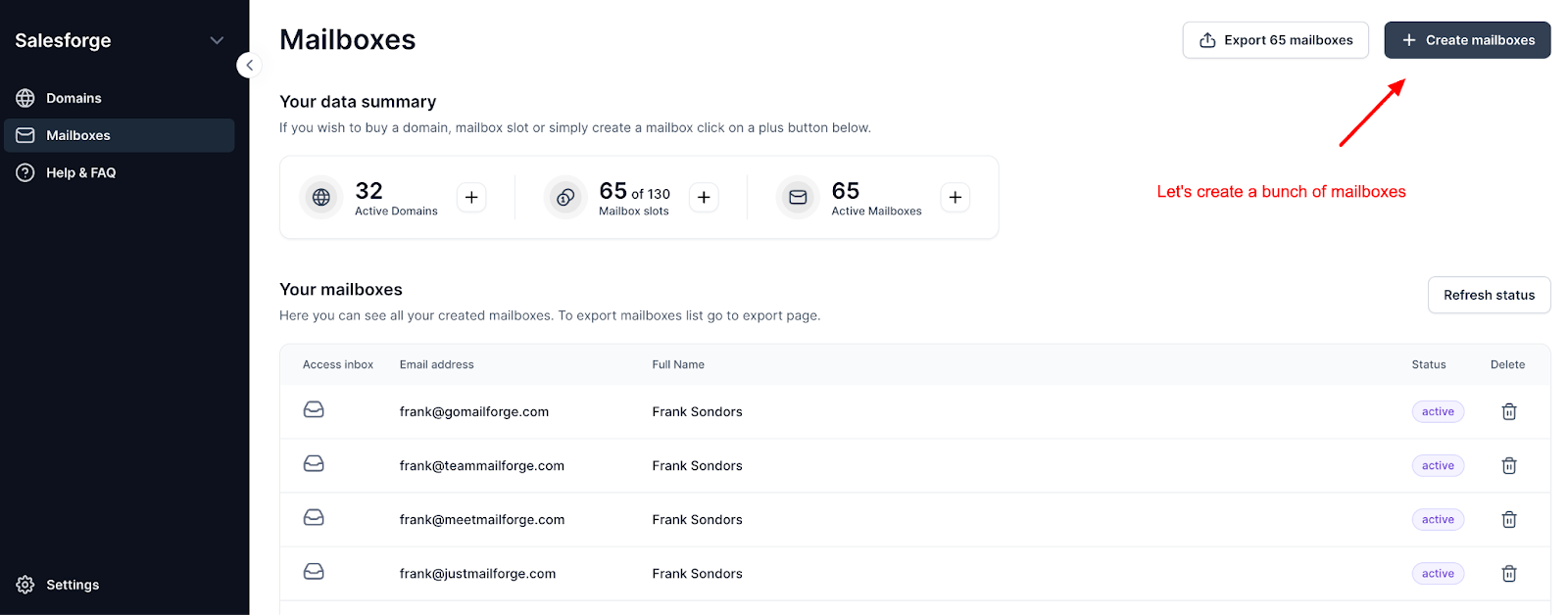
Download the CSV, connect the mailboxes to your sending tool in bulk, and warm them for two weeks before launching a real campaign.
Mailforge also includes bulk DNS updates, client workspaces, domain transfers, and exports to Smartlead, Instantly, ReachInbox, or FirstQuadrant.
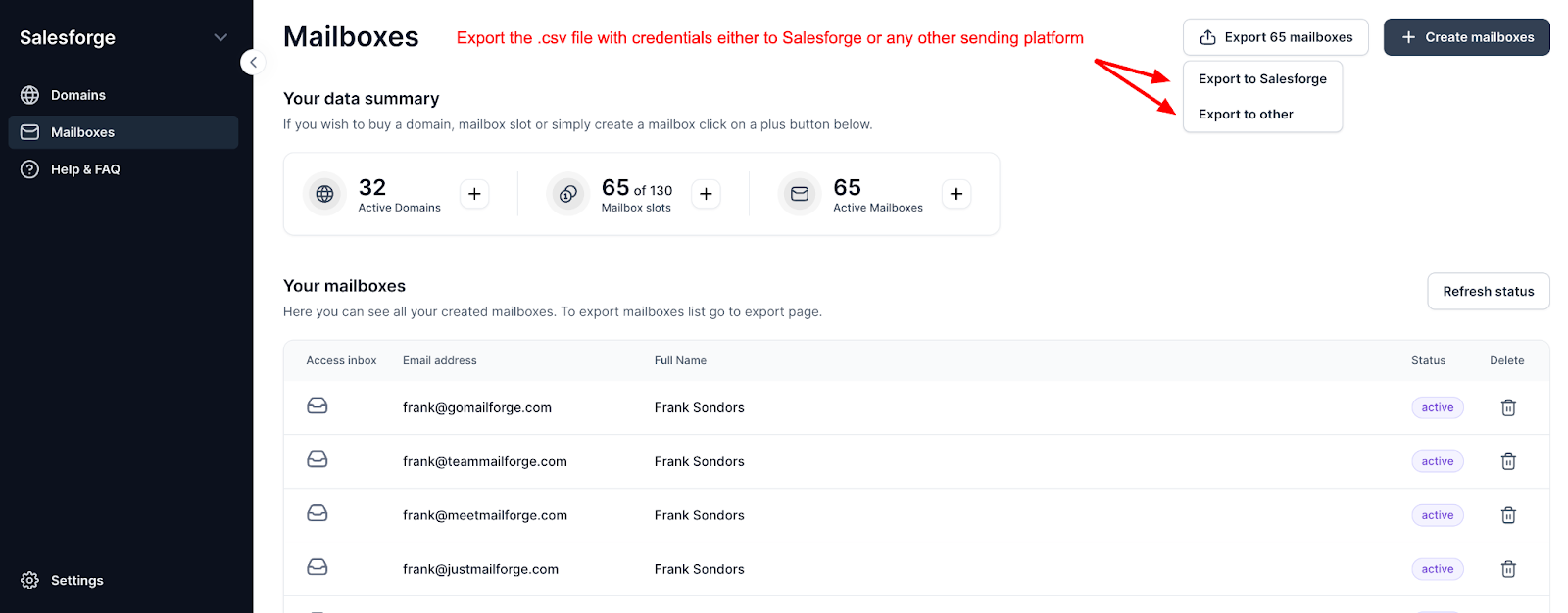
Its API lets you check domain availability, buy domains, create mailboxes, and configure forwarding from your own systems. For agencies onboarding clients regularly, this can turn the entire setup into a script.
Enter your email to get a custom plan & stack recommendation for your business
Please check your mailbox in 5 minutes

Not on day one.
Your earliest campaigns reveal which lists are reliable and which offers earn replies. On a dedicated IP, every complaint from a weak list affects your reputation directly and faster than on a shared pool. Run early campaigns through Mailforge, where 25 mailboxes cost $60 monthly and monthly billing lets you learn with less commitment.
Once a campaign runs cleanly, with validated contacts and almost no complaints, move it to Infraforge. That is when a private IP earns its $99 monthly cost. Your results depend only on your sending, and agencies can keep each client’s reputation separate.
Keep unproven campaigns on shared infrastructure. Several reviewers already divide their sending this way, and it is the setup I would follow.
Start with Mailforge, then give proven campaigns an IP of their own.