TL;DR - Top 5 Pre-Warmed Email Account Providers in 2026
Mailforge – Great for cheap pre-warmed email accounts for cold outreach.
Primeforge – Best for affordable, pre-warmed Gmail & Microsoft 365 domain accounts.
Infraforge – Best for reliable Gmail & custom domain accounts.
WarmInboxes – Ideal for prewarmed Google, Microsoft, and Azure inboxes.
Zapmail – Great for automation-friendly email accounts with CRM integration.
How We Evaluated the Best Pre-Warmed Email Account Providers
Before selecting the top 5 pre-warmed email account providers, we focused on features that matter most for reliable cold email outreach:
Deliverability & Inbox Reputation → How likely emails are to reach the inbox and avoid spam filters.
Warm-Up Quality & History → Whether accounts were genuinely pre-warmed and ready to send.
Domain Options & Flexibility → Availability of Gmail, Google Workspace, and custom domains.
Integration with Outreach Tools → How easily accounts connect with platforms like Smartlead, Salesflare, or Apollo.
Scalability & Volume → Whether providers can support both small campaigns and large-scale outreach.
Pricing & Value → Cost transparency and suitability for startups, agencies, and enterprises.
By using these factors, we shortlisted the 5 best pre-warmed email account providers that give reliable, ready-to-send inboxes for your outreach campaigns.
Top 5 Pre-Warmed Email Account Providers in 2026: Quick Comparison
1. Mailforge - Best Affordable Pre-Warmed Email Accounts for Cold Outreach
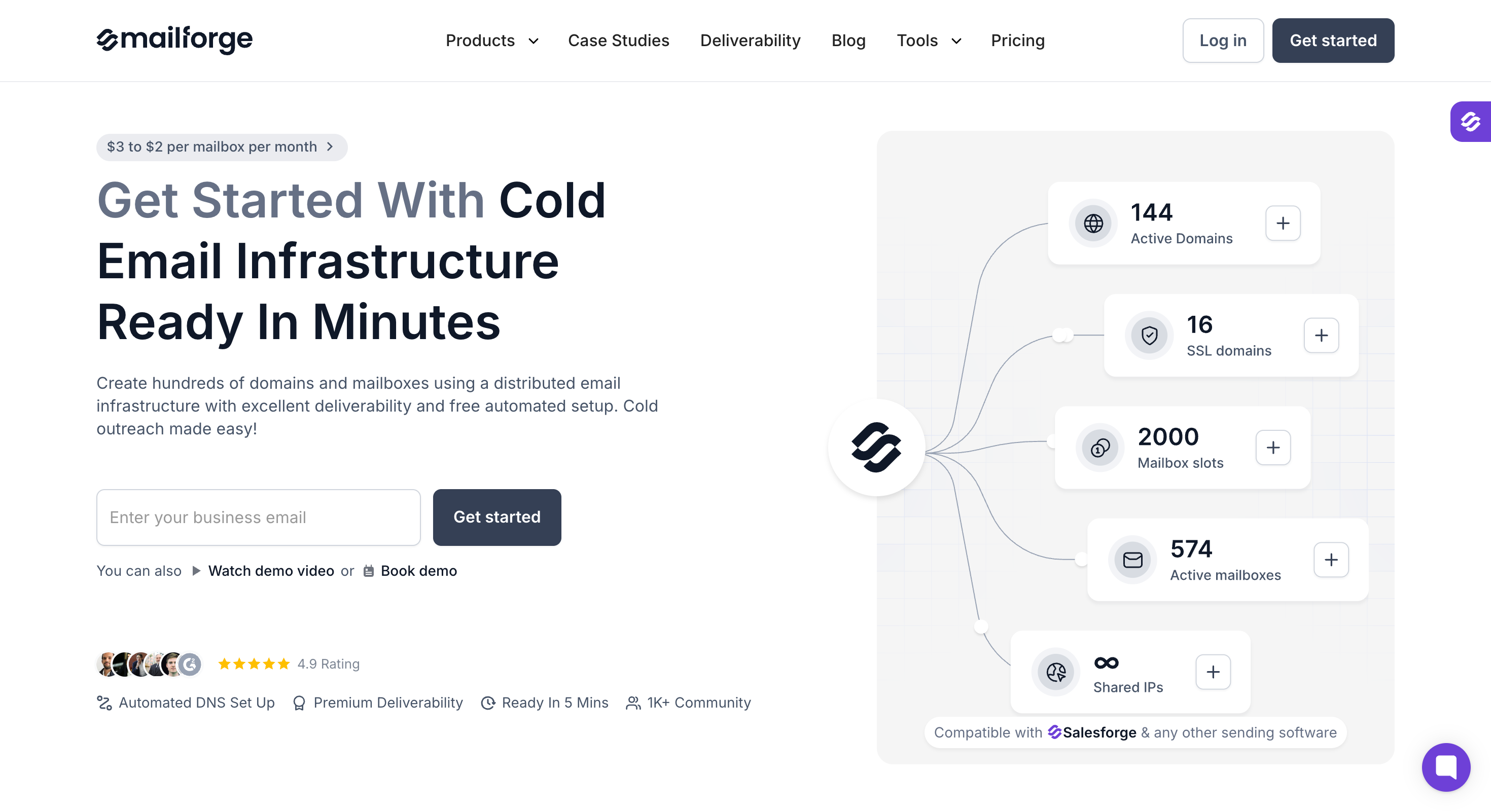
This image shows the Mailforge homepage
Mailforge is a good option if you need a large number of pre-warmed mailboxes for cold outreach. You can set up multiple mailboxes quickly and start sending without warming each one from scratch.
Pre-warmed mailboxes cost the same as fresh ones. You also get automated DNS setup and can manage your domains and mailboxes from one place.
The main trade-off is shared infrastructure. Your mailboxes run in a shared sending pool with other users. This keeps the setup simple, but your sending environment is not fully isolated.
Key Features of Mailforge
Pre-warmed domains and mailboxes are available through the app or public API.
Create domains and mailboxes in bulk based on your sending volume.
Automated SPF, DKIM, DMARC, and custom tracking domain setup.
Update DNS settings across multiple domains at once.
Transfer domains into or out of Mailforge.
Create separate workspaces for different clients and projects.
SSL and domain masking options for cold email campaigns.
Works with major sending tools, including Salesforge.
Free, unlimited warmup through Warmforge with any Salesforge plan.
API, MCP server, and CLI access for custom setups and automation.
Pros of Mailforge
The most affordable cost per mailbox of the three Forge infrastructure products
Full setup finishes in under 10 minutes
Pre-warmed mailboxes cost the same as fresh ones, with no separate premium plan
No domain lock-in, since you can transfer domains out at any time
Cons of Mailforge
Shared IP pool means your placement partly depends on other senders in it
No free trial, though the app is free to explore before buying
Mailforge Pricing
$3 to $2 per mailbox per month, with the rate dropping at higher volume
Minimum 10 mailbox slots
Domains priced separately by TLD
SSL and domain masking at $2 per domain per month, or $6 per domain per year
Best For: Small and mid-size teams, freelancers, and agencies that need a high mailbox count on a modest budget and can accept shared infrastructure.
Mailforge is the right pick when you are optimising for cost per mailbox. If your prospects are mostly on Gmail and Outlook and you want ESP matching on mailboxes you own outright, Primeforge is the better fit.
2. Primeforge - Best for Google Workspace & Microsoft 365 Email Accounts
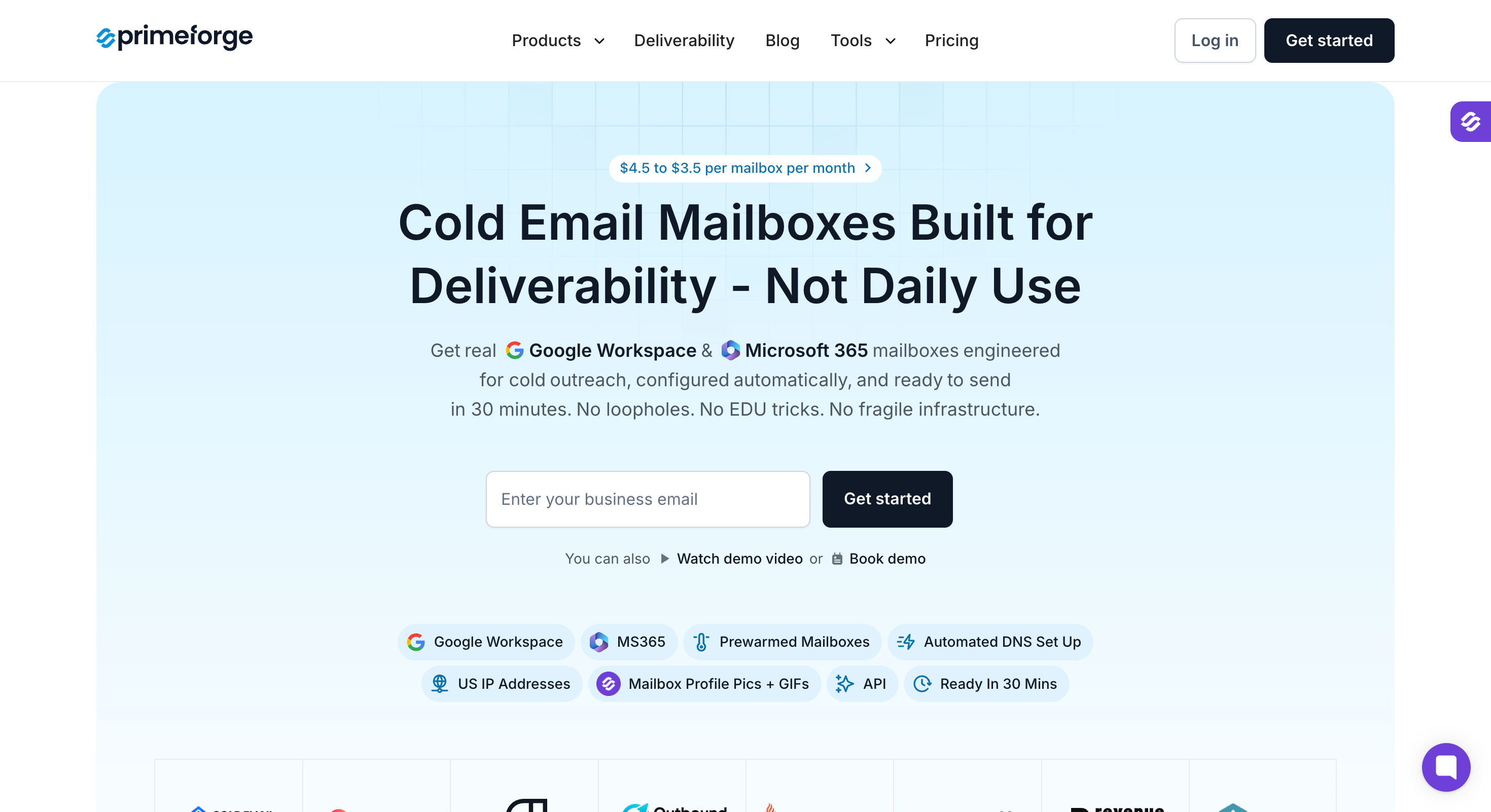
This image shows the Primeforge homepage
Primeforge offers a unique approach to cold email outreach by providing fully owned Google Workspace and Microsoft 365 mailboxes tailored specifically for cold email campaigns.
Unlike typical pre-warmed email accounts, Primeforge does not sell rented inboxes but instead delivers mailboxes that you control with automated setup and optimized infrastructure.
Key Features of Primeforge:
Provides Google Workspace and Microsoft 365 mailboxes with full administrator access and domain ownership.
Automated setup of SPF, DKIM, DMARC, and MX records ensures optimal deliverability without manual configuration.
Mailboxes are ready within 30 minutes, significantly faster than traditional warm-up periods.
Supports multiple domains and multiple inboxes, allowing easy scaling for agencies managing multiple clients.
Compatible with all major cold email tools, including Salesforge, Instantly platform, and Smartlead, enabling seamless integration.
Includes mailbox profile pictures and GIFs to help your emails stand out in crowded inboxes.
Pros of Primeforge:
Full domain ownership and administrator access eliminate vendor lock-in and provide long-term control.
Fast setup with automated DNS configuration saves time and reduces technical barriers.
Affordable pricing compared to direct Google or Microsoft subscriptions.
Scalable infrastructure suitable for agencies and businesses handling high sending volume.
Cons of Primeforge:
Does not offer traditional pre-warmed inboxes; some users may prefer immediate warm-up history.
Requires some familiarity with Google Workspace or Microsoft 365 administration for advanced management.
Primeforge Pricing:
This image shows the Primeforge pricing
Pricing ranges from $3.50 to $4.50 per mailbox per month, depending on the plan and volume.
No hidden fees for domain setup or DNS configuration; everything is included.
Annual billing options available for cost savings.
Best For: Agencies, startups, and businesses seeking full control over their email infrastructure with fast setup and scalable, secure mailboxes built for cold outreach.
If you want to build sender reputation on owned domains with optimal deliverability and avoid the risks of rented pre-warmed accounts, Primeforge offers a reliable and cost-effective solution.
3. Infraforge – Best for Reliable Gmail & Custom Domain Accounts
This image shows the Infraforge homepage
Infraforge is a private email infrastructure tool designed for cold outreach.
Instead of shared pools, it gives you dedicated IPs and pre-warmed Gmail or custom-domain accounts.
All the setup, warm-up, and monitoring are handled in the background, so your campaigns can start sending within minutes without worrying about inbox placement.
Key Features of Infraforge:
Infraforge provides pre-warmed Gmail and custom-domain mailboxes that already have a strong reputation and sending history.
You get dedicated IPs with multi-IP support, which keeps deliverability under your direct control.
The platform sets up SPF, DKIM, and DMARC records automatically, so you don’t need technical skills to configure them.
You can create domains and mailboxes in bulk, making it easy to scale outreach quickly.
Built-in sender rotation and smart sending limits keep accounts safe from being flagged as spam.
The system includes SSL and domain masking, giving you secure and branded links.
Pros of Infraforge:
The setup process is fast, often within 5 minutes.
This image shows the Infraforge G2 review about its fast setup
The inbox deliverability is strong, outperforming Google Workspace or Outlook.
This image shows the Infraforge G2 review about its deliverability
Infraforge’s pricing is fair, especially for bulk mailboxes.
Its dashboard is simple and makes managing multiple mailboxes easier.
Cons of Infraforge:
The documentation should cover advanced setups in more detail.
This image shows the Infraforge G2 review about its documentation
Infraforge Pricing:
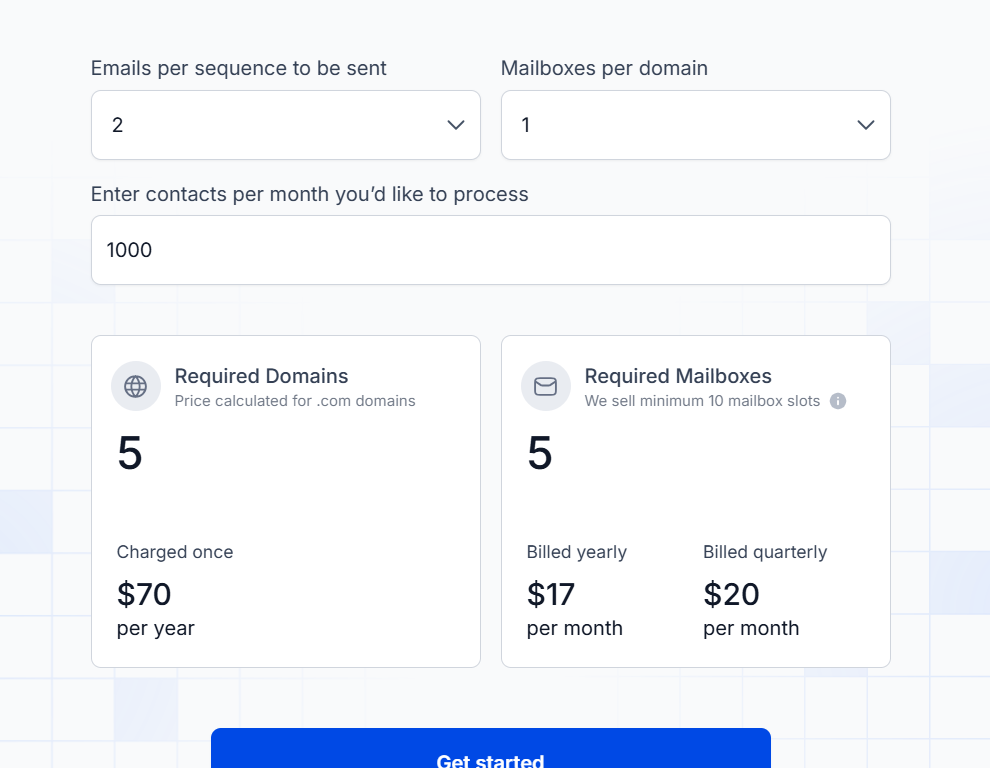
This image shows the Infraforge pricing
Infraforge pricing is based on two things, domains and mailboxes.
Domains → $14 per .com domain per year. Example: 5 domains = $70/year.
Mailboxes → Minimum 10 mailbox slots.
$17/month if billed yearly.
$20/month if billed quarterly.
So, if you want to contact 1,000 people per month with 2 emails each:
You’ll need 5 domains ($70/year).
And at least 10 mailbox slots ($17/month yearly billing).
This setup lets you start sending with warm, deliverable inboxes.
Best For: Teams and agencies that want ready-to-send Gmail and custom-domain accounts with guaranteed deliverability from day one.
If your priority is control and reliability, Infraforge is one of the most trusted ways to get pre-warmed accounts running instantly and scale outreach without any spam issues.
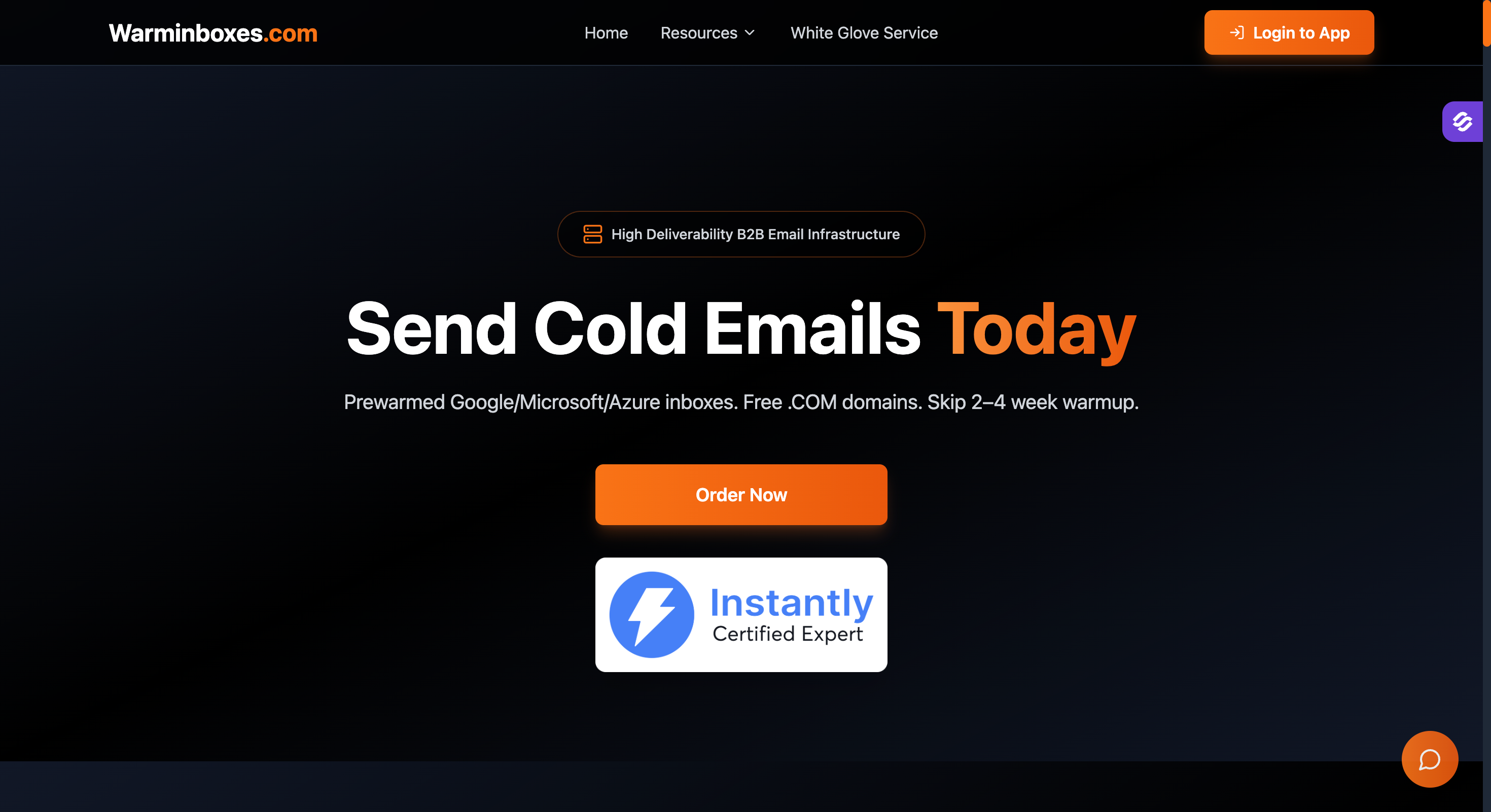
WarmInboxes specializes in delivering prewarmed email accounts across Google Workspace, Microsoft 365, and Azure platforms, tailored specifically for cold email outreach.
Their inboxes come fully configured with essential authentication protocols and a solid sending history, enabling users to launch campaigns immediately without waiting through a warm-up period.
Key Features of WarmInboxes:
Offers prewarmed Google Workspace, Microsoft 365, and Azure mailboxes with established email history and positive sender reputation.
Accounts are pre configured with SPF, DKIM, DMARC, and MX records to ensure optimal deliverability and reduce the risk of hitting spam filters.
Supports multiple domains and inboxes, allowing businesses to distribute sending volume and protect primary domain reputation.
Provides domain forwarding and forwarding domains to maintain brand consistency while using secondary domains for outreach.
Includes IP rotation and automated warm-up process to minimize spam flags and improve inbox placement.
Compatible with popular cold email tools, facilitating seamless integration into existing outreach workflows.
Pros of WarmInboxes:
Wide platform support covering Google, Microsoft, and Azure ecosystems.
Fast setup with ready-to-send prewarmed accounts that bypass traditional warm-up timelines.
Scalable infrastructure suitable for agencies managing multiple clients and high sending volumes.
Strong focus on email deliverability and domain reputation protection.
Cons of WarmInboxes:
Pricing details are available upon request, which may require direct contact for custom plans.
Advanced automation features are less prominent compared to some competitors.
WarmInboxes Pricing:
Pricing varies based on mailbox volume and domain requirements; interested users should contact WarmInboxes for tailored quotes.
Flexible plans accommodate different business sizes and outreach needs.
Best For: Businesses and agencies seeking prewarmed inboxes across multiple major platforms with strong deliverability features and scalable options for cold email campaigns.
WarmInboxes is an excellent choice if you want preconfigured, prewarmed email accounts that support Google, Microsoft, and Azure environments to launch cold outreach same day with confidence.
3. Zapmail – Great for Automation-Friendly Email Accounts
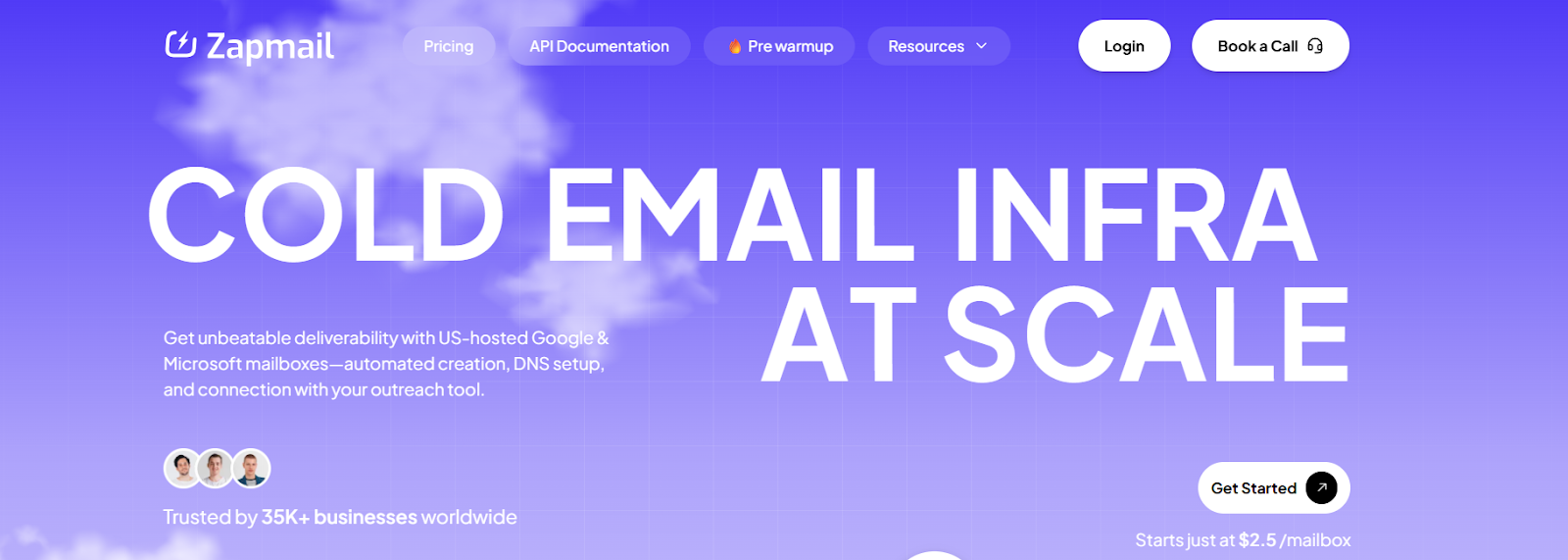
This image shows the Zapmail homepage
Zapmail offers pre-warmed Google and Microsoft mailboxes that are ready to send from day one.
Every account comes with 12+ weeks of warm-up history, realistic sender profiles, clean domains, and properly set up DNS records (SPF, DKIM, DMARC).
Built for cold email deliverability, Zapmail makes it easy to plug new accounts into your outreach tools without spending weeks on manual warm-up.
Key Features of Zapmail:
Zapmail provides pre-warmed Gmail and Outlook mailboxes that already have over 12 weeks of sending history.
Each mailbox is set up with SPF, DKIM, DMARC, and custom tracking domains, so you don’t need to handle DNS manually.
You can connect new accounts through OAuth in just a few clicks, no technical steps required.
Zapmail is designed for CRM and outreach integrations, making it automation-friendly.
Pros of Zapmail:
Zapmail is easy to set up, with OAuth login making it quick.
It’s good for scaling fast, especially with bulk mailbox packs.
Cons of Zapmail:
The pricing transparency could be better (need to contact for custom plans in some cases).
There could be more providers beyond G Suite and Outlook (e.g., Office 365 support).
This image shows the Zapmail G2 review about its limited providers
Zapmail Pricing:
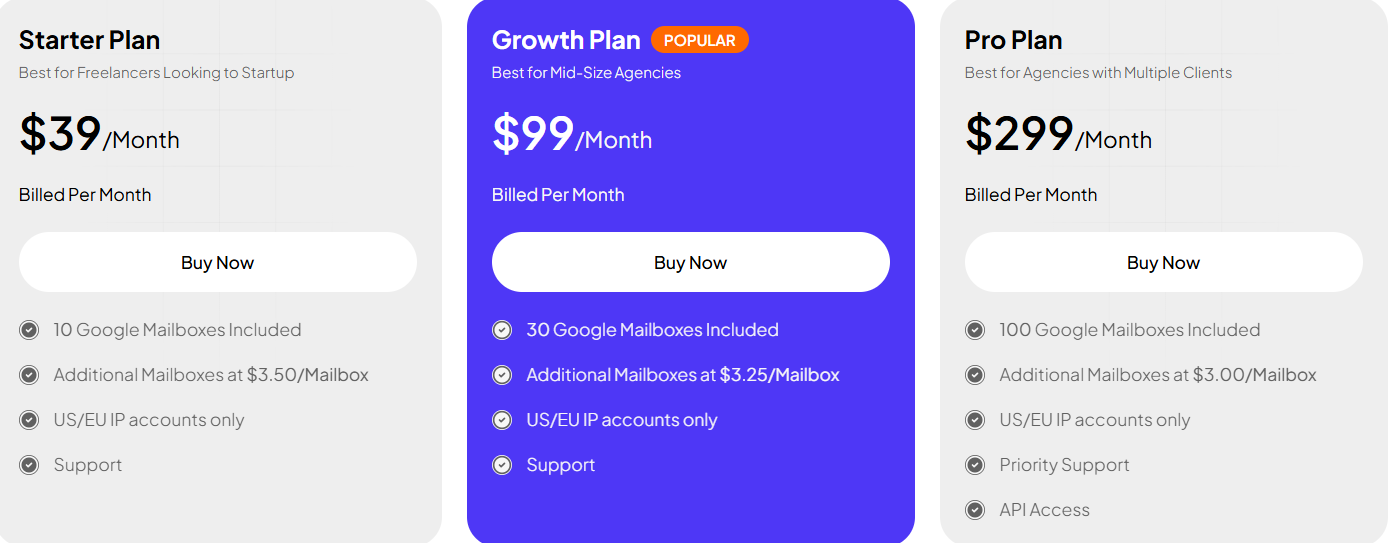
This image shows the Zapmail pricing
Starter Plan: $39/month (10 mailboxes, extra at $3.50 each).
Growth Plan: $99/month (30 mailboxes, extra at $3.25 each).
Pro Plan: $299/month (100 mailboxes, extra at $3.00 each).
All plans include instant setup, DNS management, and bulk mailbox customization.
Best For: Sales teams and agencies that want automation-friendly Gmail and Outlook accounts with long warm-up history and fast CRM integrations.
Zapmail is a strong choice if your priority is automation and CRM integration, letting you scale campaigns instantly with inbox-ready mailboxes that seamlessly integrate into your outreach stack.
Which Pre-Warmed Email Accounts Provider Should You Choose in 2026?
If you want something more reliable and long-term, Infraforge is a better choice. Unlike most providers, it gives you two paths:
Pre-warmed infrastructure → start sending immediately without waiting weeks.
Private, dedicated infrastructure → own your domains, inboxes, and IPs with automated DNS setup and scaling built-in.
This flexibility makes Infraforge safer for serious teams, agencies, and businesses who don't want to depend on rented accounts.
You can launch campaigns fast and still have full control of your sending setup as you grow.
If you're planning to scale beyond just a few inboxes, Infraforge is the top pick.
A Better Alternative to Pre-Warmed Account Providers: Primeforge
Most providers sell you pre-warmed inboxes on rented or generic domains.
They work fast but, you don't own the domains, deliverability may drop over time, and scaling can get expensive.
Primeforge takes a different path. Instead of renting inboxes, it gives you Google Workspace and Microsoft 365 mailboxes that you fully own and that are built specifically for cold outreach.
You don't get “pre-warmed” accounts, but you do get:
Free automated setup of DNS records (SPF, DKIM, DMARC).
Ready in 30 minutes, not weeks of manual work.
Mailbox profile pics & GIFs to stand out in prospects' inboxes.
Affordable pricing at $3.5–$4.5 per mailbox per month (cheaper than Google or Microsoft direct).
Works with any sending software, including Salesforge, Instantly, and Smartlead.
With Primeforge, you're not locked into rented inboxes that you could lose anytime.
You build a long-term, stable email infrastructure on Google and Microsoft domains that scales with your team safely.