
Personalized Outbound Strategy
Get The Right Outbound Strategy In Minutes
Enter your email to get a custom plan & stack recommendation for your business
It's being carefully crafted by AI
Please check your mailbox in 5 minutes

Are you trying to decide whether shared email infrastructure is enough for your cold email campaigns, or if it's time to invest in dedicated infrastructure? The answer depends on your sending volume, budget, and how much control you want over deliverability.
Mailforge has become a popular choice for cold email because it removes much of the technical work involved in setting up outreach infrastructure. Instead of manually configuring domains, mailboxes, SPF, DKIM, DMARC, and DNS records, you can get everything running in a few minutes.
But Mailforge uses a shared infrastructure model, and that raises an important question: is shared infrastructure actually good enough for cold email, or would dedicated infrastructure deliver better results?
For smaller teams and startups, shared infrastructure can be a faster and more affordable way to launch outbound campaigns. For larger teams sending high volumes of email, dedicated infrastructure may offer better control, security, and reputation management.
In this Mailforge review, I'll explain how Mailforge works, what it costs, how its deliverability compares to dedicated infrastructure, and which option makes the most sense for your cold email strategy in 2026.
Table of Contents
| Point | Shared Infrastructure | Private Infrastructure |
|---|---|---|
| Meaning | You use the same sending setup with many other users. | You get a sending setup that is used only by you. |
| Control | You have limited control because other users also affect the setup. | You have more control over domains, mailboxes, sending limits, and reputation. |
| Risk | If another user sends bad emails, your deliverability can also get affected. | Your reputation mostly depends on your own sending behavior. |
| Setup | Usually faster and easier to start. | Takes more setup, but gives better long-term stability. |
| Cost | Usually cheaper because the setup is shared. | Usually costs more because the infrastructure is dedicated to you. |
| Best For | Small tests, low-volume sending, or teams just starting out. | Serious outbound teams, agencies, and companies sending at scale. |
| Simple Verdict | Good when you want to start quickly and keep costs low. | Better when deliverability, control, and scale matter more. |
Yes, Mailforge's shared infrastructure is worth it if you want a fast, affordable way to launch cold email campaigns without managing servers, DNS records, or mailbox hosting yourself.
Shared infrastructure is usually the better choice for startups, agencies, and small teams sending fewer than 100,000 emails per month. It offers lower costs, faster setup, and less technical work while still providing strong deliverability when best practices are followed.
However, if you're sending hundreds of thousands of emails per month, need complete control over your sender reputation, or operate in a regulated industry, dedicated cold email infrastructure may be a better fit. Dedicated setups provide greater control, security, and customization, but they also cost more and require ongoing management.
My take: For most cold email teams, Mailforge's shared infrastructure delivers the best balance of cost, simplicity, and scalability. Dedicated infrastructure only becomes necessary when sending volume, compliance requirements, or reputation control become a priority.
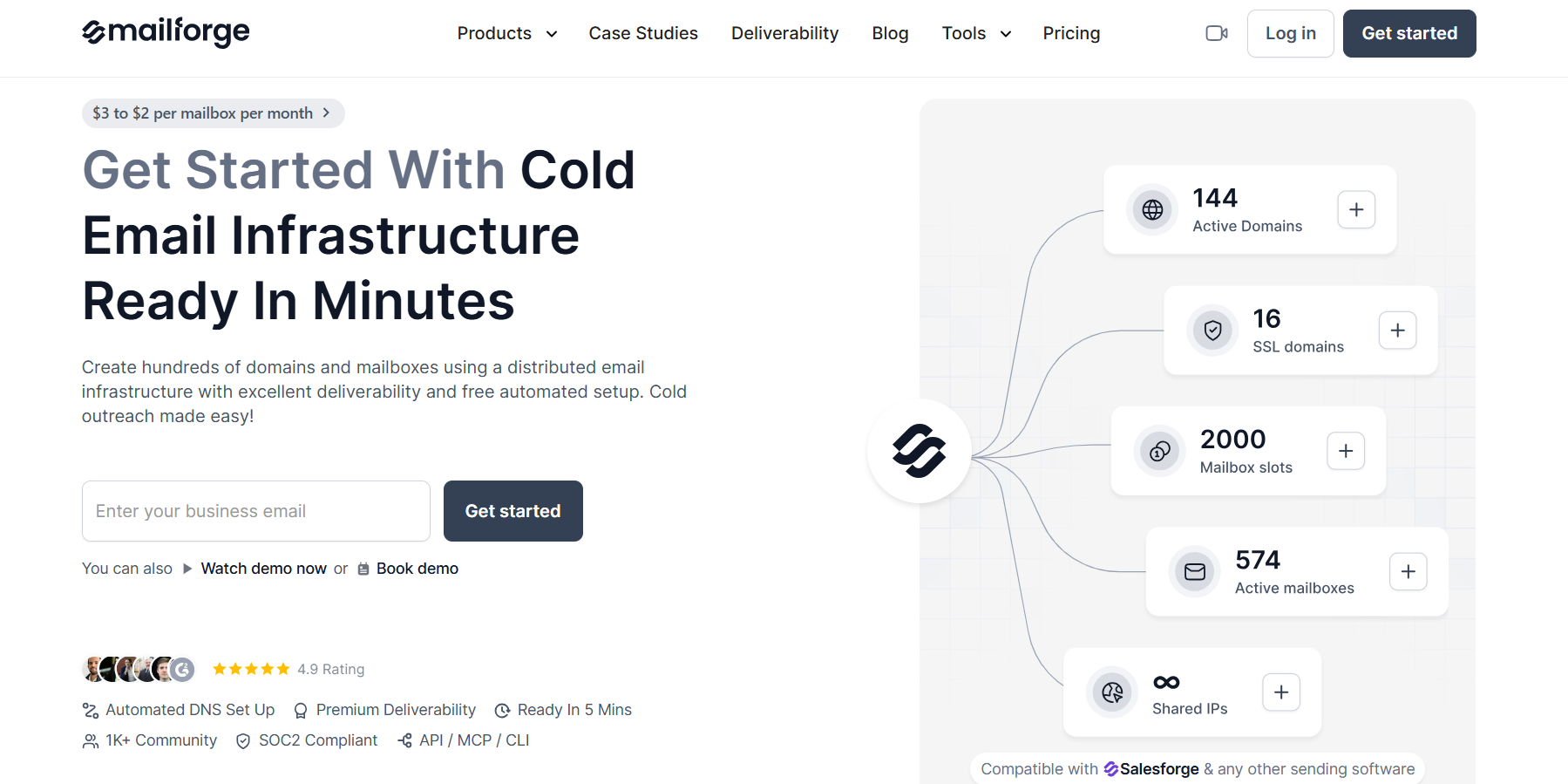
Mailforge is a cold email infrastructure platform that helps businesses create and manage domains and mailboxes for outbound campaigns without handling the technical setup themselves.
Instead of manually configuring DNS records, setting up SPF, DKIM, and DMARC authentication, hosting mailboxes, and managing domain settings, Mailforge automates most of the process. You can purchase domains, create mailboxes, and automate much of the infrastructure setup from a single platform.
What makes Mailforge different from Google Workspace or Microsoft 365 is that it was built specifically for cold outreach. The platform uses a shared IP infrastructure designed for cold email and includes features such as automated DNS setup, bulk mailbox creation, multiple workspaces, SSL, domain masking, and deliverability-focused configuration.
In simple terms, Mailforge helps you get cold email infrastructure up and running faster while handling much of the technical work that normally takes hours to configure manually. To understand whether Mailforge is the right fit, let's look at how its shared infrastructure actually works.
Mailforge is built around a shared infrastructure model. Instead of giving every customer a dedicated server and IP address, multiple businesses use the same underlying infrastructure. This is similar to how Gmail and Outlook operate, except Mailforge is designed specifically for cold email campaigns.
The goal is to make cold email infrastructure easier to deploy and manage. Here's what the setup process looks like:
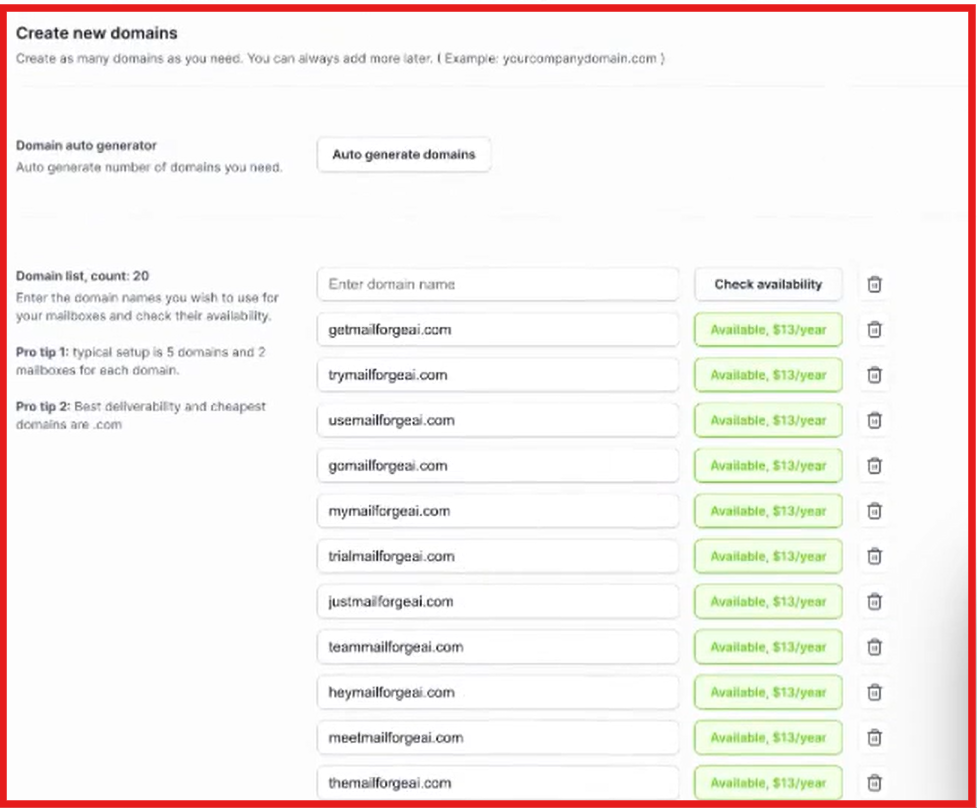
The biggest advantage of Mailforge's shared infrastructure is simplicity. Most of the technical setup is handled automatically, making it easier to launch and scale cold email campaigns.
Mailforge focuses on simplifying the technical side of cold email infrastructure. Instead of manually setting up domains, mailboxes, authentication records, and hosting, most of the process is handled automatically.
Here are the features that stood out during my review.
One of Mailforge's biggest advantages is automated DNS configuration. When you add a domain, Mailforge automatically configures important email authentication records such as SPF, DKIM, and DMARC using recommended settings. This removes one of the most technical parts of setting up cold email infrastructure and helps improve deliverability from day one.
Managing dozens of domains and mailboxes manually can become a headache as outbound volume grows. Mailforge allows you to create and manage domains and mailbox slots from a single platform, making it easier to scale outreach campaigns without juggling multiple providers.
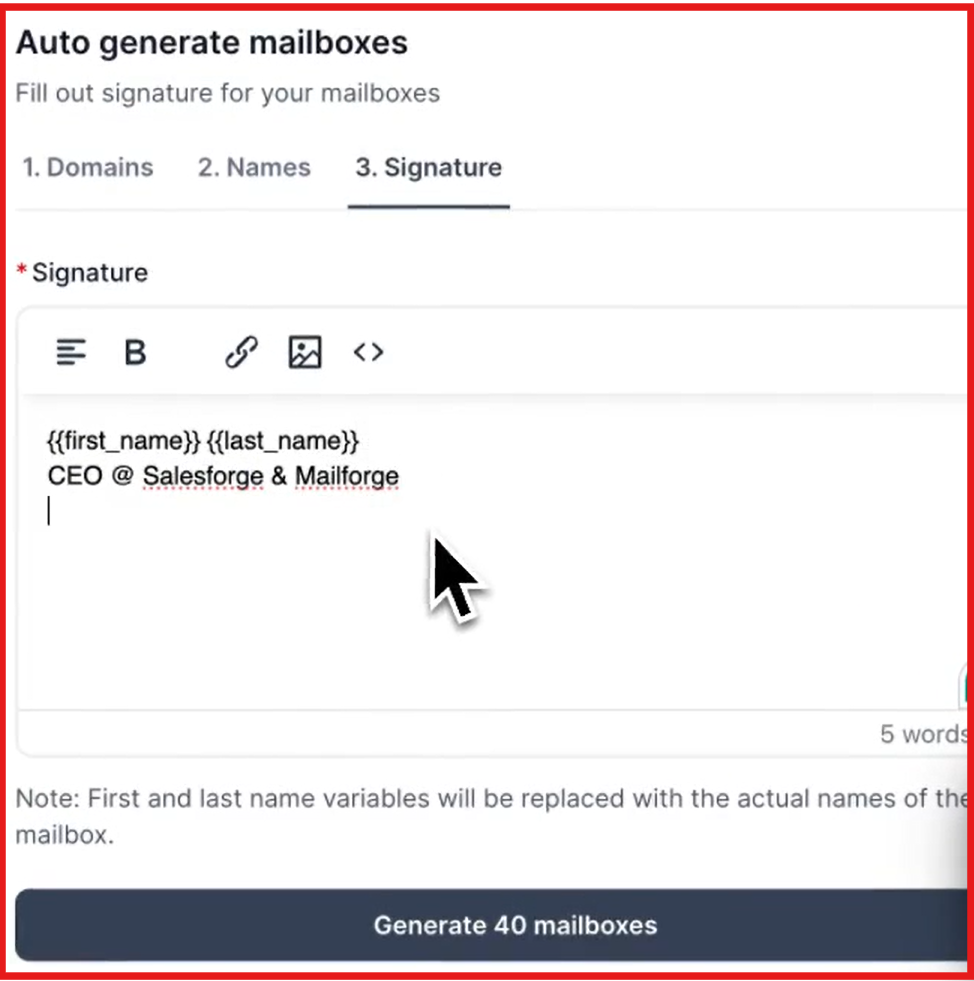
Mailforge supports multiple workspaces. This makes it easier to separate clients, teams, or outbound campaigns while managing everything from the same account.
Mailforge is not tied to a specific outreach platform. You can connect Mailforge mailboxes to Salesforge or other cold email tools, giving you flexibility to use the sending software that fits your workflow.
Mailforge offers SSL and domain masking as optional add-ons. These features help improve domain security and allow businesses to mask their primary domains, which can be useful when managing outbound infrastructure at scale.
Unlike Google Workspace or Microsoft 365, Mailforge was built specifically for cold email. The platform uses a shared IP infrastructure designed for outbound campaigns and optimized around deliverability, scalability, and ease of setup.
5 Best Microsoft Mailboxes Resellers & Providers in 2026
Mailforge uses a mailbox slot pricing model. Instead of paying for individual mailboxes, you pay for mailbox capacity and can create or replace mailboxes within those slots when needed. Mailforge pricing starts at:
| Item | Pricing |
|---|---|
| Mailbox Slots | $3 per mailbox/month (monthly billing) |
| Mailbox Slots | $2 per mailbox/month (annual billing) |
| .com Domains | Around $14 per domain/year |
| SSL & Domain Masking | $2 per domain/month or $6 per domain/year |
Mailforge requires a minimum purchase of 10 mailbox slots. That means most users will spend at least:
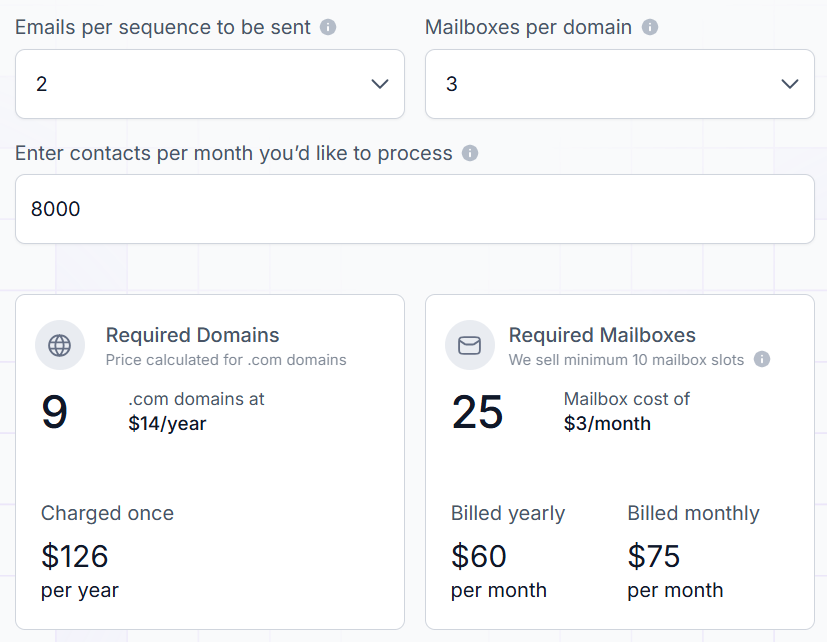
Let's say you want to process around 8,000 contacts per month. According to Mailforge's calculator, you would need approximately 9 domains and 25 mailbox slots. That would cost roughly $126/year for domains, $75/month for mailbox slots on monthly billing, or $60/month on annual billing.
I think Mailforge's pricing is one of its biggest advantages. For most startups, agencies, and outbound teams, spending $60–75/month for a setup that can handle around 8,000 contacts per month is relatively affordable. Unless you need maximum reputation control or operate at very high sending volumes, Mailforge's shared infrastructure will be the more cost-effective option for most teams.
| Pros | Cons |
|---|---|
|
|
I think deliverability is one of Mailforge's strongest areas. Mailforge is built specifically for cold outreach. The platform automatically configures SPF, DKIM, and DMARC records, manages the technical setup, and uses infrastructure designed around outbound email.
That doesn't guarantee inbox placement. Deliverability still depends on your targeting, email quality, domain health, and sending practices.
However, for most startups, agencies, and outbound teams, Mailforge removes many of the common technical mistakes that hurt deliverability. The main trade-off is that Mailforge uses shared infrastructure. While that keeps costs low and setup simple, your reputation is not completely isolated like it would be on dedicated infrastructure.
Overall, I think Mailforge offers strong deliverability for its price point and is more than sufficient for most cold email teams. Teams that need complete control over reputation and infrastructure may eventually prefer a dedicated setup, but most businesses won't reach that point immediately.
It's important to understand the difference between shared and dedicated email infrastructure. With shared infrastructure, multiple businesses use the same underlying servers and IP addresses. This makes setup faster, lowers costs, and removes much of the technical work involved in running cold email campaigns. With dedicated infrastructure, your business gets its own servers or dedicated IPs, giving you more control over sender reputation, security, and deliverability, but also higher costs and more ongoing management.
| Feature | Shared Infrastructure | Dedicated Infrastructure |
|---|---|---|
| Setup Time | Minutes | Days or weeks |
| Cost | Lower | Higher |
| Technical Work | Minimal | More involved |
| Reputation Control | Shared | Fully controlled by you |
| Best For | Startups, agencies, small teams | High-volume senders, enterprises |
For most teams reading this review, Mailforge will be the more practical choice. Teams looking for dedicated Google Workspace or Microsoft mailboxes can consider Primeforge, while businesses that want dedicated IPs and private infrastructure can look at Infraforge.
Which One Should You Choose?
The choice depends on your priorities: simplicity and speed versus control and customization.
| If You Want... | Choose... |
|---|---|
| Fast setup and minimal technical work | Mailforge |
| Low costs and easy management | Mailforge |
| Under 100,000 emails/month | Mailforge |
| Automated DNS and mailbox hosting | Mailforge |
| Dedicated Google Workspace or Microsoft mailboxes | Primeforge |
| Dedicated IPs and private infrastructure | Infraforge |
| Maximum control over sender reputation | Primeforge / Infraforge |
| High-volume sending at scale | Infraforge |
Enter your email to get a custom plan & stack recommendation for your business
Please check your mailbox in 5 minutes

For most startups, agencies, and small outbound teams, Mailforge is the better choice. Its shared infrastructure makes setup fast, removes the technical headaches of managing DNS and mailboxes, and keeps costs low. If your sending volume is under 100,000 emails per month and you want a simple, reliable solution, Mailforge gets the job done without overcomplicating your workflow.
If your business requires full control over deliverability, reputation, and security, or you're sending at high volumes, dedicated infrastructure is worth considering. Within the Forge ecosystem, Primeforge offers dedicated Google Workspace or Microsoft mailboxes and private infrastructure to meet these needs.
Bottom line: Start with Mailforge for simplicity and affordability. Only consider Primeforge or Infraforge if your sending needs grow beyond what shared infrastructure can comfortably support.
Try Mailforge today to launch your first cold email campaigns quickly, or explore Primeforge if you need dedicated infrastructure and complete control.