
Fifty Google Workspace mailboxes for a fraction of the retail price, live by tomorrow morning. That is the pitch behind every EDU mailbox reseller panel, and if you run cold outreach, I get it. It is a hard offer to say no to.
I have watched agencies build entire sending operations on EDU, nonprofit, and legacy G Suite accounts. The math looked unbeatable: cheap volume, real Gmail or Outlook infrastructure, zero setup friction. And for a while, it worked. That is the part nobody likes to skip over.
Then October 2025 happened. Google started issuing permanent suspensions on non-compliant workspaces. Panels built on borrowed institutional agreements began going dark overnight, no appeal path, no way back in. Microsoft is walking the same road now, just a few steps behind.
So this is not another recap of one crackdown. It is the full picture: every loophole inbox type still circulating today, what actually breaks when a panel gets caught, and what I run instead, so a sending domain never has to start over from zero
I get why EDU mailboxes are tempting. A reseller offers you fifty to two hundred Google Workspace accounts overnight, priced at a fraction of what Google or Microsoft charge directly, and they land in a real Gmail or Outlook inbox that Google's own systems already trust. No setup friction, no waiting, no per-seat negotiation.
Here is what is actually happening underneath that offer. Google and Microsoft both discount Workspace and 365 licensing for accredited schools and registered nonprofits, as a form of institutional subsidy. A reseller gets access to one of these discounted agreements, then splits the seats and sells individual mailboxes to cold email operators who have no connection to the school, the nonprofit, or the agreement itself.
From the sending side, the mailbox looks completely normal. It sits on real Google Workspace email deliverability infrastructure with a working domain and a Gmail-style interface. What is different is who controls it. The agreement explicitly prohibits commercial use, the reseller panel owns the tenant and the admin layer, not you, and the mailbox itself lives on shared infrastructure tied to a university or nonprofit's IT environment that was never built for outbound sales volume.
That gap between how the mailbox looks and who actually owns it is the entire story of this post.
Three distinct flavors of loophole inboxes circulate in the cold email market, and they carry the same underlying risk even though the source agreement is different for each.
Google's discounted Workspace program for accredited .edu domains is the source. Resellers who gained access to one of these institutional agreements split the seats and sell them individually. The mailbox sits on a shared tenant tied to school infrastructure, and the buyer never has a direct relationship with Google, the school, or the billing account.
Google for Nonprofits and Microsoft 365 Nonprofit both offer discounted seats to registered charities. The same reseller-panel pattern applies here. Vendors register as a nonprofit, claim the discounted seats, and resell them in bulk to outreach teams that have nothing to do with the nonprofit's mission. The risk profile is identical to EDU accounts, just with a different subsidy behind it.
Before Google's 2022 migration from free G Suite to paid Google Workspace, millions of free legacy accounts existed. Resellers accumulated large pools of these and sold access to outreach teams for years. Google has been quietly tightening enforcement on this population ever since, and a large share of what is still circulating today is running on borrowed time.
Microsoft 365 for Education and Microsoft 365 Nonprofit carry the same structural loophole. It gets less attention than Google's crackdown, but the enforcement trajectory is the same one Google already walked, and I cover exactly where Microsoft stands on that timeline further down.
Google began issuing permanent suspensions against non-compliant workspaces in mid-October 2025. This was not a warning wave. Accounts running on EDU, nonprofit, and legacy G Suite loopholes started going dark with no notice and no path back, and the pattern held across the Google bulk sender guidelines Google had already been signaling since its 2024 policy updates.
The mechanism changed too, and this is the part most cold emailers missed. Google's Postmaster Tools v2, live from November 2025, replaced the old High, Medium, and Low reputation tiers with a binary pass or fail compliance check. Under the old system, a degrading account gave you a warning window. Under the new one, failing compliance triggers permanent 5xx rejection at the SMTP level, not a soft landing in the spam folder. By the time open rates visibly drop, the sending path is already closed.
One outreach agency's public account of the period described waking up to sudden Gmail and Workspace suspensions across their entire operation. The accounts involved were built on what the agency itself called loopholes in education, nonprofit, and legacy G Suite programs, described afterwards as never legitimate to begin with. There was no appeal process, because there was no direct relationship with Google to appeal through in the first place.
That last point is worth sitting with before I get into the individual risks. The suspension was not really the failure. The failure was a structure that never gave the buyer a seat at the table to begin with.
I covered the Google-specific side of this timeline in more depth in the Google EDU crackdown if you want the October 2025 event-by-event breakdown. What follows here is the wider risk picture across every loophole type, not just Google's.
A legitimate Google Workspace account gives you an admin console, a billing relationship, and a support channel if something goes wrong. A loophole account gives you none of that. The reseller panel holds the admin layer, so when Google flags the tenant, you are not the one Google is talking to. You just lose access.
There is no ticket to file and no account manager to call, because you were never Google's customer. The panel was. When enforcement hits, the mailbox, the message history, and the contacts inside it disappear at the same time, with zero notice.
Reseller panels pool mailboxes across shared tenants to keep costs down, which means Google's enforcement does not touch one account at a time. It touches the tenant. When one panel gets flagged, every buyer sitting on that panel loses access simultaneously, regardless of how carefully any individual buyer was sending.
The same public case I referenced above described this exact pattern: when one panel went dark, everyone relying on it went down at the same time. For an agency running several client campaigns off a single panel, that is not an inconvenience. It is every pipeline frozen at once, sent data unrecoverable, and client relationships put at risk on a timeline nobody chose.
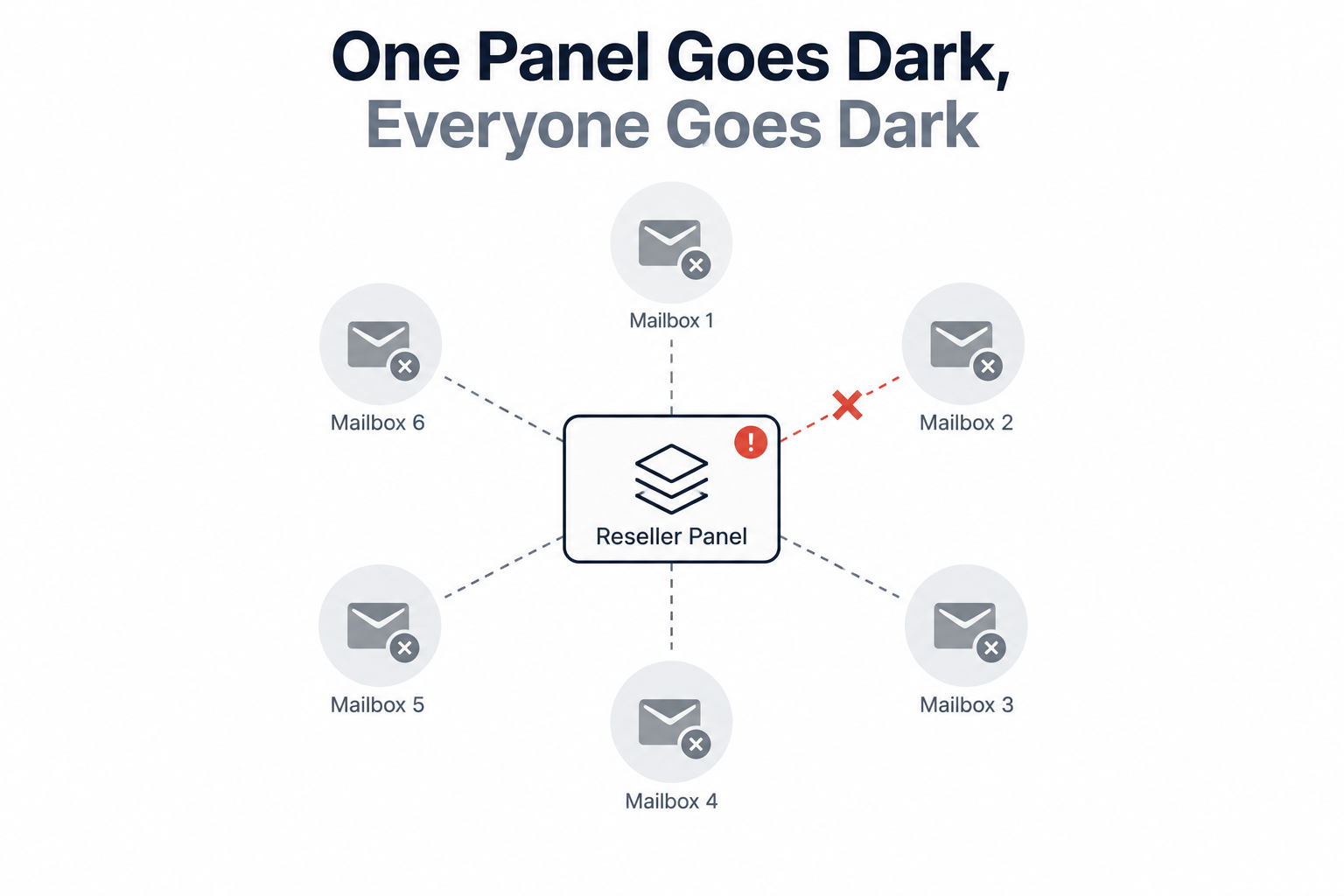
This is the risk most buyers underweight going in. Ownership is not a technicality here, it is the entire arrangement. The reseller panel holds the Google or Microsoft tenant. Your contacts, your send history, and any tool you connected to that mailbox live inside infrastructure someone else controls.
When the panel goes offline, gets suspended, or simply decides to shut down, you do not have a support ticket or a legal claim to fall back on. You were never the account holder of record. Whatever lived in that mailbox is gone the moment the panel's access to it ends, and there is no version of this where you get it back.
Loophole mailboxes sit on shared tenants alongside every other buyer the panel sold to. You have no visibility into what they are sending, and no control over it either. If another buyer on your panel is running higher volume, generating high spam complaint rates, or sending content that looks like outright spam, their behavior degrades the shared reputation your mailbox rides on.
Your deliverability can decline for reasons that have nothing to do with anything you sent, and it is worth understanding why emails go to spam in general before you try to diagnose a shared-tenant problem, because the actual cause here is sitting in someone else's outbox, not yours.
This is the worst-case outcome, and it is the one that outlasts the mailbox itself. When a loophole account tied to your sending domain gets suspended, the domain's own reputation can get caught in the fallout. That is the domain you were building deliverability on, potentially for months, now flagged because of infrastructure you never controlled.
Run a domain blacklist check before you assume a suspension only cost you a mailbox. Domain-level reputation damage does not reset when you switch providers. It follows you onto whatever legitimate infrastructure you move to next, which is exactly why the fix has to start clean rather than layered on top of a damaged domain.
Google moved first, but Microsoft is on the same trajectory. Microsoft retired Basic Authentication for SMTP AUTH in March 2026, closing off one of the simpler ways bulk senders used to route mail through 365 infrastructure. Microsoft's 2026 cold email policy now mandates stricter DMARC enforcement and blocks non-compliant senders at the SMTP level, the same failure mode Google introduced with Postmaster Tools v2.
The Microsoft 365 for Education and Microsoft 365 Nonprofit loophole accounts sit on the identical structural risk as their Google counterparts: subsidized licensing, reseller-controlled tenants, and no direct relationship with Microsoft if something goes wrong. It is not a matter of if Microsoft closes this gap the way Google did. Based on the enforcement pattern already in motion, it is a matter of when.
If you inherited a sending stack, bought mailboxes through a reseller, or just want to confirm what you are actually running, work through this list before your next send.
Run an email deliverability check against each domain you send from and note anything that looks inconsistent with a direct billing relationship.
Two or more of these checked means you are very likely running loophole infrastructure, and the enforcement wave already covered above is the reason to move before a panel-level suspension makes the decision for you.
The honest math on this is simpler than it looks. A loophole mailbox costs less per seat until the panel goes dark, and then it costs you the campaign, the client relationship, the re-warming period, and potentially the domain reputation you cannot buy back. A directly provisioned mailbox costs slightly more up front and does not carry any of that downside risk.
This is what I run for client sending infrastructure. Primeforge provisions real Google Workspace and Microsoft 365 mailboxes, not repurposed EDU or nonprofit seats and not a shared reseller tenant. You hold the account. Mailboxes ship pre-warmed, so there is no manual warmup period before a campaign goes live, and every domain gets automated SPF, DKIM, and DMARC configuration through the SPF DKIM DMARC setup flow rather than manual DNS work.
ESP matching sends Google-hosted mail to Google-hosted recipients and Microsoft-hosted mail to Microsoft-hosted recipients, which is the same principle that made loophole EDU accounts look good on paper, minus the borrowed infrastructure underneath. Mailbox profile branding, including profile pictures and a filled-out sender identity, ships out of the box instead of as a manual setup task. Every mailbox runs on isolated infrastructure, so a workspace can hold multiple client projects separately without one campaign's sending behavior touching another's reputation.
Mailboxes are live in about 30 minutes through the Primeforge API or the Forge MCP CLI for agent-native provisioning, and the tool works natively with Salesforge, so replies land straight in Primebox alongside LinkedIn and email touches instead of a separate inbox to check. Pricing runs $4.50 down to $3.50 per mailbox per month on annual billing, dropping at volume, though I'd flag any specific figure for a day-of check against current pricing before it goes in front of a client.
One positioning note worth carrying into your own infrastructure decisions: Primeforge pairs well with Mailforge or Infraforge rather than replacing them outright. Running two or more ESPs at once means always having a matching mailbox type for whatever inbox provider a given prospect uses, and that diversification is exactly the redundancy a single reseller panel could never offer you in the first place. That is also the wider point of running infrastructure, warmup, and multichannel sending under one login instead of stitching together separate vendors for each layer.
If your current setup came back positive on the checklist above, prewarmed Google Workspace mailboxes or prewarmed Microsoft 365 mailboxes are the direct replacement path, and moving before the next enforcement wave is materially cheaper than moving after it.
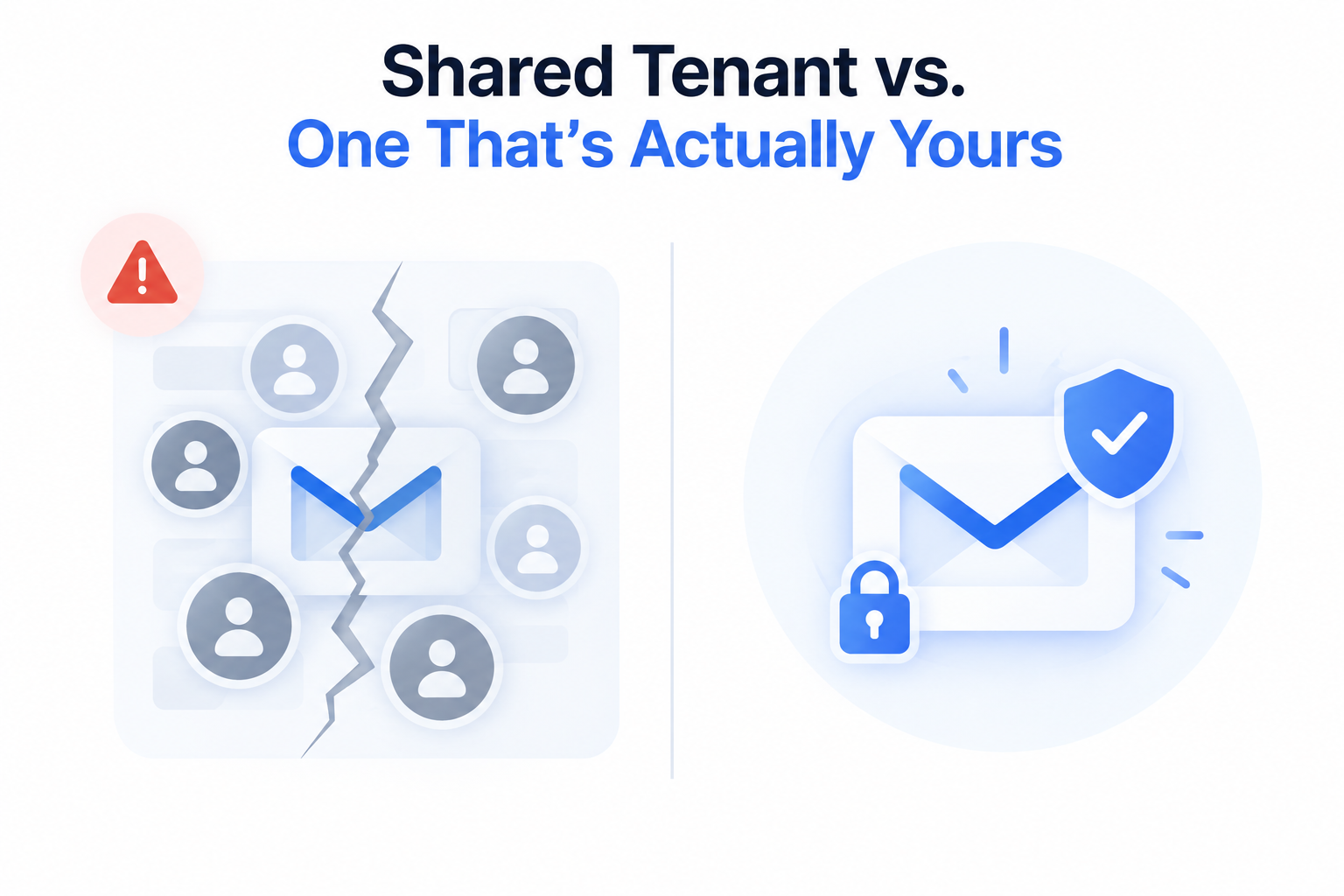
The gap between the two options is not just about risk tolerance. It shows up directly in the deliverability data.
EDU, nonprofit, and legacy G Suite mailboxes are not a gray area you can manage around. They are borrowed infrastructure sitting on an agreement that was never written for cold outreach, and the enforcement wave that started in October 2025 is the proof. Google closed this door with Postmaster Tools v2, Microsoft is closing the same door on its own timeline, and no amount of careful sending fixes a structure where you never held the account to begin with.
The appeal of cheap volume is real, and I am not going to pretend otherwise. But the actual cost only shows up after the panel goes dark: the frozen pipeline, the client conversation you did not want to have, and in the worst case, a domain you have to rebuild reputation on from zero. Legitimate mailboxes cost more per seat and less in every scenario that actually matters.
If the checklist above flagged your current setup, the move is worth making before the next enforcement wave makes it for you.
What is an EDU mailbox and why do cold emailers use it?
An EDU mailbox is a Google Workspace account provisioned under a school's discounted institutional agreement, then resold by a third-party panel to buyers with no connection to that school. Cold emailers use them because they are 60 to 80 percent cheaper than direct Workspace licensing and can be spun up in bulk with no setup friction.
Is buying EDU or nonprofit email accounts against the rules?
Yes. Both Google's education and nonprofit licensing agreements explicitly restrict use to the institution they were issued to and prohibit commercial resale. Buying resold seats puts the mailbox outside the terms of the underlying agreement, which is why Google can suspend it without the appeal process a direct customer would have.
Can a suspended EDU or loophole mailbox be recovered?
Generally no. The reseller panel holds the admin console and billing relationship, not the buyer, so there is no support channel to appeal through. Once Google or Microsoft flags the tenant, the mailbox and its contents are typically gone for good.
Does a loophole mailbox suspension affect my sending domain?
It can. If the suspended mailbox is tied to your sending domain, that domain's reputation can be flagged alongside the account. This is why running a domain blacklist check after any suspension matters, and why the damage can follow you even after you switch to legitimate infrastructure.
Is Microsoft 365 education or nonprofit licensing safer than Google's EDU program?
No. Microsoft's 365 for Education and 365 Nonprofit programs carry the identical reseller-panel risk as Google's EDU program. Microsoft retired Basic Authentication for SMTP AUTH in March 2026 and tightened its own bulk-sender enforcement in 2026, following the same trajectory Google already walked.
What should I use instead of EDU or loophole mailboxes for cold outreach?
Directly provisioned Google Workspace or Microsoft 365 mailboxes, held under your own admin account rather than a reseller's tenant. Primeforge provisions these with ESP matching, pre-warmed sending, and automated SPF, DKIM, and DMARC setup, so the mailbox is legitimately yours from the first send.
