

All three of these cold email infrastructure tools solve the same problem - giving senders a steady supply of sending mailboxes - but they get there very differently. Mailreef sells dedicated private mail servers with an isolated IP per customer. Inframail builds custom infrastructure on Microsoft's cloud with flat-rate, unlimited-inbox pricing. Primeforge provisions real Google Workspace and Microsoft 365 mailboxes, priced per mailbox.
The practical difference is what sits behind your mailboxes. Primeforge puts you on genuine mainstream-provider rails; Mailreef and Inframail run proprietary setups they control end to end. None of the three sends campaigns on its own, so each pairs with a separate sequencing platform.
If you want recognized provider mailboxes, automated DNS, and per-mailbox flexibility, Primeforge is the most natural fit. It provisions real Google Workspace mailboxes and Microsoft 365 accounts in about 30 minutes, on US-based IPs, and slots into the wider Forge Stack for warmup and sending. Pricing starts at $3.50 per mailbox per month.
Choosing where your cold email actually originates is one of the higher-stakes calls in an outbound program. The mailboxes and IPs underneath your campaigns shape deliverability, how fast you can scale, and how much margin you keep as volume grows. Three names I see compared constantly are Primeforge, Mailreef, and Inframail, and they are built on meaningfully different foundations.
I want to walk through each one on its own terms, then put them head to head on the things that actually matter for sending infrastructure. Where a tool has a real strength, I will give it credit; where there are documented trade-offs, I will note them with the source. If you are mapping the category first, the complete guide to cold email infrastructure setup is a useful primer to read alongside this.
Cold Email Infrastructure Compared at a Glance: Mailreef vs Inframail
Before the detail, here is how the three line up on the attributes most senders care about. Pricing and limits reflect each vendor's current public pages at the time of writing, so confirm specifics directly - this category moves quickly.
| Mailreef | Inframail | Primeforge | |
|---|---|---|---|
| Infrastructure | Dedicated private mail server | Custom build on Microsoft cloud | Real Google Workspace & Microsoft 365 mailboxes |
| Mailbox backing | Proprietary server & IP | Proprietary, Microsoft-hosted | Mainstream provider accounts |
| Pricing | $240-$249/mo per server + $0.001/send | $99-$249/mo flat (annual ~20% off) | $3.50-$4.50 per mailbox / month |
| Capacity | ~50 domains, 200 mailboxes, 100k emails/mo per server | Unlimited inboxes; daily domain-setup caps | Scales per mailbox; bulk & multi-workspace |
| Setup | Application & screening first | Minutes; automated DNS | ~30 min; automated DNS |
| Native warmup | No (bring your own) | No (bring your own) | No native; pre-warmed mailboxes; pairs with Warmforge |
| Dedicated IP | Yes, per customer | Yes (1-3 by plan) | US-based provider IPs |
| Public reviews | None verified found | Trustpilot presence, mixed | Trustpilot presence, mostly positive |
All three are sending infrastructure only - none replaces a campaign or sequencing tool.
Spin Up Real Google & Microsoft MailboxesMailreef Overview
Mailreef positions itself as the premium, fully-isolated option for serious cold emailers. Rather than placing you on shared infrastructure, it provisions a dedicated private mail server with a dedicated IP address for each customer, and it is explicit that this is its own environment rather than Google or Microsoft mailboxes. The company was built by the team behind Warmup Inbox, so deliverability pedigree is part of its pitch.
The appeal of a private server is control. Your sending reputation rides on your own behavior rather than on a pool shared with strangers. Mailreef markets strong operational numbers - figures such as 100M+ emails sent per month across its base, 99.9% uptime, and zero blocked mailboxes appear on its materials, along with a study claiming higher cold-email open rates than Google, Microsoft, or Zoho. It integrates with sending tools like Smartlead and Instantly over SMTP and IMAP, so it can slot into an existing stack.
There are trade-offs worth weighing. Capacity is bounded per server - roughly 50 domains, 200 mailboxes, and about 100,000 emails per month - so scaling means buying additional servers rather than simply adding mailboxes. Access is gated behind a mandatory application and screening process, which Mailreef frames as quality control but which adds lead time before you can send. Pricing sits at $240/month on a twelve-month commitment or $249/month month-to-month, both with a small per-send fee on top, and domains run about $19 per year. There is no native warmup, so you will need a separate warmup tool, and there is no public free trial. One gap I keep running into is third-party validation: as of early 2026, searches across G2, Capterra, and Trustpilot turned up no verified user reviews, which makes it harder to sanity-check the marketing claims before committing a paid month. For a deeper look at the platform, see my Mailreef review.
Inframail Overview
Inframail takes the flat-rate route. Instead of charging per mailbox, it offers unlimited inboxes on custom infrastructure built on Microsoft's cloud, paired with dedicated US-based IPs. The headline promise is simple billing: one monthly price, however many inboxes you create.
For agencies running large inbox counts, that model can be attractive. The Unlimited plan is listed at $99/month with one dedicated IP, up to five domain setups per day, and a ceiling around 180,000 emails per month. The Agency Pack is $249/month with three dedicated IPs, up to fifteen domain setups per day, and a higher monthly ceiling, with roughly 20% off on annual billing. Setup is fast and DNS is automated - Inframail advertises provisioning in well under an hour - and an API is available on both plans, along with claims of 95%+ deliverability and automatic blacklist removal. It also carries a visible Trustpilot presence with a healthy number of five-star reviews.
The honest caveats center on the infrastructure itself. Inframail builds on Microsoft's cloud rather than provisioning standard Microsoft 365 tenants, and its own founder has publicly acknowledged on Reddit that deliverability can run roughly 10-15% below Google or Outlook in some cases - a candid, documented data point I think is fair to factor in. There is no IP rotation, and the daily domain-setup caps (five or fifteen depending on plan) can throttle how quickly you stand up a large footprint. Like Mailreef, it has no native warmup, so a third-party tool is required. Some critical Trustpilot reviews also raise onboarding and deliverability concerns, so I would run my own validation before committing budget.
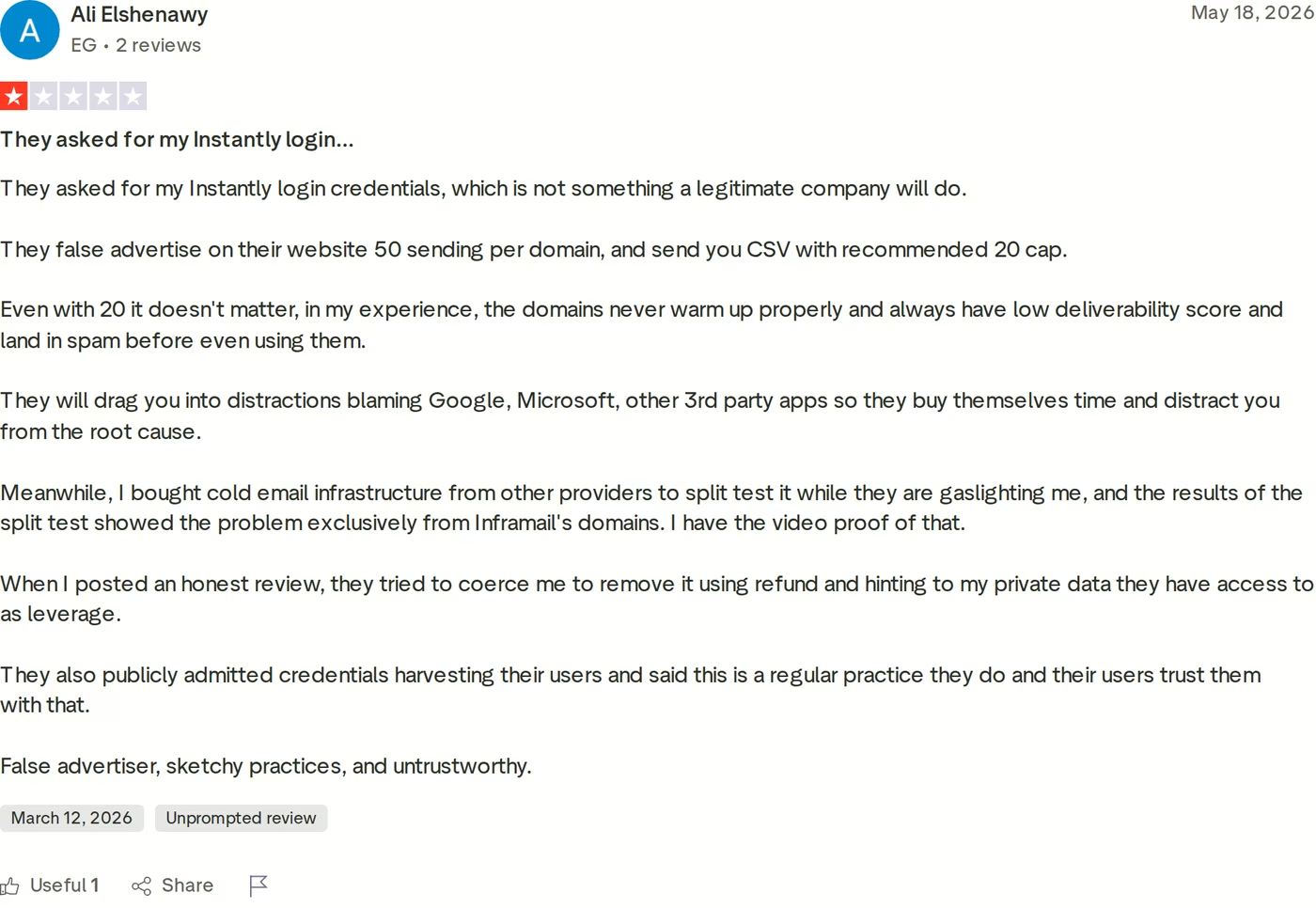
I would not treat one harsh review as the whole story, but combined with the founder's own deliverability admission, it is reason enough to seed-test before you scale. If IP rotation matters to your sending, my explainer on how IP rotation improves deliverability covers why it matters and what its absence costs.
Primeforge Overview
Primeforge approaches the problem from the opposite direction of its two rivals. Rather than building proprietary infrastructure, it provisions real Google Workspace and Microsoft 365 mailboxes - genuine mainstream-provider accounts, set up without EDU workarounds or fragile loopholes. The thesis is simple: if you send from the providers recipients already trust, you give yourself the best structural starting point for inbox placement.
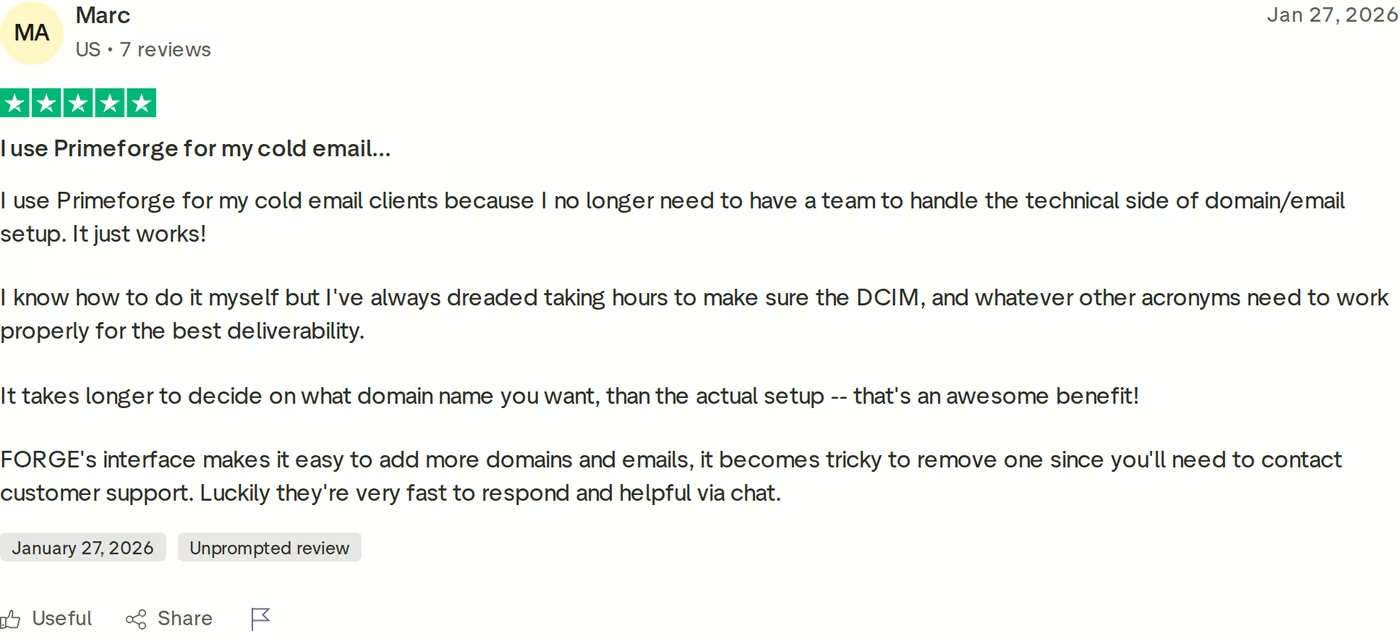
In practice that means a fairly hands-off experience. Setup takes about thirty minutes, DNS records (SPF, DKIM, and DMARC, plus a custom tracking domain) are configured automatically, and mailboxes sit on US-based IPs. Primeforge also offers ESP Matching, which aligns the sending provider with the recipient's provider for better placement, a capability that only works because you are on real provider mailboxes in the first place. Beyond the basics there are quality-of-life features: mailbox profile pictures and GIFs, bulk DNS management, multi-workspace support for agencies, and pre-warmed mailboxes for teams that want to move fast. Pricing is per mailbox at $4.50, dropping to $3.50, which keeps the entry point accessible for smaller senders while staying workable at scale.
Here is where Primeforge fits the wider picture. It is the Google and Microsoft mailbox layer of the Forge Stack, sitting alongside Mailforge for shared infrastructure, Infraforge for private dedicated infrastructure, Warmforge for warmup, and Salesforge for sending. That gives you a single ecosystem if you want it, or you can run Primeforge mailboxes through any sending tool you already use.
I want to keep the picture balanced, so a few honest limitations. Primeforge is infrastructure, not a sending platform, so you still need a separate tool to run sequences. There is no traditional free trial, though you can explore the app after signing up. And while Primeforge pairs with Warmforge for warmup, Warmforge's free tier is a benefit of a Salesforge subscription rather than something bundled with Primeforge on its own - Primeforge's own answer to warmup is its pre-warmed mailbox option. The product is built with deliverability as the organizing principle, and you can read more about that on its deliverability page.
Grab Your Primeforge Mailboxesin Action

Head-to-Head Feature Comparison: Mailreef vs Inframail
They are all infrastructure - bring your own sequencer
The most important framing first: none of these three is a campaign tool. Each provisions mailboxes, domains, and IPs, but the sending, sequencing, and reply handling happen in a separate platform such as Salesforge, Smartlead, or Instantly. So the decision here is purely about the foundation under your outreach, not the outreach software itself. All three integrate with common sending tools, so any of them can fit into a workflow you already run.
Mailbox type and provider backing
This is the clearest dividing line. Primeforge places you on real Google Workspace and Microsoft 365 mailboxes - recognized provider accounts. Mailreef gives you a dedicated private server with an isolated IP, and Inframail builds on Microsoft's cloud without provisioning standard Microsoft 365 accounts. Neither competitor disputes that their infrastructure is proprietary; that is central to their pitch. The real question is whether you would rather sit on mainstream-provider rails or on a custom environment the vendor controls end to end.
There are reasonable arguments on both sides. Full isolation gives you a reputation that is entirely your own, with no neighbors to worry about. Mainstream-provider mailboxes carry the inherent trust and deliverability characteristics of Google and Microsoft, which recipient mail systems tend to treat predictably simply because those providers are everywhere in normal business email. That is not a guarantee - a poorly warmed mailbox on any platform will struggle - but it is the structural reason I see Primeforge framing real provider mailboxes as a head start rather than a gimmick.
Deliverability and warmup
Deliverability claims are easy to make and hard to verify, so documented specifics matter more than headline percentages. Inframail's founder has openly noted a possible 10-15% deliverability gap versus Google and Outlook in some scenarios, which is a useful, candid reference point. Mailreef leans on its Warmup Inbox lineage and isolation story but lacks third-party reviews to corroborate its numbers. Primeforge's case rests on genuine provider mailboxes plus ESP Matching. On warmup itself the three are closer than you might expect: none includes native warmup, so Mailreef and Inframail both expect an external tool, while Primeforge offers pre-warmed mailboxes and pairs with Warmforge as the Forge Stack's warmup layer.
Whichever you pick, my advice is the same: validate deliverability yourself before committing real campaigns. Inbox placement is not the same as delivery confirmation, so seed-test across a few mailbox providers and watch where messages actually land rather than trusting a single headline figure. Warmup is not optional on any of these platforms - new mailboxes need a gradual ramp regardless of the infrastructure beneath them.
Setup speed and DNS
Inframail and Primeforge both automate DNS and advertise setup measured in minutes, with Primeforge configuring SPF, DKIM, DMARC, and a tracking domain for you. Mailreef is the outlier on time-to-send: its mandatory application and screening step gates access, which the company frames as keeping spammers out, but which means you cannot simply sign up and start. If getting DNS right is the part you find daunting, my DNS setup checklist for cold outreach is a practical reference regardless of which provider you pick.
Scaling and limits
The three scale very differently. Mailreef caps capacity per server - roughly 50 domains and 200 mailboxes each - so growth means adding servers, with cost stepping up accordingly. Inframail offers unlimited inboxes, but its daily domain-setup caps (five or fifteen by plan) limit how fast you can build out a large footprint, and it offers no IP rotation. Primeforge scales per mailbox with bulk DNS and multi-workspace tooling, so you add capacity incrementally rather than in server-sized blocks. Which model suits you depends on your trajectory: predictable server units fit some agencies, while incremental per-mailbox growth fits teams that want to expand gradually.
Integrations and the Forge Stack
All three connect to mainstream sending platforms, so none locks you out of your preferred sequencer. Primeforge has an extra dimension here: it is one layer of the Forge Stack, which also includes Mailforge for shared infrastructure, Infraforge for private infrastructure, Warmforge for warmup, and Salesforge for sending. If you value a single ecosystem where infrastructure, warmup, and sending are designed to work together, that is a point in Primeforge's favor; if you prefer to assemble best-of-breed tools yourself, it matters less, and any of the three will serve. You can see where it sits among other options in the sales tools directory.
Ownership, support, and trust signals
On ownership, all three give you dedicated resources of some kind - a private server and IP with Mailreef, dedicated IPs with Inframail, and real provider mailboxes with Primeforge. The sharpest contrast is in public validation. Mailreef has no verified third-party reviews I could find, which is real friction when you are evaluating before paying. Inframail has a visible Trustpilot presence that skews positive but includes pointed criticism. Primeforge also has a public Trustpilot presence that is mostly positive. None of this replaces your own testing, but it is fair input to the decision. For a wider survey of the category, my roundup of cold email infrastructure tools puts these three in context.
Pricing Compared: Cost at Different Sending Volumes
Because the three use different pricing models, the cheapest option genuinely depends on your volume rather than there being a single winner.
| Plan | Mailreef | Inframail | Primeforge |
|---|---|---|---|
| Model | Per server + per send | Flat-rate, unlimited inboxes | Per mailbox |
| Entry price | $240/mo (12-mo) or $249/mo monthly | $99/mo (Unlimited plan) | $4.50/mo per mailbox |
| Higher tier | Enterprise (custom quote) | $249/mo (Agency Pack) | $3.50/mo per mailbox at volume |
| Extra fees | $0.001/send; ~$19/domain/yr | None (annual ~20% off) | Domains/warmup as needed |
| External warmup | Required | Required | Pre-warmed option; pairs with Warmforge |
Mailreef charges per server: $240/month on an annual commitment or $249/month month-to-month, plus $0.001 per send and about $19 per domain annually. That is a fixed block of capacity, so your per-mailbox cost falls as you fill a server but steps up when you need another one. Inframail is flat-rate at $99/month for the Unlimited plan or $249/month for the Agency Pack, with roughly 20% off annually, which can produce a very low effective per-inbox cost if you genuinely run a high inbox count on one plan. Primeforge is per mailbox at $4.50 dropping to $3.50, the most granular model: you pay for exactly what you provision, with real provider mailboxes included.
A reasonable way to compare is total cost of ownership for your actual footprint, including domains and any external warmup the competitors require. At modest scale, Primeforge's per-mailbox pricing is usually the easiest to justify and forecast, since the bill scales linearly with the mailboxes you run. At very high inbox counts, Inframail's flat rate can win on raw cost, as long as you stay within its daily domain-setup caps and monthly sending ceiling. Mailreef sits at the premium end in exchange for full server isolation, and its cheapest rate assumes a twelve-month commitment.
Which Cold Email Infrastructure Should You Choose?
Rather than crown a single winner, I find it more useful to match each tool to the situation it fits best.
You might consider Mailreef if...
Full infrastructure isolation is your top priority, you want a dedicated private server and IP that no one else touches, and you are comfortable with an application step and a premium price. The capacity-per-server model suits teams that scale in predictable blocks and do not mind adding a separate warmup tool.
You might consider Inframail if...
You run a very high inbox count and want flat-rate billing that does not scale per mailbox, fast automated setup, and dedicated IPs on Microsoft-based infrastructure. It fits agencies that value predictable monthly costs and can work within daily domain-setup caps and an external warmup tool.
Choose Primeforge if...
You want real Google Workspace and Microsoft 365 mailboxes on recognized provider rails, automated DNS, ESP Matching, and per-mailbox flexibility that is accessible at small scale and workable as you grow. It is the most natural pick for teams that prioritize mainstream-provider deliverability and want the option to plug into the wider Forge Stack.
Final Verdict: Which Cold Email Infrastructure to Choose
The three are genuinely different tools for the same job, and the right answer depends on what you weight most. Mailreef is built for buyers who want maximum isolation and will pay for a private server. Inframail targets high-volume agencies that want flat-rate simplicity and can live with its documented deliverability gap and setup caps. For senders who believe the surest path to the inbox is sending from the providers recipients already trust, Primeforge is the strongest fit - real Google Workspace and Microsoft 365 mailboxes, set up cleanly and automatically.
One concrete benchmark I keep coming back to is real usage rather than marketing copy. The J-Reach case study documents a team running 69 Primeforge mailboxes across 23 domains with no mailbox failures over more than six months of continuous use, stable inbox placement, and a two-week warm-up after which sending held steady.
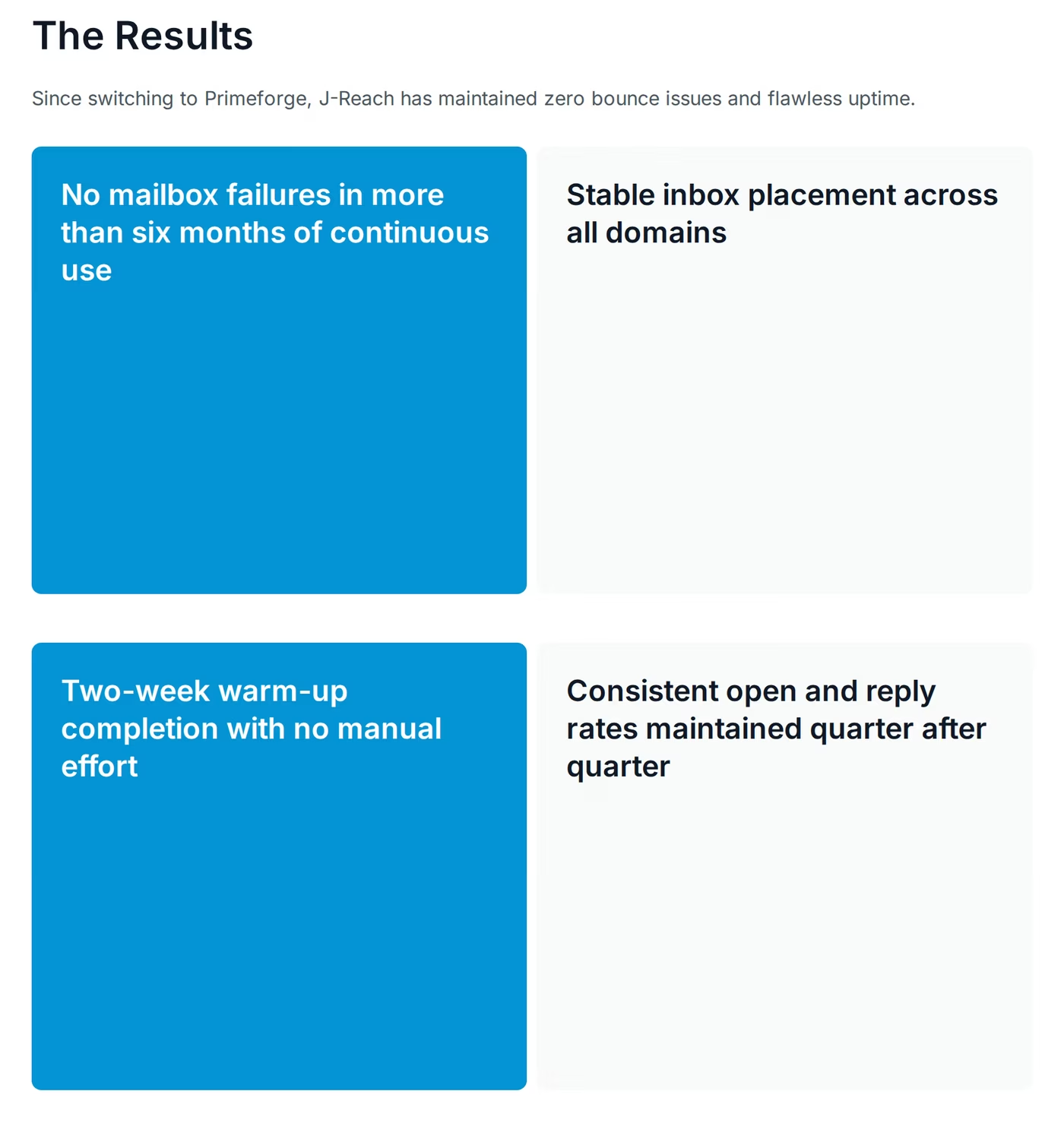
Those outcomes line up with the experience in Primeforge's public reviews, where the recurring theme is reliability with little ongoing maintenance.

None of this removes the need to test. Whichever provider you lean toward, a short paid pilot - a handful of mailboxes, warmed properly and measured on real inbox placement - will tell you more than any comparison table, this one included. If real provider mailboxes match how you want to run outbound, Primeforge is the most direct way to get there. You can browse more outcomes in the Primeforge case studies.
See What Primeforge Can DoFrequently Asked Questions
Are Primeforge, Mailreef, and Inframail all built on real Google and Microsoft mailboxes?
No. Only Primeforge provisions genuine Google Workspace and Microsoft 365 mailboxes. Mailreef runs dedicated private mail servers with isolated IPs, and Inframail builds custom infrastructure on Microsoft's cloud rather than standard Microsoft 365 tenants. That difference in backing is the single biggest distinction between the three, and it is why Primeforge leans on provider trust and ESP Matching as its core deliverability argument.
What is the main difference between Primeforge and Mailreef?
Primeforge gives you real provider mailboxes (Google Workspace and Microsoft 365) priced per mailbox, ready in about thirty minutes with automated DNS. Mailreef gives you a dedicated private mail server with an isolated IP, priced per server at $240-$249 per month plus a per-send fee, and gated behind an application step. Primeforge favors mainstream-provider rails; Mailreef favors full isolation on infrastructure it controls end to end.
Do any of them include email warmup?
None includes native warmup. Primeforge offers pre-warmed mailboxes and pairs with Warmforge in the Forge Stack, though Warmforge's free tier is a Salesforge-subscription benefit rather than something bundled with Primeforge alone. Mailreef and Inframail both expect you to add a third-party warmup tool. On every platform, plan on a roughly two-week warm-up before sending real campaigns.
Which one is cheapest?
It depends on volume. Inframail's flat rate ($99-$249 per month) can be cheapest at very high inbox counts, within its daily domain-setup caps. Mailreef is $240-$249 per month per server plus a per-send fee. Primeforge's $3.50-$4.50 per mailbox is the most accessible for small and mid-sized senders and the easiest to forecast, since the bill scales linearly with the mailboxes you run.
Do I still need a separate sending platform?
Yes. All three are infrastructure only - they provision mailboxes and IPs but do not run sequences. You pair them with a sending tool such as Salesforge, Smartlead, or Instantly. If you are refining your sending approach, my guide to A/B testing cold emails for higher replies is a helpful next step.
How fast is setup with each one?
Inframail and Primeforge both automate DNS and advertise setup in minutes, with Primeforge around thirty minutes including SPF, DKIM, DMARC, and a tracking domain. Mailreef requires an application and screening step before access, which adds lead time before you can send. If you want to keep moving, Inframail and Primeforge are the faster paths to a live mailbox.
Is Inframail built on real Microsoft 365?
Not exactly. Inframail builds custom infrastructure on Microsoft's cloud with dedicated US-based IPs, but it does not provision standard Microsoft 365 tenants the way Primeforge provisions real Microsoft 365 mailboxes. Inframail's own founder has acknowledged on Reddit that deliverability can sit roughly 10-15% below Google or Outlook in some cases, which is worth weighing if provider-grade placement is your priority.
Is Primeforge a good fit for agencies?
It can be. Multi-workspace management, automated DNS, bulk operations, and US-based IPs suit agency workflows, and the J-Reach case study shows 69 mailboxes across 23 domains running without failures for more than six months. Per-mailbox pricing also makes client billing easy to model, since costs scale linearly with the mailboxes each client uses.