
You send fifty cold emails. You get one reply, and it says "not interested."
So you go looking for a better template. That is usually the right instinct, because most cold emails fail on structure long before they fail on strategy.
But here is the part nobody tells you. A template only works if you understand why it works, and if the email actually reaches the inbox in the first place.
So I put this guide together to cover both. You get 20+ cold email templates grouped by use case, the six frameworks they are built on, and a plain explanation of what a cold email template is if this is your first one.
You also get the reply templates for the awkward moment after someone writes back.
Let's get into it.
Before the use-case templates, you should know the six structures underneath them. Once you can see the framework, you can write your own versions instead of waiting for someone else's.
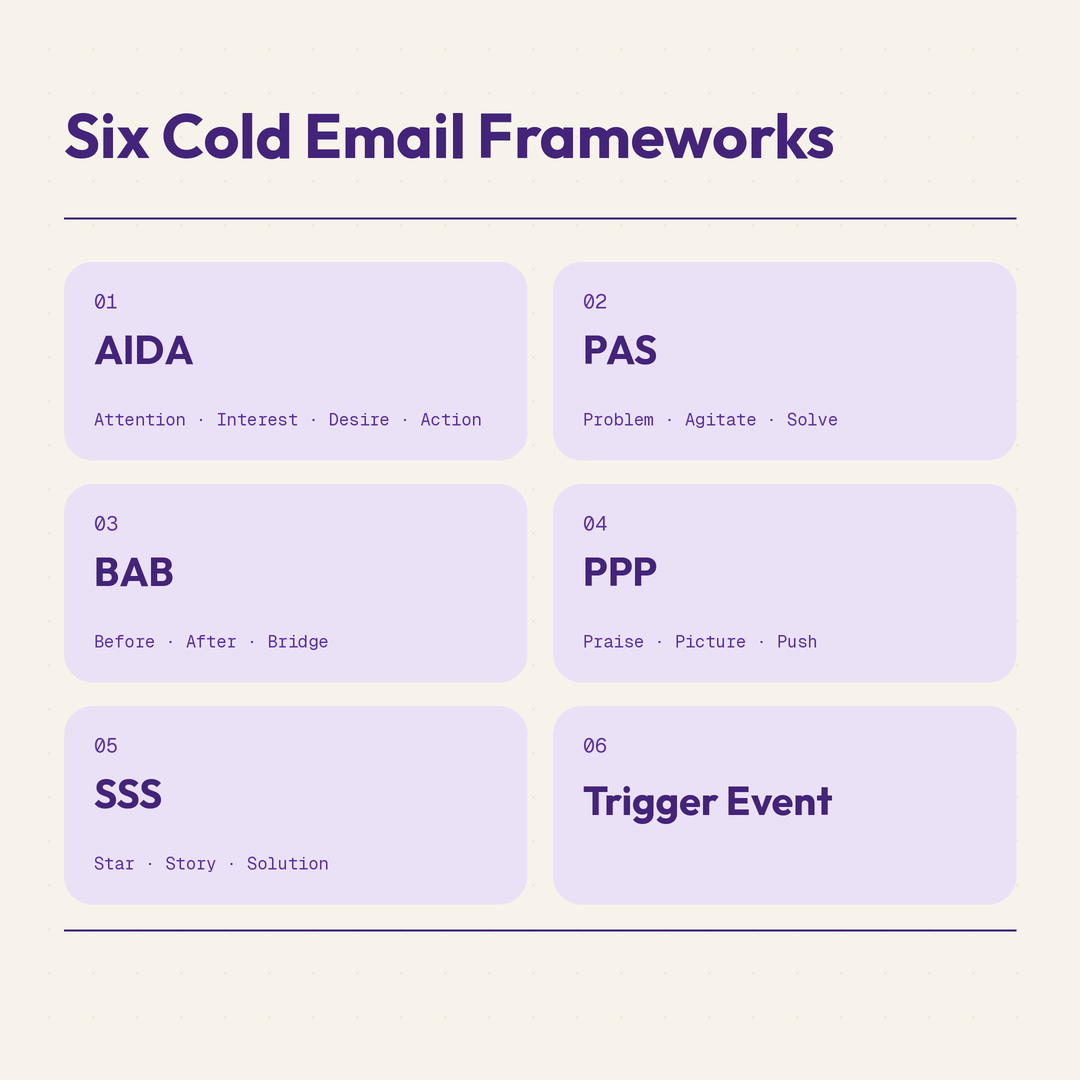
Each framework below comes with a full template you can use as is.
AIDA stands for Attention, Interest, Desire and Action. It is the oldest structure in the list, and it still works because it mirrors how people decide.
Best for: First-touch sales outreach where you have a clear observation about the prospect.
Why this works: The observation earns attention, the problem creates interest, the result creates desire, and the small ask makes action easy.
PAS stands for Problem, Agitate, Solve. It hits harder than AIDA, and it suits readers who already know they have the problem.
Best for: Problem-aware buyers who have felt the pain but have not named it.
Why this works: The agitation step gives the reader a reason to act now rather than later.
Before After Bridge paints the current state, the better state, and the path between them. It is the gentlest of the six, which makes it good for follow-ups.
Best for: Follow-ups and re-engagement where a hard pitch would feel heavy.
Why this works: It sells the outcome before it sells the product, so the reader pictures the result first.
Praise Picture Push opens with genuine recognition, paints the opportunity, then makes the ask. It is the right tone when you are reaching out as a peer.
Best for: Partnerships, collaborations and senior prospects who get pitched constantly.
Why this works: Specific praise is rare enough that it buys you the next three sentences.
Star Story Solution leads with a customer, tells what happened to them, then offers the same path. It is the strongest framework when your proof is better than your pitch.
Best for: Agencies, consultants and anyone whose case studies carry the sale.
Why this works: A story about someone else is easier to read than a claim about yourself.
Trigger Event ties the email to something that just happened. It is the highest-performing structure of the six, because the timing does most of the work.
Best for: Any outreach where you can track funding rounds, hiring, tech changes or leadership moves
Why this works: The trigger makes the email feel timely rather than random, which is the hardest thing to fake.
Now the practical part. These are grouped by what you are trying to do, so you can jump to your situation and copy what fits.
Every template names who it suits and why it works, so you can adapt rather than paste.
This is the group most people come here for. Six templates for the first email to someone who has never heard of you.
Best for: Companies in visible growth mode.
Why this works: Hiring is public, specific and time-bound, so the email arrives with a reason attached.
Best for: Prospects with a known, repeatable operational pain.
Why this works: Making a specific guess invites a correction, and a correction is a reply.
Best for: Markets where your prospects watch each other closely.
Why this works: Peer proof carries more weight than vendor claims, and the offer is information rather than a meeting.
Best for: Any prospect you can reach through a real shared contact.
Why this works: A named connection turns a cold email into a warm one, so only use it when it is true.
Best for: Prospects using a known competitor whose limits you understand.
Why this works: It acknowledges the competitor fairly instead of attacking it, which keeps the reader from getting defensive.
Best for: Busy senior buyers who prefer directness over storytelling.
Why this works: Giving the reader a clean way to say no makes it easier for them to say yes.
Most replies do not come from email one. These four cover the sequence after it.
Best for: Email two or three, where a second pitch would be too much.
Why this works: It gives the reader something before asking again, so the follow-up does not feel like pressure.
Best for: Email two, sent two or three days after the first.
Why this works: Short bumps work because they cost the reader almost nothing to answer.
Best for: Email three, when the first angle clearly missed.
Why this works: Changing the angle gives the reader a new reason to engage instead of repeating a rejected one.
Best for: The last email in any sequence.
Why this works: Removing the pressure often produces the reply the previous four did not.
When you sell a service, the email has to demonstrate the service. These three do that.
Best for: Agencies where the diagnosis is genuinely valuable on its own.
Why this works: Offering the work upfront proves competence faster than describing it.
Best for: Prospects whose work is public and reviewable.
Why this works: Leading with one real, free insight makes the rest credible before you ask for anything.
Best for: Agencies with a result in the prospect's exact category.
Why this works: A specific number in the subject line does the qualifying before the email is even opened.
Partnership emails fail when they read like sales emails. These three reach out as a peer.
Best for: Companies with an adjacent audience and no direct conflict.
Why this works: It names the overlap explicitly, so the reader does not have to work out the fit.
Best for: Software companies with shared customers.
Why this works: Customer demand is the strongest argument in a partnership pitch, and it is verifiable.
Best for: Content partnerships, podcasts and guest posts.
Why this works: Naming a real gap in their existing work proves you read it.
Recruiting outreach reaches people who are not looking. The tone has to be different.
Best for: Strong candidates who are employed and not applying.
Why this works: Removing the pressure to switch makes the conversation possible.
Best for: Well-connected people in your target function.
Why this works: Asking for an opinion rather than an application is a much easier yes.
Old threads are worth reopening, as long as you give the reader a reason beyond "just checking in."
Best for: Leads who said no for timing reasons rather than fit reasons.
Why this works: It names the original objection, which shows you remembered rather than restarted.
Best for: Lost deals where one specific gap killed it.
Why this works: Closing a named objection is the cleanest possible reason to reopen a thread.
Here is the part almost no cold email guide covers. You got the reply, and now you have to answer it.
Best for: A soft no with no reason attached.
Why this works: It converts a vague deferral into a dated one, which is a much stronger pipeline signal.
Best for: Prospects buying time with a polite request.
Why this works: Sending something short and specific tests real interest, where a 20-page deck does not.
Best for: Prospects who are happy with an incumbent.
Why this works: Acknowledging the competitor's real strength keeps you credible, and plants one specific doubt for later.
Best for: Any wrong-contact reply.
Why this works: It asks for one easy piece of information and takes the work off their plate.
Now for the part that decides whether any of the above matters.
You can run the best template on this page and still get nothing back, because the email never reached a human. That is not a copy problem, and no rewrite fixes it.
So here is what sits underneath every cold email campaign.
Since Google and Microsoft tightened their bulk sender rules, a few things became non-negotiable for anyone sending at volume.
You need SPF, DKIM and DMARC configured on every sending domain. You need a spam complaint rate below 0.1%, and you need a working unsubscribe path.
Get the MX records setup wrong and your domain has no idea where mail should go. That alone can sink an entire campaign before the copy is ever judged.
The same template performs differently depending on where it is sent from. A mailbox on a brand new domain with no reputation will underperform an identical one on a warmed domain.
There is also an ESP matching effect. Emails sent from Google mailboxes tend to place better with Gmail recipients, and Microsoft mailboxes with Outlook recipients.
That is why I keep both. If your list is mixed, running only one provider puts half your sends at a disadvantage, and your Google Workspace setup choices matter as much as your copy.
For teams weighing up providers, this breakdown of cold email infrastructure compares what each one actually gives you.
Every provider caps how much you can send, and the published limit is rarely the safe one.
Push past the behavioural thresholds and you get throttled, which looks like deliverability collapse but is really a volume problem. Microsoft 365 throttling is the one that catches most teams off guard.
The practical answer is more mailboxes sending less each, rather than fewer mailboxes sending more.
Primeforge gives you real Google Workspace and Microsoft 365 mailboxes with DNS configured automatically and US IPs, ready in about 30 minutes.
Get started with mailboxes built for cold outreach
I see the same seven mistakes over and over, and most of them are easy to fix.
The opening line is the only part the reader uses to decide if this is personal. Leave it generic and the rest of your careful copy never gets read.
Nobody opens a cold email wanting your company history. Lead with their situation, and mention yourself only once you have earned the attention.
A half-hour call is a big ask from a stranger. Ask for a reply, a yes or no, or permission to send something instead.
When you offer a call, a demo and a download in the same message, you create a decision instead of an action. Pick one.
A broken {{first_name}} tag is the fastest way to confirm you are mass sending. Always test the merge before the campaign goes out.
Single-provider sending limits your inbox placement across a mixed list. Comparing Microsoft mailbox providers is worth doing before you commit your whole stack.
Most teams rewrite copy three times before checking authentication once. The order should be the other way around.
With 30 templates on the page, here is how I would narrow it down.
If you are still building the infrastructure underneath all this, these comparisons of Mailpool alternatives and CheapInboxes alternatives cover what to look for in a provider.
Set up your sending infrastructure first
Salesforge is the tool I would send these templates from, because it handles unlimited mailboxes without per-seat pricing and runs email and LinkedIn in the same sequence.
That second part matters more than it sounds. Most of these templates work better when a LinkedIn touch sits between email one and email two, and running both from one sequence keeps the timing right.
A few things make the day-to-day easier. Primebox™ pulls every reply from every mailbox and both channels into one inbox, so the objection templates above are easy to action without hunting through accounts.
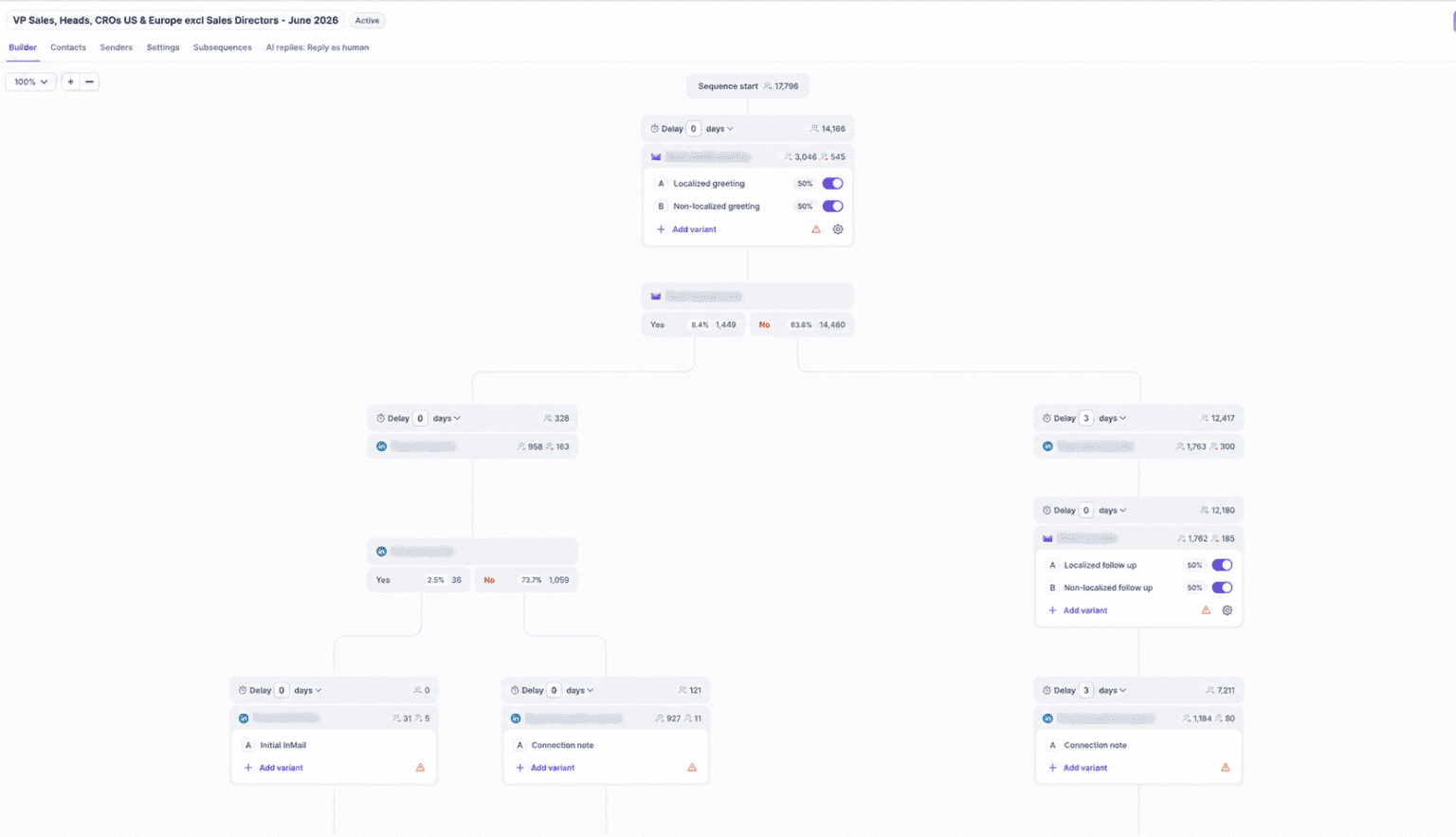
A/Z testing lets you run more than two variants at once. With 30 templates to work through, testing four openings against each other beats testing two.
And if you would rather not write the sequences yourself, you can hire Agent Frank. He prospects against your ICP, writes the outreach, sends it and follows up, and he works in over 20 languages.
So here is where to start. Pick three templates that match your current campaign, rewrite the opening lines in your own words, and run them against the same list segment for two weeks.
Change one variable at a time. Keep what replies, and rewrite what does not.
Start a free trial of Salesforge, no credit card required
A cold email template is a reusable email structure for contacting someone who has never interacted with you. It fixes the subject line, opening, body and call to action, and you swap in details for each prospect.
Between 50 and 125 words. That is five to eight short lines on a phone, which is where most cold emails are read.
Yes, but only when the structure is reused and the wording is rewritten. Templates sent verbatim at scale get recognised and ignored.
A cold email is sent to a specific person for a relevant business reason, from an authenticated domain, with a working unsubscribe. Spam is sent indiscriminately at volume with none of those things. The technical difference is authentication and complaint rate, not intent.
Set up SPF, DKIM and DMARC on every sending domain, warm each mailbox before sending, keep complaint rates under 0.1%, and spread volume across more mailboxes rather than pushing more from fewer.
Three to four after the first email. Most replies land on emails two and three, and anything past five tends to generate complaints rather than conversations.
There is no single best one. Trigger Event performs best when you have real timing information, PAS works for problem-aware buyers, and Star Story Solution suits anyone whose case studies carry the sale.
Personalise the opening line only, and use information you can verify from a public source. Avoid AI-generated claims about the prospect's situation, because an invented detail costs you more credibility than a generic opener would.
Both, if your list is mixed. Google mailboxes tend to place better with Gmail recipients and Microsoft mailboxes with Outlook recipients, so running one provider puts part of your list at a disadvantage.
Keep it between 20 and 40 per mailbox per day after a full warm-up. The published provider limits are much higher, but sending near them triggers throttling and reputation damage.