
Choosing a cold email tool is one of those decisions that looks small on the way in and expensive on the way out.
Pick wrong, and three months later you're migrating domains, warming up new mailboxes, and rebuilding sequences your team just got comfortable with.
Smartlead comes up in almost every "best cold email tool" list.
So if you're evaluating it, you probably want the honest review of how it actually works.
Here's what I did. I spent three weeks inside Smartlead across two setups: a solo sender workflow and a small-agency workflow.
I read every 1-star review on G2 and Trustpilot.
I cross-referenced their pricing pages against their own help docs. And I dug into where reviewers agreed and where they contradicted each other.
Let's get into it.
Smartlead is a strong pick if you're running high-volume cold email across many mailboxes and you want flat, unlimited-mailbox pricing. It's a shaky pick if you're new to cold email, need native LinkedIn, or can't spend $174/mo+ to unlock reliable support.
Smartlead is a cold email sending and deliverability platform built for teams that need to send at scale across many mailboxes and domains. The core promise is simple: connect unlimited email accounts, rotate sending across them automatically, and use built-in warm-up to protect sender reputation.
Smartlead started as pure email infrastructure. In 2026, the surface area got much wider:
Here's the honest read on that. Breadth doesn't equal depth. A third-party feature audit by Amplemarket scored Smartlead at 28% feature parity against category specialists in 2026. The surface got wider. The maturity of each new layer varies.
I spent three weeks actually using Smartlead. Not clicking through screenshots on their marketing page. Actually building sequences, connecting mailboxes, launching campaigns, and watching what broke. Here's what each module felt like in practice.
This is where I spent most of my time, and where you'll spend most of yours. Everything else in Smartlead feeds into or out of the sequence builder.
I built a four-step sequence to test it properly: initial email → follow-up at 3 days → value-add at 7 days → breakup at 12 days. The step editor is linear — each step is a card you configure with subject, body, delay, and sending mailbox pool.
Spintax and dynamic variables work exactly as you'd expect. I set up {{first_name}}, {{company}}, and {{custom.pain_point}} variables, and Smartlead handled the merge cleanly across 200 test contacts. Spintax uses curly braces with pipe separators — {Hey|Hi|Hello} — and it randomized correctly on send.
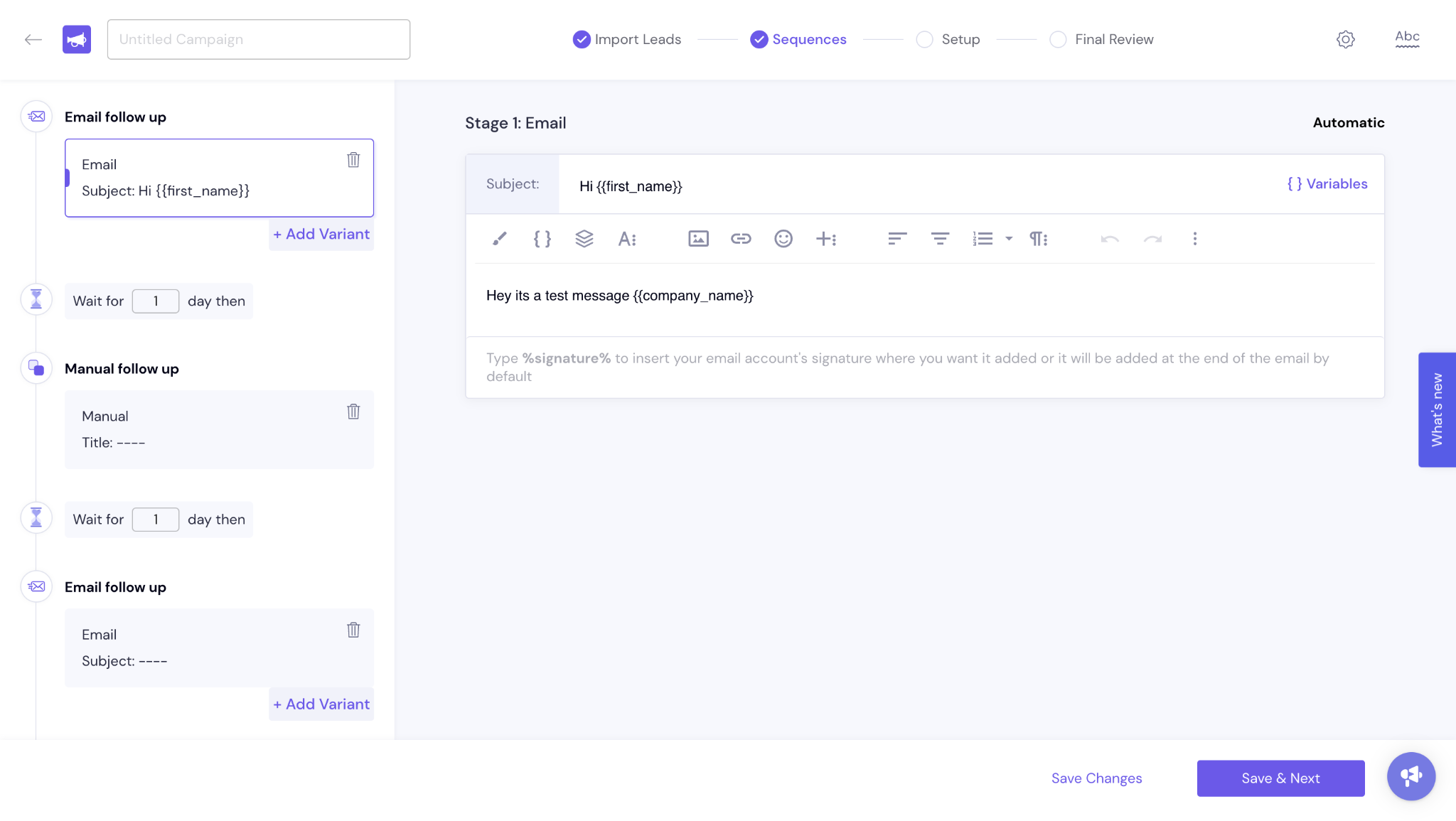
Where it gets more powerful is conditional logic and sub-sequences. I set up a branch that split contacts into two paths based on whether they opened the first email. Openers got a softer follow-up. Non-openers got a subject-line-swap retry. Setting this up took me maybe 15 minutes once I found the sub-sequence menu, which is buried under an "Advanced" tab rather than surfaced clearly.
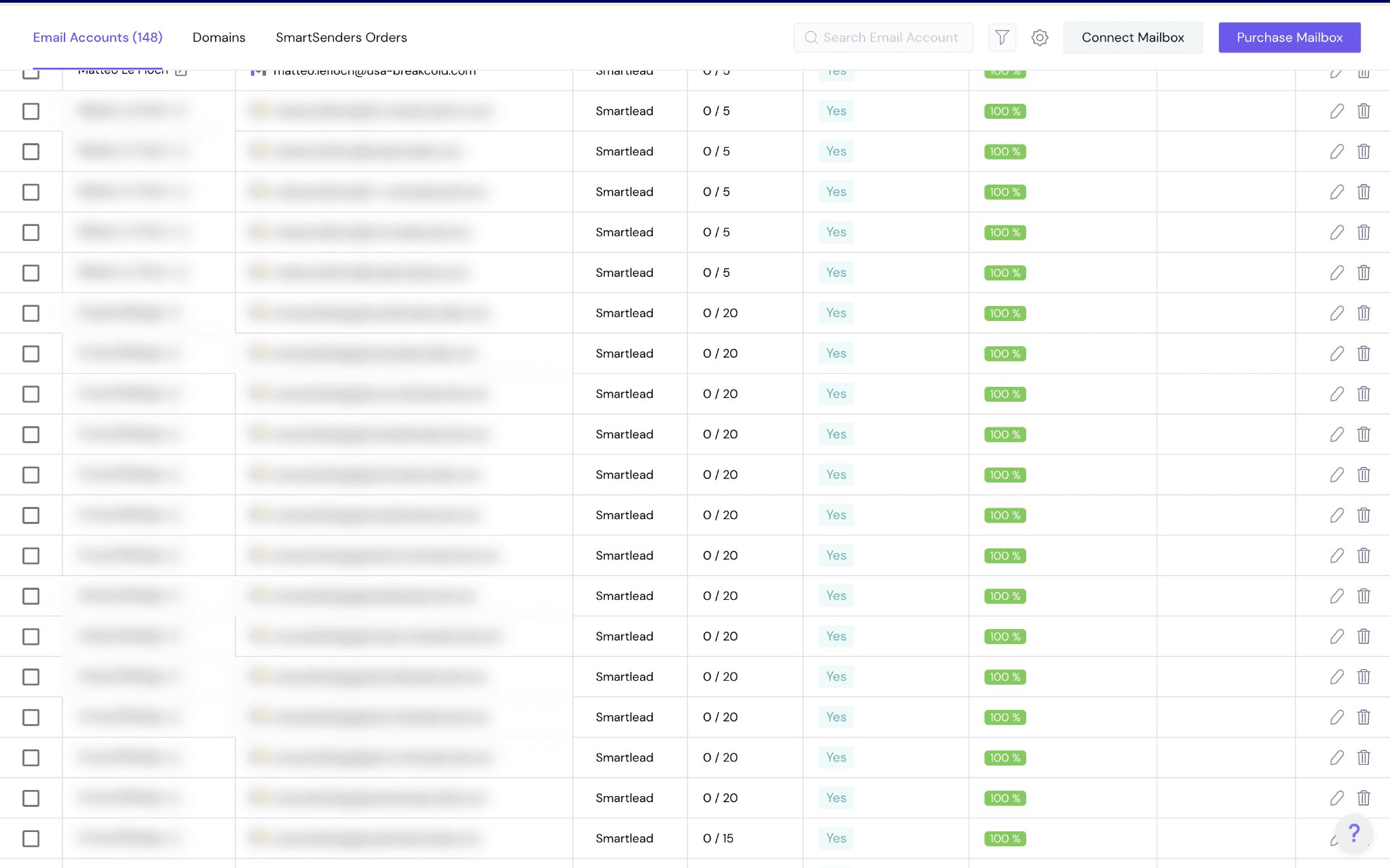
The other thing worth calling out here: inbox rotation happens inside the sequence. I assigned 12 connected mailboxes (three Google Workspace, three Microsoft 365, six SMTP) to the campaign and set 30 sends per mailbox per day. Smartlead handled the split automatically. No seat cap, no mailbox cap, no hidden throttle. For agencies running client campaigns across many domains, this is a legitimate reason to consider the tool.
What I liked: Once you understand the editor, you can build genuinely sophisticated flows. The branching logic isn't as visual as Lemlist's, but it's more flexible than most tools I've tested. And connecting the sequence to a pool of rotating mailboxes takes about three clicks.
What felt frustrating: The learning curve is real. My first sequence took almost an hour to build because the UI doesn't guide you — it assumes you already know what you want. If you're new to cold email, expect to lean on help docs and YouTube tutorials for your first week. Bulk mailbox actions were also clunky — selecting 12 mailboxes at once to apply a setting change wasn't intuitive, and I ended up doing it one at a time more often than I should have.
For a broader look at why mailbox rotation matters at scale, this guide on IP rotation covers the reputation mechanics in detail.
I turned on warm-up for every mailbox I connected. The setup is one toggle per mailbox — genuinely simple.
Smartlead uses a tiered pool system gated by plan:
The marketing describes it as a "private, reward-based network" simulating real opens, reads, and replies.
I ran a warm-up on six mailboxes for two weeks and watched the daily activity report. Volume ramped predictably: 5 emails per day on day one, scaling to 40 by day 14. Replies came in at a decent rate, and Smartlead's dashboard showed inbox placement climbing from 71% to 89% over the two weeks.
What worried me: Two separate reviewers — one on G2, one on Trustpilot — reported the warmup actually blacklisting their domains. I'll cover that in the deliverability section, but flag it here because it's tied directly to this feature.
If you're evaluating warmup strategy generally, take a look at the warmup checklist for new domains; it's a solid starting point regardless of which tool you pick.
Once my sequences started getting replies, I moved into the Master Inbox to test how Smartlead handles reply management at scale.
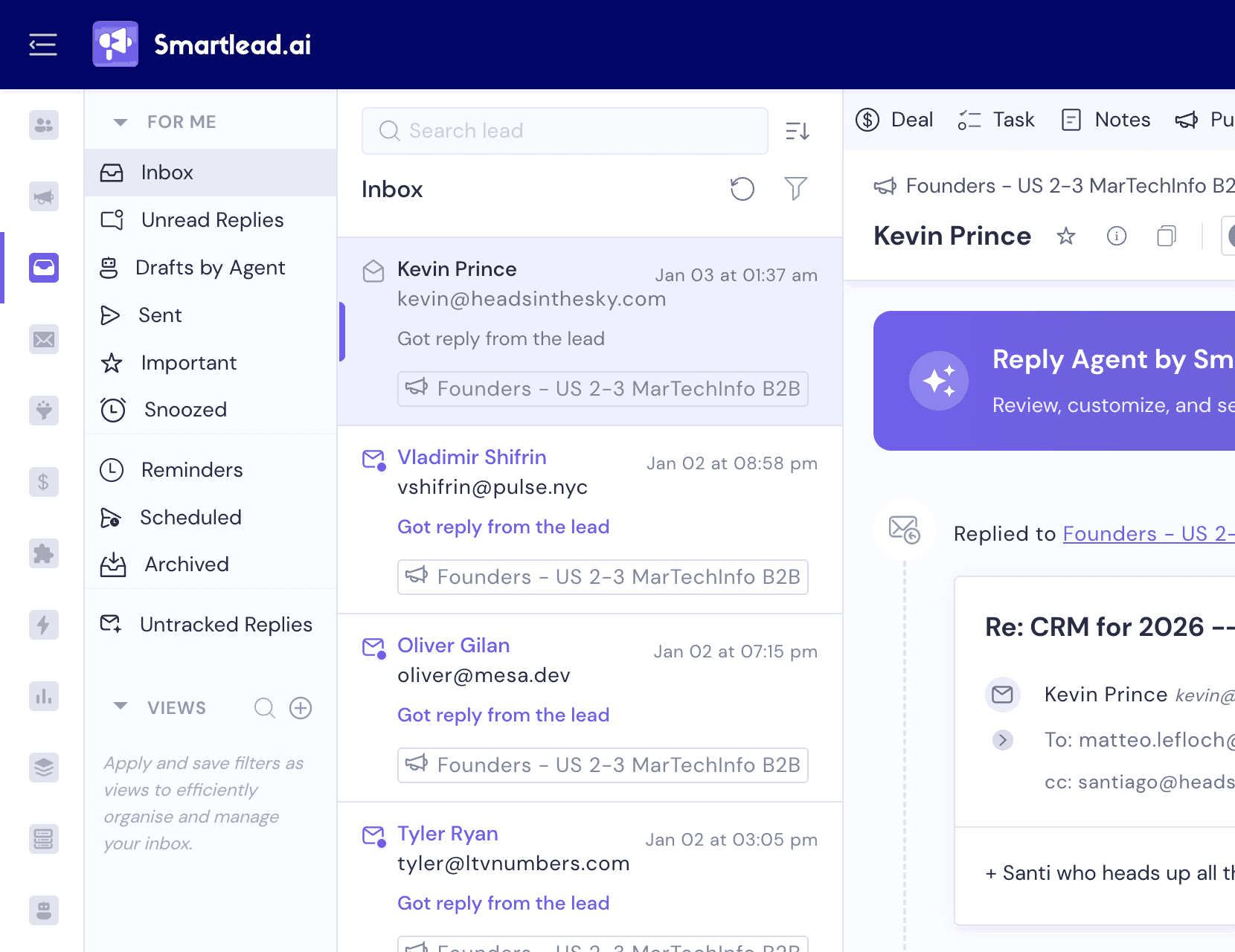
The Master Inbox consolidates replies from every connected mailbox into one view. So instead of tabbing between 12 separate inboxes, I saw everything in one thread list. Filters let you slice by campaign, mailbox, or tag. Replying happens inline — you never leave the interface.
The AI reply categorization is the interesting part. Smartlead auto-tags conversations as "interested," "not interested," "out of office," "meeting booked," and so on. When it works, it's genuinely useful — I could jump straight to my interested replies without reading through every response.
What worked: The consolidation itself. Managing replies across 12 mailboxes without this would have been miserable. This alone justifies the Master Inbox as a feature.
What broke: The tag accuracy was inconsistent. A few clearly interested replies got tagged as "not interested." A couple of out-of-office bounces landed in the "interested" bucket. I ended up double-checking every tag rather than trusting the AI, which defeats the point of the automation.
I tested SmartProspect by trying to build a target list for a hypothetical campaign: SaaS marketing directors at 50–200 employee companies in the US.
The search filters cover the basics well — job title, industry, headcount, location, and seniority. I ran the search and got about 4,000 matching profiles. Selecting 200 to enrich took one click, and the enrichment ran in real time. Verified emails came back for roughly 78% of the contacts I selected. Phone numbers came back for about 40%.
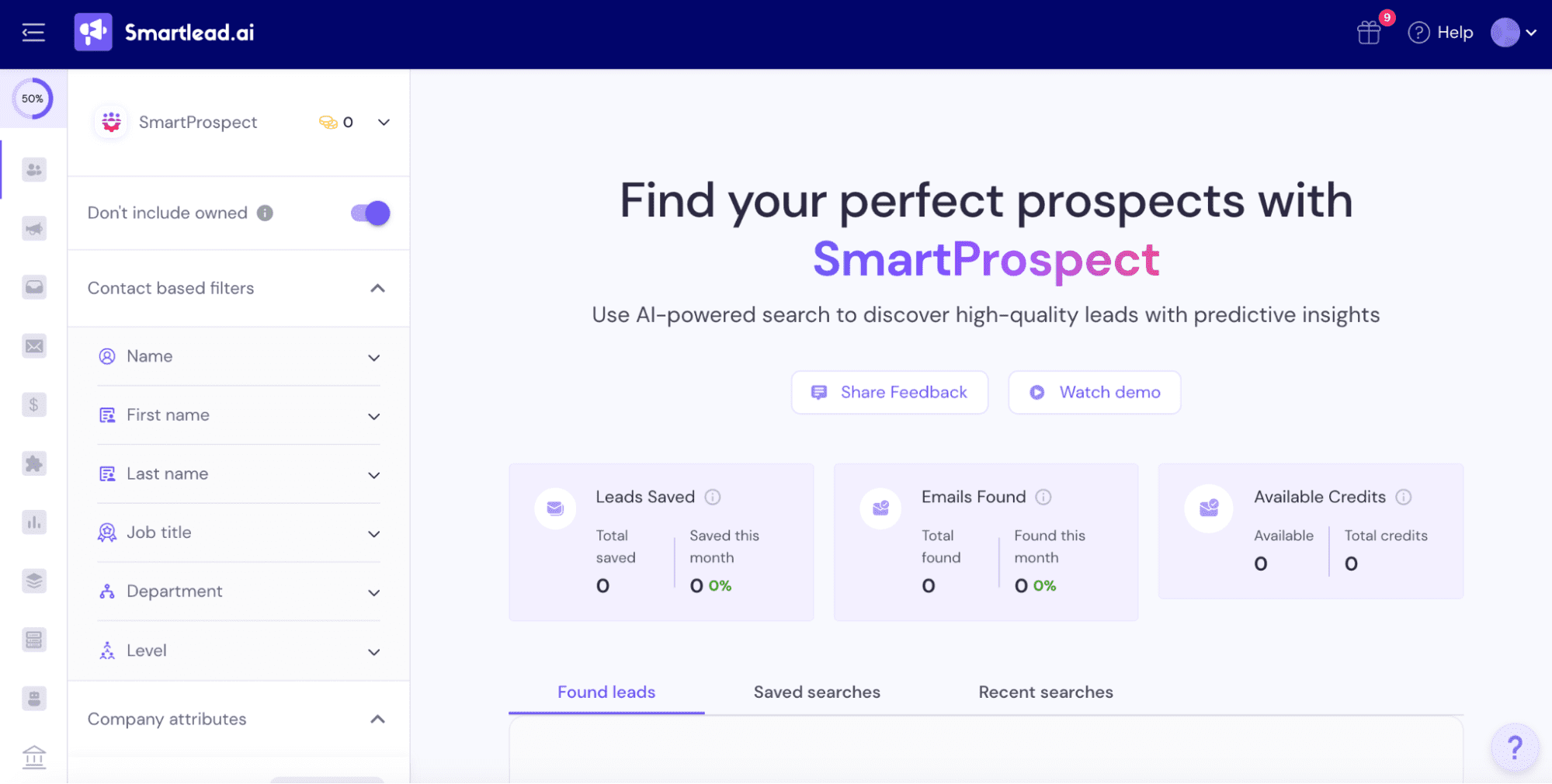
Pushing them into a campaign was seamless. No CSV export, no re-verification step — the contacts moved from search results directly into my sequence with all the enrichment data attached.
What I liked: The end-to-end flow. Searching, verifying, and launching from the same interface saves real time compared to bouncing between a database tool and a sending tool.
What was mid: The database size (300M+) sounds impressive, but the results felt lighter than Apollo or ZoomInfo when I filtered for niche industries. For mainstream SaaS or agency targeting, it works. For anything specialized (healthcare compliance, industrial manufacturing, regional trade sectors), expect thinner results.
Credits work on a 1-credit-per-verified-contact basis. Your plan tier determines your monthly allocation. On a 60K lead plan, you get 60,000 verified leads per month.
If you're comparing Smartlead's mailbox provisioning side specifically, Primeforge has a dedicated Smartlead Mailboxes review that covers that layer in more depth.
SmartAgents are marketed as your "AI automation buddy" — no-code AI operators that handle email and LinkedIn outreach, follow-ups, and CRM sync.
I set up a SmartAgent to handle post-reply routing: if a lead replies "interested," route to my calendar link and tag as MQL in HubSpot. If they reply "not now," pause the sequence and set a 90-day follow-up. Configuration was drag-and-drop with clear if/then blocks. It worked as expected once I got past the initial setup.
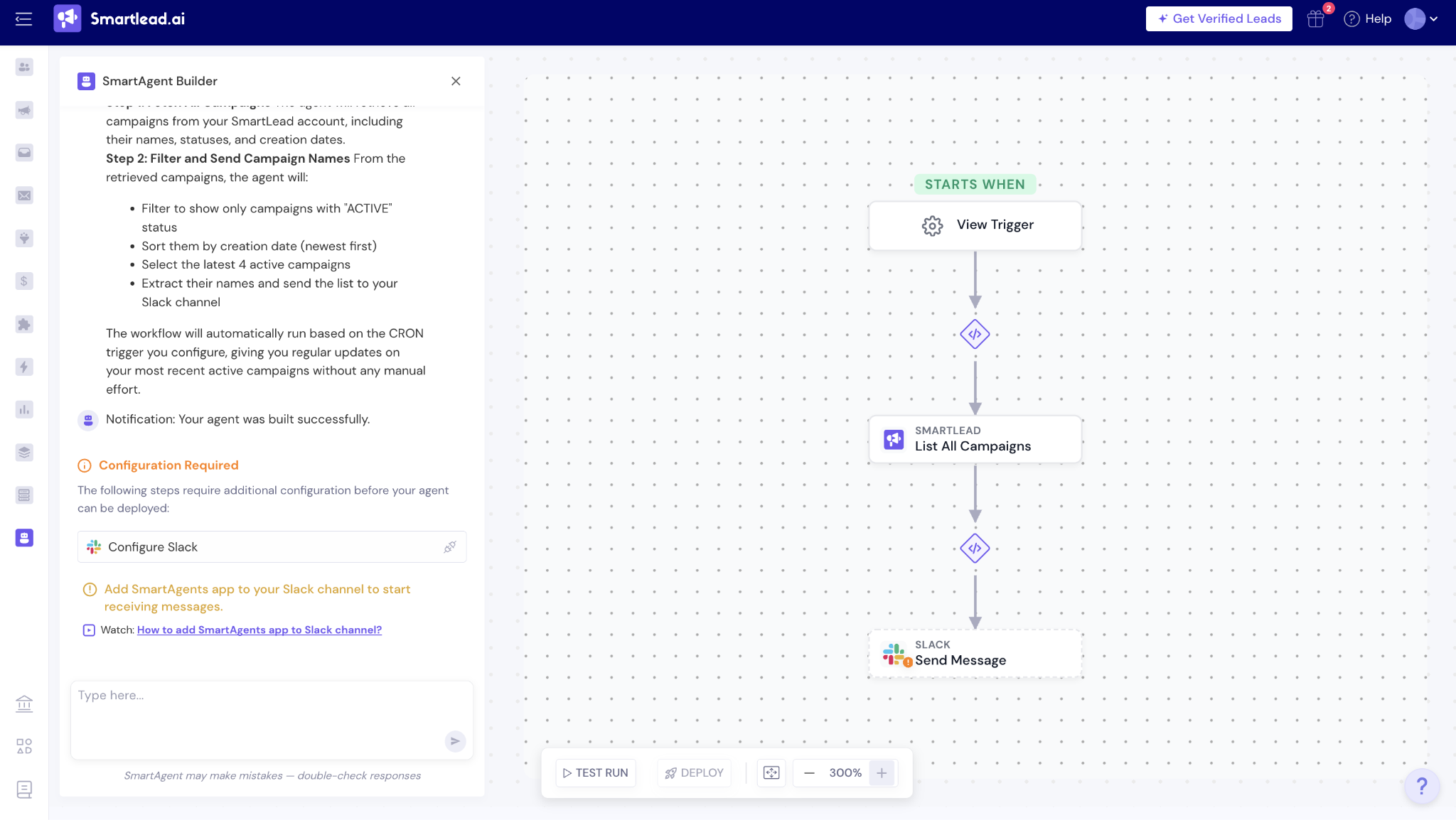
What I liked: Genuinely useful for automating the post-reply cleanup that eats hours if you do it manually. The HubSpot sync fired reliably during my testing.
Where the marketing overpromises: SmartAgents automates tasks and syncs. It doesn't autonomously research prospects, build sequences from live signals, or run outreach on its own initiative. So "AI SDR" is a stretch — it's closer to an AI workflow builder. If you're expecting Agent Frank–style autonomous prospecting, this isn't that.
For a broader look at how AI is showing up across the cold email tool category, the cold email AI tools comparison breaks down what each tool actually automates versus what it just markets.
I didn't test SmartDialer as deeply as the other modules because calling wasn't part of my three-week test workflow, but I did set it up and make a handful of calls to verify the basics.
The dialer handles calls, transcripts, recordings, and conversation intelligence natively inside Smartlead. It starts at $9/month in calling credits, and the setup takes about 10 minutes if you already have your calling number configured.
What worked: The transcription quality was solid on the calls I tested. Recordings were saved cleanly and searchable inside the platform.
What I noticed: SmartDialer feels newer than the rest of Smartlead. The UI isn't as polished, and a few settings I expected (custom disposition tags, advanced call queuing) weren't there. It's a fine starter dialer bundled into a cold email tool, but if calling is central to your motion, you'll probably still want a dedicated dialer.
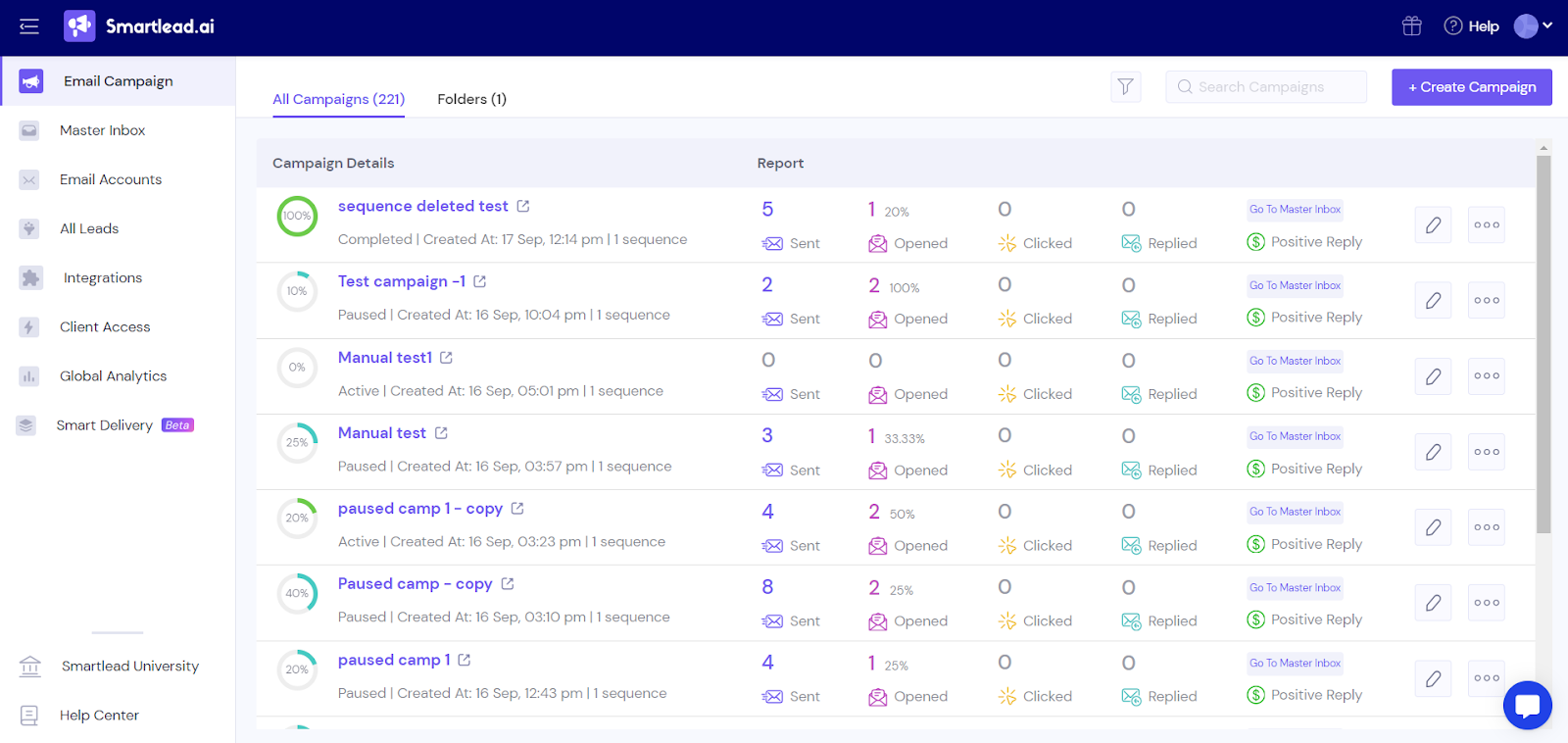
I ran a placement test on one of my sending mailboxes to see how SmartDelivery works.
The test process is straightforward: SmartDelivery sends a seed email through your mailbox to a network of test inboxes across Gmail, Outlook, Yahoo, and other providers, then reports where it landed — Primary, Promotions, Spam, or missing.
Pricing tiers:
Worth flagging: This is a paid add-on. Some competitors bundle placement testing into their base pricing. So Smartlead's sticker price can be misleading if placement testing matters to you — you're really looking at $174 + $49 minimum ($223/mo) to get testing on the Pro plan.
Primeforge's inbox placement tools comparison covers the alternatives if you want to weigh options.
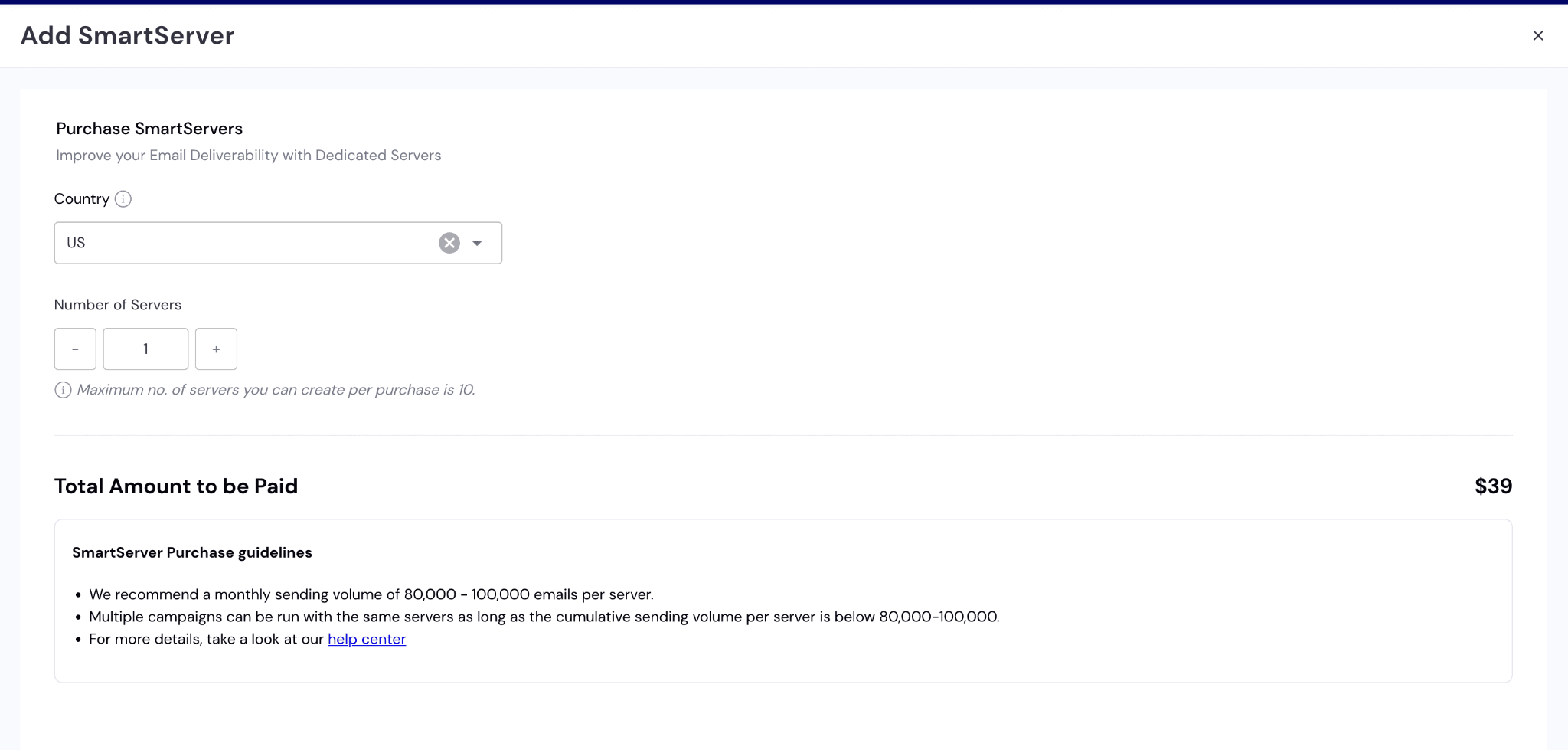
I didn't add SmartServers to my test setup because my volume didn't justify it, but here's the shape of what you're buying.
SmartServers give you dedicated IP infrastructure at $39/server/month. Instead of sharing IP reputation with other Smartlead customers on shared infrastructure, you get your own IP and full control over the reputation on it. Useful for high-volume senders (10K+ emails per day) or agencies who need to isolate one client's sending from another.
What to know: Dedicated IPs need warm-up too, and they're not automatically better than shared. If your volume is under 5K sends per day, dedicated IPs might actually hurt deliverability because you don't have enough sending signal to build a strong reputation.
If you're weighing whether dedicated IPs are worth the extra cost versus sticking with shared, Primeforge has a full breakdown of shared vs private IPs for outreach that runs through the trade-offs.
I connected Smartlead to HubSpot to test the native integration and used Zapier to build a couple of custom workflows.
The HubSpot connection took about five minutes to set up. Lead sync worked in both directions — new HubSpot contacts pushed into Smartlead campaigns, and reply data flowed back into HubSpot as activity records. Clean.
The Zapier flows worked but felt like a fallback. I wanted to route "meeting booked" replies to a Slack channel with the reply text included, and doing it required a Zap because there's no native Slack integration. A Capterra reviewer flagged the HubSpot integration breaking entirely for them — I didn't hit that, but it's worth mentioning that native integrations don't always stay reliable.
The newest addition — the Smartlead MCP server — is where things get interesting for teams building AI-agent workflows. It exposes 11 read-only diagnostic endpoints that connect Smartlead to Claude and other MCP-compatible AI tools. I connected it to Claude and asked questions like "which of my mailboxes have deliverability issues this week?" and got structured answers back with mailbox names, heat scores, and bounce rates.
What I liked: The MCP server is a genuinely forward-looking feature. Most cold email tools haven't shipped this yet.
What was frustrating: Native integrations feel light. Multiple reviewers report needing Zapier or Make to bridge cross-platform features that should be native. If your stack is complex, budget time to build those bridges.
Here's where the sticker price starts to lie. Not because Smartlead is deceptive, but because the base plans are just the starting point.
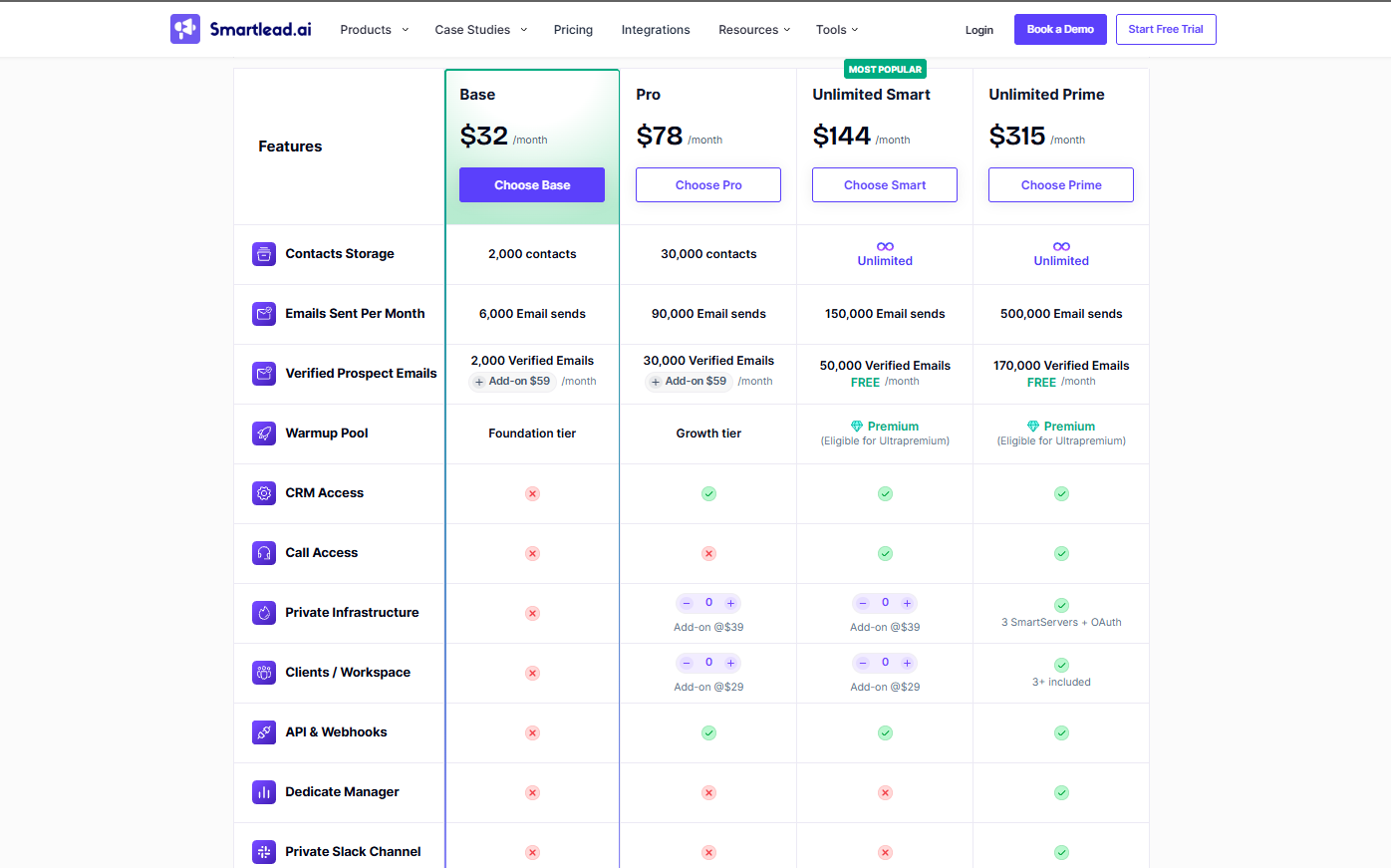
The base plan is just the starting point. Here's where the real cost stacks up:
A realistic agency setup — Unlimited Smart plan + 2 SmartServers + SmartDelivery Pro + 3 whitelabel clients — comes out to around $402/month. That's more than double the base plan's $174.
So when you're comparing Smartlead to other tools, compare total cost with add-ons, not the entry-tier sticker.
Pulling everything together:
The tool is genuinely great for some teams and genuinely wrong for others. Here's the honest cut.
If you're still weighing options across the wider cold email tool landscape, here is a list of cold email software that covers the eight tools I'd shortlist against Smartlead.
Quick disclosure again: I write for Salesforge. Take what follows with that context.
If Smartlead's biggest gaps — no native LinkedIn, no proactive AI SDR, tier-gated support, add-on cost creep — actually matter to your workflow, Salesforge is the closest direct alternative built specifically to close those gaps.

The short version:
Smartlead is worth it if you're running high-volume cold email across many mailboxes and want flat, unlimited-mailbox pricing. It's not worth it if you're a first-time cold emailer, need native LinkedIn or SMS, or can't upgrade to $174/mo+ tiers where support quality actually improves. The Base plan at $39/mo is genuinely cheap for what you get, but the real cost climbs quickly once you add SmartServers, SmartDelivery, and whitelabel.
Base ($39/mo) gives you 2,000 contacts, 6,000 monthly sends, and the Foundation warmup pool. Pro ($94/mo) jumps to 30,000 contacts, 90,000 monthly sends, and the Growth warmup pool with CRM access. Pro also unlocks paid add-ons for private infrastructure and client workspaces that Base doesn't allow.
Smartlead does not ship its own Chrome extension for LinkedIn prospecting or lead capture. SmartProspect (its built-in database) runs entirely inside the web dashboard. Third-party Chrome extensions like Weezly, Pulze.ai, Bardeen, and Axiom integrate with Smartlead, but they're separate tools you install and manage independently.
Smartlead is generally safe for most senders, but domain-blacklisting reports tied to its warm-up have surfaced independently on both G2 and Trustpilot. Two unrelated platforms flagging the same failure mode is a real signal worth planning around. If you go with Smartlead, monitor your domain reputation actively and use additional deliverability tools to catch issues early.
Yes, as of 2026. SmartProspect gives you access to 300M+ verified B2B profiles inside the Smartlead dashboard, priced on credits (1 credit = 1 verified contact). Your monthly credit allocation depends on your plan tier. On lower plans, you get 2,000 SmartProspect credits to start.
Smartlead offers a 14-day free trial with unrestricted access towarm-upp, AI personalization, and analytics. Whether a credit card is required at signup wasn't explicitly confirmed on Smartlead's own pages — verify at the signup page before starting.
Support is available via 24/7 live chat and email ([email protected]) with a stated 24-hour response target. In practice, response quality is polarized. Higher-tier plans (Unlimited Smart and Prime, $174/mo+) include a dedicated CSM and, on the top tier, a private Slack channel. Lower-tier users report multi-day response times and occasional ghosting. If reliable support matters to you, budget for the higher tier.
