Many emails never reach the main inbox. They go to spam or promotions, even when they are important. This hurts open rates, replies, and sales.
Inbox placement tools help fix this.
They test where your emails land, warn you when something is wrong, and help you improve deliverability.
In this blog, you will see 10 inbox placement tools that help emails reach the inbox. These tools let you:
check inbox placement
warm up mailboxes
monitor reputation
find deliverability issues
If you send cold emails, newsletters, or outreach messages, these tools can help your emails land where people can actually see them.
Let’s begin.
What Are Inbox Placement Tools?
Inbox placement tools are tools that tell you where your emails land after you send them.
They show if your email reaches the main inbox or gets filtered into spam or promotions.
These tools test your emails with real inboxes and then tell you the result.
They help you see delivery problems early, so you can fix them before sending more emails.
In short, inbox placement tools let you check if your emails reach the inbox and help you improve that result.
How To Choose The Right Inbox Placement Tool
To choose the best inbox placement tools, we focused on what matters most when checking email delivery and preventing messages from landing in spam.
We checked how each tool handles testing, monitoring, warm-up, and ongoing deliverability support.
Here’s what we looked at:
Inbox placement accuracy across Gmail, Outlook, and other providers
Warm-up quality, including mailbox warming, engagement signals, and trust building
Deliverability help, such as reputation protection and spam issue detection
Pricing and flexibility for teams managing multiple mailboxes
Ease of scaling, including support for many domains or sending accounts
Integration options with outreach tools, CRMs, and email platforms
Monitoring features for tracking inbox health and alerts when issues appear
1. Warmforge
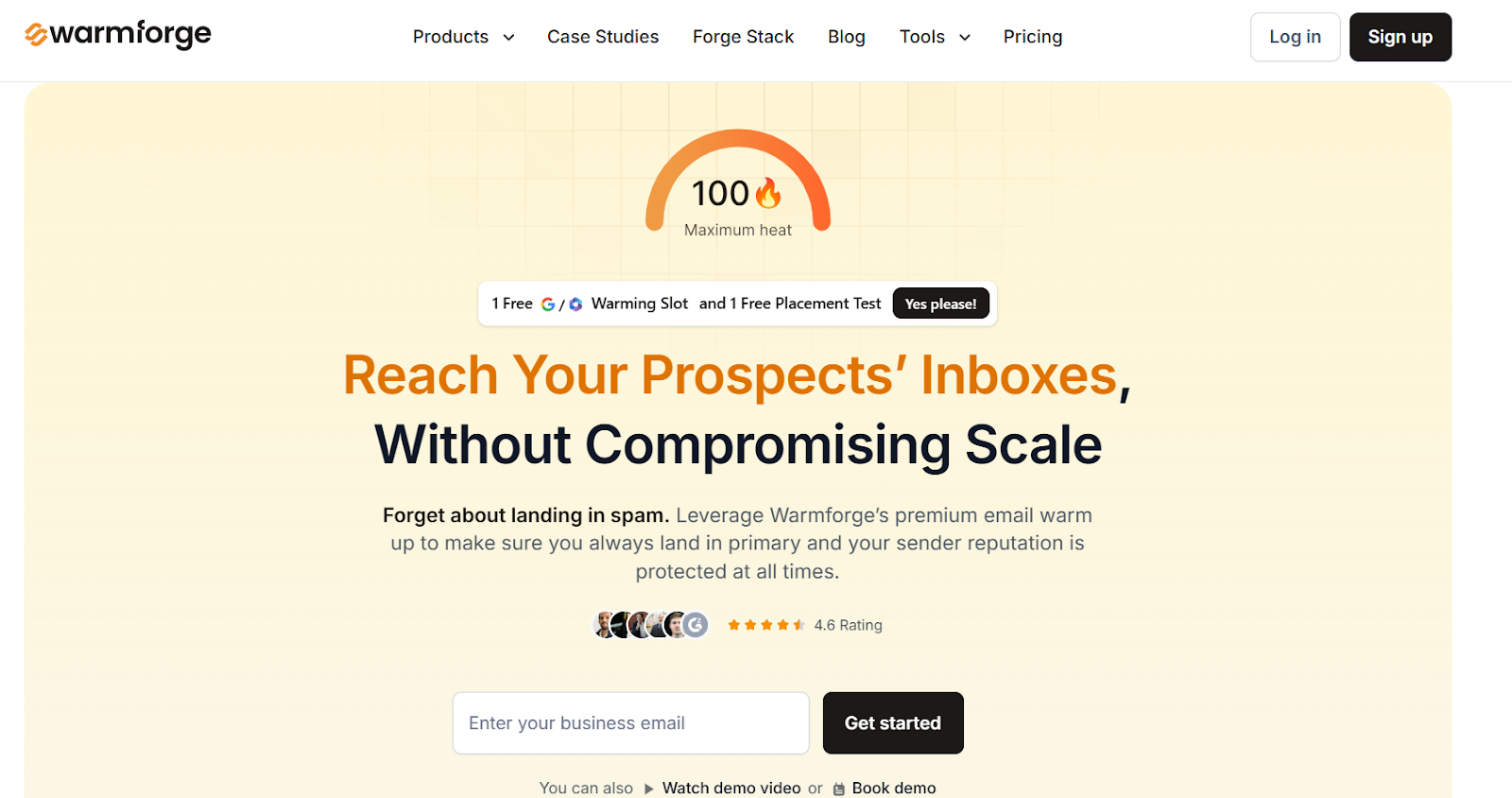
This image shows the Warmforge homepage
Warmforge is a deliverability tool that helps emails reach the inbox instead of spam.
It warms up mailboxes using AI, runs inbox placement tests, and monitors reputation issues.
It offers placement testing, mailbox health checks, blacklist scanning, and ongoing warm-up so your sending reputation stays strong.
Warmforge works with Google Workspace and Microsoft 365 mailboxes, and it connects easily with Salesforge and other outreach tools.
If you want a tool that helps you warm up emails and monitor inbox placement in one place, Warmforge is a strong pick.
Key Features of Warmforge
AI-based mailbox warm-up sends human-like emails automatically so your mailbox builds trust with email providers.
Inbox placement tests show whether your emails land in inbox, promotions, or spam across different providers.
Mailbox health monitoring checks DNS, MX records, blacklist status, and setup issues so you don’t send from a weak mailbox.
Deliverability boost system removes spam-marked emails from warm-up flows to signal trust and keep your reputation clean.
Free placement test and audit helps you check mailbox setup and find issues before sending campaigns.
Pros & Cons of Warmforge
Pros
Cons
AI warm-up makes emails look natural
Built-in placement testing
Strong health monitoring and alerts
Works with Google Workspace and Outlook
No full free trial, only a free slot or test
Placement testing plans can get pricey at high volume
Not ideal for users who only want placement testing
Requires long-term warm-up for best results
Warmforge Pricing
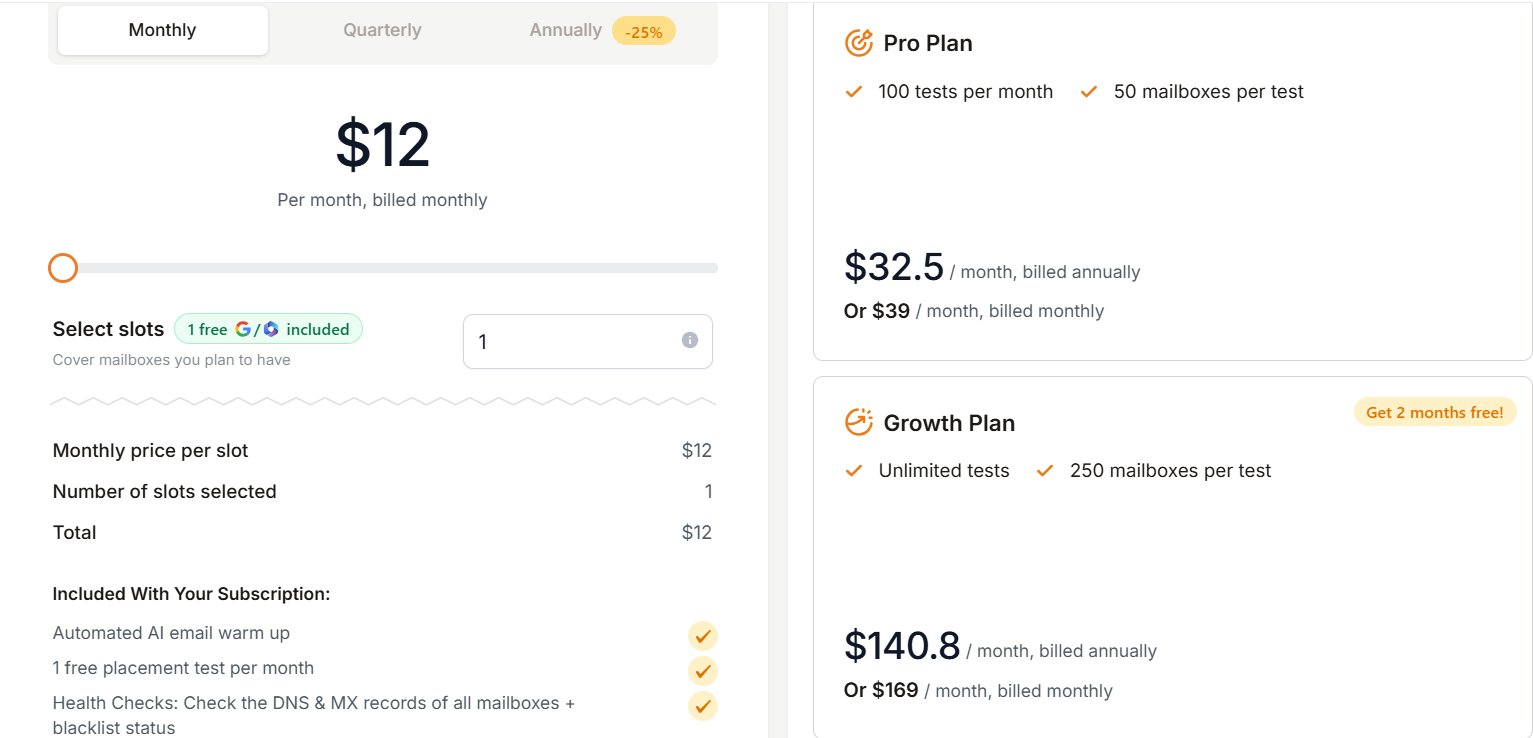
This image shows the Warmforge pricing
Warmforge has two pricing models:
I. Mailbox Warm-Up, starts at $10/month per slot when billed quarterly. This includes AI warm-up, one free placement test per month, and mailbox health checks.
II. Placement Test Plans
Pro plan: 100 tests/month for $39/month or $32.50/month annually
Growth plan: Unlimited tests for $169/month or $140.80/month annually
Warmforge offers 1 free warm-up slot and 1 free placement test so you can try it before paying.
If you use Salesforge, Warmforge warm-up is included for free.
2. Inbox Radar by Saleshandy
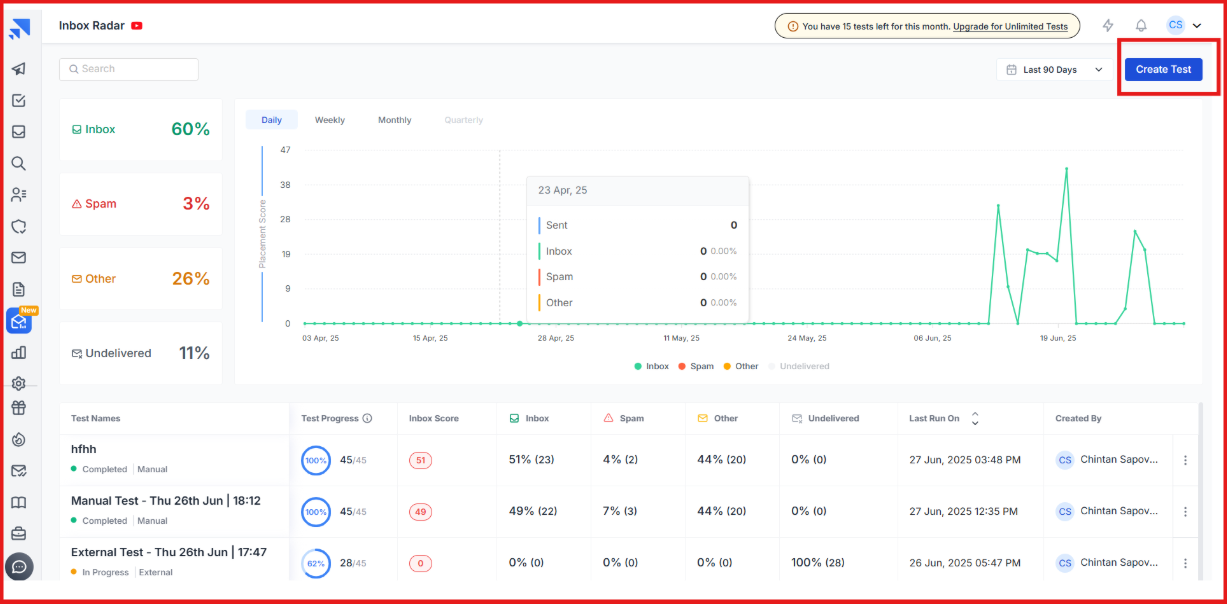
This image shows the Inbox Radar by Saleshandy
Inbox Radar is Saleshandy’s inbox placement testing tool designed for cold emailers who want to see exactly where their emails land.
It shows whether your email reaches the inbox, spam, or promotions, and it gives clear steps to fix deliverability issues.
Inbox Radar connects directly with Saleshandy, so you can monitor inbox placement and adjust campaigns in real time instead of guessing.
Key Features of Inbox Radar
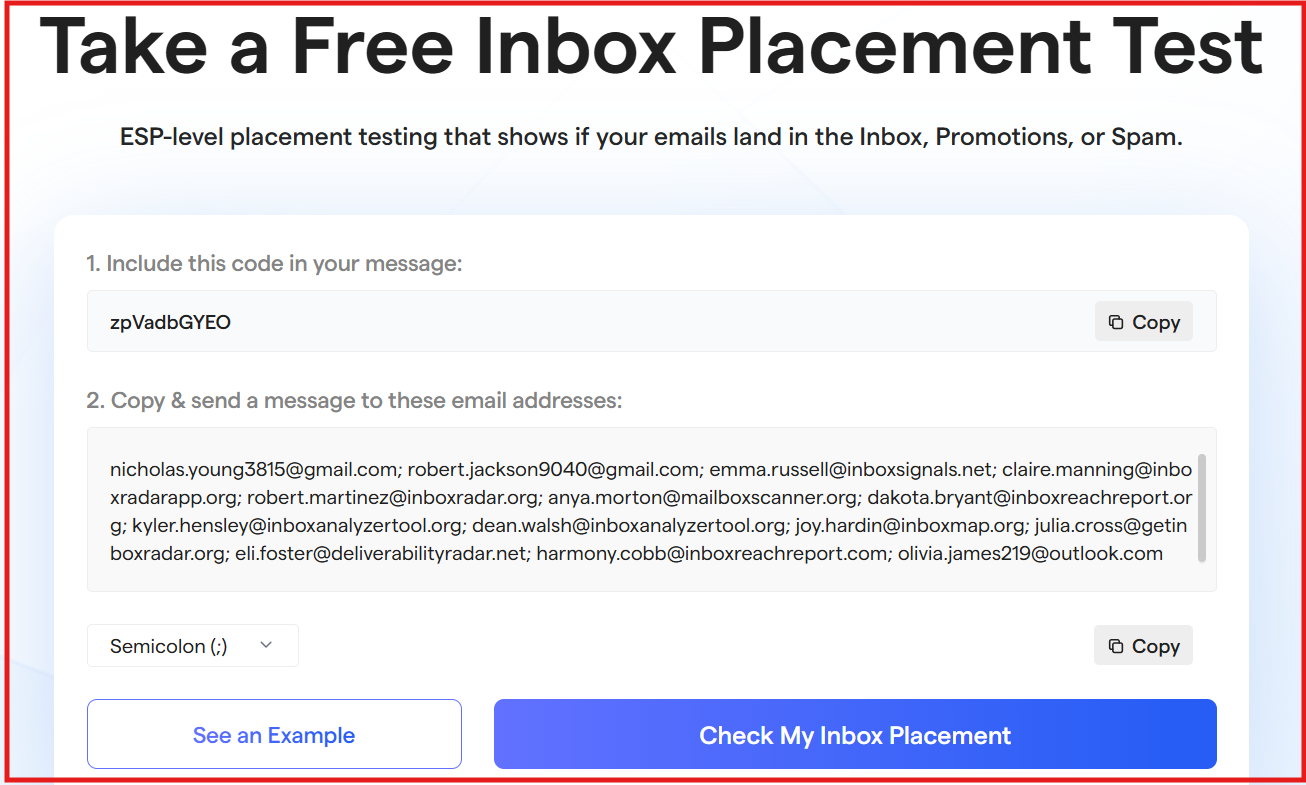
Inbox placement testing sends your emails to test inboxes across Gmail, Outlook, Yahoo, and more to see where they land.
This image shows the Inbox placement test by Inbox Radar
Spam trigger scanning checks your email content and warns you about spammy words or risky elements.
Shareable test reports give you a link you can share with teammates or clients without login.
Saleshandy integration allows you to test inbox placement directly inside your outreach tool.
DNS and setup checks alert you if SPF, DKIM, or domain settings are missing or misconfigured.
Pros & Cons of Inbox Radar
Pros
Cons
Easy and fast testing experience
Clear insights and actionable recommendations
Shareable reports for clients or teammates
Built-in spam scoring and DNS checks
Works best if you already use Saleshandy
Limited reviews online due to being newly launched
Needs a separate subscription for full testing volume
Real value increases when paired with Saleshandy outreach
Inbox Radar Pricing
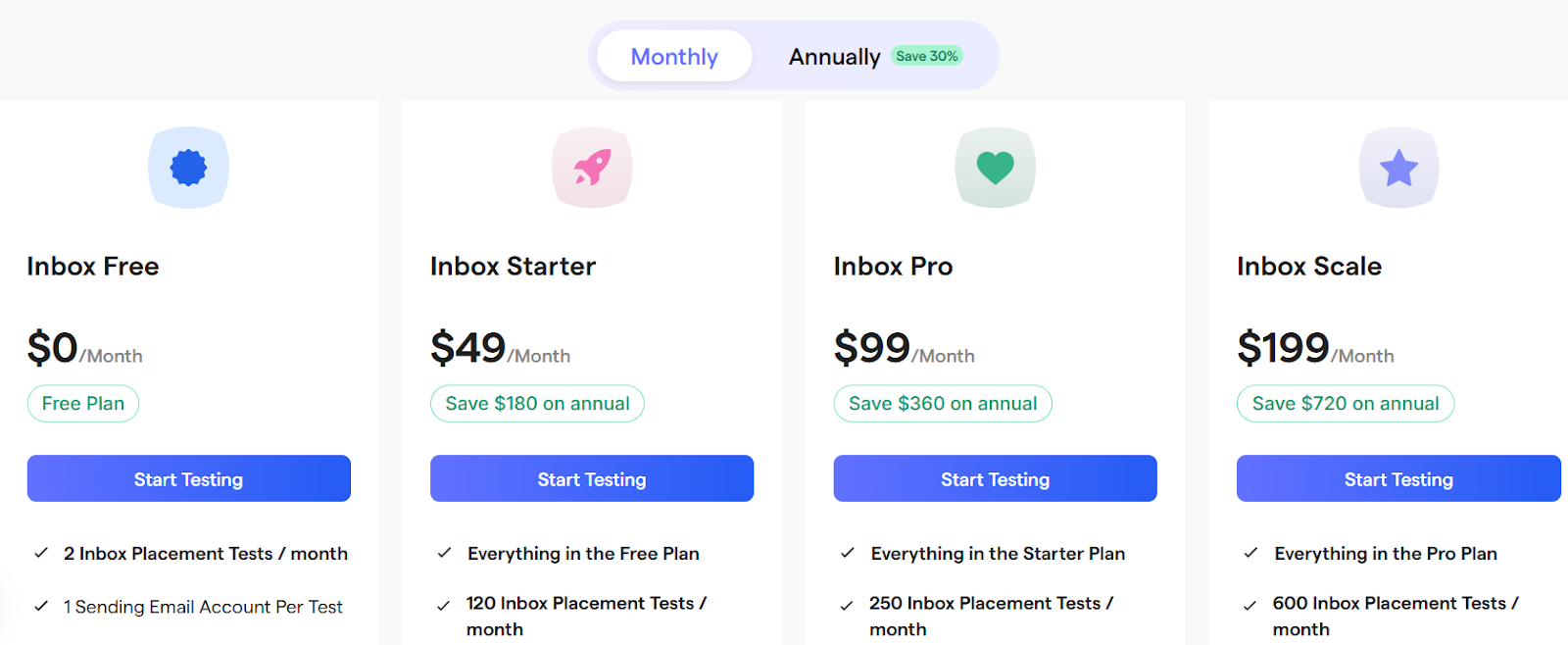
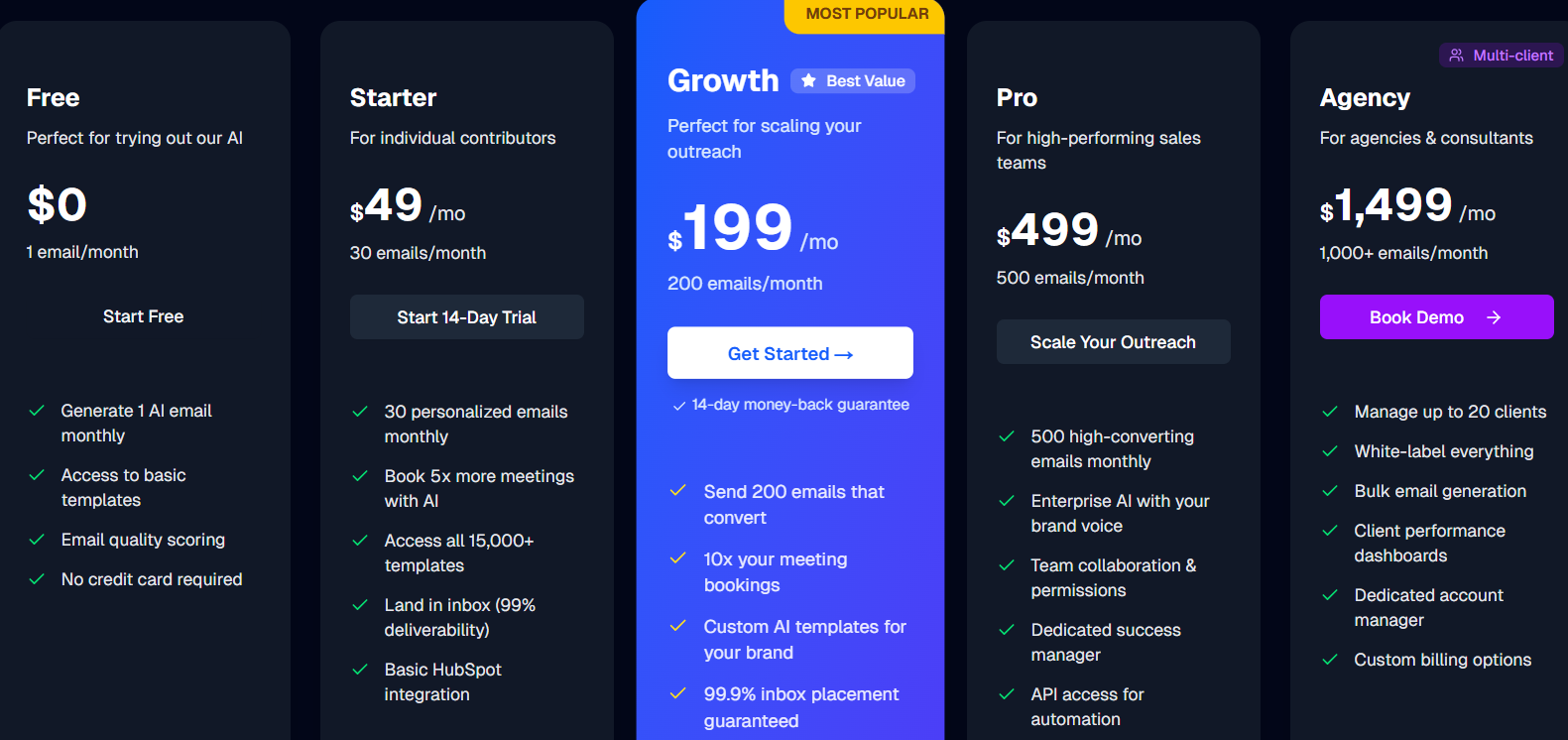
This image shows the Inbox Radar by Saleshandy
Saleshandy lets you test where your emails land, inbox or spam, and gives tips to fix deliverability. You can start free and upgrade as you grow.
I. Free Plan - $0/month, 2 inbox placement tests/month, 1 sending account per test, Spam score report & reputation check, basic deliverability insights
II. Inbox Starter - $49/month, Everything in Free +, 120 tests/month, up to 50 sending accounts, basic improvement tips
III. Inbox Pro - $99/month (Most Popular), everything in Starter +, 250 tests/month, up to 100 sending accounts, automated tests, exportable reports, scheduling & action triggers
IV. Inbox Scale - $199/month, everything in Pro +, 600 tests/month, unlimited sending accounts, used by 10,000+ businesses.
3. MailReach
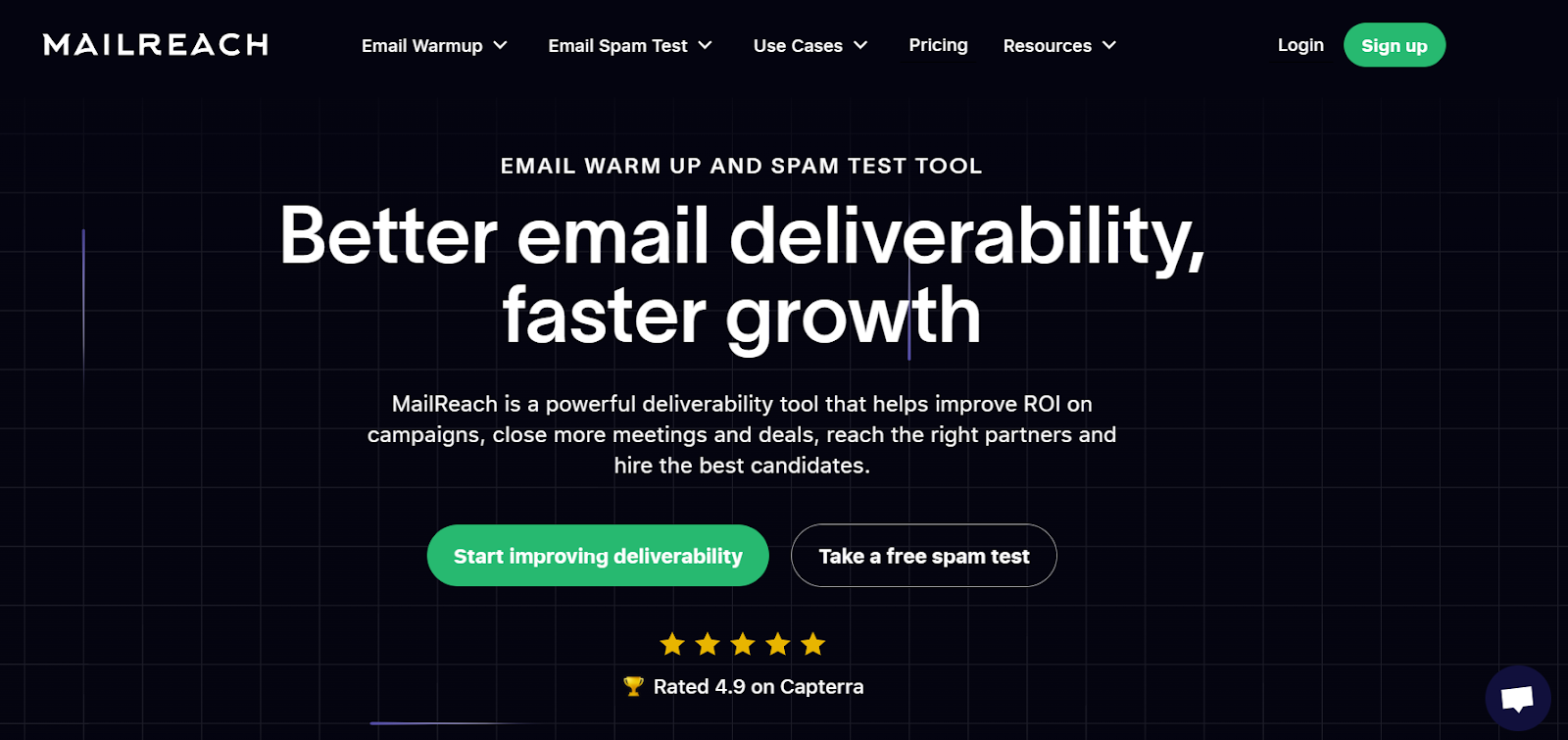
This image shows the MailReach homepage
MailReach is a dedicated email deliverability tool focused on warming up mailboxes and testing spam risk.
Unlike platforms that add deliverability as an extra feature, MailReach is built purely to improve inbox placement.
It helps you repair and strengthen sender reputation, get emails into real inboxes, and improve campaign results.
Key Features of MailReach
Email warm-up engine builds sender reputation through positive interactions across a network of trusted inboxes.
Spam testing system lets you check inbox placement and see which emails may be flagged as spam.
Automated warm-up cycles restore damaged reputation and maintain inbox delivery over time.
Smart monitoring tracks mailbox health and alerts you when reputation drops.
Pros & Cons of MailReach
Pros
Cons
Focused entirely on deliverability, without extra features
Very effective warm-up and repair engine
Free spam test available
Works with all SMTP providers
Not an all-in-one email platform, deliverability only
Must run continuously for best results
Pricing is not publicly listed on the website
No built-in outreach or sequencing
MailReach Pricing
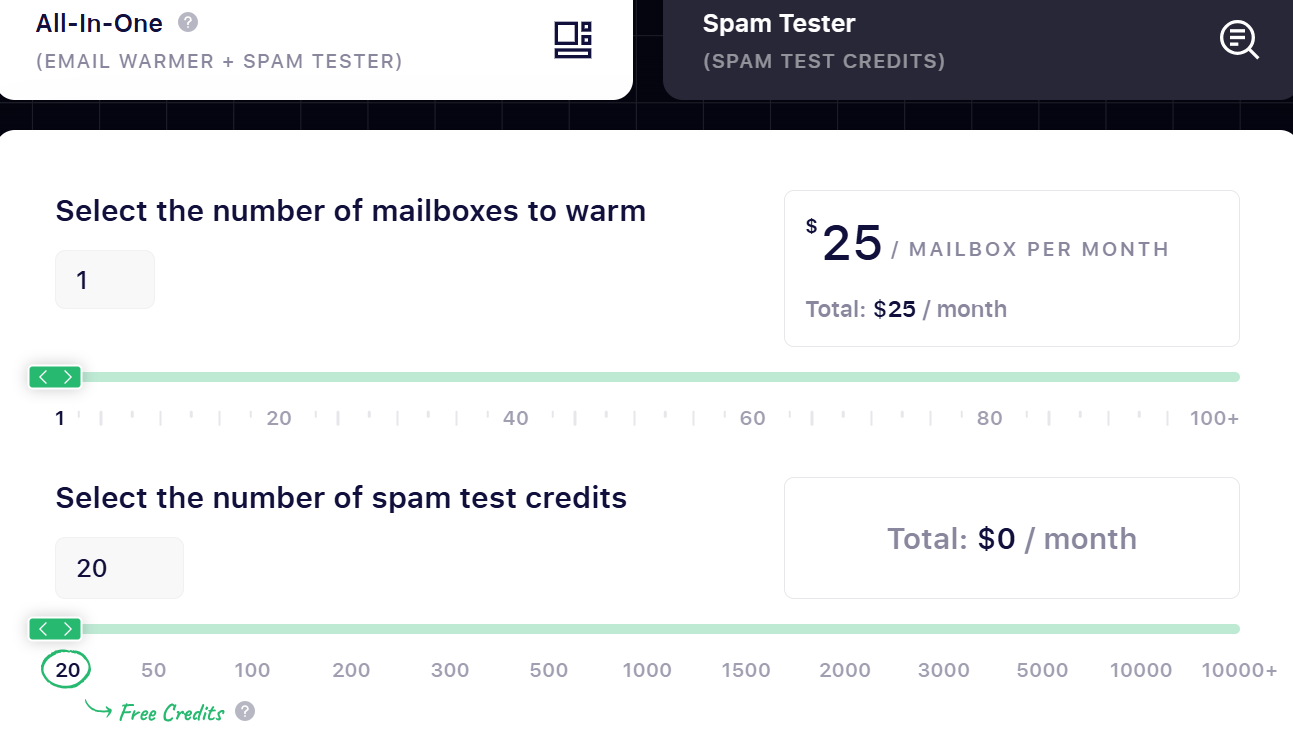
This image shows the MailReach pricing
MailReach pricing starts at $25 per mailbox per month. You can add more warm-up slots or spam test credits as needed, and the total updates based on your selections.
Each plan includes:
automated mailbox warm-up
spam testing credits
AI-based deliverability assistant
health checks for SPF, DKIM, DMARC, and blacklist status
reputation tracking dashboard
support for Gmail, Outlook, and other providers
MailReach also offers custom plans for agencies that need large-scale warm-up or placement testing.
4. Folderly
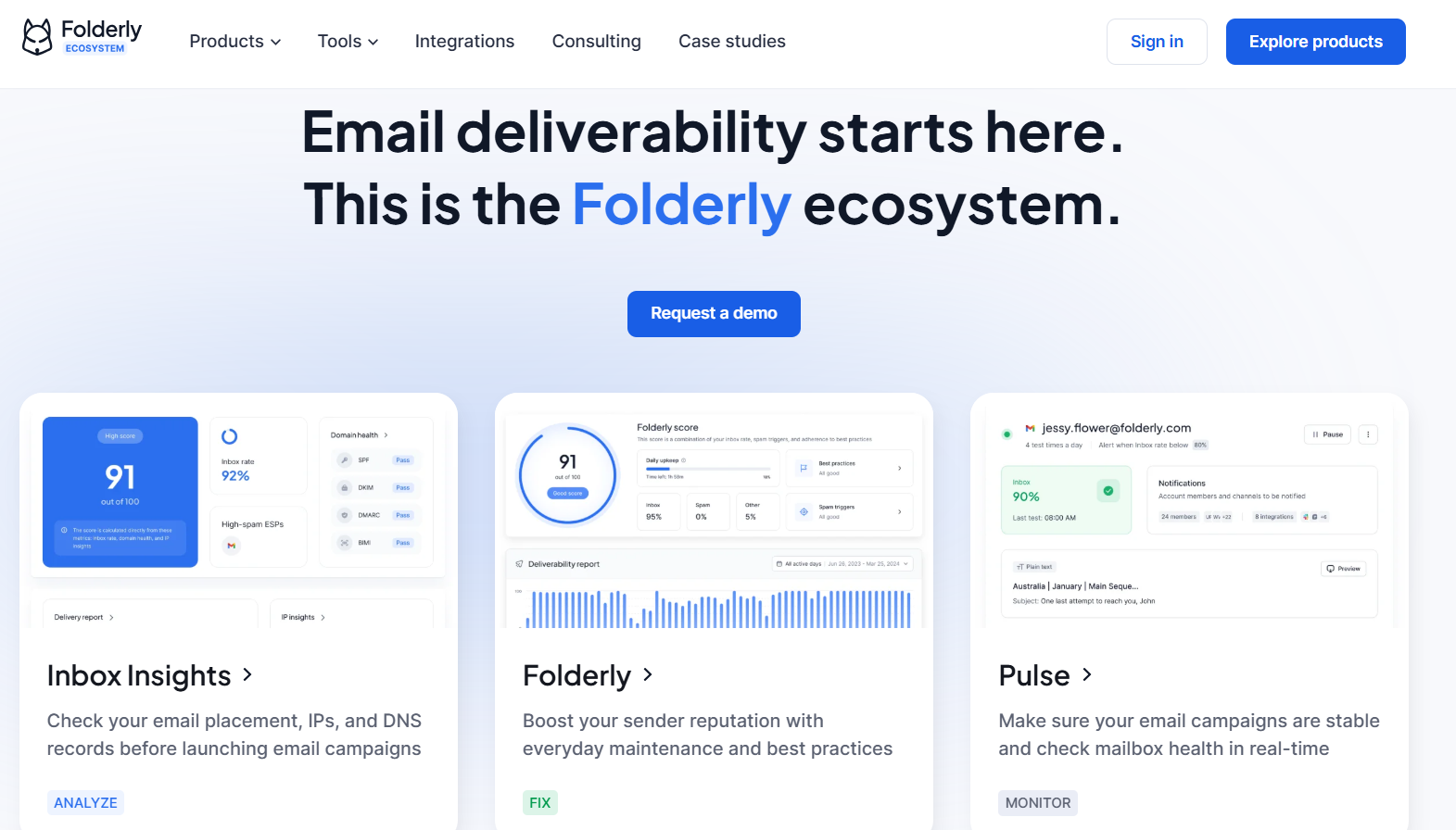
This image shows the Folderly homepage
Folderly is a premium email deliverability platform. It helps you fix inbox issues, recover a damaged sender reputation, and make sure your emails land in the primary inbox.
It monitors email reputation, scans spam triggers, checks DNS setup, and gives expert guidance to fix deliverability problems.
If you want a tool that actively finds deliverability problems and helps you solve them, Folderly is a strong fit for you.
Key Features of Folderly
AI-powered deliverability diagnostics scan your domain, email content, DNS setup, and placement issues before they cause damage.
Automated warm-up improves mailbox reputation with positive interactions and controlled sending volume.
Real-time inbox monitoring alerts you the moment emails start going to spam.
A detailed dashboard shows placement performance, blacklist status, SPF/DKIM/DMARC health, and domain reputation.
Pros and Cons of Folderly
Pros
Cons
AI diagnostics detect deliverability problems early
Dashboard offers clear visibility into inbox health
Warm-up is managed with expert guidance
Real-time alerts help prevent inbox drops
Higher cost compared to basic deliverability tools
Initial setup and learning curve for beginners
Consulting-style support may feel overwhelming for small users
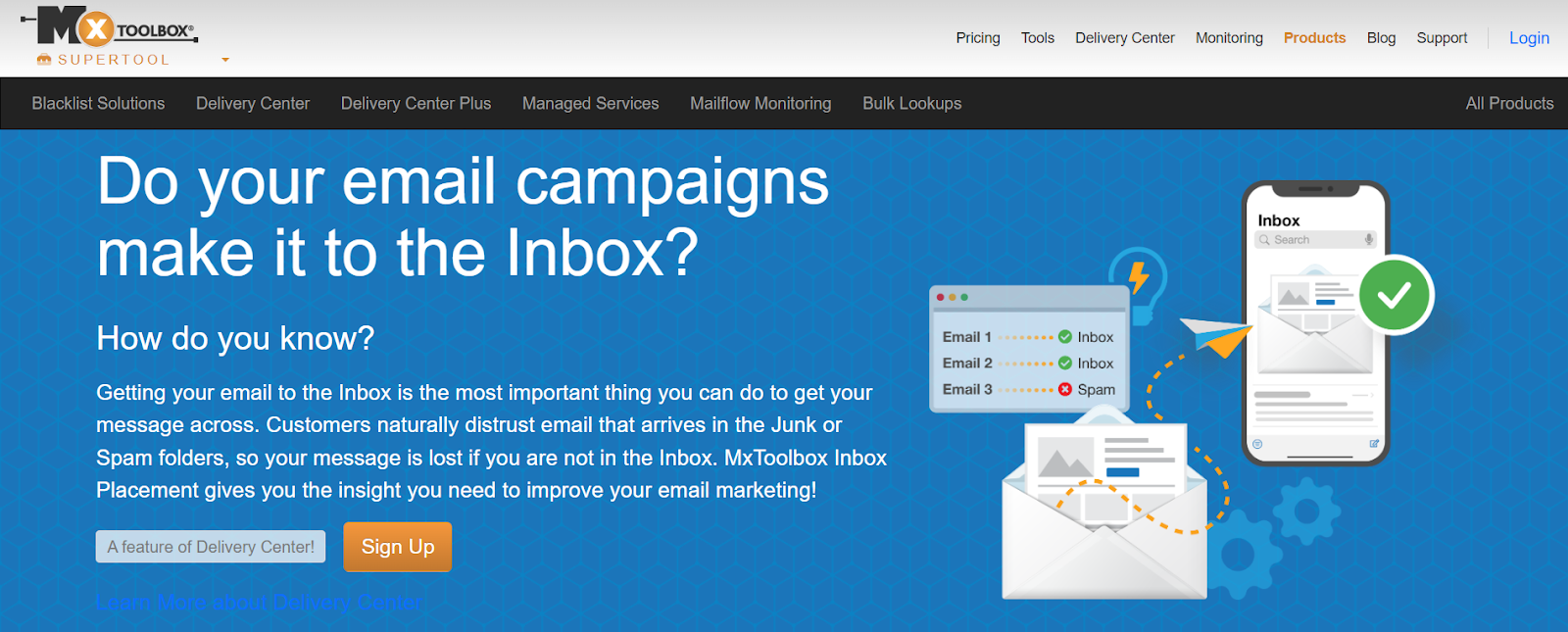
MxToolbox is a well-known email delivery and diagnostics platform that now includes inbox placement testing inside its Delivery Center product.
It shows whether your emails reach inboxes at providers like Gmail, Yahoo, and Outlook, and highlights why they may fall into spam or fail delivery.
If you want inbox placement testing along with domain health checks in one place, MxToolbox is a reliable option.
Key Features of MxToolbox
Inbox placement testing shows if your email lands in inbox, spam, or fails delivery at Gmail, Outlook, Yahoo, and more.
Bulk Sender rule checks test compliance with Google, Yahoo, and Microsoft’s latest sender requirements.
Content analysis & rendering gives feedback on email formatting, spam wording, links, and unsubscribe compliance, with a visual preview.
Reputation and blacklist monitoring helps detect domain/IP issues that may hurt inboxing.
Two testing methods, send test emails directly to MxToolbox inboxes or subscribe their inboxes to your campaigns for ongoing tracking.
Pros and Cons of MxToolbox
Pros
Cons
Good for teams that want inbox testing and domain diagnostics in one tool
Clear reports, even if the interface looks outdated
Deep technical tests such as DMARC, DNS, and blacklist checks
Helpful docs, tips, and visual render previews to fix deliverability issues
Inbox placement is only available on paid plans
Interface quality feels dated compared to modern tools
Not a specialized inbox tool and lacks unique inbox features
Pricing is higher than typical inbox testing tools
MxToolbox Pricing
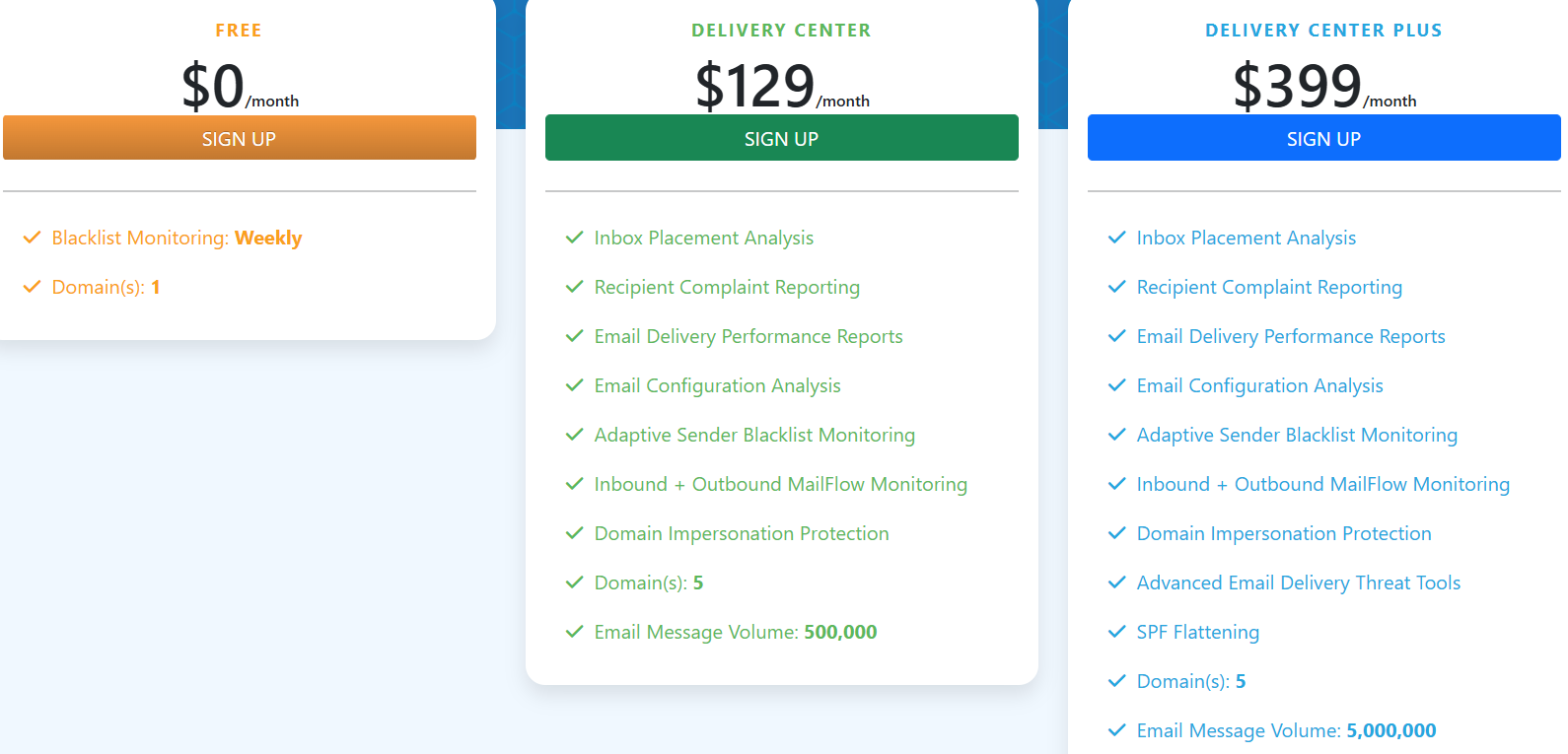
This image shows the MxToolbox pricing
MxToolbox inbox placement testing is not free; you must subscribe to a Delivery Center plan.
I. Delivery Center – $129/month, inbox placement reporting, reputation feedback, blacklist monitoring, DNS and configuration analysis, Mailflow monitoring, Up to 500,000 email volume across 5 domains
II. Delivery Center Plus – $399/month, includes everything above, plus advanced threat tools, SPF flattening, Higher delivery volume up to 5 million emails
Free users only get basic blacklist monitoring, not inbox placement.
6. GlockApps
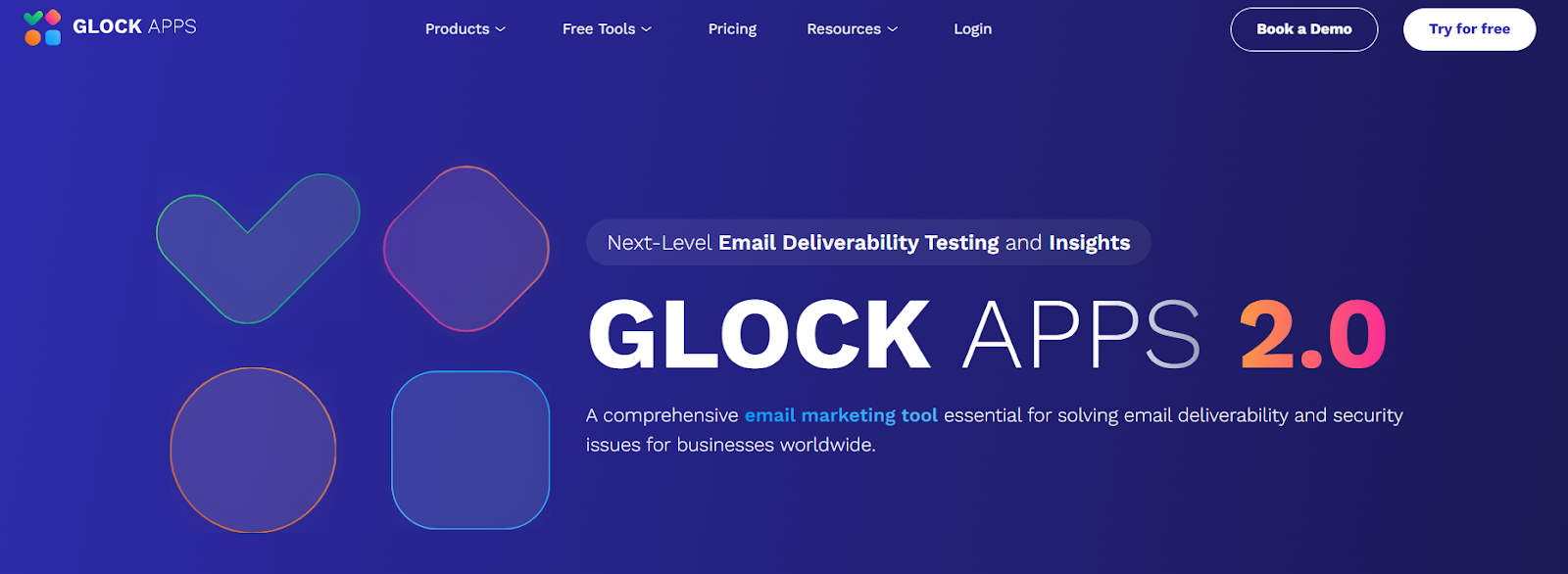
This image shows the GlockApps homepage
GlockApps is an email deliverability testing tool that helps you understand where your emails land, inbox, spam, tabs, or not delivered at all.
It gives deep diagnostics, alerts, and step-by-step suggestions so you can fix inboxing problems before sending real campaigns.
It also includes spam scoring, blacklist monitoring, content checks, reputation analysis, uptime alerts, and DMARC reporting,making it useful for marketers, agencies, and technical teams who want full visibility over email performance.
Key Features of GlockApps
Inbox placement testing shows where your emails land across Gmail, Outlook, Yahoo, and other mailbox providers, including tabs like Promotions.
Spam filter scoring runs your emails through Google Spam Filter, Barracuda, and SpamAssassin to flag risky elements.
Domain & IP analytics check your sender score, blocklist status, DKIM alignment, and IP reputation chain to find hidden deliverability issues.
Blacklist monitoring tracks your domain and IP against 50+ industry blocklists and alerts you when something is wrong.
Automatic tests & alerts detect mailbox performance drops and notify you to switch mailboxes or fix problems fast.
Pros & Cons of GlockApps
Pros
Cons
Deep, technical diagnostics for IP and domain reputation issues
Includes blacklist monitoring, spam scoring, HTML checks, and DMARC analytics
Supports many ESPs and third-party integrations
Real-time alerts help detect mailbox or domain reputation drops quickly
Interface is detailed and may feel overwhelming for beginners
Pricing is not transparent upfront and requires plan selection
Designed more for technical teams or agencies than beginners
Full capabilities require a paid plan
GlockApps Pricing
This image shows the GlockApps pricing
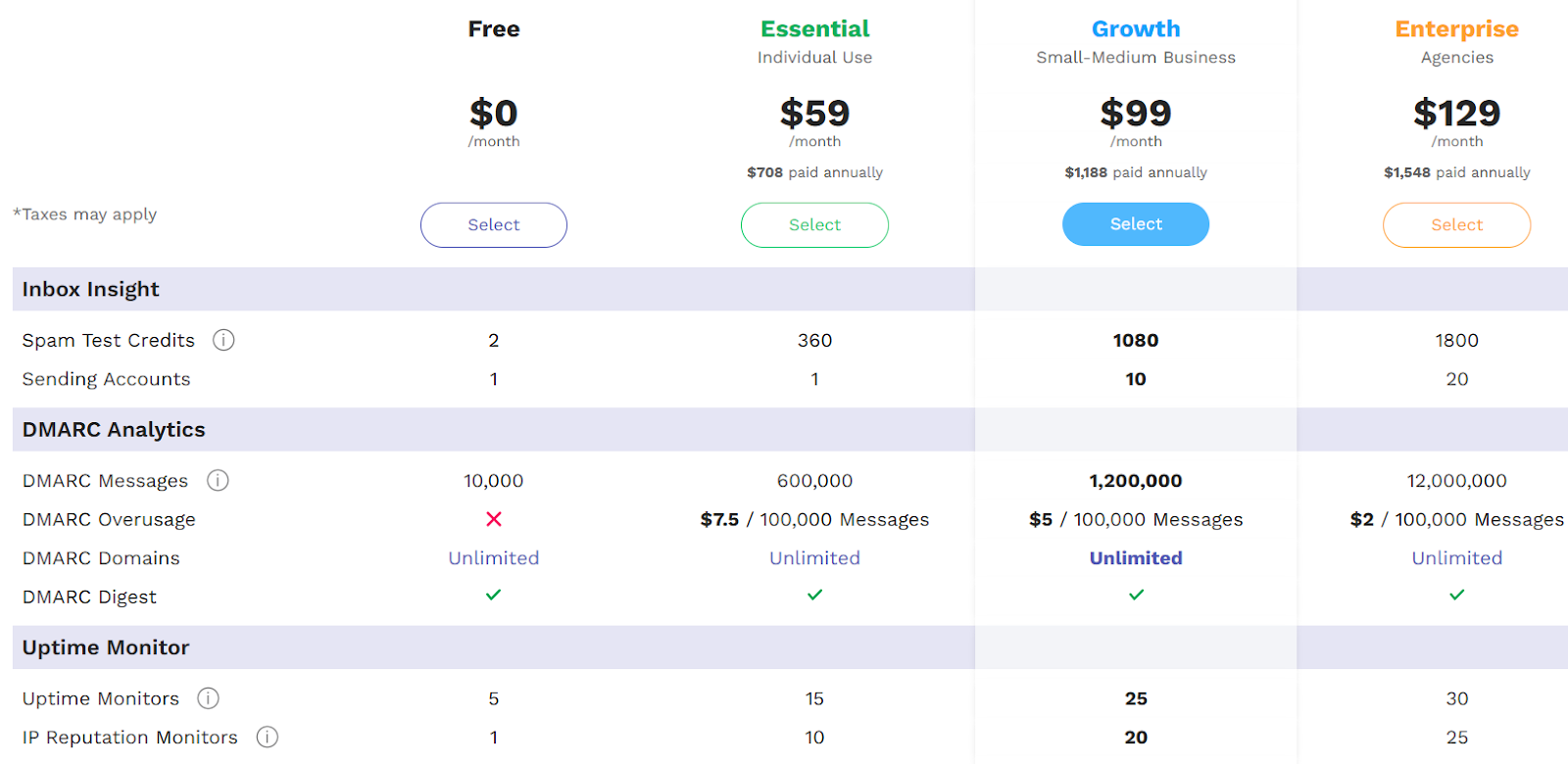
GlockApps offers multiple subscription levels based on feature needs and test volume:
Free plan, includes basic inbox insights and 2 spam tests
Essential ($59/month), adds 360 tests, uptime monitoring, and reporting
Growth ($99/month), includes 1,080 spam tests, 10 sending accounts, and advanced monitoring
Enterprise ($129/month), includes 1,800 tests, 20 sending accounts, and extended DMARC volume
Plans also include DMARC analytics, uptime monitoring, blacklist checks, API access, and consulting options.
Users can also pay annually and save 30% or build a custom plan for higher-volume sending needs.
7. InboxAlly
This images InboxAlly homepage
InboxAlly is an email deliverability tool that teaches inbox providers to trust your emails.
Instead of just warming mailboxes, it boosts reputation by creating real engagement, opening, scrolling, replying, and moving emails into the inbox.
This signals Gmail, Outlook, Yahoo, and other providers that your messages are valuable, which can improve inbox placement and open rates within 1–2 weeks.
Key Features of InboxAlly
InboxAlly simulates human behaviors like opening, scrolling, replying, moving emails from spam, and marking as important to teach providers your emails deserve inbox placement.
It helps pull domains out of spam and promotions tabs by signaling “this message is valued.”
Your emails are opened from different IPs, machines, and US locations to mimic real-world engagement.
Progress tracking dashboard: You can see whether emails land in spam, promotions, or primary inbox and how your reputation changes over 30 days.
You don’t need to give InboxAlly login or DNS access. just send messages to their seed accounts.
Pros & Cons of InboxAlly
Pros
Cons
Real engagement improves inbox placement quickly
Works with any email platform, no account access needed
Clear dashboard visibility with progress tracking
Custom engagement settings for better control
More expensive than basic warm-up tools
Best suited for high-volume senders or agencies
Requires enough seed volume to match sending volume
Advanced options may feel overwhelming for some users
InboxAlly Pricing
This image shows the InboxAlly pricing
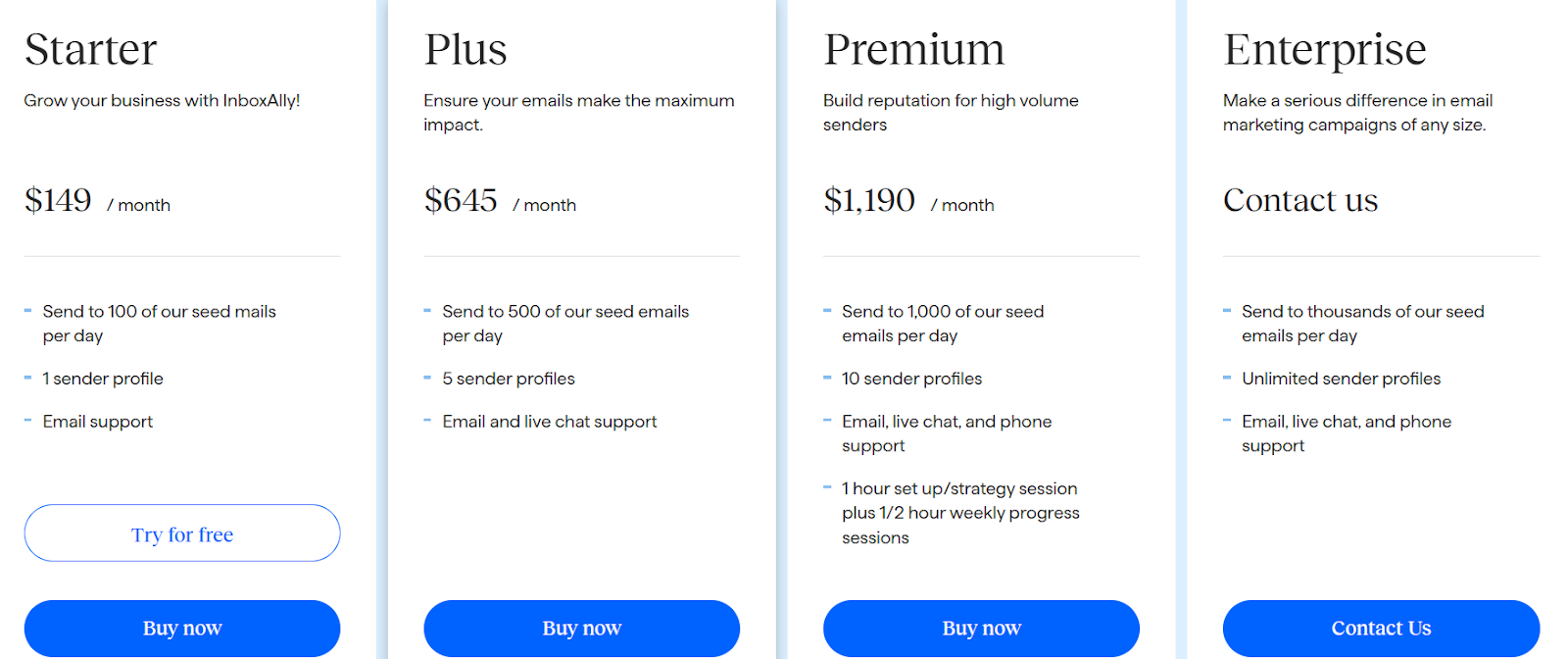
InboxAlly pricing is based on seed volume and sender profiles:
Enterprise - Custom pricing, for thousands of interactions/day and unlimited sender profiles
All plans include inbox training actions, tracking dashboards, multi-sender support, and onboarding options.
8. Lemwarm
This image show Lemwarm homepage
Lemwarm is Lemlist’s dedicated email warm-up and deliverability booster.
It helps improve inbox placement by gradually warming your domain, monitoring performance, and flagging risks before emails land in spam.
If you want a hands-off warm-up system with real engagement actions and ongoing deliverability monitoring, Lemwarm is a solid option.
Key Features of Lemwarm
Lemwarm automatically warms your email inbox by sending gradual, human-like emails, which improves your domain reputation over time.
It uses a premium warm-up network of over 20,000 healthy domains, so your inbox gets natural interactions from real sending profiles.
The tool checks your technical setup, including SPF, DKIM, DMARC, MX records, and tracking domain status, to make sure everything is configured correctly.
You can warm up real email templates, which helps mailbox providers trust your actual messaging style rather than generic text.
Pros & Cons of Lemwarm
Pros
Cons
Simple, guided warm-up workflow
Real human-style interactions improve domain trust
Daily alerts and reports help new users spot issues early
Smart plan allows warm-up using real templates
Pricing is charged per email inbox, which can increase costs for teams
Advanced monitoring and boosting features are still evolving
Works best when paired with the Lemlist ecosystem
Lemwarm Pricing
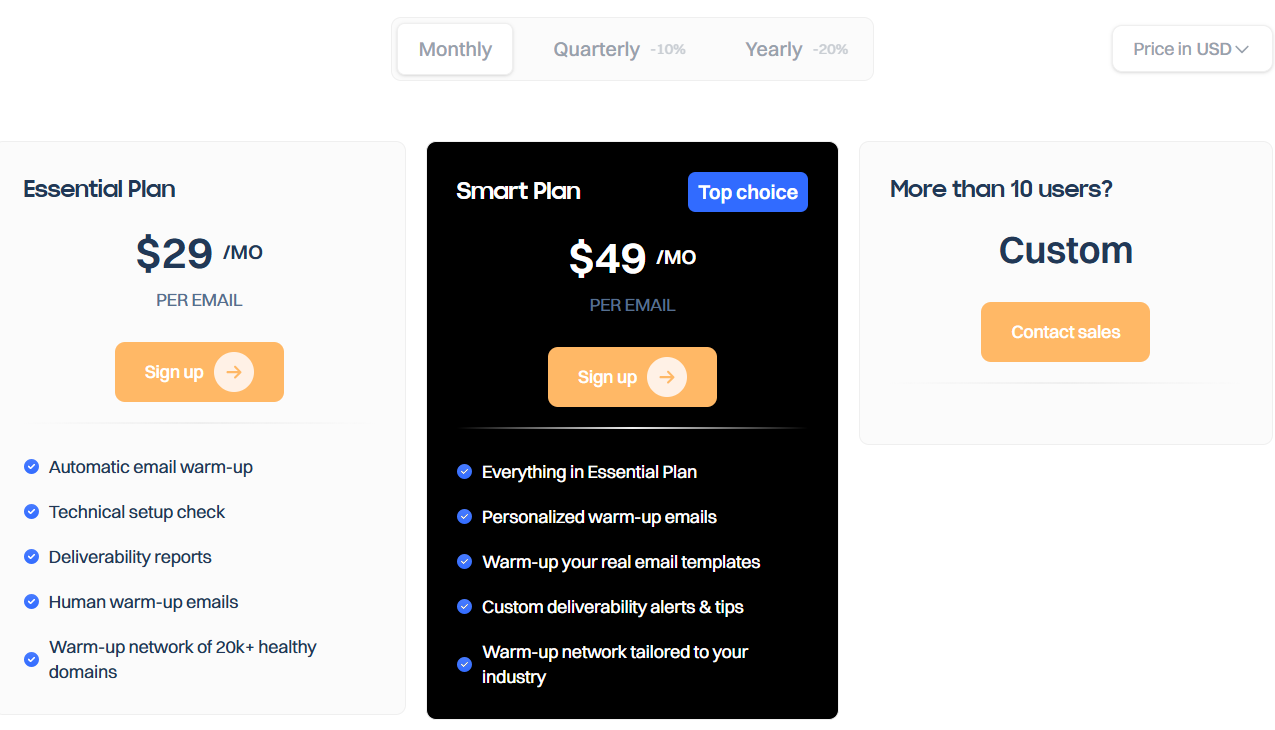
This image shows the warm pricing
Lemwarm offers two paid inbox warm-up tiers:
Essential Plan - $29/month per inbox, includes automated warm-up, technical setup checks, reports, human interactions, and access to 20k+ warm-up domain network.
Smart Plan - $49/month per inbox, includes everything in Essential plus personalized warm-up emails, warm-up for your own templates, custom alerts, and an industry-focused network.
Custom pricing is available for teams with 10+ inboxes.
You can also access Lemwarm for free if you have an active Lemlist subscription.
9. Mailtrap
This image shows the Mailtrap homepage
Mailtrap is an email delivery and testing platform built for developers, SaaS companies, and product teams.
It helps you send real emails with high inboxing rates and also test emails in staging before sending them to real users.
Mailtrap focuses on sending reliability, spam checking, and inbox analytics, so your emails avoid spam and reach real inboxes.
Key Features of Mailtrap
Reliable email sending via Email API and SMTP ensures transactional and marketing emails reach inboxes safely.
Email Sandbox testing lets you inspect emails in a fake inbox before sending them to real users, helping you avoid deliverability mistakes.
Built-in spam checker scans content, subject lines, DNS records, and blacklist status to prevent spam placement.
Deliverability analytics dashboards show inbox placement trends, spam score, open/click performance, and domain health.
Pros & Cons of Mailtrap
Pros
Cons
Great for testing and debugging emails before sending
Strong inbox placement and deliverability analytics
Automatically validates SPF, DKIM, and DMARC setup
Not a traditional warm-up or outreach tool
Advanced features require higher-tier plans
Sandbox and sending products are billed separately
Mailtrap Pricing
Mailtrap offers separate pricing for Email Sending and Email Sandbox testing.
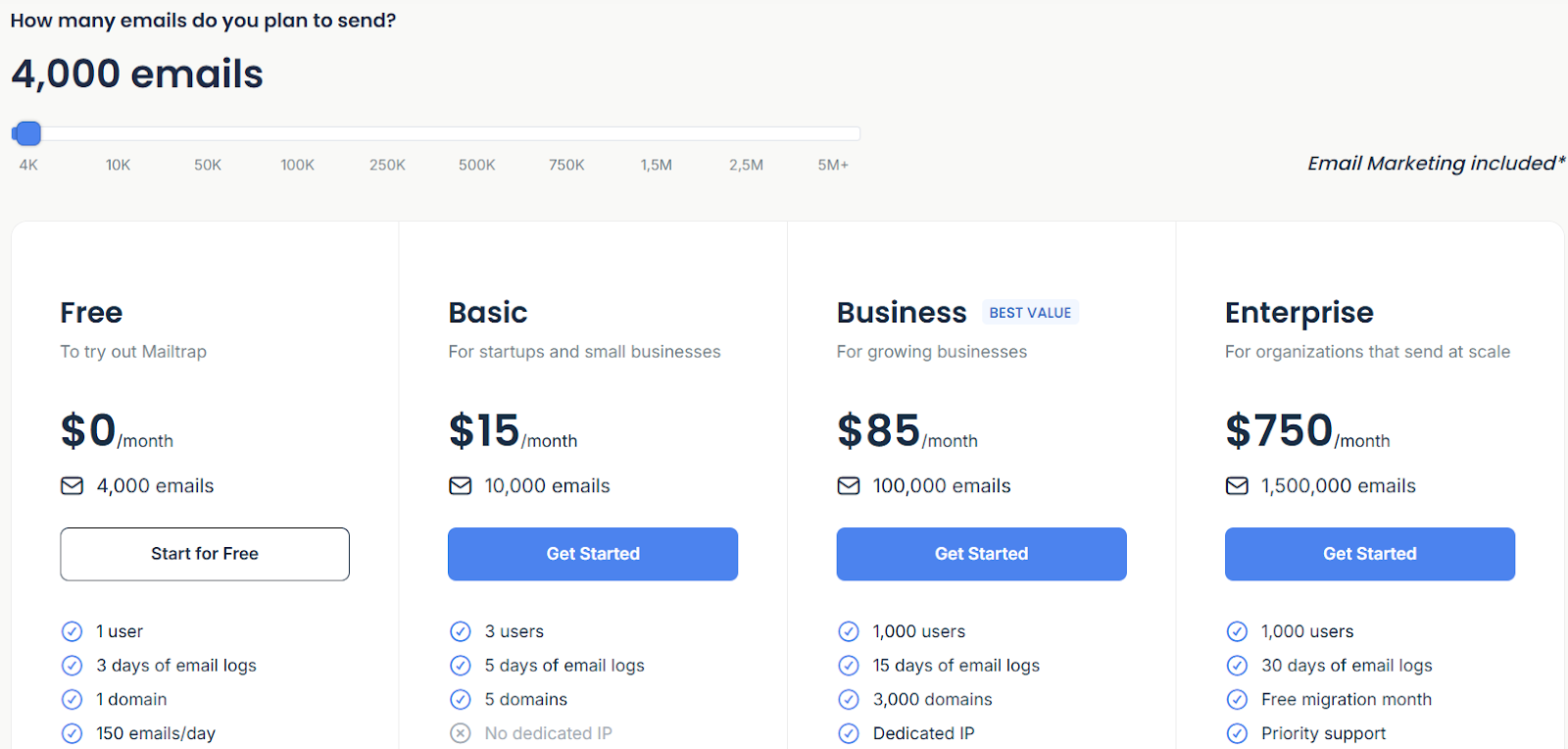
This image shows the Mailtrap email sending (API/SMTP)
For Email Sending (API/SMTP):
Free plan available (up to 4,000 emails/month)
Paid plans start at $15/month for 10,000 emails
Business plan is $85/month with higher sending limits and a dedicated IP
Enterprise starts at $750/month for 1.5M emails and priority support
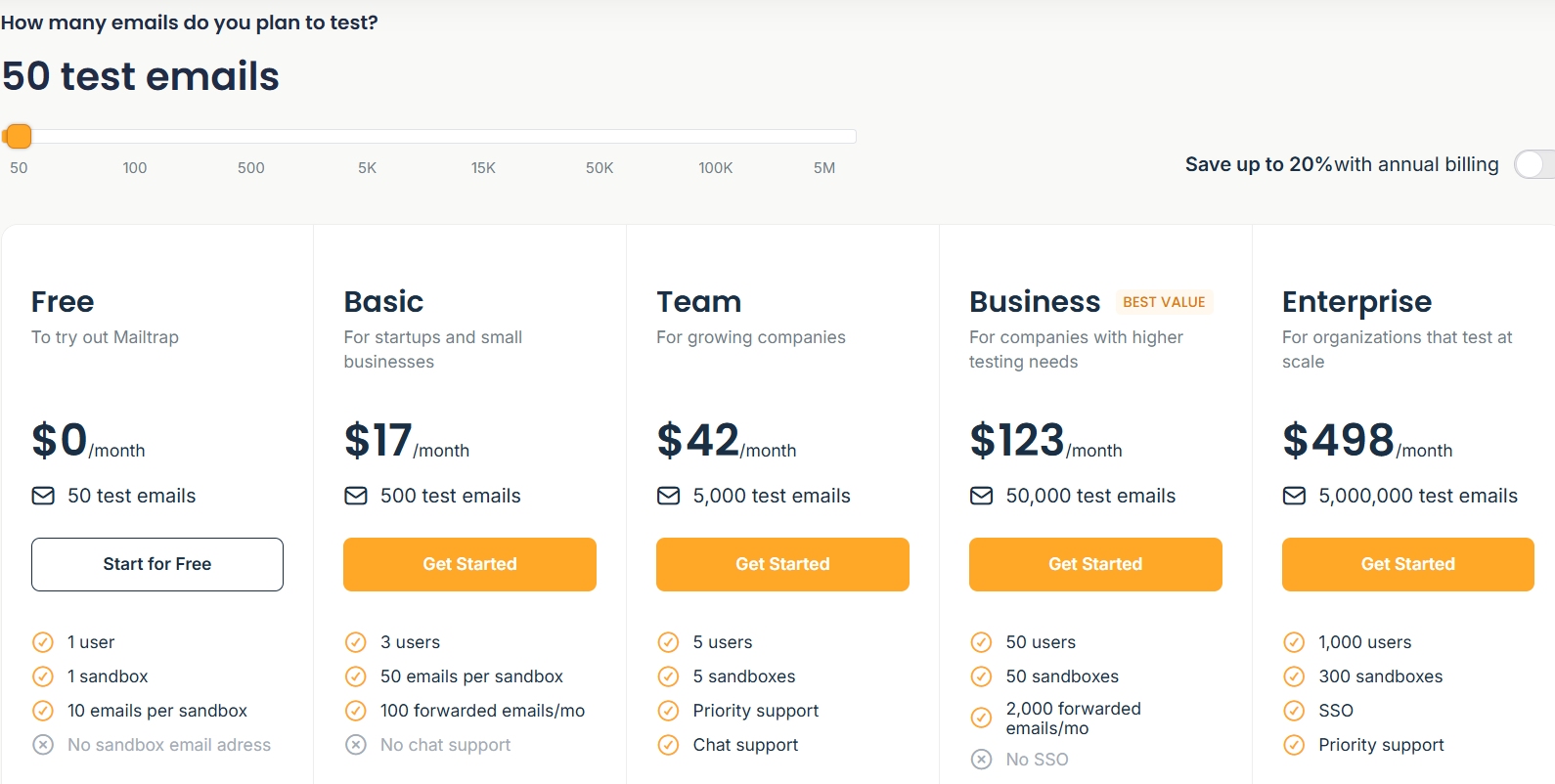
This image shows the Mailtrap email sandbox pricing
For Email Sandbox testing:
Free plan for 50 test emails/month
Paid plans start at $17/month
Higher plans scale up to $498/month depending on testing volume
Custom pricing is available for large senders that need migration support, unlimited users, or deliverability consulting.
10. Instantly
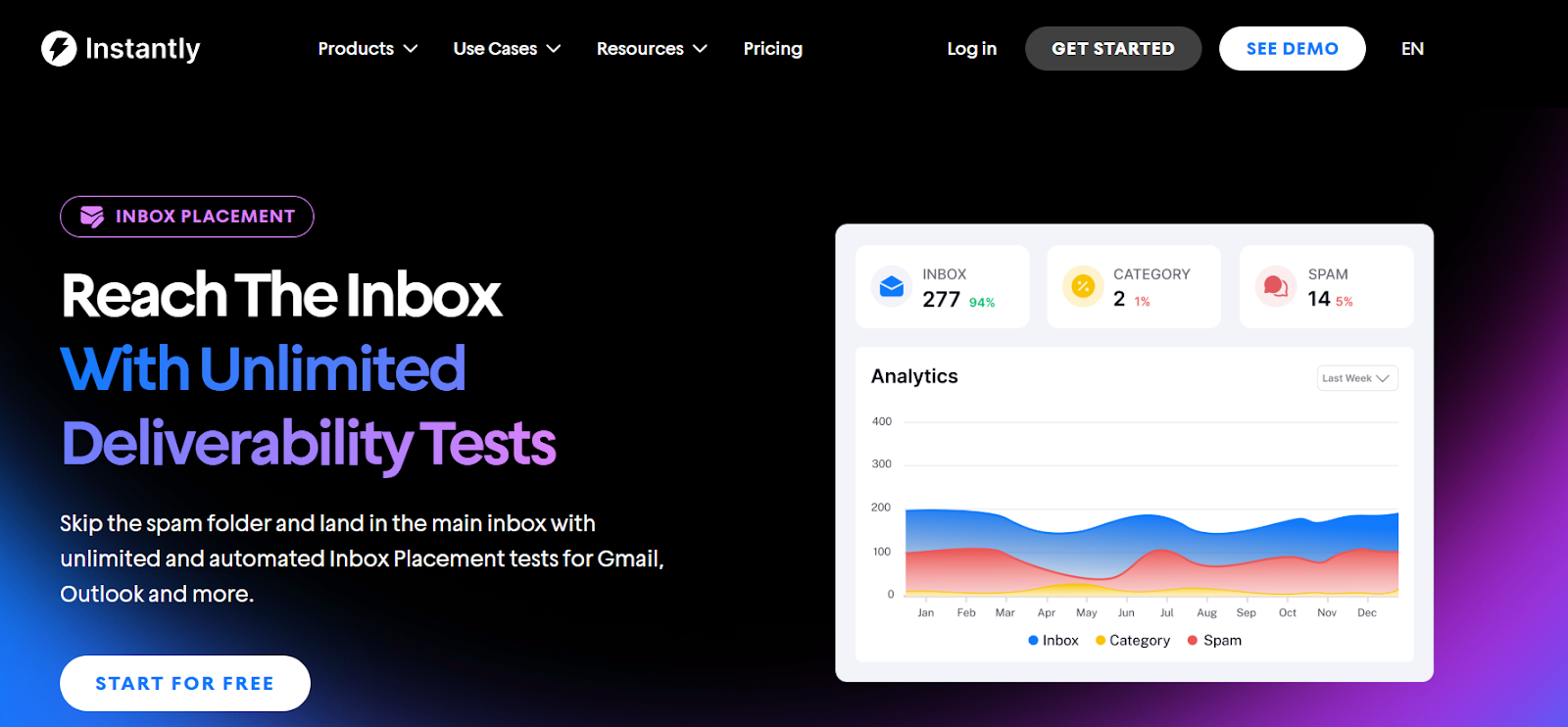
This image shows the Instantly homepage
Instantly is an inbox placement and deliverability tool built for cold outreach users, agencies, and teams who send emails at scale.
It helps you check whether your emails land in inbox or spam, monitor deliverability issues, and fix them before they damage results.
Instantly works with Gmail, Outlook, and other major providers, and it lets you run tests for multiple sending accounts under one plan.
Key Features of Instantly
Unlimited inbox placement tests let you see whether emails land in inbox, spam, or promotions across different providers.
Spam content analysis checks your copy for risky phrases and formatting that trigger spam filters.
Blacklist monitoring tracks your domains and IPs across 90+ blacklists and alerts you if you are listed.
AI recommendations review your email content and suggest improvements for higher inboxing.
Automated alerts and triggers pause campaigns or slow sending when inbox placement drops so your reputation stays safe.
Placement breakdown reporting shows inbox %, spam %, promotions %, and provider-level insights for each account.
Pros & Cons of Instantly
Pros
Cons
Unlimited inbox placement tests under one plan
AI suggestions help improve email copy and inbox placement
Blacklist and authentication monitoring included
Supports unlimited accounts and domains
Best value requires Instantly’s deliverability add-on
Only two free one-time tests without a subscription
Main benefits are tied to the Instantly ecosystem
Focuses more on testing than warm-up
Instantly Pricing
Instantly’s Inbox Placement feature is available as an add-on subscription.
You can run 2 one-time placement tests for free.
Paid subscriptions unlock unlimited tests and automation across all accounts and sub-workspaces.
Pricing varies by plan level, inbox placement monitoring is included in higher Instantly tiers (Hyper Growth and above).
Which Inbox Placement Tool Should You Choose?
Picking the right tool depends on what matters most to you, warm-up, testing volume, repair speed, analytics depth, or ease of use.
Here’s a quick guide to help you choose the best inbox placement tool:
If you want warm-up and placement testing in one platform → Choose Warmforge
If you want the cheapest inbox placement testing → Try Inbox Radar (Saleshandy)
If you want unlimited inbox placement tests → Go with Instantly
If you want deep deliverability diagnostics and technical insight → Pick GlockApps or MxToolbox
If your emails already land in spam and you want fast recovery → Explore InboxAlly
If you want expert consulting and premium problem-solving → Try Folderly
If you are a developer or SaaS team wanting testing and safe sending → Use Mailtrap
If you want inbox boosting inside outreach tools you already use → Consider Lemwarm, Inbox Radar, or Instantly
If you want one tool that warms inboxes, runs placement tests, scans blacklist issues, and monitors health automatically, Warmforge is the best fit.
It gives AI warm-up, placement testing, always-on monitoring, and a free slot to try it, so your emails reach the inbox.