
Personalized Outbound Strategy
Get The Right Outbound Strategy In Minutes
Enter your email to get a custom plan & stack recommendation for your business
It's being carefully crafted by AI
Please check your mailbox in 5 minutes

I spent time reviewing Mission Inbox's infrastructure model, pricing, features, and overall positioning to understand how it compares with other email infrastructure providers. The platform focuses on dedicated IPs, isolated infrastructure, SMTP mailboxes, API sending, and deliverability protection for businesses running outbound, marketing, and transactional email.
My initial impression is mostly positive. Mission Inbox takes a different approach from many traditional email providers by emphasizing infrastructure control, dedicated IPs, and sender reputation management rather than focusing solely on email sending. At the same time, its $199/month starting price means it needs to deliver enough value to justify the cost.
In this Mission Inbox review, I'll break down the platform's features, pricing, customer feedback, and overall value. I'll also discuss where Mission Inbox performs well, where it falls short, and whether it's worth considering as an email infrastructure provider in 2026.
Mission Inbox is one of the more unique email infrastructure providers on the market. Instead of relying on shared IP pools, the platform focuses on dedicated IPs, isolated infrastructure, SMTP mailboxes, API sending, and deliverability protection. It is built for businesses that want more control over sender reputation and inbox placement.
The biggest strengths of Mission Inbox are its infrastructure-first approach, strong deliverability focus, dedicated IP ownership, and highly rated customer support. Most G2 reviewers specifically praise the platform's deliverability, ease of setup, and responsive support team.
The main drawback is pricing. With plans starting at $199/month, Mission Inbox is significantly more expensive than many traditional email providers. There is also a learning curve for users who are unfamiliar with domains, DNS records, and email infrastructure concepts.
My Rating: 8.8/10
Best For:
Not Ideal For:
Best Alternative - Infraforge
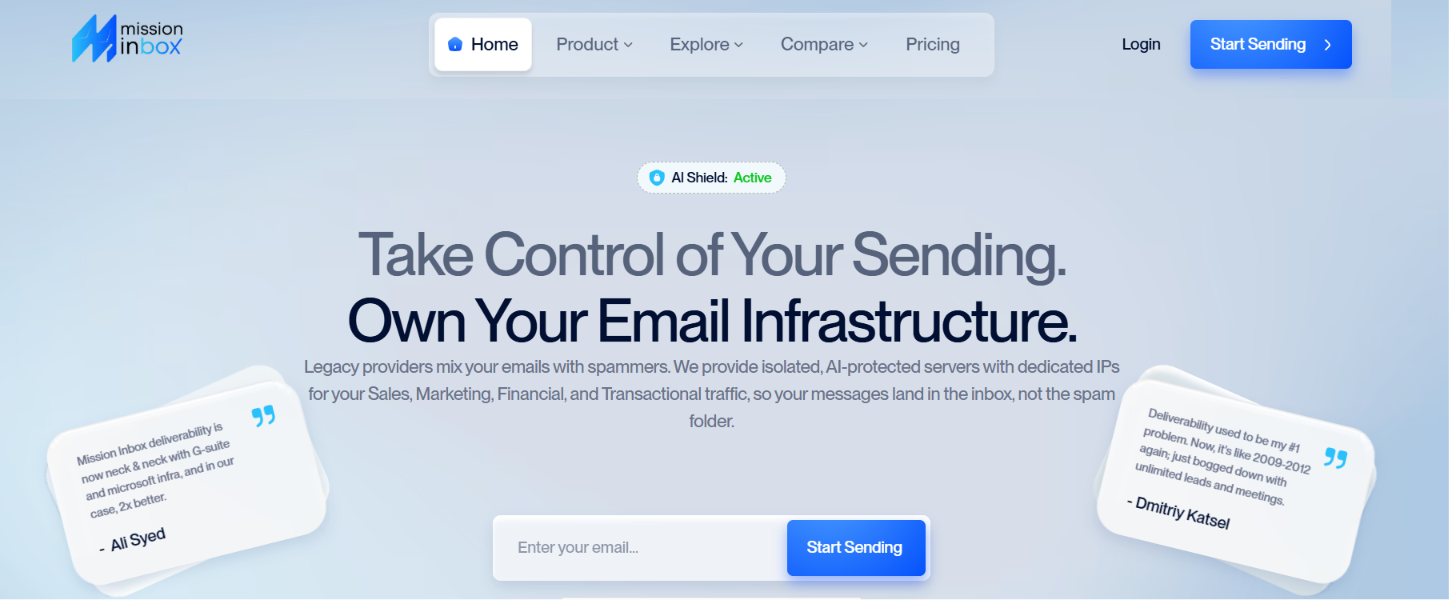
Mission Inbox is an email infrastructure platform that helps businesses send outbound, marketing, and transactional emails using dedicated infrastructure. Instead of placing customers on shared IP pools, it provides dedicated IPs and isolated servers to help businesses maintain better control over deliverability and sender reputation.
The platform supports both SMTP mailboxes and API-based sending, making it suitable for sales teams, agencies, marketers, startups, and developers. Mission Inbox also includes features such as dedicated infrastructure, workload isolation, deliverability protection, and email authentication tools.
Its main goal is to help businesses send emails more reliably while reducing the risks that often come with shared email infrastructure.
As I went through Mission Inbox, I noticed that most of its features are built around solving the deliverability problem. Most of its features are designed to help businesses protect their sender reputation, improve inbox placement, and manage email traffic more effectively.
Here are the features that stood out to me the most.
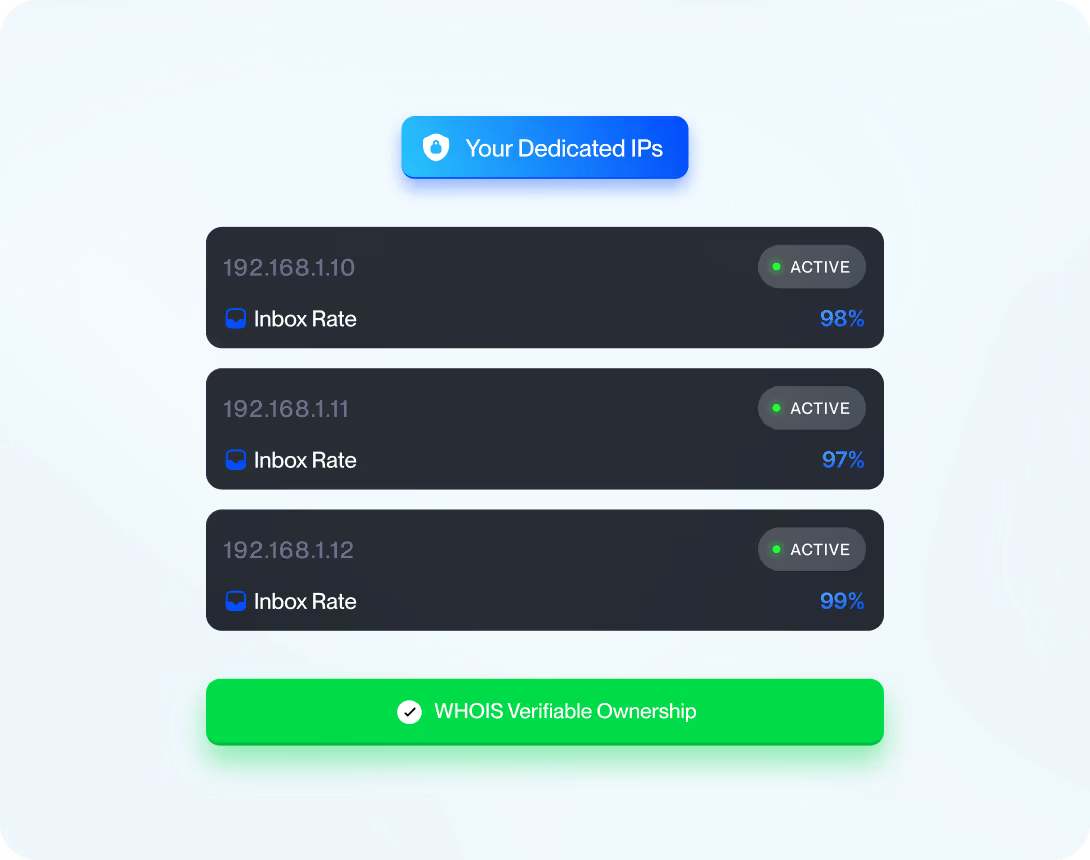
The first thing that stood out to me is Mission Inbox's focus on dedicated infrastructure. Instead of placing customers on shared IP pools, the platform provides dedicated IPs and isolated servers. This gives businesses more control over their sender reputation and reduces the risk of being affected by other senders.
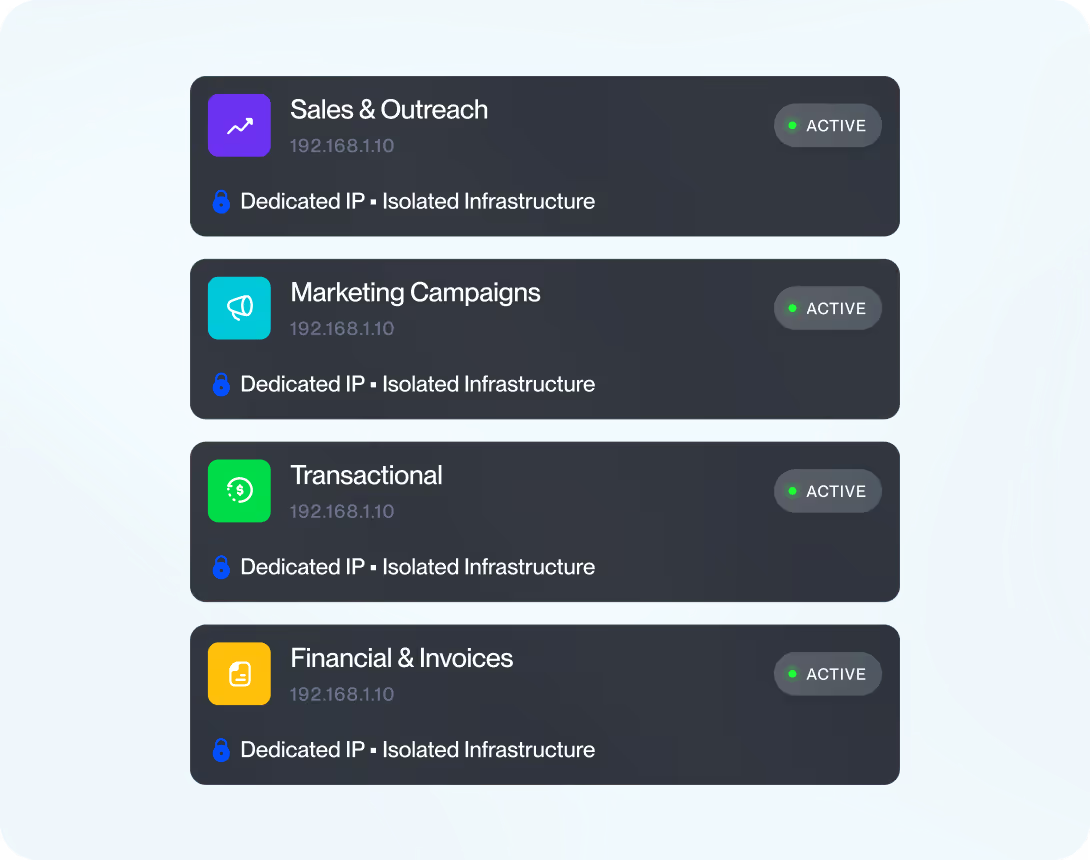
Mission Inbox uses what it calls "Cubes" to separate different types of email traffic. For example, sales emails, marketing campaigns, transactional emails, and financial communications can all run on separate infrastructure. I like this approach because it helps prevent one email workload from affecting another.
Every account comes with Mission Shield, an AI-powered protection layer that scans emails before they are sent. It checks for spam signals, DNS issues, content problems, and other factors that could hurt deliverability. This is one of the more unique features offered by the platform.
Mission Inbox supports both SMTP mailboxes and API-based email sending. This makes the platform flexible enough for sales teams sending outbound emails and developers building email functionality directly into their products.
Proper email authentication is critical for deliverability. Mission Inbox helps businesses configure SPF, DKIM, and DMARC records and supports automated DNS setup with providers such as Cloudflare and GoDaddy. This helps reduce setup complexity and ensures domains are configured correctly before sending.
Deliverability is clearly a major focus for Mission Inbox. The platform includes automatic warmup, dedicated IP reputation management, and deliverability monitoring tools designed to help businesses maintain healthy email performance as they scale.
After reviewing Mission Inbox's website, product documentation, and customer reviews, I came away with a positive impression of its deliverability capabilities. In fact, almost everything Mission Inbox does seems to revolve around improving deliverability and protecting sender reputation.
Almost every part of the product, from dedicated IPs and isolated infrastructure to Mission Shield and workload-specific Cubes, is designed to help businesses improve inbox placement and protect sender reputation.
The strongest aspect of Mission Inbox is its infrastructure model. It gives users dedicated IPs and isolated infrastructure. This reduces the risk of another sender hurting your reputation and gives businesses more control over their email performance. I also found it encouraging that multiple G2 reviewers specifically mentioned improvements in deliverability after switching to the platform.
One reviewer reported increasing reply rates from around 3% to 7%, while another saw reply rates improve from 3% to over 10% after moving their cold email infrastructure to Mission Inbox. Several users also highlighted the platform's inbox placement tests, health checks, and deliverability monitoring tools.
Overall, I think Mission Inbox performs well on the deliverability front based on the available evidence. If deliverability, sender reputation, and infrastructure control are your top priorities, these are areas where Mission Inbox appears to stand out.
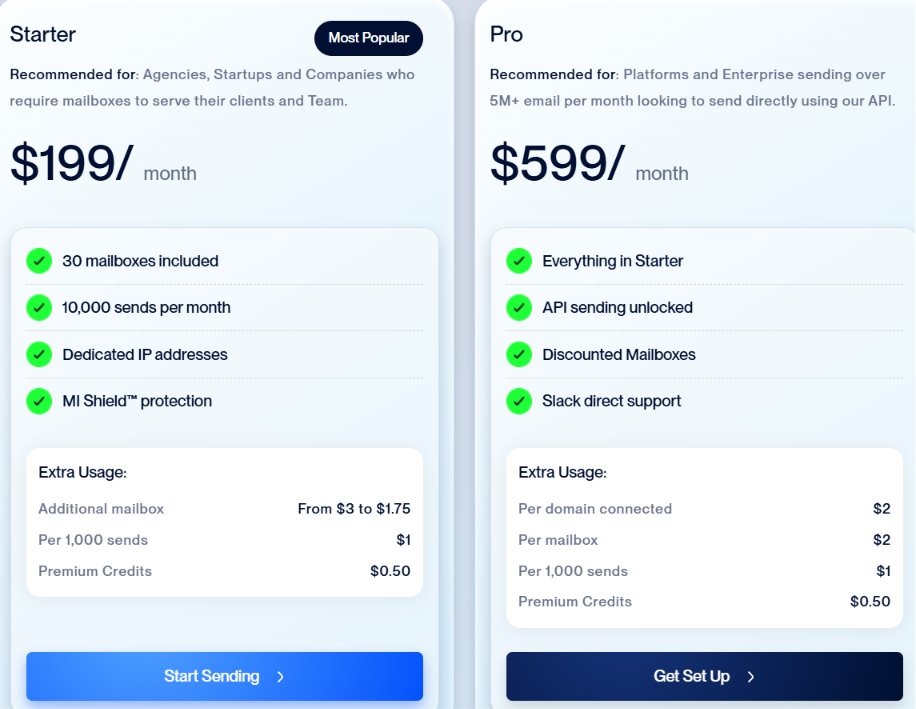
Mission Inbox offers two main plans: Starter and Pro. Both plans include dedicated infrastructure, but the Pro plan is designed for larger teams and businesses that want API-based sending.
The Starter plan includes:
Additional usage costs:
The Pro plan includes everything in Starter, plus:
Additional usage costs:
My takeaway is that Mission Inbox is clearly not targeting small businesses looking for the cheapest email solution. The pricing is aimed at teams that care about dedicated infrastructure, deliverability, and sender reputation.
If you send a high volume of outbound, marketing, or transactional emails, the pricing may be reasonable. However, smaller teams may find the $199/month starting price difficult to justify.
After analyzing Mission Inbox reviews, I noticed that most positive feedback revolves around deliverability, customer support, and ease of use.




Whether Mission Inbox is worth it comes down to how important email is to your business. If email is a major channel for acquiring customers, generating leads, supporting users, or delivering product communications, Mission Inbox offers enough functionality to justify a closer look.
The platform brings together several email-related workflows that many businesses would otherwise manage across multiple tools.
The biggest drawback is the price. Starting at $199 per month, Mission Inbox is clearly aimed at businesses rather than individuals or very small teams. As a result, the value becomes much easier to justify when email directly contributes to revenue or customer growth.
Overall, I think Mission Inbox is best suited for growing businesses that want a more specialized email platform and are willing to pay for it. Smaller teams with basic email requirements will likely find better value elsewhere.
If you're considering Mission Inbox, I recommend comparing it with Infraforge before making a decision. Both platforms focus on dedicated email infrastructure, but Infraforge includes additional features for businesses that need to build and manage private cold email infrastructure at scale.
Along with private infrastructure and dedicated IPs, Infraforge includes pre-warmed domains and mailboxes, bulk DNS updates, multiple workspaces, multi-IP provisioning, and support for any sending software. It also offers API, MCP, and CLI access, making it easier to connect your email infrastructure with the rest of your outbound workflow.
I like that Infraforge gives businesses more ways to manage and expand their infrastructure as they grow. Features such as pre-warmed domains, bulk DNS updates, multiple workspaces, and multi-IP provisioning make it a practical choice for agencies and outbound teams running large-scale cold email campaigns.
If private infrastructure isn't a requirement and you'd rather use Google Workspace or Microsoft 365 mailboxes, Primeforge is another alternative worth considering. It provides pre-warmed Google Workspace and Microsoft 365 mailboxes with automated setup, making it a good option for teams that prefer mainstream mailbox providers.
Enter your email to get a custom plan & stack recommendation for your business
Please check your mailbox in 5 minutes

Mission Inbox delivers what it promises. It gives businesses dedicated email infrastructure, strong deliverability features, and more control over how emails are sent. If those are your priorities, it's a platform worth considering.
That said, it's important to choose an email infrastructure platform based on your long-term needs, not just its feature list. If you expect your outbound operation to grow, compare Mission Inbox with other dedicated infrastructure providers before making a decision.
If you're looking for private email infrastructure built specifically for scaling cold outreach, Infraforge is a strong alternative to explore. And if you prefer Google Workspace or Microsoft 365 mailboxes with automated setup, Primeforge is also worth considering.