
Personalized Outbound Strategy
Get The Right Outbound Strategy In Minutes
Enter your email to get a custom plan & stack recommendation for your business
It's being carefully crafted by AI
Please check your mailbox in 5 minutes

$0.17 per mailbox.
If you send cold email at volume, Mailin’s Microsoft plan is hard to ignore at that price. Then you read the fine print. To get it, you:
The low price comes from the plan’s structure, not from a better deal.
That pattern runs through Mailin. It’s a capable provider, with SMTP, Google and Microsoft mailboxes in one dashboard, domains and DNS set up for you, and a team available on Slack around the clock. Agencies tired of slow setups have good reasons to like it.
But the price you see is rarely what you actually pay per working mailbox:
In this Mailin AI review, I work out what each plan really costs, who Mailin is built for, and when Primeforge is the safer place to buy your mailboxes.
Here’s how Mailin compares with Primeforge, along with the Forge tools that handle the jobs Primeforge doesn’t.
Mailin sells cold email mailboxes from all three providers you’d usually have to buy separately: SMTP, Google Workspace, and Microsoft 365. They all sit in one dashboard, so mailboxes from different plans appear in one list—no three vendors and three logins.
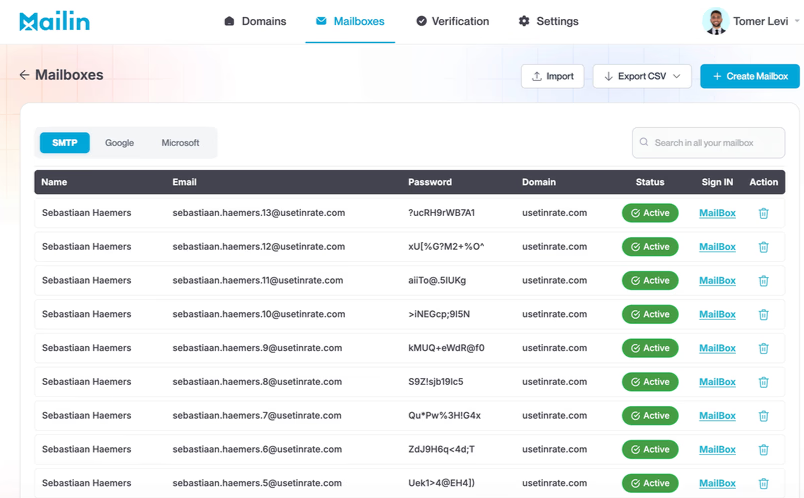
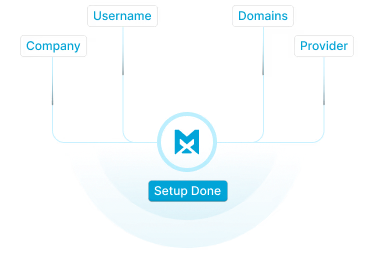
Setup is where Mailin puts in the most work. I fill out a short onboarding form, and Mailin buys or transfers the domains, sets up SPF, DKIM, DMARC, and other DNS records, and delivers the mailboxes within a day or 2 to 3 days for Microsoft.
Support is available around the clock on Slack, with a team of 8 to 10 people covering technical, deliverability, and GTM questions. There’s also an API for setting up mailboxes and verifying emails through code.
Warmup is the first gap. Mailin recommends 2 to 3 weeks of warmup before scaling, but it doesn’t offer a tool for SMTP or Google. Only Microsoft plans include warmup, and it uses 5 of each mailbox’s 10 daily emails.
There's also no view of where my emails land: no placement tests, blacklist checks, or bounce details. When replies drop, I have to ask Mailin's deliverability team.
Mailin has no G2 or Trustpilot profile.
All user feedback comes from 17 testimonials on its website, many taken from video clips. Mailin chose all of them, and most don't name the reviewer's company.
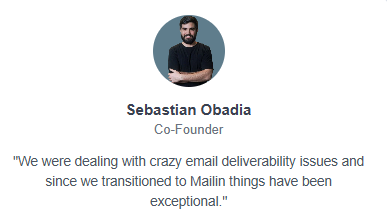
Before moving to Mailin, co-founder Sebastian Obadia was dealing with serious deliverability problems. Things have gone well since.
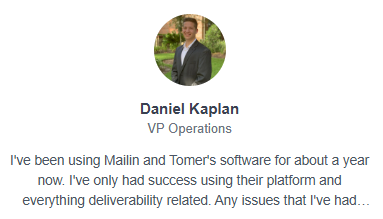
Daniel Kaplan, a VP of Operations who has used Mailin for about a year, says it solved the cold email problems he had before.
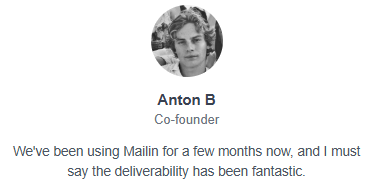
Two others have shorter histories. Co-founder Anton B. has used it for a few months, while owner Levi Munneke has used it for about two.
Two months is barely past warmup, so I’d give those less weight.

The testimonials from long-term users carry the most weight. Founder Joel Wylie has used Mailin for about 18 months and says its mailboxes last longer than those from his other providers.
Head of operations Jared Zuckerman has run over 1,000 Mailin mailboxes for a year to 18 months.
Founder Isaac Marks sends about 1.5 million emails a month through Mailin, and founder Benjamin Reed sends millions across his clients.

If a mailbox lasts longer, you replace fewer, and at that volume, replacements add up.
CEO Colin Schofield has used providers that took ages to set things up and found Mailin fast and simple.
Jay Flaherty, head of GTM at Beheard Labs, says setup was quick and deliverability holds up when he sends through Instantly.
CEO Jack Bricknell values that Mailin delivers when it says it will.

Founder Othmane Allouch describes the team as patient and quick to respond. Joel Wylie often buys mailboxes on weekends and says the team is online when he does.
Another founder, Liam, learned more about cold outbound in a 30-minute call with Tomer than from consultants he was ready to pay thousands.

He now refers work to Tomer, so he has a business connection worth keeping in mind.
Words like “amazing” and “rock solid” come up often, but no one shares an inbox placement rate, bounce rate, or reply rate. Even the sender who sends 1.5 million emails a month doesn’t say how many reached the inbox.
None of the testimonials are dated, so I can’t tell whether these people are still customers in 2026. One testimonial, from Timi Merivirta, stops mid-sentence.
No one says whether they send through SMTP, Google, or Microsoft. That matters most for the Microsoft plans, which put 100 mailboxes on one domain. None of the 17 testimonials tell me how those plans hold up.
Every plan lists a deliverability guarantee, but none of the testimonials mention using it.
Mailin's choices are hard to change once the mailboxes arrive, so the decisions come first: which provider, how many domains, and what to do during warmup.
Sign-up starts with a name and email, then a plan. But each plan is tied to one provider, so the first real choice is SMTP, Google, or Microsoft.
I’d let my prospects guide the choice. If most use Outlook, Microsoft mailboxes give me a better chance of reaching their inboxes.
If they mostly use Google Workspace, I’d choose Google mailboxes. Mailin supports both, but using multiple providers seems to mean paying for more than one plan, so I’d confirm that before buying.
The onboarding form asks for my company, mailbox usernames, domains, and provider. Mailin recommends 2 to 5 mailboxes per domain for SMTP and Google, so 200 SMTP mailboxes would need 40 to 100 domains.
Domain prices aren't listed, and the smallest SMTP plan needs 40 to 100 domains, so I'd ask for that cost first.
I can transfer domains I already own for free, and Mailin sets up the DNS for them. I’d only move domains bought for outreach. Sending cold email from your main company domain puts the address your customers use at risk, and I’d first check what happens to its existing DNS records.
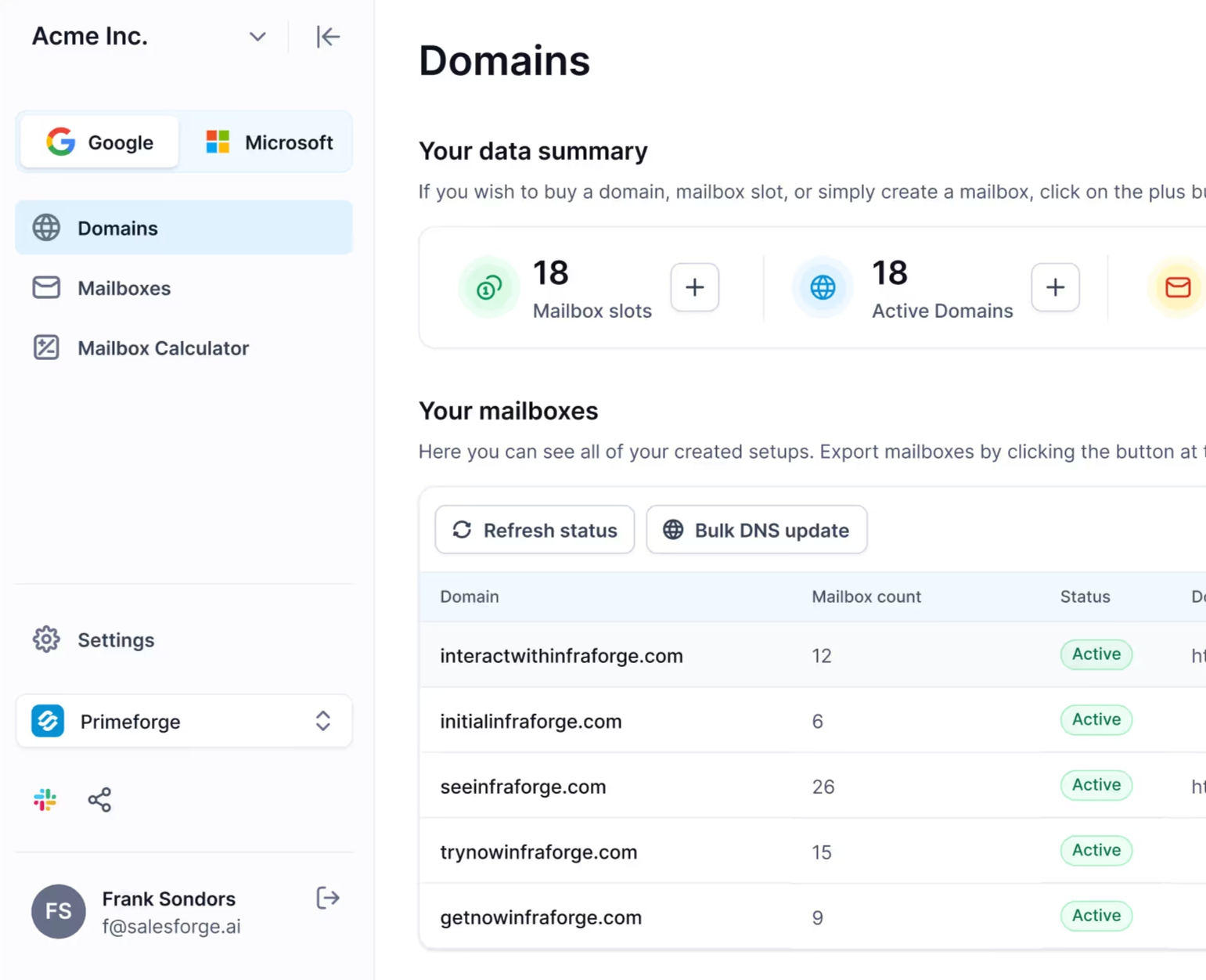
The dashboard shows my plan, active domains, mailbox slots, and active mailboxes at a glance.
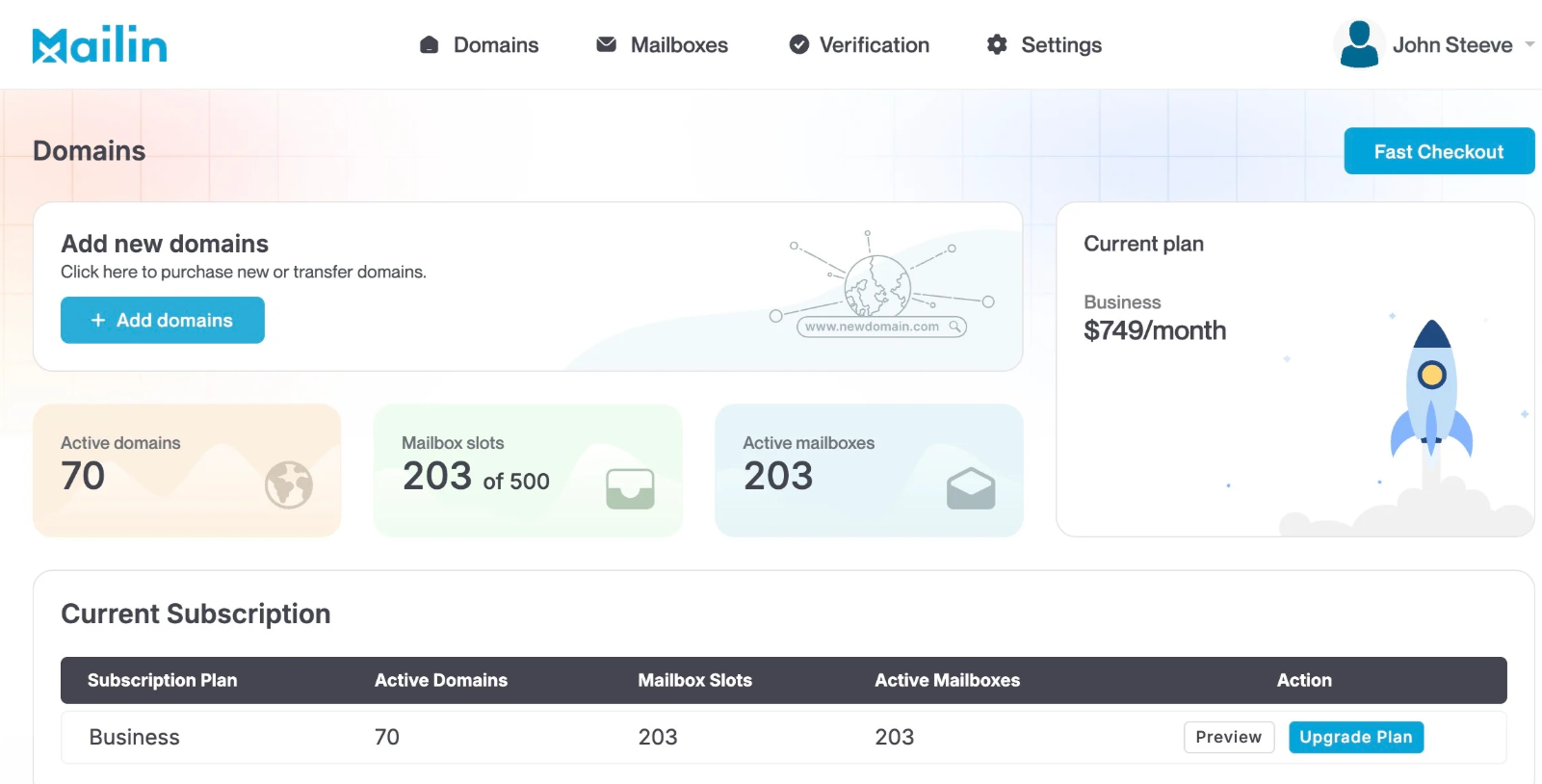
In Mailin's example, the $749 Business plan has 203 of 500 slots in use. That's about $3.69 per active mailbox against the advertised $1.50.
Mailboxes arrive in a day or so, but Mailin recommends 2 to 3 weeks of warmup before cold sending.
For SMTP and Google, I’d need a separate warmup tool, which means another bill and dashboard.
So “send immediately” really means I can start warming them up immediately.
I can import mailboxes, export them as a CSV, and connect them to my sending tool. The export includes passwords, so I’d keep that file off shared drives and delete it after importing.
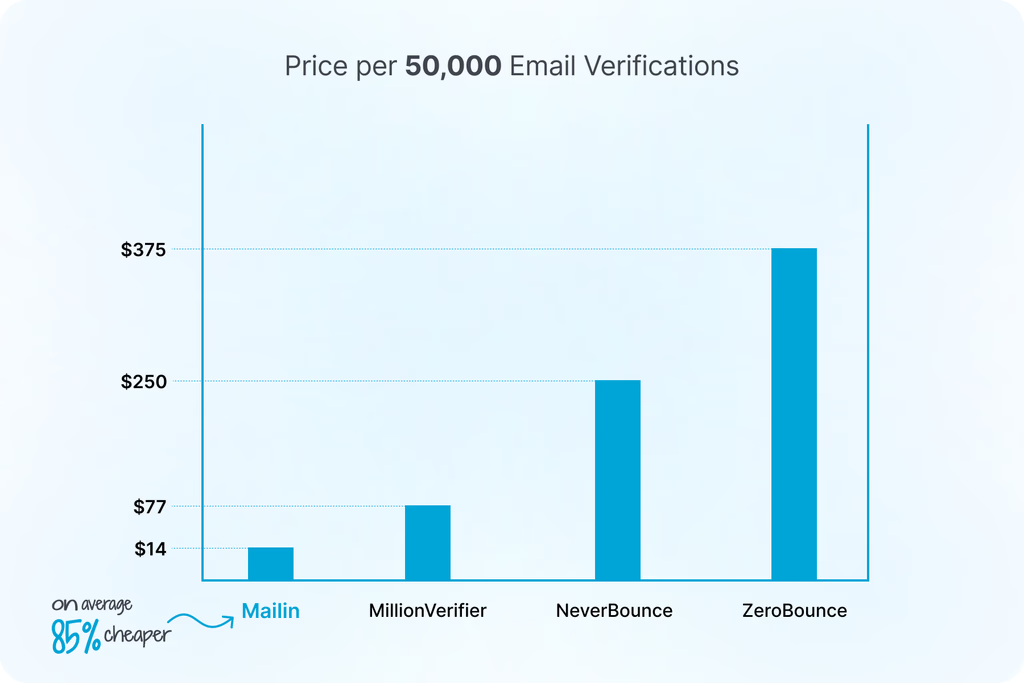
The built-in verifier checks catch-all addresses, which matters because new mailboxes can’t afford early bounces. Mailin compares its price with other verifiers, but I couldn’t find the cost of verification on any plan, so I’d ask before counting on it.
The $299 Microsoft plan gives you 800 mailboxes, each sending 5 cold emails and 5 warmup emails a day. That’s about 4,000 cold emails a day for $299.
The catch is that each domain has 100 mailboxes. If one domain gets flagged, all 100 mailboxes go down with it. I’d ask whether I could spread them across more domains, even at a higher price.
I'd use the 24/7 Slack channel from day one and ask for a deliverability check after my first week of sending.
Mailin sells mailboxes in fixed blocks, and each block is tied to one provider. You pay for the whole block each month, whether you use every mailbox or not.
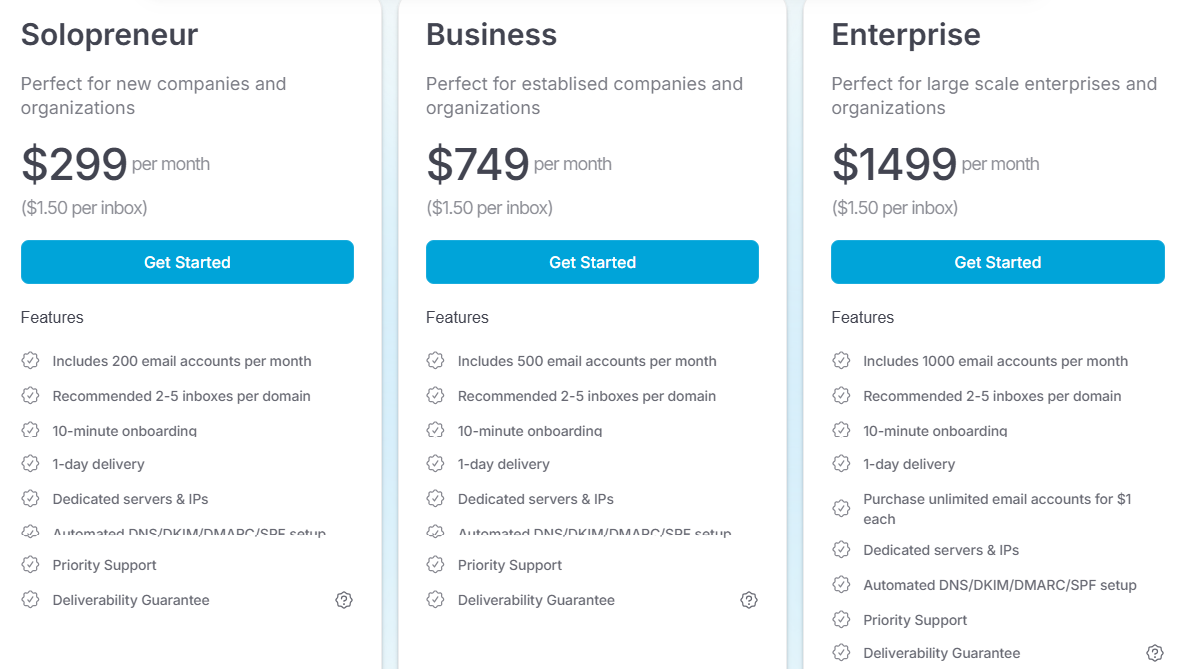
Yearly billing saves 20% on SMTP, bringing the plans to $239, $599, and $1,199 a month. The yearly pricing cards still show $1.50 per mailbox, though the actual cost is about $1.20. I couldn’t find yearly prices for Google or Microsoft.
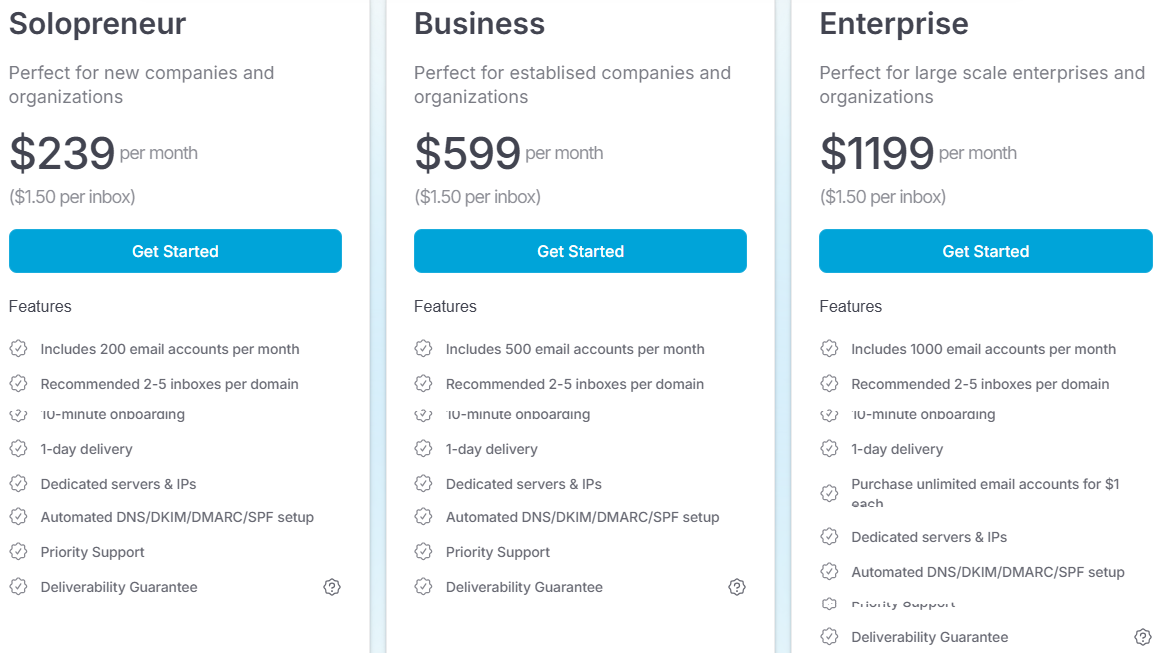
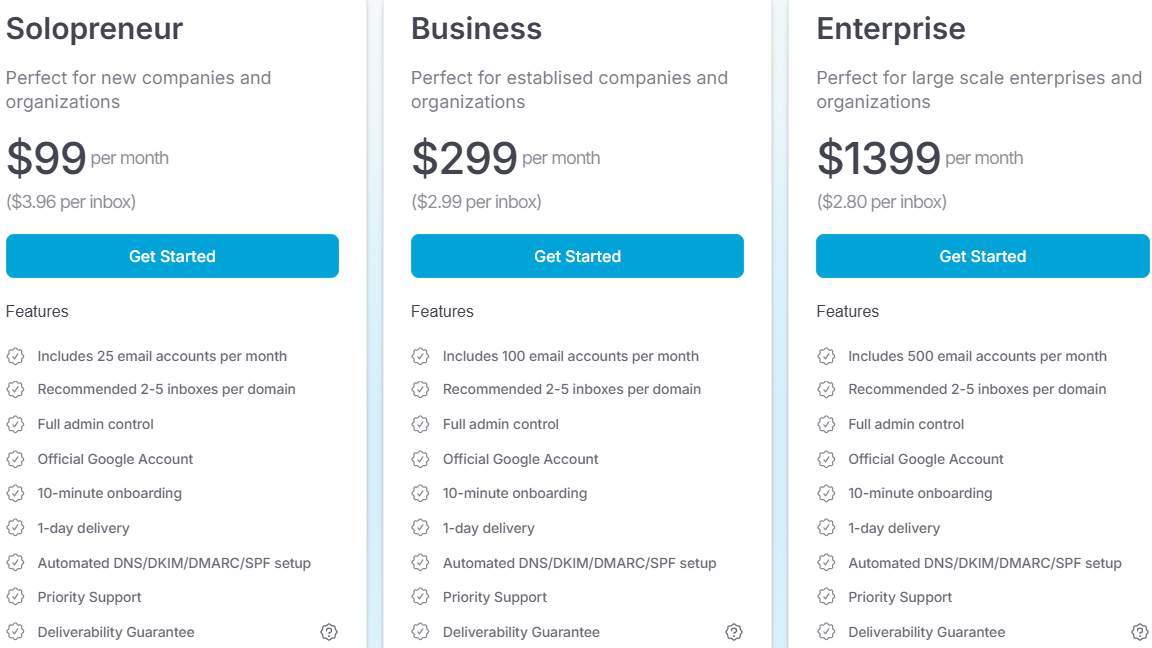
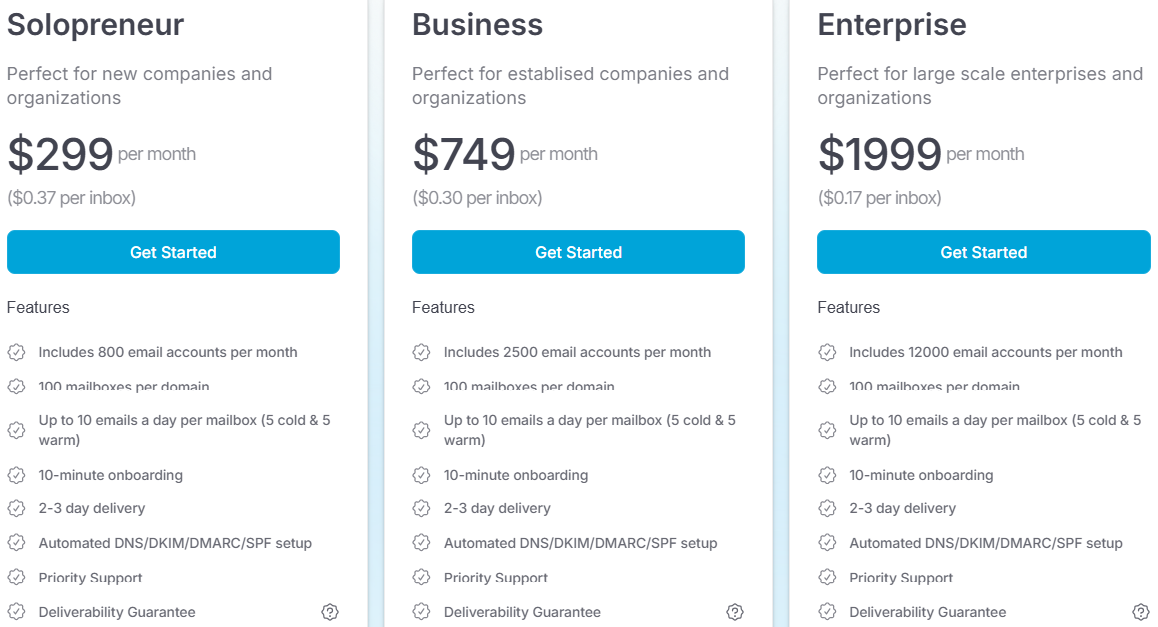
Mailin fits a high-volume sender with its own sequencer who wants setup handled and questions answered on Slack.
I’d skip Mailin if I’m small, still testing, or want to see my own deliverability data.
Mailin and Primeforge solve the same problem: getting cold email mailboxes set up properly so you can start sending without touching DNS. Both sell Google Workspace and Microsoft 365 mailboxes, set up SPF, DKIM, and DMARC for you, and give you admin control of your Google accounts.
The difference is what happens after setup. Mailin sells mailboxes in large blocks and relies on its support team to tell you how they’re performing.
Whereas Primeforge sells mailboxes one at a time, offers pre-warmed options, and shows you the deliverability data, while Warmforge handles warmup and placement tests.
Mailin’s Google plans jump from 25 to 100 mailboxes, and SMTP starts at 200. If I need 50, I either buy two smaller plans or pay for mailboxes I won’t use.
Primeforge charges per mailbox, $3.50 to $4.50 each, so I can buy 30 or 60 and add more when a campaign needs them.
Primeforge sells pre-warmed mailboxes for $9 a month each, plus $18 a year for each .com domain. The minimum order is four domains with three mailboxes each, or $108 a month, enough to launch while new mailboxes warm up.
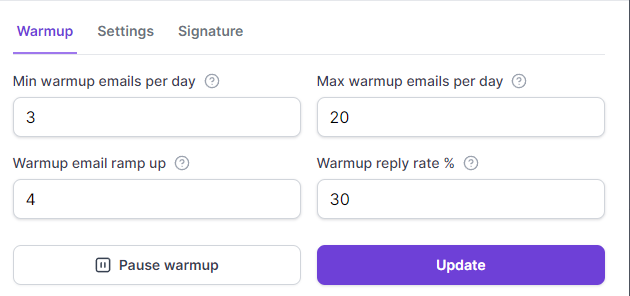
With Primeforge, I export my mailboxes to Warmforge and set each one’s daily minimum and maximum, ramp-up speed, and reply rate.
Warmforge moves warmup emails out of spam and checks DNS, MX, and blacklists. It costs $10 per mailbox, or nothing if I send through Salesforge.
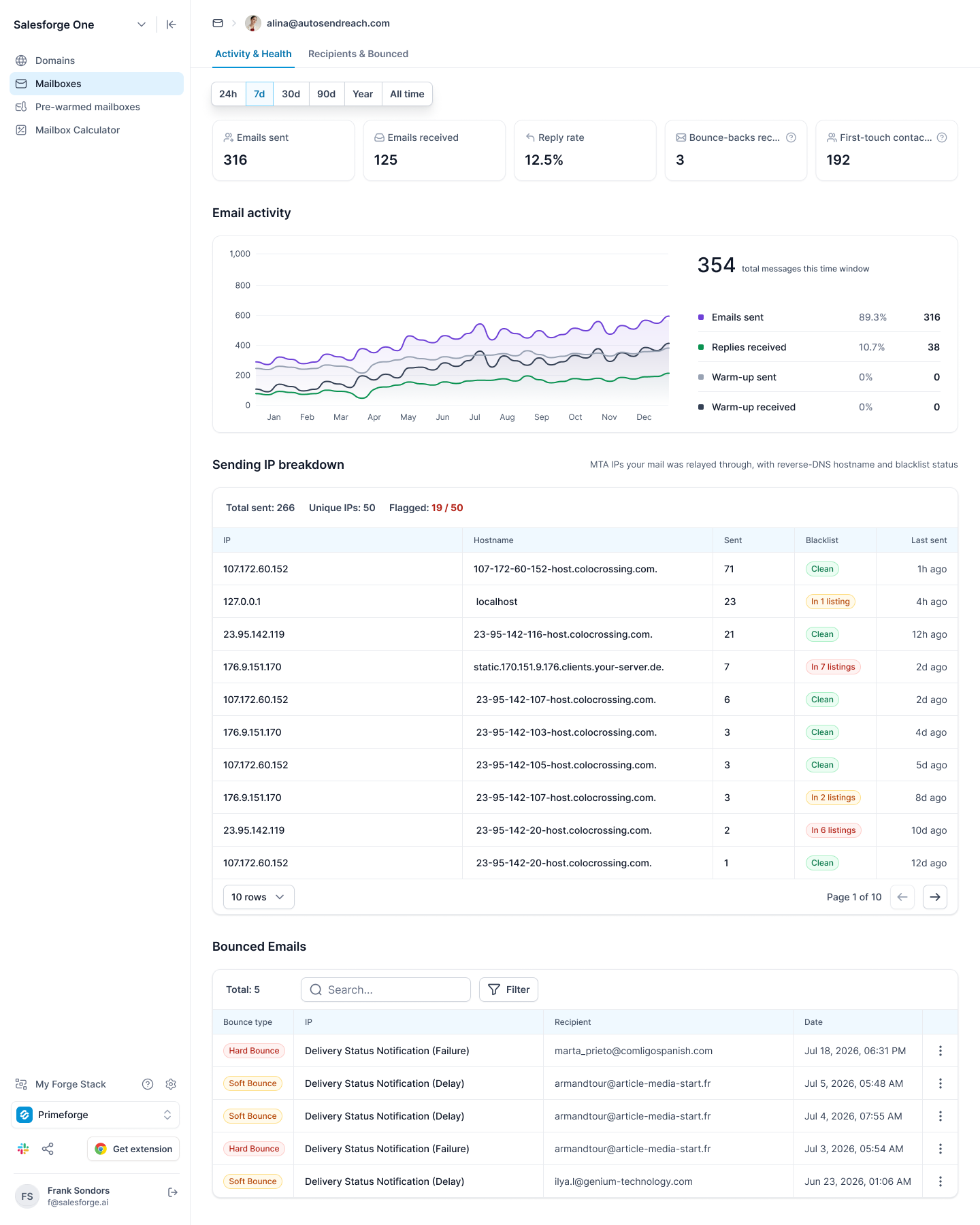
In Primeforge, each mailbox shows its sends, replies, and bounces, every IP it sent through with its blacklist status, and the cause and server response for each bounce.
Mailin lets me buy Google and Microsoft mailboxes, but it doesn’t show which one gets more replies. Primeforge splits my prospects across Google Workspace, Microsoft 365, and consumer inboxes, with a reply rate for each.
If Outlook prospects reply far less, I know to add Microsoft mailboxes instead of more of the ones I already have.
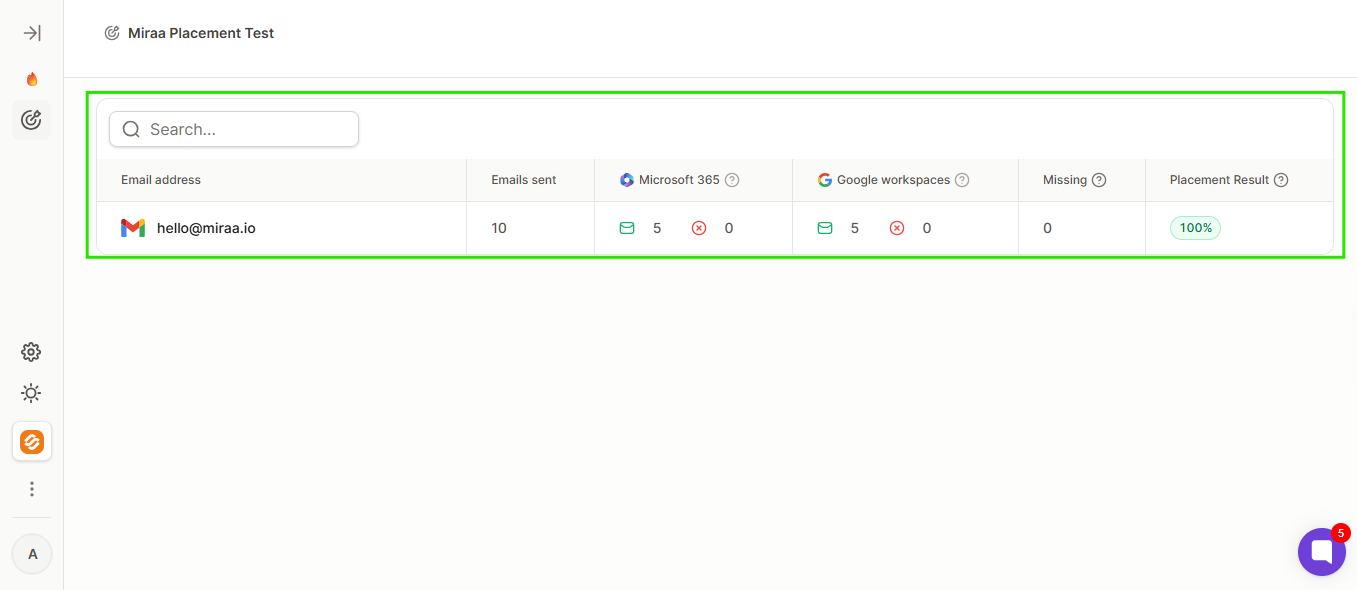
Warmforge sends a test to real Google Workspace and Microsoft 365 inboxes, then shows how many emails reached the inbox, landed in spam, or went missing.
One test a month is free, and 100 cost $39. That’s the number I’d want before trusting any deliverability guarantee.
Enter your email to get a custom plan & stack recommendation for your business
Please check your mailbox in 5 minutes
Start with how many mailboxes you’ll actually use next month. That number decides whether Mailin is worth it.
If you can fill one of Mailin's blocks, such as 200 SMTP mailboxes or 100 Google ones, it's worth considering. Get the guarantee terms in writing, and set up a warmup tool before your first send.
If you need to start sending this week, Mailin's mailboxes still need 2 to 3 weeks of warmup
Order Primeforge's minimum pre-warmed set (four domains with three mailboxes each, $108 a month) to start sending this week, and warm any new mailboxes in Warmforge alongside it.