Summarize this article
Table of contents
Get insights delivered straight into your inbox every week!

7 Best Puzzle Inbox Alternatives for Google/MS365 Mailboxes

Getting inboxes from Puzzle Inbox feels easy until you try to scale.

You start sending, but then:

  • Google inboxes work, MS365 becomes inconsistent
  • reply rates drop as volume increases
  • you don’t control reputation or IPs

I’ve faced this.

I used pre-warmed inboxes to launch fast.

The first few days worked. 

But once volume increased, deliverability became unpredictable, especially outside Google.

Even some of its users say:

  • “Good for quick setup, but not ideal long term”
  • “MS inboxes are another story”
  • “Pre-warmed inboxes can be hit or miss”

At that point, exploring Puzzle Inbox alternatives starts to make sense.

In this guide, you’ll find tools based on what actually matters:

  • Google vs MS365 performance
  • pre-warmed vs owned inboxes
  • cost vs control

So you can pick what actually works at scale.

Puzzle Inbox Alternatives for Google/MS365 Mailboxes: Top 5 Picks

  1. Primeforge - Best for ready-to-use Google & MS365 inboxes
  2. Maildoso - Ideal for pre-warmed inbox scale
  3. Inframail - Best for Microsoft-heavy outbound
  4. Infraforge - Great for full infrastructure control
  5. Mailforge - Best for flexible SMTP-based setup

Why Users Look for Puzzle Inbox Alternatives?

Puzzle Inbox works well when you want to start fast.

But once you try to scale, some limitations start to show.

Here’s what users typically experience:

  • It’s good for quick setup, but not ideal for long-term use. Many users find that things work in the beginning, but performance drops as they increase volume.
  • Google inboxes tend to perform better, but MS365 becomes inconsistent. Campaigns that work on Google often don’t give the same results on Outlook.
  • Pre-warmed inboxes don’t always guarantee good deliverability. Since the warmup is not based on your use case, results can feel hit or miss.
  • You don’t have full control over reputation or infrastructure. If something goes wrong, you can’t easily fix or troubleshoot it.
  • There are mixed experiences around reliability. Some users are satisfied, while others are unsure about long-term stability.

Because of this, many users start exploring alternatives that offer better control, more consistent deliverability, and a setup that actually scales.

How I Evaluated Puzzle Inbox Alternatives?

I focused on what actually impacts deliverability and day-to-day outbound.

Here’s how I evaluated Puzzle Inbox alternatives:

  • Set up time from purchase to first campaign (how fast you can start sending)
  • Deliverability consistency across Google and MS365 inboxes
  • Control over infrastructure (DNS, domains, reputation)
  • Pre-warmed vs fresh inbox setup and flexibility
  • Ability to scale with multiple inboxes without performance drop
  • Cost per inbox as you increase volume
  • Ease of replacing or rotating inboxes when needed
  • Reliability during continuous outbound campaigns

These checks helped me find alternatives that are easier to scale and more consistent over time.

7 Best Puzzle Inbox Alternatives for Google/MS365 Mailboxes: Quick Comparison

Criteria Primeforge Maildoso Inframail Infraforge Mailforge Hypertide Mailscale
Setup speed ~30 mins ~10 mins Minutes ~5 mins ~5 mins 4–6 hrs ~20–30 mins
Infra control Medium Low (own ESP + IP rotation) Medium High (dedicated IPs) Medium High (isolated tenant) Medium
Pre-warmed Yes Add-on No No Not mentioned No Not mentioned
Scaling model Per mailbox Per mailbox Unlimited Unlimited Flexible slots Fixed per order Bulk creation
Pricing model Per mailbox Per mailbox Flat plan Per mailbox Per mailbox Per order Subscription

1. Primeforge

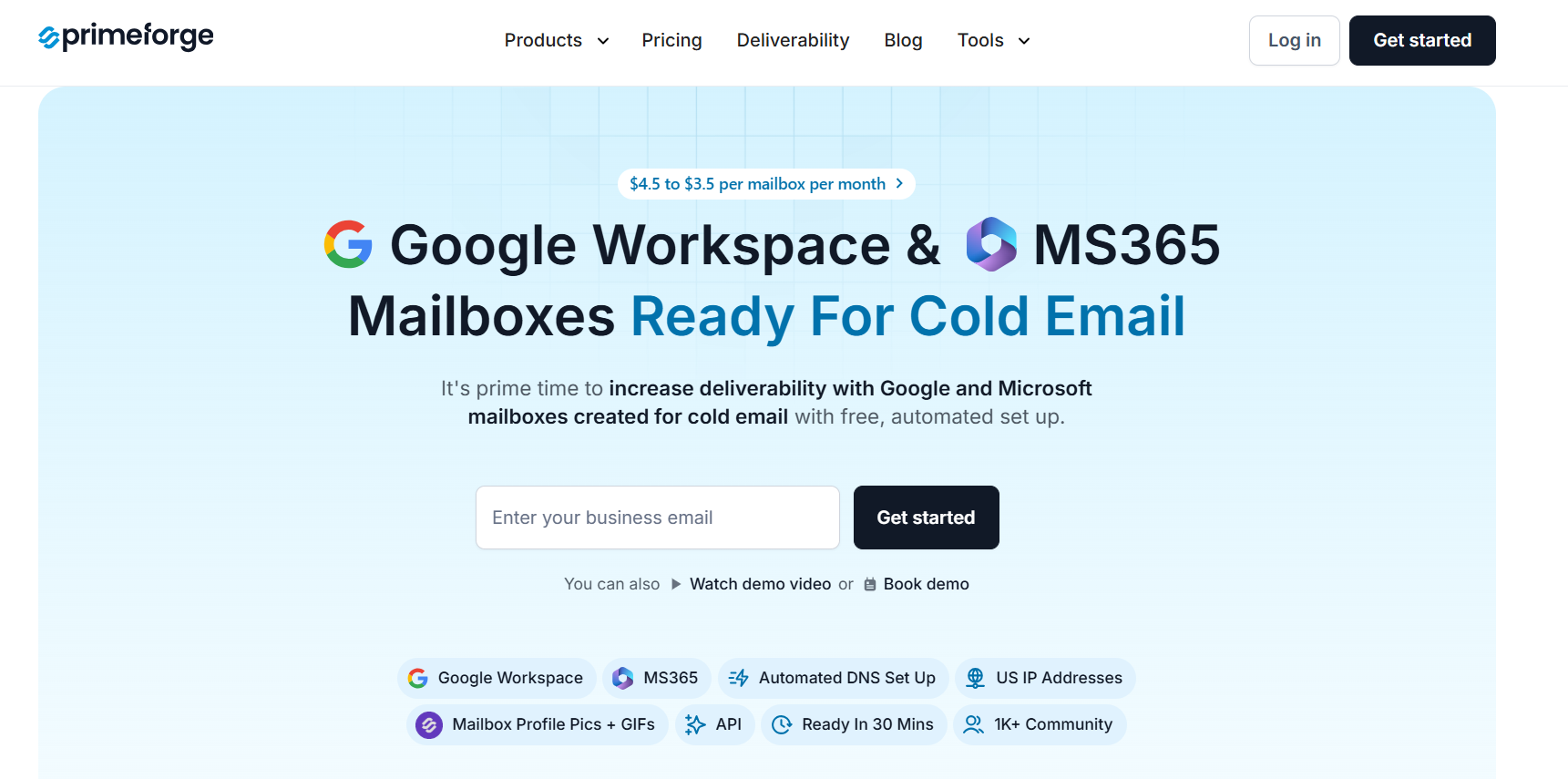
Primeforge homepage
This image shows the Primeforge homepage

Primeforge is a cold email infrastructure tool that gives you Google Workspace and Microsoft 365 mailboxes built for outreach.

With Puzzle Inbox, things feel simple and quick to start.

It leans more toward done-for-you inbox setup.

With Primeforge, it feels more like setting up structured infrastructure for outreach. 

You get Google Workspace and MS365 mailboxes configured for cold email use cases.

Setup is also faster.

I could get mailboxes ready in about 30 minutes, while Puzzle Inbox usually takes 24-72 hours.

If you just want something quick and hands-off, Puzzle Inbox works.

If you want a faster setup and a setup designed around deliverability and scaling, Primeforge is positioned more in that direction.

Key Features of Primeforge 

  • Provides Google Workspace and Microsoft 365 mailboxes for cold outreach
  • Includes pre-warmed inboxes so you can start sending faster
  • Handles SPF, DKIM, and DMARC setup automatically
  • Uses US-based IP addresses
  • Supports bulk DNS updates for multiple domains
  • Allows multiple workspaces for managing teams
  • Includes profile pictures and GIF support for mailboxes

Primeforge vs Puzzle Inbox: Quick Comparison

Feature Primeforge Puzzle Inbox
Setup time ~30 minutes 24–72 hours
Mailbox type Google Workspace & MS365 mailboxes Google Workspace & Outlook 365 inboxes
Pre-warmed inboxes Yes Yes
DNS setup Automated Done-for-you
SPF / DKIM / DMARC Included Included
IP setup US-based IPs Not specified in available data
Ownership Full domain & mailbox ownership Not clearly specified

Pros & Cons of Primeforge

Pros Cons
  • Uses real Google Workspace & Microsoft 365 mailboxes built for cold outreach
  • Fast setup (~30 minutes)
  • Automated DNS setup (SPF, DKIM, DMARC)
  • US-based IP addresses for a better deliverability baseline
  • Full domain and mailbox ownership
  • No free trial available
  • Requires purchasing domains and mailboxes to use
  • Built specifically for cold outreach (not for daily email use)
  • No explicit mention of advanced customization controls
  • No explicit mention of detailed reporting/analytics

Primeforge Pricing

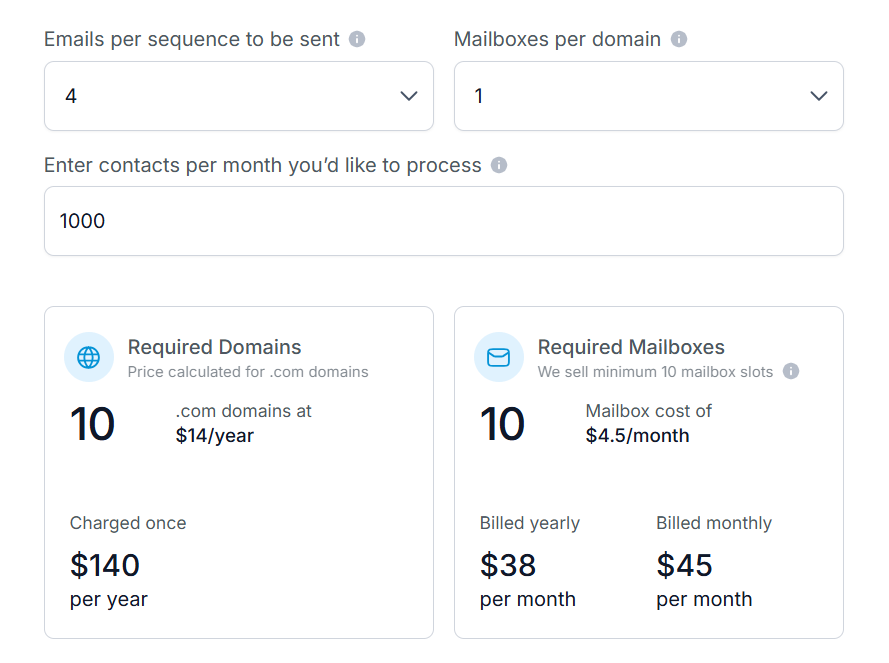
Primeforge pricing
This image shows the Primeforge pricing
  • $4.5 to $3.5 per mailbox per month
  • Annual billing gives 2 months free
  • Domains around $14 per year (.com example)
  • Minimum 10 mailbox slots
Personalized Outbound Strategy

Get The Right Outbound Strategy In Minutes

Enter your email to get a custom plan & stack recommendation for your business

It's being carefully crafted by AI

Please check your mailbox in 5 minutes

2. Maildoso

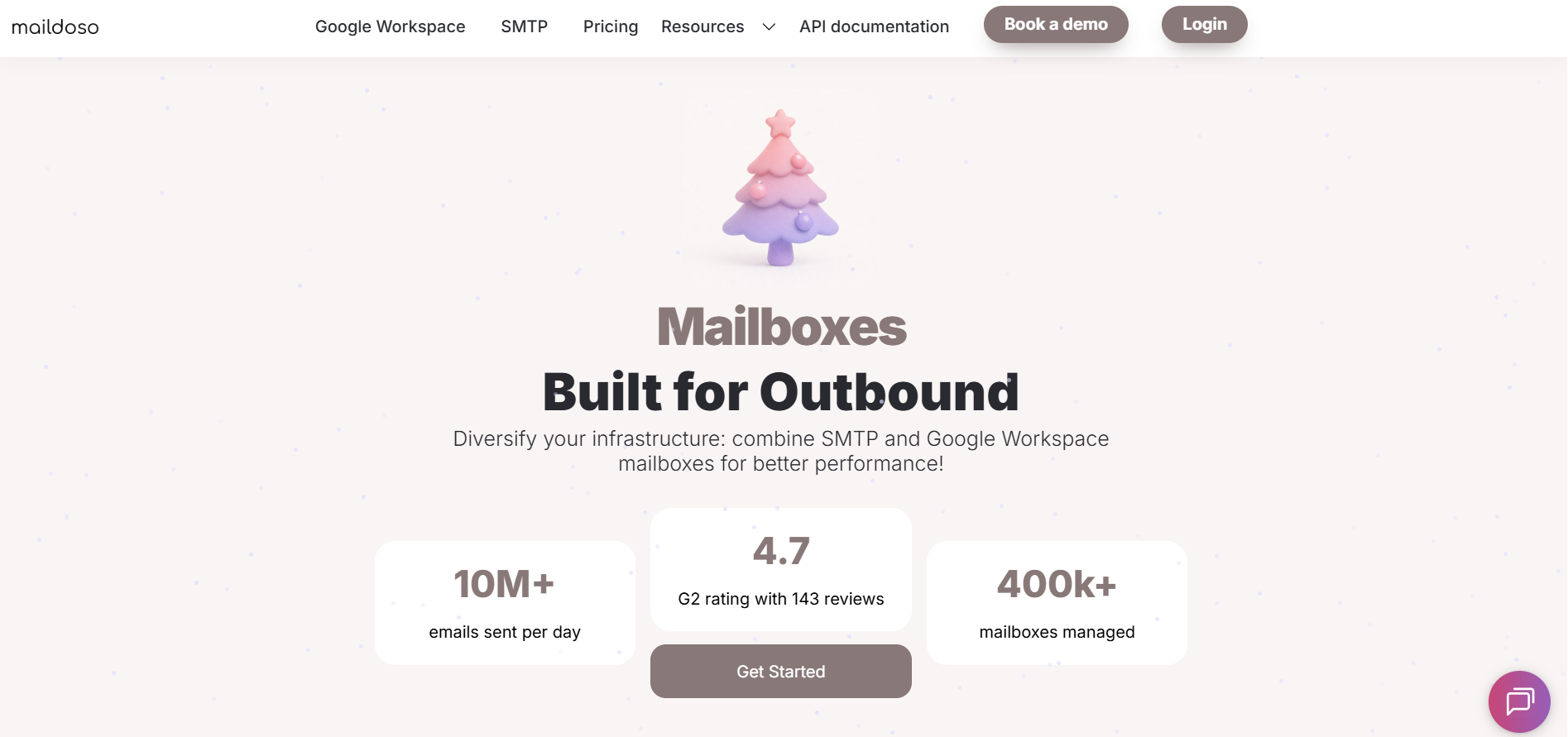
Maildoso homepage
This image shows the Maildoso homepage

Maildoso is a cold email infrastructure tool built for outbound.

Compared to Puzzle Inbox, Maildoso is positioned around low-cost mailbox creation and fast bulk setup.

You can create domains and mailboxes in the dashboard and have them ready to export in about 10 minutes.

Another difference I noticed is how sending works. 

Puzzle Inbox connects inboxes through SMTP/IMAP and gives pre-warmed options. 

Maildoso runs on its own servers, acts as its own ESP, and includes IP rotation.

Key Features of Maildoso

  • Provides mailboxes and domains built for outbound
  • SPF, DKIM, DMARC, and MX records are auto-configured
  • Mailboxes can be ready in about 10 minutes
  • Automatic IP rotation is included
  • Domain forwarding is set up by default
  • Master inbox helps manage replies in one place
  • Reputation checks and inbox placement checks are available on some plans

 Maildoso vs PuzzleInbox: Quick Comparison

Feature Maildoso Puzzle Inbox
Setup speed ~10 minutes bulk setup 24–72 hours delivery
Infrastructure model Own ESP + IP rotation SMTP/IMAP-based inboxes
Mailbox creation Bulk creation in dashboard Done-for-you setup
Domains Free with plans Purchased/managed for you
Warmup Paid AI warmup add-on Pre-warmed inboxes (on plans)

Pros & Cons of Maildoso

Pros Cons
  • Setup is very fast and positioned around 10 minutes
  • Domains are included for free with mailbox plans
  • SPF, DKIM, DMARC, and MX records are auto-configured
  • Uses automatic IP rotation
  • Offers bulk setup for large mailbox volumes
  • There is a hard sending limit per email account
  • Premium AI Warmup costs extra
  • Built for B2B cold email only
  • Does not support custom DNS records beyond CNAME
  • Some domain actions are handled via support

Maildoso Pricing

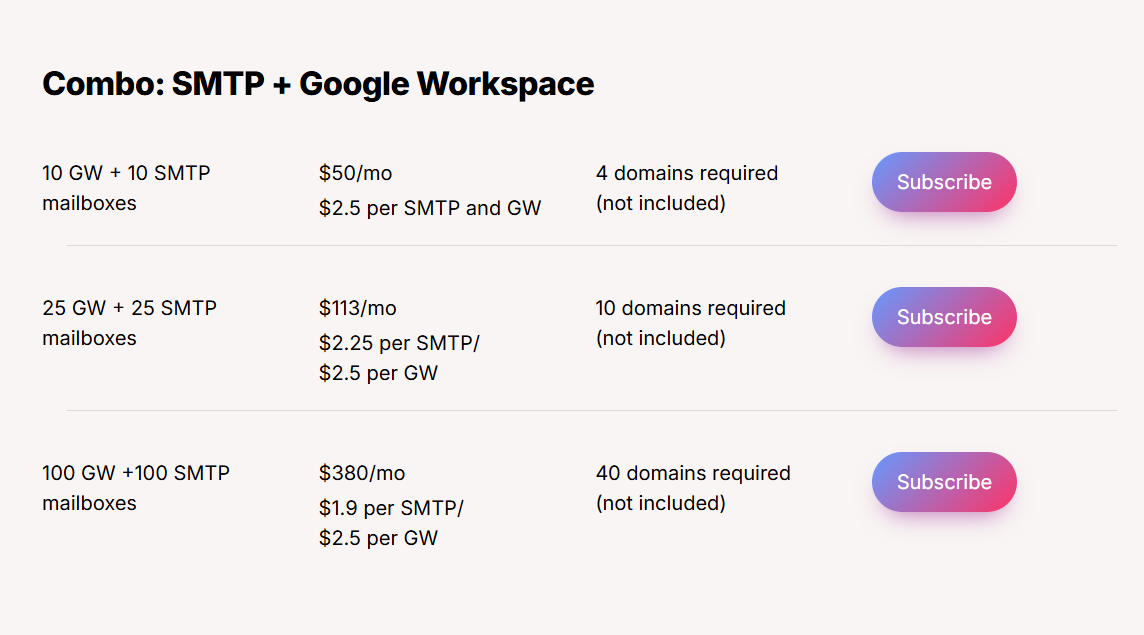
Maildoso pricing
This image shows the Maildoso pricing

Maildoso offers flexible SMTP and Google Workspace mailbox pricing designed for scaling teams and agencies.

I. Combo: SMTP + Google Workspace (Monthly)

  • 10 GW + 10 SMTP - $50/month, ($2.5 per mailbox), 4 domains required (not included)
  • 25 GW + 25 SMTP - $113/month, ($2.25 per SMTP, $2.5 per GW), 10 domains required (not included)
  • 100 GW + 100 SMTP - $380/month, ($1.9 per SMTP, $2.5 per GW) · 40 domains required (not included)

II. Quarterly SMTP Plans

  • 32 mailboxes - $299/quarter, ($3.1 per mailbox), 8 domains included
  • 68 mailboxes - $499/quarter, ($2.4 per mailbox), 17 domains included
  • 400 mailboxes - $2,199/quarter, ($1.8 per mailbox), 100 domains included

All plans scale with volume, offering lower per-mailbox costs on larger packages.

3. Inframail

Inframail homepage
This image shows the Inframail homepage

Inframail is a cold email infrastructure tool that lets you create and host unlimited email inboxes on a flat monthly plan.

Puzzle Inbox is more done-for-you.

You get ready inboxes in 24–72 hours. 

With Inframail, I had more control.

I could create inboxes in minutes and scale without paying per inbox.

The pricing model is also different.

Puzzle Inbox charges per inbox.

Inframail gives unlimited inboxes, but you need to buy domains separately.

Another key difference is how you use it.

Puzzle Inbox handles most of the setup.

Inframail only gives you the infrastructure.

You still need:

  • domains
  • sending tools like Instantly or Smartlead
  • proper warmup

If you want something simple, Puzzle Inbox is easier.

If you want more control and lower cost at scale, Inframail makes more sense.

Key Features of Inframail

  • Unlimited inboxes are included under its plans.
  • Dedicated US IPs are included depending on the plan.
  • Automatic SPF, DKIM, and DMARC setup is included.
  • Domains can be bought directly from the platform.
  • Inboxes can be created in minutes.
  • Real-time deliverability monitoring is included.
  • Custom tracking domains are supported.

Inframail vs PuzzleInbox: Quick Comparison

Feature Inframail Puzzle Inbox
Core model Flat-plan inbox infrastructure Per-inbox done-for-you setup
Setup speed Minutes / very fast setup 24–72 hours
Inbox pricing model Unlimited inboxes under a plan Charged per inbox
Domains included No Domain purchasing handled for you
DNS setup Automatic SPF, DKIM, DMARC setup DNS, SPF, DKIM, DMARC handled for you
Bulk scaling Unlimited inbox hosting Unlimited inbox ordering from dashboard

Pros & Cons of Inframail

Pros Cons
  • Unlimited inboxes are included under the plan
  • Setup is very fast and positioned around minutes
  • Dedicated IPs are included
  • SPF, DKIM, and DMARC setup is automated
  • Real-time deliverability monitoring is included
  • Domains are not included
  • Warmup is still required for at least 2 weeks
  • It is not a sending tool by itself
  • You still need tools like Instantly, Smartlead, or Reachinbox
  • Domain transfers cost $5 per domain

Inframail Pricing

Inframail pricing
This image shows the Inframail pricing
  • Unlimited Plan: $99/month + tax
  • Agency Pack: $249/month + tax (includes 3 dedicated US IPs)
  • DFY Setup + Consulting: $299/month + tax + $1,497 one-time setup
  • Domains are not included and must be purchased separately.
  • Inbox creation is included in the plan with no extra cost per inbox.
  • You can cancel anytime.

4. Infraforge

Infraforge homepage
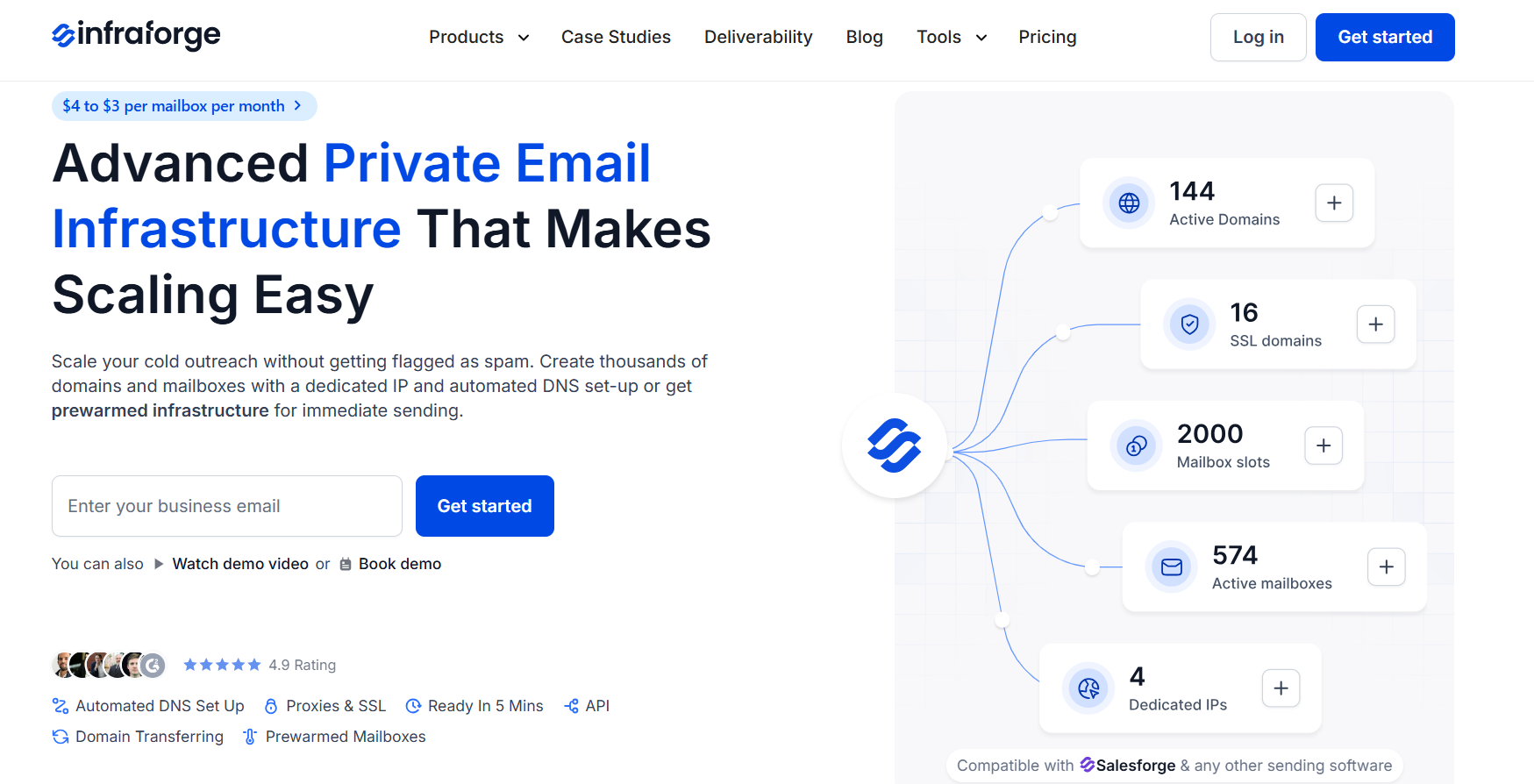
This image shows the Infraforge homepage

Infraforge is a private email infrastructure tool built for cold outreach.

What felt different to me is how quickly you can spin things up without waiting on anyone. 

You add a domain, and the system handles SPF, DKIM, and DMARC in the background.

You’re ready in a few minutes.

It also runs on dedicated IPs.

That means your setup is isolated.

No shared reputation issues.

Another thing is how it handles scale.

You are not thinking in terms of “inboxes per plan.” 

You can keep adding domains and mailboxes as needed.

You still need a sending tool to actually run campaigns.

Infraforge is only the infrastructure layer.

Key Features of Infraforge

  • DNS setup (SPF, DKIM, DMARC) is handled automatically
  • Dedicated IPs are included, with option to add more
  • You can create unlimited mailboxes and domains
  • Bulk DNS updates help manage large setups quickly
  • Domain transferring is supported
  • Works with Salesforge and other sending tools
  • SSL and domain masking are available for added control

Infraforge vs PuzzleInbox: Quick Comparison

Pros and Cons of Infraforge 

Infraforge Pricing

Infraforge pricing
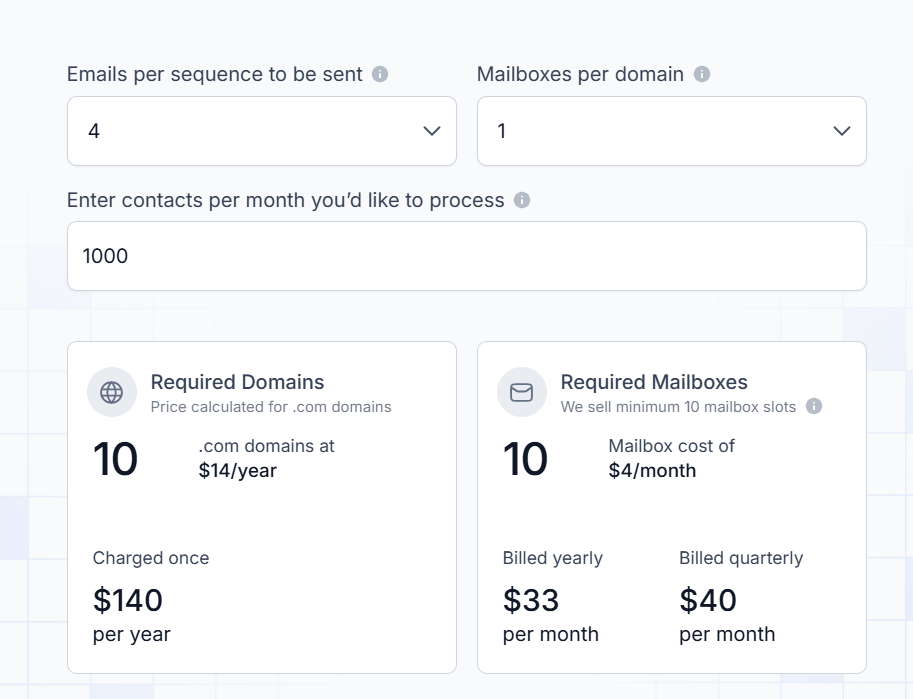
This image shows the Infraforge pricing

Infraforge uses per-mailbox pricing that scales with volume.

  • Pricing ranges from $4 to $3 per mailbox per month, depending on billing cycle.
  • Annual billing gives 2 months free on mailbox pricing.
  • Domains are priced separately (for example, .com domains around $14 per year, charged once).
  • Your subscription includes automated DNS setup, inbox hosting, maintenance, API access, and support.
  • Add-ons include:

    • Dedicated IPs – $99 per IP per month
    • SSL & Domain Masking – $2 per domain per month (quarterly)
    • Masterbox – $7 per workspace per month (annual billing)

5. Mailforge

Mailforge homepage
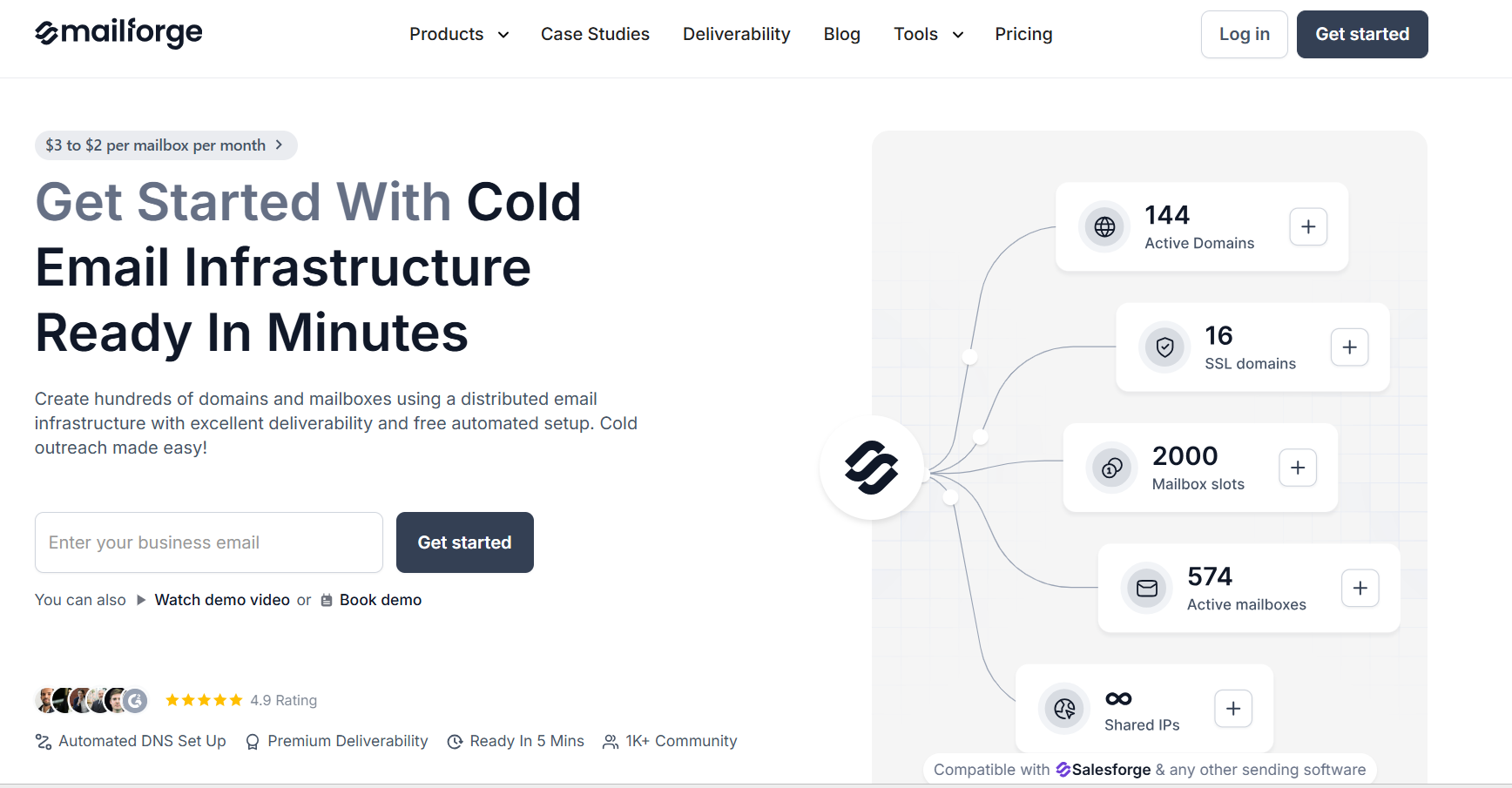
This image shows the Mailforge homepage

Mailforge is a cold email infrastructure tool positioned as a simpler alternative to Puzzle Inbox.

You set up domains and mailboxes yourself and get started in minutes.

What I noticed is the control vs convenience trade-off.

Mailforge gives you a guided setup.

It helps you figure out how many domains and mailboxes you need, and handles DNS (SPF, DKIM, DMARC) automatically.

Puzzle Inbox, on the other hand, is more done-for-you.

Everything comes pre-configured and sometimes pre-warmed.

Another key difference is infrastructure type.

Mailforge runs on shared IPs, similar to Google or Outlook-style environments, but built for cold outreach.

So you are not managing everything like private infrastructure, but you are also not waiting on delivery like Puzzle Inbox.

If your goal is to start fast and keep costs low, Mailforge feels more flexible.

Key Features of Mailforge

  • Domains and mailboxes can be set up in minutes (~5 mins)
  • Shared IP infrastructure designed for cold outreach
  • Bulk DNS updates for managing multiple domains
  • Domain transferring is supported
  • Multiple workspaces available
  • Works with Salesforge and other sending tools
  • SSL and domain masking available as add-ons
  • Inbox hosting and maintenance included in subscription

Mailforge vs PuzzleInbox: Quick Comparison

Feature Mailforge Puzzle Inbox
Setup speed ~5 minutes 24–72 hours
Infrastructure type Shared IP infrastructure Pre-configured inbox setup
DNS setup Automated Done-for-you
Warmup Not clearly specified Pre-warmed inboxes available (on warmed plan)
Mailbox scaling Flexible (based on slots) 3 inboxes per domain
Sending tool Requires external tool Connect via SMTP/IMAP

Pros and Cons of Mailforge

Pros Cons
  • Very fast setup (~5 minutes)
  • Automated DNS setup
  • Lower cost compared to traditional inbox providers
  • Works with Salesforge and other tools
  • Supports domain transfer and multiple workspaces
  • Uses shared IP infrastructure
  • No free trial mentioned
  • Domains are billed separately
  • Requires separate sending tool
  • Warmup is not clearly included in base setup

Mailforge Pricing

Mailforge pricing
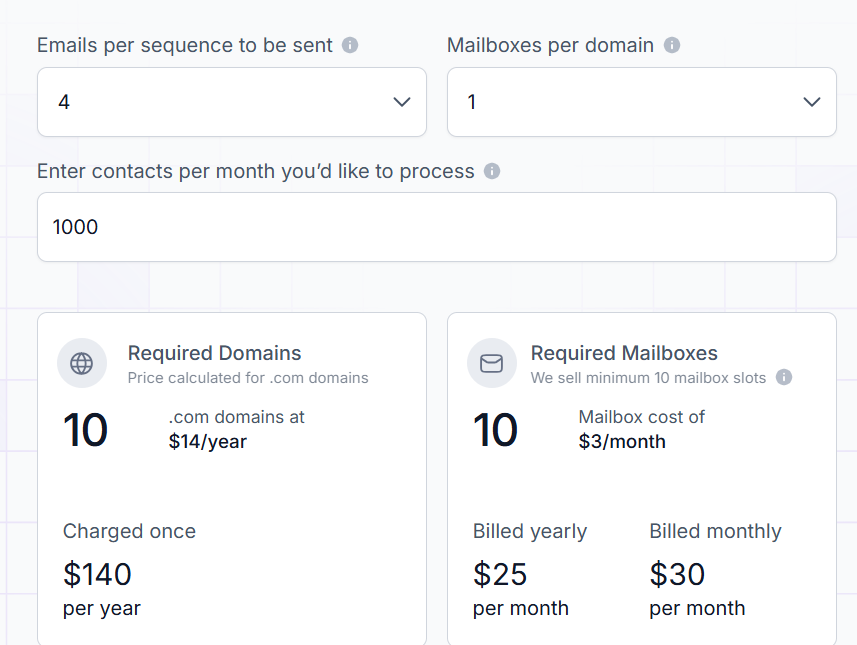
This image shows the Mailforge pricing
  • Mailboxes start at $3 per mailbox/month
  • Can go down to $2 per mailbox/month (volume-based)

What’s included:

  • Automated DNS setup (SPF, DKIM, DMARC)
  • Inbox hosting and maintenance
  • Customer support

Add-ons:

  • SSL & domain masking → $2/domain/month (monthly billing)
  • SSL & domain masking → $6/domain/year (annual billing)

6. Hypertide

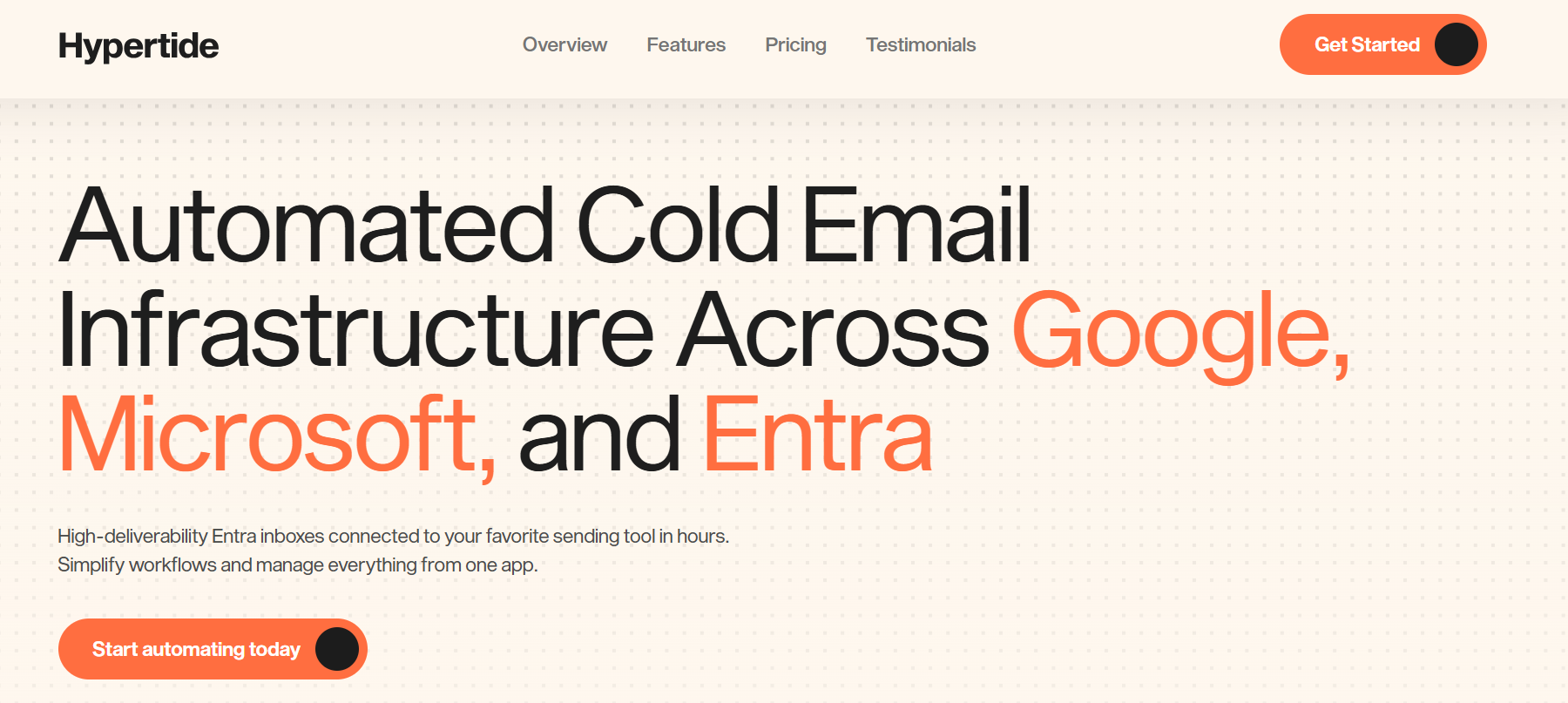
Hypertide homepage
This image shows the Hypertide homepage

Hypertide is an automated email infrastructure tool built around Google, Microsoft, and Entra.

What stood out to me is the setup model.

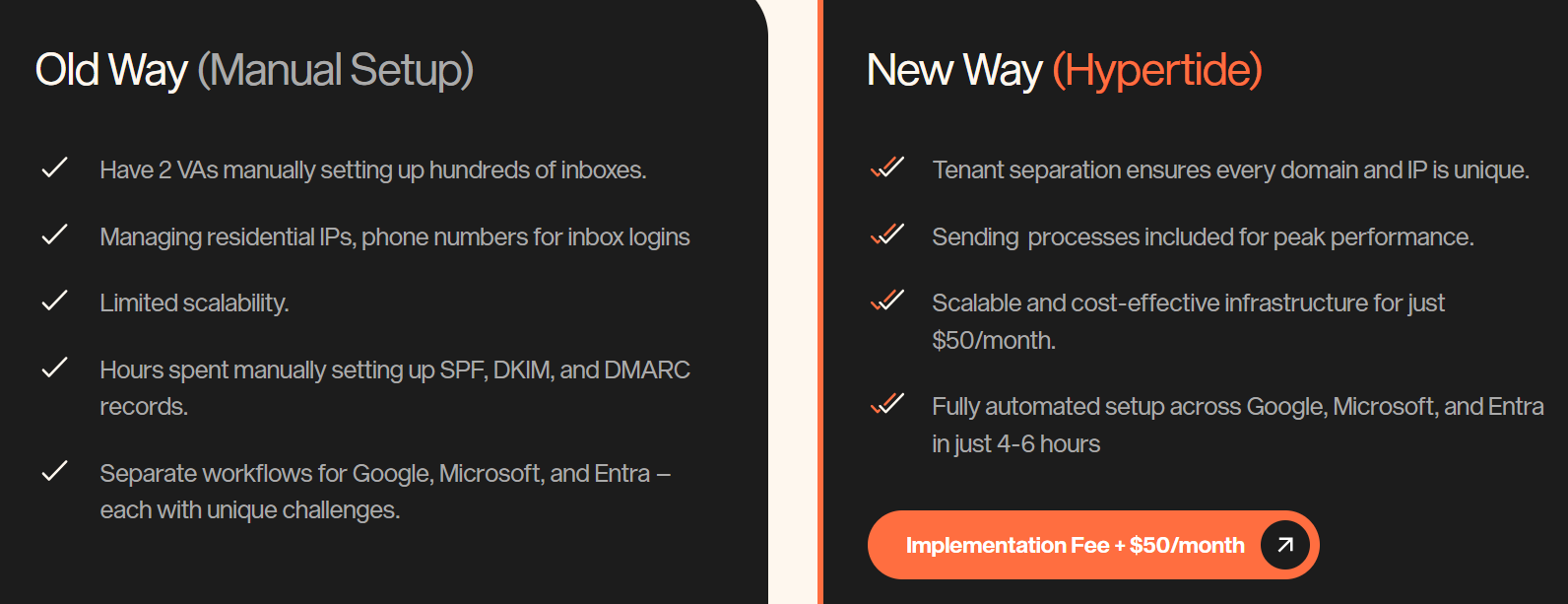
Instead of buying inboxes like Puzzle Inbox, you’re creating a full environment that gets configured in a few hours.

Each order is isolated.

Your domains, IPs, and inboxes are not shared with others.

It also connects directly to tools like Smartlead, Instantly, and Bison, so once setup is done, you can start sending without extra steps.

Compared to Puzzle Inbox, this feels less “done-for-you inbox delivery” and more like a controlled system built for scale.

Key Features of Hypertide

  • Automated setup across Google, Microsoft, and Entra (4–6 hours)
  • Tenant separation (isolated domains, IPs, users per order)
  • Works with Smartlead, Instantly, and Bison
  • 100 inboxes per order (split across domains)
  • Native Outlook-style inbox experience (for Entra)
  • Warmup tools available for bulk updates
  • Option to bring your own domains or buy inside platform

Hypertide vs PuzzleInbox: Quick Comparison

Feature Hypertide Puzzle Inbox
Setup speed 4–6 hours 24–72 hours
Infrastructure type Isolated tenant setup Pre-warmed inbox delivery
DNS setup Automated Done-for-you
Inbox model ~100 inboxes per order 3 inboxes per domain
Sending capacity ~5,000 emails/month per order ~12 emails/day per inbox
Warmup Tools provided Pre-warmed inboxes available
Sending tool Integrates with sequencers Connect via SMTP/IMAP

Pros and Cons of Hypertide 

Pros Cons
  • Fully automated setup (no manual work)
  • Isolated setup improves control
  • Works across Google, Microsoft, Entra
  • Fixed pricing regardless of scale
  • Good for high-volume sending
  • No free trial
  • Setup is not instant (takes hours)
  • Requires external sending tool
  • Domain cost may be separate
  • Not beginner-friendly like done-for-you inbox tools

Hypertide Pricing

Hypertide pricing
This image shows the Hypertide pricing
  • $50/month per order
  • One-time implementation/setup fee (not fixed in data)

What you get per order:

  • ~100 inboxes (across 2 domains)
  • Pre-configured SPF, DKIM, DMARC
  • ~5,000 emails/month sending capacity
  • Integration with Smartlead, Instantly, Bison
  • Warmup tools access

Additional notes:

  • Domains can be brought or purchased (~$15.5/domain mentioned)
  • If Hypertide buys domains → faster setup (~24 hours)
  • If you bring domains → setup may take longer (3–5 days) 

7. Mailscale

Mailscale homepage
This image shows the Mailscale homepage

Mailscale is a cold email inbox tool I’d use when the goal is to create a large number of inboxes quickly without spending hours on setup.

It doesn’t give you ready inboxes like Puzzle Inbox. Instead, you generate them inside the tool and export them as a CSV.

What I noticed is that it removes a lot of the repetitive setup work.

You don’t have to manually configure domains and email accounts step by step.

Once the inboxes are created, you import them into your sending tool and then start using them.

That changes how you scale.

You’re not waiting for inbox delivery.

You’re creating them when you need them.

But you still handle the final step of connecting and running them.

That makes it faster to get started, but a bit more hands-on compared to fully done-for-you setups.

Key Features of Mailscale

  • Create 50–1000 inboxes quickly from one dashboard
  • Works with Instantly, Smartlead, Apollo, Lemlist, Reply, Mailshake
  • Buy domains inside platform or bring your own
  • Automatic setup of SPF, DKIM, DMARC (for purchased domains)
  • Uses own infrastructure + IP pools
  • Supports up to 5 inboxes per domain
  • Inbox swapping available via support

Mailscale vs PuzzleInbox: Quick Comparison

Feature Mailscale Puzzle Inbox
Inbox creation Bulk create inboxes in minutes Delivered after order (24–72h)
Setup process Self-serve (form → CSV → import) Done-for-you setup
Domains Buy inside or bring your own Fully handled for you
DNS setup Auto for domains bought inside Fully managed
Inboxes per domain Up to 5 3 per domain
Delivery method CSV file with SMTP/IMAP creds Direct connection ready
Sending tools Works with Instantly, Smartlead, Apollo, etc. Works via SMTP/IMAP

Pros and Cons of Mailscale

Pros Cons
  • Create 50–1000 inboxes very fast (seconds to minutes)
  • Setup takes ~5 minutes instead of manual 12+ hours
  • Works with any sending tool via SMTP/IMAP
  • Domains can be bought inside or added manually
  • SPF, DKIM, DMARC handled for domains set up in Mailscale
  • No pre-warmed inboxes mentioned
  • Email forwarding is not supported
  • DNS customization is generally not possible
  • Requires CSV import into sending tools
  • Some requests require support (manual handling)

Mailscale Pricing

Mailscale pricing
This image shows the Mailscale pricing
  • Business plan: $95/month or $119/month (inconsistent across page)
  • Includes: up to 50 inboxes
  • Inboxes can go as low as ~$1 per inbox (volume-based claim)
  • Domains: $10–$15/year per domain

What you actually get:

  • 50 inboxes
  • Domain purchase inside platform
  • CSV export for sending tools
  • Basic setup handled (SPF, DKIM, DMARC for internal domains)
Personalized Outbound Strategy

Get The Right Outbound Strategy In Minutes

Enter your email to get a custom plan & stack recommendation for your business

It's being carefully crafted by AI

Please check your mailbox in 5 minutes

Which Puzzle Inbox Alternative Should You Choose?

The right choice depends on how you want to run your outreach.

If you want everything done for you and don’t want to touch setup, Puzzle Inbox still works.

But most teams hit limits when they start scaling.

If you want more control, faster setup, or better cost at scale, the alternatives start making more sense.

  • Want real Google/Microsoft inboxes + faster setup → Primeforge
  • Want low-cost bulk setup → Maildoso
  • Want unlimited inbox scaling → Inframail
  • Want private infra with dedicated IPs → Infraforge
  • Want quick shared infra without complexity → Mailforge
  • Want fixed-capacity sending setup (~5,000 emails/month) → Hypertide
  • Want instant bulk inbox creation → Mailscale

So it really comes down to this, do you want something done-for-you? 

Or something you can control and scale your way?

If your goal is to move faster without losing deliverability, Primeforge is one of the most practical options.

You get real inboxes, faster setup, and a system that actually holds up when you scale.

If you’re planning to fix your outreach setup or start fresh, Primeforge is worth trying first.