
If you are reading this, you are probably weighing whether Instantly is worth the money.
You have seen the ads, multiple user reviews on G2 and reddit.
But you still cannot tell if it is the platform that finally makes cold email simple, or one more subscription that grows expensive the moment you scale.
I get it.
That is why I logged in, spent a week walking every module, cross-checked the marketing against the live product, and pulled hundreds of real user reviews from G2 and Trustpilot. What follows is what I actually found.
Let's dive in.
Here is what you need to know before scrolling further.
Now let me show you how I arrived at each of these points.
Instantly is no longer just a cold email tool. That is the first thing worth saying out loud, because a lot of the older reviews online still describe it that way.
It offers AI and Automation, Lead Generation and Data, Outreach and Engagement, and Deliverability and Infrastructure.
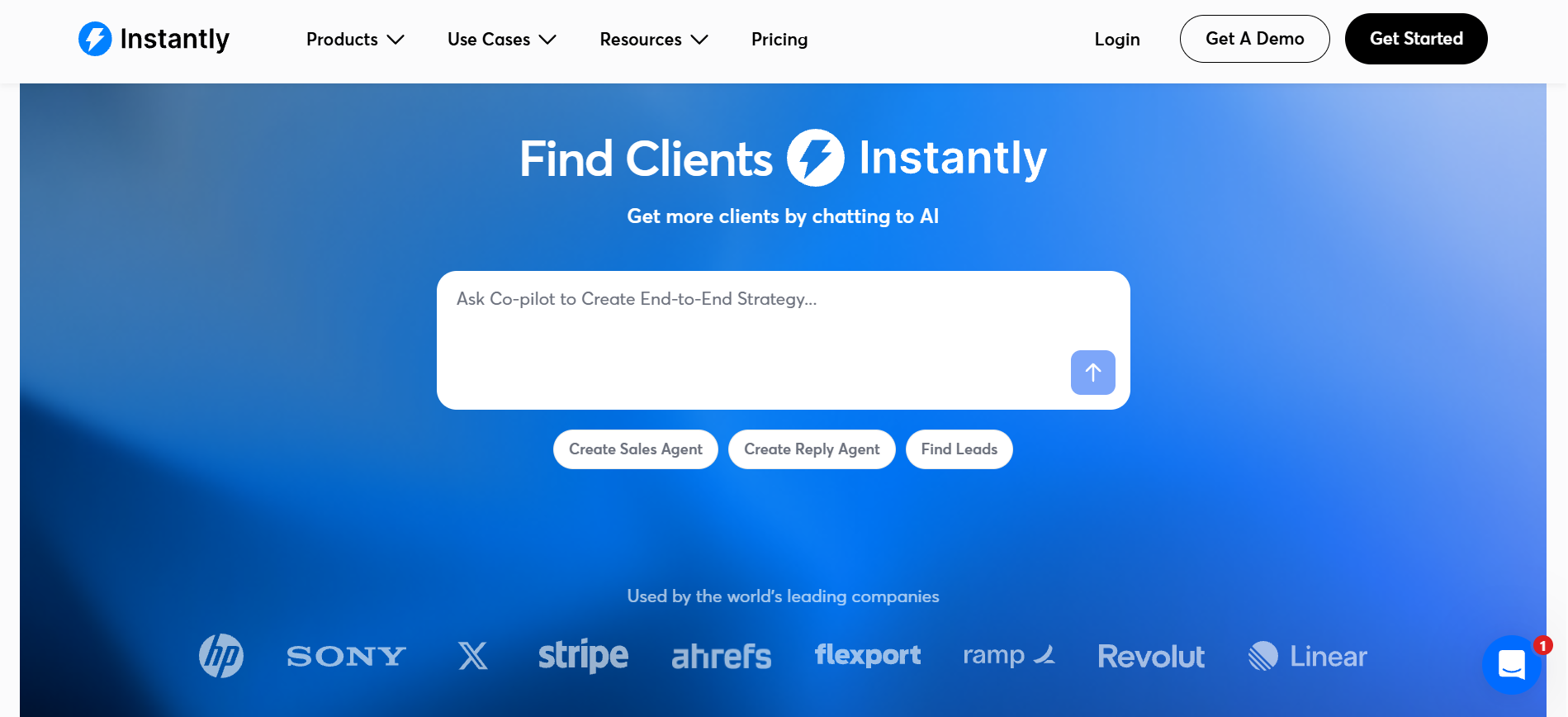
That is a wide product surface. It is why Instantly can feel like the only tool you need, and also why the pricing gets complicated once you scale.
The core user profile is clear from the review pattern on G2. Agencies managing dozens of client accounts, founders running solo outbound at real volume, and revenue teams that want AI to handle the boring parts of prospecting. If you send a few hundred emails a month and have never touched a warmup pool, Instantly can technically work for you, but you will be paying for capacity you do not need.
Here is where the review gets granular. I am going module by module through the features that matter, so you can judge fit against your own workflow rather than a marketing checklist.
If you want the broader category context first, my breakdown of the best email sending tools covers how Instantly compares to other platforms at a category level.
The campaign builder is where you spend most of your time, and Instantly has clearly invested here.
You add sequence steps with an explicit "Wait N Days" delay control between each one, which is straightforward. What surprised me was the A/B/Z testing depth. When I clicked the plus icon next to a step, the UI added Variant B, then C, then D, and kept going. That confirmed the marketing claim of up to 26 variants per step, which is far beyond what most platforms allow.
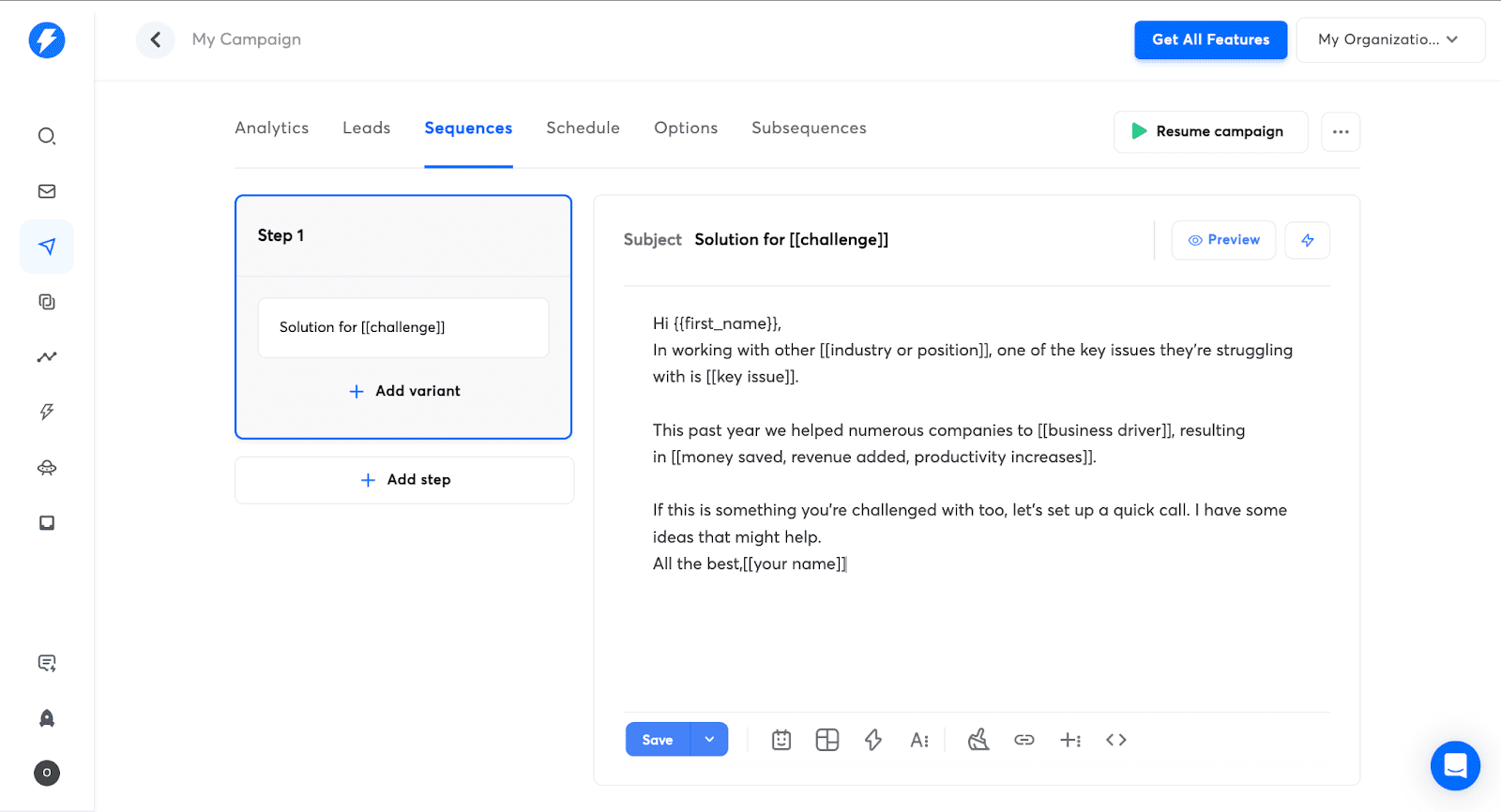
Inside the campaign, an AI Copilot panel offers four prompts on the side. It can write your sequence, review your copy before launch, check for spam words, and rewrite text using spintax. All of that works, though the AI-generated copy still sounds like AI-generated copy. You will want to edit it before sending.
Instantly's warmup is one of the reasons it built its reputation. The pool is one of the largest in the industry.
Instantly claims over 1,000,000 real email accounts in its deliverability pool, with warmup emails opened and replied to by a private network of headless browsers that simulate human behavior. The slow ramp begins at 2 emails on day one, then 4 on day two, then 6 on day three, gradually building sender reputation before you send at volume.
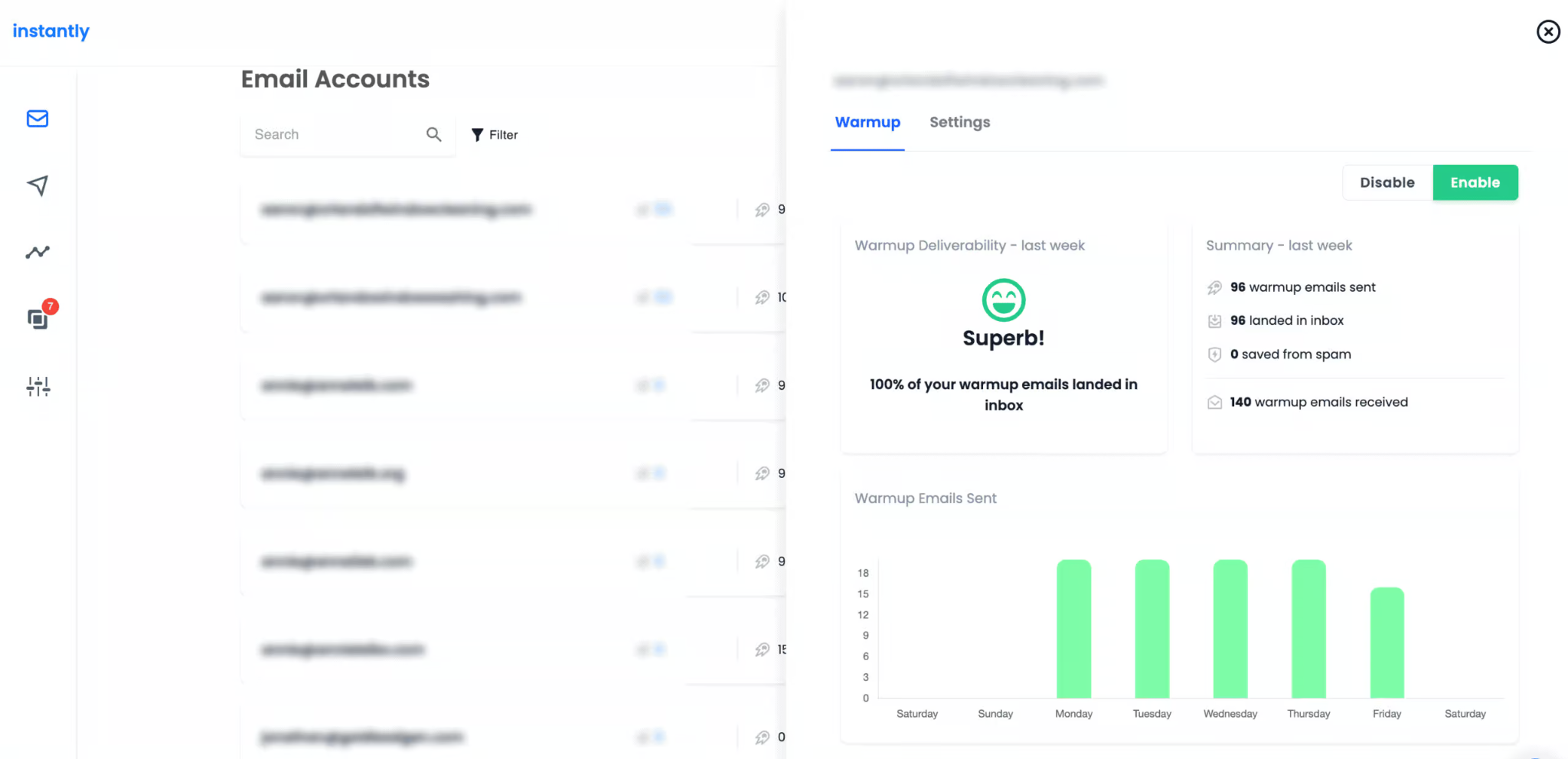
Warmup is included as unlimited on every Outreach plan, from Growth up to Enterprise. You do not pay per warmup slot, which is a genuine advantage when you have 20 or 50 mailboxes running.
The honest caveat is that I could not find a settings screen inside the app to adjust the specific ramp numbers manually. The warmup runs on defaults, which works for most users, but power users who want granular control may find the UI a little too hands-off.
Unibox is where all your replies land, and it is one of the cleaner unified inbox experiences I have used.
The reply status taxonomy is built in as a set of sidebar filters. You get Lead, Interested, Meeting booked, Meeting completed, Won, Out of office, Wrong person, and Not interested. Every reply can be tagged with one of these labels manually, or Instantly's AI Reply Agent can categorize them for you automatically.
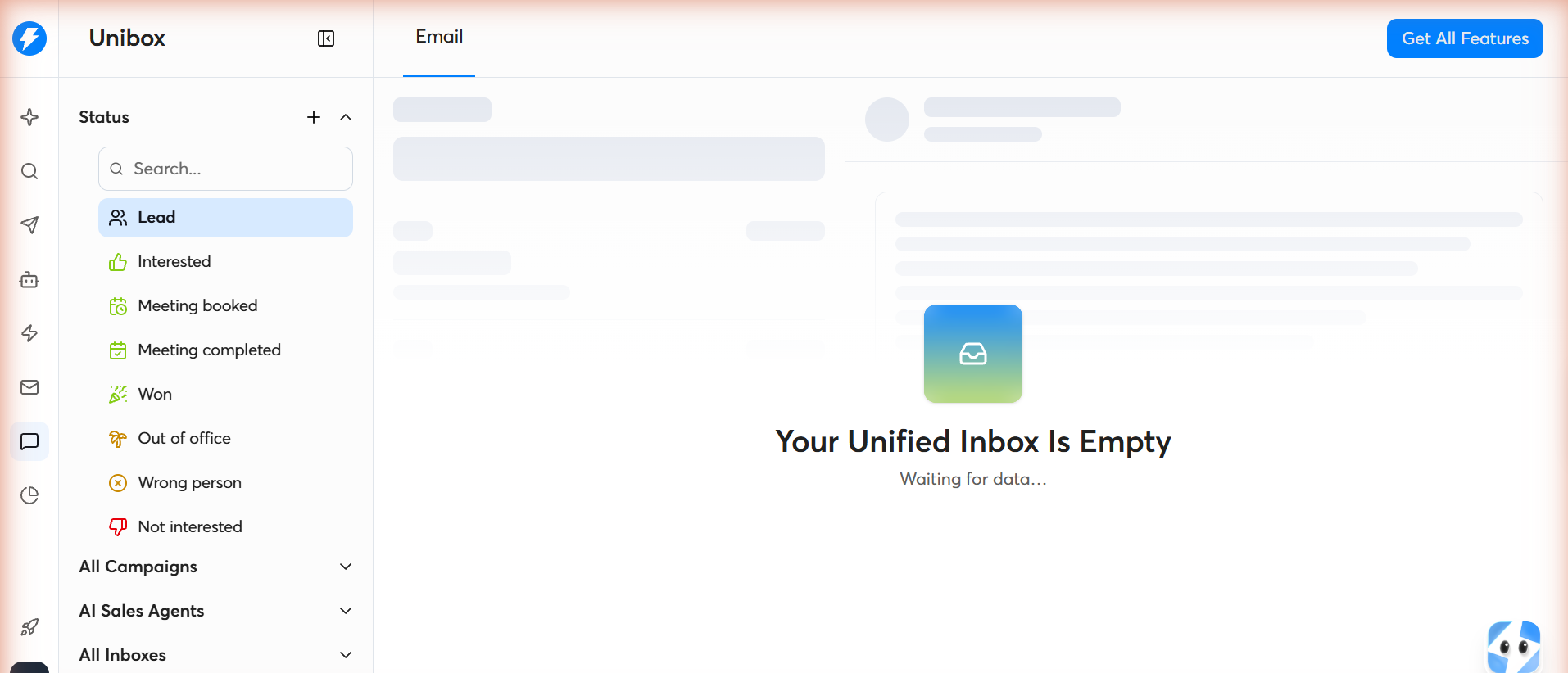
The inbox is segmented by "All Campaigns" and "AI Sales Agents," meaning it handles both human-run outreach and autonomous AI conversations in the same view. That is a genuinely useful design choice if you plan to use the AI Sales Agent feature.
One important pricing detail: the full in-app Unibox reply is a Hypergrowth ($97/mo) feature or higher. On the Growth plan, you get Unibox preview only. So if you are on the entry tier, you will still need to reply from your original mailbox, which defeats a lot of the point.
SuperSearch is Instantly's lead database interface, and it is the second-largest reason people buy the product.
The database size is quoted as 450M+ contacts, though I noticed the CRM page separately claims 185M leads, so there is some inconsistency in Instantly's own numbers. Either way, it is a large database.
You get 13 filters, including Job Titles, Location, Industries, Keywords, Employees, Revenue, Domains, Website Visitors, Job Listing, Name, Company Name, Technologies, and Signals. That is a solid depth range, though not the deepest on the market.
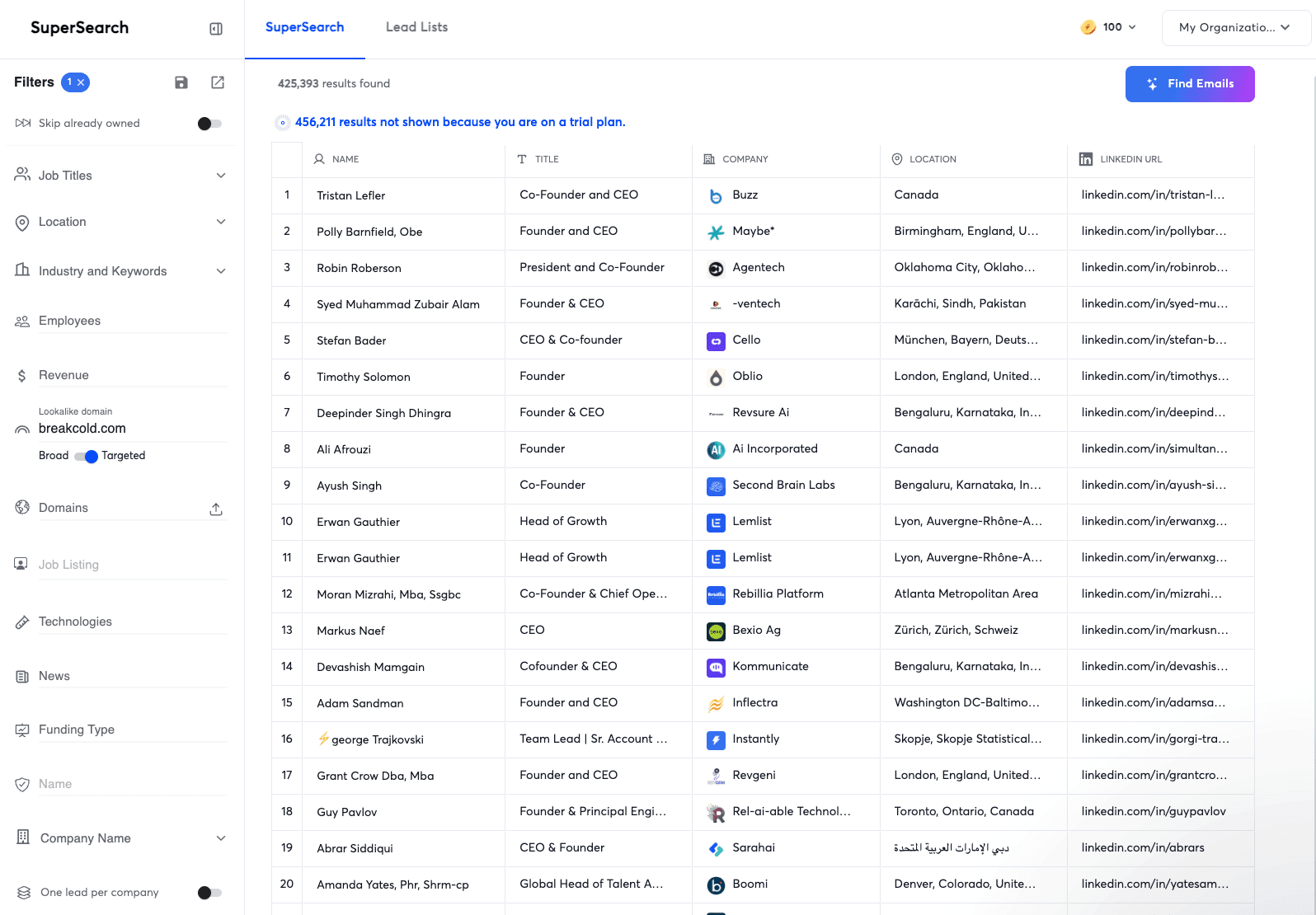
The AI Copilot inside SuperSearch has two useful shortcuts. "Build From A Description" lets you type a natural language query and turns it into filters. "Lookalike Search" takes a company domain and returns similar companies, which is genuinely helpful for account-based prospecting.
Deduplication is handled with a "Skip already owned" toggle and a "One lead per company" toggle. Both are simple and work as expected.
The catch with the Lead Finder is that it runs on a completely separate credits system from the Outreach subscription. That trips up a lot of buyers, and I will get into it in the pricing section below.
The CRM was clearly built to close the loop between outreach and pipeline management.
The structure is Home, Inbox with Done and Upcoming filters, Opportunities (which is the deal pipeline view), Leads, Website Visitors, and Reports. Inside the app, a Copilot prompt offers to "Connect Campaign Replies" and route positive replies into the pipeline automatically, which is a nice integration touch.
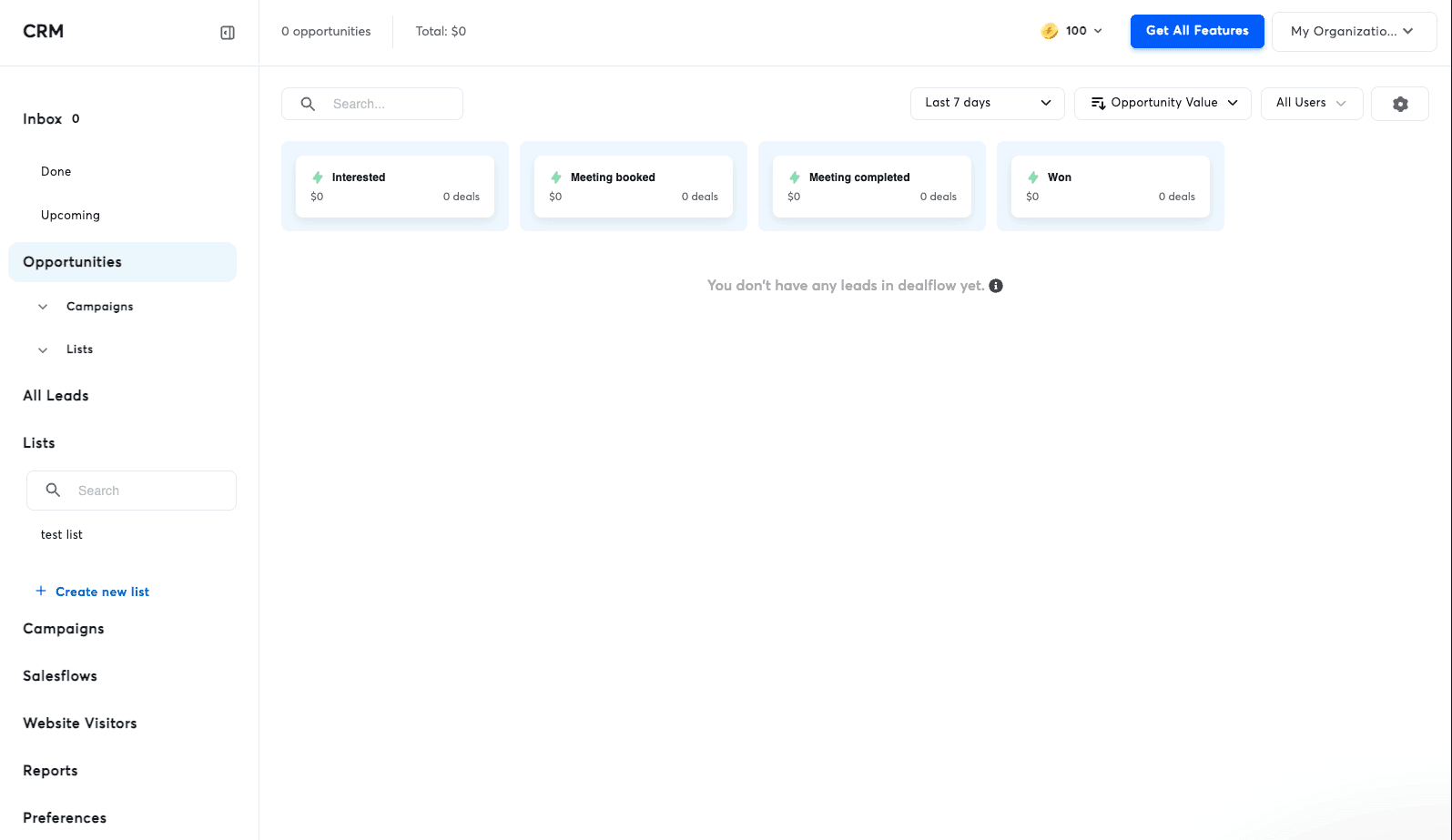
Here is the honest catch. The marketing page says the CRM comes with unlimited seats bundled into your subscription. But when I opened the CRM section in my paid account, I saw a badge reading "CRM trial, 14 days left." So there is a real disconnect between the marketing promise and the product experience. What happens after that 14-day trial, and whether it converts to a paid tier or reverts to a limited version, is not documented on the public pricing page. I would ask sales before committing.
The AI Agent layer is where Instantly has invested most of its 2026 product energy.
There are three named agents. The AI Sales Agent generates and sends personalized outreach on your behalf. The AI Reply Agent categorizes replies and drafts responses automatically. The Lead Finder Agent watches your active lead count in a campaign and refills it from SuperSearch whenever it drops below a threshold you set.
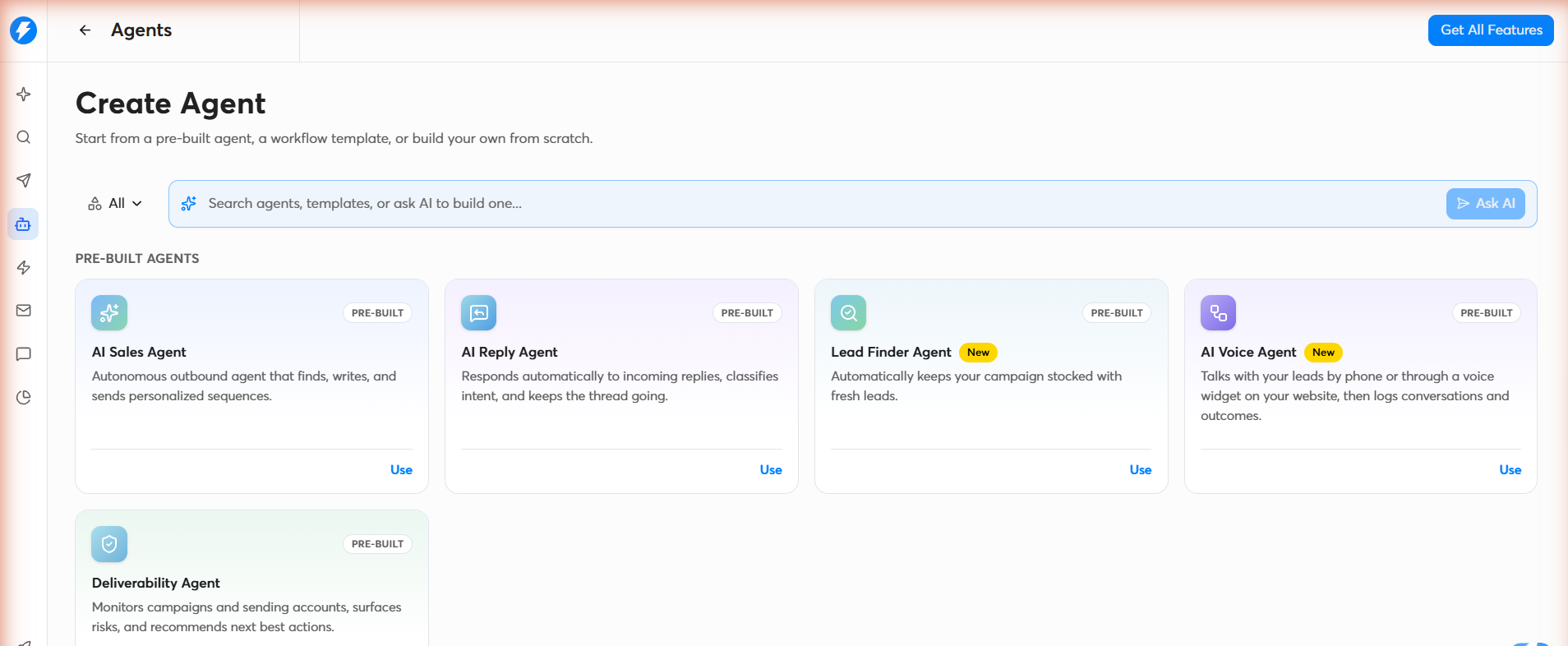
The Lead Finder Agent is the newest addition and the most practical of the three. It reuses the search filters behind your original campaign, so every new lead it adds fits the profile you already picked. That is genuinely useful for evergreen campaigns.
The AI Sales Agent is the more ambitious feature and also the one where I would set realistic expectations. AI-generated cold email copy is only as good as the context you give it. If your Knowledge Base is thin, the emails will read as generic. If you upload real product docs and case studies, the output improves noticeably. If you want a broader view of how AI features stack up across cold email platforms, my best cold email AI tools piece breaks down the category in detail.
The Reports section splits into five tabs. Overview, Outreach, AI Agents, Automation, and Workspaces.
Having a separate analytics view for AI Agents is a smart design choice, because AI-driven outreach behaves differently from human-run campaigns and needs its own performance lens. The Workspaces tab gives you a mailbox-level view, which is what you need when you run 20 or 50 senders and want to spot the one that is underperforming.
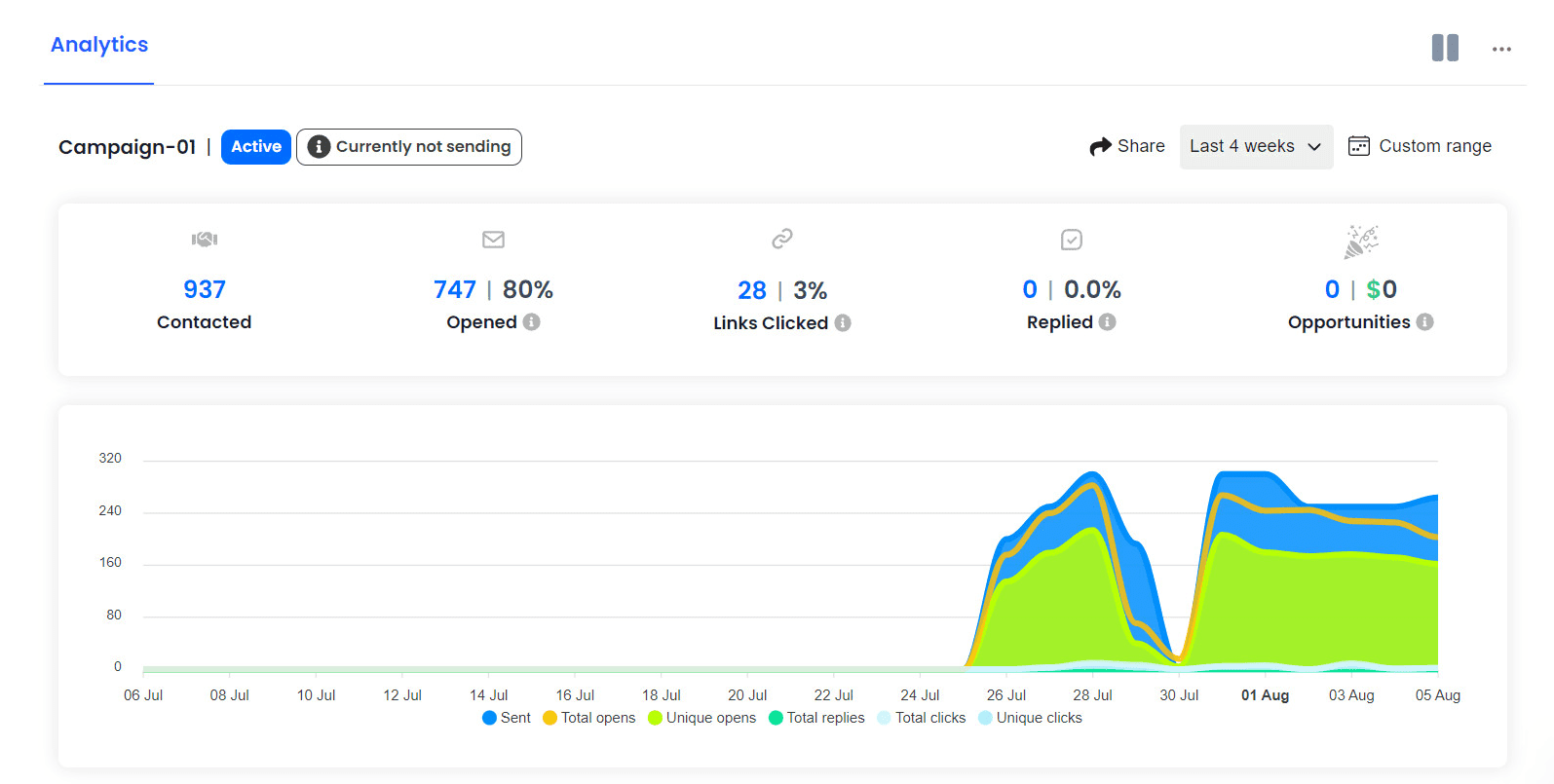
The consistent complaint from G2 reviewers is that reporting depth is thin. I saw the same theme in five separate reviews. If you want granular filtering, cohort analysis, or custom dashboards, you will hit the ceiling faster than you expect.
For context on which metrics actually matter for cold email performance, my breakdown of cold email analytics and open and click rates covers the benchmarks you should be tracking.
Instantly lists 27 native integrations on G2, covering Apollo.io, Calendly, ChatGPT, Claude, Clay, GHL, Aimfox, Agentforce, and more.
Zapier is supported for anything not native. The API has its own developer subdomain and full documentation. Webhooks are supported natively, but only on Hypergrowth ($97/mo) and above, so Growth-tier users are stuck with the built-in integrations only.
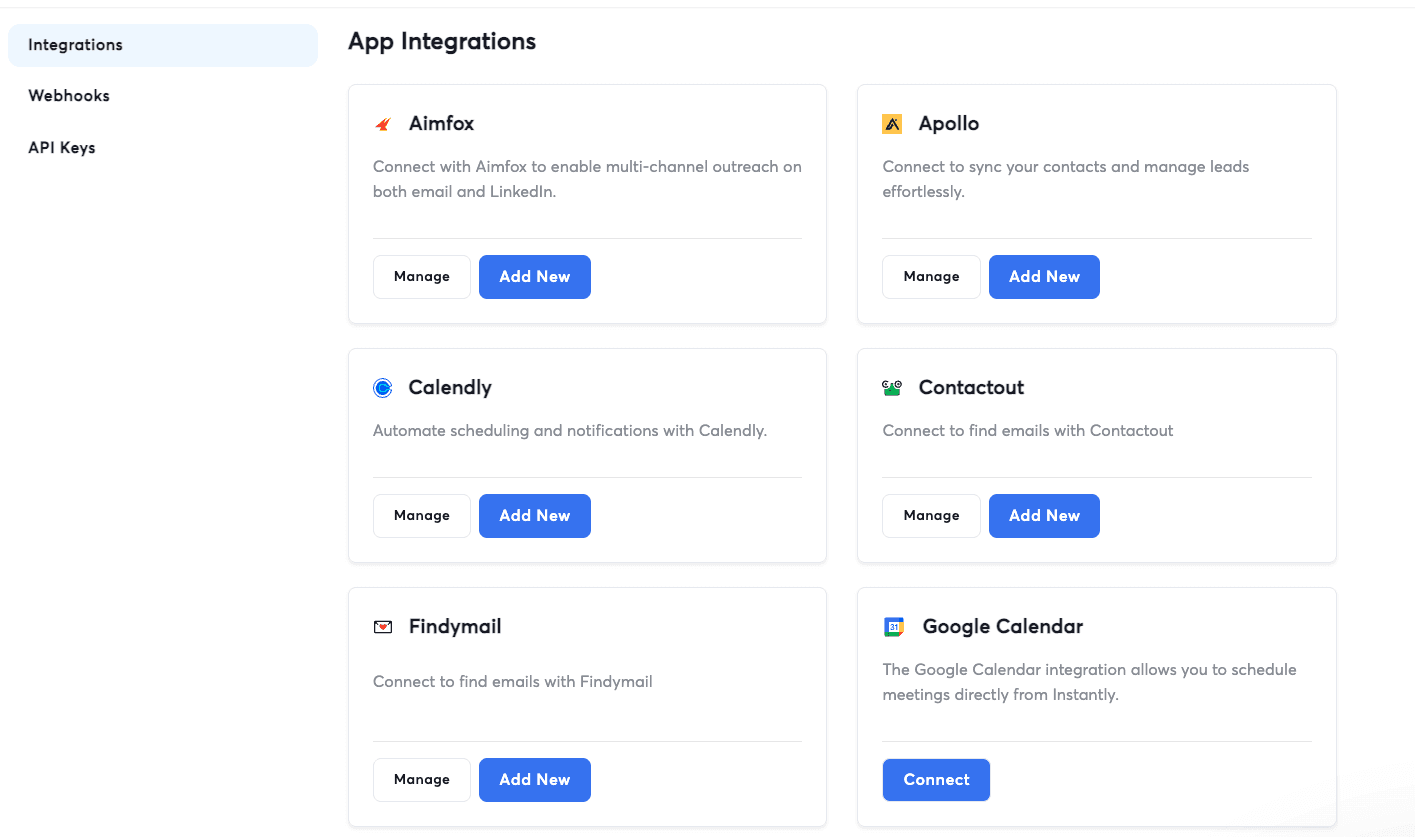
That webhook gate is worth flagging, because most modern GTM stacks live and die by webhooks. If you plan to route Instantly data into a warehouse or a custom pipeline, you cannot do it on the entry tier.
The pricing is where Instantly gets complicated, and where a lot of buyers get burned by the fine print.
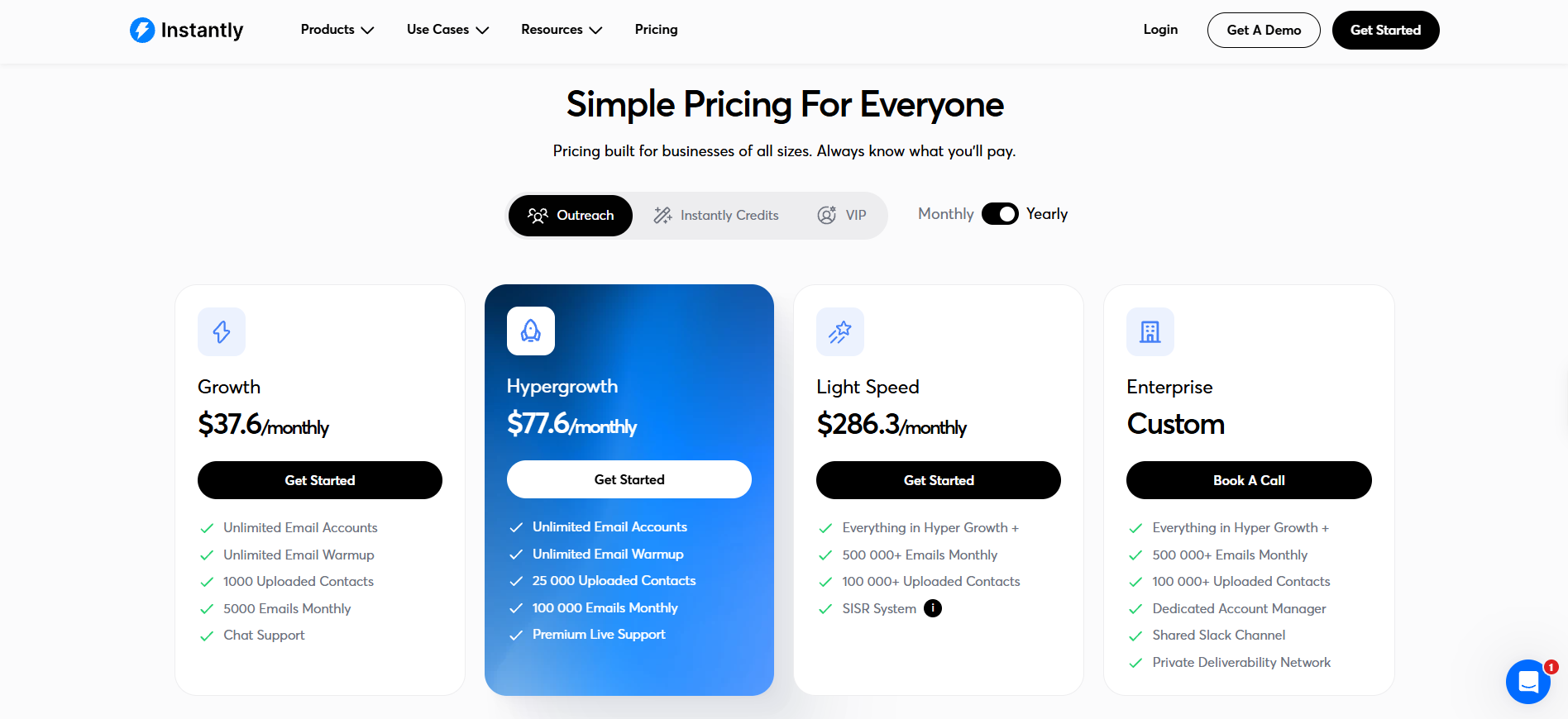
The main sending tiers, all subscriptions.
Once you exceed a plan's included volume, there is no metered overage. You are pushed to upgrade to the next tier. That is a structural point that catches a lot of buyers off guard.
The lead database runs on its own separate credit system.
Credits get consumed at 0.5 credits per row for enrichment, 1.5 credits per row for work email enrichment, and 5 credits per lead when the AI Sales Agent generates one for you.
Here is the confusing part. There are two plans both called "Growth," one for Outreach and one for Credits, at overlapping but different prices. Read the pricing page carefully, because they are separate products and separate charges.
VIP is the only tier where you get a named human contact channel. Everything else is chat-based support.
I read through 40+ G2 and Trustpilot reviews to spot the patterns that recur. Here is what I found.
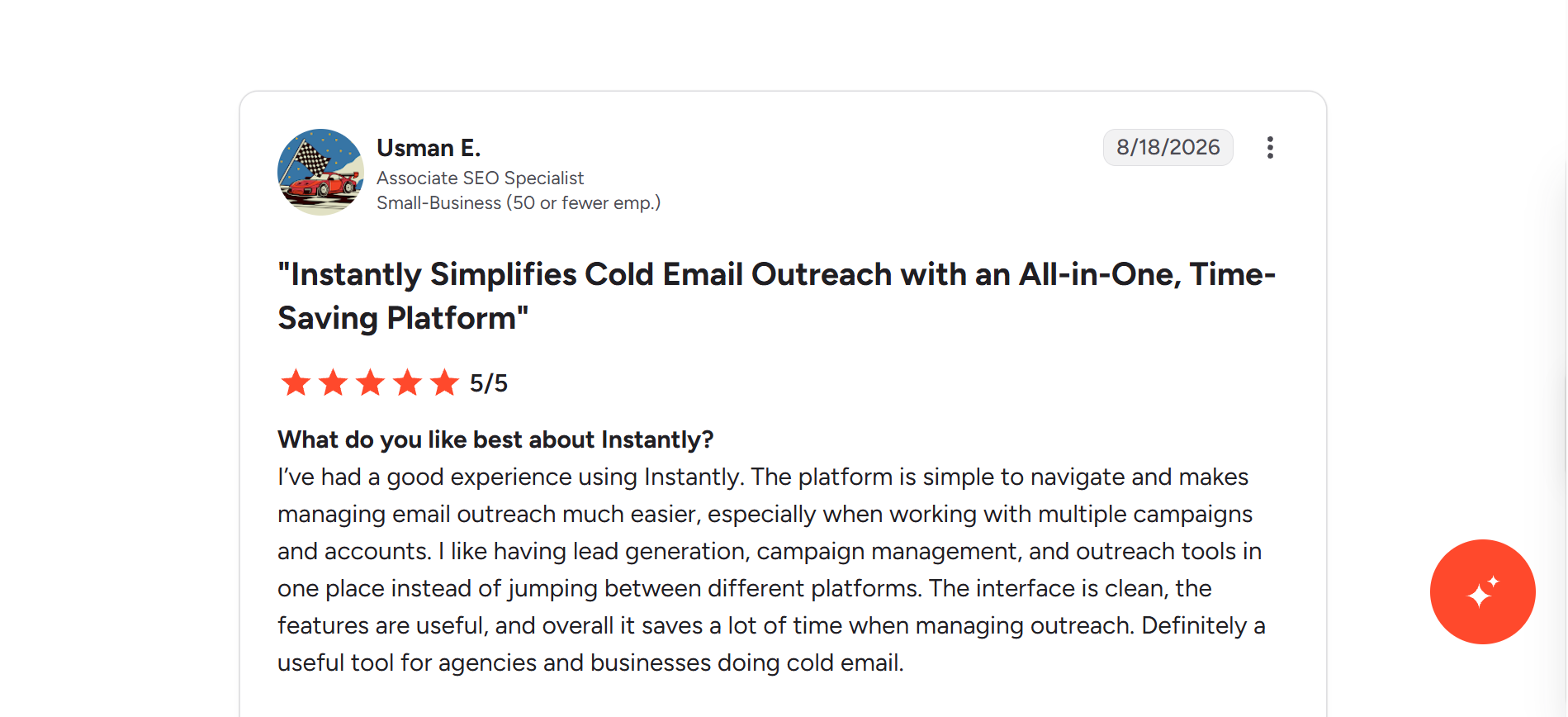
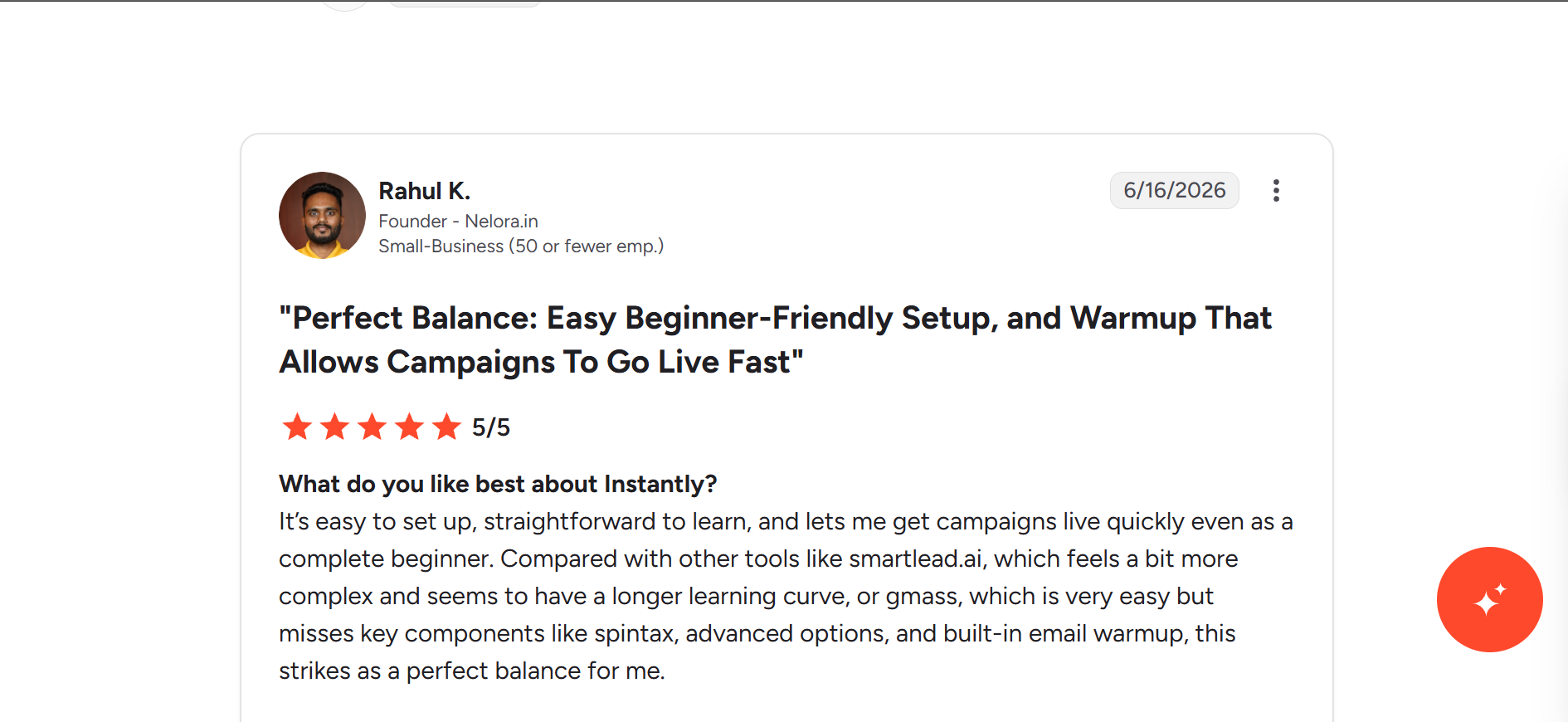
The G2 rating is 4.8/5 across 4,156 reviews, so overall sentiment is strongly positive. The most-tagged positive themes are Ease of Use (686 mentions), Helpful (497), Customer Support (491), Features (367), and Time-Saving (354).
Here are a few quotes that stood out.
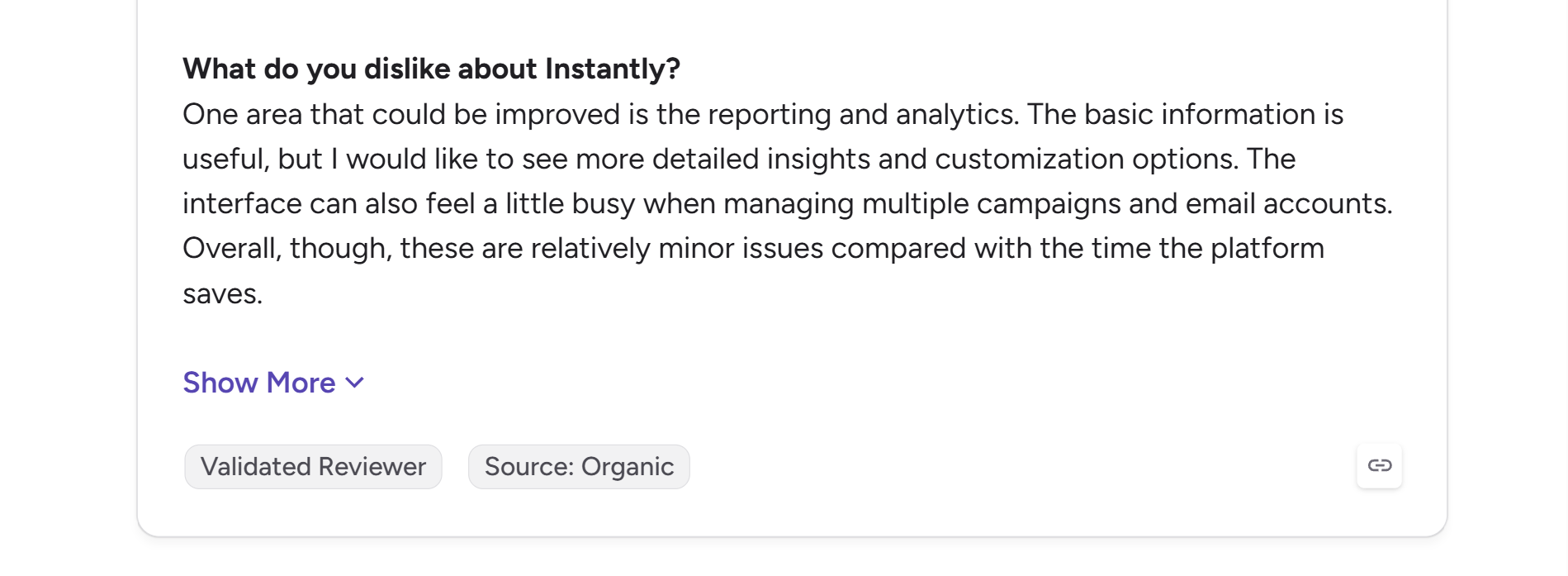
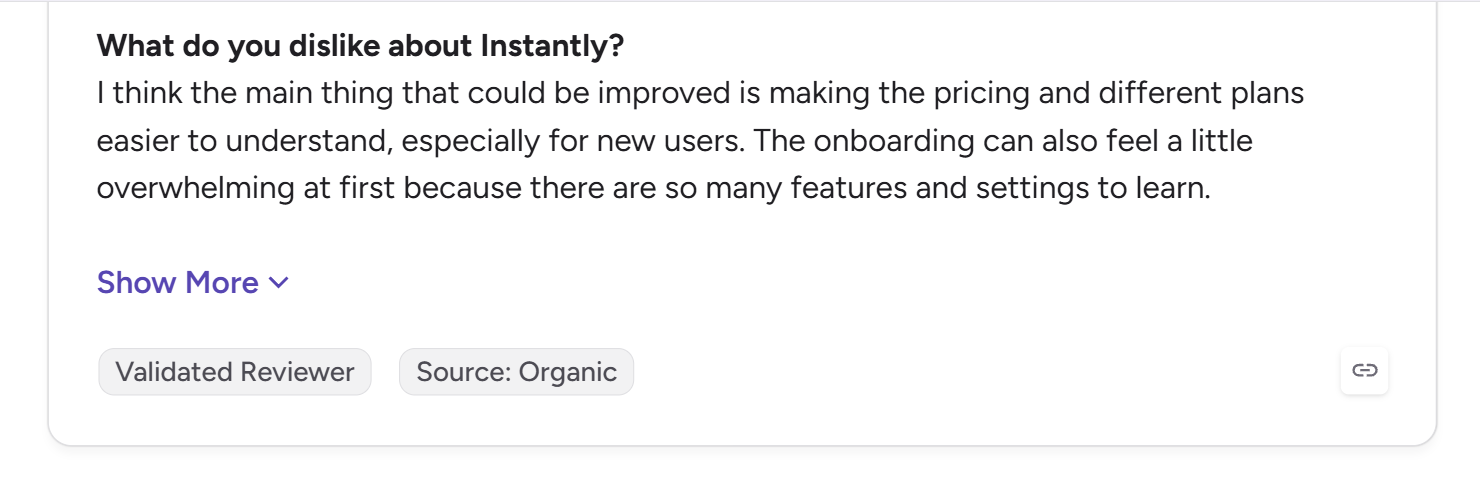
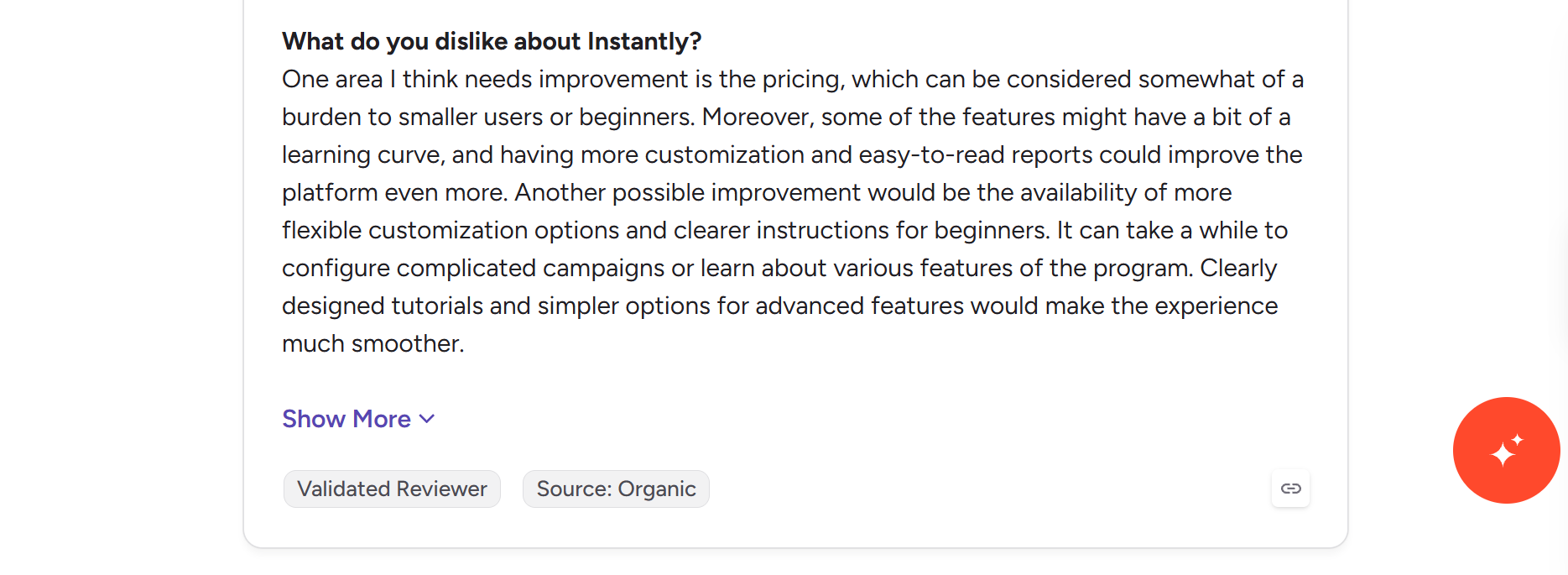
The negative sentiment on G2 is small in volume but consistent in theme. Only about 0.8% of reviews are 1 or 2 stars, so most criticism lives inside the "dislike" section of otherwise positive 3 to 4.5 star reviews.
The five most-repeated complaint tags, ranked by frequency, are Expensive (198 mentions), Missing Features (190), Email Management (126), Learning Curve (105), and Email Issues (104).
Here is the balanced view after everything above.
Here is where I land.
Instantly fits well if you run outbound at real volume, want a single platform for sending, warmup, lead sourcing, and reply handling, and are comfortable being locked into one vendor for the full stack. Agencies with dozens of client accounts and founders running solo outbound at scale are the sweet spot.
Instantly is a harder sell if you are a small team sending under a few thousand emails a month, need clean transparent pricing, or want to keep infrastructure separate from your sending platform. The bundle appeal fades quickly when the price steps hit and the CRM trial clock starts ticking.
If you want to see how Instantly compares directly against the tools people most often switch to, I broke that down in my Instantly alternatives roundup.
If Instantly's pricing complexity and thin reporting are the two things pushing you to look elsewhere, Salesforge is the alternative I would look at first.
Here is why the comparison holds up. Salesforge runs email and LinkedIn from a single sequence natively, which Instantly does not (Instantly routes LinkedIn through a paid third-party tool).
Salesforge includes unlimited warmup through Warmforge at no extra cost, similar to Instantly, but with premium Google Workspace and Microsoft 365 mailboxes in the warmup pool rather than a mixed pool. Pricing is flat-rate at $40/mo billed annually with unlimited mailboxes, unlimited users, and unlimited workspaces, which sidesteps the three-parallel-pricing-tracks problem entirely.

The AI SDR layer, Agent Frank, handles autonomous prospecting, sequence writing, and reply handling in 21+ languages. And every reply lands in Primebox™, the unified reply inbox that works across email and LinkedIn.
A customer who was comparing Salesforge with Instantly recently shared this while evaluating the two platforms:
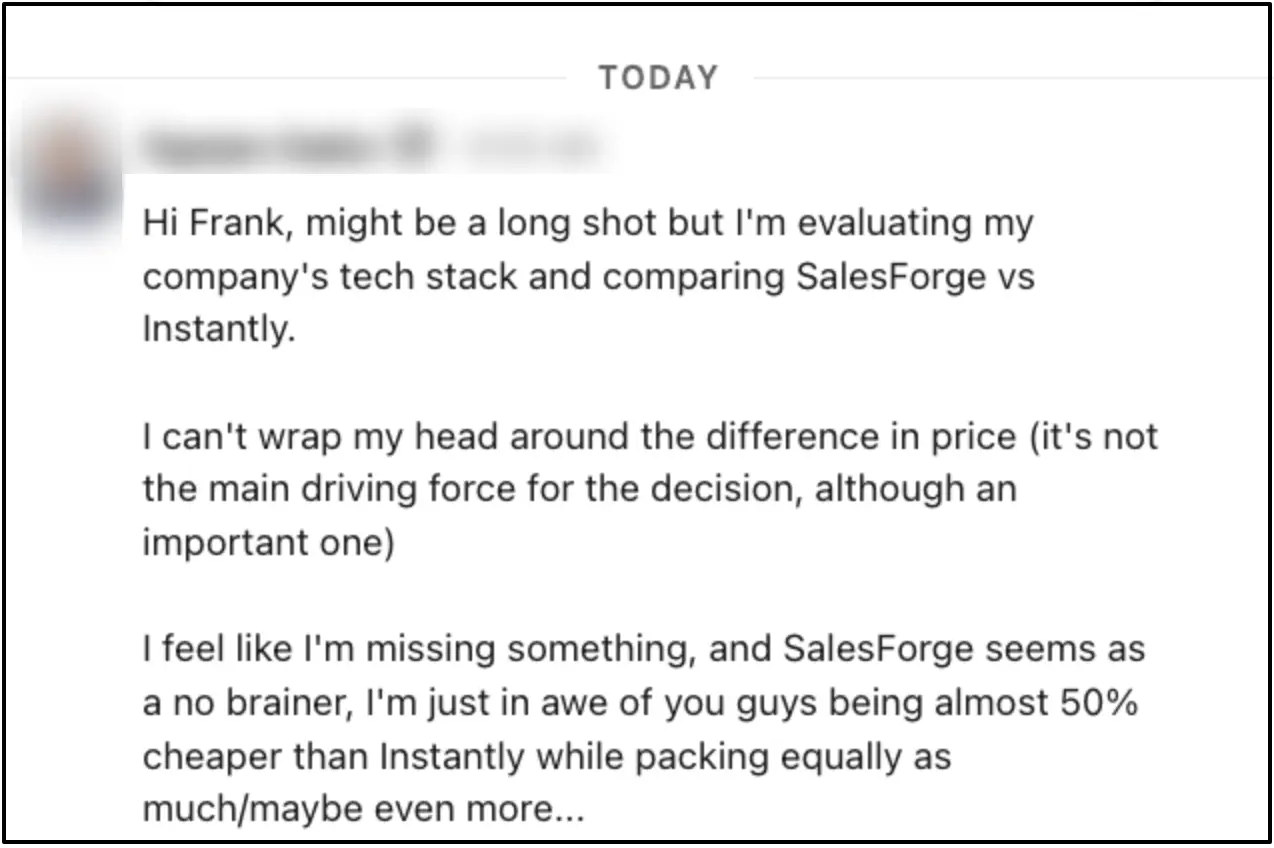
For anyone whose main frustration with Instantly is the complexity, Salesforge is worth 15 minutes of testing.
Start your free Salesforge trial, no credit card required.
Instantly is a genuinely strong product for the right user. If you are running high-volume outbound and want everything under one login, it earns its 4.8 rating on G2 and its place at the top of most cold email shortlists.
But the pricing complexity, the tier gates on features that should be standard, and the widening product footprint (CRM, AirMail, and now agents) make it a heavier commitment than it used to be. Go in with your eyes open on the fine print, or the bill will surprise you at month three.
If the bundle fits your workflow, buy it. If any part of the pricing or the CRM trial situation feels murky, ask sales for specifics in writing before signing. And if you want a simpler, more transparent alternative with the same core capabilities, Salesforge is the first place I would look.
Try Salesforge free for 14 days and see how it compares.
Instantly is worth it if you run cold outreach at real volume and want an all-in-one platform that covers sending, warmup, lead sourcing, and reply management under one login. For small teams sending fewer than a few thousand emails per month, the pricing structure and feature gates make it harder to justify.
Instantly's Outreach plans start at $47/mo for Growth, $97/mo for Hypergrowth, and $358/mo for Light Speed. The Lead Finder database runs on separate credit-based plans starting at $9/mo for Nano. Add-ons for extra emails ($87/mo) and extra credits ($425/mo) are billed separately. Enterprise and VIP tiers require a sales call.
AirMail is Instantly's own private sending infrastructure launched in 2026, priced at $4 per inbox per month. It is not Google Workspace or Microsoft 365. It is SMTP-style infrastructure that Instantly built and controls end to end, positioned as immune to Google account suspensions or Outlook automation flags. If your prospects mostly use Gmail and Outlook, real Google Workspace or Microsoft 365 mailboxes remain the safer route for inbox placement.
Instantly does not run LinkedIn outreach natively. If you need multichannel sequences that include LinkedIn, you will route through a paid third-party tool like Aimfox or HeyReach, which adds cost and complexity to the setup.
Instantly's warmup pool is one of the largest in the industry, with over 1 million real accounts and a private headless-browser network that simulates human open and reply behavior. Warmup is included as unlimited on every Outreach plan, which is a real advantage over tools that meter warmup slots per mailbox.
The most repeated complaint across G2 reviews is pricing complexity, with 198 mentions of "Expensive" in aggregated cons tagging. Beginners and small teams find the three parallel pricing tracks (Outreach, Credits, add-ons) hard to navigate. The second most-repeated theme is thin reporting depth for teams that want granular analytics.
Yes. Inside the "Add or Buy Accounts" screen, "Connect Existing" is one of four options, and it supports Google, Microsoft, and generic SMTP mailboxes. Every Outreach plan including Growth advertises unlimited email accounts, so there is no cap or penalty on connecting external infrastructure.
