
Personalized Outbound Strategy
Get The Right Outbound Strategy In Minutes
Enter your email to get a custom plan & stack recommendation for your business
It's being carefully crafted by AI
Please check your mailbox in 5 minutes

Sending.ac gives you 350 Azure inboxes for $199 per month. That works out to about $0.57 per inbox.
But Sending.ac is selling more than inboxes. It also monitors placement, warm-up, domain health, and mailbox risk.
That matters when you are managing hundreds of inboxes and need to know which ones are starting to run into trouble.
So, is Sending.ac actually reliable cold email infrastructure, or just a low-cost inbox provider with monitoring added on top?
That is what I’ll break down in this review.
Sending.ac provides the mailbox infrastructure for cold outreach.
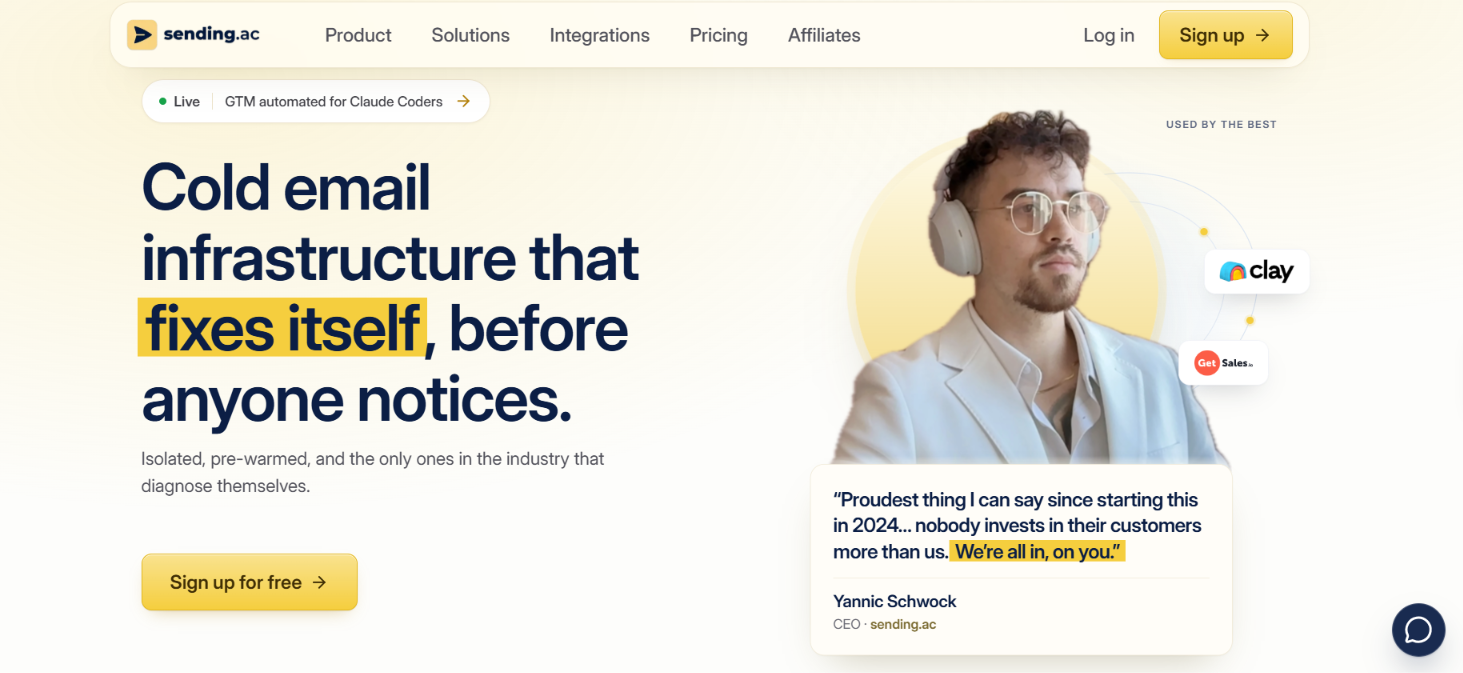
You can provision Google and Azure mailboxes, automate SPF, DKIM, and DMARC, use pre-warmed inboxes, and monitor what happens to your sending infrastructure after it goes live.
It also goes further into monitoring with warm-up verification, inbox placement checks, Risk Level, and mailbox replacement on eligible plans.
What you do not get is a cold email sequencer. You still need a tool such as Smartlead, Instantly, PlusVibe, or EmailBison to build sequences and send campaigns.
The real question is whether you actually need all the monitoring that Sending.ac adds around those mailboxes. If your main goal is using Google Workspace or Microsoft 365 mailboxes for cold outreach, Primeforge is another option to consider.
Here is how the two compare.
Sending.ac handles the mailbox side of your cold email setup. You get the inboxes and infrastructure from Sending.ac, then connect them to your cold email sequencer to run the actual campaigns.
Here is how it works.
1. Choose your mailbox setup
You can choose Google or Azure mailboxes, or mix both in the same setup. You can also connect mailboxes you bought somewhere else.
2. Set up your domains and inboxes
Sending.ac provisions the mailboxes and handles SPF, DKIM, and DMARC for each domain. Each tenant gets its own IPs and reputation instead of being pooled with other customers.
3. Warm up the mailboxes
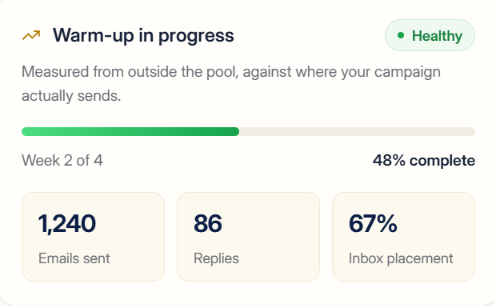
Sending.ac provides pre-warmed mailboxes. It also checks how your warm-up is working by looking at where those warm-up emails go, rather than relying only on the score from the warming tool.
4. Connect your sequencer
Once your setup is ready, you connect the mailboxes to your cold email tool. Sending.ac lists integrations with Smartlead, Instantly, PlusVibe, and EmailBison. Your sequencer still handles the campaigns and sends.
5. Monitor your mailboxes
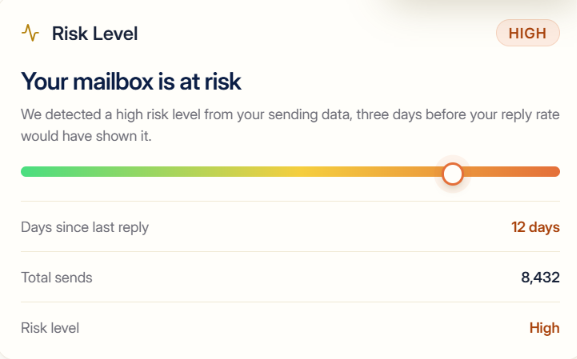
After you start sending, Sending.ac tracks inbox placement, Microsoft spam scores, domain health, and other sending checks. Its Risk Level flags mailboxes that may be running into trouble before the problem shows up in your reply rate.
So, you still run your cold email campaigns from your usual sequencer. Sending.ac works in the background to provide the mailboxes and keep an eye on the infrastructure behind them.
Sending.ac covers more than mailbox provisioning. Its main features focus on keeping an eye on the infrastructure after your inboxes are set up.
This includes checking warm-up, watching where emails land, spotting mailbox risk, and separating client setups.
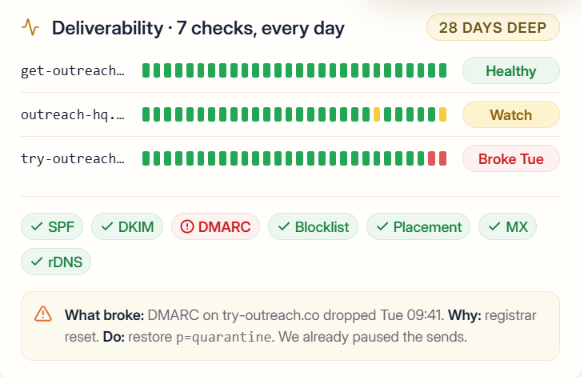
Sending.ac has a solid deliverability setup, but its real strength is finding problems that a normal warm-up score or reply rate may not show.
Take warm-up as an example. Sending.ac checks where your warm-up emails are actually going. If 80% of your real outreach goes to Google but only 12% of your warm-up goes there, you could have a healthy-looking warm-up score that does not match your real sending pattern.
It follows the same approach once campaigns are running. Sending.ac checks actual inbox placement and Microsoft spam scores daily. It also watches SPF, DKIM, DMARC, blocklists, MX, and rDNS, with seven checks per domain each day and 28 days of history.
There is also Risk Level, which Sending.ac says uses its sending data to flag a mailbox before the problem appears in reply rates. This could be useful when you have hundreds of inboxes and cannot check each one manually.
So, Sending.ac looks strong for monitoring and diagnosing cold email deliverability. What I would not claim is that its inboxes automatically get better placement than other providers, because the available data does not include an independent deliverability test proving that.
Sending.ac has two plans, Growth and Agency, with separate mailbox limits for Google and Azure. You can choose standard inboxes at the regular monthly price or turn on Prewarmed inboxes for an additional one-time fee.
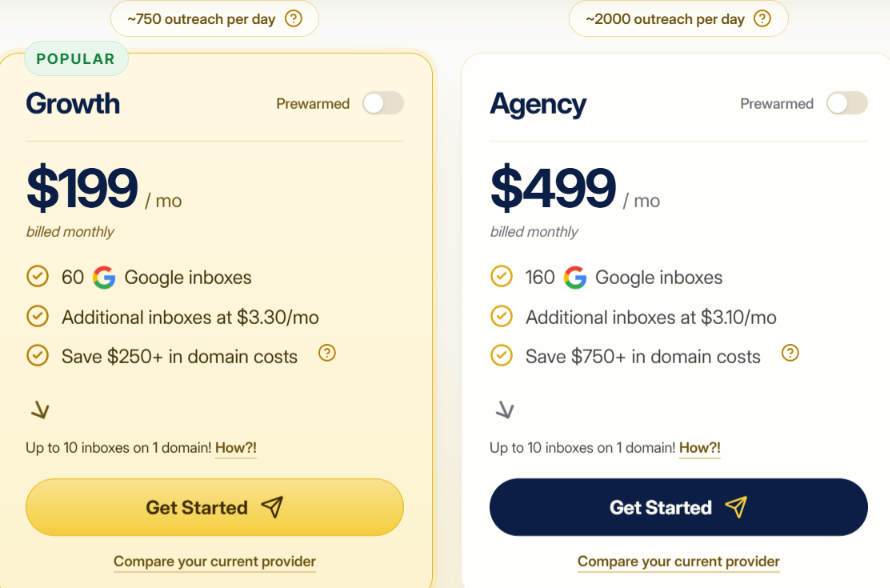
The standard Google Growth plan works out to about $3.32 per included inbox, while Agency comes to about $3.12 per inbox.
If you choose pre-warmed Google inboxes, the monthly price stays the same, but Sending.ac adds a one-time fee:
Sending.ac says these pre-warmed plans let you choose aged domains and skip the initial warm-up period.
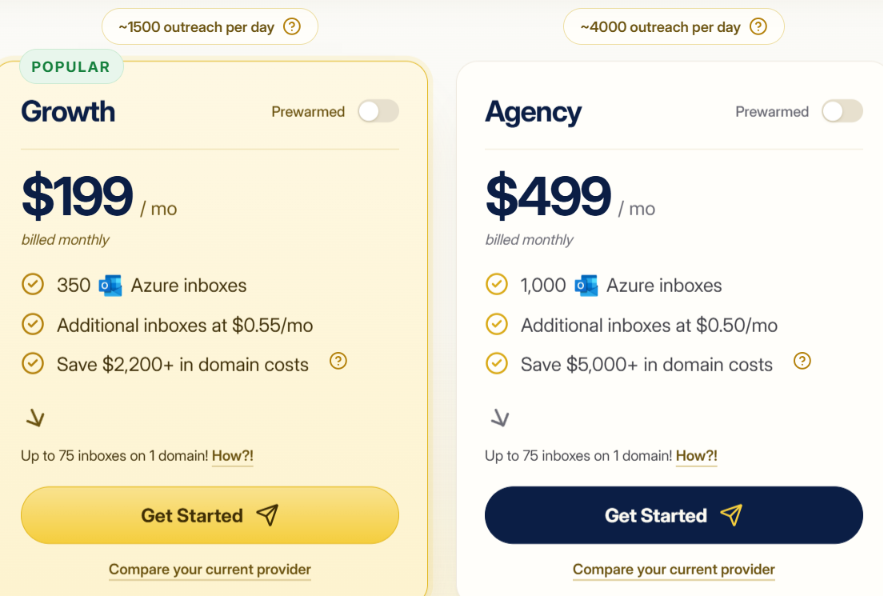
Azure includes far more inboxes at the same monthly plan price. Growth works out to about $0.57 per included inbox, while Agency comes to about $0.50 per inbox.
Pre-warmed Azure inboxes also have a one-time fee:
The standard plans are cheaper upfront, while the pre-warmed option costs extra if you want aged domains and inboxes that Sending.ac positions as ready to start sending without the initial warm-up period.
Sending.ac is a good fit if you already have a cold email setup and need an easier way to manage many mailboxes and domains.
Sending.ac may not be ideal if you have a small setup or want your mailbox provider to handle the campaigns too.
Sending.ac starts at $199 per month and includes features such as Risk Level, warm-up checks, inbox placement tracking, and mailbox replacement.
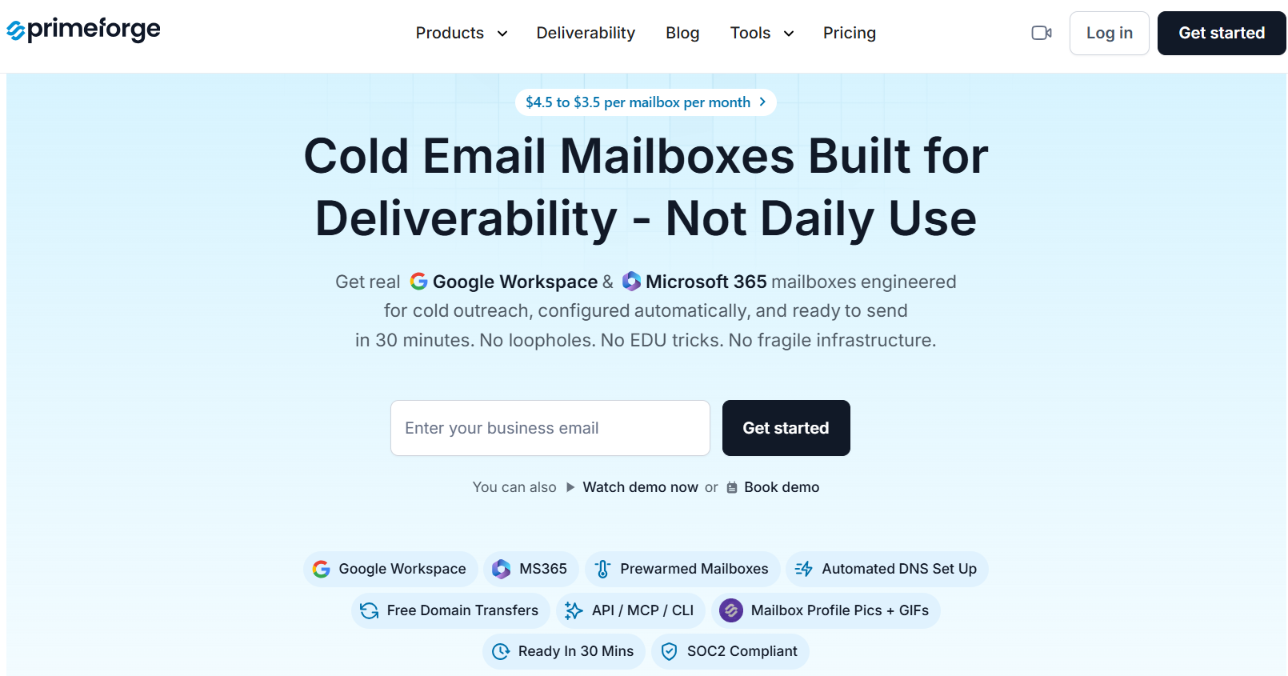
But you may not need all of that if your main problem is setting up and managing Google Workspace or Microsoft 365 mailboxes. That is where Primeforge is a better alternative.
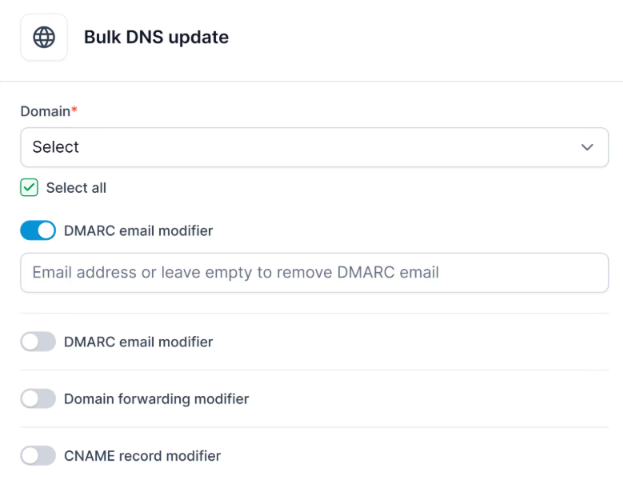
Primeforge is a better fit if you mainly need Google Workspace or Microsoft 365 mailboxes. If you also want warm-up checks, mailbox risk tracking, and inbox placement monitoring, Sending.ac offers more in those areas.
Enter your email to get a custom plan & stack recommendation for your business
Please check your mailbox in 5 minutes

Sending.ac is more than another inbox provider, but its value depends on how much cold email infrastructure you manage.
If you are running hundreds of inboxes across many domains, features like Risk Level, warm-up checks, inbox placement tracking, and domain monitoring give you more information when something starts to go wrong. That is where the $199 starting price becomes easier to justify.
For someone who only needs a few mailboxes, it is harder to recommend. You would be paying for monitoring features you may not use, while still needing a separate tool to run your campaigns.
So, I would pick Sending.ac if I were managing hundreds of inboxes and needed to catch mailbox, warm-up, or domain problems before they started affecting campaigns.
If your main need is Google Workspace or Microsoft 365 mailboxes for cold outreach, Primeforge is the simpler option.