
If you’re looking for a Mailpool review, you probably just want to know if it’s really worth using for Google and Microsoft mailboxes.
Mailpool says it can build your entire cold email infrastructure in minutes, from domain setup to inbox creation and deliverability configuration.
But how well does it actually perform? Can it handle large-scale setups reliably, and is the cost justified?
In this review, I’ll break down how Mailpool works, what results users see, and how it compares Primeforge, so you can decide if it’s the right fit for your outreach stack in 2025.
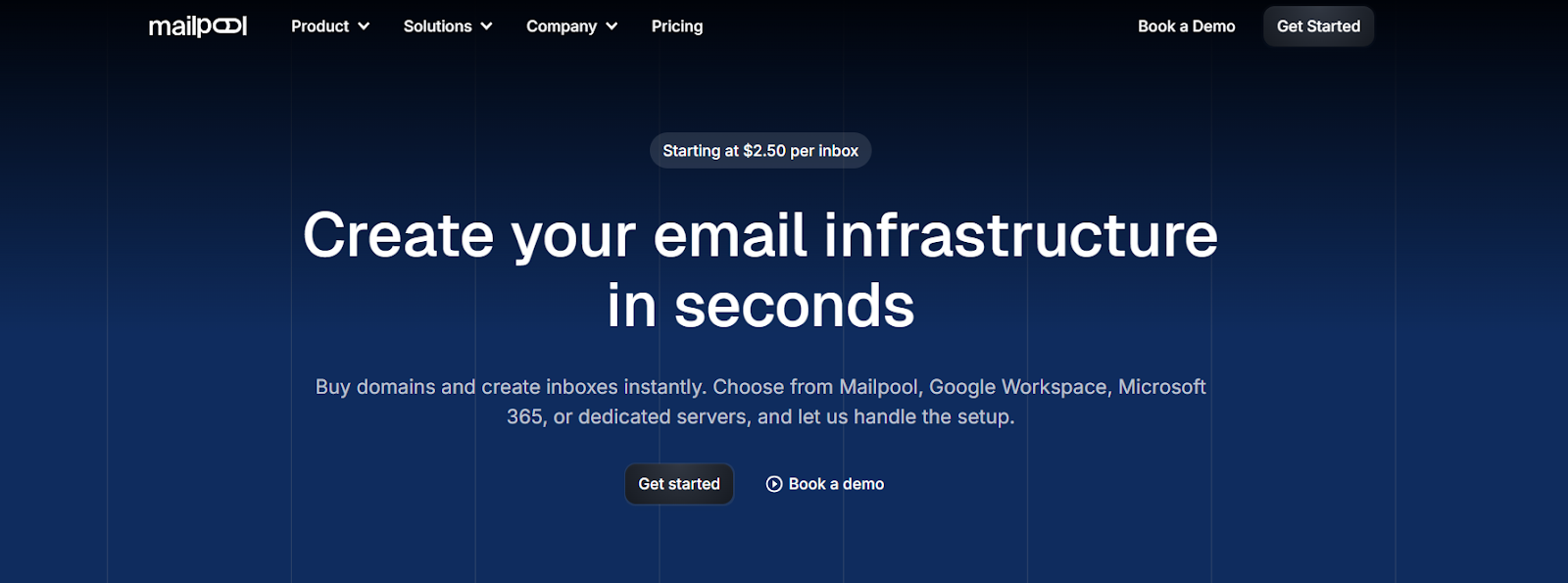
Mailpool is a platform that lets you build your cold email infrastructure in minutes.
You can buy domains, create inboxes instantly, and set up everything, from SPF, DKIM, and DMARC to deliverability optimization, automatically.
It works with Google Workspace, Microsoft 365, Mailpool servers, or dedicated IPs, giving teams full control over inbox creation and scaling.
With over 35,000 domains and 250,000 inboxes already managed, Mailpool helps more than 2,000 companies run outreach campaigns that actually reach the primary inbox.
In short, Mailpool removes the manual setup, saves hours, and keeps your cold emails landing where they should.
Mailpool automates every step of building your cold email infrastructure. Here’s how it works from start to finish:
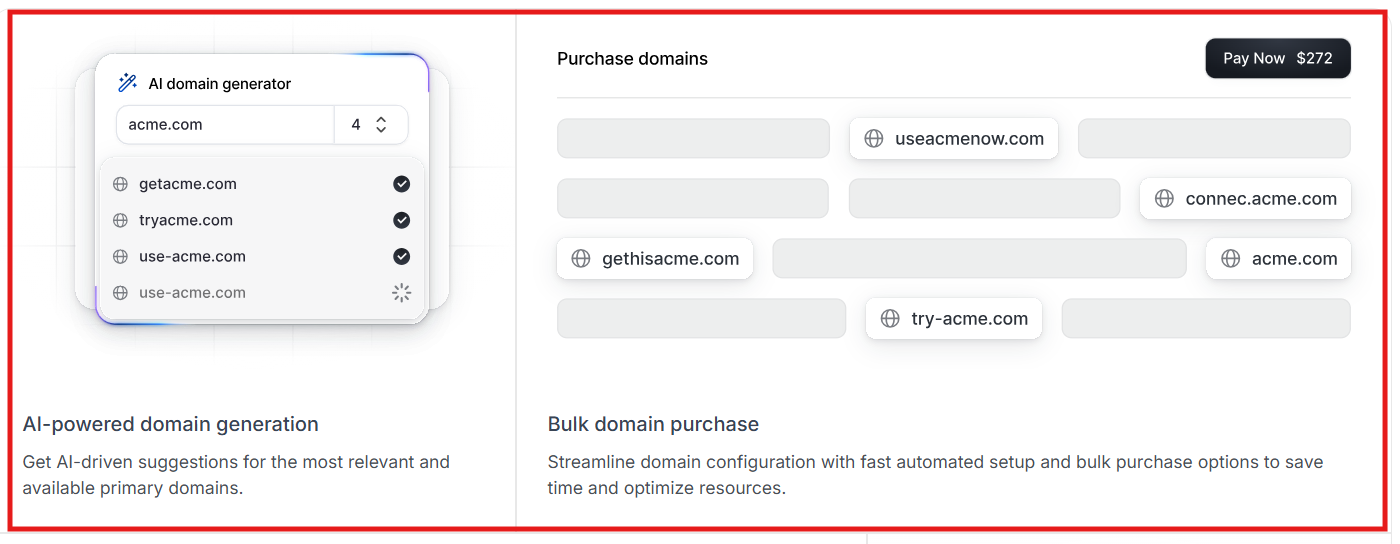
Step 1 – Purchase domains in bulk: You start by using Mailpool’s AI Domain Generator to instantly buy or import domains.
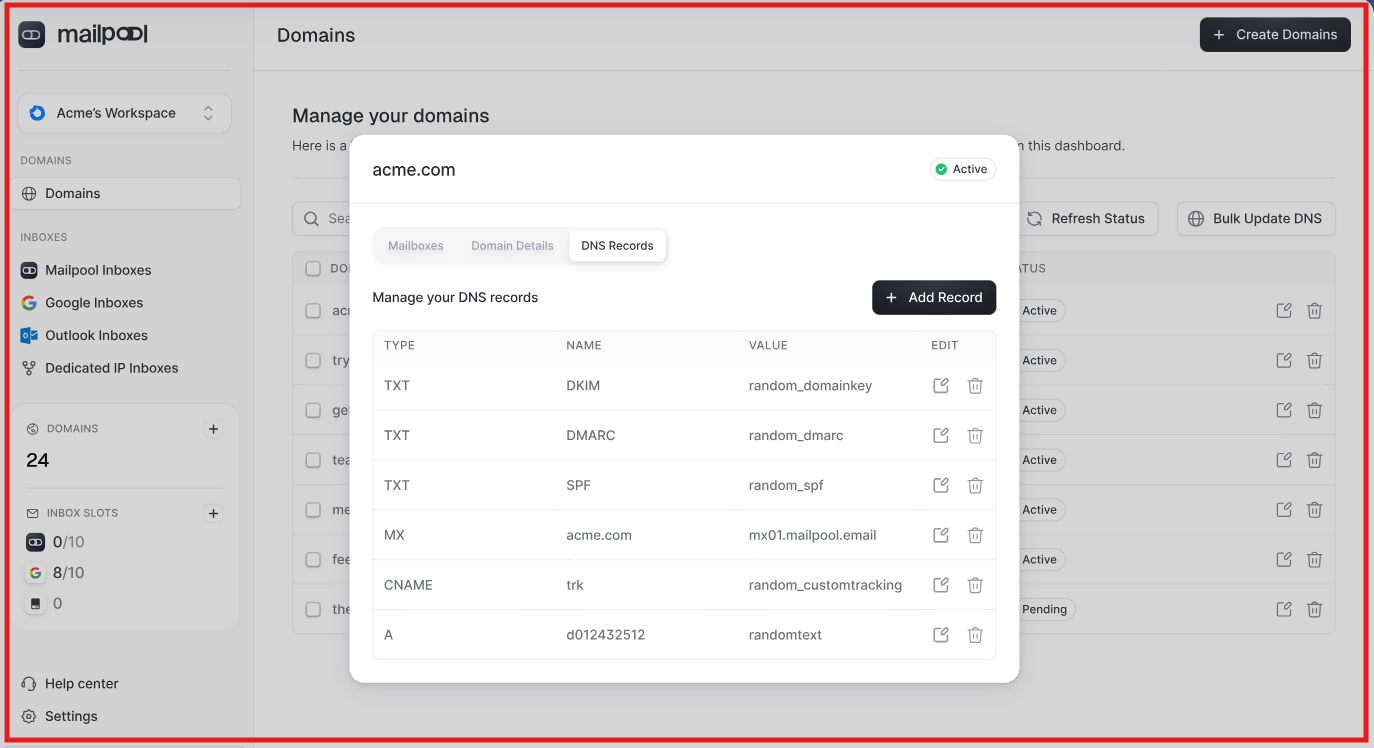
It automatically sets up SPF, DKIM, and DMARC, so you don’t have to touch any DNS settings.
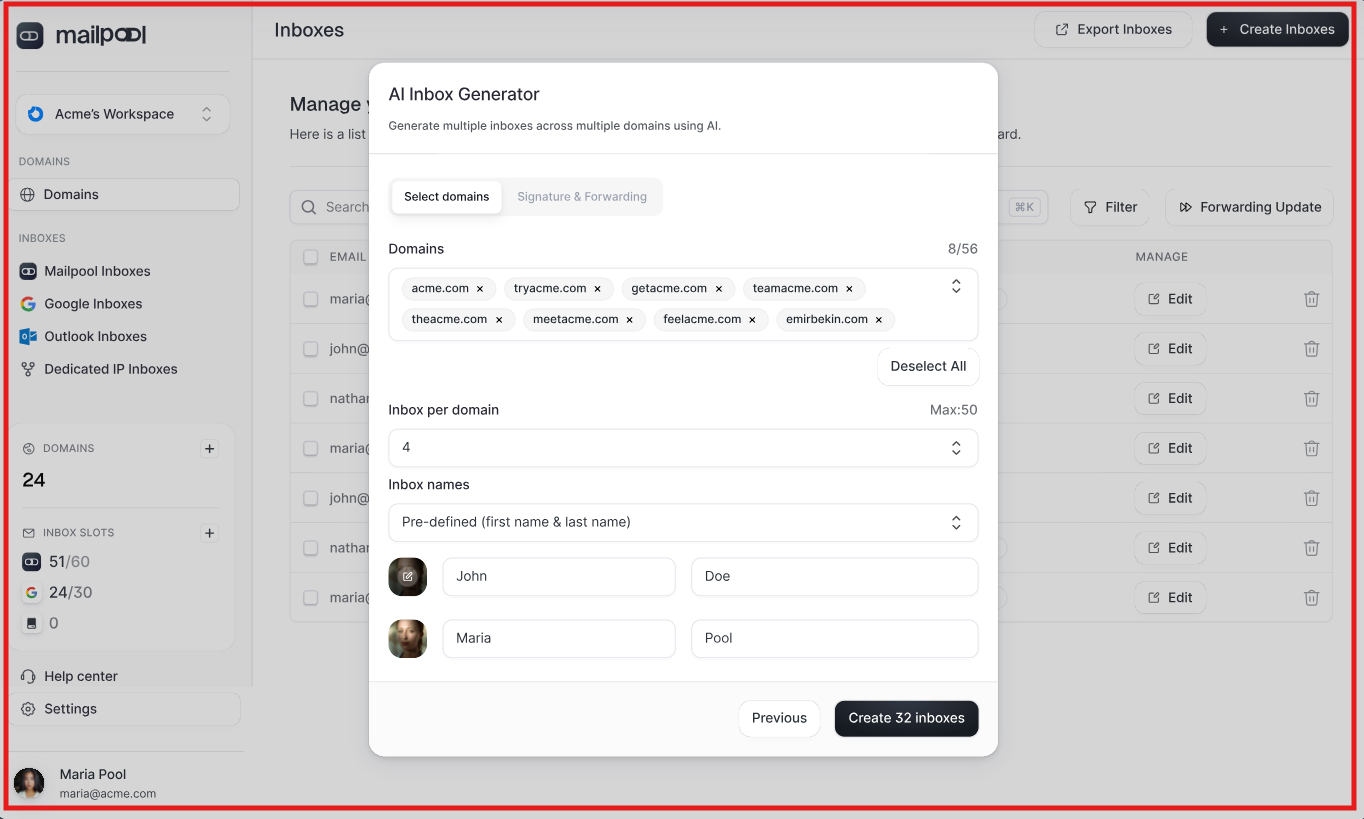
Step 2 – Create inboxes across providers: Next, you create inboxes across Google Workspace, Microsoft 365, or Mailpool’s own servers. Each inbox is ready to use, fully configured, authenticated, and connected.
Step 3 – Automated deliverability setup: Mailpool then optimizes everything for cold outreach. It runs blacklist checks, tracks domain health, and ensures your emails reach the primary inbox.
Step 4 – Connect to your outreach stack: Finally, you can connect Mailpool directly to tools like Smartlead, Lemlist, Reply, or HubSpot in one click.
With this process, Mailpool turns complex email setup into a fully automated 5-minute workflow, letting teams scale outreach safely and efficiently.
Here are the key features of Mailpool that are actually useful:
| Feature | How It Helps You |
|---|---|
| AI Domain Generator | You can buy or import domains in bulk. Mailpool sets up SPF, DKIM, and DMARC automatically — no technical work needed. |
| Instant Inbox Creation | Create inboxes for Google Workspace, Microsoft 365, or Mailpool in seconds. Everything is pre-configured and ready to send. |
| Deliverability on Autopilot | Monitors your domain health, runs blacklist checks, and ensures your campaigns reach the primary inbox. |
| Flexible Pricing | Inbox pricing starts at $3/month and decreases with volume. You only pay for what you use. |
| Inbox Rotation | Automatically rotates inboxes so your sender reputation stays clean—even when sending high volumes. |
| Dedicated or Shared IPs | Choose shared IPs for efficiency or dedicated IPs for full control over deliverability. |
| One-Click Integrations | Connect instantly to Smartlead, Lemlist, Reply, or HubSpot without any manual syncing. |
| Simple Dashboard | Manage inboxes, domains, DNS, warm-up, and deliverability from one clean dashboard. |
| Full API Access | Agencies can automate inbox creation, domain setup, and scaling programmatically. |
| Scales Instantly | Used by 2,000+ teams—over 35,000 domains and 250,000 inboxes created in under 5 minutes. |
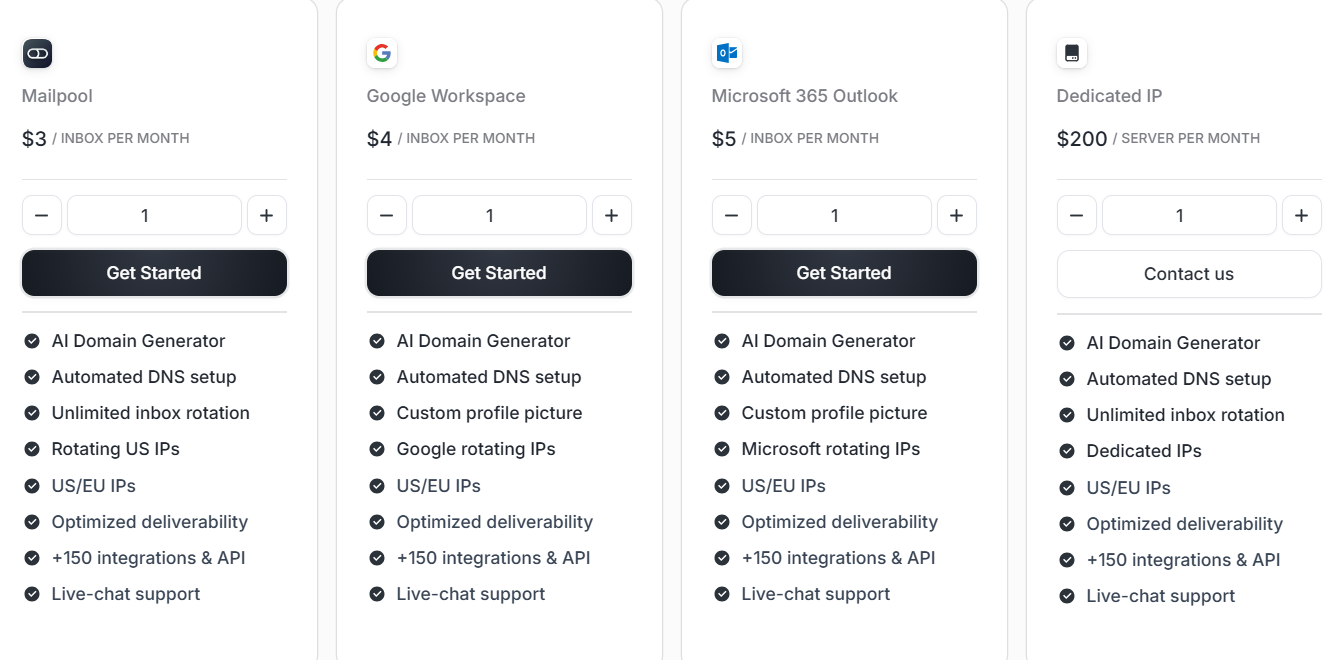
Mailpool’s pricing scales with your outreach, the more inboxes you create, the less you pay per inbox.
| Plan | Monthly Price | What You Get |
|---|---|---|
| Mailpool | $3 per inbox (or $2.60 on annual billing) | AI Domain Generator, automated DNS setup, unlimited inbox rotation, rotating IPs, and 150+ integrations. |
| Google Workspace | $4 per inbox (or $3.40 on annual billing) | Google-branded inboxes with custom profile pictures, automated setup, and optimized deliverability. |
| Microsoft 365 Outlook | $5 per inbox (or $4.30 on annual billing) | Outlook inboxes with Microsoft rotating IPs, custom signatures, and full deliverability setup. |
| Dedicated IP Server | $200/month (or $170 on annual billing) | Your own private sending IPs, full deliverability control, API access, and unlimited inbox rotation. |
| Dedicated Infrastructure | Custom (on demand) | Private IP setup, white-label option, extended API access, and a dedicated customer success manager. |
You pay only for the mailboxes you use.
There’s no setup or onboarding fee — everything is automated.
Custom pricing and discounts are available for agencies, high-volume users, and lead gen teams.
1. Automated DNS and authentication setup (SPF, DKIM, DMARC): Mailpool automatically configures all email authentication records the moment you buy or import a domain. You never need to open a DNS panel, which removes the most error-prone part of email infrastructure setup.
2. AI Domain Generator for instant domain purchase: The built-in AI suggests domain names already checked for cold email suitability and availability. This makes buying multiple outreach-ready domains a one-click process instead of manual research and registration.
3. Multi-provider inbox creation (Google Workspace, Microsoft 365, Mailpool): You can spin up new inboxes on any of these services directly inside Mailpool’s dashboard. Each inbox is automatically authenticated, assigned IPs, and ready to connect to campaigns.
4. Unlimited inbox rotation with blacklist monitoring: Mailpool’s infrastructure rotates sender inboxes to maintain domain health and runs automatic blacklist checks. This helps you keep deliverability stable even when sending from hundreds of accounts.
5. Native integrations and API access: Mailpool connects in one click with tools like Smartlead, Lemlist, Reply, and HubSpot. Its open API lets you automate inbox creation, monitoring, or teardown from your own scripts or platforms.
1. No built-in warm-up engine: Mailpool automates DNS and authentication but doesn’t include mailbox warm-up. You still need to integrate a warm-up platform to build reputation before large sends.
2. White-label and extended API only on dedicated infrastructure: Features like branding control, extended API endpoints, and a dedicated customer-success manager are locked behind the “Dedicated Infrastructure” plan.
3. Pricing grows per-inbox: Every mailbox, $3 for Mailpool, $4 for Google, $5 for Microsoft, adds to the bill. For agencies running 500+ inboxes, costs increase proportionally despite volume discounts.
4. No campaign or sequencing module: Mailpool handles infrastructure only. It doesn’t send or track campaigns, so you must rely on external tools like Smartlead or Lemlist for outreach execution.
5. Limited visual customization in the main dashboard: The control panel focuses on function over design, there’s no customization of interface elements or white-label logos unless you’re on enterprise-level infrastructure.
If you like how Mailpool automates domain and inbox creation, but you need faster setup, verified Google and Microsoft mailboxes, and higher deliverability, Primeforge is the better option.
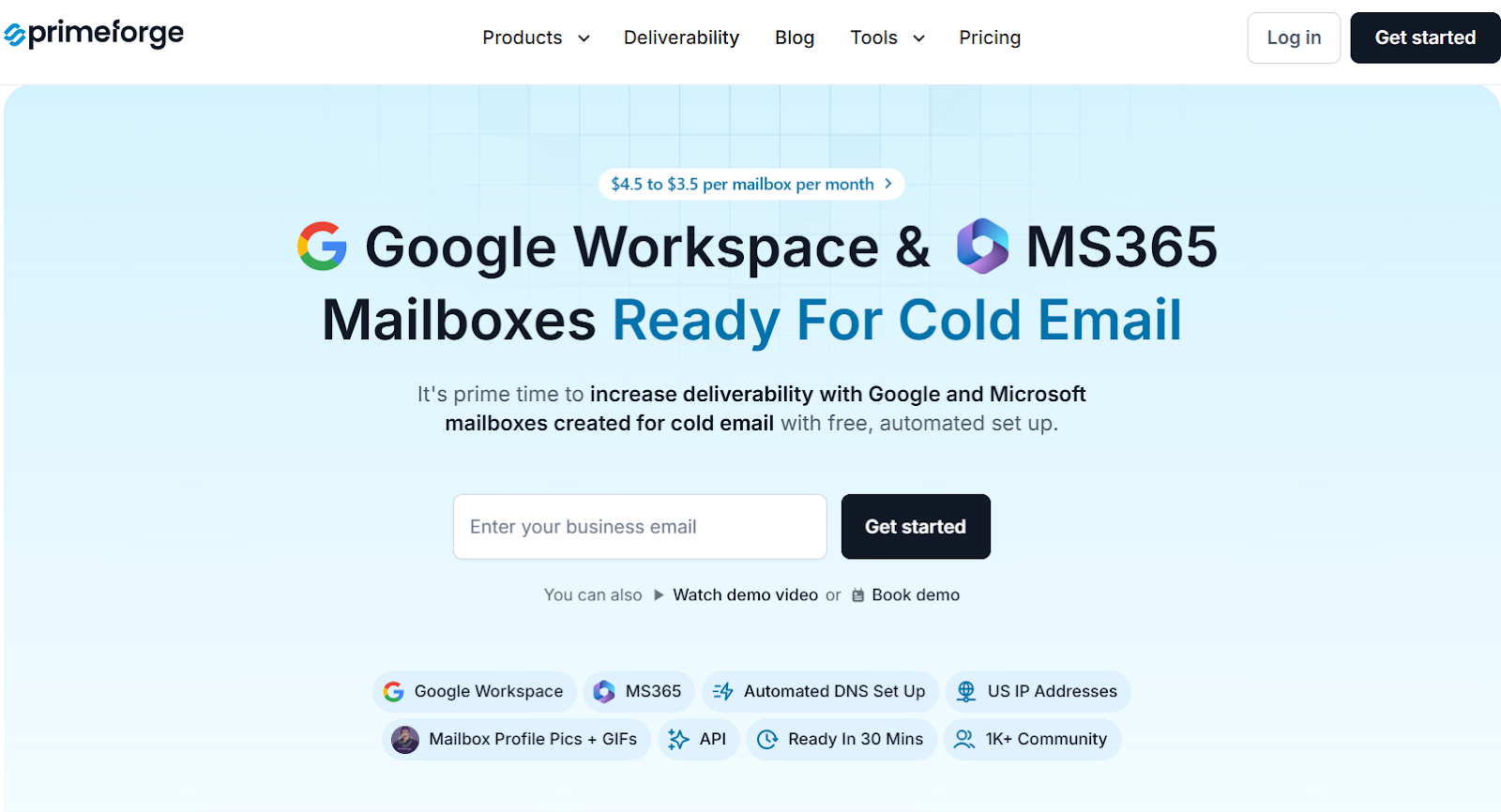
Primeforge provides Google Workspace and Microsoft 365 mailboxes that are pre-optimized for cold outreach with automated DNS setup and ready-to-send configuration in under 30 minutes.
Unlike Mailpool, which builds infrastructure from its own network, Primeforge gives you brand-name deliverability by sending directly from the same providers your prospects use, improving inbox placement through ESP matching.
It also includes unique personalization features like mailbox profile pictures and GIFs, proven to increase reply rates by 3–15%.

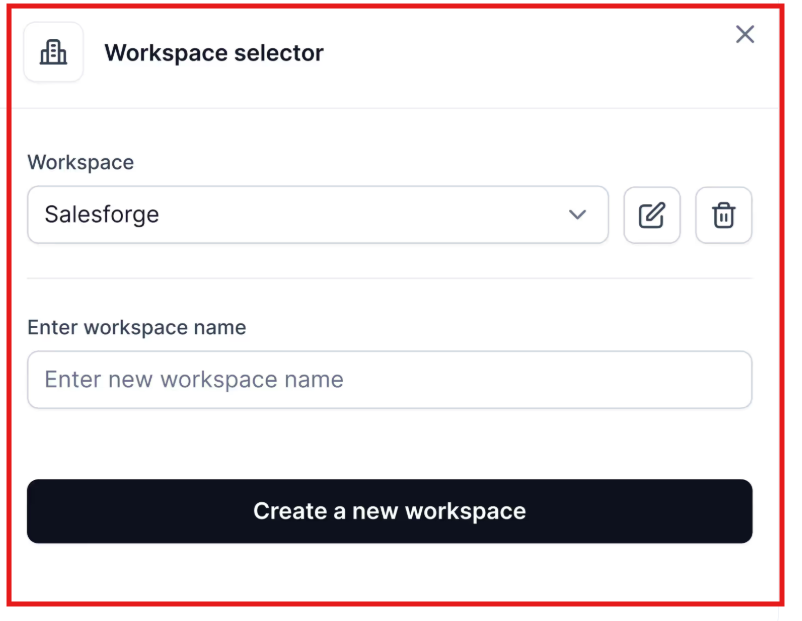
You can manage multiple workspaces, bulk DNS updates, and integrations with any outreach tool, all under one dashboard.
Pricing starts from $3.5 to $4.5 per mailbox/month, compared to Mailpool’s $3–$5 per inbox/month.
But with Primeforge, you get Google/MS365 mailboxes, automated DNS, and GIF branding included in the base cost, giving better deliverability value overall.
| Feature | Mailpool | Primeforge |
|---|---|---|
| Infrastructure Type | Mailpool’s own servers (shared or dedicated) | Google Workspace & Microsoft 365 mailboxes |
| Setup Speed | ~5 minutes (automated) | ~30 minutes (fully automated with Google/MS365) |
| DNS Configuration | Automated SPF, DKIM, DMARC setup | Automated SPF, DKIM, DMARC setup |
| Deliverability Optimization | Built-in deliverability monitoring & blacklist checks | ESP matching with Google/MS365 for best inbox placement |
| Warm-Up | Not included | Works seamlessly with Warmforge for inbox health |
| Personalization | Basic inbox creation | Profile pictures + animated GIFs per mailbox |
| Integrations | Smartlead, Lemlist, Reply, HubSpot | Works with any cold email software (Salesforge, Instantly, Lemlist, etc.) |
| Pricing | $3–$5 per inbox/month | $3.5–$4.5 per mailbox/month |
| Best For | Teams needing instant inbox creation & DNS automation | Teams wanting top-tier deliverability using Google/MS365 mailboxes |
If you’re managing cold email volume and need inboxes that send from the same ESPs as your prospects, Primeforge gives you better control, reputation, and deliverability from day one.
If your goal is to set up your cold email infrastructure fast and manage everything from one dashboard, Mailpool definitely delivers.
You can buy domains, create inboxes across Google Workspace and Microsoft 365, and get SPF, DKIM, and DMARC handled automatically, all in just a few minutes.
It’s ideal for teams that want simplicity, automation, and scale without dealing with DNS setup or multiple tools.
However, Mailpool’s mailboxes run on its own managed network, not directly inside Google or Microsoft’s native systems.
That means while setup is quick, you don’t get the same trust level, native IPs, or visual personalization (like profile pictures or GIFs) that can improve engagement and inbox placement.
If you want that extra layer of native deliverability, go with Primeforge.
It offers real Google Workspace and Microsoft 365 mailboxes, hosted directly with those providers, combined with automated DNS setup and GIF profile pictures proven to lift reply rates by up to 15%.
If deliverability is your top priority, Primeforge is the smarter pick.
It gives you faster setup, brand-name inboxes, and the reliability that cold email teams need at scale.
