

Personalized Outbound Strategy
Get The Right Outbound Strategy In Minutes
Enter your email to get a custom plan & stack recommendation for your business
It's being carefully crafted by AI
Please check your mailbox in 5 minutes
When I scaled my outbound setup past 25 inboxes, infrastructure became the main problem.
Creating domains took too much time. Adding DNS records was tedious.
Setting up mailboxes consumed more time than running campaigns.
I wanted a faster way to handle this.
So I tested Maildoso by creating 30+ mailboxes across several domains and connecting them to my outreach platform.
In this review, I’ll explain:
If you're considering Maildoso for cold email infrastructure, this should give you a clearer picture.


Maildoso is a cold email infrastructure platform built for outbound teams.
It helps create domains and mailboxes that can be used for cold email campaigns.
The platform mainly offers two mailbox types, SMTP mailboxes and Google Workspace mailboxes.
SMTP mailboxes are built for outbound sending.
They include IP rotation and automatic mailbox recovery.
Google Workspace mailboxes are official business accounts, where each domain runs inside its own isolated workspace.
Maildoso handles SPF, DKIM, and DMARC configuration automatically.
This removes most manual DNS work when creating new mailboxes.
Domains can be registered inside the platform or connected if you already own them.
Once mailboxes are ready, they can be exported and connected to outreach tools like Instantly, Smartlead, or Saleshandy.
Maildoso focuses only on the email infrastructure layer, so campaigns still run through a separate outreach platform.
Enter your email to get a custom plan & stack recommendation for your business
Please check your mailbox in 5 minutes

When I tested Maildoso, the setup process was quite simple and happens inside the dashboard.
Here is how the setup works.
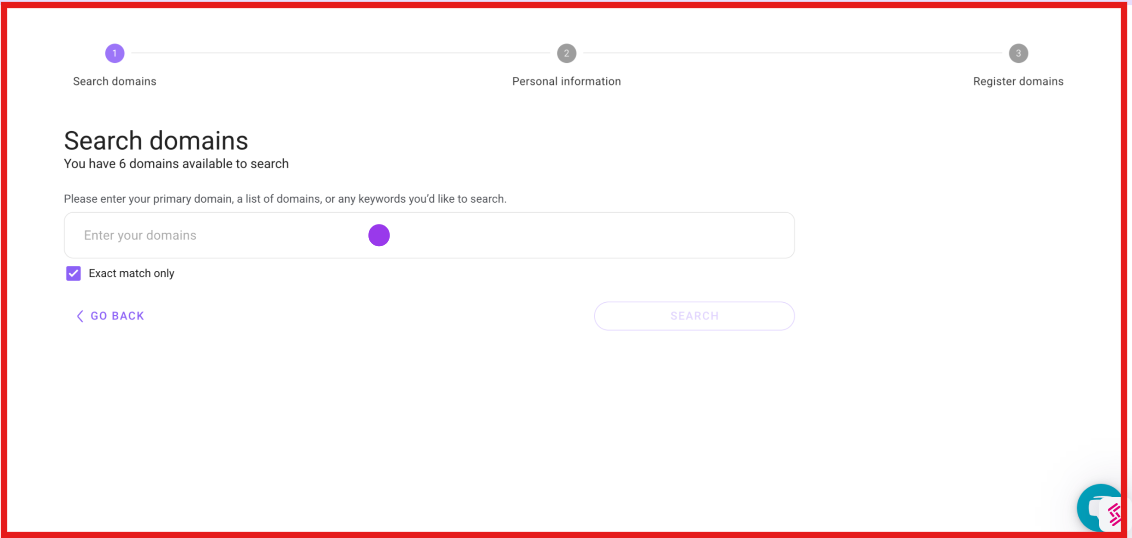
Step 1: Register or connect domains - You can register domains directly inside Maildoso or connect domains you already own.
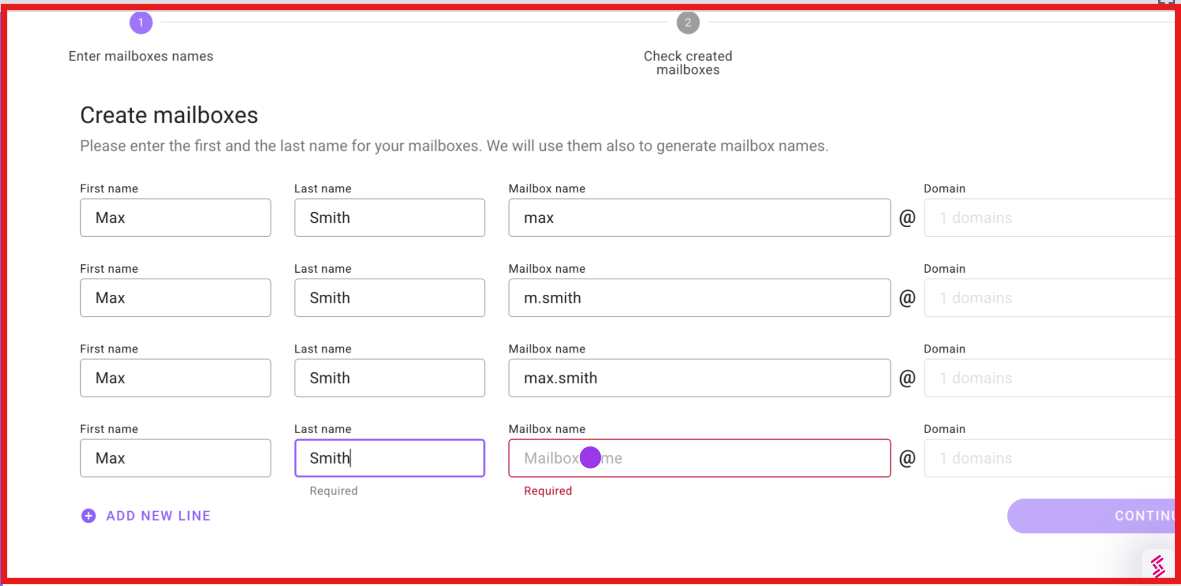
Step 2: Create mailboxes - Next, you enter the mailbox names and choose the mailbox type. Maildoso supports SMTP mailboxes and Google Workspace mailboxes.
Step 3: Automatic DNS setup - When I created the mailboxes, Maildoso automatically configured SPF, DKIM, and DMARC, so I didn’t need to set DNS records manually.
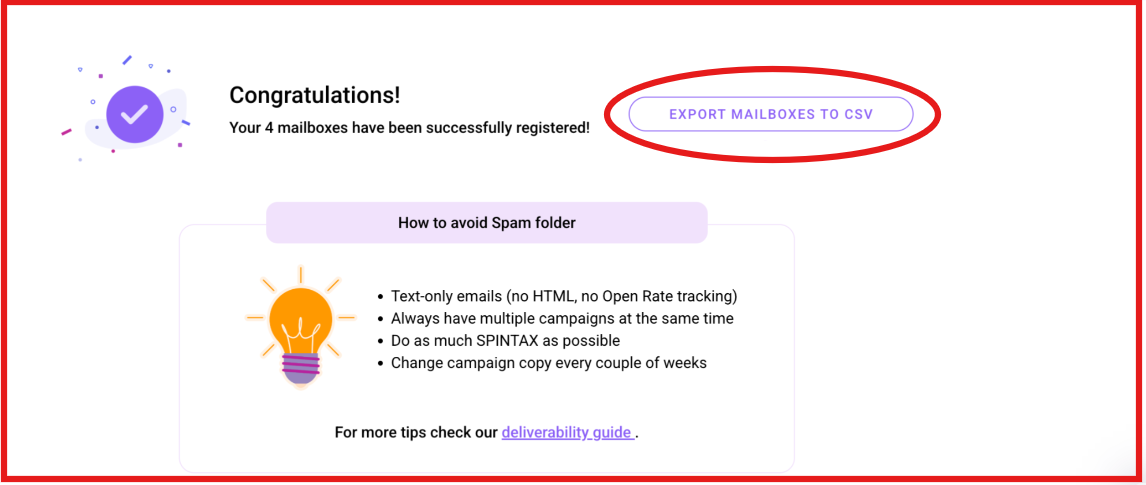
Step 4: Connect to outreach tools - After setup, the mailboxes can be exported as a CSV file or connected directly to tools like Instantly, Smartlead, and Saleshandy.
Step 5: Start sending campaigns - Once the mailboxes are connected, they can be used inside the outreach tool to send cold email sequences.
Maildoso mainly offers two mailbox types.
I. SMTP mailboxes
II. Google Workspace mailboxes
Maildoso recommends sending around 15 cold emails per mailbox per day with gradual warm-up.
This makes it easier to scale outbound infrastructure without manually creating domains, DNS records, and mailboxes one by one.
After setting up 30+ mailboxes across multiple domains, I wanted to understand what Maildoso does well.
From using the platform, I realized that Maildoso is not an outreach tool.
It focuses only on cold email infrastructure.
In practice, the platform revolves around a few core things:
Let me break these down based on what I observed while using the platform.
The first thing I noticed is that Maildoso offers two mailbox types.
SMTP mailboxes and Google Workspace mailboxes.
When I created my test setup, I mainly used SMTP mailboxes because they are made for cold outreach sending.
These run on Maildoso’s infrastructure and include features like IP rotation and automatic recovery if a mailbox gets burned.
The platform also offers Google Workspace mailboxes, which are official Google business accounts.
Each domain runs in a separate workspace, which helps isolate sender reputation when scaling campaigns.
The next thing I tested was how easy it is to set up domains and mailboxes.
Normally, when I create cold email infrastructure manually, I have to buy domains, open DNS settings, and configure SPF, DKIM, and DMARC.
With Maildoso, most of this happens automatically.
When I created domains and mailboxes inside the dashboard, DNS authentication was configured automatically.
That removed most of the manual work.
Setting up multiple inboxes was mostly just entering mailbox names and choosing a domain.
In my case, creating dozens of inboxes took much less time compared to manual setup.
However, one limitation I noticed is that DNS control is limited.
Some users also mention this in reviews.

Since Maildoso manages DNS automatically, you cannot always customize records or connect domains to other services easily.
For teams that want full infrastructure control, this might feel restrictive.
The next thing I paid attention to was deliverability infrastructure.
Maildoso SMTP mailboxes use IP rotation. Instead of sending emails from one IP address, the system rotates sending across multiple IPs.
The goal is to reduce spam filtering risk when sending cold campaigns.
During my testing, the infrastructure worked normally. However, deliverability is not always perfect.
Some user reviews mention cases where domains or inboxes were blocklisted during campaigns.
A few users also reported SURBL blocklist issues affecting domains.
Maildoso replaced domains in some of those cases, but it still disrupted campaigns.
So while the infrastructure helps with scaling outbound, results still depend heavily on sending behavior and campaign quality.
Maildoso itself does not run cold email campaigns. It focuses only on the infrastructure layer.
After creating the mailboxes, I exported them using IMAP and SMTP credentials.
These can then be connected to outreach platforms like:
Once connected, campaigns run inside the outreach tool while Maildoso manages the mailboxes.
In practice, this setup worked smoothly. Connecting inboxes to my outreach platform only took a few minutes.
Many users also highlight how easy it is to export mailboxes and connect them to sending tools.
Maildoso also provides basic mailbox monitoring features.
The dashboard shows mailbox health and deliverability insights.
It also runs inbox placement tests, which help track where emails are landing.
One thing I found useful is that Maildoso shows deliverability performance by domain, which helps identify problematic inboxes.
However, reporting is still relatively simple compared to some outreach platforms.
Maildoso pricing mainly depends on how many mailboxes you create and which mailbox type you choose.
The platform offers two main options:
SMTP mailboxes are usually cheaper and designed specifically for outbound campaigns.
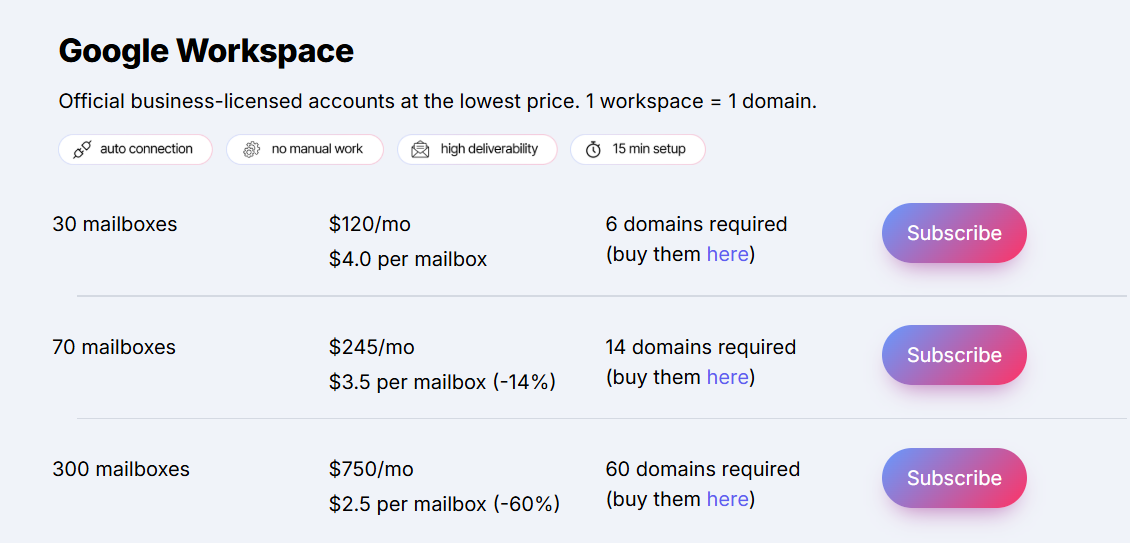
These are official Google business mailboxes, with each domain running in a separate Google Workspace account.
Each workspace uses 1 domain per workspace, and domains must be purchased separately.
Maildoso recommends sending around 15 cold emails and 25 warm-up emails per mailbox per day.
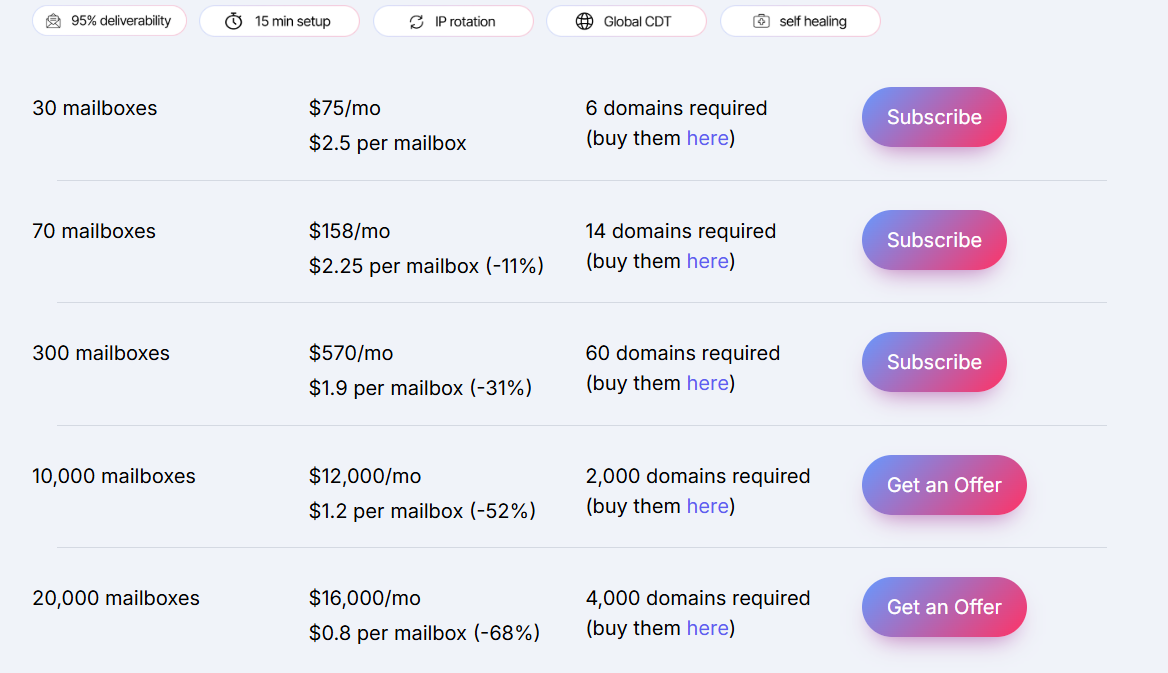
SMTP mailboxes are built specifically for cold outreach and include features like IP rotation and mailbox recovery.
Maildoso recommends sending around 15 cold emails and 80 warm-up emails per mailbox per day.
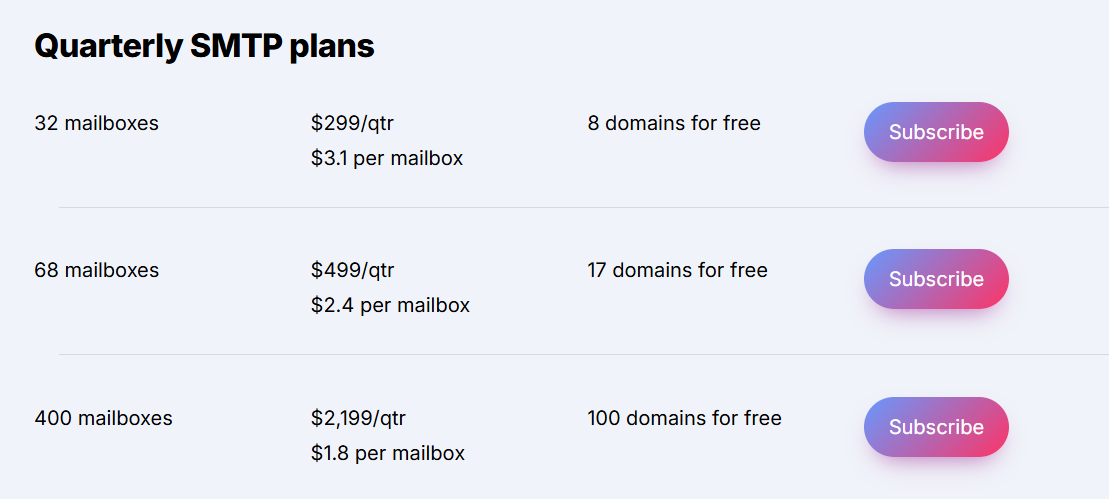
Maildoso also offers quarterly plans that include free domains.
These plans also include free domains depending on the package.
Maildoso also sells domains directly inside the platform.
Buying domains inside the platform makes it easier to create mailboxes quickly.
Maildoso also offers a 30-day money-back guarantee.
If users are not satisfied with the results, they can request a refund for the mailboxes.
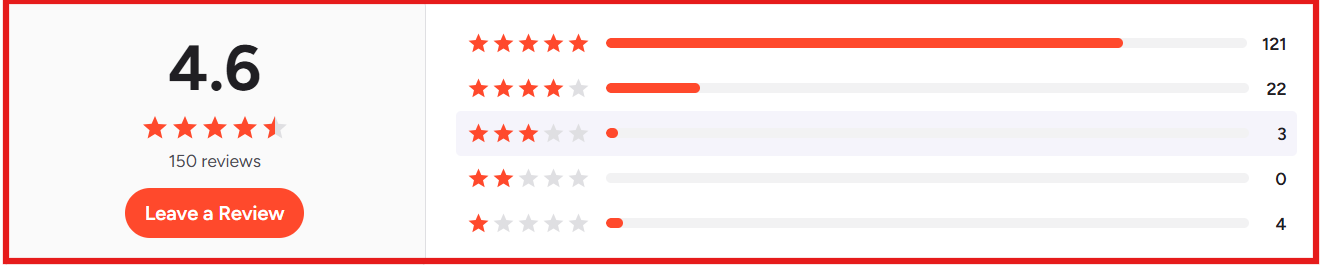
From what I saw in reviews, most users focus on fast setup, strong deliverability, and easy mailbox creation for outbound campaigns.
Here is what users like and dislike about using Maildoso.





When I tested Maildoso, I noticed it mainly focuses on SMTP infrastructure for cold email sending.
That works well for scaling outbound cheaply.
But when I wanted to send emails using real Google Workspace or Microsoft 365 inboxes, Primeforge felt like the better alternative.
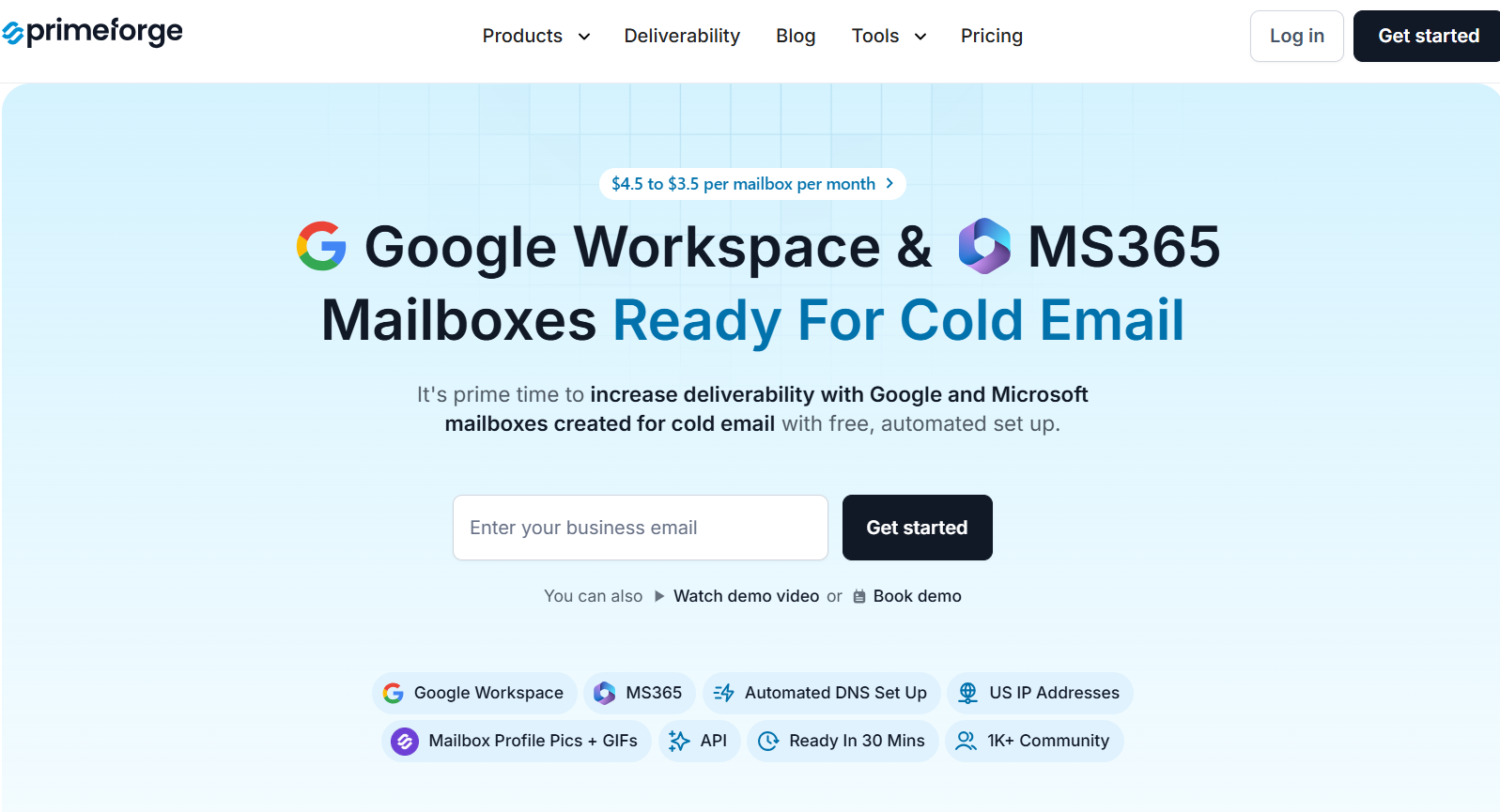
Primeforge provides Google Workspace and MS365 mailboxes created specifically for cold outreach, with automated infrastructure setup.
From my experience testing it, the setup process felt very simple.
With Primeforge, I could:
In practice, the biggest difference I noticed was deliverability strategy.
Maildoso relies more on SMTP infrastructure with IP rotation and mailbox recovery.
Primeforge focuses on sending from the same providers your prospects use, which can help improve inbox placement.
From my testing, Maildoso works well when you want low-cost SMTP infrastructure.
But when you specifically need Google Workspace or Microsoft 365 mailboxes for outbound, Primeforge is the the better option.
Enter your email to get a custom plan & stack recommendation for your business
Please check your mailbox in 5 minutes
Maildoso works when a team needs SMTP infrastructure for cold email.
It helps create domains, configure DNS, and generate mailboxes from one dashboard.
That setup works well when scaling large numbers of sending accounts.
In my testing, it worked fine for SMTP-based sending.
However, when I wanted to send from Google Workspace or Microsoft 365 mailboxes, I preferred Primeforge.
Primeforge provides real Google and Microsoft mailboxes configured for cold outreach.
They are usually ready to send in about 30 minutes.
In my workflow, I usually set up mailboxes in Primeforge. And launch sequences in Salesforge
This setup keeps infrastructure, warmup, and outreach organized.
If you want Google Workspace or Microsoft 365 mailboxes ready for cold outreach, you can start with Primeforge.