
Personalized Outbound Strategy
Get The Right Outbound Strategy In Minutes
Enter your email to get a custom plan & stack recommendation for your business
It's being carefully crafted by AI
Please check your mailbox in 5 minutes

If you already use Instantly for cold email, AirMail can seem like the obvious place to buy your mailboxes. Your inboxes, warm-up, campaigns, and reporting all live in one platform, so you do not have to connect another infrastructure provider.
But that convenience only matters if the infrastructure can hold up as you scale. AirMail costs $4 per inbox per month and runs on Instantly’s own servers and IPs. It also includes automatic SPF, DKIM, and DMARC setup, built-in warm-up, and native integration with Instantly.
The trade-offs are worth looking at. Each inbox is limited to 20 campaign emails per day, Instantly recommends warming inboxes for 3 weeks, and even Instantly suggests using AirMail alongside Google inboxes instead of relying on AirMail alone.
So, is Instantly AirMail worth adding to your cold email setup, or are you better off buying mailboxes somewhere else?
In this Instantly AirMail review, we’ll look at its deliverability setup, scalability, limits, pricing, and where it makes the most sense for Instantly users.
AirMail handles most of the technical work needed to set up cold email inboxes. You can create the inboxes, warm them up, and manage them without leaving Instantly.
AirMail still has sending limits. Each inbox can send a maximum of 20 campaign emails per day.
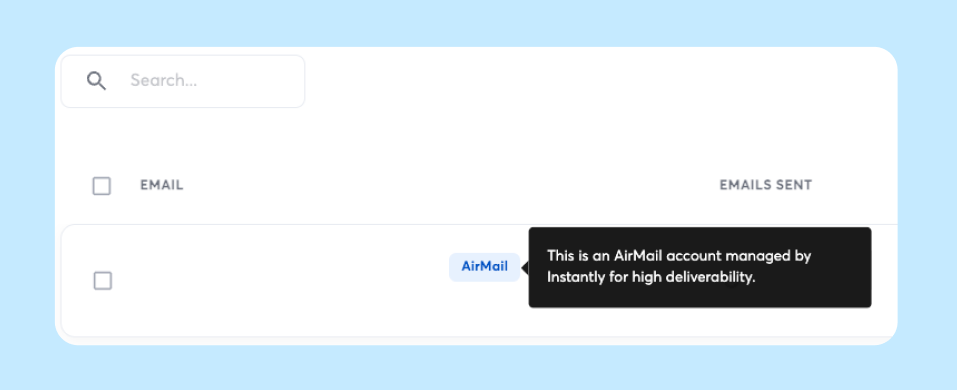
AirMail keeps the whole setup inside Instantly. You choose your domains and inboxes, Instantly handles the email setup, and the accounts appear in your dashboard ready for warm-up. Here is how it works:
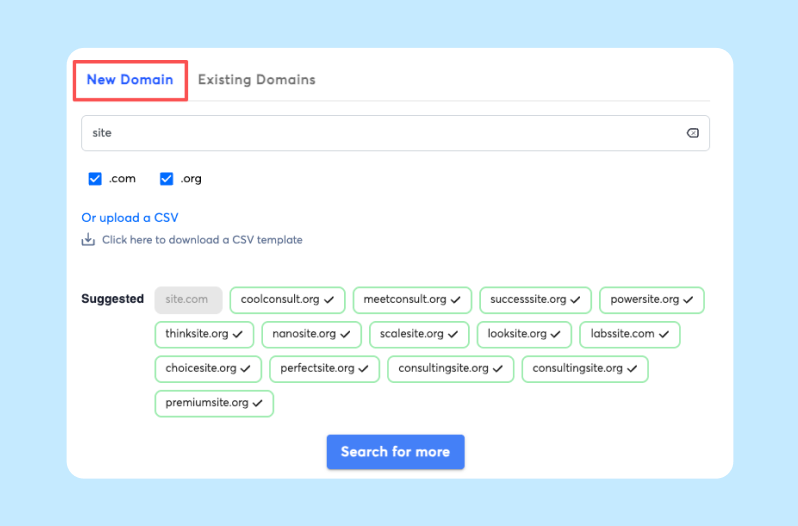
Enter your main business domain, and Instantly suggests similar secondary domains for cold outreach. You can choose the ones you want to buy and optionally forward them to your main website. Instantly currently supports .com and .org domains for this setup.
Instantly automatically generates email addresses for each domain. You can change the usernames before buying them. You can create up to 5 AirMail inboxes per domain. Each inbox costs $4 per month, while each domain costs $15 per year.
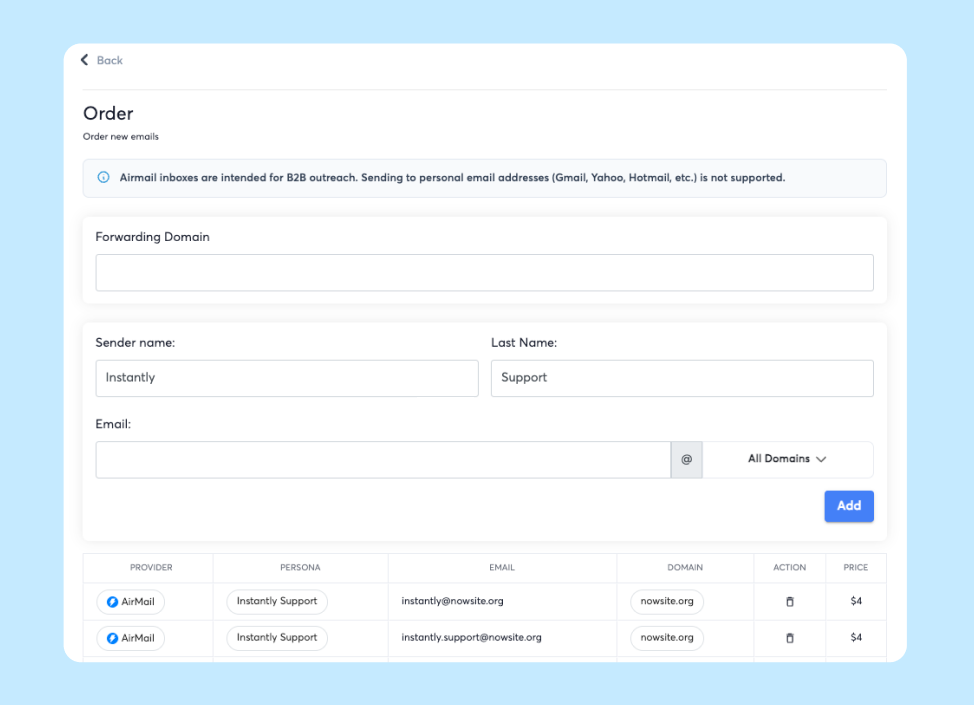
You do not have to manually configure each inbox. Instantly sets up SPF, DKIM, and DMARC and validates the authentication before sending. There are also no API keys or separate connections needed. The AirMail inboxes appear directly inside your Instantly account.
Every AirMail inbox is automatically added to Instantly's premium warm-up pool. Instantly recommends warming new inboxes for 3 weeks before adding them to a campaign.
Once the inboxes are warmed up, you can use them in your Instantly campaigns. Each AirMail inbox has a strict limit of 20 campaign emails per day. If you need more volume, you need more inboxes. For example, 50 inboxes would give you a maximum capacity of 1,000 campaign emails per day.
The main difference is how little infrastructure you have to manage yourself. You do not need to create Google or Outlook accounts, connect another infrastructure provider, or configure authentication for every inbox separately.
AirMail pricing is based on the number of inboxes and domains you use. Each AirMail inbox costs $4 per month, and each domain costs $15 per year. You can create up to 5 inboxes per domain. Here is what that looks like as you scale:
The inbox and domain charges are separate. AirMail inboxes renew monthly, while domains are registered for one year and renew yearly as long as at least one AirMail account on the domain remains active.
The important part is cost versus sending volume. Each inbox can send a maximum of 20 campaign emails per day. So 100 inboxes costing $400 per month gives you a maximum capacity of 2,000 campaign emails per day.
Also, these are AirMail infrastructure costs. Instantly's outreach plans are priced separately, starting at $47/month for Growth in the pricing data provided.
AirMail is designed for cold outreach, but that does not mean you can create a new inbox and immediately start sending a large number of emails. Instantly has clear limits around warm-up, daily sending, and the types of email addresses you can contact. Here’s what you need to know:
For example, if you want to send 2,000 campaign emails per day, you would need at least 100 AirMail inboxes if each inbox is limited to 20 emails per day. Since each domain can have up to 5 inboxes, that would require at least 20 domains.
So while AirMail makes the technical setup easier, scaling your outreach still means adding more inboxes and domains.
AirMail has a lot of deliverability features, but that does not automatically mean your emails will land in the inbox more often. Instantly handles the technical setup for you, including SPF, DKIM, and DMARC.
It also checks authentication before sending and adds every AirMail inbox to its premium warm-up pool. On top of that, it groups accounts with senders that have similar sending patterns and volume.
Another difference is that AirMail runs on Instantly’s own servers and IPs instead of relying on Google or Microsoft infrastructure. That gives Instantly more control over how emails are sent. Instantly also promotes AirMail as being built for strong inbox placement, using data from billions of sends.
But those are still Instantly’s own claims. They do not prove that every AirMail campaign will perform better than Google or Outlook.
In fact, Instantly does not suggest replacing Google or Outlook entirely. Their recommended starting point is a 50/50 setup: half AirMail inboxes and half Google inboxes. This helps spread sending across different types of infrastructure.
So, AirMail can give you more control and take care of several deliverability steps automatically. But based on the information available, there is not enough evidence to say it will always deliver better results than Google or Outlook.
If you like the idea of private cold email infrastructure but do not want to keep everything inside Instantly, Infraforge is the closest alternative. Like AirMail, Infraforge is built for cold outreach and gives you private infrastructure.
The main difference is that Infraforge is a separate infrastructure platform, so you can connect it with Salesforge and other sending tools instead of keeping your infrastructure tied to one sequencer.
Infraforge also handles the technical setup for you. It automatically configures SPF, DKIM, and DMARC, supports dedicated IPs, and lets you manage multiple domains and mailboxes from one dashboard.
A few key differences:
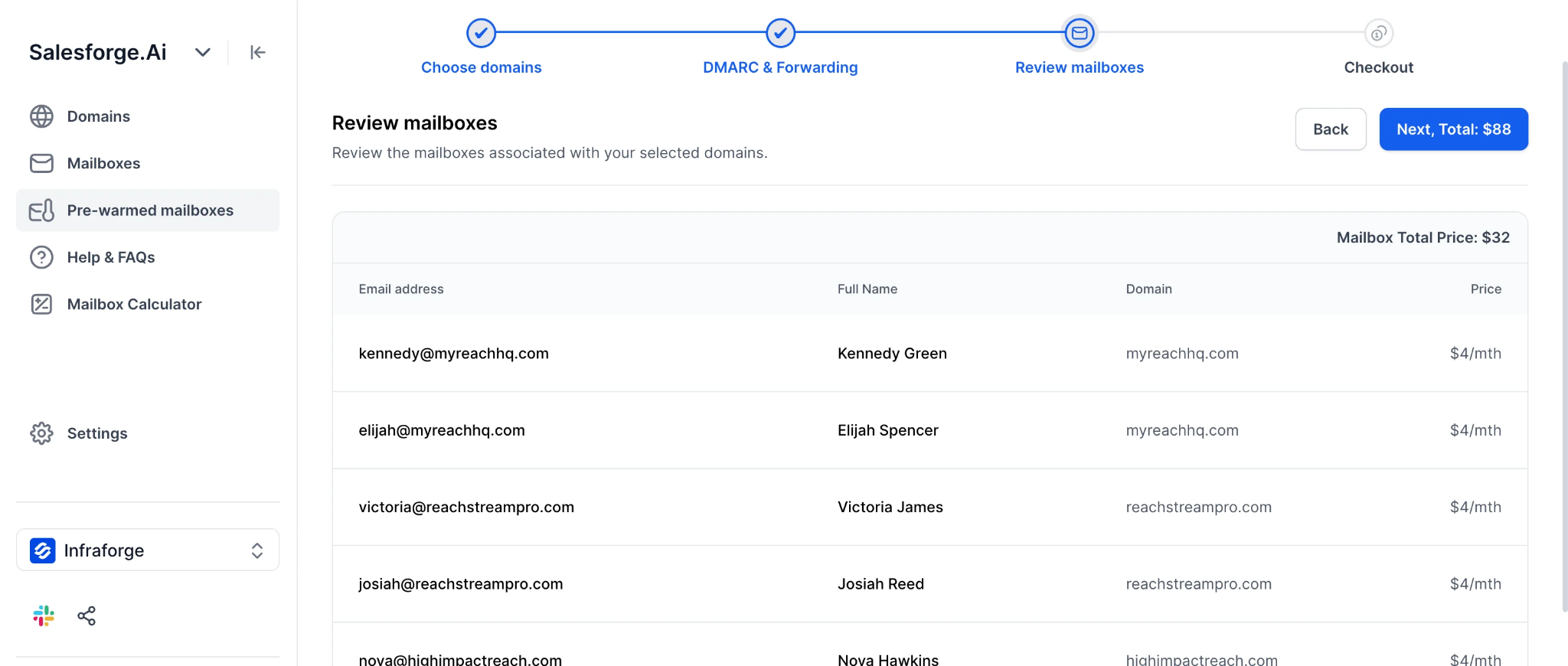
So, AirMail is the simpler choice if you already use Instantly and want everything in one place. Infraforge makes more sense if you want private infrastructure with more control over the tools you use.
Enter your email to get a custom plan & stack recommendation for your business
Please check your mailbox in 5 minutes

Instantly AirMail can be a solid choice if you already use Instantly and want to manage your cold email setup and campaigns in one place. At $4 per inbox per month, it keeps things simple with automatic SPF, DKIM, and DMARC setup, built-in warm-up, and infrastructure managed by Instantly.
That said, there are a few limits to keep in mind. Each inbox can send only 20 campaign emails per day, AirMail is built specifically for B2B sending, and Instantly recommends warming up inboxes for three weeks before launching campaigns.
If you want private cold email infrastructure without being tied to one sending platform, Infraforge is worth a look. It gives you dedicated IP infrastructure, automated DNS setup, and the flexibility to connect your mailboxes to Salesforge or other sending tools.
Build your private email infrastructure with Infraforge!