
Your main domain is the one thing in cold email you cannot afford to burn.
Send outreach from it, and one bad week of spam complaints can drag down every invoice, contract, and support reply your business sends.
That is why the domain vs subdomain question comes up so early for anyone starting cold email.
A domain is your main address, like company.com. A subdomain is a branch of it, like mail.company.com. They look almost the same, but inbox providers treat their reputation differently, and that difference decides where your cold email lands.
Here is what each one is, how Gmail and Outlook read them, and when a subdomain, a separate domain, or a set of real Google and Microsoft mailboxes is the right call.
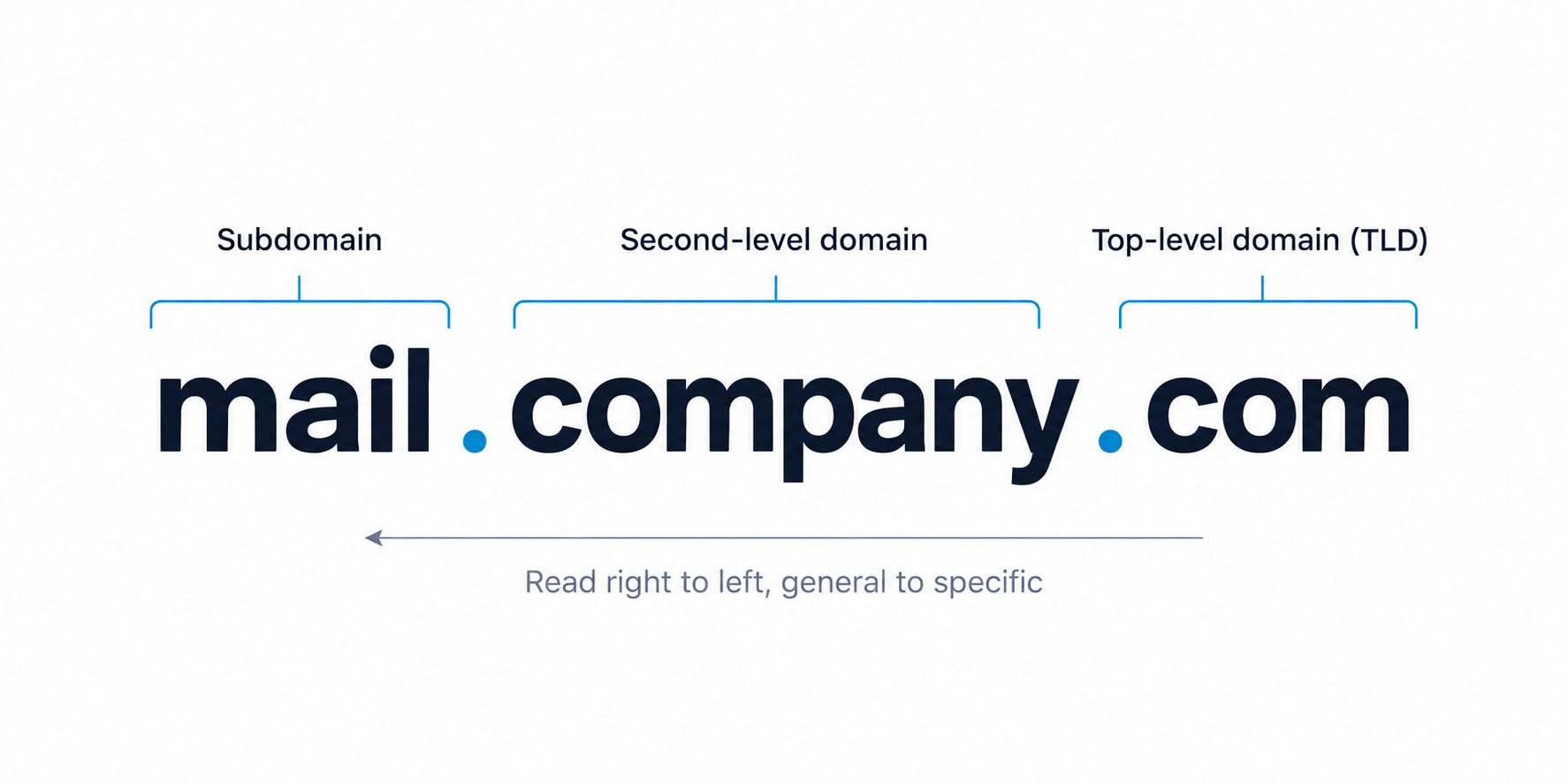
Here is the difference in one pass, before the details.
A domain is the main address people use to reach your business, like company.com. A subdomain is a branch of that domain, written as a prefix, like mail.company.com or go.company.com.
Both point to servers through DNS. The difference that matters for email is reputation. Gmail and Outlook track the reputation of your root domain and fold subdomain activity into it. A separate domain, by contrast, starts on its own clean reputation.
For cold email, that single fact drives the decision. I never send outreach from the primary domain. The real choice is between a subdomain and a set of separate sending domains.
Start with the part every reader already half knows, so the rest lands cleanly.
A domain has two visible parts. In company.com, the word company is the second-level domain and .com is the top-level domain, or TLD.
Read a domain from right to left: the TLD is the most general part, and each label to the left gets more specific. This is the address people type and the name your business is known by.
People remember names, not IP addresses. DNS maps a readable name to the numeric address of the server behind it.
For email, MX records tell other servers where to deliver mail for that domain. Authentication records then prove the mail is really from you. More on those further down.
A subdomain is not a separate website, even when it behaves like one.
A subdomain is a label placed in front of the root domain, like blog.company.com or mail.company.com. The root domain controls it, which creates a parent and child relationship.
You can spin up many subdomains under one domain, each configured in the same DNS zone.
This is the part that decides everything for cold email. Google Postmaster Tools and Microsoft SNDS track the root domain and its subdomains together.
A subdomain gives you partial separation, not full separation. Positive or negative signals on the subdomain still carry some weight back to the parent.
Teams use subdomains for blogs, stores, help centers, and app logins. Search engines often treat a subdomain as a separate site, so it does not automatically inherit the full authority of the main domain.
This is the rule that everything else follows from.
Cold email carries a higher chance of spam complaints and bounces than everyday business mail. If those signals land on your primary domain, they can pull down every message your company sends, including invoices, contracts, and support replies. Keeping outreach separate is the core idea behind sound cold email deliverability.
So I keep the primary domain for real business mail and send outreach from something built for the job. The question is only which shape that something takes.
With the main domain ruled out, this is the actual choice most teams face.
Here you send from a subdomain of your main domain, like mail.company.com. It keeps brand recognition, since a prospect can connect the sender back to you at a glance.
The trade-off is shared reputation. Because inbox providers track the subdomain and the root together, a bad run on outreach can flow some risk back to the parent domain. You get partial isolation, not a clean wall.
Here you buy a lookalike domain, like getcompany.com or trycompany.com, and send only from it. A problem stays contained on that domain and does not touch your main brand. This is the standard architecture in serious domain management for cold email.
Pick a clean variant of your brand so it does not read as a burner. Stick to a .com where you can, and avoid numbers, hyphens, and spam words like best, cheap, or deal. Cheap, abused TLDs took the hardest hits in recent deliverability crackdowns.
A subdomain is not wrong. It just has a narrow safe zone, and stepping outside it puts your main domain at risk.
Move to separate sending domains once you run multi-sender infrastructure, higher volume, or broader lists. Most teams that start on a subdomain migrate to separate domains within three to six months, usually right after volume climbs or list quality slips.
The record setup is the same job on a subdomain or a separate domain. Skipping it is the fastest way into the spam folder.
Authenticate every sending domain or subdomain with SPF, DKIM, and DMARC. A safe pattern is to start DMARC at p=none, monitor the reports, then tighten to quarantine and reject once alignment is solid.
Add functional MX records so the domain looks legitimate, and set reverse DNS so the sending name matches the IP. Mismatches here get flagged fast.
Give any new domain or subdomain two weeks of warmup at a minimum, ramping volume gradually. I warm up new mailboxes with steady, human-looking activity before a single cold email goes out.
Send from the same provider your prospect uses, Google to Google and Microsoft to Microsoft. ESP matching lifts primary inbox placement and helps you skip the promotions tab.
Once the domain choice is made, the mailboxes on it decide whether you land. This is where Primeforge does the heavy lifting.
Primeforge gives you real Google Workspace and Microsoft 365 mailboxes, built for cold outreach rather than daily office mail. Whether you run a subdomain or separate sending domains, the mailboxes sit on real provider infrastructure with automated SPF, DKIM, and DMARC. No EDU tricks, no loopholes.
The most stable senders run two or more providers to diversify. That way a matching mailbox is always ready for the prospect's inbox, and no single setup carries all the risk.
A quick side by side of the three sending setups for cold email.
| Factor | Main domain | Subdomain | Separate domain |
|---|---|---|---|
| Reputation isolation | None | Partial | Full |
| Brand recognition | Highest | High | Medium |
| Risk to primary domain | Very high | Some | Very low |
| Best sending volume | Not for cold email | Low, tight lists | Medium to high |
| Setup effort | Low | Low | Medium |
| Best for | Real business mail only | Low-volume, brand-led outreach | Scaled multi-mailbox outreach |
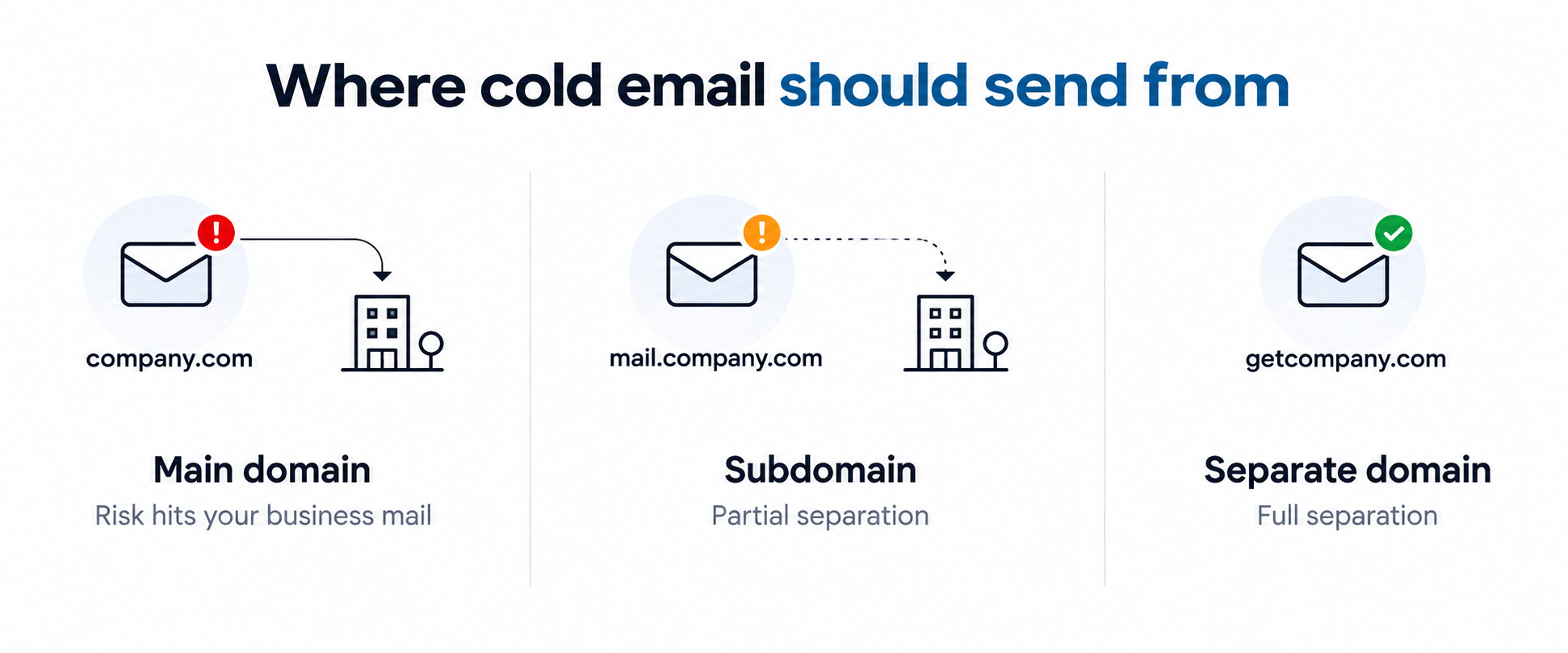
If I am sending cold email, the primary domain is off the table. A subdomain keeps the brand and gives partial separation, which is fine at low volume with a tight, verified list. Once I run real volume across multiple mailboxes, separate sending domains are the safer architecture, because a problem stays contained.
Either way, the mailboxes matter as much as the domain. Real Google Workspace or Microsoft 365 inboxes, authenticated, warmed, and matched to the prospect's provider, are what land in the primary inbox. Primeforge covers that layer, whichever domain route you choose.
Real Google and Microsoft mailboxes, ready in about 30 minutes. Set up Primeforge.
A domain is the main address of your website and email, like company.com. A subdomain is a branch placed in front of it, like mail.company.com. The root domain controls its subdomains, and inbox providers track their reputation together.
Use a subdomain only for low volume with a small, verified list, when brand recognition on the sender matters. Use separate lookalike domains once you run higher volume across multiple mailboxes, because they fully isolate reputation from your main domain.
No. Cold email carries a higher chance of spam complaints and bounces. If that damage lands on your primary domain, it can hurt every email your company sends, including invoices and support. Keep the primary domain for real business mail.
Partly. A subdomain gives some separation, but Google Postmaster Tools and Microsoft SNDS still track the subdomain and the root domain together. For full isolation, send from a separate domain instead.
Yes. Every sending domain or subdomain needs its own SPF, DKIM, and DMARC records. Add functional MX records and reverse DNS as well, so the setup looks legitimate to inbox providers.
Give it at least two weeks of warmup, ramping volume gradually before any cold email goes out. Pre-warmed mailboxes let you skip most of that wait and start sending on day one.
