
Personalized Outbound Strategy
Get The Right Outbound Strategy In Minutes
Enter your email to get a custom plan & stack recommendation for your business
It's being carefully crafted by AI
Please check your mailbox in 5 minutes

Amazon SES looks like an easy choice if you need to send a lot of email without paying a lot for it. It is built to handle transactional and bulk email at scale, and users often praise its low cost and reliability.
But once you start setting it up, there is more work involved than the price suggests. The same issues come up across Amazon SES reviews:
These are common themes in its G2 feedback, even though Amazon SES has a 4.3/5 rating from 203 reviews. That matters because SES gives you a lot of control over your email infrastructure, but it also leaves more of the setup and management to you.
So the bigger question is whether the low sending cost is worth that extra work.
In this Amazon SES review, I’ll break down its pricing, features, deliverability, pros and cons, and whether it is worth using in 2026.
Amazon SES gives you a reliable way to send transactional, marketing, and bulk email without running your own mail servers. You can send through SMTP or API, use shared or dedicated IPs, and monitor your sending activity. AWS also applies daily and per-second sending quotas to each SES account.
But SES is not a ready-made cold email infrastructure platform. It does not give you the domains and mailboxes you would normally manage for outbound campaigns. That is the key difference compared with Infraforge.
Infraforge basically takes more of the cold email infrastructure work off your plate. You can manage domains and mailboxes from one dashboard, automate DNS setup, use dedicated IPs, make bulk DNS changes, and connect the mailboxes to Salesforge or other sending software.
So I would pick Amazon SES for receipts, OTPs, product notifications, marketing emails, and other application-driven sending. If the goal is to set up and manage private infrastructure for cold outreach, Infraforge is the more purpose-built option.
Amazon SES reviews show a pretty clear trade-off. Users like the low cost, reliable sending, and ability to handle large email volumes. The bigger complaints are around setup, AWS's interface, and the technical work needed to manage the service.
Reddit users mostly focus on what it takes to keep SES running properly. One user pointed out that you need to handle bounces and spam complaints carefully. If those rates get too high, AWS can restrict your sending.
Deliverability can also need extra work. One user had trouble reaching Outlook inboxes even after setting up SPF and DKIM. Other users discussed dedicated IPs and custom MAIL FROM as ways to get more control over sending.
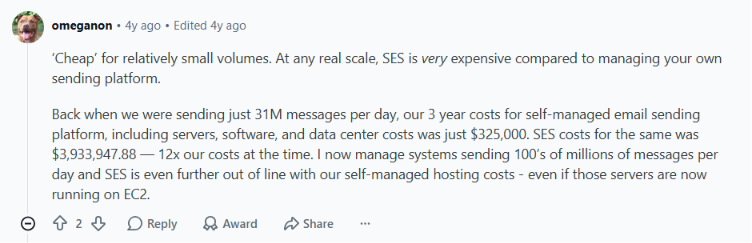
Cost is another interesting point. SES is cheap for many senders, but one high-volume operator said it became much more expensive than running their own email infrastructure when sending tens of millions of emails per day.
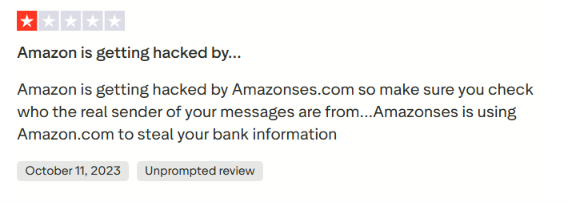
Trustpilot is less useful for judging SES itself because the review sample is small and several reviews are from people receiving spam sent through SES, rather than businesses actually using the service.
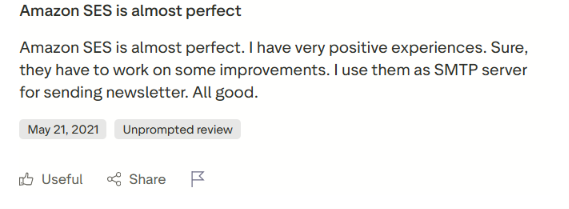
Among the relevant reviews, one user gave SES 5/5 and said it worked well as an SMTP server for newsletters. Another liked its low cost but complained about its reputation metrics.
So Trustpilot gives a mixed picture, but there are not enough relevant product reviews to draw a strong conclusion.
G2 gives a much clearer picture. Amazon SES has 4.3/5 from 203 reviews. Reliability, affordability, and deliverability are common positives. Difficult setup, poor support, interface design, and the learning curve appear among the common complaints.
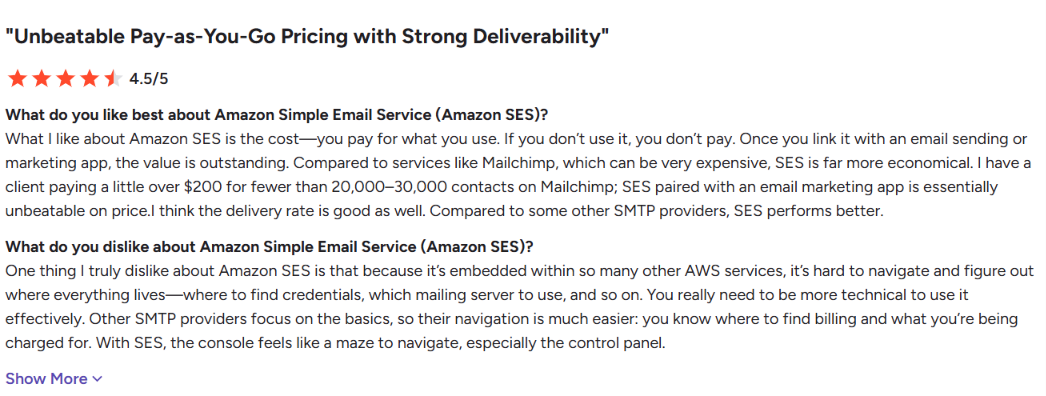
One reviewer praised the pay-as-you-go pricing and delivery performance but said the AWS console can feel like a maze and requires technical knowledge.
Another liked SES for reliable bulk and transactional email but said domain verification, SPF, DKIM, and sandbox restrictions make the initial setup harder for beginners.
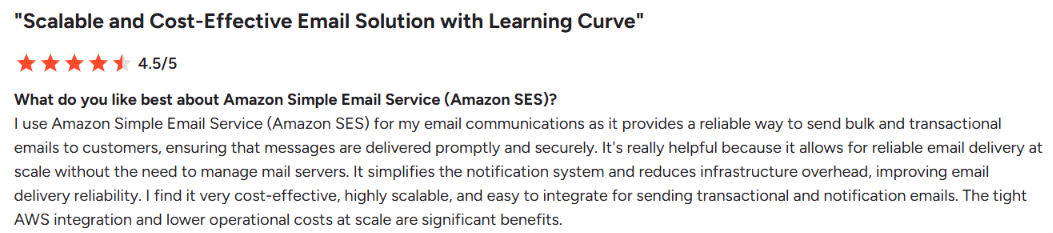
SES gives you cheap, scalable email sending, but you are trading ease of use for more control and a lower sending cost.
Amazon SES has a lot of features, but you probably will not use all of them. The ones that matter most depend on whether you simply need an SMTP service or want more control over deliverability, sending reputation, and email infrastructure.
Here are the Amazon SES features I would pay attention to.
One thing I like about Amazon SES is that it doesn’t force you into a single way of sending email. You can use SMTP, the SES API, AWS CLI, or an AWS SDK, which makes it flexible enough to connect to an existing app or build directly into your own product.
SES also supports transactional emails, marketing emails, and newsletters. The trade-off is that it gives you the email infrastructure, not a ready-made campaign tool. You still need to decide how your application will use it and set that up yourself.
This is one of the most useful SES features if you want to understand what happens after you hit send. Virtual Deliverability Manager gives you visibility into bounces, opens, clicks, delivery, and engagement data. You can also break those numbers down by ISP, sender identity, and configuration set.
What makes it especially helpful is that SES does more than point out problems. When it detects deliverability issues, it can recommend fixes, including for SPF, DKIM, and DMARC. You can even let SES automatically apply some of those recommendations for you.
Authentication is another area where SES gives you a lot of control. It supports SPF, DKIM, and DMARC, which are the main standards used to show that your emails are coming from an authorized sender.
If you use Easy DKIM, SES can also sign outgoing messages for you. But you still need to set everything up properly. Just because SES supports these standards does not mean your domain is automatically ready to send emails.
If you are sending at higher volumes, SES also gives you the option to move beyond shared infrastructure. There are standard and managed dedicated IPs. Standard dedicated IPs give you more responsibility for setup and management. Managed dedicated IPs reduce some of that work by helping with IP scaling and warmup.
For smaller senders, this may be more infrastructure than you need. But at scale, having more control over your sending reputation can become important.
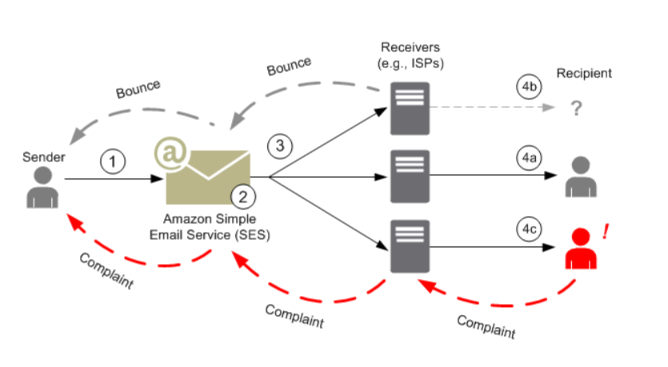
This is a feature I would keep an eye on once campaigns are running. The Reputation Dashboard tracks bounces, complaints, spamtrap hits, blocked domains, and other events that could hurt deliverability. You can also send bounce and complaint metrics to CloudWatch and create alerts when they reach certain levels.
That visibility matters because Amazon can pause your ability to send if it sees high bounce rates, complaints, or other signs of poor-quality email.
Global Endpoints will not matter to every SES user, but it becomes interesting if email is critical to your product. You can run sending across two AWS Regions. Normally, traffic is split between them. If one Region has a problem, SES shifts traffic to the other without requiring you to intervene.
Both Regions also warm their IPs in parallel, so either side can take the full sending workload when needed. For a small campaign, that is probably overkill. For a product sending millions of important emails, the extra resilience makes much more sense.
I also like that you can test failure scenarios before they happen with real recipients. The Mailbox Simulator can simulate successful deliveries, hard bounces, out-of-office responses, and complaints without hurting your sender reputation.
That makes it useful when you are building or testing an SES integration and want to make sure your application handles these events correctly.

Amazon SES pricing is based on how many emails you send, but the plan you choose changes both the sending rate and the features included.
The per-email price gets lower after 10 million emails and again after 100 million emails. AWS applies these discounts by tier, so only the volume inside the higher tier gets the lower price.
Let’s say you send 250,000 emails per month on Essentials. At $0.16 per 1,000 emails, the sending charge comes to $40. AWS's own example then adds $0.96 for outgoing mail data, bringing the total to $40.96.
That is where SES makes sense. If you only need infrastructure to send email, you can keep the base cost low instead of paying hundreds of dollars for a full email platform. But $0.16 per 1,000 emails is not necessarily your final cost.
Sending attachments costs another $0.12 per GB. Some features are paid add-ons depending on your plan. And if your setup uses EC2, S3, SNS, or custom CloudWatch metrics and dashboards, those services are billed separately.
If you only need SES to send emails, Essentials is the lowest-cost option. You would move to Pro or Enterprise when you need the additional deliverability and infrastructure features included with those plans.
Amazon SES gives you more control than a typical plug-and-play email service, but that also means more work sits with you. You control things like:
The catch is that SES gives you the infrastructure and controls, not a hands-off deliverability service. Reviews back this up. Users like its reliability, scale, authentication options, and tracking, but several also mention difficult setup, strict sending limits, production-access requirements, and the AWS knowledge needed for more advanced configurations.
So, you get a lot of control over how email is sent and monitored, but you are also responsible for configuring it properly and protecting your sender reputation.
Amazon SES makes the most sense when you have the technical resources to configure and manage your email setup. It gives you plenty of control, but that control comes with more work.
That is the main trade-off with Amazon SES. You get a lot of control over how email is sent, but you also take on more responsibility for setting it up and managing it properly.
If you are considering Amazon SES to build private cold email infrastructure, Infraforge is the alternative I would consider first. With Amazon SES, you get the sending service, but you still need to configure and manage the infrastructure around your cold outreach. Infraforge packages more of that work into one cold email setup.
For example, Infraforge automatically configures SPF, DKIM, and DMARC when you add a domain. You also get:
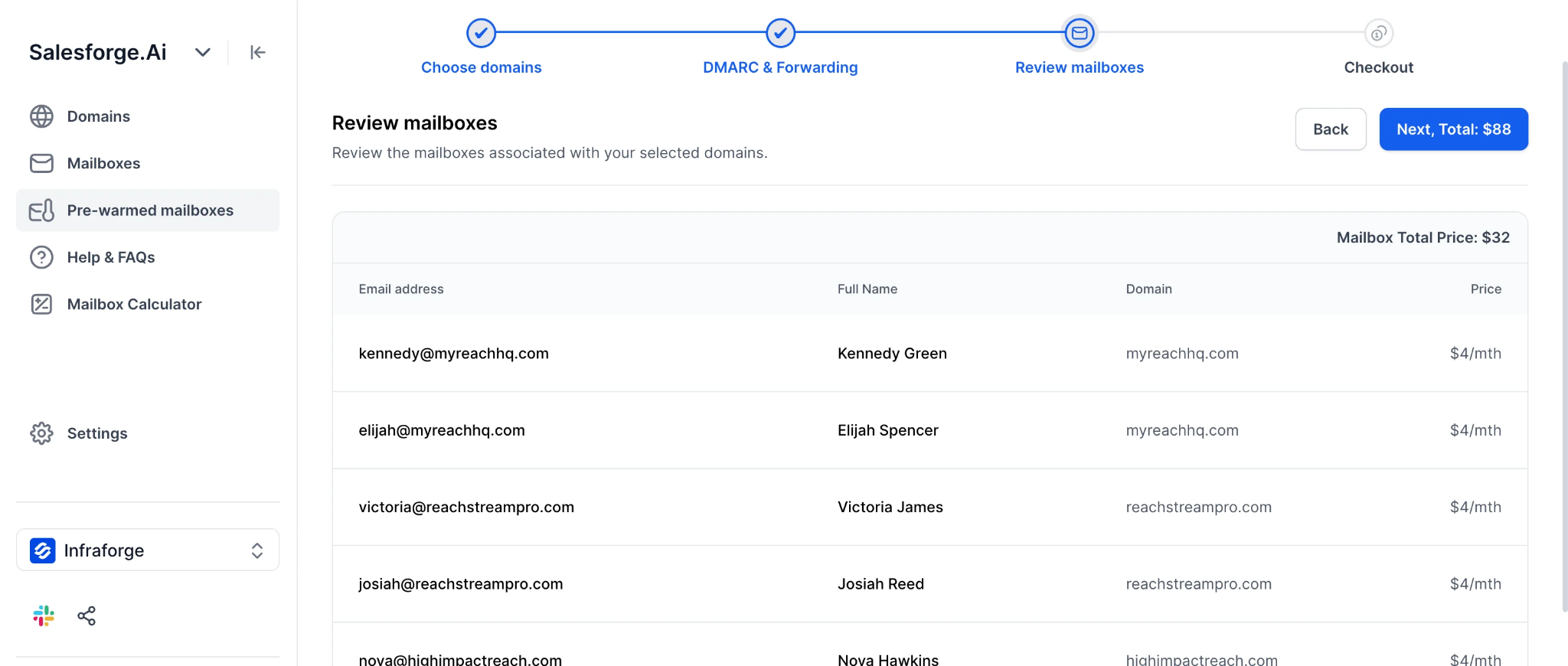
The pricing is also easier to understand for a cold email setup. Mailboxes cost $4 per month with annual billing, with a minimum of 10 mailbox slots. Dedicated IPs cost $99 per IP per month with quarterly billing, and .com domains are listed at $14 per year.
So, I would not switch from SES to Infraforge for transactional emails like receipts or app notifications. But if the goal is to manage domains, mailboxes, dedicated IPs, authentication, and outbound infrastructure from one place, I would choose Infraforge over building a cold email setup on SES.
Enter your email to get a custom plan & stack recommendation for your business
Please check your mailbox in 5 minutes

Amazon SES is a good choice when you need to send large volumes of transactional or application email without paying traditional per-user mailbox costs. It gives developers control over how email is sent, scales with usage, and fits naturally into applications already running on AWS.
The trade-off is that SES is an email sending service, not a complete cold email setup. If you are trying to build outbound infrastructure, you still need to think about domains, mailboxes, authentication, IP reputation, and the tools used to run your campaigns.
That is why I would not choose SES just because its sending costs look low. For receipts, OTPs, notifications, and application email, SES makes sense. For cold outreach, I would use infrastructure designed for that job.
Infraforge is one option if you want private cold email infrastructure. It brings mailboxes, dedicated IPs, automated SPF, DKIM, and DMARC setup, bulk DNS management, and deliverability monitoring into the same setup.
If that is what you are trying to build, you can start with Infraforge here.