AI email agents in 2026 generally fall into two groups. Some tools provide the infrastructure agents need to send and receive emails. Others are built directly into the sales workflow, helping teams personalize outreach, manage replies, follow up with prospects, and move interested leads closer to a meeting.
That difference can be easy to miss because almost every product now calls itself an AI email agent. So instead of sorting these tools by category or relying on marketing language, I focused on what each one actually does with email.
I looked at how much each agent can really handle: whether it can send and receive emails, understand prospect context, manage follow-ups, respond to replies, and keep a conversation moving without a sales rep stepping in at every stage.
This list includes a mix of tools, from agent-first email infrastructure platforms like Mailforge and AgentMail to sales-focused platforms like 6sense, Warmly, and Salesloft.
Mailforge: Best for email infrastructure that supports AI-powered outreach at scale.
AgentMail: Ideal for giving AI agents programmable inboxes to send and receive emails.
6sense: Best for using real-time buyer signals to personalize emails and automate replies.
Regie.ai: Ideal for automating prospect research, personalized emails and follow-ups.
Warmly: Best for turning website activity and intent signals into personalized email outreach.
Salesloft: Ideal for helping sales reps research prospects and write personalized emails faster.
ContactSwing: Best for automating email replies and follow-ups 24/7.
How I Evaluated These AI Email Agents
I ranked these tools by how much of the email-to-pipeline workflow they can actually handle.
Autonomy: Can it send, reply, and follow up without constant rep input?
Context: Does it use prospect data, past conversations, or buying signals?
Replies: Can it understand interest, objections, and questions?
Pipeline: Can it qualify leads, book meetings, or hand them to sales?
Setup: Does it provide inbox infrastructure or connect to your existing stack?
Pricing: What does it cost to run the full workflow?
The higher a tool scored across these areas, the higher it ranked. Now, let's get into the seven AI email agents.
7 AI Email Agents to Drive Pipeline in 2026: Quick Comparison
Tool
AI Email Writing
Automated Replies
Prospect Research
Personalization
Automated Follow-Ups
Mailforge
Gives AI agents programmable inboxes
No
No
No
No
AgentMail
Via connected AI agent
Via connected AI agent
No
Via connected AI agent
Via connected AI agent
6sense
Yes
Yes
Buyer signals
Real-time buyer signals
Yes
Regie.ai
Yes
Replies route to reps
Yes
Buyer and persona context
Yes
Warmly
Yes
Not clearly stated
Finds stakeholders
CRM, website and intent data
Yes
Salesloft
Yes
Not stated as autonomous
Yes
Account, buyer and interaction context
Via Cadences
ContactSwing
Yes
Yes
Not stated
Knowledge base, FAQs and brand voice
Yes
1. Mailforge
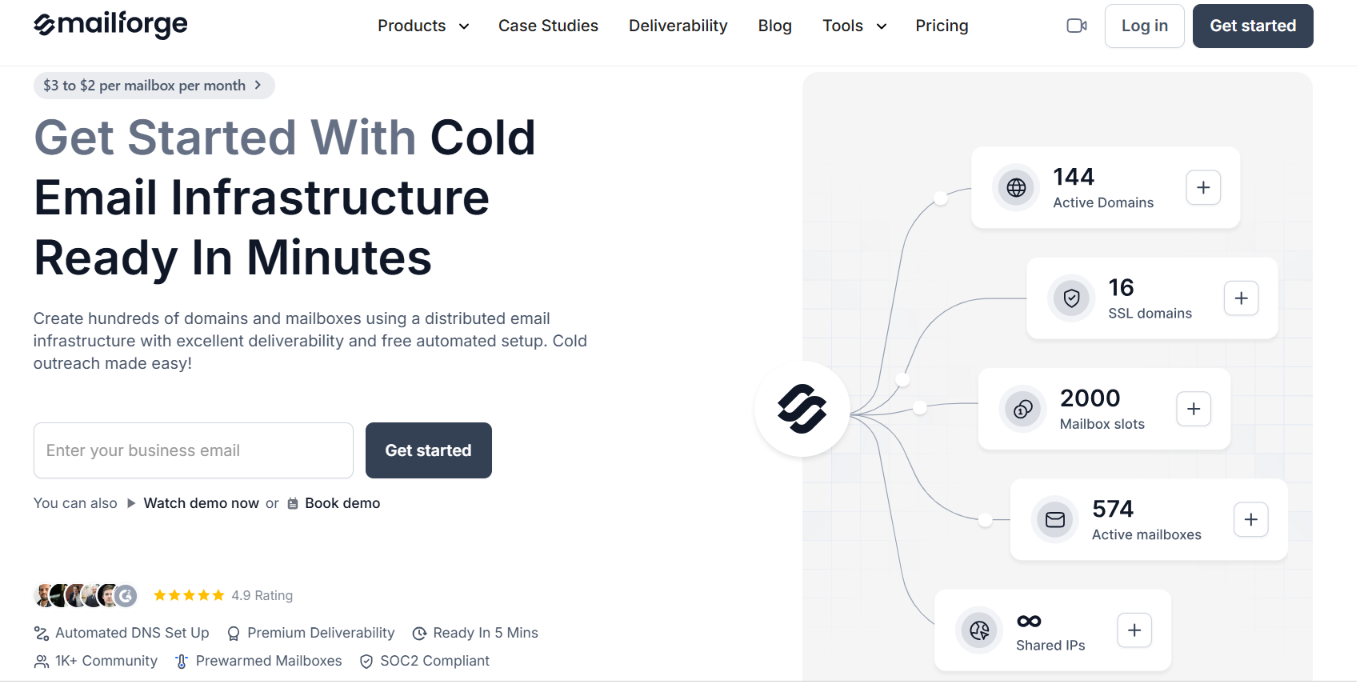
This image shows the Mailforge homepage
Mailforge is not an AI agent that writes or replies to emails by itself. Instead, it acts as the email infrastructure layer an AI agent can rely on to create and manage domains, mailboxes, DNS, and sending accounts at scale.
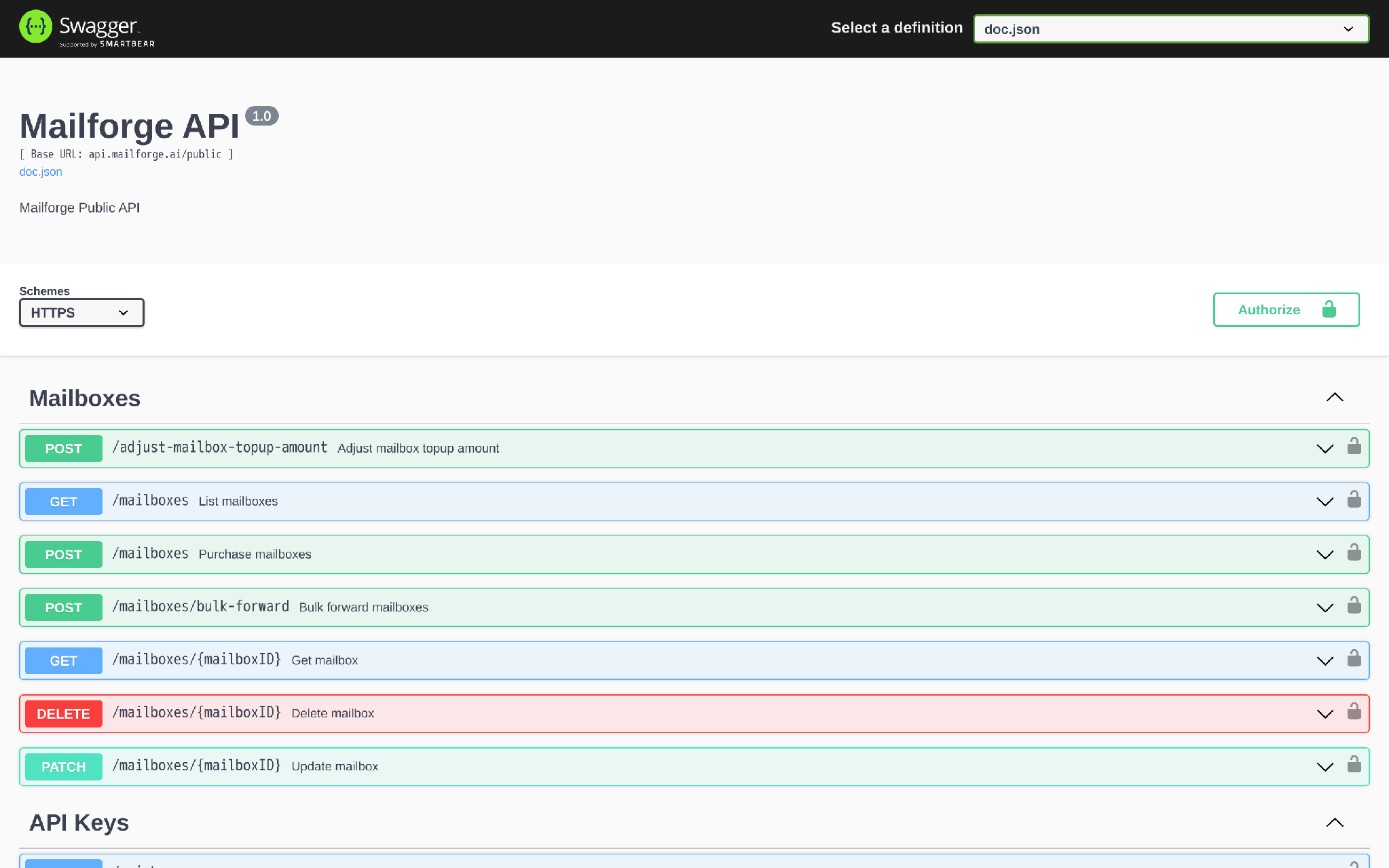
That becomes important when your agent needs to work across more than one inbox. Mailforge can set up workspaces, domains, mailboxes, DNS, and forwarding through its API. It also supports MCP, which means compatible AI assistants can access Mailforge actions directly.
How Mailforge Helps as an AI Email Agent
Gives AI agents real mailbox infrastructure: Agents can use Mailforge domains and mailboxes instead of relying on a single personal Gmail account.
Supports API, MCP, and CLI access: AI assistants and custom workflows can inspect and manage Mailforge infrastructure programmatically.
This image shows the Mailforge API Swagger reference
Automates setup: Mailforge takes care of SPF, DKIM, and DMARC for the infrastructure it creates.
Works with sending tools: Once mailboxes are active, they can be moved into Salesforge or another sending platform.
Built for cold outreach: Its shared infrastructure is designed specifically for outbound email, not regular employee email.
Pros of Mailforge
Can provision large numbers of domains and mailboxes without setting them up one by one.
MCP and API access make it useful for AI-driven or automated GTM workflows.
Automated DNS setup removes a large part of the manual infrastructure work.
Works with Salesforge and other sending platforms.
Cons of Mailforge
Mailforge does not write emails, run sequences, score replies, or manage conversations itself.
You still need a sending or sales engagement layer after the infrastructure is ready.
Mailbox slots start at a minimum of 10.
Mailforge Pricing
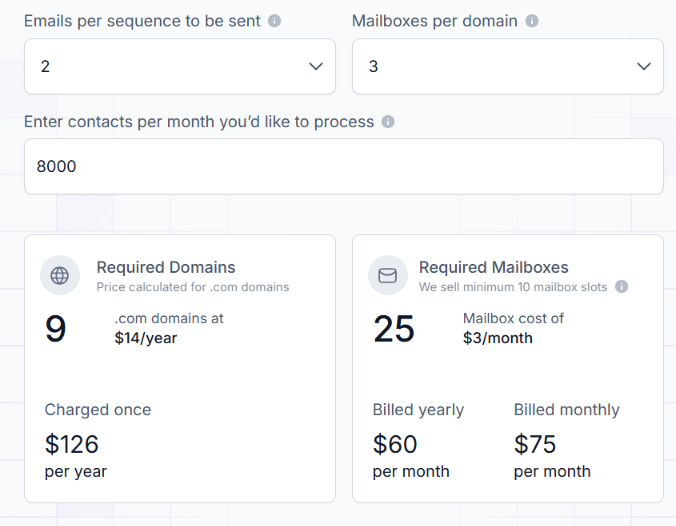
This image shows the Mailforge pricing
Mailboxes: $3 per mailbox per month with monthly billing.
Annual billing example: 25 mailboxes cost $60 per month.
Domains: .com domains cost $14 per year.
Minimum: 10 mailbox slots.
SSL & Domain Masking: $2 per domain per month.
A pricing example on Mailforge shows 25 mailboxes at $60/month when billed yearly or $75/month when billed monthly, plus nine .com domains at $14 per year each.
So Mailforge makes the most sense when your AI email workflow already has an agent or sending layer and needs scalable mailbox infrastructure underneath it.
Personalized Outbound Strategy
Get The Right Outbound Strategy In Minutes
Enter your email to get a custom plan & stack recommendation for your
business
It's being carefully crafted by AI
Please check your mailbox in 5 minutes
2. AgentMail
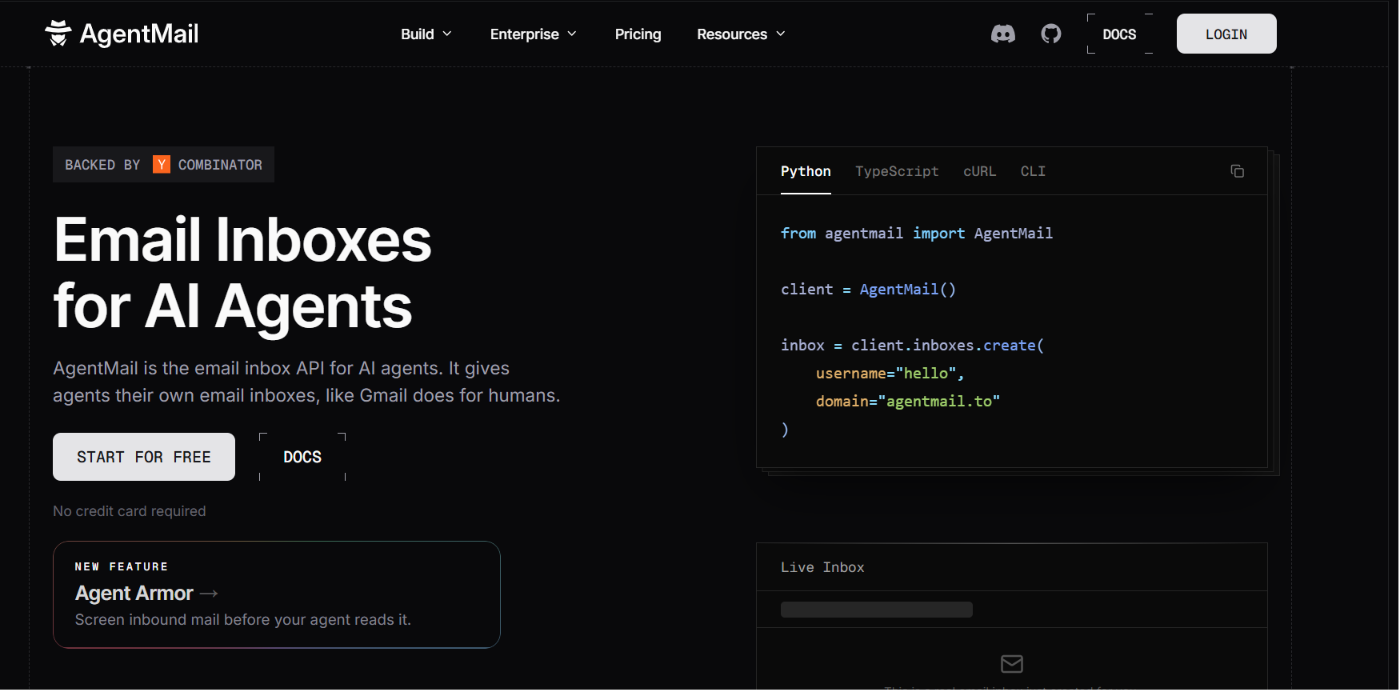
This image shows the AgentMail homepage
AgentMail approaches email infrastructure differently. It is built specifically to give AI agents their own email inboxes, rather than adapting inboxes designed for human users.
Each agent can get a persistent inbox through the API and use it to send and receive emails. Replies stay threaded to the original conversation, while webhooks and WebSockets let the agent react to new messages in real time.
That makes AgentMail a strong fit for developers building AI agents that need email as part of their workflow. It provides the inbox layer and API infrastructure, but you still need to build the agent logic that decides what to send and how to respond.
How AgentMail Helps as an AI Email Agent
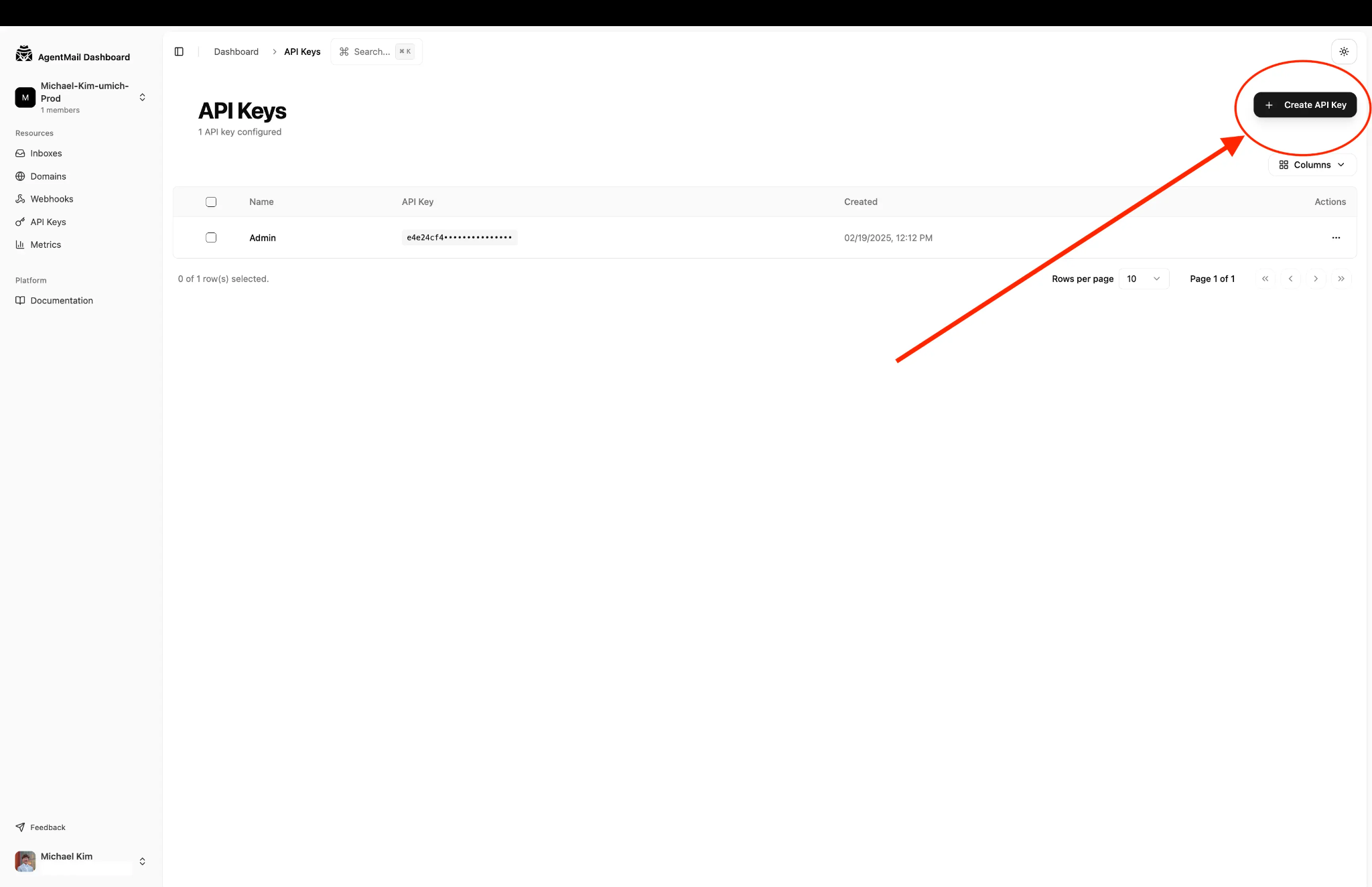
This image shows how to Create API key on AgentMail first
Creates inboxes by API: Give each agent its own email address without manual setup.
Handles two-way email: Agents can send messages and reply inside the same thread.
Receives replies in real time: Webhooks and WebSockets can trigger the agent when a new email arrives.
Supports many inboxes: You can create tens, hundreds, or thousands of inboxes for different agents.
Works with agent tools: AgentMail supports SDKs, MCP, and custom integrations.
Pros of Agentmail
Built for AI agents so each agent can have its own inbox and email identity.
Handles two-way email so agents can send messages and continue conversations when replies come in.
Creates inboxes through the API which makes it easier to manage many agents without manual mailbox setup.
Receives emails in real time through webhooks and WebSockets so agents can react to new messages quickly.
Supports custom agent workflows through its API, SDKs, and MCP support.
Cons of Agentmail
It does not provide the sales logic or qualification logic for the agent.
Custom domains require a paid plan.
It is better suited to developers than teams looking for a ready-made sales tool.
AgentMail Pricing
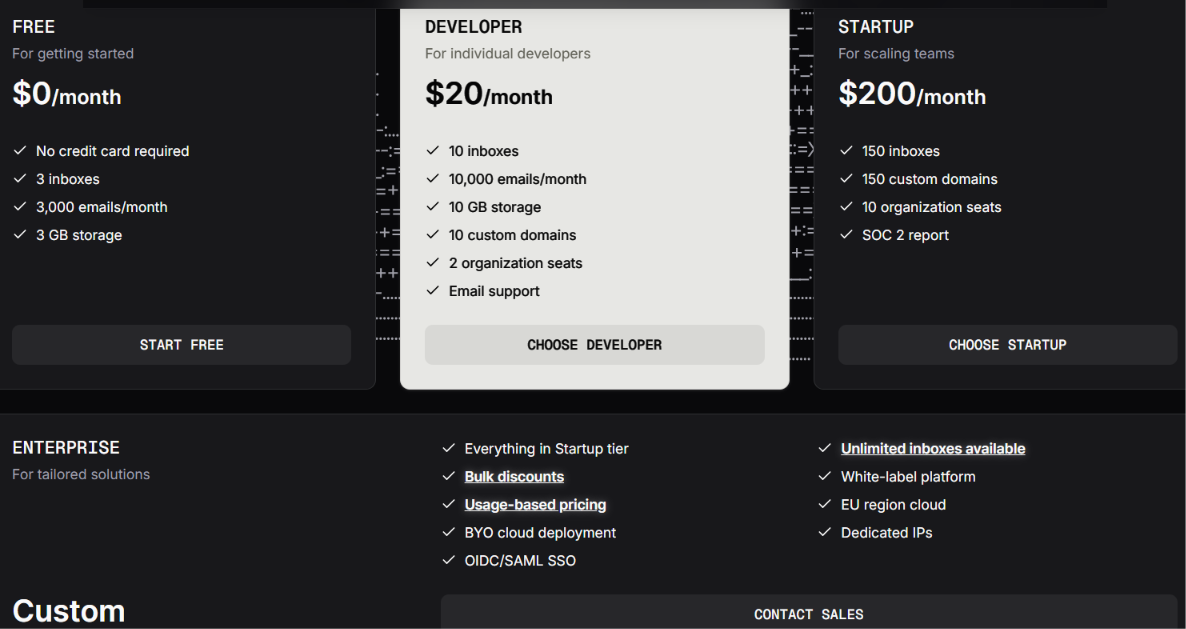
This image shows the AgentMail pricing
Free: $0/month for 3 inboxes and 3,000 emails per month.
Developer: $20/month for 10 inboxes and 10,000 emails per month.
Startup: $200/month for 150 inboxes and 150,000 emails per month.
Enterprise: Custom pricing with up to unlimited inboxes.
3. 6sense
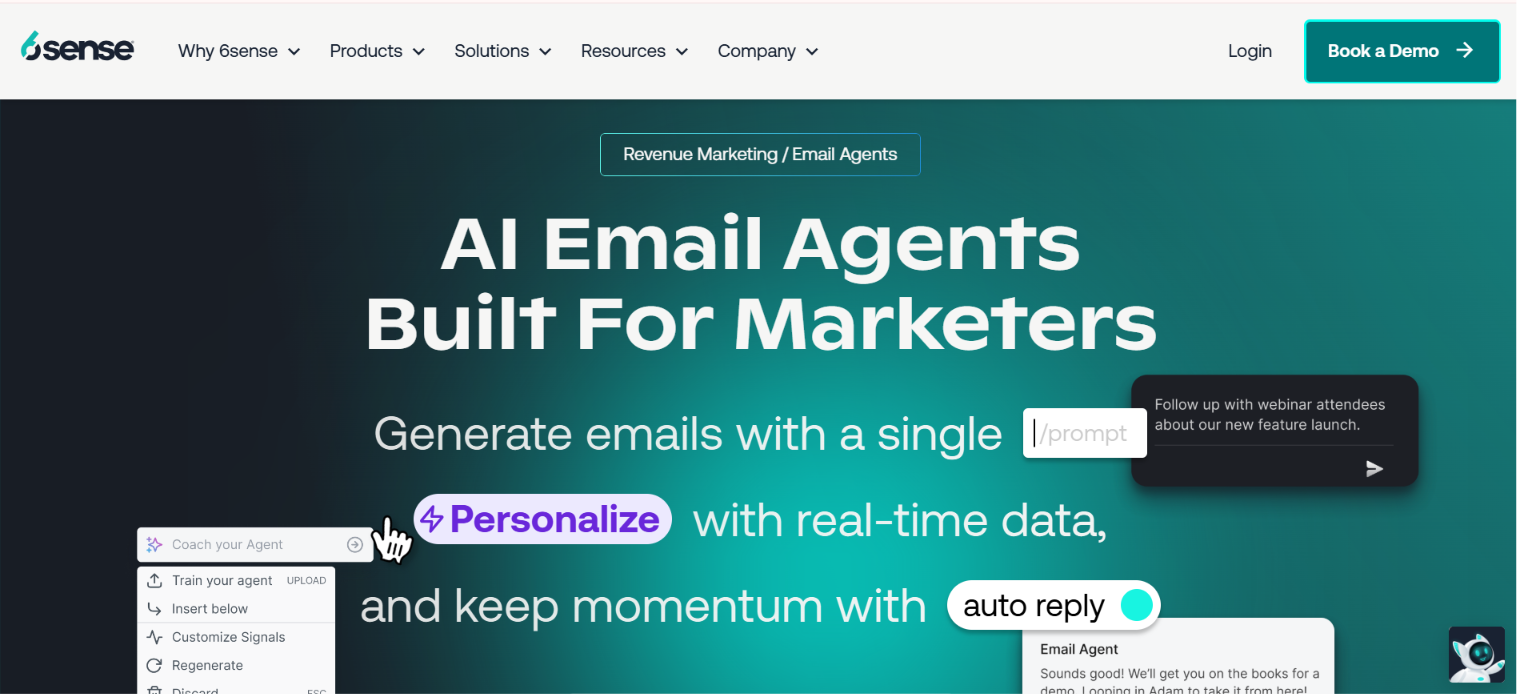
This image shows the 6sense homepage
6sense built its AI Email Agents around the buyer data already inside its revenue platform. Instead of personalizing emails with basic contact fields, it can use intent signals, company and people data, CRM history, and product knowledge to shape each message.
The agent handles more than writing. It can build complete email sequences from a prompt, respond to incoming replies, follow up with prospects, and qualify interest before bringing in a sales rep.
That makes 6sense best suited to marketing and sales teams that want their email outreach tied closely to buyer intent and account activity.
How 6sense Helps as an AI Email Agent
Builds complete email sequences: 6sense can turn a single prompt into multi-email sequences for outbound, inbound, or event follow-up.
Personalizes emails with buyer data: It uses intent signals, company data, CRM history, and product knowledge to tailor each message.
Handles prospect replies: The AI can classify incoming replies and respond based on the prospect’s questions or objections.
Keeps follow-ups moving: It can continue conversations automatically instead of waiting for a sales rep to write each response.
Qualifies leads before handoff: The agent can engage prospects and validate their needs before bringing in the right sales rep.
Helps protect email delivery: 6sense supports email validation, bounce monitoring, and dedicated AI agent inboxes for outreach.
Pros of 6sense
Uses real buyer intent and CRM context instead of basic merge fields.
Can handle two-way email conversations without a rep managing every reply.
Works across outbound, inbound, re-engagement, and event follow-up.
Can qualify prospects before handing them to sales.
Tracks qualified conversations and pipeline impact instead of only opens and clicks.
Cons of 6sense
6sense does not publish pricing for AI Email Agents in the provided material.
It makes more sense for teams already using 6sense data or its wider GTM platform.
The broader platform may be more than a small team needs if it only wants email automation.
6sense Pricing
6sense does not publish fixed pricing for its AI Email Agents.
AI Email Agents: Custom pricing
Public starting price: Not listed
Free plan: Not listed
Getting a quote: Requires contacting 6sense
You need to book a demo or contact 6sense directly to get pricing based on your requirements.
4. Regie.ai
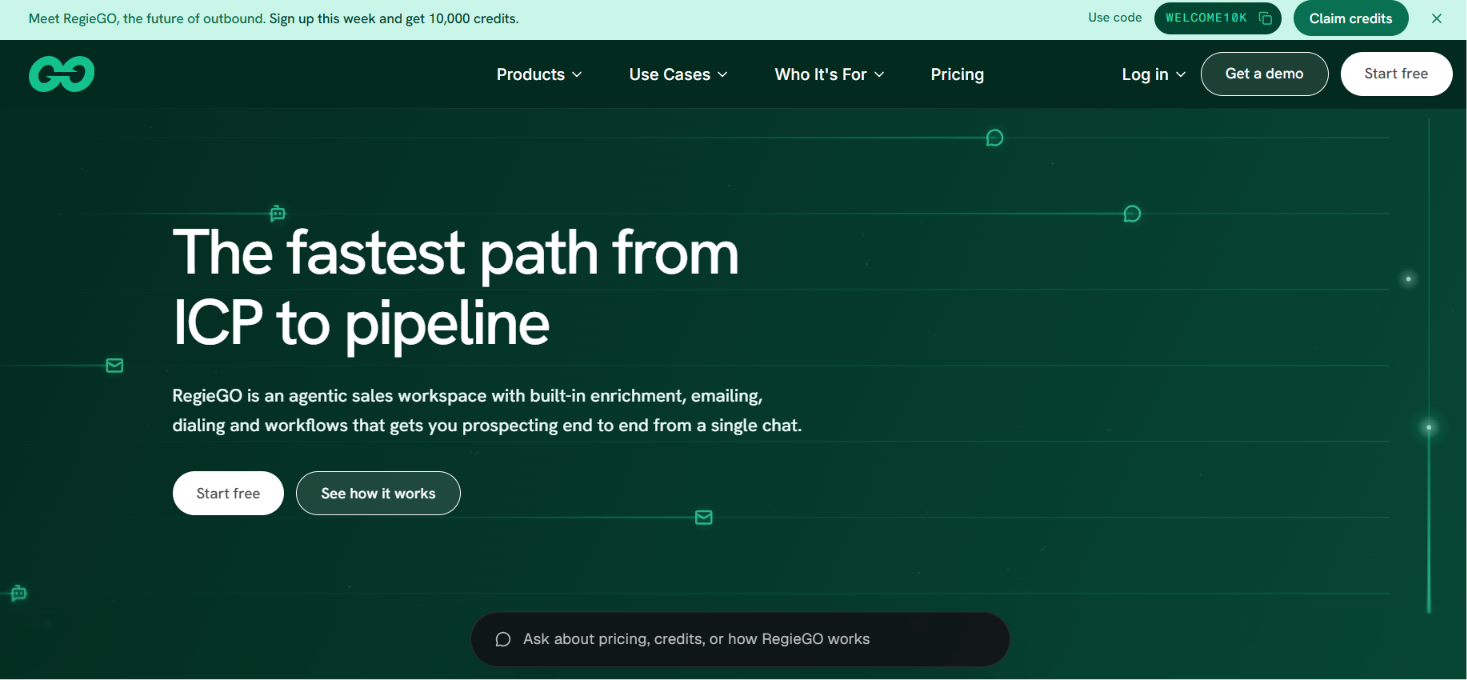
This image shows the Regie.ai email agent
Regie.ai is not a pure email-only agent, but its RegieGO product can handle a large part of the outbound email workflow. It starts with prospect research. RegieGO looks at the account, finds a current reason to reach out, and uses that context to draft the email.
It can then prepare follow-ups based on new account activity instead of repeating the same message.
The key thing here is control. Regie.ai says reps can review drafts before they go out, which makes it feel more like an AI-assisted email agent than a fully autonomous one.
How Regie.ai Helps as an AI Email Agent
Builds outreach from your ICP: RegieGO reads your website, suggests target roles and companies, then builds a prospect list.
Researches before writing: Each email can use verified account research, your sales pitch, and a reason to act now.
Writes personalized emails at scale: RegieGO drafts outreach for many prospects while keeping each message tied to its own research.
Keeps follow-ups current: Follow-up messages can change based on new prospect or account information.
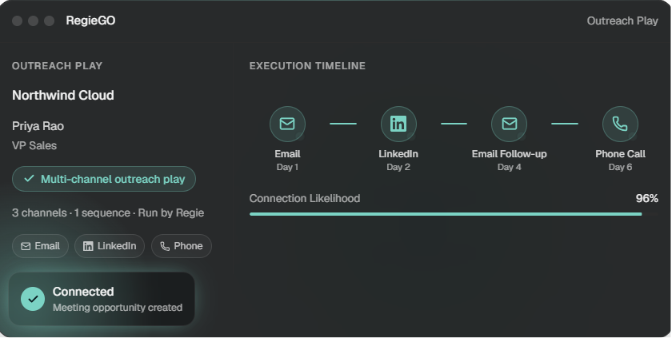
Runs email with other channels: Email, LinkedIn, and phone steps can sit inside the same outreach play.
This image shows the Multi channel outreach play by Regie.ai
Schedules daily prospecting work: Agents can keep adding prospects and drafting emails on a set schedule.
Pros of Regie.ai
Emails are grounded in account research instead of basic merge fields.
Follow-ups can change with new prospect or company signals.
Reps can see the source behind claims used in the email.
The platform keeps research, drafting, and follow-up in one place.
You can test the workflow on the free plan.
Cons of Regie.ai
It is broader than an email agent and includes dialing plus LinkedIn.
Credit usage applies to research, drafting, enrichment, and other actions.
Regie.ai Pricing
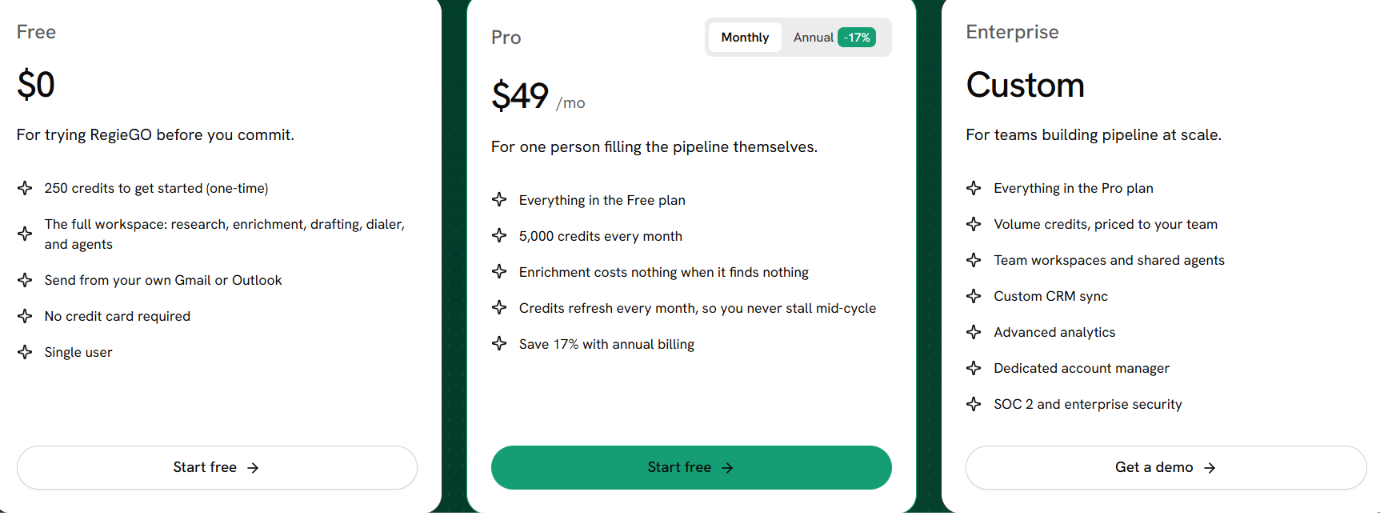
This image shows the Regie.ai pricing
Free: $0 with 250 one-time credits.
Pro: $49 per month with 5,000 credits each month.
Enterprise: Custom pricing.
Annual billing: 17% lower than monthly pricing.
5. Warmly
This image shows the Warmly AI agent homepage
Warmly approaches AI email from the buyer-signal side. Instead of starting with a static contact list, it watches for intent such as website visits, CRM activity, job changes, and research signals. It then uses that context to decide who should get outreach.
Its TAM Agent helps find buying committee members, enrich their contact details, and move them into email sequences. Teams can choose to have Warmly send emails through AI or keep reps involved in the process. That makes Warmly a good fit when you want the email agent to respond to real buying activity rather than just send pre-built sequences.
How Warmly Helps as an AI Email Agent
Starts outreach from buyer signals: Website visits, CRM activity, intent data, and job changes can trigger email outreach.
Finds the right people to contact: The TAM Agent identifies buying committee members and enriches their work emails.
Sends through AI or reps: Warmly supports autonomous sending, rep-led outreach, or a hybrid setup.
Changes nurture as intent changes: Email campaigns can adjust by persona, buying stage, and recent behavior.
Follows up with website visitors: Identified visitors can receive automatic email follow-up after they leave.
Keeps account context across touches: Email activity sits alongside website visits, CRM history, and other engagement data.
Pros of Warmly
Outreach can start when a buyer shows intent instead of waiting for a fixed sequence.
Email personalization can use account activity and CRM context.
Warmly can find the contact and run the outreach in the same system.
Teams can choose between autonomous AI sending and rep control.
Inbound visitor activity can feed directly into email follow-up.
Cons of Warmly
Warmly is much broader than an email-only agent.
Its strongest email use cases depend on the wider signal and enrichment layer.
Pricing is high if your only goal is AI-powered email outreach.
Warmly Pricing
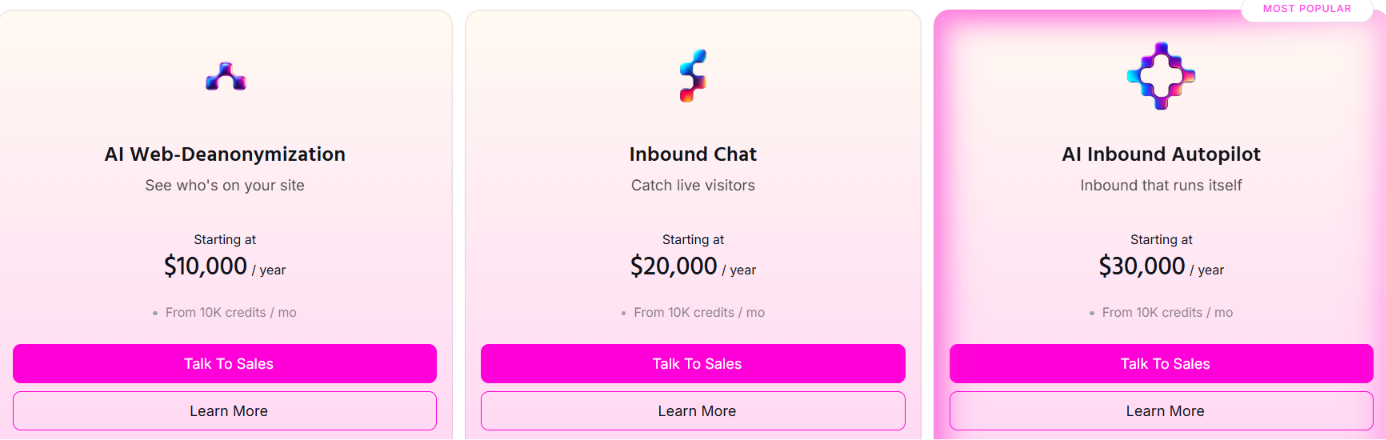
This image shows the Warmly pricing
For AI email outreach, the most relevant option is the TAM Agent starting at $15,000 per year. It covers intent scoring, buying committee identification, contact enrichment, and outbound orchestration.
Warmly also offers broader inbound plans. AI Web-Deanonymization starts at $10,000/year, Inbound Chat at $20,000/year, and AI Inbound Autopilot at $30,000/year.
6. Salesloft
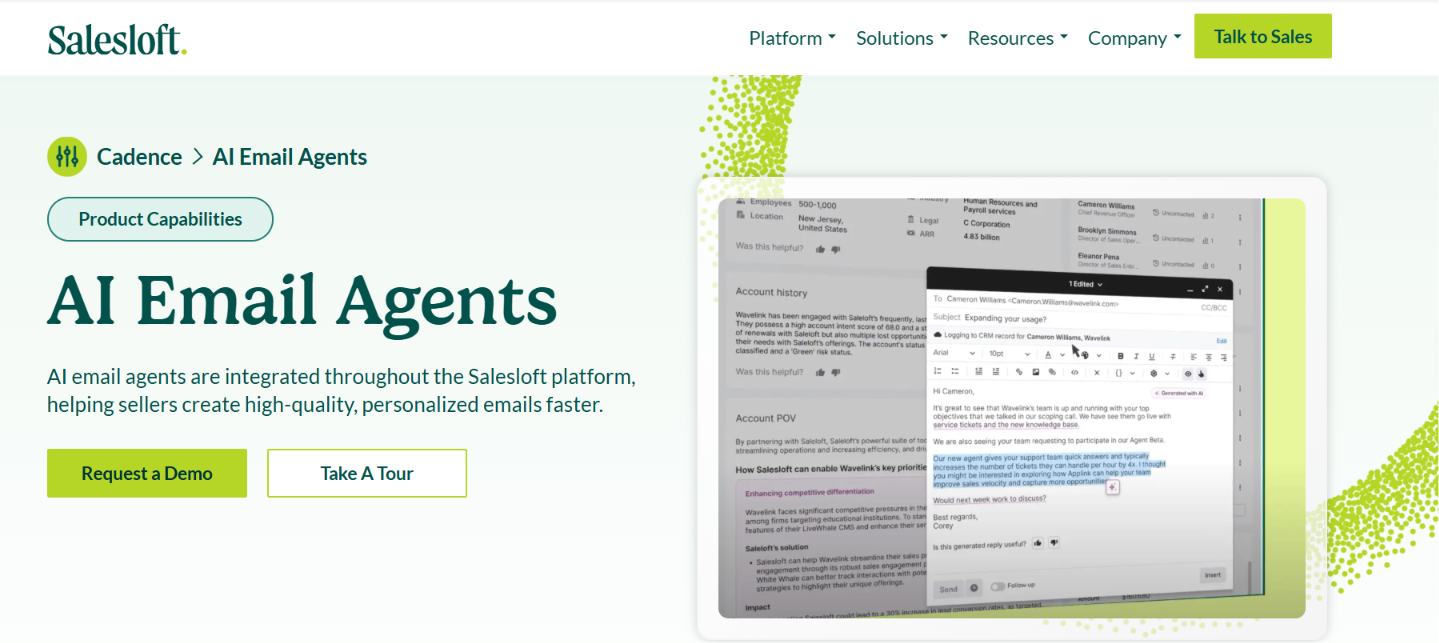
This image shows the Salesloft AI email agent
Salesloft uses AI email agents to help sales reps research prospects and write personalized emails faster. The Email Agent works with its Account Research Agent to understand the prospect before creating the message.
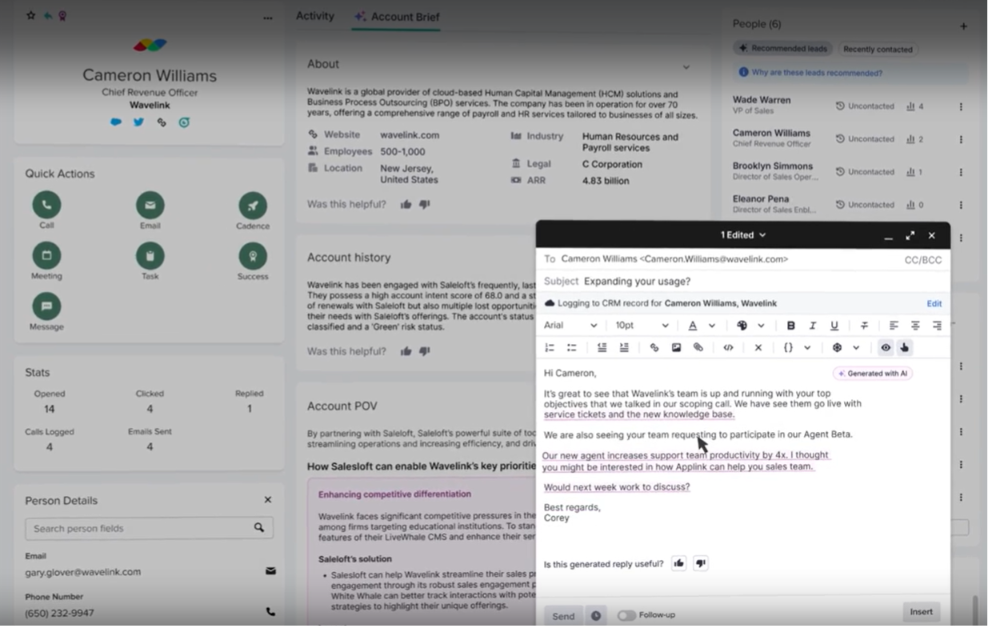
It can use account and buyer profiles plus previous interactions when writing. Salesloft can also generate personalized emails inside Cadence steps and create emails through Plays. The rep still controls the message and can edit the AI-generated draft before using it.
How Salesloft Helps as an AI Email Agent
Researches prospects before writing: Account and Person Research give the Email Agent context about the company and buyer.
Creates personalized Cadence emails: AI Email Steps generate a personalized email when the Cadence step runs.
This image shows ho to Generate personalized email
Writes emails inside sales Plays: Generative AI can create messages as part of automated sales workflows.
Uses past buyer context: Emails can use buyer profiles and previous interactions instead of basic contact fields.
Rewrites emails quickly: Reps can change tone, shorten copy, or personalize an existing draft.
Keeps sellers in control: The AI helps create the message while the rep decides what finally gets sent.
Pros of Salesloft
AI can personalize emails using account and buyer context.
Prospect research can feed directly into personalized email creation.
Personalized emails can be generated inside existing Cadence steps.
AI can shorten emails, adjust tone, and personalize existing copy.
Cons of Salesloft
It focuses heavily on helping sellers create emails rather than replacing the seller.
Salesloft does not state on its AI Email Agent page that the agent independently manages entire email conversations.
It is part of a broader revenue platform rather than a standalone AI email tool.
Salesloft Pricing
Salesloft does not publish fixed prices for its packages on its current pricing page. You need to contact its sales team for pricing.
7. ContactSwing
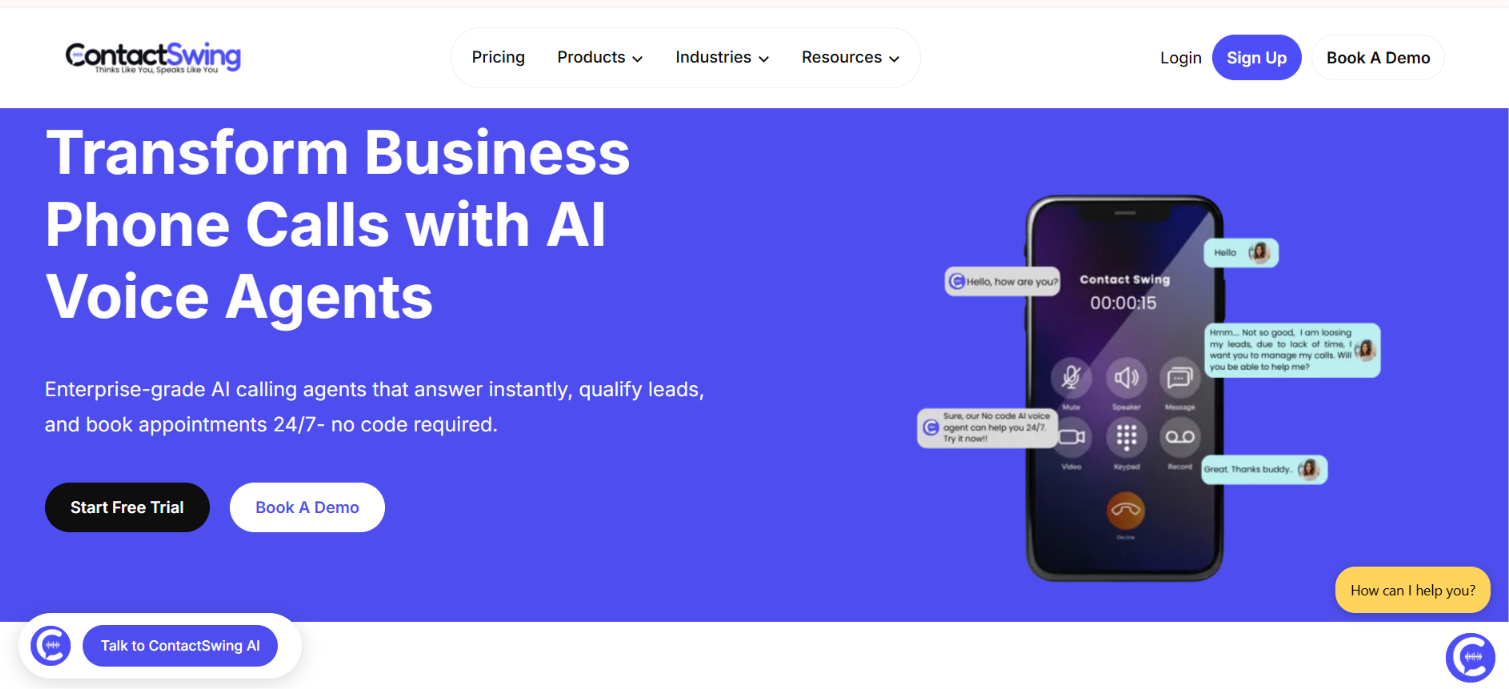
This image shows the ContactSwing homepage
ContactSwing’s AI Email Agent is built to handle inbox conversations without a person replying to every message. It can send emails, reply to incoming messages, run follow-ups, and move the conversation toward the next step.
You can connect Gmail or Outlook and train the agent with your knowledge base, FAQs, and brand voice. It can also follow response rules you set, so the replies stay closer to how your team would normally communicate.
ContactSwing helps teams reply faster and keep email conversations moving, especially for inbound leads and follow-ups.
How ContactSwing Helps as an AI Email Agent
Handles email replies automatically: The agent can respond to incoming emails and respond without waiting for someone on your team.
Runs follow-ups: It can keep email conversations moving without reps sending every follow-up themselves.
Uses your business knowledge: You can train the agent with your FAQs, knowledge base, and brand voice to guide its replies.
Connects to your email account: You can connect Gmail, Outlook, or configure an email account through SMTP.
Supports appointment scheduling: The agent can handle email conversations that lead to booking an appointment.
Hands off when needed: It can pass the conversation to a human when the email needs personal attention.
Pros of ContactSwing
It can send emails and reply to incoming messages automatically.
The agent can use your FAQs, knowledge base, and brand voice when responding.
Gmail and Outlook can connect directly to the email agent.
Follow-ups and appointment scheduling can run in the same workflow.
Human handoff is available when the conversation needs personal attention.
Cons of ContactSwing
ContactSwing is not built only for email and also covers voice, SMS, WhatsApp, and chat.
Its pricing page focuses more on voice usage than email-agent usage.
The provided data does not show separate email limits or email-specific pricing.
ContactSwing Pricing
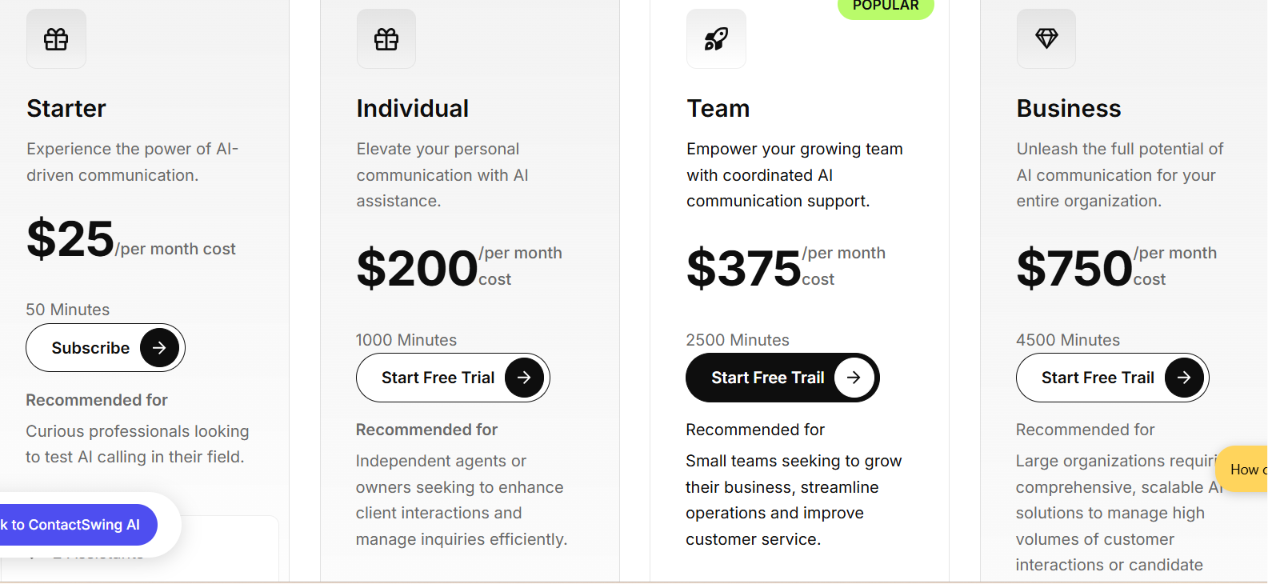
This image shows the ContactSwing pricing
ContactSwing does not show separate pricing for its AI Email Agent. Its wider platform starts at $25 per month for Starter. Individual costs $200 per month, Team costs $375 per month, and Business costs $750 per month.
Which AI Email Agent Should You Choose?
The best fit depends on the part of email you want AI to handle. Some tools focus on infrastructure, some on writing, and others on replies or full outreach workflows. The right choice depends on where you want AI to take over in your email workflow.
AI Email Agent
Best For
Mailforge
Giving AI agents mailbox infrastructure for cold outreach
AgentMail
Giving AI agents their own inboxes and email identities
6sense
Using buyer intent and account signals to personalize outreach
Regie.ai
Researching prospects and creating personalized outbound emails
Warmly
Starting outreach based on website activity and buyer intent
Salesloft
Helping sales reps research prospects and write personalized emails
ContactSwing
Automating email replies, follow-ups, and inbox conversations
There is no single best option for every team. The better choice is the one that matches how much of your email workflow you actually want AI to handle.
Personalized Outbound Strategy
Get The Right Outbound Strategy In Minutes
Enter your email to get a custom plan & stack recommendation for your
business
It's being carefully crafted by AI
Please check your mailbox in 5 minutes
Final Thoughts
AI email agents are moving email work beyond basic templates and scheduled sequences. They can now research prospects, write personalized messages, follow up and even handle replies depending on the tool.
But more automation also means more emails going out. Your sending setup needs to keep up with that volume. Creating mailboxes one by one and configuring DNS manually becomes difficult as you scale.
That is where Mailforge fits. It lets you create mailboxes in bulk and automatically configures SPF, DKIM and DMARC. You get the infrastructure needed to scale email sending without building everything manually.
Ready to give your AI email agents the infrastructure they need? Start with Mailforge.
Scale outreach with real Google and Microsoft inboxes
Set up Google Workspace and Microsoft 365 inboxes faster.