
If you are looking for a PuzzleInbox review, you want to know one thing.
Is PuzzleInbox safe and reliable for cold email?
We bought 30 PuzzleInbox mailboxes and tested setup speed, limits, and daily sending behavior.
In this review, we explain how PuzzleInbox works, what it’s good at, where it struggles, and who should use it.

PuzzleInbox is a cold email infrastructure service that sells ready-to-use Google Workspace and Outlook 365 inboxes.
You do not have to create inboxes, buy domains, or set up email records yourself.
PuzzleInbox does all of that for you.
The inboxes are made for cold outreach and are often pre-warmed, which makes them safer to use.
PuzzleInbox also sets up SPF, DKIM, MX, and DMARC to help emails reach the inbox instead of spam.
Once your inboxes are ready, you simply connect them to your cold email tool and start sending.
PuzzleInbox is for people who want simple, done-for-you email inboxes without technical work.
PuzzleInbox is made to simplify cold email inbox setup. You place an order, and PuzzleInbox handles everything needed to make the inboxes ready for outreach.
PuzzleInbox focuses on making cold email inbox setup easy and reliable.
It removes technical work and gives you ready-to-use inboxes built for outreach.
Below are the main features of PuzzleInbox.
| Feature | What It Means |
|---|---|
| Google & Outlook Inboxes | Official Google Workspace and Outlook 365 inboxes made for cold email. |
| Pre-Warmed Inboxes | Inboxes come warmed with high health scores, ready for outreach. |
| Auto DNS Setup | SPF, DKIM, MX, and DMARC are set up automatically. |
| Domain Included | Pre-warmed inboxes include .info or .site domains if needed. |
| Fast Setup | Inboxes are delivered within 24–72 hours after purchase. |
| Isolated Inboxes | Each inbox runs separately to protect deliverability. |
| Simple Dashboard | View inboxes, domains, costs, and renewals in one place. |
| SMTP / IMAP Access | Easy connection with any cold email sending tool. |
| Spam Checker | Built-in tool to check email content before sending. |
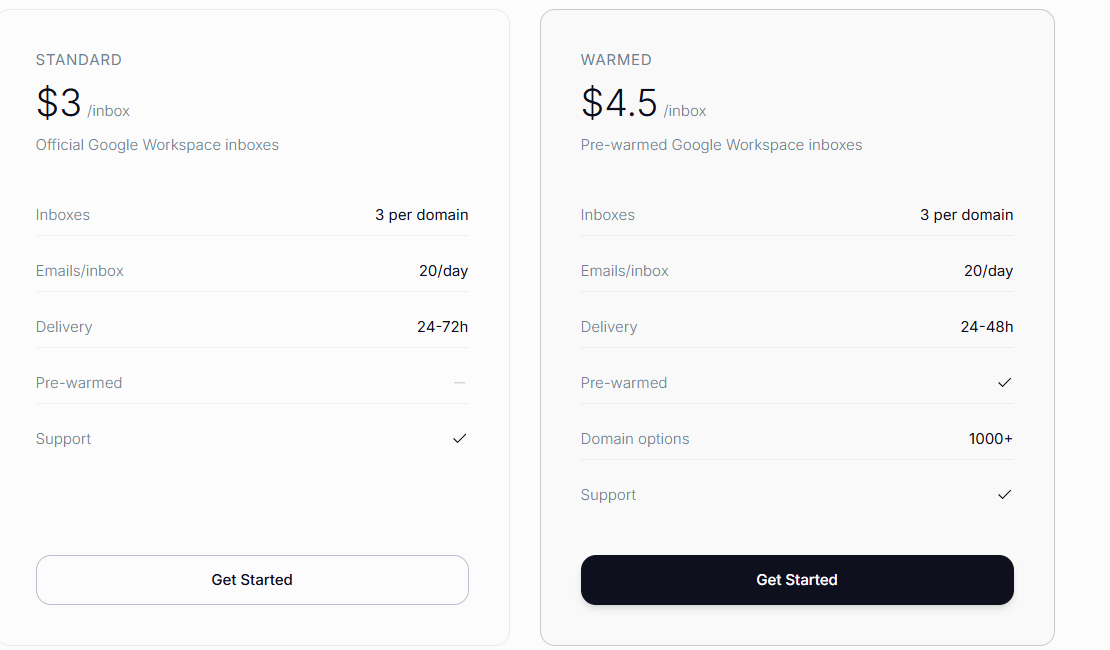
PuzzleInbox uses a per-inbox pricing model. You pay based on how many inboxes you need and which provider you choose.
Pricing is split into Google Workspace, Outlook 365, and Done-for-You plans.
Overall, PuzzleInbox pricing is simple and flexible, but cost increases as you scale by adding more inboxes rather than increasing volume per inbox.
| Pros | Cons |
|---|---|
|
|
PuzzleInbox is built for teams that want ready-made inboxes for cold email without handling technical setup.
But depending on your sending goals and scale, it may or may not be the best fit.
PuzzleInbox works well if you want ready-made inboxes with minimal setup.
But as teams scale, many want better deliverability control, faster setup, and inboxes that look more real to recipients.
That’s where Primeforge is a stronger alternative.
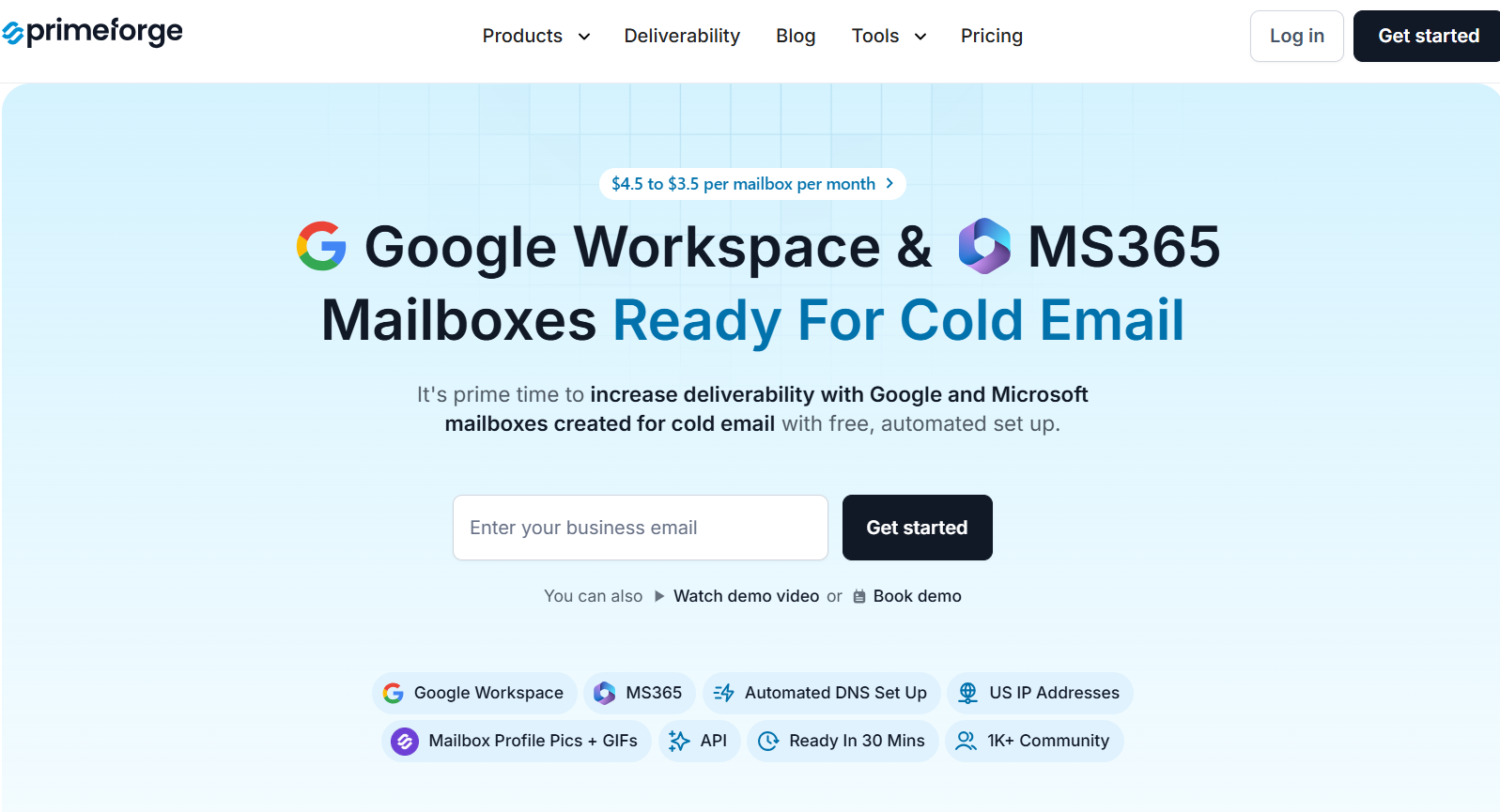
Primeforge is a cold email infrastructure platform built for serious outbound teams.
It provides real Google Workspace and Microsoft 365 mailboxes that are configured specifically for cold outreach, not daily email use.
All domains, inboxes, and DNS records are set up automatically and are ready to send in about 30 minutes.
| Feature | PuzzleInbox | Primeforge |
|---|---|---|
| Inbox Type | Google Workspace & Outlook 365 inboxes | Real Google Workspace & Microsoft 365 inboxes |
| Built For Cold Email | Yes | Yes, engineered specifically for cold outreach |
| Setup Time | 24–72 hours | ~30 minutes |
| Pre-Warmed Inboxes | Available | Available by default |
| DNS Setup (SPF, DKIM, DMARC) | Automatically configured | Fully automated, best-practice setup |
| IP Type | Provider-managed | Clean, Google/Microsoft-managed IPs |
| Inbox Ownership | Managed inboxes | Full domain & mailbox ownership |
| Pricing Model | Per inbox (lower entry cost) | $4.5 → $3.5 per mailbox per month at scale |
| Best For | Small teams starting cold email | Serious outbound teams, agencies, AI SDR workflows |
In short, choose PuzzleInbox if you want simple, ready-to-use inboxes with minimal setup.
Choose Primeforge if you want faster launch, stronger deliverability, real Google/MS inbox trust, and infrastructure built to scale safely.
PuzzleInbox can be worth it if you want ready-made Google or Outlook inboxes without doing technical setup.
It works well for small teams that send low daily volume and want to get started fast.
But PuzzleInbox is still inbox infrastructure only.
You must follow strict limits, add many inboxes to scale, and use a separate tool to run campaigns.
Costs also grow as you add more inboxes.
If your goal is better deliverability, faster setup, and inboxes that look more real to prospects, Primeforge is the better choice.
Primeforge gives you real Google Workspace and Microsoft 365 mailboxes, pre-warmed, fully configured, and ready in about 30 minutes.
Try Primeforge if you want inboxes built for cold email from day one and infrastructure that scales safely.
