
If you are searching for an InboxKit review, you want to know if it works for cold email.
InboxKit helps you create Google Workspace and Microsoft 365 mailboxes. It also sets up DNS, runs warmup, and prepares inboxes for sending cold emails.
We bought 30 mailboxes from InboxKit and used them in real cold email campaigns.
In this review, we explain how InboxKit works, how long setup takes, what features matter, how pricing works, and who InboxKit is best for.
So, let’s begin.
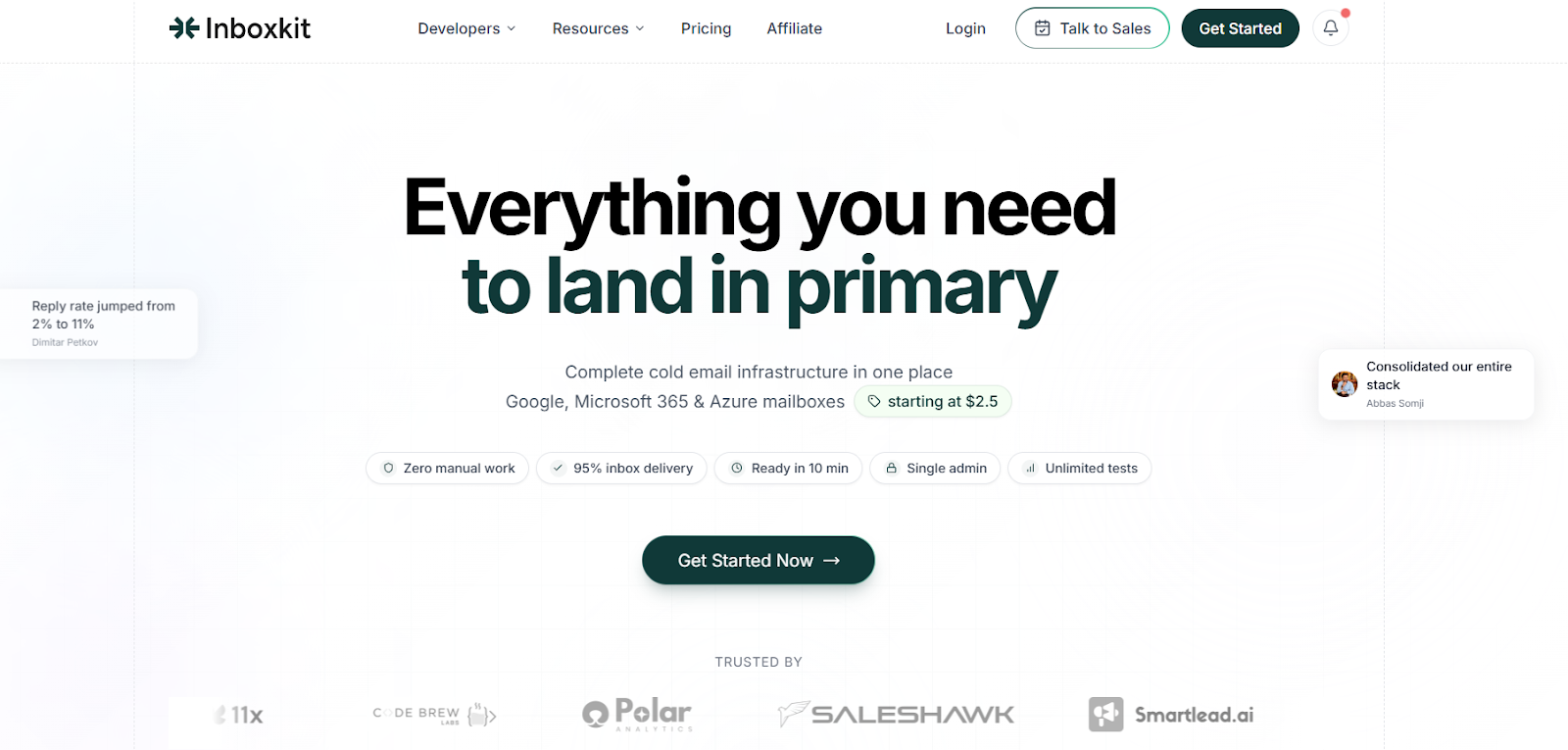
InboxKit is a cold email infrastructure tool.
It helps sales teams and agencies create and manage Google Workspace and Microsoft 365 mailboxes for cold email outreach.
The platform is built for teams that need multiple inboxes without doing manual setup.
InboxKit is an official Google Cloud and Microsoft partner.
This means the mailboxes are real business accounts with proper licenses.
They are not shared panels, non-profit accounts, or shortcuts that risk suspension.
InboxKit automates the full setup process. It configures SPF, DKIM, and DMARC records, starts inbox warmup, and prepares mailboxes for sending.
Each domain in InboxKit has its own admin panel.
Domains are kept separate. If one domain has a problem, other domains are not affected.
InboxKit is made for sales teams and agencies that send cold emails in large numbers.
You can create many mailboxes from one dashboard and manage them in one place.
InboxKit is built to handle the full cold email setup.
It is designed for sales teams and agencies that need Google Workspace and Microsoft 365 inboxes that are safe and ready to scale.
The full setup takes about 10 minutes, even if you create many inboxes.
Here is how the process works:
Once setup is complete, inboxes are ready for cold email outreach at scale.
InboxKit focuses on cold email infrastructure.
The features below are the ones that actually matter when you are sending cold emails at scale.
| Feature | How It Helps You |
|---|---|
| Official Google Cloud & Microsoft Partner |
You get real Google Workspace and Microsoft 365 business accounts with proper licenses. This reduces suspension risk.
Lower Risk
|
| Google & Microsoft Mailbox Licenses ($2.5–$3.5) | Mailboxes are priced lower at scale, helping agencies and sales teams control infrastructure costs. |
| Fully Automated Setup | InboxKit handles domain setup, DNS, mailbox creation, and warmup without any manual work. |
| Ready in 10 Minutes |
Go from domain connection to inbox-ready accounts in about 10 minutes.
Fast Setup
|
| Automatic DNS Configuration | SPF, DKIM, and DMARC are set up automatically to support inbox delivery and reduce misconfiguration errors. |
| Built-In Warmup | Inboxes are warmed automatically to build sender reputation before cold sending. |
| Domain Health Check | Domains are checked for blacklist status and past abuse before use, reducing deliverability issues. |
| Single Admin Panel per Domain |
Each domain is isolated in its own admin panel, so issues on one domain do not affect others.
Isolation
|
| Bulk Mailbox Creation | Create many mailboxes at once using bulk or AI-assisted setup. |
| No Sending Limits | InboxKit does not limit daily sending. Volume depends only on warmup progress and sender reputation. |
| Unlimited Team Access | Add multiple users to manage inboxes and domains together without extra per-seat costs. |
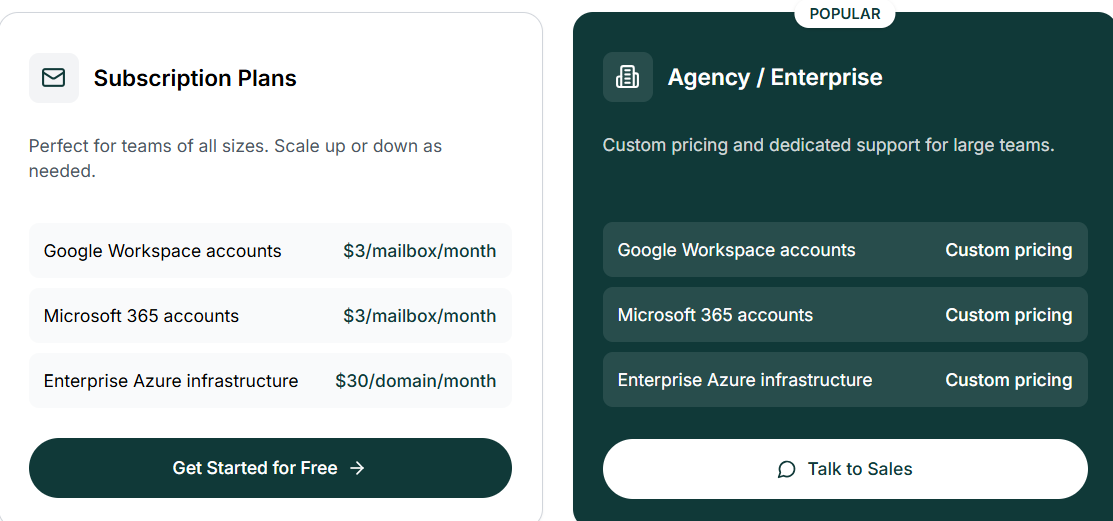
InboxKit offers simple, usage-based pricing with flexible scaling for teams of all sizes.
Plans are ideal for growing teams and allow you to scale up or down as needed.
For large teams, InboxKit offers custom pricing with dedicated support:
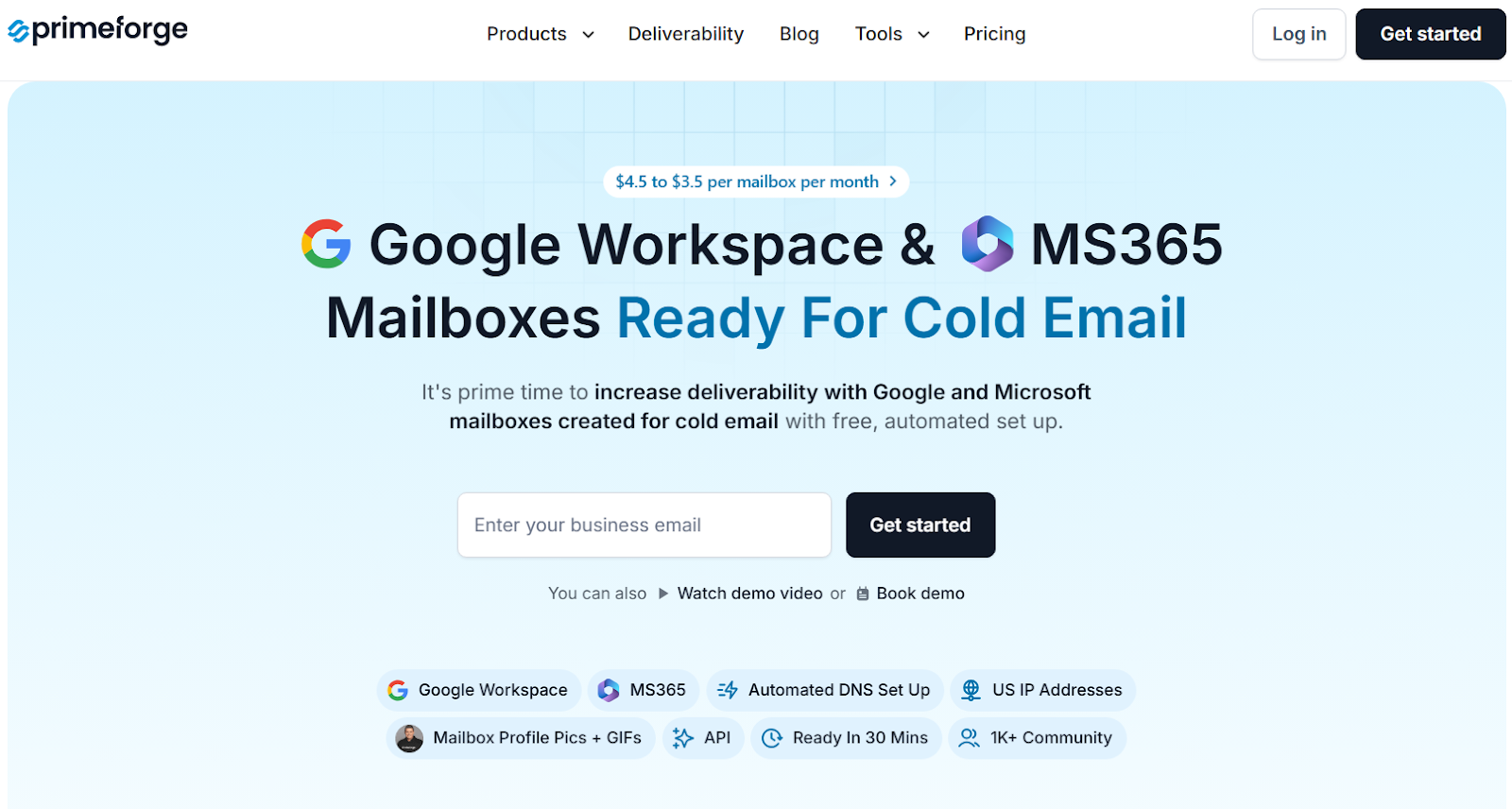
If you want Google Workspace and Microsoft 365 mailboxes built for cold email, Primeforge is a strong alternative to InboxKit.
Primeforge provides Google Workspace and Microsoft 365 mailboxes with automated DNS setup and inboxes ready in about 30 minutes.
Primeforge creates mailboxes directly on Google Workspace and Microsoft 365. This allows sending from the same email providers most prospects use.
It supports mailbox profile pictures and GIFs, which help emails stand out in the inbox.
Primeforge supports multiple workspaces, bulk DNS updates, API access, and works with any cold email software.
Pricing ranges from $3.5 to $4.5 per mailbox per month and includes automated setup and mailbox hosting.
| Feature | InboxKit | Primeforge |
|---|---|---|
| Infrastructure Type |
Managed infrastructure with Google & Microsoft accounts
Managed
|
Native Google Workspace & Microsoft 365 mailboxes |
| Setup Speed | ~10 minutes | ~30 minutes |
| DNS Configuration | Automated SPF, DKIM, DMARC | Automated SPF, DKIM, DMARC |
| Deliverability Approach | Infrastructure-level monitoring and warmup |
ESP matching with Google/MS365
ESP Matching
|
| Warmup |
Built-in warmup
Built-in
|
Works with warmup tools in the Forge ecosystem |
| Personalization | Standard mailbox setup | Profile pictures and animated GIFs |
| Integrations | 15+ integrations + API | Works with any sending software + API |
| Pricing | Plan-based + per-mailbox pricing | $3.5–$4.5 per mailbox/month |
| Best For | Teams that want fast setup with full automation | Teams that want native Google/MS deliverability |
If your cold email strategy depends on sending from the same email providers your prospects use.
Primeforge offers stronger native deliverability, better branding options, and more flexibility for outreach tools from day one.
InboxKit is a good option if you want fast setup and full automation for cold email.
It handles domains, DNS, mailboxes, and warmup in one place. This makes it useful for teams that want less technical work.
InboxKit works well for sales teams and agencies that need to create many inboxes quickly and manage them from one dashboard.
However, if your goal is stronger inbox placement using native Google Workspace and Microsoft 365 mailboxes and more control over deliverability.
Primeforge is a better choice.
Primeforge creates mailboxes directly on Google and Microsoft.
It also supports profile pictures, GIFs, and works with any cold email software.
This helps emails look more real and land in the inbox more often.
If deliverability matters most to you, Primeforge is the better option to start with.
Try Primeforge if you want Google and Microsoft mailboxes built for cold email and better inbox placement from day one.
