
If you’re looking for Hypertide alternatives, you probably want to know which tools can do a better job at managing Google and Microsoft mailboxes, especially for cold email or scaling inboxes fast.
Hypertide helps you create mailboxes quickly, but it may not give you everything you need at scale, like flexible pricing, pre-warmed inboxes, or deeper automation.
So in this guide, I’ll show you the 5 best tools that can replace Hypertide.
You’ll see how each one works, what makes it better, and how it fits your cold email or outreach workflow.
To find the best and most reliable Hypertide alternatives, we focused on factors that directly affect mailbox quality, deliverability, and inbox management efficiency.
Each alternative was reviewed based on how well it improves inbox reliability, deliverability, and scaling compared to Hypertide.
Primeforge is a cold email infrastructure platform that helps you create and manage Google Workspace and Microsoft 365 mailboxes built specifically for cold outreach.
Instead of buying inboxes directly from Google or Microsoft and setting everything up manually, Primeforge automates the full process.
This includes domain setup, DNS records (SPF, DKIM, DMARC), mailbox creation, and profile setup, all optimized for deliverability.
Primeforge is built for teams of any size, from solo founders to large agencies.
It focuses only on Google Workspace and Microsoft 365 inboxes, which most prospects already use.
This makes it easier to match email providers and improve inbox placement.
| Feature | Primeforge | Hypertide |
|---|---|---|
| Mailbox providers | Google Workspace & Microsoft 365 |
Google, Microsoft & Entra
Entra focus
|
| Setup time | Around 30 minutes | 4–6 hours on average |
| Pricing model | Pay per mailbox |
Flat $50 per order
Flat fee
|
| Cost efficiency at scale | High | Fixed regardless of usage |
| DNS setup (SPF, DKIM, DMARC) | Fully automated | Pre-configured |
| Deliverability focus | Optimized for Google & MS365 | Strong focus on Entra/Azure |
| Profile pictures / GIFs | Included | Not included |
| Best suited for | Google & Microsoft outreach | High-volume Entra setups |
| Pros | Cons |
|---|---|
|
|
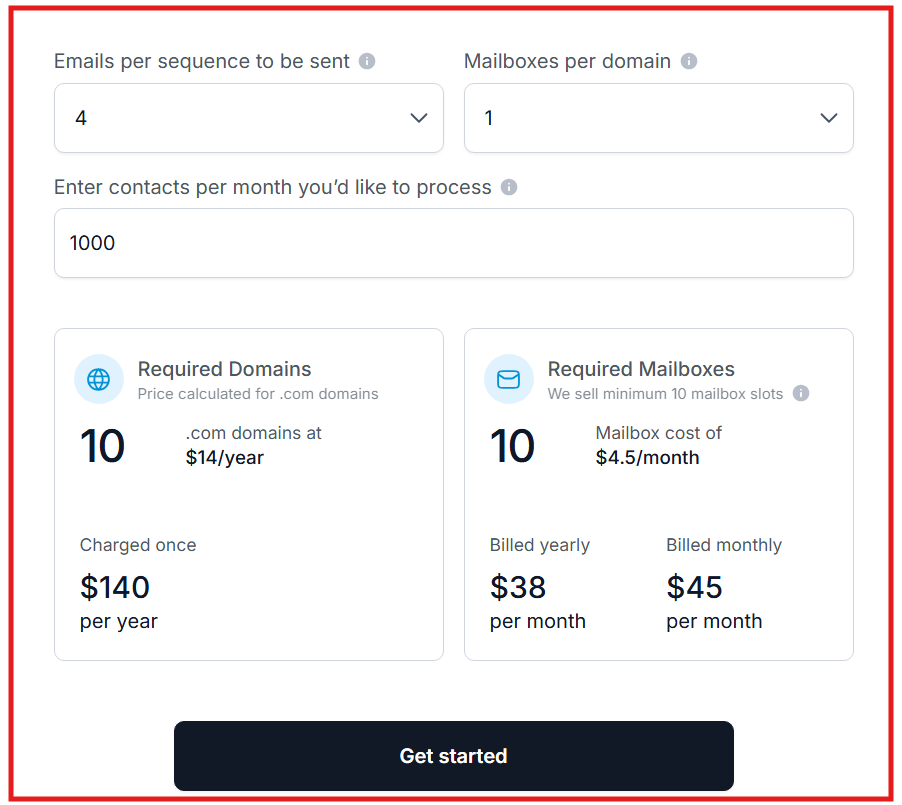
Primeforge uses a simple, mailbox-based pricing model that scales easily as you grow.
Mailbox pricing ranges from $3.5 to $4.5 per mailbox per month, depending on billing frequency. Annual billing includes a discount equivalent to two free months.
Domains typically cost around $14 per year and are charged once per domain. Domains do not auto-renew without notice.
Maildoso is a cold email infrastructure platform that provides ready-to-use mailboxes and domains built specifically for outbound email.
Unlike Google Workspace or Microsoft 365 accounts, Maildoso operates as its own email service provider (ESP).
It handles domains, mailboxes, DNS records, IP rotation, and inbox reputation automatically, so users don’t need to deal with technical setup.
Maildoso is designed for speed, scale, and low cost.
You can create hundreds of domains and thousands of mailboxes in minutes and connect them to any cold email tool using IMAP and SMTP.
| Feature | Maildoso | Hypertide |
|---|---|---|
| Mailbox type | Maildoso-hosted mailboxes |
Google, Microsoft & Entra
Multi-provider
|
| Setup time | About 10 minutes | 4–6 hours |
| Pricing model | Pay per mailbox | $50 per order |
| Cost per mailbox | As low as $1.4–$1.8/month | Depends on inbox count |
| DNS setup | Fully automated | Pre-configured |
| Sending limits | 95 emails/day per mailbox | Shared order-level limits |
| Best for | Budget-friendly scale | High-volume Entra setups |
| Pros | Cons |
|---|---|
|
|
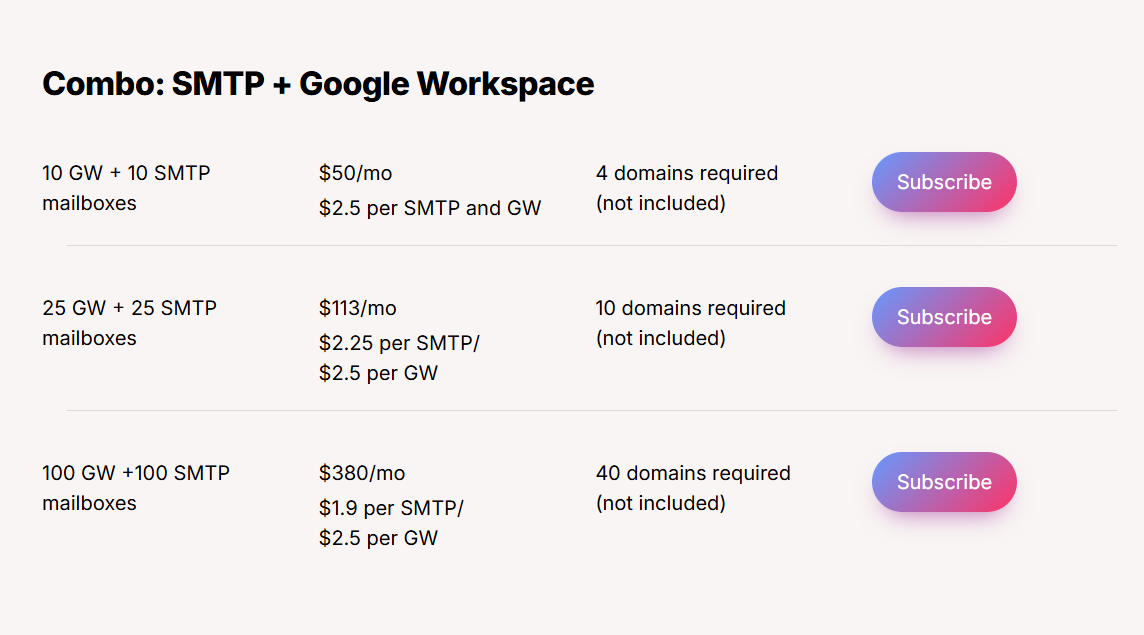
Maildoso offers flexible SMTP and Google Workspace mailbox pricing designed for scaling teams and agencies.
I. Combo: SMTP + Google Workspace (Monthly)
II. Quarterly SMTP Plans
All plans scale with volume, offering lower per-mailbox costs on larger packages.
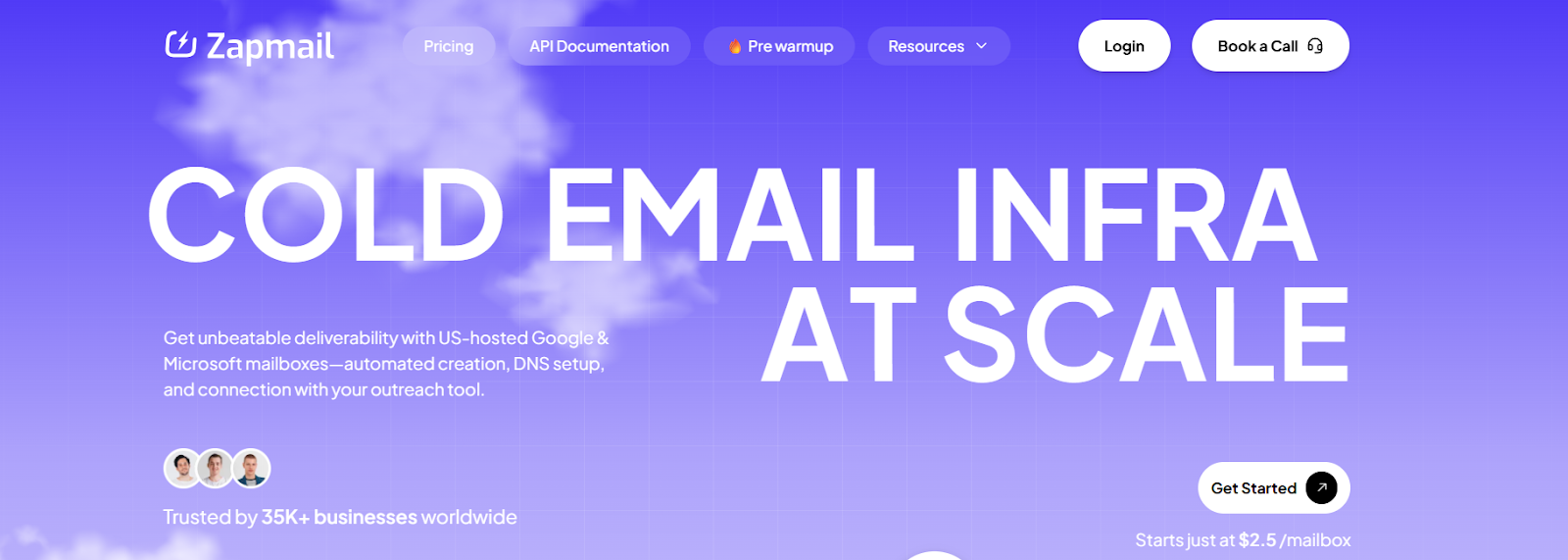
Zapmail is a cold email infrastructure platform that provides Google Workspace and Microsoft 365 mailboxes built specifically for outbound email.
Zapmail focuses on speed, deliverability, and scale. Mailboxes are created automatically, DNS is configured instantly, and accounts can be connected to outreach tools within minutes.
Zapmail also offers pre-warmed mailboxes, allowing users to start sending from day one without waiting weeks for warm-up.
The platform is designed for freelancers, agencies, and teams that need clean, ready-to-send inboxes with minimal setup and strong inbox placement.
| Feature | Zapmail | Hypertide |
|---|---|---|
| Mailbox providers | Google Workspace & Microsoft 365 |
Google, Microsoft & Entra
Entra option
|
| Setup time | ~5–10 minutes | 4–6 hours |
| Pre-warmed mailboxes | Yes | No |
| Pricing model | Monthly per plan / per mailbox | $50 per order |
| Domain structure | 1 domain per workspace |
Tenant-based isolation
Isolated
|
| DNS setup | Fully automated | Pre-configured |
| API access | Available | Available |
| Best for | Fast launch & pre-warmed inboxes | High-volume Entra sending |
| Pros | Cons |
|---|---|
|
|

Zapmail offers monthly subscription plans with mailboxes included and the option to add more as needed.
Starter plans begin at $39/month, including Google or Microsoft mailboxes. Growth and Pro plans support more mailboxes and are designed for agencies managing multiple clients.
Additional mailboxes cost $3.00–$3.50 per mailbox, depending on the plan. Zapmail also offers pre-warmed mailbox packages, which include mailboxes with 12+ weeks of warm-up history and are ready to send immediately.
Domains can be purchased through Zapmail or brought from outside, and users retain ownership of domains they buy.
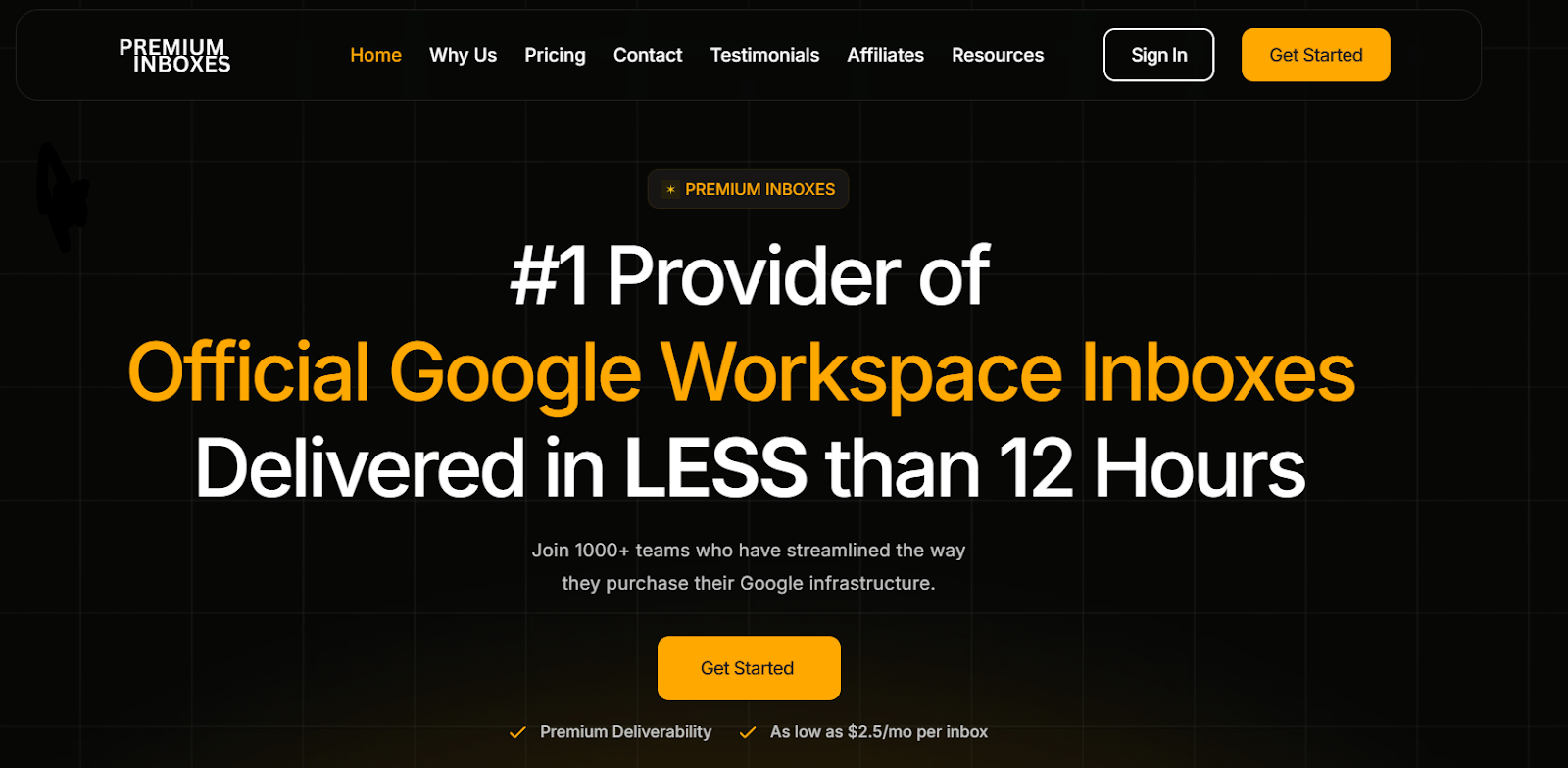
PremiumInboxes is a service that provides official Google Workspace inboxes built specifically for cold email.
The main focus is speed and reliability. Inboxes are delivered in under 12 hours, with an option to receive them in under 6 hours.
All inboxes are created under your own domains and come with a full DNS setup designed for strong deliverability.
PremiumInboxes is a good fit for teams that want a hands-off setup, fast turnaround, and inboxes that are ready to plug directly into their sending tools.
| Feature | PremiumInboxes | Hypertide |
|---|---|---|
| Mailbox providers | Google Workspace only |
Google, Microsoft & Entra
Multi-provider
|
| Delivery time | <12 hours (6 hours upgrade) | 4–6 hours |
| Pricing model | Per inbox / monthly |
$50 per order
Flat fee
|
| DNS setup | Fully handled | Pre-configured |
| Inbox replacement | Free replacements | Replacement depends on order |
| Setup effort | Fully managed | Semi-managed |
| Best for | Fast Google inbox delivery | Entra-based scale setups |
Pros of PremiumInboxes
Cons of PremiumInboxes
Official Google Workspace inboxes built under your own domains
Google Workspace only (no Microsoft 365 support)
Fully managed setup, no DNS, tenant, or admin work needed
No instant self-serve inbox creation
Fast delivery: inboxes delivered in under 12 hours (6 hours on upgrade)
Cannot spin up inboxes instantly on demand
Complete DNS setup included (SPF, DKIM, DMARC, MX, tracking)
No built-in warmup or deliverability analytics
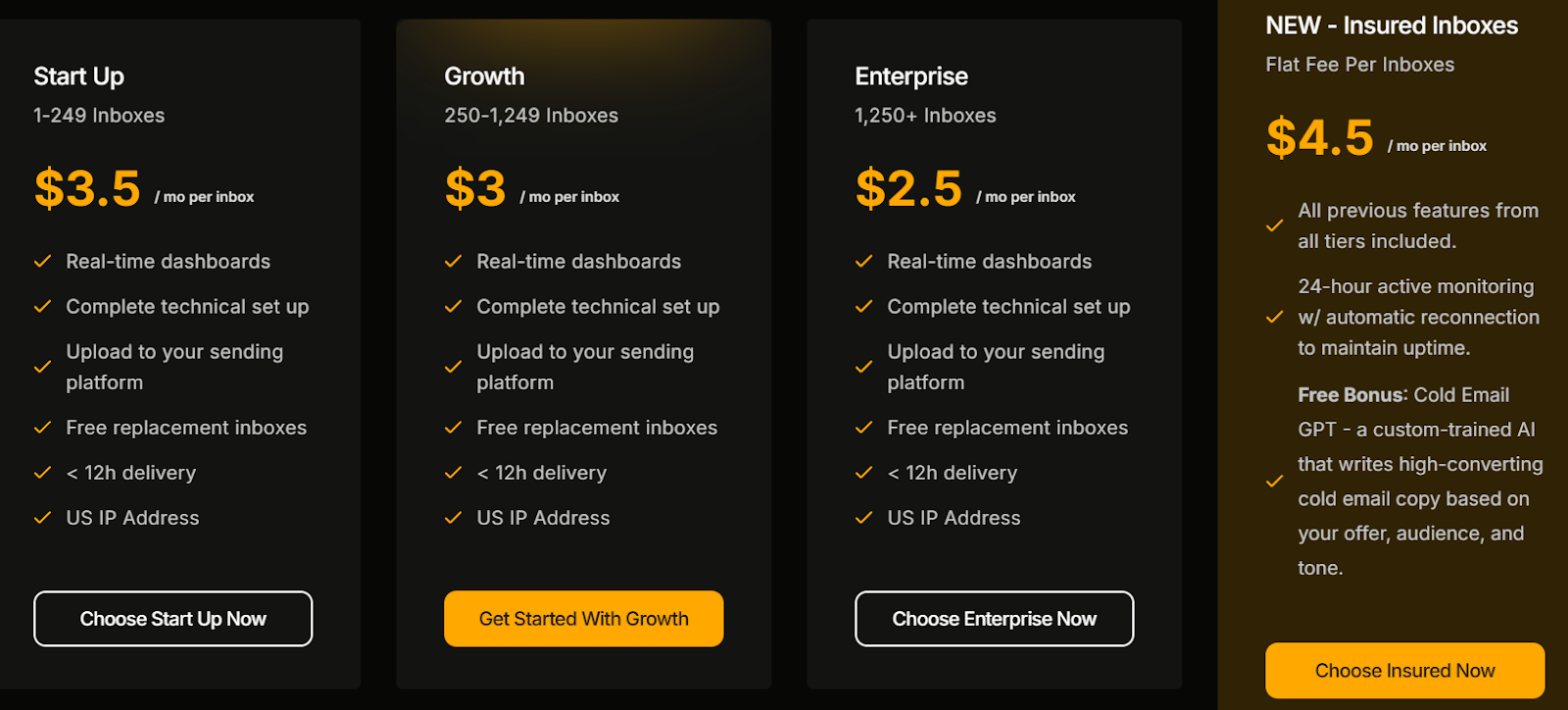
PremiumInboxes uses volume-based pricing with monthly rates per inbox.
Pricing starts at $3.5 per inbox per month for smaller teams. Larger volumes reduce the price to $3.0 and then $2.5 per inbox for enterprise-scale orders.
An Insured Inboxes option is available at $4.5 per inbox, which includes unlimited free replacements, active monitoring, and automatic reconnection to keep campaigns running.
All plans include DNS setup and delivery to your sending platform.
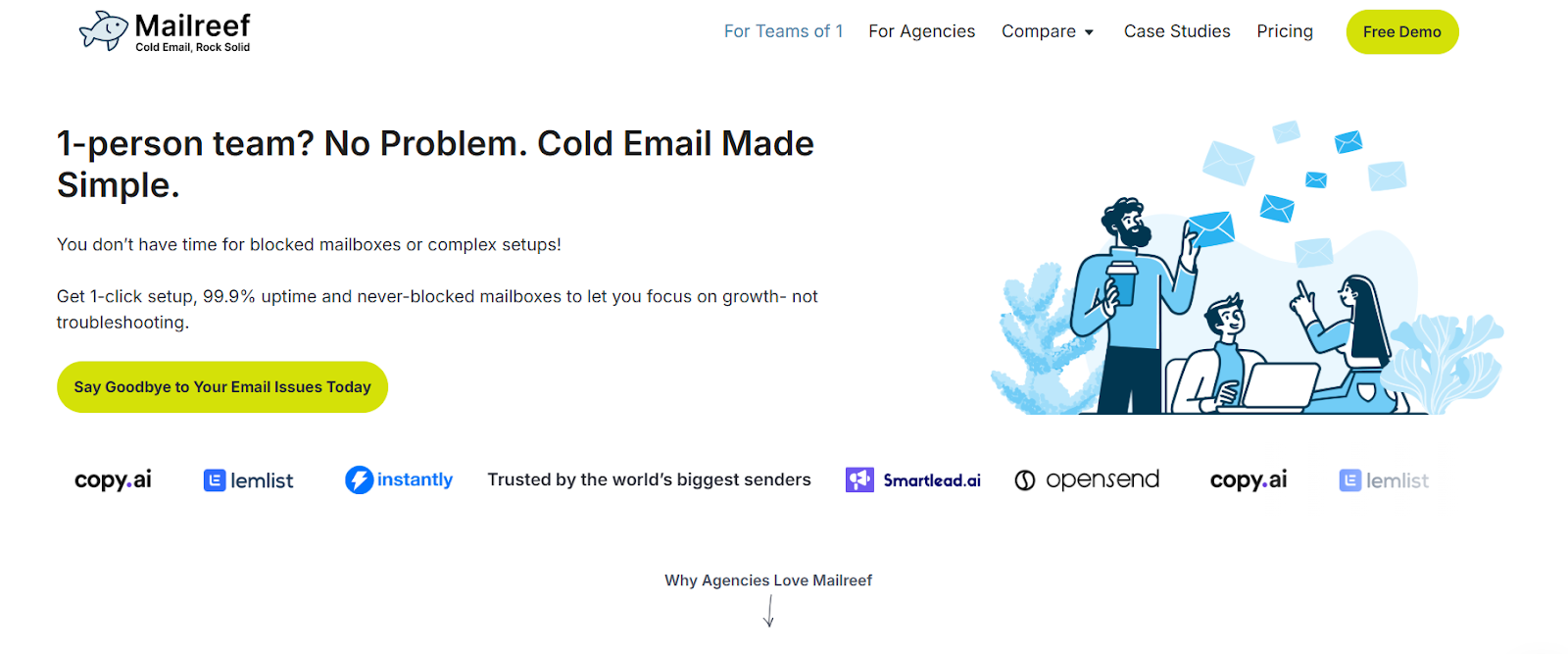
Mailreef is a cold email infrastructure platform built for teams that send high volumes of cold emails and need full control over deliverability.
Unlike mailbox resellers, Mailreef gives you a fully dedicated mail server, a dedicated IP address, and complete ownership of your email delivery stack. There are no shared servers, no rotating IPs, and no dependency on Google or Microsoft inbox limits.
Mailreef is designed for experienced cold emailers who want maximum stability, control, and scale, especially when sending more than 20,000 emails per month.
| Feature | Mailreef | Hypertide |
|---|---|---|
| Mailbox type | Custom mail server mailboxes |
Google, Microsoft & Entra
Multi-provider
|
| Server model | Fully dedicated server | Cloud-based tenants |
| IP address |
Dedicated IP per customer
Dedicated
|
Managed provider IPs |
| Mailbox limits | Unlimited inboxes per server | Fixed inbox count per order |
| Setup speed | Seconds via dashboard or API | 4–6 hours |
| API access | Yes | Yes |
| Best for | Full control & high volume | Automated multi-provider setups |
| Pros | Cons |
|---|---|
|
|
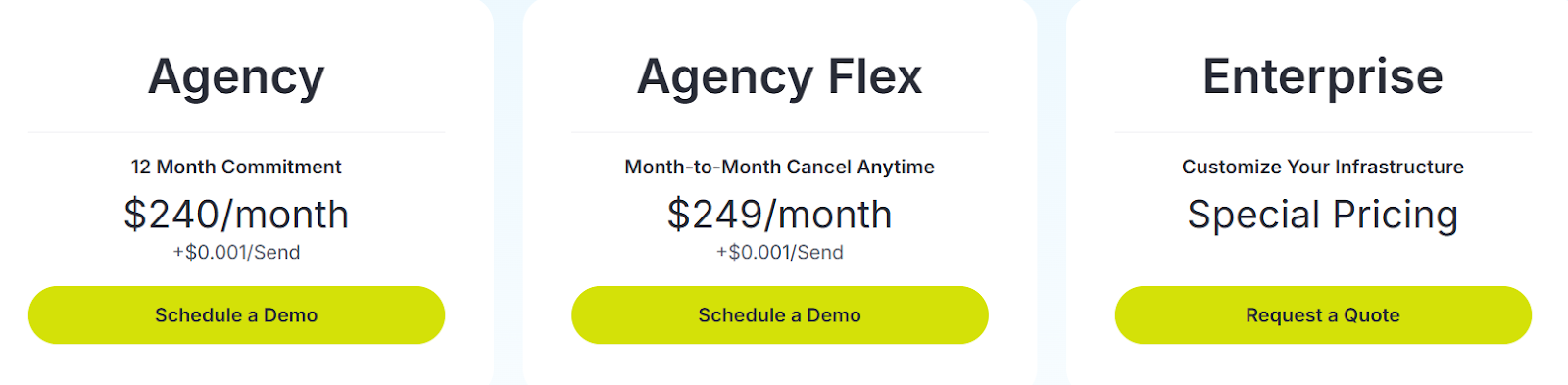
Mailreef uses a server-based pricing model, not per-mailbox pricing.
Plans start at $240–$249 per month, with a small additional cost per email sent.
Pricing includes a dedicated mail server, dedicated IP address, 150+ mailboxes per server, automated DNS setup, API access, monitoring, and live technical support.
Custom enterprise pricing is available for teams that need tailored infrastructure or higher scale.
Choosing the right Hypertide alternative depends on what matters most to you, speed, control, scale, cost, or long-term deliverability.
Here’s a quick guide to help you choose the best Hypertide alternative:
If you’re looking for a clean, scalable, and future-proof Hypertide alternative for Google and Microsoft mailboxes, Primeforge is the best long-term choice.
Sign up with Primeforge now!
